parking brake MITSUBISHI OUTLANDER III 2015 User Guide
[x] Cancel search | Manufacturer: MITSUBISHI, Model Year: 2015, Model line: OUTLANDER III, Model: MITSUBISHI OUTLANDER III 2015Pages: 446, PDF Size: 59.52 MB
Page 146 of 446
Continuously variable transmission (CVT) (if so equipped)
Features and controls 5-69
5
N00563301059
When the selector lever cannot be shifted from the “P” (PARK) position to anotherposition while the brake
pedal is pressed and
held down with the i
gnition switch at the
“ON” position or the operation mode in ON,the battery may be flat or the shift-lock mech- anism may be malfunctioning. Immediately have your
vehicle checked by an
authorized Mitsubishi Motors dealer or a repair facility
of your choice.
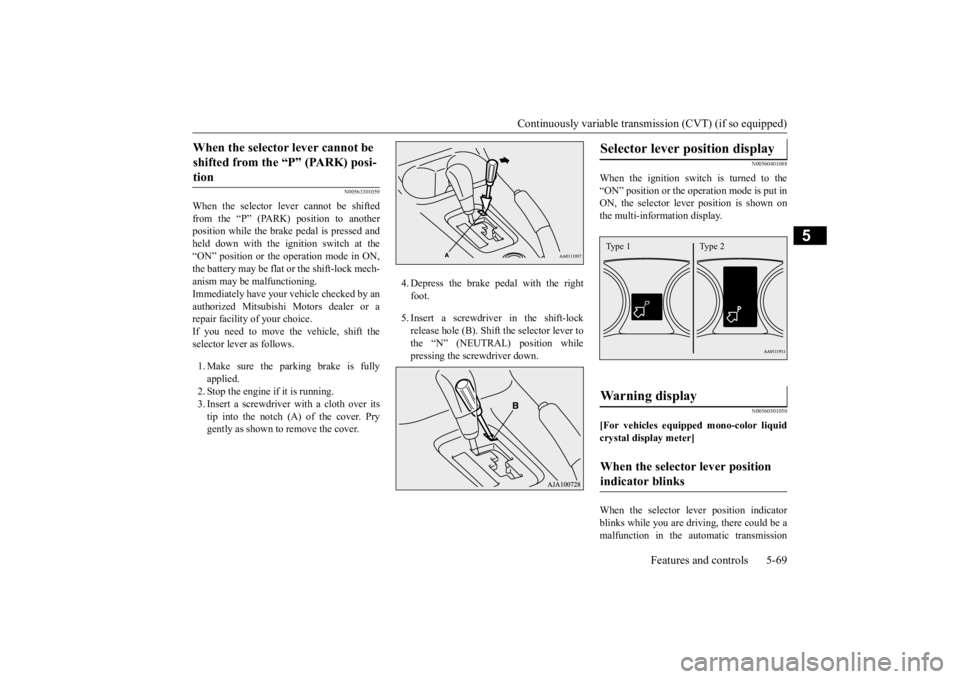
If you need to move the vehicle, shift the selector lever as follows. 1. Make sure the parking brake is fully applied.2. Stop the engine if it is running. 3. Insert a screwdrive
r with a cloth over its
tip into the notch (A) of the cover. Prygently as shown to remove the cover.
4. Depress the brake pedal with the right foot. 5. Insert a screwdriver in the shift-lock release hole (B). Shift the selector lever to the “N” (NEUTRAL) position while pressing the screwdriver down.
N00560401088
When the ignition switch is turned to the “ON” position or the operation mode is put in ON, the selector lever position is shown onthe multi-information display.
N00560501050
[For vehicles equipped mono-color liquidcrystal display meter] When the selector le
ver position indicator
blinks while you are driv
ing, there could be a
malfunction in the automatic transmission
When the selector lever cannot be shifted from the “P” (PARK) posi-tion
Selector lever position display
Warning display
When the selector lever position indicator blinks
Type 1 Type 2
BK0211800US.book 69 ページ 2014年3月12日 水曜日 午後2時42分
Page 151 of 446
Electronically controlled 4W
D system (if so equipped)
5-74 Features and controls
5
For short waiting periods, such as at traffic lights, the vehicle can be
left in selector lever
position and held stationary with the servicebrake. For longer waiting periods with the engine running, place th
e selector lever in the “N”
(NEUTRAL) position a
nd apply the parking
brake, while holding the vehicle stationary with the service brake.Prior to moving off after having stopped the vehicle, make sure that
the selector lever is in
“D” (DRIVE) position or
Sports mode posi-
tion.
To park the vehicle, fi
rst bring it to a com-
plete stop, fully engage the parking brake, and then move the sele
ctor lever to the “P”
(PARK) position. If the CVT does not shift while driving, or your vehicle does not pick up enough speed when starting on an uphill slope, it may be that there is something unusual happening inthe transmission, causing a safety device to activate. Have your ve
hicle checked at an
authorized Mitsubishi Motors dealer or arepair facility of your c
hoice as soon as possi-
ble.
N00548301029
The electronically controlled 4WD systemhelps improve accelera
tion and vehicle stabil-
ity by controlling the front-rear distribution ofdriving torque using
the electronic control
coupling in the rear differential assembly.
NOTE
In sports mode, downshifts do not take place when the accelerator is depressed all the wayto the floor.
Waiting
CAUTION To avoid transmission
overheating, never try
to keep your vehicle
stationary on a hill by
using the accelerator
pedal. Always apply
the parking brake and/or service brake. Do not rev the engine unnecessarily while the vehicle is stationary. Unexpected acceler- ation may occur if the selector lever is in aposition other than “P” (PARK) or “N” (NEUTRAL).
Parking
When the CVT makes no speed change
NOTE
[For vehicles equipped with mono-color liq- uid crystal display meter]When the selector le
ver position indicator
blinks while you are driving, there could be a malfunction in the automatic transmission system or CVT fluid
temperature becomes
abnormally high. [For vehicles equippe
d with color liquid
crystal display meter] When the warning display and “SLOW DOWN” or the wa
rning display and
“SERVICE REQUIRED” appear on the information screen in the multi-informationdisplay, there could be
a malfunction in the
CVT. Refer to “Continuously variable trans- mission (CVT): Warning display” on page5-69.
Electronically controlled 4WD system
(if so equipped)
BK0211800US.book 74 ページ 2014年3月12日 水曜日 午後2時42分
Page 152 of 446
Electronically controlled 4WD system (if so equipped)
Features and controls 5-75
5
Select the drive mode from the following 3 types to suit the driving conditions.
4-wheel drive operation requires special driv- ing skills.Carefully read the “4-wheel drive operation” section on page 5-80 and take care to drive safely.
N00548401020
The drive mode can be switched by pressingthe drive mode switch while the ignition is in the “ON” position or
the operation mode in
ON.
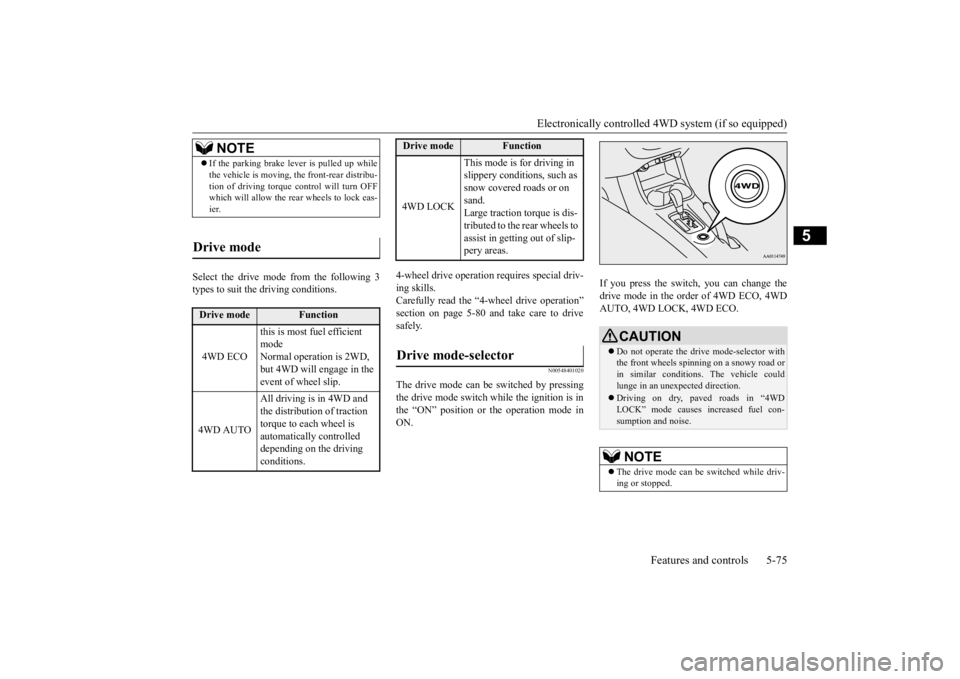
If you press the switch, you can change the drive mode in the order of 4WD ECO, 4WDAUTO, 4WD LOCK, 4WD ECO.
NOTE
If the parking brake lever is pulled up while the vehicle is moving, the front-rear distribu-tion of driving torque control will turn OFFwhich will allow the rear wheels to lock eas- ier.
Drive mode
Drive mode
Function
4WD ECO
this is most fuel efficient modeNormal operation is 2WD, but 4WD will engage in the event of wheel slip.
4WD AUTO
All driving is in 4WD and the distribution of traction torque to each wheel is automatically controlled depending on the driving conditions.
4WD LOCK
This mode is for driving in slippery conditions, such as snow covered roads or on sand. Large traction torque is dis-tributed to the rear wheels to assist in getting out of slip- pery areas.
Drive mode-selector
Drive mode
Function
CAUTION Do not operate the drive mode-selector with the front wheels spinning on a snowy road or in similar conditions
. The vehicle could
lunge in an unexpe
cted direction.
Driving on dry, paved roads in “4WD LOCK” mode causes increased fuel con-sumption and noise.NOTE
The drive mode can be switched while driv- ing or stopped.
BK0211800US.book 75 ページ 2014年3月12日 水曜日 午後2時42分
Page 154 of 446
S-AWC (Super-All Wheel Co
ntrol) (if so equipped)
Features and controls 5-77
5
N00576600020
While the drive mode is in the “4WD AUTO” position, if the ECO mode switch is switched ON, the drive mode will be changed to “4WDECO” mode. If the ECO mode switch is switched OFF, the drive mode will be returned to “4WD AUTO”mode. Refer to the “ECO
mode switch” on page
5-177.
N00541301059
S-AWC is an integr
ated vehicle dynamics
control system that helps enhance drivingperformance, cornering performance, and vehicle stability over a wide range of driving conditions through integr
ated management of
the electronically cont
rolled 4WD, the AYC
(Active Yaw Control), the ABS and the ASC. The electronically controlled 4WD is a sys- tem that improves acceleration performance and stability perform
ance by controlling
front-rear distribution of
driving torque with
operating the electronic control coupling arranged in the rear differential assembly. The AYC is a system, with a left-right differ- ential limiting function
and yaw control func-
tion, that controls the left-right driving/braking force by managing the AFD*(Active Front Differential), the brake, the EPS. *: AFD (Active Front Differential)The Differential assembly that limits the front left-right differential
speed by operating elec-
tronic control clutch arranged in the transferassembly.
CAUTION Make sure that all four tires are the same specified size, type, a
nd brand, and have no
significant difference
in the amount of wear.
Otherwise, the elec
tronically controlled
4WD system may not work properly, and the 4WD system warning (overheating or ser-vice required) may displayed.
When the ECO mode switch is ON
NOTE
If the drive mode is switched in any mode after the drive mode is switched in “4WD ECO”, the drive mode will not be changed even if the ECO mode switch is switchedOFF.
S-AWC (Super-All Wheel Control)
(if so equipped)
CAUTION Do not over-rely on the S-AWC. Even the S- AWC cannot prevent the natural laws of physics from acting on the vehicle. This sys-tem, like any other sy
stem, has limits and
cannot help you to main
tain traction and con-
trol of the vehicle in
all circumstances. Reck-
less driving can lead to
accidents. It is the
driver’s responsibility to drive carefully. This means taking into account the traffic,road and environmental conditions.
Electronically Controlled 4WD
NOTE
If the parking brake lever is pulled up while the vehicle is moving, the front-rear distribu- tion of driving torque control will turn OFF which will allow the rear wheels to lock eas-ier.
Active Yaw Control (AYC)
CAUTION Control of the braking force does not enhance the stopping performance of thevehicle, therefore, pa
y careful attention to
the safety of your surroundings when driv- ing.
BK0211800US.book 77 ページ 2014年3月12日 水曜日 午後2時42分
Page 162 of 446
Hill start assist (if so equipped) Features and controls 5-85
5
N00562601097
The hill start assist make
s it easy to start off
on a steep uphill slope by preventing thevehicle from moving back
wards. It keeps the
braking force for about 2 second when you move your foot from the brake pedal to theaccelerator pedal.
N00562700075
1. Stop the vehicle completely using the brake pedal. 2. Release the brake pedal and the hill startassist will maintain the braking force applied while stopping for approximately 2 seconds.3. Depress the accelera
tor pedal and the hill
start assist gradually will decrease the braking force as the vehicle starts moving.
N00562801103
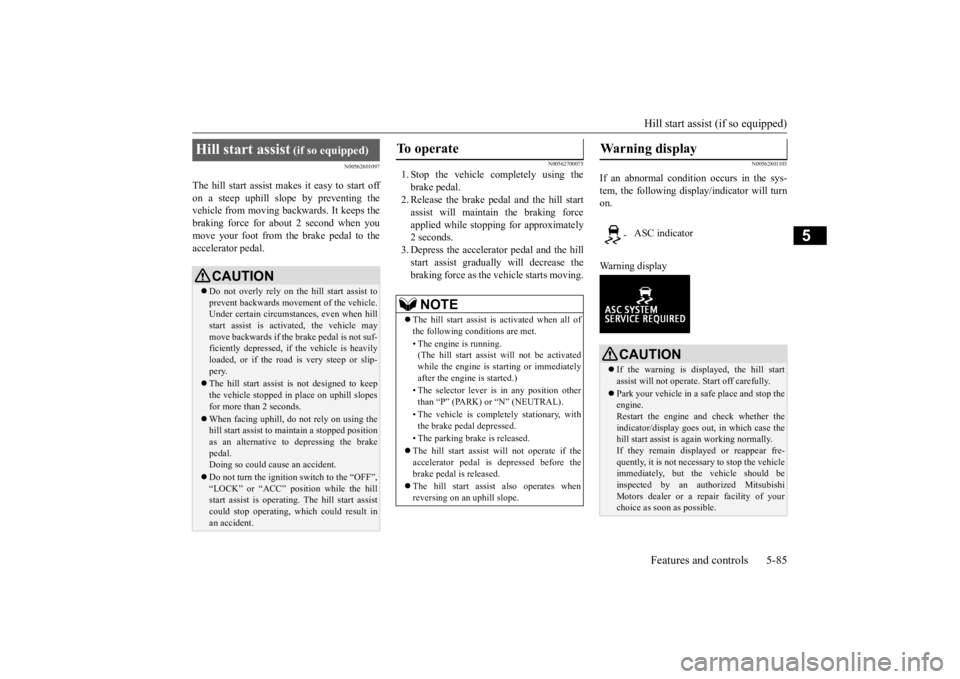
If an abnormal condition occurs in the sys- tem, the following disp
lay/indicator will turn
on. Warning display
Hill start assist
(if so equipped)
CAUTION Do not overly rely on the hill start assist to prevent backwards movement of the vehicle.Under certain circumstances, even when hill start assist is activated, the vehicle may move backwards if the brake pedal is not suf-ficiently depressed, if
the vehicle is heavily
loaded, or if the road is very steep or slip- pery. The hill start assist is not designed to keep the vehicle stopped in place on uphill slopesfor more than 2 seconds. When facing uphill, do not rely on using the hill start assist to
maintain a stopped position
as an alternative to depressing the brake pedal.Doing so could cause an accident. Do not turn the ignition switch to the “OFF”, “LOCK” or “ACC” position while the hill start assist is operating. The hill start assist could stop operating,
which could result in
an accident.
To operate
NOTE
The hill start assist is activated when all of the following c
onditions are met.
• The engine is running. (The hill start assist
will not be activated
while the engine is st
arting or immediately
after the engine is started.) • The selector lever is
in any position other
than “P” (PARK) or “N” (NEUTRAL). • The vehicle is comple
tely stationary, with
the brake pedal depressed. • The parking brake is released. The hill start assist wi
ll not operate if the
accelerator pedal is
depressed before the
brake pedal is released. The hill start assist also operates when reversing on an uphill slope.
Warning display
- ASC indicator
CAUTION If the warning is displayed, the hill start assist will not
operate. Start off carefully.
Park your vehicle in a
safe place and stop the
engine.Restart the engine and check whether the indicator/display goes out
, in which case the
hill start assist is again working normally. If they remain displayed or reappear fre- quently, it is not necessa
ry to stop the vehicle
immediately, but th
e vehicle should be
inspected by an authorized Mitsubishi Motors dealer or a repair facility of your choice as soon
as possible.
BK0211800US.book 85 ページ 2014年3月12日 水曜日 午後2時42分
Page 166 of 446
Active stability control (ASC) Features and controls 5-89
5
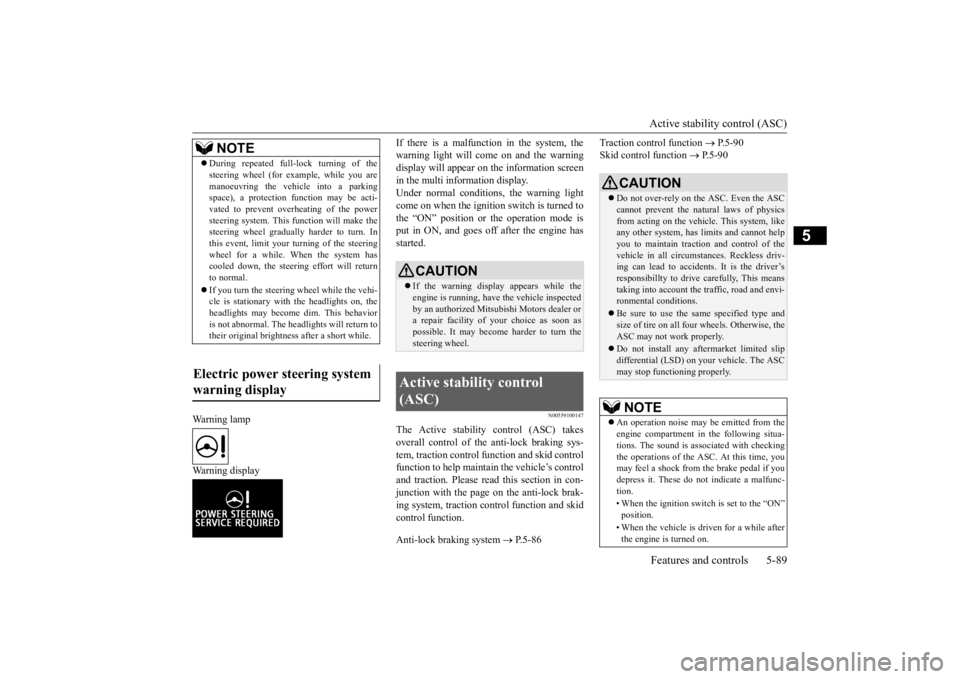
Warning lamp Warning display
If there is a malfunction in the system, the warning light will come on and the warningdisplay will appear on the information screen in the multi information display. Under normal conditions, the warning lightcome on when the ignition switch is turned to the “ON” position or the operation mode is put in ON, and goes off
after the engine has
started.
N00559100147
The Active stability control (ASC) takesoverall control of the
anti-lock braking sys-
tem, traction control function and skid control function to help maintain the vehicle’s controland traction. Please read this section in con- junction with the page on the anti-lock brak- ing system, traction control function and skidcontrol function. Anti-lock braking system
P.5-86
Traction control function
P.5-90
Skid control function
P. 5 - 9 0
NOTE
During repeated full-lock turning of the steering wheel (for example, while you aremanoeuvring the vehicle into a parkingspace), a protection f
unction may be acti-
vated to prevent overheating of the power steering system. This fu
nction will make the
steering wheel graduall
y harder to turn. In
this event, limit your turning of the steering wheel for a while. When the system hascooled down, the steering effort will return to normal. If you turn the steering wheel while the vehi- cle is stationary with
the headlights on, the
headlights may become
dim. This behavior
is not abnormal. The he
adlights will return to
their original brightness after a short while.
Electric power steering system warning display
CAUTION If the warning display appears while the engine is running, have
the vehicle inspected
by an authorized Mitsubishi Motors dealer or a repair facility of
your choice as soon as
possible. It may become harder to turn thesteering wheel.
Active stability control (ASC)
CAUTION Do not over-rely on the ASC. Even the ASC cannot prevent the natural laws of physics from acting on the vehicle. This system, like any other system, has
limits and cannot help
you to maintain traction and control of the vehicle in all circumstances. Reckless driv- ing can lead to accident
s. It is the driver’s
responsibillty to drive carefully, This means taking into account the traffic, road and envi- ronmental conditions. Be sure to use the same specified type and size of tire on all four
wheels. Otherwise, the
ASC may not work properly. Do not install any af
termarket limited slip
differential (LSD) on your vehicle. The ASC may stop functioning properly.NOTE
An operation noise may be emitted from the engine compartment in the following situa-tions. The sound is associated with checkingthe operations of the ASC. At this time, you may feel a shock from the brake pedal if you depress it. These do not indicate a malfunc-tion. • When the ignition switch is set to the “ON” position. • When the vehicle is driven for a while after the engine is turned on.
BK0211800US.book 89 ページ 2014年3月12日 水曜日 午後2時42分
Page 176 of 446
Adaptive Cruise Control System (ACC) (if so equipped)
Features and controls 5-99
5
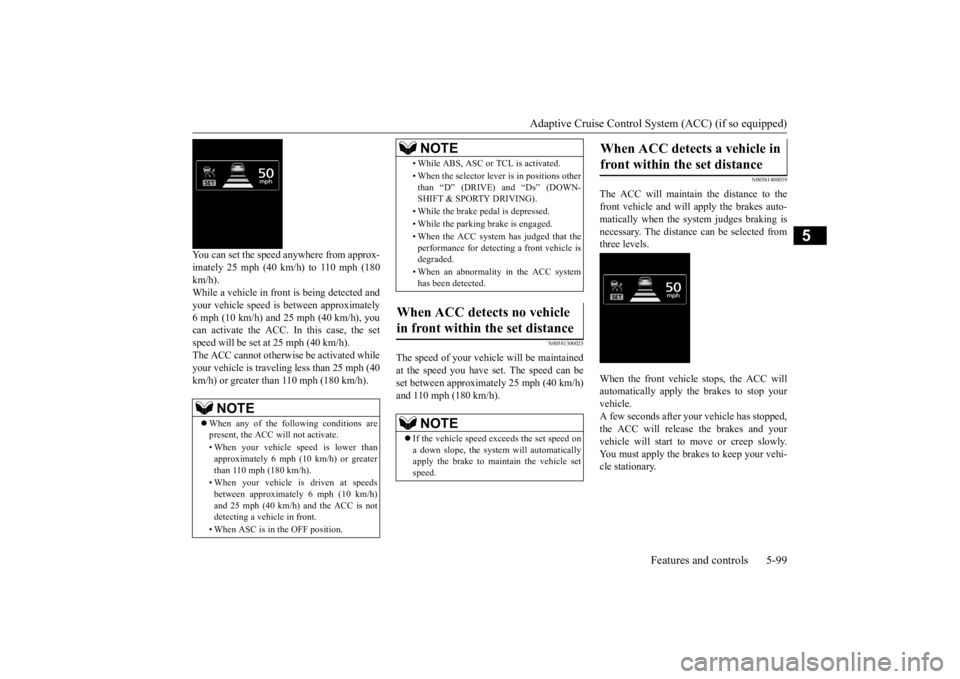
You can set the speed anywhere from approx- imately 25 mph (40 km/h) to 110 mph (180 km/h). While a vehicle in front
is being detected and
your vehicle speed is
between a
pproximately
6 mph (10 km/h) and 25 mph (40 km/h), youcan activate the ACC. In this case, the set speed will be set at 25 mph (40 km/h). The ACC cannot otherwis
e be activated while
your vehicle is traveling less than 25 mph (40 km/h) or greater than 110 mph (180 km/h).
N00581300025
The speed of your vehicle will be maintained at the speed you have set. The speed can be set between approximately 25 mph (40 km/h) and 110 mph (180 km/h).
N00581400039
The ACC will maintain the distance to thefront vehicle and will apply the brakes auto-matically when the system judges braking is necessary. The distance
can be selected from
three levels. When the front vehicle stops, the ACC will automatically apply the brakes to stop yourvehicle. A few seconds after your vehicle has stopped, the ACC will release the brakes and yourvehicle will start to
move or creep slowly.
You must apply the brakes to keep your vehi- cle stationary.
NOTE
When any of the following conditions are present, the ACC will not activate. • When your vehicle speed is lower than approximately 6 mph (10 km/h) or greaterthan 110 mph (180 km/h). • When your vehicle is driven at speeds between approxi
mately 6 mph (10 km/h)
and 25 mph (40 km/h) and the ACC is not detecting a vehi
cle in front.
• When ASC is in the OFF position.
• While ABS, ASC or
TCL is activated.
• When the selector leve
r is in positions other
than “D” (DRIVE) and “Ds” (DOWN- SHIFT & SPORTY DRIVING). • While the brake pedal is depressed. • While the parking brake is engaged.• When the ACC system has judged that the performance for detect
ing a front vehicle is
degraded. • When an abnormality
in the ACC system
has been detected.
When ACC detects no vehicle in front within the set distance
NOTE
If the vehicle speed exceeds the set speed on a down slope, the system will automatically apply the brake to maintain the vehicle set speed.NOTE
When ACC detects a vehicle in front within the set distance
BK0211800US.book 99 ページ 2014年3月12日 水曜日 午後2時42分
Page 181 of 446
Adaptive Cruise Control System (ACC) (if so equipped) 5-104 Features and controls
5
N00581700032
There are two ways to cancel the ACC con- trol. By pressing the “CANCEL” switch. By depressing the brake pedal.
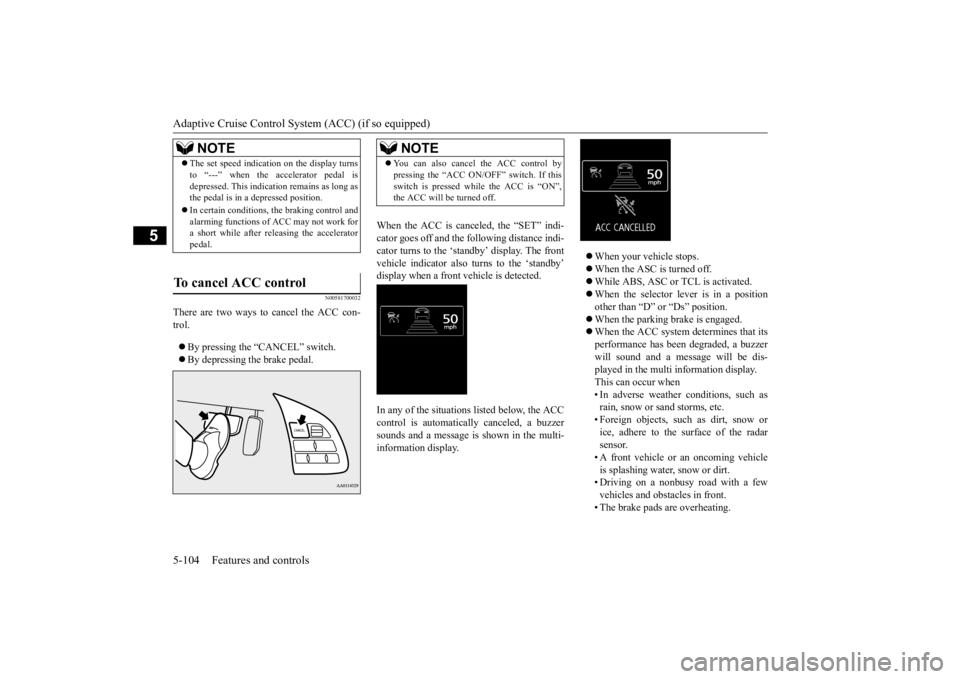
When the ACC is canceled, the “SET” indi- cator goes off and the fo
llowing distance indi-
cator turns to the ‘standby’ display. The front vehicle indicator also turns to the ‘standby’ display when a front vehicle is detected. In any of the situations listed below, the ACC control is automatically canceled, a buzzer sounds and a message is
shown in the multi-
information display.
When your vehicle stops. When the ASC is turned off. While ABS, ASC or TCL is activated. When the selector lever is in a position other than “D” or “Ds” position. When the parking brake is engaged. When the ACC system determines that its performance has been degraded, a buzzer will sound and a message will be dis- played in the multi information display.This can occur when • In adverse weather conditions, such as rain, snow or sand storms, etc.• Foreign objects, such as dirt, snow or ice, adhere to the surface of the radar sensor.• A front vehicle or an oncoming vehicle is splashing water,
snow or dirt.
• Driving on a nonbusy road with a fewvehicles and obstacles in front. • The brake pads are overheating.
NOTE
The set speed indication on the display turns to “---” when the accelerator pedal isdepressed. This indication remains as long asthe pedal is in a depressed position. In certain conditions, th
e braking control and
alarming functions of ACC may not work for a short while after releasing the accelerator pedal.
To cancel ACC control
NOTE
You can also cancel the ACC control by pressing the “ACC ON/OFF” switch. If thisswitch is pressed while the ACC is “ON”,the ACC will be turned off.
BK0211800US.book 104 ページ 2014年3月12日 水曜日 午後2時42分
Page 182 of 446
Adaptive Cruise Control System (ACC) (if so equipped)
Features and controls 5-105
5
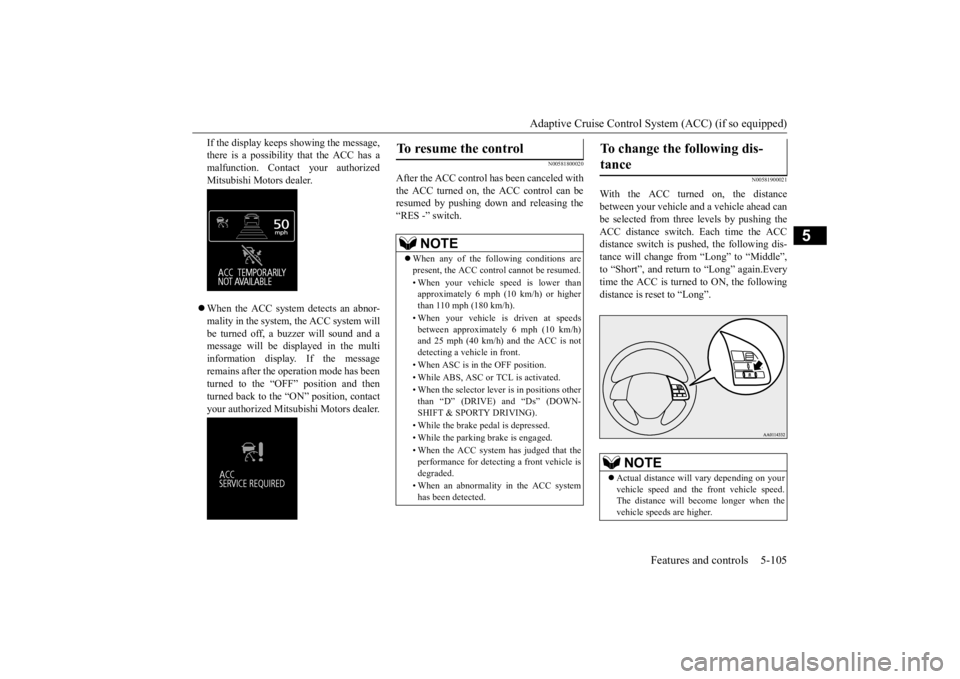
If the display keeps showing the message, there is a possibility that the ACC has amalfunction. Contact your authorized Mitsubishi Motors dealer. When the ACC system detects an abnor- mality in the system, the ACC system will be turned off, a buzzer will sound and amessage will be displayed in the multi information display. If the message remains after the operation mode has beenturned to the “OFF” position and then turned back to the “ON” position, contact your authorized Mitsubi
shi Motors dealer.
N00581800020
After the ACC control has been canceled with the ACC turned on, the ACC control can be resumed by pushing down and releasing the“RES -” switch.
N00581900021
With the ACC turned on, the distancebetween your vehicle and a vehicle ahead canbe selected from thre
e levels by pushing the
ACC distance switch. Each time the ACC distance switch is pushed, the following dis-tance will change from “Long” to “Middle”, to “Short”, and return to “Long” again.Every time the ACC is turned to ON, the following distance is re
set to “Long”.
To resume the control
NOTE
When any of the following conditions are present, the ACC cont
rol cannot be resumed.
• When your vehicle speed is lower than approximately 6 mph (10 km/h) or higherthan 110 mph (180 km/h). • When your vehicle is driven at speeds between approximately 6 mph (10 km/h) and 25 mph (40 km/h) and the ACC is not detecting a vehi
cle in front.
• When ASC is in the OFF position. • While ABS, ASC or
TCL is activated.
• When the selector leve
r is in positions other
than “D” (DRIVE) and “Ds” (DOWN- SHIFT & SPORTY DRIVING). • While the brake pedal is depressed. • While the parking brake is engaged.• When the ACC system has judged that the performance for detect
ing a front vehicle is
degraded. • When an abnormality
in the ACC system
has been detected.
To change the following dis- tance
NOTE
Actual distance will
vary depending on your
vehicle speed and the
front vehicle speed.
The distance will be
come longer when the
vehicle speeds are higher.
BK0211800US.book 105 ページ 2014年3月12日 水曜日 午後2時42分
Page 211 of 446
Multi Information display - Type 1 5-134 Features and controls
5
when the operation mode is set to “ON” to the time when it is set to “OFF”.
N00556801195
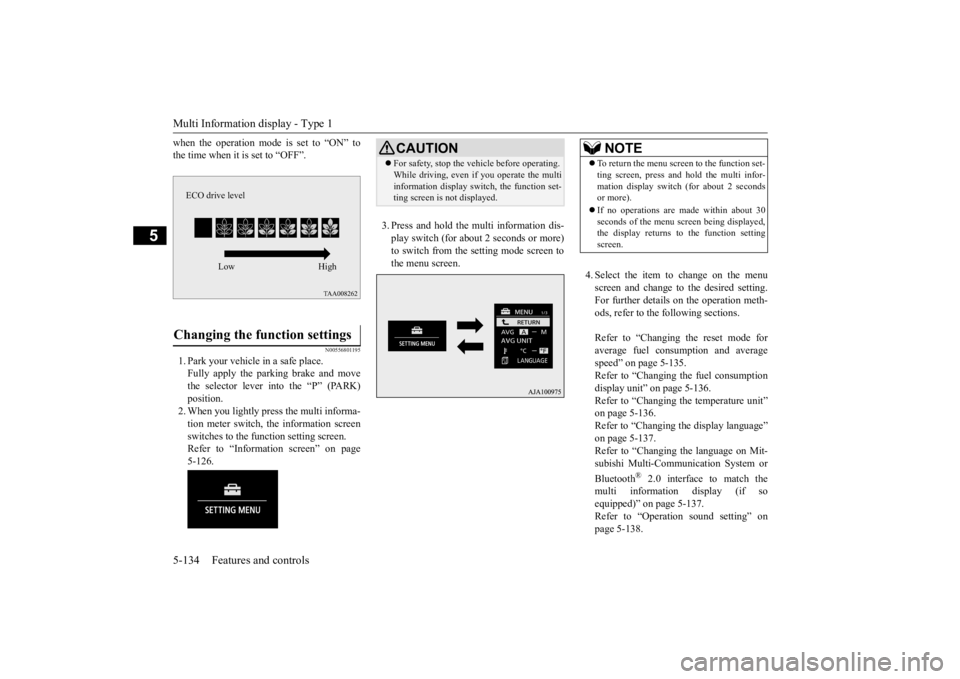
1. Park your vehicle in a safe place.Fully apply the parking brake and movethe selector lever into the “P” (PARK) position. 2. When you lightly press the multi informa-tion meter switch, the information screen switches to the func
tion setting screen.
Refer to “Information screen” on page5-126.
3. Press and hold the mu
lti information dis-
play switch (for about 2 seconds or more)to switch from the setting mode screen to the menu screen.
4. Select the item to change on the menu screen and change to the desired setting.For further details on the operation meth- ods, refer to the fo
llowing sections.
Refer to “Changing the reset mode for average fuel consumption and average speed” on page 5-135.Refer to “Changing the fuel consumption display unit” on page 5-136. Refer to “Changing th
e temperature unit”
on page 5-136. Refer to “Changing the display language” on page 5-137.Refer to “Changing the language on Mit- subishi Multi-Comm
unication System or
Bluetooth
® 2.0 interface to match the
multi informati
on display (if so
equipped)” on page 5-137. Refer to “Operati
on sound setting” on
page 5-138.
Changing the function settings
ECO drive level
Low High
CAUTION For safety, stop the ve
hicle before operating.
While driving, even if you operate the multiinformation display sw
itch, the function set-
ting screen is not displayed.
NOTE
To return the menu scre
en to the function set-
ting screen, press and hold the multi infor-mation display switch
(for about 2 seconds
or more). If no operations are made within about 30 seconds of the menu sc
reen being displayed,
the display returns to the function setting screen.
BK0211800US.book 134 ページ 2014年3月12日 水曜日 午後2時42分