battery MITSUBISHI OUTLANDER III 2016 Owner's Guide
[x] Cancel search | Manufacturer: MITSUBISHI, Model Year: 2016, Model line: OUTLANDER III, Model: MITSUBISHI OUTLANDER III 2016Pages: 464, PDF Size: 60.77 MB
Page 212 of 464
Multi Information display - Type 1 5-136 Features and controls
5
To return the display to 0, hold down the multi information display switch for about 2 seconds or more. Only the currently dis- played value will be reset. Example If trip odometer is
displayed, only trip
odometer wi
ll be reset.
Both trip odometers and can count up to 9999.9 m
iles/kilometers.
When a trip odometer goes past 9999.9 miles/kilometers, it returns to 0.0 miles/ kilometers. When disconnecting th
e battery terminal,
the memories of trip odometer displays
and are cleared, and their displays
return to “0.0 miles/kilometers”.
N00556701237
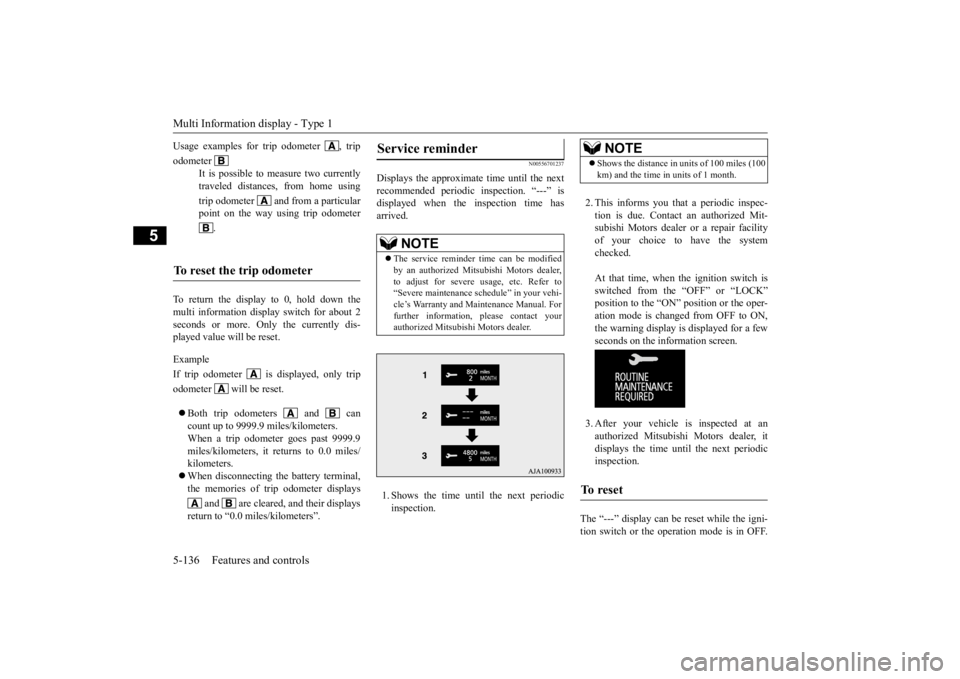
Displays the approximate time until the next recommended periodic inspection. “---” is displayed when the inspection time hasarrived. 1. Shows the time until the next periodic inspection.
2. This informs you that a periodic inspec- tion is due. Contact
an authorized Mit-
subishi Motors dealer or a repair facilityof your choice to have the system checked. At that time, when the ignition switch is switched from the “OFF” or “LOCK” position to the “ON” position or the oper-ation mode is changed from OFF to ON, the warning display is displayed for a few seconds on the information screen. 3. After your vehicle is inspected at an authorized Mitsubishi Motors dealer, it displays the time until the next periodicinspection.
The “---” display can be
reset while the igni-
tion switch or the opera
tion mode is in OFF.
Usage examples for trip odometer , trip odometer
It is possible to measure two currently traveled distances, from home using trip odometer and from a particular point on the way using trip odometer
.
To reset the trip odometer
Service reminder
NOTE
The service reminder ti
me can be modified
by an authorized Mitsubishi Motors dealer,to adjust for severe usage, etc. Refer to “Severe maintenance schedule” in your vehi- cle’s Warranty and Main
tenance Manual. For
further information,
please contact your
authorized Mitsubishi Motors dealer.
NOTE
Shows the distance in units of 100 miles (100 km) and the time in units of 1 month.
To r e s e t
BK0223400US.book 136 ページ 2015年2月13日 金曜日 午後12時15分
Page 217 of 464
Multi Information display - Type 1
Features and controls 5-141
5
Refer to “Changing
the time until “REST
REMINDER” is displayed” on page 5-145.Refer to “Changing the turn signal sound” on page 5-145. Refer to “Changing the momentary fuelconsumption displa
y” on page 5-145.
Refer to “Tire ID set change” on page 5-123.Refer to “Returning to the factory set- tings” on page 5-146.
N00557001240
You can change the mode condition for theaverage fuel consumption and average speed display to “Auto reset” or “Manual reset.”
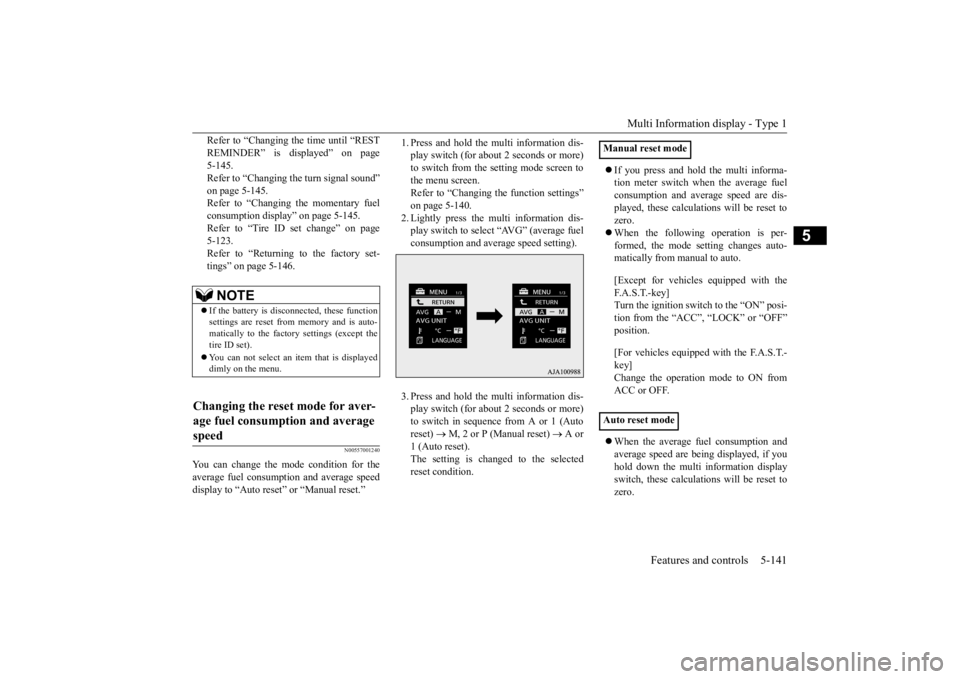
1. Press and hold the multi information dis- play switch (for about 2 seconds or more)to switch from the setting mode screen to the menu screen. Refer to “Changing the function settings”on page 5-140. 2. Lightly press the multi information dis- play switch to select “AVG” (average fuelconsumption and aver
age speed setting).
3. Press and hold the multi information dis- play switch (for about 2 seconds or more)to switch in sequence from A or 1 (Auto reset)
M, 2 or P (Manual reset)
A or
1 (Auto reset).The setting is changed to the selected reset condition.
If you press and hold the multi informa- tion meter switch when the average fuelconsumption and average speed are dis- played, these calculati
ons will be reset to
zero. When the following operation is per- formed, the mode setting changes auto- matically from manual to auto. [Except for vehicles equipped with the F. A . S . T. - k e y ] Turn the ignition switch to the “ON” posi-tion from the “ACC”, “LOCK” or “OFF” position. [For vehicles equipped with the F.A.S.T.- key]Change the operation mode to ON from ACC or OFF. When the average fuel consumption and average speed are being displayed, if youhold down the multi information display switch, these calculations will be reset to zero.
NOTE
If the battery is disc
onnected, these function
settings are reset from memory and is auto- matically to the factor
y settings (except the
tire ID set). You can not select an it
em that is displayed
dimly on the menu.
Changing the reset mode for aver- age fuel consumption and average speed
Manual reset mode Auto reset mode
BK0223400US.book 141 ページ 2015年2月13日 金曜日 午後12時15分
Page 218 of 464
Multi Information display - Type 1 5-142 Features and controls
5
When the engine switch or the operation mode is in the following conditions, theaverage fuel consumption display and the average speed display will automatically reset. [Except for vehicles
equipped with the
F. A . S . T. - k e y ] The ignition switch has been set to the “ACC”, “LOCK” or
“OFF” position for
about 4 hours or more. [For vehicles equipped
with the F.A.S.T.-
key]The operation mode has been in ACC or OFF for about 4 hours or more.
N00557101166
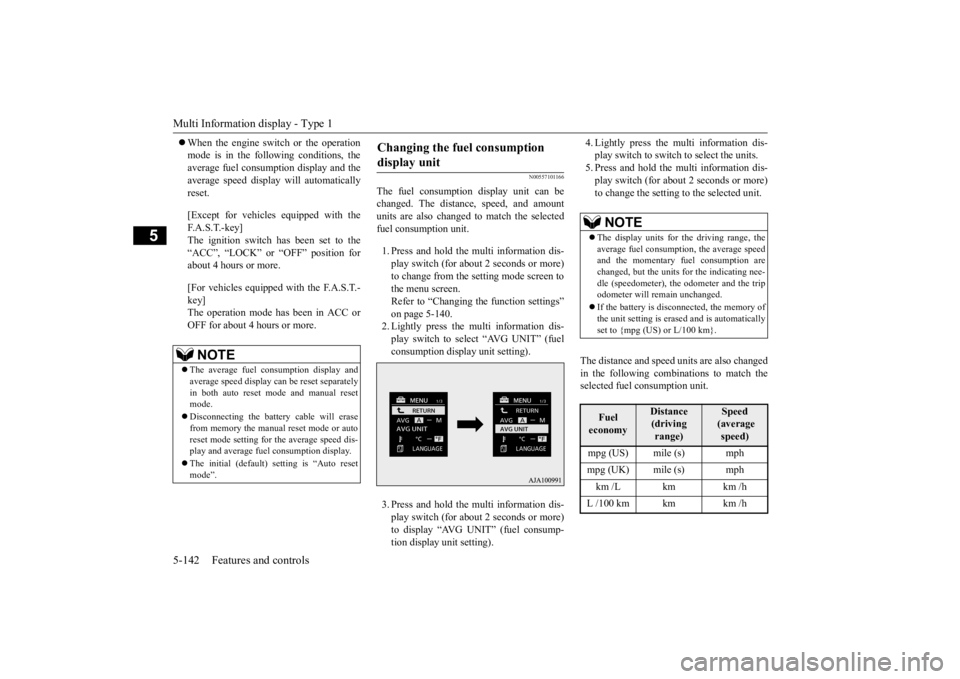
The fuel consumption display unit can be changed. The distance, speed, and amount units are also changed to match the selected fuel consumption unit. 1. Press and hold the mu
lti information dis-
play switch (for about 2 seconds or more) to change from the setting mode screen to the menu screen. Refer to “Changing th
e function settings”
on page 5-140.2. Lightly press the multi information dis- play switch to select “AVG UNIT” (fuel consumption disp
lay unit setting).
3. Press and hold the mu
lti information dis-
play switch (for about 2 seconds or more) to display “AVG UNIT” (fuel consump- tion display unit setting).
4. Lightly press the multi information dis- play switch to switch to select the units.5. Press and hold the multi information dis- play switch (for about 2 seconds or more) to change the setting to the selected unit.
The distance and speed
units are also changed
in the following combinations to match theselected fuel consumption unit.
NOTE
The average fuel consumption display and average speed display ca
n be reset separately
in both auto reset m
ode and manual reset
mode. Disconnecting the batt
ery cable will erase
from memory the manual reset mode or auto reset mode setting for the average speed dis-play and average fuel consumption display. The initial (default) setting is “Auto reset mode”.
Changing the fuel consumption display unit
NOTE
The display units for the driving range, the average fuel consumption, the average speed and the momentary fuel consumption are changed, but the units
for the indicating nee-
dle (speedometer), the odometer and the trip odometer will remain unchanged. If the battery is disconnected, the memory of the unit setting is erased and is automatically set to {mpg (US) or L/100 km}.Fuel economy
Distance (driving range)
Speed (average speed)
mpg (US) mile (s) mph mpg (UK) mile (s) mph km /L km km /h L /100 km km km /h
BK0223400US.book 142 ページ 2015年2月13日 金曜日 午後12時15分
Page 219 of 464
Multi Information display - Type 1
Features and controls 5-143
5
N00557201154
The temperature display unit can be switched. 1. Press and hold the mu
lti information dis-
play switch (for about 2 seconds or more) to switch from the setting mode screen tothe menu screen. Refer to “Changing th
e function settings”
on page 5-140.2. Lightly press the multi information dis- play switch to select “ ” (temperature unit setting). 3. Press and hold the mu
lti information dis-
play switch (for about 2 seconds or more)to switch in from °C to °F, or from °F to °C. The setting is changed to the selected tem-perature unit.
N00557301184
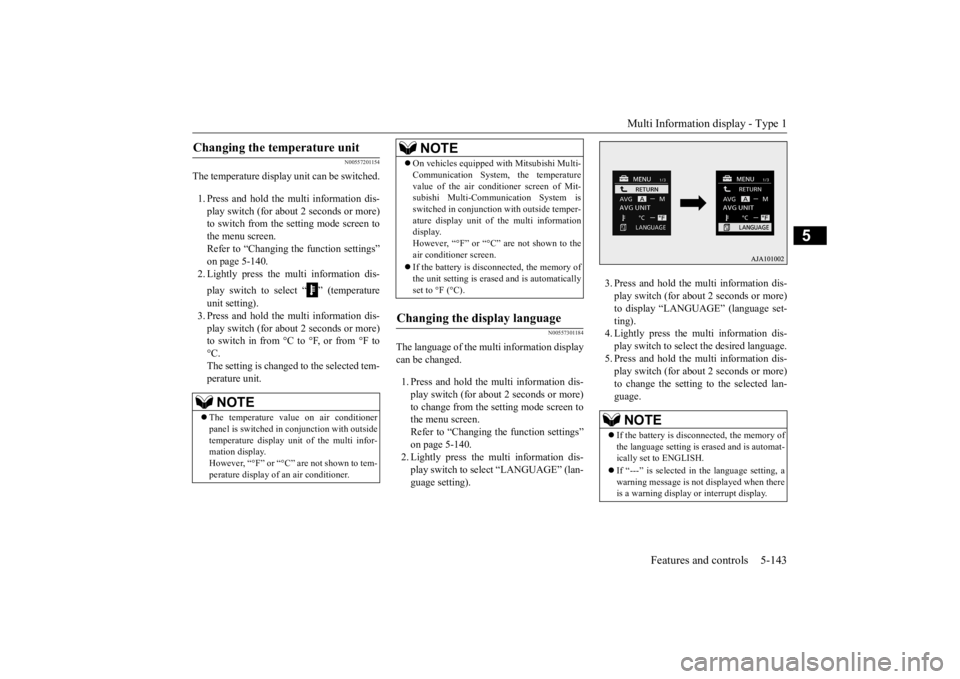
The language of the multi information displaycan be changed. 1. Press and hold the multi information dis- play switch (for about 2 seconds or more) to change from the setting mode screen to the menu screen.Refer to “Changing the function settings” on page 5-140. 2. Lightly press the multi information dis-play switch to se
lect “LANGUAGE” (lan-
guage setting).
3. Press and hold the multi information dis- play switch (for about 2 seconds or more)to display “LANGUAGE” (language set- ting). 4. Lightly press the multi information dis-play switch to select
the desired language.
5. Press and hold the multi information dis- play switch (for about 2 seconds or more)to change the setting to the selected lan- guage.
Changing the temperature unit
NOTE
The temperature value on air conditioner panel is switched in
conjunction with outside
temperature display unit of the multi infor-mation display. However, “°F” or “°C” are not shown to tem- perature display of an air conditioner.
On vehicles equipped
with Mitsubishi Multi-
Communication System, the temperaturevalue of the air condi
tioner screen of Mit-
subishi Multi-Communication System is switched in conjunction
with outside temper-
ature display unit of
the multi information
display. However, “°F” or “°C” are not shown to the air conditioner screen. If the battery is disconnected, the memory of the unit setting is erased and is automaticallyset to °F (°C).
Changing the display language
NOTE
NOTE
If the battery is disconnected, the memory of the language setting is erased and is automat- ically set to ENGLISH. If “---” is selected in
the language setting, a
warning message is not displayed when there is a warning display
or interrupt display.
BK0223400US.book 143 ページ 2015年2月13日 金曜日 午後12時15分
Page 220 of 464
Multi Information display - Type 1 5-144 Features and controls
5
N00529801302
The language used in Mitsubishi Multi-Com- munication System
(if so equipped) or Blue-
tooth
® 2.0 interface (if so equipped) can be
changed automatically
to the same language
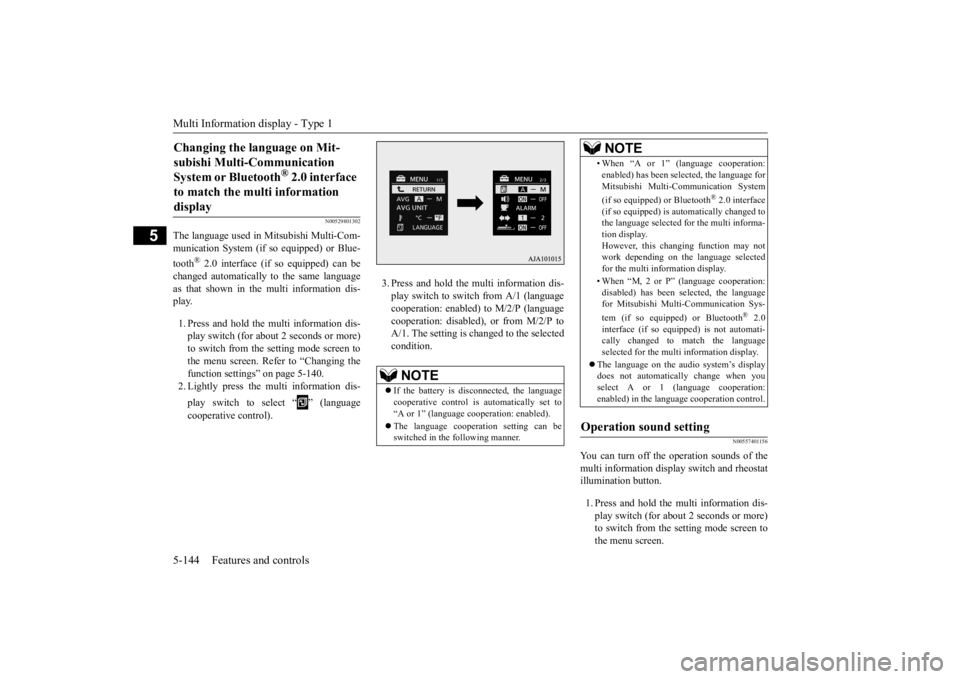
as that shown in the multi information dis- play. 1. Press and hold the multi information dis- play switch (for about 2 seconds or more) to switch from the setting mode screen to the menu screen. Refer to “Changing thefunction settings” on page 5-140. 2. Lightly press the multi information dis- play switch to se
lect “ ” (language
cooperative control).
3. Press and hold the mu
lti information dis-
play switch to swit
ch from A/1 (language
cooperation: enabled) to M/2/P (language cooperation: disabled), or from M/2/P to A/1. The setting is changed to the selectedcondition.
N00557401156
You can turn off the operation sounds of themulti information display switch and rheostatillumination button. 1. Press and hold the multi information dis- play switch (for about 2 seconds or more) to switch from the setting mode screen tothe menu screen.
Changing the language on Mit- subishi Multi-Communication System or Bluetooth
® 2.0 interface
to match the multi information display
NOTE
If the battery is disconnected, the language cooperative control is
automatically set to
“A or 1” (language
cooperation: enabled).
The language coopera
tion setting can be
switched in the following manner.
• When “A or 1” (l
anguage cooperation:
enabled) has been selected, the language forMitsubishi Multi-Communication System (if so equipped) or Bluetooth
® 2.0 interface
(if so equipped) is au
tomatically changed to
the language selected for the multi informa- tion display.However, this changing function may not work depending on the language selected for the multi information display. • When “M, 2 or P”
(language cooperation:
disabled) has been selected, the languagefor Mitsubishi Multi-Communication Sys- tem (if so equipped) or Bluetooth
® 2.0
interface (if so equi
pped) is not automati-
cally changed to
match the language
selected for the multi information display.
The language on the audio system’s display does not automatically change when youselect A or 1 (l
anguage cooperation:
enabled) in the langua
ge cooperation control.
Operation sound setting
NOTE
BK0223400US.book 144 ページ 2015年2月13日 金曜日 午後12時15分
Page 221 of 464
Multi Information display - Type 1
Features and controls 5-145
5
Refer to “Changing th
e function settings”
on page 5-140.2. Lightly press the multi information dis- play switch to select “ ” (operation sound setting). 3. Press and hold the mu
lti information dis-
play switch (for about 2 seconds or more) to switch from ON (operation sound on)to OFF (operation sound off), or from OFF to ON. The setting is changed to the selected con- dition.
N00557501160
The time until the display appears can be changed.
1. Press and hold the multi information dis- play switch (for about 2 seconds or more)to switch from the setting mode screen to the menu screen. Refer to “Changing the function settings”on page 5-140. 2. Lightly press the multi information dis- play switch to select “ALARM” (rest timesetting). 3. Press and hold the multi information dis- play switch (for about 2 seconds or more) to display “ALARM” (rest time setting). 4. Lightly press the multi information dis-play switch to select the time until the dis- play appears. 5. Press and hold the multi information dis-play switch (for about 2 seconds or more) to change the setting to the selected time.
N00563501080
It is possible to change the turn signal sound.
1. Press and hold the multi information dis- play switch (for about 2 seconds or more)to switch from the setting mode screen to the menu screen. Refer to “Changing th
e function settings”
on page 5-140. 2. Lightly press the multi information dis- play switch to select . (changing the turn signal sound) 3. Press and hold the multi information dis- play switch (for about 2 seconds or more) to switch from 1 (turn-signal sound 1) to 2(turn-signal sound 2), or from 2 to 1. The setting changes to the selected turn signal sound.
N00563601049
It is possible to change the bar graph settingof the momentary fuel consumption display. 1. Press and hold the multi information dis- play switch (for about 2 seconds or more) to switch from the setting mode screen to the menu screen.Refer to “Changing th
e function settings”
on page 5-140. 2. Lightly press the multi information dis- play switch to select . (changing the momentary fuel consumption display)
NOTE
If the battery is disconnected, the memory of the operation sound setting is erased and is automatically
set to “ON” (operation sound
on). The operation sound set
ting only deactivates
the operation sound of the multi informationdisplay switch and rheo
stat illumination but-
ton. The warning disp
lay and other sounds
cannot be de
activated.
Changing the time until “REST REMINDER” is displayed
NOTE
If the battery is disconnected, the memory of the unit setting is erased and is automatically set to the “OFF”. The drive time is reset when the ignition switch is in the “LOCK” or “OFF” position or the operation mode is in OFF.
Changing the turn signal sound
Changing the momentary fuel con- sumption display
BK0223400US.book 145 ページ 2015年2月13日 金曜日 午後12時15分
Page 224 of 464
Multi Information display - Type 2 5-148 Features and controls
5
N00574901039
The odometer indicates the total distance the vehicle has traveled.
N00575001037
The trip odometer indicates the distance trav-eled between two points. To return the display to 0, hold down the multi information display switch for about 2 seconds or more. Only the currently dis- played value will be reset. Example If trip odometer is
displayed, only trip
odometer wi
ll be reset.
Both trip odometers and can count up to 9999.9 miles/kilometers. When a trip odometer goes past 9999.9miles/kilometers, it returns to 0.0 miles/ kilometers. When disconnecting the battery terminal, the memories of trip odometer displays
and are cleared, and their displays
return to “0.0 miles/kilometers”.
N00578900030
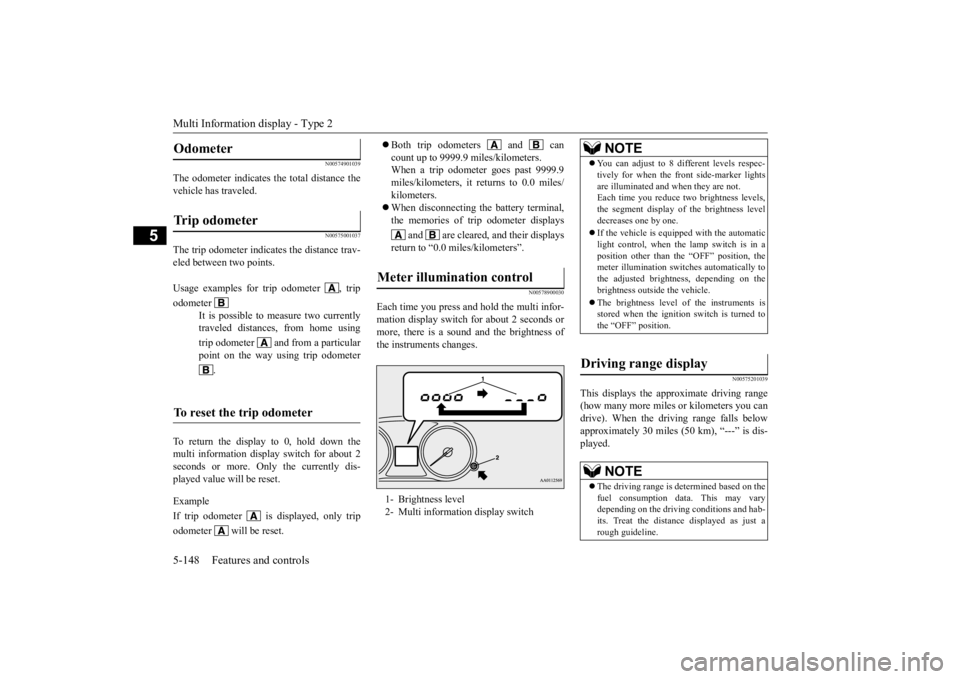
Each time you press and hold the multi infor- mation display switch
for about 2 seconds or
more, there is a sound and the brightness of the instruments changes.
N00575201039
This displays the approximate driving range (how many more miles
or kilometers you can
drive). When the driving range falls below approximately 30 miles
(50 km), “---” is dis-
played.
Odometer Trip odometer Usage examples for trip odometer , trip odometer
It is possible to measure two currently traveled distances, from home using trip odometer and from a particular point on the way using trip odometer
.
To reset the trip odometer
Meter illumination control 1- Brightness level 2- Multi informati
on display switch
NOTE
You can adjust to 8 di
fferent levels respec-
tively for when the fr
ont side-marker lights
are illuminated and when they are not.Each time you reduce tw
o brightness levels,
the segment display of the brightness level decreases one by one. If the vehicle is equipped with the automatic light control, when the lamp switch is in aposition other than th
e “OFF” position, the
meter illumination switches automatically to the adjusted bright
ness, depending on the
brightness outside the vehicle. The brightness level
of the instruments is
stored when the ignition switch is turned to the “OFF” position.
Driving range display
NOTE
The driving range is determined based on the fuel consumption data. This may vary depending on the drivi
ng conditions and hab-
its. Treat the distance
displayed as just a
rough guideline.
BK0223400US.book 148 ページ 2015年2月13日 金曜日 午後12時15分
Page 229 of 464
Multi Information display - Type 2
Features and controls 5-153
5
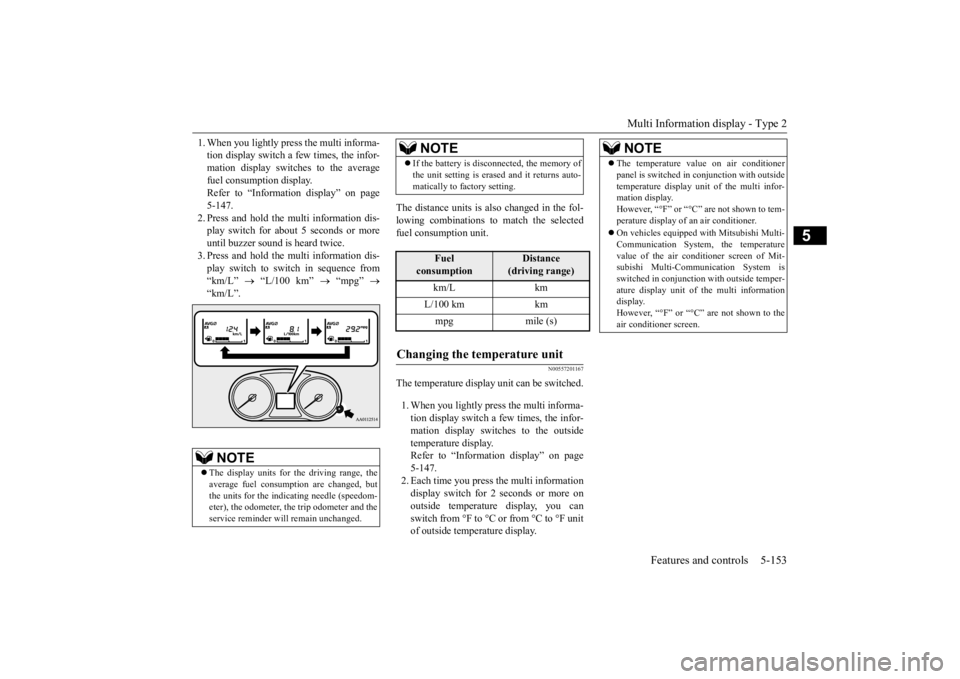
1. When you lightly press the multi informa- tion display switch a few times, the infor-mation display switches to the average fuel consumption display. Refer to “Information display” on page5-147. 2. Press and hold the mu
lti information dis-
play switch for about 5 seconds or moreuntil buzzer sound is heard twice. 3. Press and hold the mu
lti information dis-
play switch to switch in sequence from “km/L”
“L/100 km”
“mpg”
“km/L”.
The distance units is al
so changed in the fol-
lowing combinations to match the selected fuel consumption unit.
N00557201167
The temperature display unit can be switched. 1. When you lightly press the multi informa- tion display switch a few times, the infor-mation display switches to the outside temperature display. Refer to “Information display” on page5-147. 2. Each time you press the multi information display switch for 2 seconds or more onoutside temperature display, you can switch from °F to °C or from °C to °F unit of outside temperature display.
NOTE
The display units for the driving range, the average fuel consumption are changed, but the units for the indica
ting needle (speedom-
eter), the odometer, the trip odometer and theservice reminder will
remain unchanged.
If the battery is disconnected, the memory of the unit setting is erased and it returns auto-matically to factory setting.
Fuel
consumption
Distance
(driving range)
km/L km L/100 km km mpg mile (s)
Changing the temperature unit
NOTE
NOTE
The temperature value on air conditioner panel is switched in
conjunction with outside
temperature display unit of the multi infor-mation display. However, “°F” or “°C” are not shown to tem- perature display of an air conditioner. On vehicles equipped
with Mitsubishi Multi-
Communication System, the temperaturevalue of the air conditioner screen of Mit- subishi Multi-Communication System is switched in conjunction
with outside temper-
ature display unit of the multi information display. However, “°F” or “°C”
are not shown to the
air conditioner screen.
BK0223400US.book 153 ページ 2015年2月13日 金曜日 午後12時15分
Page 253 of 464
Combination headlights and dimmer switch
Features and controls 5-177
5
N00522501834
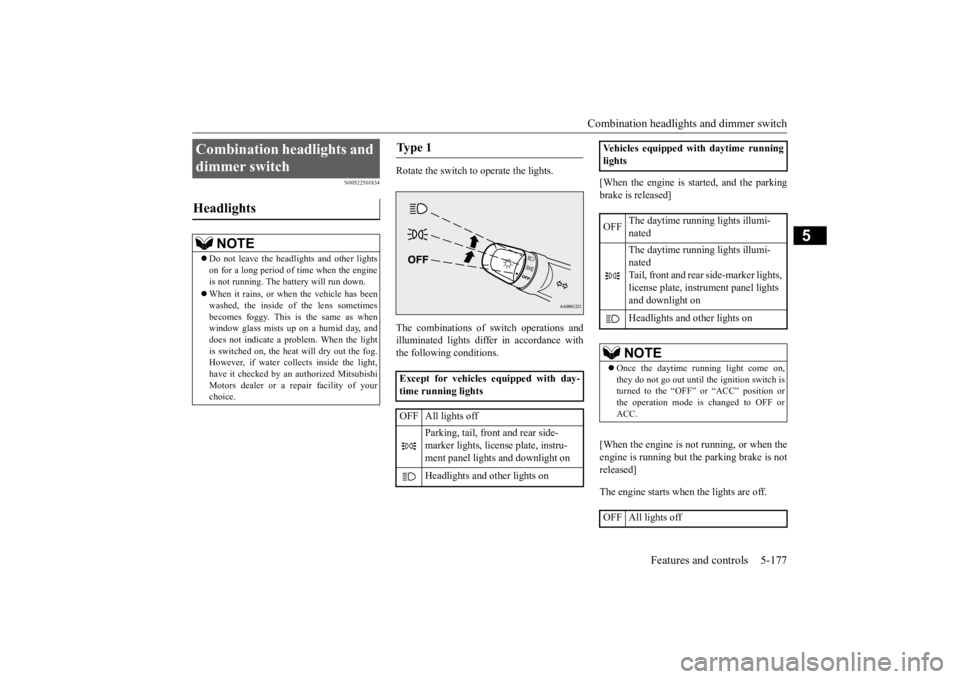
Rotate the switch to operate the lights. The combinations of
switch operations and
illuminated lights differ in accordance withthe following conditions.
[When the engine is started, and the parking brake is released] [When the engine is not running, or when the engine is running but the parking brake is not released] The engine starts when the lights are off.
Combination headlights and dimmer switch Headlights
NOTE
Do not leave the head
lights and ot
her lights
on for a long period of time when the engineis not running. The battery will run down. When it rains, or wh
en the vehicle has been
washed, the inside of the lens sometimes becomes foggy. This is the same as when window glass mists up
on a humid day, and
does not indicate a problem. When the light is switched on, the heat
will dry out the fog.
However, if water collects inside the light,have it checked by an
authorized Mitsubishi
Motors dealer or a repair facility of your choice.
Ty p e 1 Except for vehicles equipped with day- time running lights OFF All lights off
Parking, tail, front and rear side- marker lights, license plate, instru- ment panel lights and downlight on Headlights and other lights on
Vehicles equipped with daytime running lights OFF
The daytime running lights illumi- nated The daytime running lights illumi- natedTail, front and rear
side-marker lights,
license plate, inst
rument panel lights
and downlight on Headlights and other lights onNOTE
Once the daytime running light come on, they do not go out until the ignition switch is turned to the “OFF” or “ACC” position orthe operation mode is changed to OFF or ACC.
OFF All lights off
BK0223400US.book 177 ページ 2015年2月13日 金曜日 午後12時15分
Page 260 of 464
Hazard warning flasher switch 5-184 Features and controls
5
N00522701328
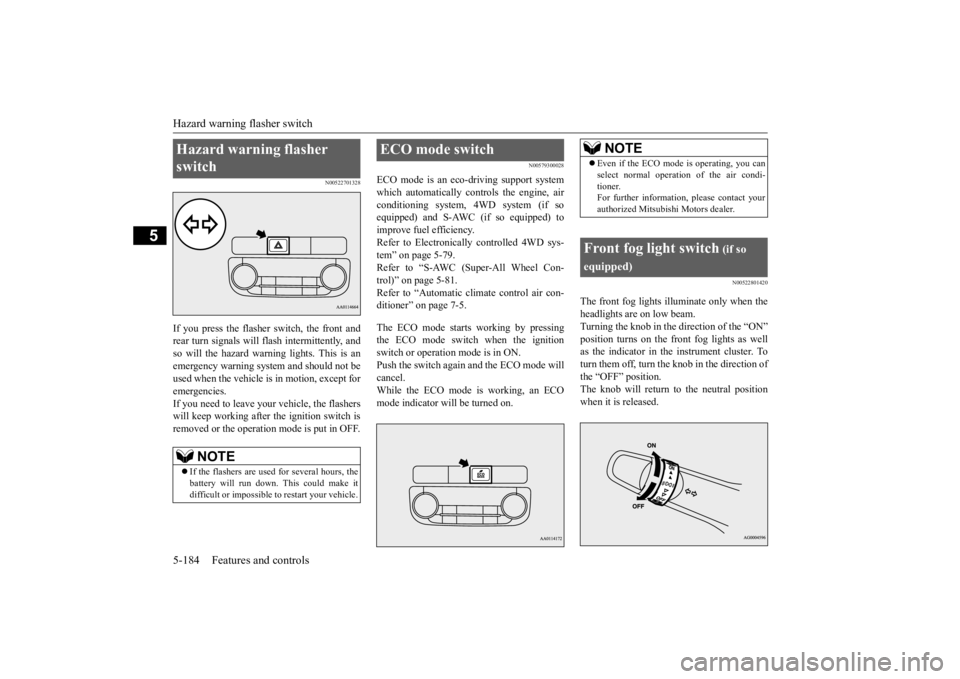
If you press the flasher switch, the front and rear turn signals will flash intermittently, and so will the hazard warn
ing lights. This is an
emergency warning syst
em and should not be
used when the vehicle is in motion, except for emergencies. If you need to leave your vehicle, the flasherswill keep working afte
r the ignition switch is
removed or the operation mode is put in OFF.
N00579300028
ECO mode is an eco-driving support systemwhich automatically cont
rols the engine, air
conditioning system,
4WD system (if so
equipped) and S-AWC (if so equipped) to improve fuel efficiency. Refer to Electronically
controlled 4WD sys-
tem” on page 5-79. Refer to “S-AWC (Super-All Wheel Con- trol)” on page 5-81. Refer to “Automatic cl
imate control air con-
ditioner” on page 7-5. The ECO mode starts
working by pressing
the ECO mode switch when the ignition switch or operation mode is in ON. Push the switch again and the ECO mode willcancel. While the ECO mode is working, an ECO mode indicator will be turned on.
N00522801420
The front fog lights illuminate only when theheadlights are on low beam. Turning the knob in the direction of the “ON” position turns on the front fog lights as wellas the indicator in the instrument cluster. To turn them off, turn the knob in the direction of the “OFF” position.The knob will return to the neutral position when it is released.
Hazard warning flasher switch
NOTE
If the flashers are used for several hours, the battery will run down.
This could make it
difficult or impossible
to restart your vehicle.
ECO mode switch
NOTE
Even if the ECO mode is operating, you can select normal operati
on of the air condi-
tioner.For further information, please contact your authorized Mitsubishi Motors dealer.
Front fog light switch
(if so
equipped)
BK0223400US.book 184 ページ 2015年2月13日 金曜日 午後12時15分