ECO mode MITSUBISHI OUTLANDER III 2017 Owners Manual
[x] Cancel search | Manufacturer: MITSUBISHI, Model Year: 2017, Model line: OUTLANDER III, Model: MITSUBISHI OUTLANDER III 2017Pages: 521, PDF Size: 14.95 MB
Page 317 of 521
Wiper and washer switch 5-236 Features and controls
5
By releasing the lever soon after pulling it toward you, the washer
fluid will be sprayed
several times while the wipers are operatingseveral times. Intelligent washer will stop operating with any operation of the lever.
N00523201418
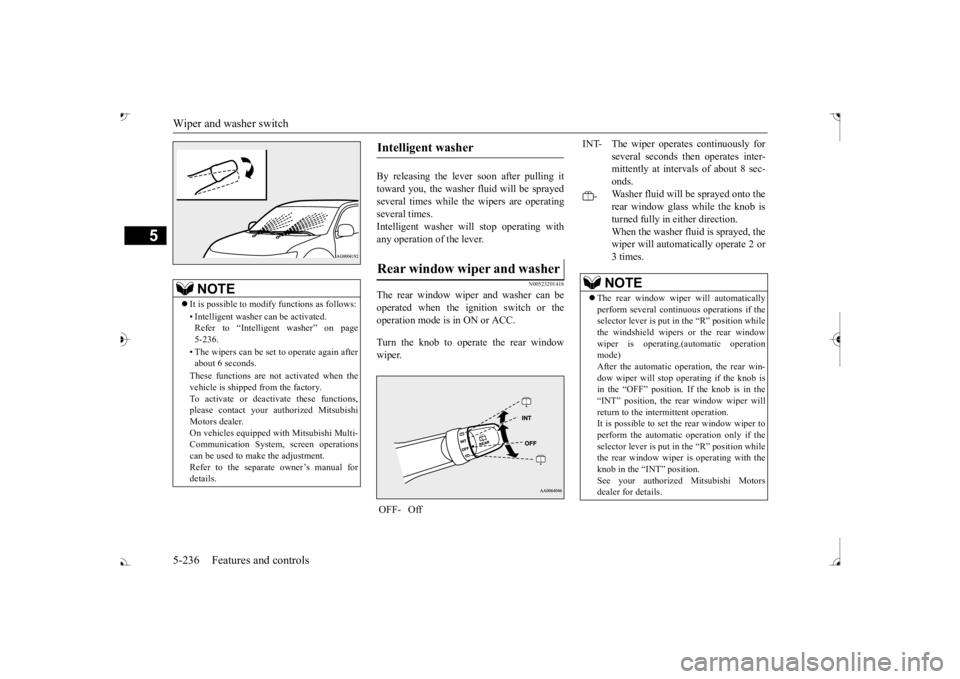
The rear window wiper and washer can beoperated when the ignition switch or the operation mode is in ON or ACC. Turn the knob to operate the rear window wiper.
NOTE
It is possible to modify functions as follows: • Intelligent washer
can be activated.
Refer to “Intelligent washer” on page 5-236. • The wipers can be set
to operate again after
about 6 seconds. These functions are not activated when the vehicle is shipped
from the factory.
To activate or deacti
vate these functions,
please contact your authorized Mitsubishi Motors dealer.On vehicles e
quipped with Mitsubishi Multi-
Communication System, screen operations can be used to ma
ke the adjustment.
Refer to the separate
owner’s manual for
details.
Intelligent washer Rear window wiper and washer OFF- Off
INT- The wiper operates continuously for
several seconds then operates inter- mittently at interv
als of about 8 sec-
onds.
-
Washer fluid will be
sprayed onto the
rear window glass while the knob isturned fully in either direction. When the washer fluid is sprayed, the wiper will automati
cally operate 2 or
3 times.NOTE
The rear window wipe
r will automatically
perform several conti
nuous operations if the
selector lever is put in the “R” position while the windshield wipers
or the rear window
wiper is operating.(a
utomatic operation
mode) After the automatic operation, the rear win- dow wiper will stop operating if the knob isin the “OFF” position. If the knob is in the “INT” position, the re
ar window wiper will
return to the intermittent operation.It is possible to set the rear window wiper to perform the automatic operation only if the selector lever is put in the “R” position whilethe rear window wiper
is operating with the
knob in the “INT” position. See your authorized Mitsubishi Motorsdealer for details.
BK0239700US.book 236 ページ 2016年6月16日 木曜日 午前10時58分
Page 318 of 521
Wiper deicer switch (if so equipped)
Features and controls 5-237
5
N00523501277
N00584400027
The electric rear window
defogger switch can
be operated when the engine is running.When the front wipers have frozen to the windshield at the parked
positions, turning on
this switch will heat the windshield to makethe wipers operable. Press the electric rear window defogger switch and the deicer will operate.
N00523701468
The rear window defogger can be used when the engine is running. The indicator light (A) will come on whenyou press the electric rear window defogger switch. Electric current will flow through the heating wires on the rear window to helpclear away moisture or frost.
If the knob is in the “OFF” position, turn the knob to the “INT” position twice quickly tooperate the rear window
wiper continuously.
(continuous operation mode) Turn the knob to the “OFF” position to stop the rear window wipe
r continuous operation.
The wiper intermittent
operation time can be
adjusted.See your authorized Mitsubishi Motors dealer for details. For vehicles equipped
with the Mitsubishi
Multi-Communication System, adjustments can be made using screen operations. For further details, refer to the separate owner’smanual. The washer fluid reservoir is located in the engine compartment. Check the fluid level re
gularly and refill if
necessary. (Refer to
“Washer fluid” on page
9-12.)
Precautions to observe when using wipers and washers
CAUTION If the washer is used
in cold weather, the
washer fluid sprayed onto the glass might freeze, blocking your vi
ew. Heat the glass
with the defroster befo
re using the washer.
NOTE
NOTE
Do not use the wipers when the windshield is dry. This could scratch the glass and wear thewiper blades prematurely. Before using the wipe
rs in cold weather,
check to be sure that the wiper blades are notfrozen to the windshield or rear window. Using the wipers while the blades are frozen could cause the wiper motor to burn out. If the moving wipers be
come blocked part-
way through a sweep by ic
e or other deposits
on the glass, the wipers may temporarily stop operating to prevent the motor from over- heating. In this case, park the vehicle in asafe place, turn the ignition switch to the “OFF” position or put
the operation mode in
OFF, and then remove
the ice or other depos-
its. Because the wipers will
start operating again
after the wiper motor cools down, check thatthe wipers operate
before using them.
Avoid using the washer for more than 20 sec- onds at a time. Do not operate the washer when the washer fluid reservoir is empty or the pump may fail. During cold weather, add a recommended washer solution that will not freeze in thewasher fluid reservoir. Otherwise the washer may not work or may be damaged. Replace the wiper blades when they are worn. Use the proper size replacement blades. For further info
rmation, please con-
tact your authorized
Mitsubishi Motors
dealer.
Wiper deicer switch
(if so
equipped)
NOTE
The wiper deicer is
activated/de
activated,
depending on the operation of the rear win- dow defogger. Refer to
“Electric rear win-
dow defogger switch
” on page 5-237.
Electric rear window defog- ger switch
BK0239700US.book 237 ページ 2016年6月16日 木曜日 午前10時58分
Page 321 of 521
Bluetooth® 2.0 interface 5-240 Features and controls
5
Refer to “USB input terminal” on page 5-263. Refer to “Listen to an iPod” on page 7-32.Refer to “Listen to Audio Files on a USB Device” on page 7-34. Refer to “To play iPod/USB memory devicetracks via voice opera
tion” on page 7-37.
Refer to “Listen to Bl
uetooth Audio” on page
7-40. Bluetooth
® is a registered trademark of
BLUETOOTH SIG, INC.
N00563801070
You have acquired a device
that includes soft-
ware licensed to Mits
ubishi Motors Corpora-
tion from Visteon Corporation, and their subsequent 3rd party
suppliers. For a com-
plete list of these 3rd party products and theirend user license agreem
ents, please go to the
following website. http://www.jciblueconnect.com/faq/fulldis-closure.pdf
N00563901345
The Bluetooth
® 2.0 interface allows for mak-
ing/receiving hands-free
calls in the vehicle
using a Bluetooth
® compatible cellular
phone. It also allows the user to play music, saved in a Bluetooth
® music player, from the
vehicle’s speakers. The system is equipped with a voice recogni- tion function, which allows you to makehands-free calls by simple switch operations and voice command
operations using a
defined voice tree. The Bluetooth
® 2.0 interface can be used
when the ignition switch or the operation mode is in ON or ACC. Before you can use the Bluetooth
® 2.0 inter-
face, you must pair the Bluetooth
® device
and Bluetooth
® 2.0 interface. Refer to “Con-
necting the Bluetooth
® 2.0 interface and
Bluetooth
® device” on page 5-247.
Bluetooth
® is a registered trademark of
BLUETOOTH SIG, INC.
Link System End User License Agreement Bluetooth
® 2.0 interface
WA R N I N G Although the Bluetooth
® 2.0 interface
allows you to make ha
nds-free calls, if you
choose to use the cellular phone while driving, you must not allow yourself to bedistracted from the sa
fe operation of your
vehicle. Anything, including cellular phone usage, that distracts you from thesafe operation of your vehicle increases your risk of an accident. Refer to and comply with all state and local laws in your area regarding cellular phone usage wh
ile driving.
NOTE
If the ignition switch
or the operation mode
is left in ACC, the accessory power willautomatically turn off after a certain period of time and you will no
longer be able to use
the Bluetooth
® 2.0 interface. The accessory
power comes on again if
the ignition switch
or the engine switch is operated. Refer to“ACC power auto-cutout function” on page 5-20 and 5-64. The Bluetooth
® 2.0 interface cannot be used
if the Bluetooth
® device has a dead battery
or the device power is turned off. Hands-free calls
will not be possible if your
phone does not have
service available.
BK0239700US.book 240 ページ 2016年6月16日 木曜日 午前10時58分
Page 323 of 521

Bluetooth® 2.0 interface 5-242 Features and controls
5
Press this button to decrease the volume. Press this button to ch
ange to voice recog-
nition mode.While the system is in voice recognition mode, “Listening” will appear on the audio display. If you press the button briefly while in voice recogniti
on mode, it will interrupt
prompting and allow voice commandinput. Pressing the button lo
nger will deactivate
the voice recognition mode. Pressing this button briefly during a call will enable voice
recognition and allow
voice command input.
Press this button when an incoming call is received to answer the telephone. When another call is received during a call, press this button to put the first caller on hold and talk to the new caller. • In such circumstance
s, you can press the
button briefly to switch between callers. You will switch to the first caller and theother caller will
be put on hold.
• To establish a three-way call in such situ- ations, press the SPEECH button to entervoice recognition mode and then say “Join calls.”
Press this button when an incoming call is received to refuse the call. Press this button during a call to end the current call.When another call is on hold, you will switch to that call.
If this button is presse
d in the voice recog-
nition mode, the voi
ce recognition mode
will be deactivated.
Your voice will be
recognized by a micro-
phone in the overhead console, allowing youto make hands-free ca
lls with voice com-
mands.
Volume down button SPEECH button
NOTE
On vehicles equipped
with the Mitsubishi
Multi-Communication System, pressing the SPEECH button will ac
tivate the voice rec-
ognition mode (a beep will sound when suc- cessfully activated)
. To use the voice
recognition of the Bluetooth
® 2.0 interface,
press the PICK-UP button.
PICK-UP button
NOTE
When not receiving in
coming calls, pressing
the PICK-UP button on
vehicles equipped
with the Mitsubishi Multi-Communication System, will activate
the voice recognition of
the Bluetooth
® 2.0 interface.
HANG-UP button
NOTE
When you press the SPEECH button (except for vehicles with Mitsubishi Multi-Commu-nication System) or
PICK-UP button (for
vehicles with Mitsubishi Multi-Communica- tion System) to enter
voice recognition mode
with a cellular phone paired to the system, current information on the cellular phone, such as “remaining ba
ttery life,” “signal
strength” or “roaming,” the audio display.
*
* : Some cellular phones will not send this information to the Bluetooth
® 2.0 interface.
Call waiting and three-
way calls can be used
by the Bluetooth
® 2.0 interface, only if it is
possible to use those services with your cel- lular phone.
Microphone
BK0239700US.book 242 ページ 2016年6月16日 木曜日 午前10時58分
Page 326 of 521

Bluetooth® 2.0 interface
Features and controls 5-245
5
7. When the registration of the passcode is completed, the voice
guide will say “Pass-
code is enabled” and the system will return to the main menu.
If a passcode has been
set and the security
function is enabled, the voice guide will say “Hands-free system is
locked. State the pass-
code to continue” when the SPEECH button (except for vehicles with Mitsubishi Multi- Communication System) or PICK-UP button(for vehicles with Mitsubishi Multi-Commu- nication System) is pres
sed to enter voice rec-
ognition mode. Say th
e 4-digit passcode
number to enter the passcode. If the entered passcode is wrong, the voice guide will say “<4-digit passcode>, Incorrect
passcode. Please try again.” Enter the correct passcode. Use the following procedure to turn off the security function by di
sabling the passcode.
1. Press the SPEECH button (except for vehicles with Mitsubishi Multi-Commu- nication System) or
PICK-UP button (for
vehicles with Mitsubishi Multi-Commu-nication System). 2. Say “Setup.” 3. Say “Passcode.”4. The voice guide will say “Passcode is enabled. Would you like to disable it?” Answer “Yes.” the passcode and return to the main menu.
5. When the disabling of the passcode is completed, the voice
guide will say “Pass-
code is disabled”
and the system will
return to the main menu.
N00564700011
The Bluetooth
® 2.0 interface can use the
speaker enrollment function to create a voice model for one person per language. This makes it easier for the Bluetooth
® 2.0
interface to recognise
voice commands said
by you. You can turn a voice model registered with the speaker enrollment function on and offwhenever you want.
N00564801181
It takes about 2 to 3 mi
nutes to complete the
speaker enrollment process. To ensure the best results, run through the process while in the driver’s seat, in an envi-ronment that is as quiet as possible (when there is no rain or strong winds and the vehi- cle windows are closed).
Please turn off your
phone while in speaker enrollment to prevent interruption of the process. Use the following procedure for speakerenrollment.
NOTE
Passcode will be requi
red to access the sys-
tem after the next ignition cycle. It is required for a little time after engine stop that the entered
passcode is actually
recorded in the system.If the ignition switch
or the operation mode
is made to ACC or
ON or the engine is
started immediately afte
r engine stop, there
is a case when the entered passcode is not recorded in the system. At this time, please try to enter the passcode again.
Entering the passcode
NOTE
You can reenter the passcode as many times as you want. If you have forgotten your passcode, say “Cancel” to quit the voice input mode and then check with an authorized Mitsubishi Motors dealer.
Disabling the passcode
NOTE
System must be unlocked to disable the pass- code.
Speaker enrollment function Speaker enrollment
BK0239700US.book 245 ページ 2016年6月16日 木曜日 午前10時58分
Page 327 of 521

Bluetooth® 2.0 interface 5-246 Features and controls
5
1. Stop your vehicle in a safe area, put the selector lever in the “P” (PARK) positionand apply the parking brake. 2. Press the SPEECH button (except for vehicles with Mitsubishi Multi-Commu-nication System) or
PICK-UP button (for
vehicles with Mitsubishi Multi-Commu- nication System).3. Say “Voice training.”
say “This operation
must be performed in
a quiet environment
while the vehicle is stopped. See the owner’s manual for th
e list of required
training phrases. Press and release theSPEECH button when you are ready to begin. Press the HANG-UP button to can- cel at any time.” speaker enrollment process.
5. The voice guide will prompt for phrase 1. Repeat the correspondi
ng phrase listed in
table “Enrollment commands” on page 5-263.The system will register your voice and then move on to the registration of the next command. Continue the process untilall phrases have been registered. 6. When all enrollment commands have been read out, the voice guide will say “Speaker enrollment is complete.” Thesystem will then end the speaker enroll- ment process and return to the main menu.
N00564901078
You can turn a voice model registered with the speaker enrollment function on and off whenever you want.You can also retrain the system. Use the following procedure to perform these actions. 1. Press the SPEECH button (except for vehicles with Mitsubishi Multi-Commu- nication System) or
PICK-UP button (for
vehicles with Mitsubishi Multi-Commu-nication System). 2. Say “Voice training.”ment process once already, the voice guide will say eith
er “Enrollment is
enabled. Would you like to disable orretrain?” or “Enrol
lment is disabled.
Would you like to enable or retrain?”
NOTE
Speaker enrollment is not possible unless the vehicle is parked. Make sure you park the vehicle in a safe area before attempting speaker enrollment.
NOTE
If you do not start the speaker enrollment process within 3 minut
es after pressing the
SPEECH button, the speaker enrollmentfunction will time out. The voice guide will say “Speaker enroll- ment has timed out.” The system will thenbeep and the voice reco
gnition mode will be
deactivated. NOTE
To repeat the most re
cent voice training com-
mand, press and release the SPEECH button. If you press the HANG-UP button anytime during the process, the
system will beep and
stop the speaker enrollment process.
NOTE
Completing the speaker enrollment process will turn on the voice model automatically. The commands “Help”
and “Cancel” will not
work in this mode.
Enabling and disabling the voice model and retraining
BK0239700US.book 246 ページ 2016年6月16日 木曜日 午前10時58分
Page 334 of 521

Bluetooth® 2.0 interface
Features and controls 5-253
5
N00565401155
For the operation of a music player connected via Bluetooth®, refer to the following sec-tions. [For vehicles equi
pped with the AM/FM
radio/CD player] Refer to “Listen to Bl
uetooth Audio” on page
7-40. [For vehicles equippe
d with the Mitsubishi
Multi-Communication System, the Smart- phone Link Display Audio or the DISPLAY AUDIO]Refer to the separate owner’s manual.
N00565501097
You can make or re
ceive hands-free calls
using a Bluetooth
® compatible cellular phone
connected to the Bluetooth
® 2.0 interface.
You can also use the phonebooks in the Blue- tooth
® 2.0 interface to make calls without
dialing telephone numbers. To make a call P.5-253 Send function P.5-255 Receiving calls P.5-255
Mute function P.5-255 Switching between hand
s-free mode and pri-
vate mode P.5-255
N00565601098
You can make a call in the following 3 ways using the Bluetooth
® 2.0 interface:
By saying a telephone number By using the Bluetooth
® 2.0 interface’s
phonebook By redialing a
telephone number
You can make a call
by saying the telephone
number. 1. Press the SPEECH button (except for vehicles with Mitsubishi Multi-Commu- nication System) or
PICK-UP button (for
vehicles with Mitsubishi Multi-Commu- nication System).
2. Say “Dial.” 3. After the voice gui
de says “Number
please,” say the
telephone number.
4. The voice guide wi
ll say “Dialing
® 2.0 interface will then
make the call. When the confirmation function is on, thesystem will confirm
the telephone number
again. To continue with that number, answer “Yes.” To change the telephone number, answer “No.” The system will say “Numberplease” then say
the telephone number
again.
Operating a music player con- nected via Bluetooth
®
How to make or receive hands- free calls
NOTE
Hands-free calls may not
operate correctly
when you place or receive the call directlyfrom your cellular phone, instead of using the Bluetooth
® 2.0 interface.
To m a k e a c a l l Making a call by us
ing the telephone
number
NOTE
In the case of English,
the system will recog-
nise both “zero” and “oh”
(Letter
Page 336 of 521

Bluetooth® 2.0 interface
Features and controls 5-255
5
You can redial the last
number called, based
on the history of dialed calls in the paired cel-lular phone. Use the following procedure to redial. 1. Press the SPEECH button (except for vehicles with Mitsubishi Multi-Commu- nication System) or PICK-UP button (forvehicles with Mitsubishi Multi-Commu- nication System). 2. Say “Redial.”
N00565700018
During a call, press the SPEECH button toenter voice recognitio
n mode, then say
“
a call you need to sim-
ulate the pressing of a phone button as a
response to an automated system, press the SPEECH button and speak “1 2 3 4 poundsend” and the 1234# will be sent via your cel- lular phone.
N00565801045
If an incoming phone call is received whilethe ignition switch or
the operation mode is in
ON or ACC, the audio sy
stem will be auto-
matically turned on and switched to the incoming call, even when the audio systemwas originally off. The voice guide a
nnouncement for the
incoming call will be output from the frontpassenger’s seat speaker. If the CD player or radio was playing when the incoming call was received, the audio sys-tem will mute the sound from the CD player or radio and output onl
y the incoming call.
To receive the call, press the PICK-UP buttonon the steering wheel control switch. When the call is over, the audio system will return to its previous state.
N00565900010
At any time during a ca
ll, you can mute the
vehicle microphone.
Pressing the SPEECH button and then saying “Mute” during a call will turn ON the mutefunction and mute the microphone. Saying “Mute off” in the same way will turn off the mute function and cancel the mute onthe microphone.
N00566600014
The Bluetooth
® 2.0 interface can switch
between hands-free m
ode (hands-free calls)
and private mode (calls
using cellular phone).
If you press the SPEECH button and say“Transfer call” duri
ng a hands-free call, you
can stop the hands-free m
ode and talk in pri-
vate mode. To return to hands-free mode, press the SPEECH button again and say “Transfer call.”The Bluetooth
® 2.0 interface has 2 types of
unique phonebooks that are different from thephonebook stored in the cellular phone. They are the vehicle phonebook and the mobile phonebook.
NOTE
When the confirmation function is on, the system will check if
the name and location of
the receiver are correct. If the name is cor-rect, answer “Yes.”
or location to call,
answer “No.” The system will return to Step3.
RedialingSend function
Receiving calls Mute function
Switching between hands-free mode and private mode Phonebook function
BK0239700US.book 255 ページ 2016年6月16日 木曜日 午前10時58分
Page 346 of 521
USB input terminal
Features and controls 5-265
5
N00567001083 N00567101130
Devices of the following types can be con- nected. For these connectable
device types, “iPod*,”
“iPod classic*,”
“iPod nano*,” “iPod touch*”
site: [For vehicles sold in U.S.A.] You can access the Mitsubishi Motors NorthAmerica website. [For vehicles sold in
Canada and Mexico]
You can access the Mitsubishi Motors web-site. Please read and agree to the “Warning about Links to the Web Sites of Other Com-
panies”. The websites
mentioned above may
connect you to websites
other than the Mit-
subishi Motors website. http://www.mitsubishi-
motors.com/en/prod-
ucts/index.html * : “iPod,” “iPod classic,” “iPod nano,” “iPod touch,” and “iPhone” marks of Apple Inc. in the United States and other countries.
N00567201056
You can play music files of the followingspecifications that are saved in a USB mem- ory device or other
device supporting mass
storage class. When
you connect your iPod,
playable file specif
ications depend on the
connected iPod.
Types of connectable devices and supported file specifica-tions Device types Model name
Condition
USB memory device
Storage capac- ity of 256 Mbytes or more
Models other than USB memory devices and iPods
Digital audio player support- ing mass stor-age class
NOTE
Depending on the type of the USB memory device or other devi
ce connected, the con-
nected device may not
function properly or
the available functi
ons may be limited.
It is recommended to use an iPod with firm- ware updated to th
e latest version.
You can charge your
iPod by connecting it to
the USB input terminal
when the ignition
switch or the operation mode is in ON or ACC. Do not keep your US
B memory device or
iPod in your vehicle. It is recommended that you back up the files in case of
data damage.
Do not connect to the USB input terminal any device (hard disk
, card reader, memory
reader, etc.) other
than the connectable
devices specified in the previous section. The device and/or data
may be damaged. If
any of these devices
was connected by mis-
take, remove it after turning the ignition switch to the “LOCK” position or putting the operation mode in OFF.
File specifications Item
Condition
File format
MP3, WMA, AAC, WAV
Maximum number of levels (including the root)
Level 8
Number of folders 700 Number of files 65,535
NOTE
BK0239700US.book 265 ページ 2016年6月16日 木曜日 午前10時58分
Page 348 of 521
12 V power outlets
Features and controls 5-267
5
N00525001683
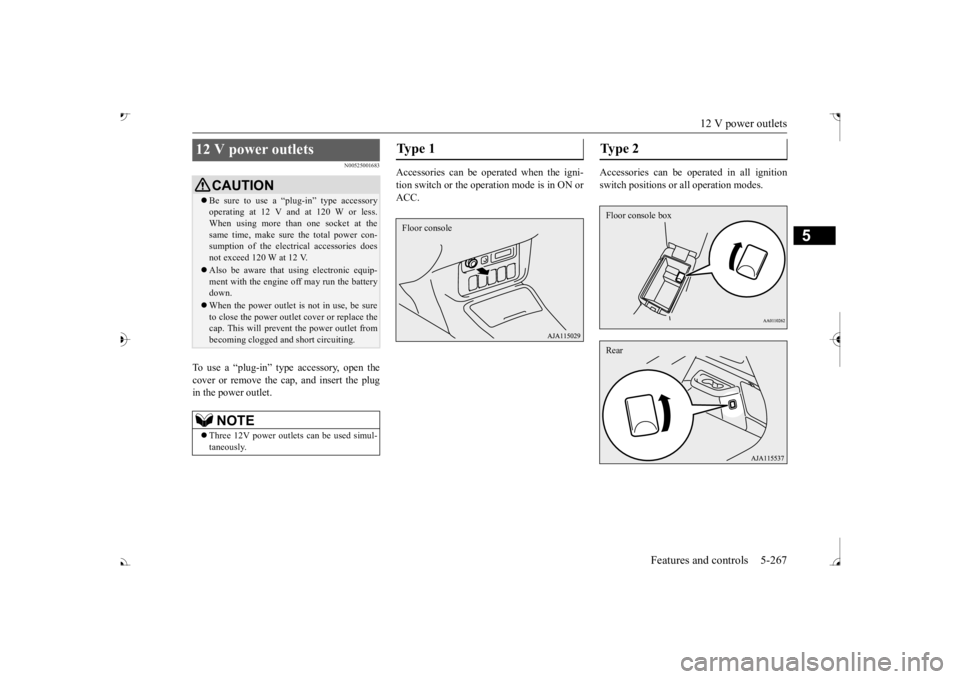
To use a “plug-in” type accessory, open the cover or remove the ca
p, and insert the plug
in the power outlet.
Accessories can be operated when the igni- tion switch or the operation mode is in ON or ACC.
Accessories can be ope
rated in all ignition
switch positions or
all operation modes.
12 V power outlets
CAUTIONBe sure to use a “plug-in” type accessory operating at 12 V and at 120 W or less.When using more than one socket at the same time, make sure the total power con- sumption of the electrical accessories doesnot exceed 120 W at 12 V. Also be aware that
using electronic equip-
ment with the engine
off may run the battery
down. When the power outlet is not in use, be sure to close the power outle
t cover or replace the
cap. This will prevent the power outlet frombecoming clogged and
short circuiting.
NOTE
Three 12V power outlet
s can be used simul-
taneously.
Ty p e 1 Floor console
Type 2 Floor console boxRear
BK0239700US.book 267 ページ 2016年6月16日 木曜日 午前10時58分