key battery MITSUBISHI OUTLANDER III 2017 User Guide
[x] Cancel search | Manufacturer: MITSUBISHI, Model Year: 2017, Model line: OUTLANDER III, Model: MITSUBISHI OUTLANDER III 2017Pages: 521, PDF Size: 14.95 MB
Page 119 of 521
Liftgate (except for vehicles e
quipped with the power liftgate)
5-38 Features and controls
5
door can be opened using the inside door han- dle.
N00510101282
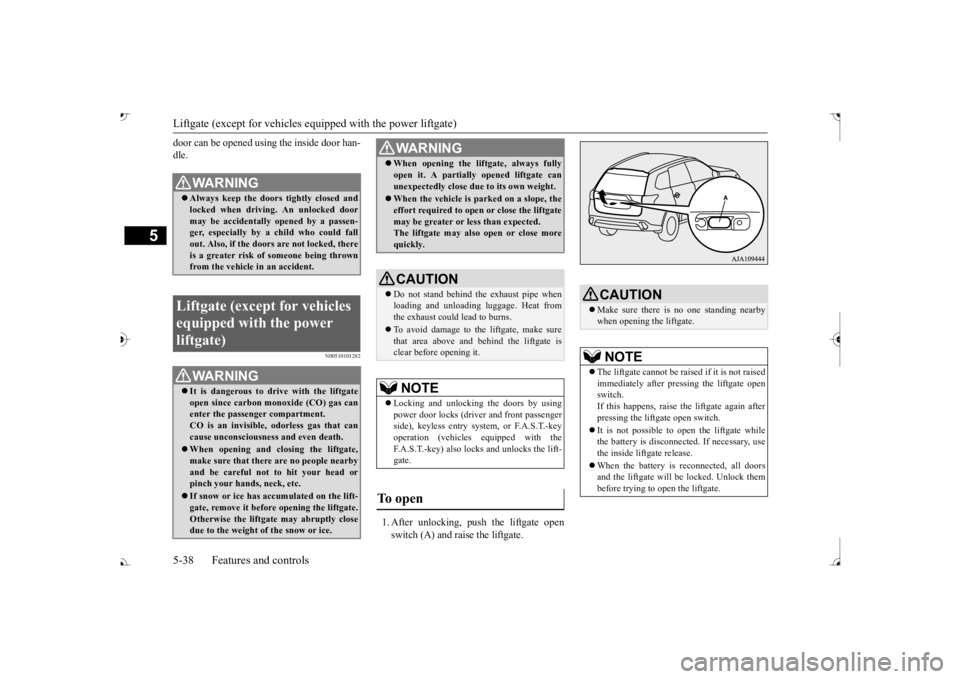
1. After unlocking, push the liftgate open switch (A) and raise the liftgate.
WA R N I N G Always keep the door
s tightly closed and
locked when driving. An unlocked door may be accidentally
opened by a passen-
ger, especially by
a child who could fall
out. Also, if the doors are not locked, there is a greater risk of someone being thrown from the vehicle
in an accident.
Liftgate (except for vehicles equipped with the power liftgate)
WA R N I N G It is dangerous to drive with the liftgate open since carbon mo
noxide (CO) gas can
enter the passenger compartment. CO is an invisible, odorless gas that cancause unconsciousness and even death. When opening and cl
osing the liftgate,
make sure that there are no people nearbyand be careful not to hit your head or pinch your hands, neck, etc. If snow or ice has ac
cumulated on the lift-
gate, remove it before
opening the liftgate.
Otherwise the liftgate may abruptly closedue to the weight of the snow or ice.
When opening the lift
gate, always fully
open it. A partially opened liftgate canunexpectedly close due to its own weight. When the vehicle is parked on a slope, the effort required to open or close the liftgatemay be greater or less than expected. The liftgate may also open or close more quickly.CAUTION Do not stand behind the exhaust pipe when loading and unloading
luggage. Heat from
the exhaust could lead to burns. To avoid damage to the liftgate, make sure that area above and behind the liftgate is clear before opening it.NOTE
Locking and unlocking the doors by using power door locks (driver and front passenger side), keyless entry system, or F.A.S.T.-keyoperation (vehicles
equipped with the
F.A.S.T.-key) also locks and unlocks the lift- gate.
To open
WA R N I N G
CAUTION Make sure there is no one standing nearby when opening the liftgate.NOTE
The liftgate cannot be rais
ed if it is not raised
immediately after pressing the liftgate open switch.If this happens, raise th
e liftgate again after
pressing the liftgate open switch. It is not possible to open the liftgate while the battery is disconnect
ed. If necessary, use
the inside liftgate release. When the battery is reconnected, all doors and the liftgate will be locked. Unlock thembefore trying to open the liftgate.
BK0239700US.book 38 ページ 2016年6月16日 木曜日 午前10時58分
Page 122 of 521
Power liftgate (if so equipped) Features and controls 5-41
5
N00576100038
The power liftgate ca
n be opened automati-
cally when all of the
following conditions are
met.
The power liftgate is completely closed. The power liftgate is unlocked.
The power liftgate can be closed automati- cally when all of the following conditions are met.
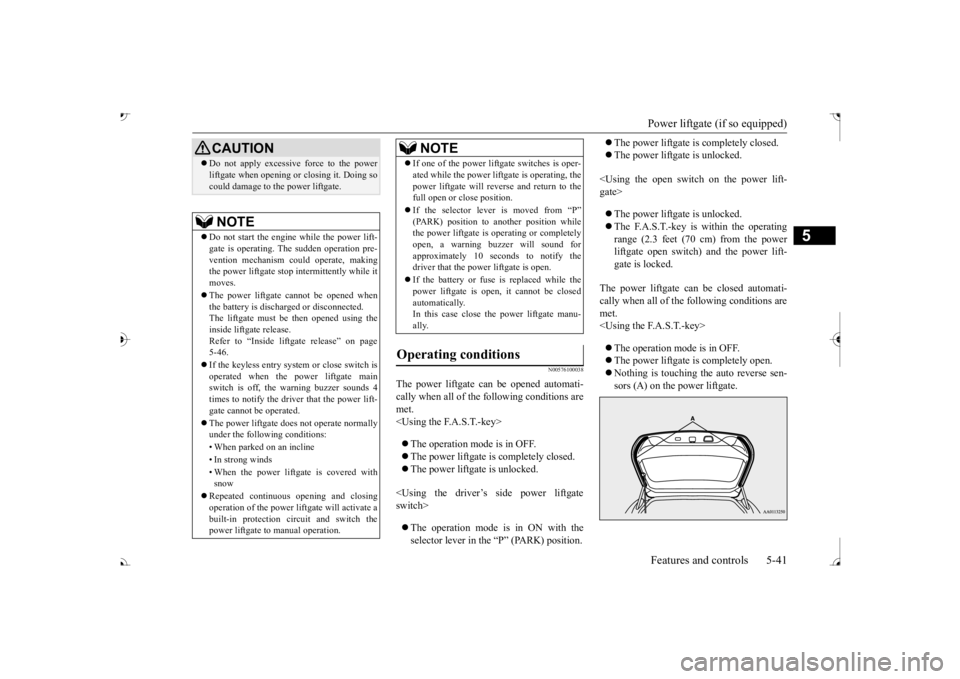
e auto reverse sen-
sors (A) on the power liftgate.
CAUTION Do not apply excessive force to the power liftgate when opening or closing it. Doing socould damage to th
e power liftgate.
NOTE
Do not start the engine while the power lift- gate is operating. The sudden operation pre- vention mechanism c
ould operate, making
the power liftgate stop intermittently while itmoves. The power liftgate cannot be opened when the battery is discha
rged or disconnected.
The liftgate must be then opened using the inside liftgate release.Refer to “Inside lift
gate release” on page
5-46. If the keyless entry system or close switch is operated when the pow
er liftgate main
switch is off, the warning buzzer sounds 4times to notify the driver that the power lift- gate cannot
be operated.
The power liftgate does not operate normally under the following conditions: • When parked on an incline • In strong winds • When the power liftga
te is covered with
snow
Repeated continuous
opening and closing
operation of the power lif
tgate will activate a
built-in protection ci
rcuit and switch the
power liftgate to
manual operation.
If one of the power lift
gate switches is oper-
ated while the power lift
gate is operating, the
power liftgate will reve
rse and return to the
full open or close position. If the selector lever is moved from “P” the power liftgate is operating or completely open, a warning buzzer will sound forapproximately 10 sec
onds to notify the
driver that the power liftgate is open. If the battery or fuse is replaced while the power liftgate is open,
it cannot be closed
automatically.In this case close the power liftgate manu- ally.
Operating conditions
NOTE
BK0239700US.book 41 ページ 2016年6月16日 木曜日 午前10時58分
Page 129 of 521
Theft-alarm system 5-48 Features and controls
5
N00582500040
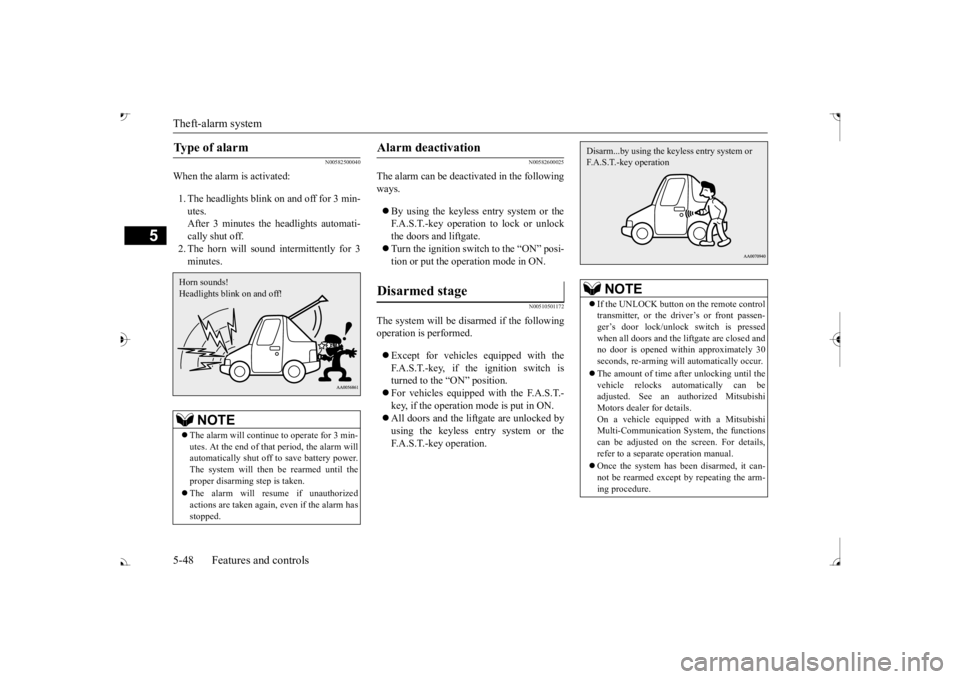
When the alarm is activated: 1. The headlights blink on and off for 3 min- utes. After 3 minutes the headlights automati-cally shut off. 2. The horn will sound intermittently for 3 minutes.
N00582600025
The alarm can be deacti
vated in the following
ways. By using the keyless entry system or the F.A.S.T.-key operation to lock or unlockthe doors and liftgate. Turn the ignition switch to the “ON” posi- tion or put the operation mode in ON.
N00510501172
The system will be disarmed if the followingoperation is performed. Except for vehicles equipped with the F.A.S.T.-key, if the ignition switch is turned to the “ON” position. For vehicles equipped with the F.A.S.T.- key, if the operation mode is put in ON. All doors and the lift
gate are unlocked by
using the keyless entry system or the F.A.S.T.-key operation.
Type of alarm
NOTE
The alarm will continue
to operate for 3 min-
utes. At the end of that
period, the alarm will
automatically shut off
to save battery power.
The system will then be rearmed until theproper disarming step is taken. The alarm will resu
me if unauthorized
actions are taken again, even if the alarm has stopped.Horn sounds! Headlights blink on and off!
Alarm deactivation Disarmed stage
NOTE
If the UNLOCK button on the remote control transmitter, or the driver’s or front passen-ger’s door lock/unlock switch is pressed when all doors and the li
ftgate are closed and
no door is opened with
in approximately 30
seconds, re-arming will
automatically occur.
The amount of time after unlocking until the vehicle relocks automatically can be adjusted. See an authorized Mitsubishi Motors dealer for details.On a vehicle equippe
d with a Mitsubishi
Multi-Communication System, the functions can be adjusted on the screen. For details,refer to a separa
te operation manual.
Once the system has been disarmed, it can- not be rearmed except
by repeating the arm-
ing procedure.Disarm...by using the keyless entry system or F.A.S.T.-key operation
BK0239700US.book 48 ページ 2016年6月16日 木曜日 午前10時58分
Page 130 of 521
Power window control
Features and controls 5-49
5
N00510601157
Use the following procedure to test the sys- tem: 1. Lower the driver’s window. 2. Arm the system as explained in “Armedstage”. comes on and flashe
s for approximately
20 seconds. 4. Wait a few seconds and then unlock thedriver’s side door by using the inside door lock knob. Open the door. 5. Make sure that the horn sounds intermit-tently and the headlights blink when a door is opened. 6. Disarm the system by unlocking all doorsand the liftgate by using the keyless entry system or the F.A.S.T.-key operation.
N00510800383
Testing the theft-alarm system
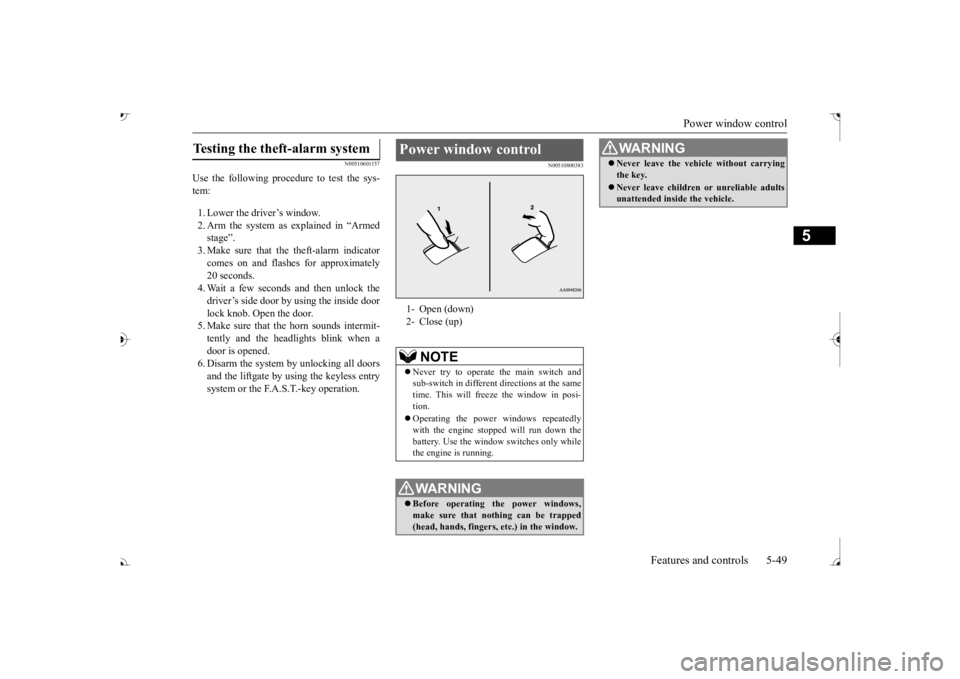
Power window control 1- Open (down) 2- Close (up)
NOTE
Never try to operate the main switch and sub-switch in different
directions at the same
time. This will free
ze the window in posi-
tion. Operating the power windows repeatedly with the engine stoppe
d will run down the
battery. Use the window
switches only while
the engine is running.WA R N I N G Before operating the power windows, make sure that nothing can be trapped (head, hands, fingers, etc.) in the window.
Never leave the vehicle without carrying the key. Never leave children
or unreliable adults
unattended inside the vehicle.WA R N I N G
BK0239700US.book 49 ページ 2016年6月16日 木曜日 午前10時58分
Page 134 of 521
Parking brake
Features and controls 5-53
5
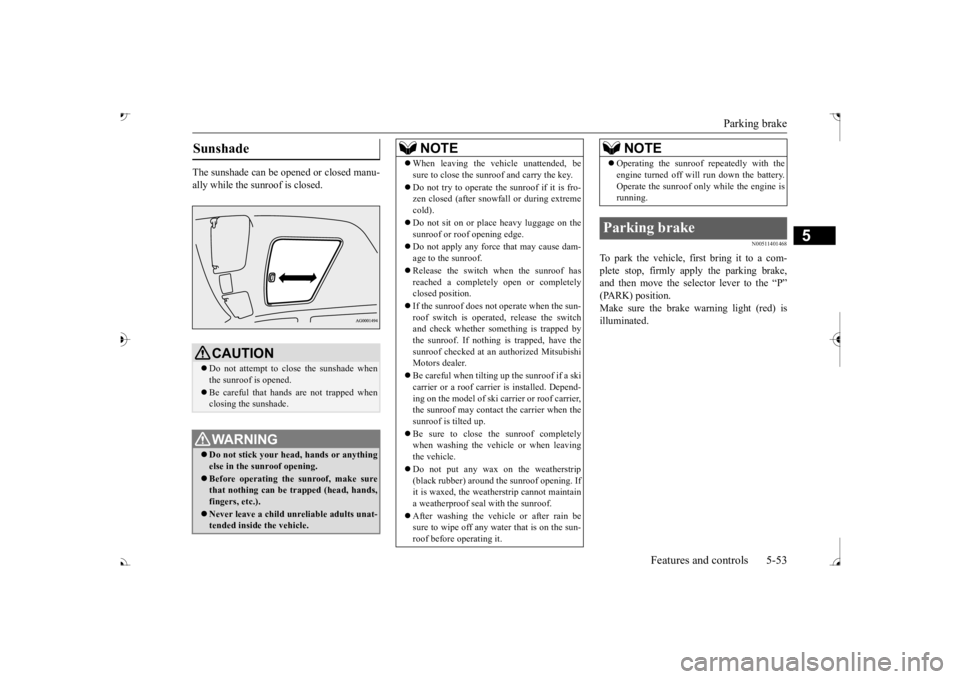
The sunshade can be opened or closed manu- ally while the sunroof is closed.
N00511401468
To park the vehicle, fi
rst bring it to a com-
plete stop, firmly apply the parking brake,and then move the selector lever to the “P” Make sure the brake warning light (red) isilluminated.
Sunshade
CAUTION Do not attempt to close the sunshade when the sunroof is opened. Be careful that hands are not trapped when closing the sunshade.WA R N I N G Do not stick your head
, hands or anything
else in the su
nroof opening.
Before operating the sunroof, make sure that nothing can be trapped (head, hands, fingers, etc.). Never leave a child unr
eliable adults unat-
tended inside the vehicle.
NOTE
When leaving the vehicle unattended, be sure to close the sunroof and carry the key. Do not try to operate the sunroof if it is fro- zen closed (after snowfall or during extreme cold). Do not sit on or plac
e heavy luggage on the
sunroof or roof opening edge. Do not apply any forc
e that may cause dam-
age to the sunroof. Release the switch when the sunroof has reached a completely open or completelyclosed position. If the sunroof does not operate when the sun- roof switch is operated, release the switch and check whether something is trapped by the sunroof. If nothing is trapped, have thesunroof checked at an authorized Mitsubishi Motors dealer. Be careful when tilting up the sunroof if a ski carrier or a roof carrie
r is installed. Depend-
ing on the model of ski carrier or roof carrier,the sunroof may contact
the carrier when the
sunroof is tilted up. Be sure to close the sunroof completely when washing the vehicle or when leaving the vehicle. Do not put any wax on the weatherstrip (black rubber) around the sunroof opening. Ifit is waxed, the weat
herstrip cannot maintain
a weatherproof seal with the sunroof. After washing the vehicle or after rain be sure to wipe off any water that is on the sun- roof before operating it.
Operating the sunroof repeatedly with the engine turned off will run down the battery.Operate the sunroof only while the engine isrunning.
Parking brake
NOTE
BK0239700US.book 53 ページ 2016年6月16日 木曜日 午前10時58分
Page 146 of 521
Steering wheel lock (if so equipped)
Features and controls 5-65
5
When removing the key, first set the selector lever to the “P” (PARK) position, and push the key in at the “ACC” position and keep it depressed until it is turned to the “LOCK”position, and remove it.
N00512501235
[For vehicles equipped with the Free-handAdvanced Security Transmitter (F.A.S.T.- key).] For information on operations for vehiclesequipped with the Free-hand Advanced Secu- rity Transmitter (F.A.S.T.-key), refer to “Free-hand Advanced Se
curity Transmitter
(F.A.S.T.-key): Steering wheel lock” on page 5-24. [Except for vehicles equipped with the Free-hand Advanced Security Transmit-
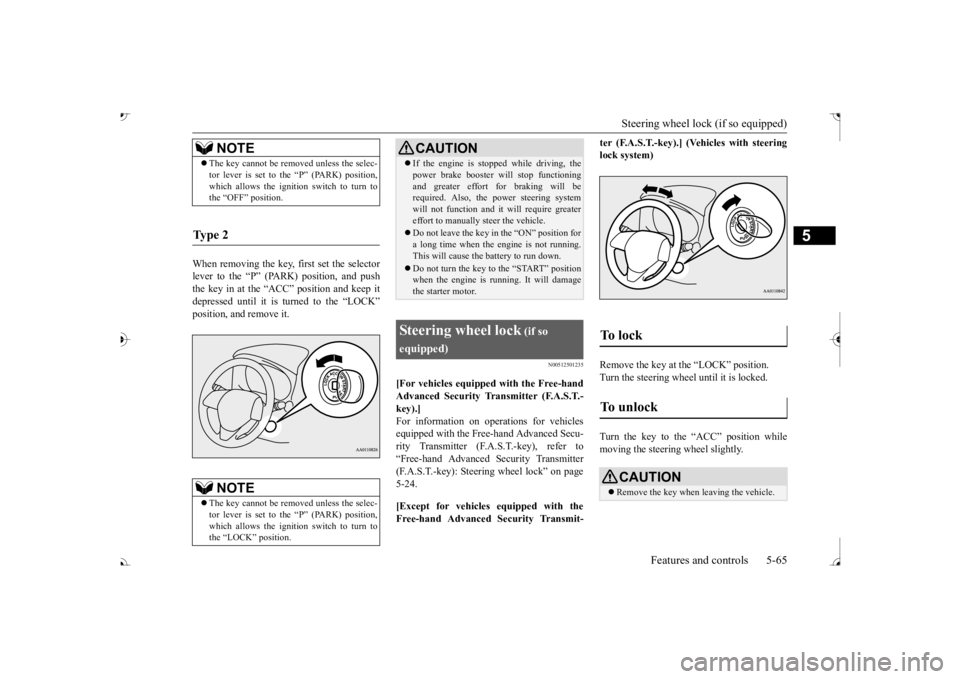
ter (F.A.S.T.-key).] (Vehicles with steering lock system) Remove the key at the “LOCK” position. Turn the steering wheel until it is locked. Turn the key to the “ACC” position while moving the steeri
ng wheel slightly.
NOTE
The key cannot be rem
oved unless the selec-
tor lever is set to the “P” (PARK) position,which allows the ignition switch to turn tothe “OFF” position.
Ty p e 2
NOTE
The key cannot be rem
oved unless the selec-
tor lever is set to the “P” (PARK) position,which allows the ignition switch to turn to the “LOCK” position.
CAUTION If the engine is stoppe
d while driving, the
power brake booster will stop functioningand greater effort for braking will berequired. Also, the power steering system will not function and it
will require greater
effort to manually steer the vehicle. Do not leave the key in
the “ON” position for
a long time when the engine is not running.This will cause the battery to run down. Do not turn the key to the “START” position when the engine is ru
nning. It will damage
the starter motor.
Steering wheel lock
(if so
equipped)
To unlock
CAUTION Remove the key when leaving the vehicle.
BK0239700US.book 65 ページ 2016年6月16日 木曜日 午前10時58分
Page 147 of 521
![MITSUBISHI OUTLANDER III 2017 User Guide Starting the engine 5-66 Features and controls
5
N00512601845
[For vehicles equipped with the Free-hand Advanced Security Transmitter (F.A.S.T.-key).] For information on operation for vehicles equippe](/img/19/58146/w960_58146-146.png "MITSUBISHI OUTLANDER III 2017 User Guide Starting the engine 5-66 Features and controls
5
N00512601845
[For vehicles equipped with the Free-hand Advanced Security Transmitter (F.A.S.T.-key).] For information on operation for vehicles equippe")
Starting the engine 5-66 Features and controls
5
N00512601845
[For vehicles equipped with the Free-hand Advanced Security Transmitter (F.A.S.T.-key).] For information on operation for vehicles equipped with the Free-hand Advanced Secu-rity Transmitter (F.A.S.T.-key), refer to “Free-hand Advanced Se
curity Transmitter
(F.A.S.T.-key): Starting” on page 5-13. [Except for vehicles equipped with the Free-hand Advanced Security Transmit- ter (F.A.S.T.-key).]
Do not operate the starter motor continu- ously for longer than 15 seconds as this could run the battery
down or damage the
starter motor. If the engine does not start,turn the ignition switch back to the “OFF” or “LOCK” position, wait a few seconds, and then try again. Trying repeatedly withthe engine or starter motor still turning will damage the starter mechanism. If the engine will not
start because the bat-
tery is weak or discharged, refer to “Jump-starting the engine” (on page 8-2)for instructions. A longer warm up period will only con- sume extra fuel. The engine is warmed upenough for driving when the bar graph of engine coolant temper
ature display starts
to move or the low coolant temperatureindicator goes out. Refer to “Engine cool- ant temperature display” on page 5-171 or “Low coolant temper
ature indicator” on
page 5-215.
This model is equipped with an electronically controlled fuel injection system. This is a sys- tem that automatically controls fuel injection.There is usually no need to depress the accel- erator pedal when starting the engine. The starter should not be run for more than 15seconds at a time. To prevent battery drain, wait a few seconds between attempts to restart the engine. 1. Make sure all occupants are properly seated with seat belts fastened. 2. Insert the ignition key. 3. Press and hold the brake pedal down withyour right foot. 4. Make sure the selector
lever is in the “P”
NOTE
If the front wheels are turned, the anti-theft lock may sometimes make it difficult to turnthe key from “LOCK” to “ACC”. Firmlyturn the steering wheel to the left or to the right as you turn the key.
Starting the engine
Tips for starting
WA R N I N G Never run the engine in
a closed or poorly
ventilated area any longer than is needed to move your vehicle out of the area. Car- bon monoxide gas, which is odorless andextremely poisonous, could build up and cause serious injury or death.
CAUTION Do not push-start the vehicle.Do not run the engine at high rpms or drive at high speeds until
the engine has had a
chance to warm up. Release the ignition sw
itch as soon as the
engine starts. Otherwis
e, the starter motor
will be damaged
Starting the engine
BK0239700US.book 66 ページ 2016年6月16日 木曜日 午前10時58分
Page 259 of 521
Multi Information display - Type 1 5-178 Features and controls
5
Refer to “Changing the time until “REST REMINDER” is displayed” on page 5-182.Refer to “Changing the turn signal sound” on page 5-182. Refer to “Changing the momentary fuelconsumption display” on page 5-182. Refer to “Tire ID set change” on page 5-146.Refer to “Returning to the factory set- tings” on page 5-183.
N00557001240
You can change the mode condition for theaverage fuel consumption and average speed display to “Auto reset”
or “Manual reset.”
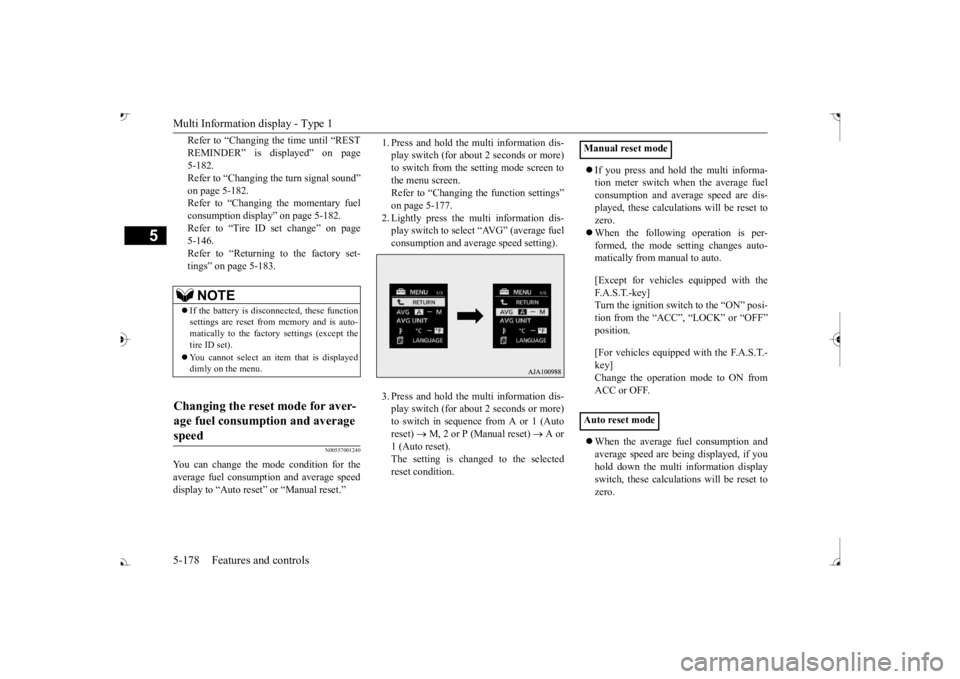
1. Press and hold the mu
lti information dis-
play switch (for about 2 seconds or more)to switch from the setting mode screen to the menu screen. Refer to “Changing th
e function settings”
on page 5-177. 2. Lightly press the multi information dis- play switch to select “AVG” (average fuelconsumption and average speed setting). 3. Press and hold the mu
lti information dis-
play switch (for about 2 seconds or more)to switch in sequence from A or 1 (Auto reset)
M, 2 or P (Manual reset)
A or
1 (Auto reset).The setting is changed to the selected reset condition.
If you press and hold the multi informa- tion meter switch when the average fuelconsumption and average speed are dis- played, these calculati
ons will be reset to
zero. When the following operation is per- formed, the mode setting changes auto- matically from manual to auto. [Except for vehicles
equipped with the
F. A . S . T. - k e y ] Turn the ignition switch to the “ON” posi-tion from the “ACC”, “LOCK” or “OFF” position. [For vehicles equipped
with the F.A.S.T.-
key]Change the operation mode to ON from ACC or OFF. When the average fuel consumption and average speed are being displayed, if youhold down the multi in
formation display
switch, these calculations will be reset to zero.
NOTE
If the battery is disc
onnected, these function
settings are reset from
memory and is auto-
matically to the factory settings (except thetire ID set). You cannot select an it
em that is displayed
dimly on the menu.
Changing the reset mode for aver- age fuel consumption and average speed
Manual reset mode Auto reset mode
BK0239700US.book 178 ページ 2016年6月16日 木曜日 午前10時58分
Page 260 of 521
Multi Information display - Type 1
Features and controls 5-179
5
When the engine switch or the operation mode is in the following conditions, theaverage fuel consumption display and the average speed display will automatically reset. [Except for vehicles equipped with the F. A . S . T. - k e y ] The ignition switch has been set to the “ACC”, “LOCK” or
“OFF” position for
about 4 hours or more. [For vehicles equipped with the F.A.S.T.- key]The operation mode has been in ACC or OFF for about 4 hours or more.
N00557101166
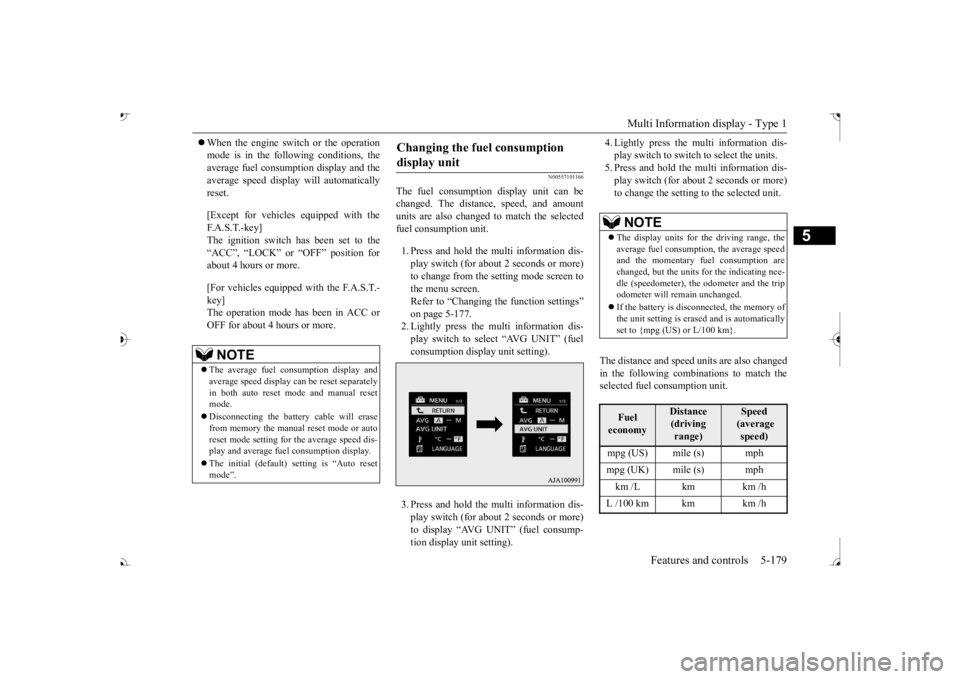
The fuel consumption display unit can be changed. The distan
ce, speed, and amount
units are also changed to match the selected fuel consumption unit. 1. Press and hold the multi information dis- play switch (for about 2 seconds or more) to change from the setting mode screen to the menu screen. Refer to “Changing the function settings” on page 5-177.2. Lightly press the multi information dis- play switch to select “AVG UNIT” (fuel consumption display unit setting). 3. Press and hold the multi information dis- play switch (for about 2 seconds or more) to display “AVG UNIT” (fuel consump- tion display unit setting).
4. Lightly press the multi information dis- play switch to switch to select the units.5. Press and hold the multi information dis- play switch (for about 2 seconds or more) to change the setting to the selected unit.
The distance and speed units are also changed in the following combinations to match theselected fuel consumption unit.
NOTE
The average fuel consumption display and average speed display ca
n be reset separately
in both auto reset mode and manual reset mode. Disconnecting the batter
y cable wi
ll erase
from memory the manual reset mode or auto reset mode setting for
the average speed dis-
play and average fuel consumption display. The initial (default) setting is “Auto reset mode”.
Changing the fuel consumption display unit
NOTE
The display units for the driving range, the average fuel consumption, the average speed and the momentary fuel consumption are changed, but the units
for the indicating nee-
dle (speedometer), the odometer and the trip odometer will remain unchanged. If the battery is disconnected, the memory of the unit setting is erased and is automatically set to {mpg (US) or L/100 km}.Fuel economy
Distance (driving range)
Speed (average speed)
mpg (UK) mile (s) mph km /L km km /h L /100 km km km /h
BK0239700US.book 179 ページ 2016年6月16日 木曜日 午前10時58分