language MITSUBISHI OUTLANDER III 2017 User Guide
[x] Cancel search | Manufacturer: MITSUBISHI, Model Year: 2017, Model line: OUTLANDER III, Model: MITSUBISHI OUTLANDER III 2017Pages: 521, PDF Size: 14.95 MB
Page 337 of 521

Bluetooth® 2.0 interface 5-256 Features and controls
5
These phonebooks are used to register tele- phone numbers and make
calls to desired
numbers via voice re
cognition function.
N00566101120
This phonebook is used when making calls with the voice recognition function. Up to 32 names can be registered in the vehi- cle phonebook per language.Also, each entry has 4 locations associated with: home, work, mobile and other. You can register one telephone number for each loca-tion. You can register a desire
d name as a name for
any phonebook entry registered in the vehicle phonebook.Names and telephone numbers can be changed later on. The vehicle phonebook can
be used with all
paired cellular phones.
N00580500059
You can register a telephone number in thevehicle phonebook in the following 2 ways: Reading out a telephone number, and select- ing and transferring 1 phonebook entry fromthe phonebook of the cellular phone.
N00580600063
1. Press the SPEECH button (except forvehicles with Mitsubishi Multi-Commu- nication System) or PICK-UP button (for vehicles with Mitsubishi Multi-Commu-nication System). 2. Say “Phonebook.” 3. The voice guide will
say “Select one of
the following: new entry, edit number, edit name, list names, delete, erase all, or import contact.” Say “New entry.” Say your preferred na
me to register it.
5. When the name has been registered, the voice guide will
say “home, work,
mobile, or other?” Say the location for which you want to register a telephone number. 6. The voice guide will say “Number please.” Say the te
lephone number to reg-
ister it.
NOTE
Disconnecting the ba
ttery cable will not
delete information registered in the phone-book.
Vehicle phonebook
To register a telephone number in the vehicle phonebook
To register by reading out a tele- phone number
NOTE
If the maximum number of entries are already registered, the
voice guide will say
“The phonebook is full. Would you like todelete a name?” Say
“Yes” if you want to
delete a registered name. If you say “No,” the system will return to themain menu.NOTE
When the confirmation function is on, the voice guide will say “
rect?” Answer “Yes.”
been registered for
the selected location, th
e voice guide will say
“The current number is
number please.” If you do not want to change the telephonenumber, say “cancel” or the original numberto keep it registered.
BK0239700US.book 256 ページ 2016年6月16日 木曜日 午前10時58分
Page 430 of 521
Troubleshooting
Comfort controls 7-47
7
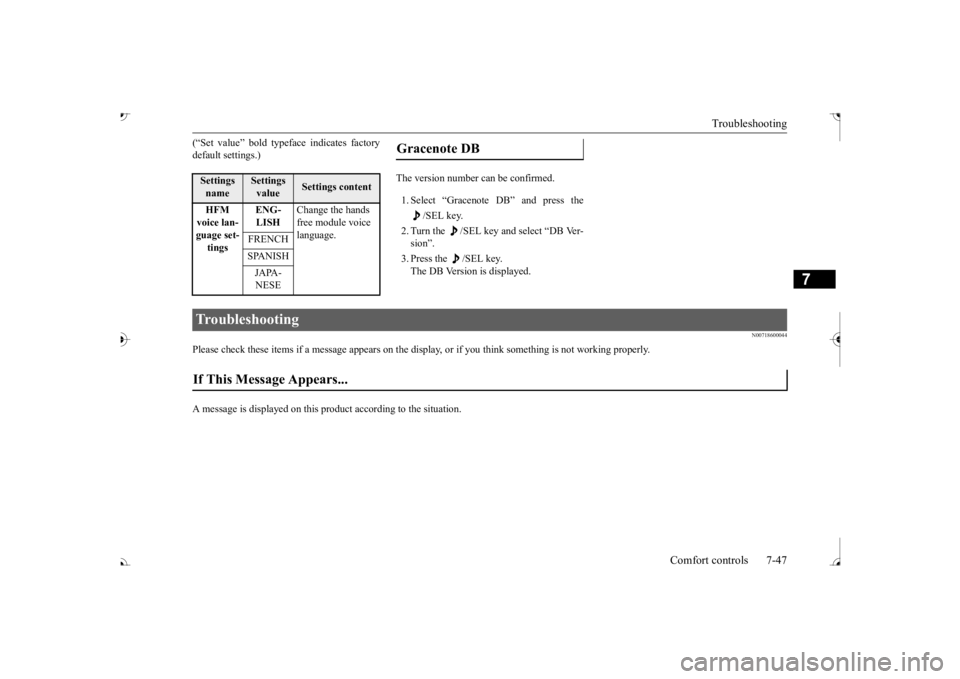
(“Set value” bold typefa
ce indicates factory
default settings.)
1. Select “Gracenote DB” and press the
/SEL key.
2. Turn the /SEL key and select “DB Ver- sion”. 3. Press the /SEL key. The DB Version is displayed.
N00718600044
Please check these items if a message appears on the displa
y, or if you think something is not working properly.
A message is displayed on this pr
oduct according to the situation.
Settings name
Settings value
Settings content
HFM voice lan- guage set-tings
ENG- LISH
Change the hands free module voice language.
FRENCH SPANISH JAPA- NESE
Gracenote DB
Troubleshooting If This Message Appears...
BK0239700US.book 47 ページ 2016年6月16日 木曜日 午前10時58分