mirror controls MITSUBISHI OUTLANDER III 2017 Owner's Manual
[x] Cancel search | Manufacturer: MITSUBISHI, Model Year: 2017, Model line: OUTLANDER III, Model: MITSUBISHI OUTLANDER III 2017Pages: 521, PDF Size: 14.95 MB
Page 238 of 521
Multi Around Monitor (if so equipped)
Features and controls 5-157
5
N00587500032
The Multi Around Monitor can only be used when the operation mode is put in ON. When you move the selector lever to the “R” view/rear-view is disp
layed on the screen of
the inside rearview mirror, the DISPLAY AUDIO, the Smartphone Link Display Audio or the Mitsubishi Multi-communication Sys-
tem. When you move the selector lever to any other position, the
display disappears.
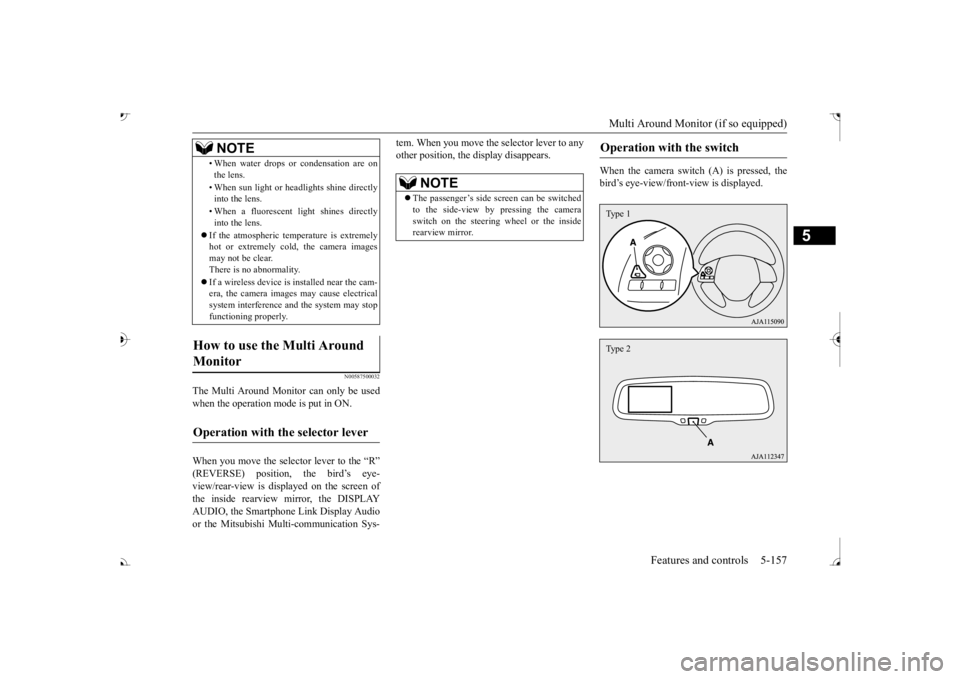
When the camera switch (A) is pressed, the bird’s eye-view/front
-view is displayed.
• When water drops or
condensation are on
the lens. • When sun light or he
adlights shine directly
into the lens. • When a fluorescent li
ght shines directly
into the lens.
If the atmospheric temperature is extremely hot or extremely cold, the camera images may not be clear.There is no abnormality. If a wireless device is installed near the cam- era, the camera images may cause electrical system interference and the system may stop functioning properly.
How to use the Multi Around Monitor
Operation with the selector lever
NOTE
NOTE
The passenger’s side sc
reen can be switched
to the side-view by pressing the camera switch on the steering wheel or the inside rearview mirror.
Operation with the switch
Type 1Type 2
BK0239700US.book 157 ページ 2016年6月16日 木曜日 午前10時58分
Page 242 of 521
Multi Around Monitor (if so equipped)
Features and controls 5-161
5
N00587900023
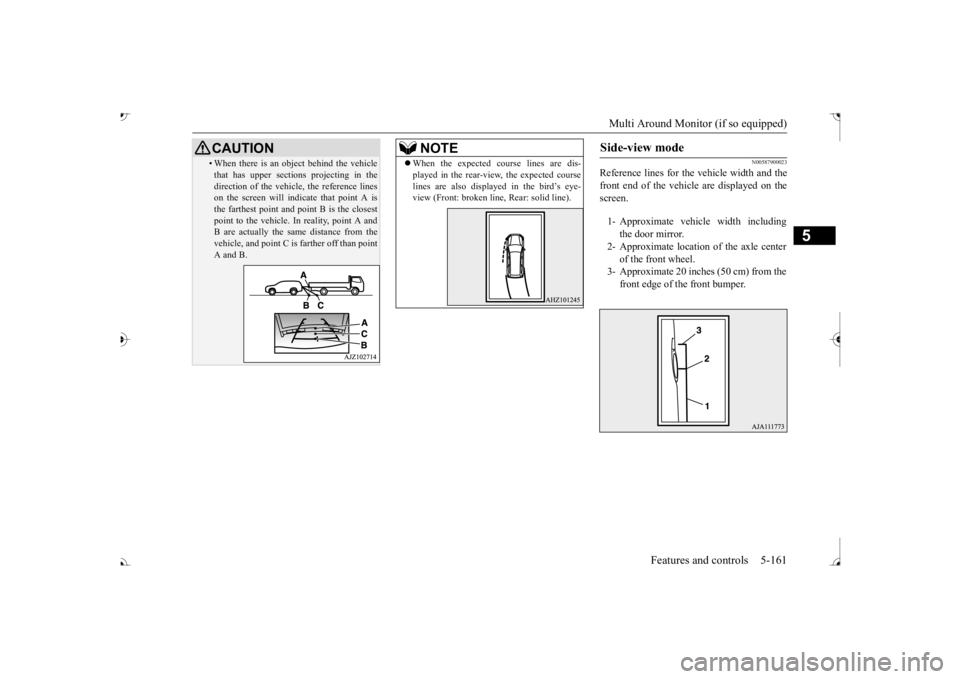
Reference lines for the
vehicle width and the
front end of the vehicle are displayed on the screen.
• When there is an object behind the vehicle that has upper sections projecting in thedirection of the vehicl
e, the reference lines
on the screen will indicate that point A is the farthest point and
point B is the closest
point to the vehicle.
In reality, point A and
B are actually the same distance from the vehicle, and point C is
farther off than point
A and B.CAUTION
NOTE
When the expected course lines are dis- played in the rear-view, the expected courselines are also displayed in the bird’s eye-view (Front: broken li
ne, Rear: solid line).
Side-view mode
1- Approximate vehi
cle width including
the door mirror.
2- Approximate location
of the axle center
of the front wheel.
3- Approximate 20 inches (50 cm) from the
front edge of the front bumper.
BK0239700US.book 161 ページ 2016年6月16日 木曜日 午前10時58分
Page 307 of 521
Combination headlights and dimmer switch 5-226 Features and controls
5
The sensitivity of the se
nsor can be temporar-
ily lowering in the following ways. 1. Park your vehicle in a safe place and the ignition switch is turned to the “OFF” or “LOCK” position or the operation mode is put in OFF.2. Press the automatic high beam system switch more than 15 times within 5 sec- onds after operation mode is turned on.
• A vehicle in front
or oncoming vehicle is
hindered by any object
such as continuous
bends, elevated median/i
sland, traffic signs,
roadside trees. • Your vehicle passes
an oncoming vehicle
suddenly on a bend with poor visibility. • Another vehicle crosse
s ahead of your vehi-
cle.
The headlights may remain at low beam (or be switched from high beam to low beam) when a reflective object (e.g. street light, traffic signal, noticeboard and signboard) Any of the following factors may influence the headlight beam switching timing: • How brightly the exteri
or lights of a vehicle
in front or oncoming
vehicle il
luminate.
• Movement or direction
of a vehicle in front
or oncoming vehicle. • Only right or left exte
rior light of a vehicle
in front or oncoming
vehicle is illuminat-
ing. • A vehicle in front or
oncoming vehicle is a
motorcycle. • Road conditions (gradient, bends and road surface). • The number of occupa
nts and luggage load.
The automatic high beam
system recognises
environmental conditi
ons by sensing a light
source ahead of your ve
hicle. Therefore, you
may feel like someth
ing is not quite right
when the headlight beams are switched auto- matically.NOTE
The system may not de
tect a light vehicle
such as a bicycle. The system may not detect an ambient brightness precisely. Th
is causes the traffic
to be dazzled by high beam or the low beamto be maintained. In such cases, you should switch the headli
ght beams manually.
• In bad weather (heavy
rain, fog, snow or
sandstorm). • The windshield is dirty or fogged up. • The windshield is cracked or broken.• The sensor is deformed or dirty. • A light, which is simila
r to the headlights or
tail lights, is shining around your vehicle. • A vehicle in front
or oncoming vehicle is
driven without lights, the exterior lights are dirty or discoloured, or the direction of theheadlight beams is adjusted improperly. • It becomes dark and bright suddenly and continuously around your vehicle. • Your vehicle is driven on uneven surfaces.• Your vehicle is driven on a winding road. • A reflective object such as a noticeboard or a mirror reflects a li
ght ahead of your vehi-
cle. • When lights of the vehicle in front or head- lights of an oncoming ve
hicle blend into the
other lights. • The rear end of a vehicle in front (such as a container truck) re
flect a strong light.
• Your vehicle's headlight
is broken or dirty.
NOTE
• Your vehicle is inclined due to a flat tire or towing. • The warning display appears. (Refer to “System
problem warning” on
page 5-227.)
Observe the precautions below to maintain good usage conditions: • Do not attempt to di
sassemble the sensor.
• Do not affix a sticker or label on the wind- shield near the sensor. • Avoid overload. • Do not modify your vehicle.• When the windshield is replaced, use the Mitsubishi Motors
genuine parts.
To adjust the sensitivity of the sensor
NOTE
BK0239700US.book 226 ページ 2016年6月16日 木曜日 午前10時58分
Page 319 of 521
Electric rear window defogger switch 5-238 Features and controls
5
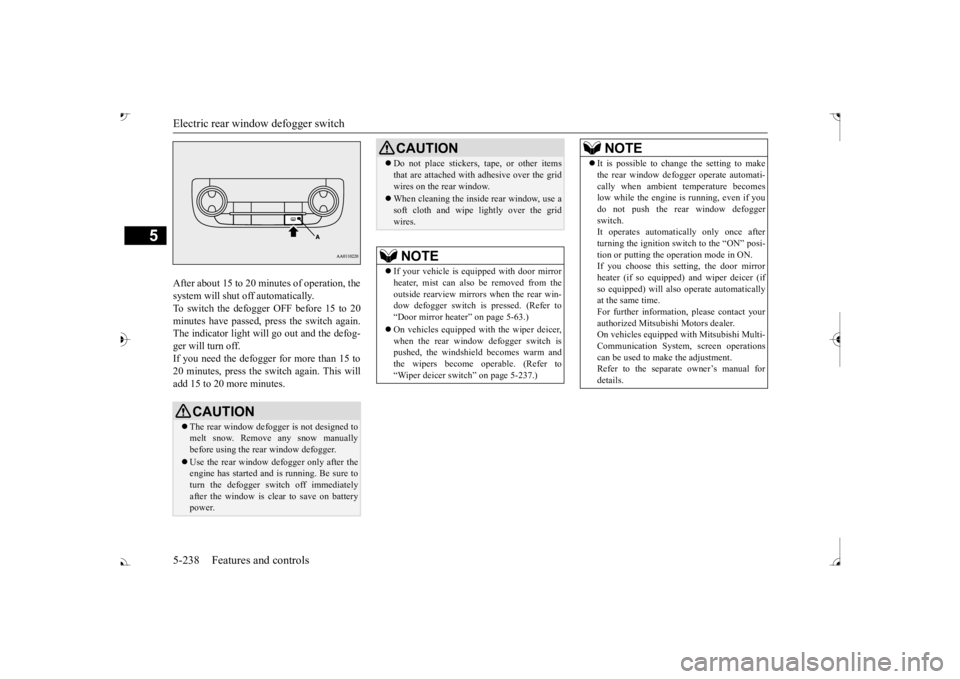
After about 15 to 20 minutes of operation, the system will shut off automatically.To switch the defogger OFF before 15 to 20 minutes have passed,
press the switch again.
The indicator light will
go out and the defog-
ger will turn off. If you need the defogger for more than 15 to 20 minutes, press the switch again. This willadd 15 to 20 more minutes.
CAUTION The rear window defogge
r is not designed to
melt snow. Remove any snow manually before using the rear window defogger. Use the rear window defogger only after the engine has started and
is running. Be sure to
turn the defogger switch off immediatelyafter the window is clea
r to save on battery
power.
Do not place stickers,
tape, or other items
that are attached with adhesive over the gridwires on the rear window. When cleaning the inside
rear window, use a
soft cloth and wipe lightly over the gridwires.NOTE
If your vehicle is e
quipped with door mirror
heater, mist can also be removed from the outside rearview mirror
s when the rear win-
dow defogger switch is
pressed. (Refer to
Page 347 of 521
Sun visors 5-266 Features and controls
5
N00524601363
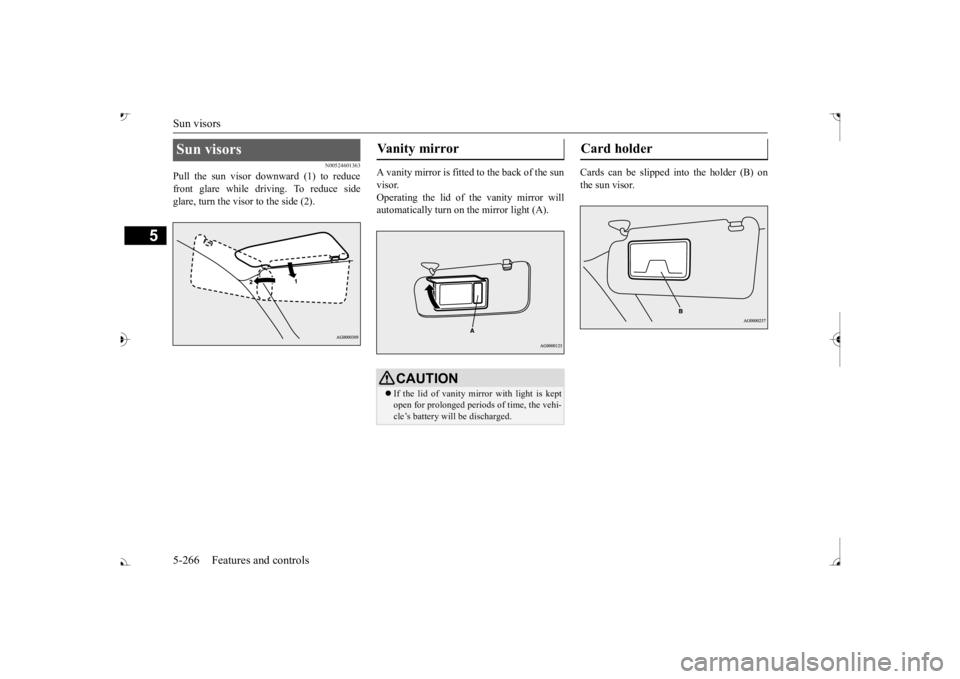
Pull the sun visor downward (1) to reduce front glare while driving. To reduce side glare, turn the visor to the side (2).
A vanity mirror is fitted to the back of the sun visor. Operating the lid of the vanity mirror will automatically turn on the mirror light (A).
Cards can be slipped into the holder (B) on the sun visor.
Sun visors
Vanity mirror
CAUTION If the lid of vanity mirror with light is kept open for prolonged periods of time, the vehi- cle’s battery will be discharged.
Card holder
BK0239700US.book 266 ページ 2016年6月16日 木曜日 午前10時58分