ECU MITSUBISHI OUTLANDER III 2017 Repair Manual
[x] Cancel search | Manufacturer: MITSUBISHI, Model Year: 2017, Model line: OUTLANDER III, Model: MITSUBISHI OUTLANDER III 2017Pages: 521, PDF Size: 14.95 MB
Page 341 of 521
Bluetooth® 2.0 interface 5-260 Features and controls
5
N00580300057
1. Press the SPEECH button (except for vehicles with Mitsubishi Multi-Commu-nication System) or
PICK-UP button (for
vehicles with Mitsubishi Multi-Commu- nication System).2. Say “Phonebook.” 3. The voice guide will say “Select one of the following: new entry, edit number,edit name, list names, delete, erase all, or import contact.” Say “Delete.”
say “Please say the
name of the entry you would like todelete, or say list names.” Say the name of the phonebook entry in which the tele- phone number you want to delete is regis-tered. 5. If only one telephone
number is registered
in the selected phonebook entry, the voiceguide will say “Deleting
ed phonebook entry, the
voice guide will say “Would you like to delete [home], [work], [mobile], [other],or all?” Select the location to delete, and the voice guide will say “Deleting
if you really want to
delete the selected
telephone number(s) to
go ahead with the deletion, answer “Yes.” deleting the telephone number(s) and thenreturn to Step 4. 7. When the telephone number deletion is complete, the voice guide will say“
deleted” and then
the system will return to the main menu. If all locations are deleted, the system will say “
removed from the
phonebook. If numbers still remain under the entry, the name will retain the other associated numbers.
N00580400045
You can delete all registered information from the vehicle phonebook. 1. Press the SPEECH button (except for vehicles with Mitsubishi Multi-Commu-nication System) or
PICK-UP button (for
vehicles with Mitsubishi Multi-Commu- nication System).2. Say “Phonebook.” 3. The voice guide will say “Select one of the following: new entry, edit number,edit name, list names, delete, erase all, or import contact.” Say “Erase all.”
You can call, edit or delete a name that is being read out.Press the SPEECH butt
on and say “Call” to
call the name, “Edit name” to edit it, or “Delete” to delete it. The system will beep and then execute yourcommand. If you press the SPEECH button and say “Continue” or “Previous” while the list is being read, the system will advance or rewind the list. Say “C
ontinue” to proceed to
the next entry or “Previous” to return to the previous entry.
Deleting a telephone number
NOTE
Say “List names,” and
the names registered
in the phonebook are read out in order. Refer to “Vehicle phonebook: Listening to the list of registered names” on page 5-259.NOTE
To delete the telephone
numbers from all
locations, say “All.”
BK0239700US.book 260 ページ 2016年6月16日 木曜日 午前10時58分
Page 349 of 521
HomeLink® Wireless Control System (if so equipped) 5-268 Features and controls
5
N00554301040
HomeLink
® Wireless Contro
l System is a
registered trademark of Gentex Corporation. HomeLink
® provides a convenient way to
replace up to 3 hand-held radio-frequency (RF) transmitters used to activate devicessuch as gate operators
, garage door openers,
entry door locks, security systems, even home lighting. Additional HomeLink
® information
can be found at www.homelink.com, www.youtube.com/HomeLinkGentex, or by calling the toll-free HomeLink
®-Hotline at 1-
800-355-3515.
N00584600029
Some garage door openers manufactured after 1995 have “rolli
ng code protection”.
To program a garage door openerequipped with “rolli
ng code protection”; cess the garage door
opener motor to press the motor’s “Learn”
For convenience, use
a ladder and another pe
rson to assist you.
It is recommended that a new battery be placed in the hand-held
transmitter of the
device being progr
ammed to HomeLink
®
for quicker training and accurate trans- mission of the radio-frequency signal.
HomeLink
® Wireless Con-
trol System
(if so equipped)
WA R N I N G Do not use HomeLink
® with any garage
door opener that la
cks safety stop and
reverse features as required by U.S. Fed- eral Regulations.
A garage door opener
which cannot detect an object in the path of a closing garage d
oor and then auto-
matically stop and reverse, does not meetcurrent U.S. Federal
Regulations. Using a
garage door opener wi
thout these features
increases the risk of serious injury ordeath.
During programming, your garage door or gate may open or close. Make sure thatpeople and objects are clear of the garagedoor or gate that
you are programming.
NOTE
Once HomeLink
® is programmed, retain the
original transmitter for future programming procedures (for example, new vehicle pur-chases). Upon sale of the vehicle, the pro- grammed HomeLink
® buttons should be
erased for security purposes. Refer to “Cleaning the progra
mmed information” on
page 5-272. You can program a ma
ximum of 3 devices.
To change or replace any of the 3 devicesafter it has been in
itially programmed, you
must first erase the current settings. See “Cleaning the programmed information”on page 5-272 or “Reprogramming a single HomeLink
® button” on page 5-272.
WA R N I N G
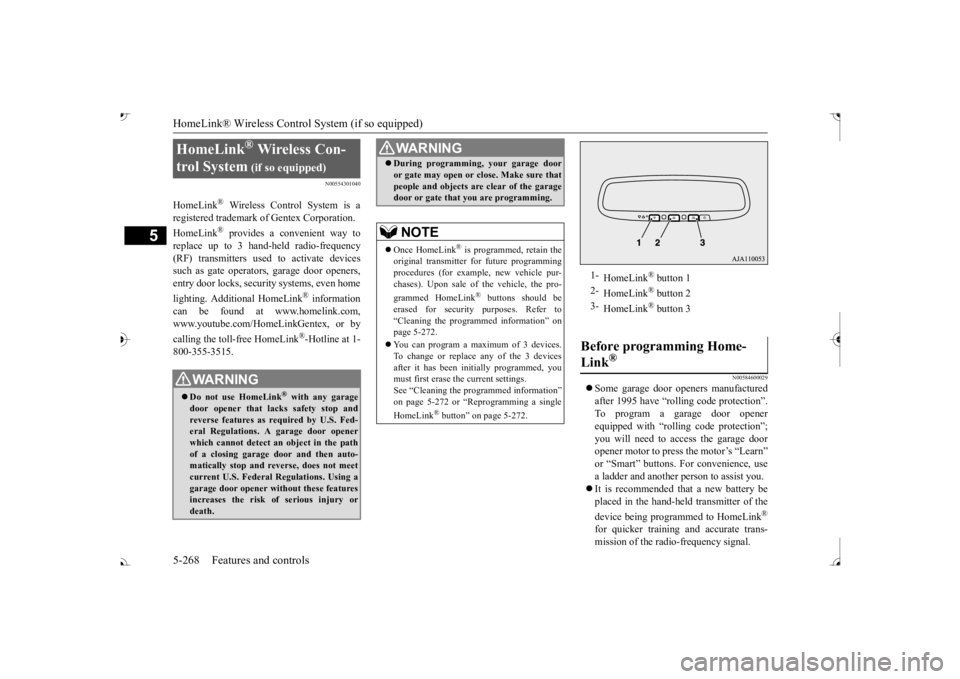
1-
HomeLink
® button 1
2-
HomeLink
® button 2
3-
HomeLink
® button 3
Before programming Home- Link
®
BK0239700US.book 268 ページ 2016年6月16日 木曜日 午前10時58分
Page 352 of 521
HomeLink® Wireless Control System (if so equipped)
Features and controls 5-271
5
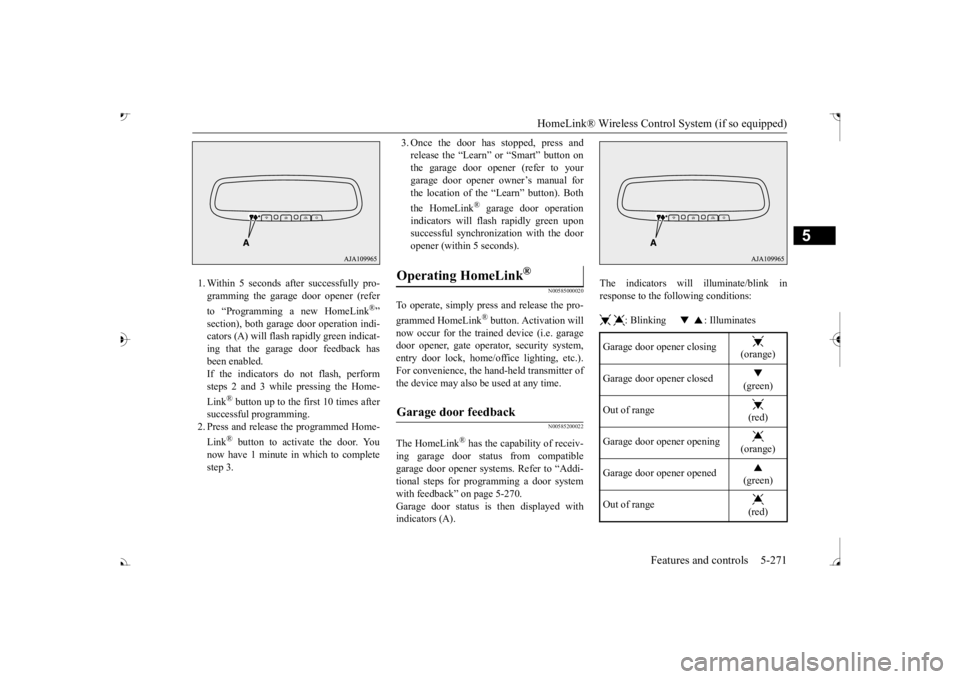
1. Within 5 seconds after successfully pro- gramming the garage door opener (refer to “Programming a new HomeLink
®”
section), both garage door operation indi- cators (A) will flash
rapidly green indicat-
ing that the garage
door feedback has
been enabled. If the indicators do not flash, performsteps 2 and 3 while pressing the Home- Link
® button up to the first 10 times after
successful programming.2. Press and release the programmed Home- Link
® button to activate the door. You
now have 1 minute in which to completestep 3.
3. Once the door has stopped, press and release the “Learn”
or “Smart” button on
the garage door opener (refer to your garage door opener owner’s manual for the location of the “Learn” button). Both the HomeLink
® garage door operation
indicators will fl
ash rapidly green upon
successful synchron
ization with the door
opener (within 5 seconds).
N00585000020
To operate, simply press and release the pro- grammed HomeLink
® button. Activation will
now occur for the traine
d device (i.e. garage
door opener, gate operat
or, security system,
entry door lock, home/of
fice lighting, etc.).
For convenience, the ha
nd-held transmitter of
the device may also be
used at any time.
N00585200022
The HomeLink
® has the capability of receiv-
ing garage door status from compatible garage door opener systems. Refer to “Addi- tional steps for programming a door systemwith feedback” on page 5-270. Garage door status is then displayed with indicators (A).
The indicators will illuminate/blink in response to the following conditions: : Blinking : Illuminates
Operating HomeLink
®
Garage door feedback
Garage door opener closing
(orange)
Garage door opener closed
(green)
Out of range
(red)
Garage door opener opening
(orange)
Garage door opener opened
(green)
Out of range
(red)
BK0239700US.book 271 ページ 2016年6月16日 木曜日 午前10時58分
Page 360 of 521
Cup holders
Features and controls 5-279
5
N00502601086
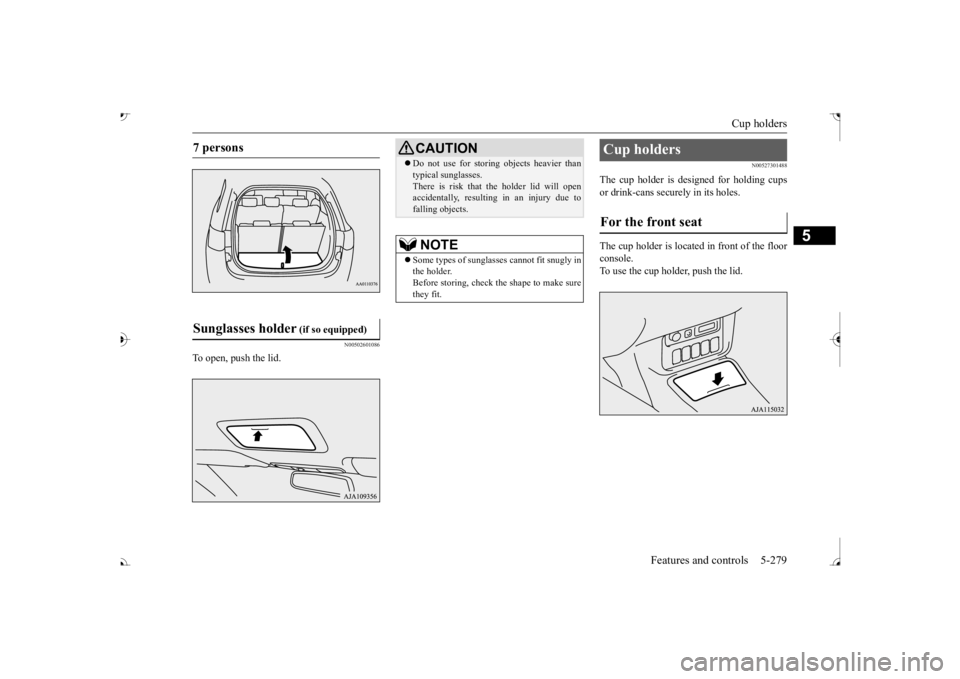
To open, push the lid.
N00527301488
The cup holder is designed for holding cups or drink-cans secu
rely in its holes.
The cup holder is located in front of the floor console. To use the cup holder, push the lid.
7 persons Sunglasses holder
(if so equipped)
CAUTION Do not use for stori
ng objects heavier than
typical sunglasses.There is risk that th
e holder lid will open
accidentally, resulting in an injury due to falling objects.NOTE
Some types of sunglas
ses cannot fit snugly in
the holder.Before storing, check the shape to make sure they fit.
Cup holders For the front seat
BK0239700US.book 279 ページ 2016年6月16日 木曜日 午前10時58分
Page 363 of 521
Cargo area cover (if so equipped) 5-282 Features and controls
5
2. After changing the position, gently shake the entire cargo area cover to make sure itis securely retained.
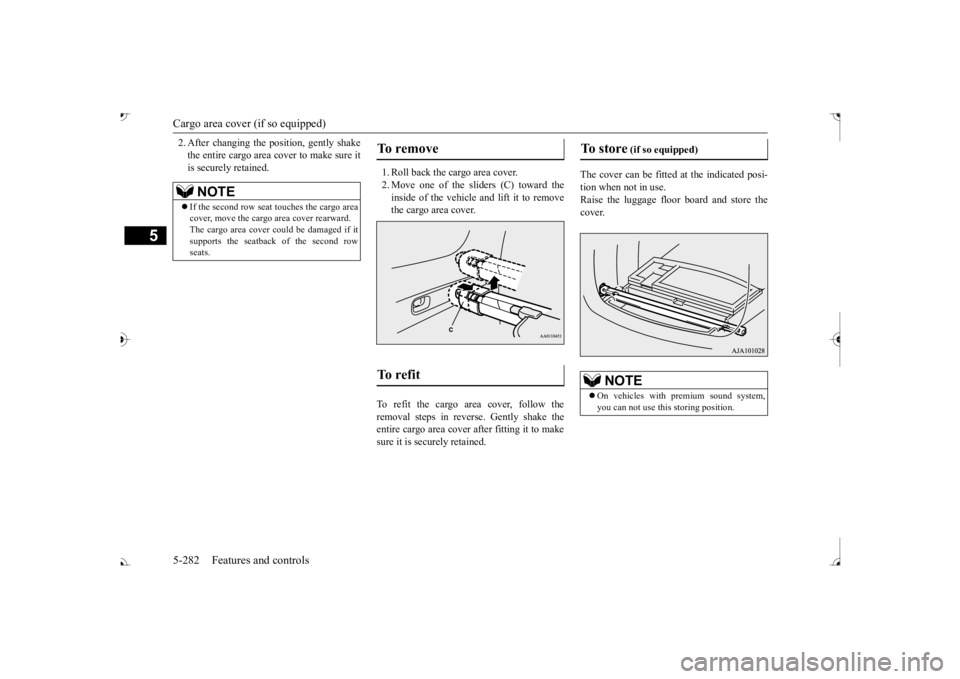
1. Roll back the cargo area cover. 2. Move one of the sliders (C) toward the inside of the vehicle and lift it to remove the cargo area cover.
To refit the cargo area cover, follow the removal steps in reverse. Gently shake the entire cargo area cover
after fitting it to make
sure it is securely retained.
The cover can be fitted
at the indicated posi-
tion when not in use. Raise the luggage floor board and store thecover.
NOTE
If the second row seat
touches the cargo area
cover, move the cargo
area cover rearward.
The cargo area cover co
uld be damaged if it
supports the seatback of the second rowseats.
To remove To refit
To store
(if so equipped)
On vehicles with premium sound system, you can not use this storing position.
BK0239700US.book 282 ページ 2016年6月16日 木曜日 午前10時58分
Page 364 of 521
Assist grips
Features and controls 5-283
5
N00559001084
The assist grips (located above the doors on the headliner) are not designed to support body weight. They are intended for use onlywhile seated in the vehicle.
N00553601163
There is a coat hook on the second row seat assist grip.
N00528501269
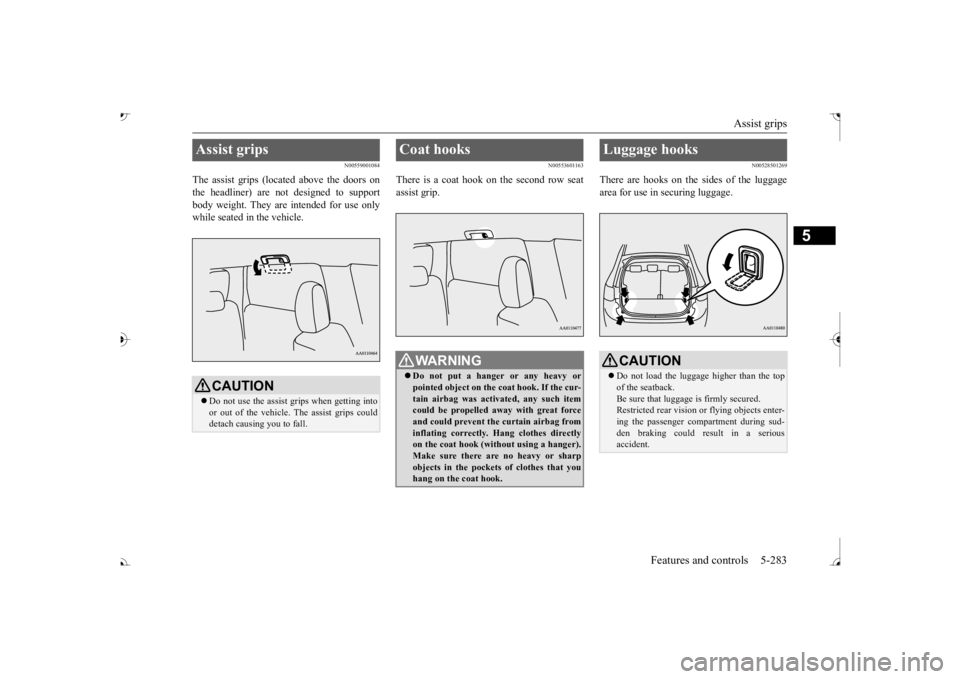
There are hooks on the sides of the luggagearea for use in securing luggage.
Assist grips
CAUTION Do not use the assist grips when getting into or out of the vehicle.
The assist grips could
detach causing you to fall.
Coat hooks
WA R N I N G Do not put a hanger or any heavy or pointed object on the coat hook. If the cur-tain airbag was activa
ted, any such item
could be propelled aw
ay with great force
and could prevent the curtain airbag frominflating correctly. Hang clothes directly on the coat hook (without using a hanger). Make sure there are no heavy or sharpobjects in the pocket
s of clothes that you
hang on the coat hook.
Luggage hooks
CAUTION Do not load the luggage higher than the top of the seatback.Be sure that luggage
is firmly secured.
Restricted rear vision
or flying objects enter-
ing the passenger compartment during sud-den braking could re
sult in a serious
accident.
BK0239700US.book 283 ページ 2016年6月16日 木曜日 午前10時58分
Page 368 of 521
Floor mat
Driving safety 6-3
6
Similarly, prescription and nonprescription drugs affect your alertness, perception andreaction time. Consu
lt with your doctor or
pharmacist before driving while under the influence of any of these medications.
N00628600033
The original equipment floor mat provided with your vehicle was
specifically designed
for your vehicle.Always properly positio
n the floor mat and
assure it does not inte
rfere with operation of
the pedals. Always use the retaining clip onthe driver’s floorboard to secure the floor mat. When used, this clip will help prevent the floor mat from moving forward and possi-bly interfering with the operation of the ped- als. To prevent the floor mat from moving forward and possibly interfering with theoperation of the pedals, Mitsubishi genuine floor mats are recommended.
N00628700050
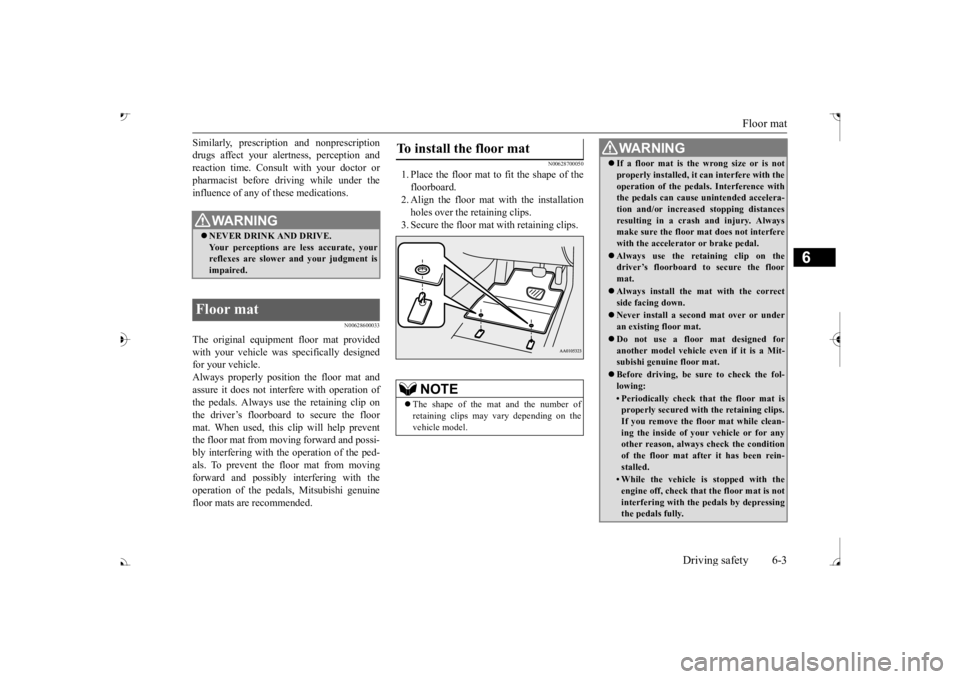
1. Place the floor mat to fit the shape of thefloorboard. 2. Align the floor mat with the installationholes over the retaining clips. 3. Secure the floor mat with retaining clips.
WA R N I N G NEVER DRINK AND DRIVE. Your perceptions are
less accurate, your
reflexes are slower and your judgment is impaired.
Floor mat
To install the floor mat
NOTE
The shape of the mat and the number of retaining clips may vary depending on the vehicle model.
WA R N I N G If a floor mat is the wrong size or is not properly installed, it can interfere with theoperation of the pedals. Interference withthe pedals can cause unintended accelera- tion and/or increase
d stopping distances
resulting in a cras
h and injury. Always
make sure the floor mat does not interfere with the accelerator or brake pedal. Always use the retaining clip on the driver’s floorboard to secure the floor mat. Always install the mat with the correct side facing down. Never install a second mat over or under an existing floor mat. Do not use a floor mat designed for another model vehicle ev
en if it is a Mit-
subishi genuine floor mat. Before driving, be sure to check the fol- lowing:• Periodically check that the floor mat isproperly secured with the retaining clips. If you remove the fl
oor mat while clean-
ing the inside of you
r vehicle or for any
other reason, always
check the condition
of the floor mat afte
r it has been rein-
stalled.• While the vehicle is stopped with theengine off, check that
the floor mat is not
interfering with the pedals by depressing the pedals fully.
BK0239700US.book 3 ページ 2016年6月16日 木曜日 午前10時58分
Page 376 of 521
Trailer towing
Driving safety 6-11
6
N00630601112
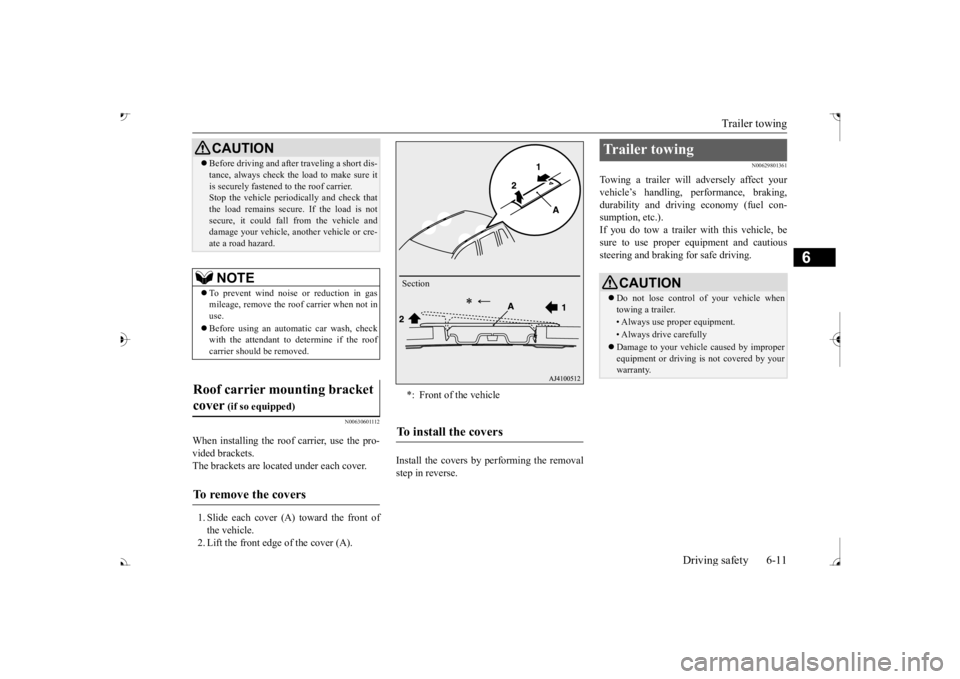
When installing the roof carrier, use the pro- vided brackets. The brackets are located under each cover. 1. Slide each cover (A) toward the front of the vehicle. 2. Lift the front edge of the cover (A).
Install the covers by performing the removal step in reverse.
N00629801361
Towing a trailer will adversely affect yourvehicle’s handling, performance, braking, durability and driving economy (fuel con-sumption, etc.). If you do tow a trailer
with this vehicle, be
sure to use proper e
quipment and cautious
steering and braking for safe driving.
Before driving and after traveling a short dis- tance, always check the load to make sure itis securely fastened to the roof carrier.Stop the vehicle periodi
cally and check that
the load remains secure. If the load is not secure, it could fall from the vehicle anddamage your vehicle,
another vehicle or cre-
ate a road hazard.NOTE
To prevent wind noise or reduction in gas mileage, remove the roof carrier when not in use. Before using an automatic car wash, check with the attendant to determine if the roofcarrier should be removed.
Roof carrier mounting bracket cover
(if so equipped)
To remove the covers
CAUTION
*: Front of the vehicleTo install the covers
Section
Trailer towing
CAUTION Do not lose control of your vehicle when towing a trailer.• Always use proper equipment.• Always drive carefully Damage to your vehicle caused by improper equipment or driving is not covered by your warranty.
BK0239700US.book 11 ページ 2016年6月16日 木曜日 午前10時58分
Page 378 of 521
Trailer towing
Driving safety 6-13
6
Tongue loads can be adjusted by proper dis- tribution of the load in the trailer. This can bechecked by separately
weighing the loaded
trailer and then the tongue. The GAWRs are printed on the certification label which is riveted on the door sill on the driver’s side. Refer to “Vehicle labeling” on page 11-2. Choose a proper hitch and ball, and make sure it is installed at a height that is compati- ble with the trailer.Use a good equalizing hitch which uniformly distributes the trailer tongue load throughout the frame.
A safety chain must al
ways be used between
the towing vehicle and the trailer. Leave suf-ficient slack in the chain for turns. The chain should cross under the trailer tongue to pre- vent the tongue from dropping to the groundin case it becomes damaged or separated. For correct safety chai
n procedures, consult
your authorized Mitsub
ishi Motors dealer.
Your vehicle will need service more often when you’re towing a trailer. Refer to “WAR-RANTY AND MAINTENANCE MAN- UAL”. Especially important in trailer operation are automatic transaxle fluid,engine oil, rear axle
oil, belt, c
ooling system
and brake system. Each
of these is covered in
this manual. For details, please refer to the “Vehicle care and maintenance” section.Check periodically to see that all hitch nuts and bolts are tight. Mitsubishi Motors recommends that any trailer having a total we
ight of 1,250 lbs (567
kg) or more (2400 models), 1,400 lbs (635kg) or more (3000 mode
ls) be equipped with
its own electric or surge-type brakes. If you choose electric br
akes, be sure they are
electrically actuated. Do not attempt to tapinto your vehicle’s hydraulic system. No mat- ter how successful it
may seem, any attempt
to attach trailer brakes to your vehicle’shydraulic system will lower braking effec- tiveness and create a potential hazard.
Gross axle weight rating (GAWR) Trailer hitches
WA R N I N G If you make any holes in the body of your vehicle for installing
a trailer hitch, be
sure to seal the holes later when youremove the hitch. If
you don’t seal them,
deadly carbon monoxide (CO) from your exhaust can enter your vehicle. Refer to“Exhaust system” on page 9-24.
NOTE
Mitsubishi Motors recommends that sway control be used whenever you are towing, toimprove towing stability.For further informati
on, please contact your
authorized Mitsubishi Motors dealer.
Safety chains
CAUTION Never tow a trailer wi
thout using a safety
chain securely attached to both the trailer and the vehicle. If the
coupling unit or hitch
ball experiences a probl
em, the trailer may
separate from
your vehicle.
Maintenance when trailer tow- ing Trailer brakes
BK0239700US.book 13 ページ 2016年6月16日 木曜日 午前10時58分
Page 402 of 521
Audio Files (MP3/WMA/AAC)
Comfort controls 7-19
7
3 inches (8 cm) discs may not be used. Do not insert irregularly-shaped discs (for example, heart-shaped), as these may result in malfunction.
Additionally, discs
that have transparent portions may not beplayed back. Discs that have not
been finalized cannot
be played back. Even if recorded using the correct format on a recorder or computer, application software settings a
nd environments; disc
peculiarities, damage,
or marking; or dirt
or condensation on the lens inside theproduct may render th
e disc unplayable.
Depending on the disc, some functions may not be used, or the disc may not playback. Do not use discs with cracks or warps. If the disc has sticke
rs affixed, remains
from removed stickers
, or affixed adhe-
sive, then do not use the disc. Discs that have decora
tive labels or stick-
ers may not be used.
This product will play
back audio CDs, how-
ever please be aware of the following points regarding CD standards. Ensure that you use discs with on the label surface.
Playback of other than standard CDs is not guaranteed. Even
if the audio can be
played back, the audio quality cannot be guaranteed. When playing back other than standard CDs, the following may occur. • There may be noise during playback. • There may be jumping in the audio.• The disc may not be recognized. • The first track may not be played back. • It may take longer than usual until start of playback of tracks. • Playback may start from within thetrack. • Some parts may not be played back. • Tracks may freeze
during playback.
• Tracks may be displayed erroneously.
N00715600027
This product can play back MP3/WMA/AACformat audio files recorded on CD-ROM, CD-R/RW, and USB devices. There are limitations on the files and media that can be used, therefore read the followingprior to recording MP3/WMA/AAC format audio files on discs or USB devices.
Additionally, ensure y
ou read the user manu-
als for your CD-R/RW drive and the writingsoftware, and ensure these are used correctly. If the MP3/WMA/AAC
format audio files
includes title informati
on or other data, then
this can be displayed.
Nonstandard CDs
Audio Files (MP3/WMA/AAC)
CAUTION CD-ROM and CD-R/R
W media can only
play back MP3 format audio files. Actions such as copyi
ng audio CDs or files
and either distributing th
ese to others for free
or for charge, or uploading files via the Inter- net or other means to se
rvers is an infringe-
ment of the law. Do not append the file extensions “.mp3”,MP3/WMA/AAC format
files. Playing back
discs with these types of files recorded upon them may cause the files to be incorrectlyidentified for playba
ck, which may lead to
loud noise, resulting in
speaker damage or
accident.NOTE
Depending on the condition of the disc recorder or recording software used, correctplayback may not be pos
sible. In these cases,
refer to the user manual for your product or software.
BK0239700US.book 19 ページ 2016年6月16日 木曜日 午前10時58分