fog light MITSUBISHI OUTLANDER III 2018 User Guide
[x] Cancel search | Manufacturer: MITSUBISHI, Model Year: 2018, Model line: OUTLANDER III, Model: MITSUBISHI OUTLANDER III 2018Pages: 441, PDF Size: 13.71 MB
Page 217 of 441
Lane Departure Warning System (LDW) (if so equipped)5-136 Features and controls
5
N00578100045
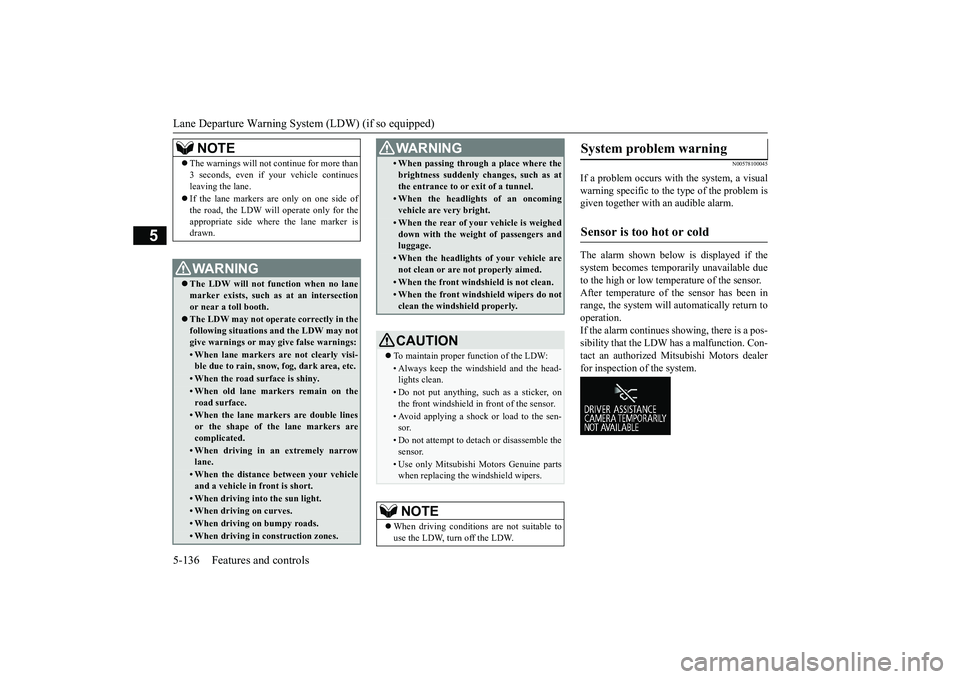
If a problem occurs with the system, a visualwarning specific to the type of the problem isgiven together with an audible alarm.The alarm shown below is displayed if thesystem becomes temporarily unavailable dueto the high or low temperature of the sensor.After temperature of the sensor has been inrange, the system will automatically return tooperation.If the alarm continues s
howing, there is a pos-
sibility that the LDW
has a malfunction. Con-
tact an authorized Mitsubishi Motors dealerfor inspection of the system.
NOTE
The warnings will not continue for more than3 seconds, even if your vehicle continuesleaving the lane.If the lane markers are only on one side ofthe road, the LDW will operate only for theappropriate side where the lane marker isdrawn.WA R N I N GThe LDW will not function when no lanemarker exists, such as at an intersectionor near a toll booth.The LDW may not operat
e correctly in the
following situations and the LDW may notgive warnings or may
give false warnings:
• When lane markers are not clearly visi-ble due to rain, snow, fog, dark area, etc.• When the road surface is shiny.• When old lane markers remain on theroad surface.• When the lane markers are double linesor the shape of the lane markers arecomplicated.• When driving in an extremely narrowlane.• When the distance between your vehicleand a vehicle in
front is short.
• When driving into the sun light.• When driving on curves.• When driving on bumpy roads.• When driving in construction zones.
• When passing through a place where thebrightness suddenly changes, such as atthe entrance to or exit of a tunnel.• When the headlights of an oncomingvehicle are very bright. • When the rear of your vehicle is weigheddown with the weight of passengers andluggage.• When the headlights
of your vehicle are
not clean or are not properly aimed.• When the front windshield is not clean.• When the front windshield wipers do notclean the windshield properly.CAUTIONTo maintain proper function of the LDW:• Always keep the windshield and the head-lights clean.• Do not put anything, such as a sticker, onthe front windshield in front of the sensor.• Avoid applying a shock or load to the sen-sor.• Do not attempt to deta
ch or disassemble the
sensor.• Use only Mitsubishi Mo
tors Genuine parts
when replacing the
windshield wipers.
NOTE
When driving conditions are not suitable touse the LDW, turn off the LDW.WA R N I N G
System problem warning
Sensor is too hot or cold
BK0249100US.book 136 ページ 2017年5月10日 水曜日 午前8時49分
Page 262 of 441
Indicator light, warning light, and information screen display list (multi information display - Type 1)
Features and controls 5-181
5
N00557701074N00557801349
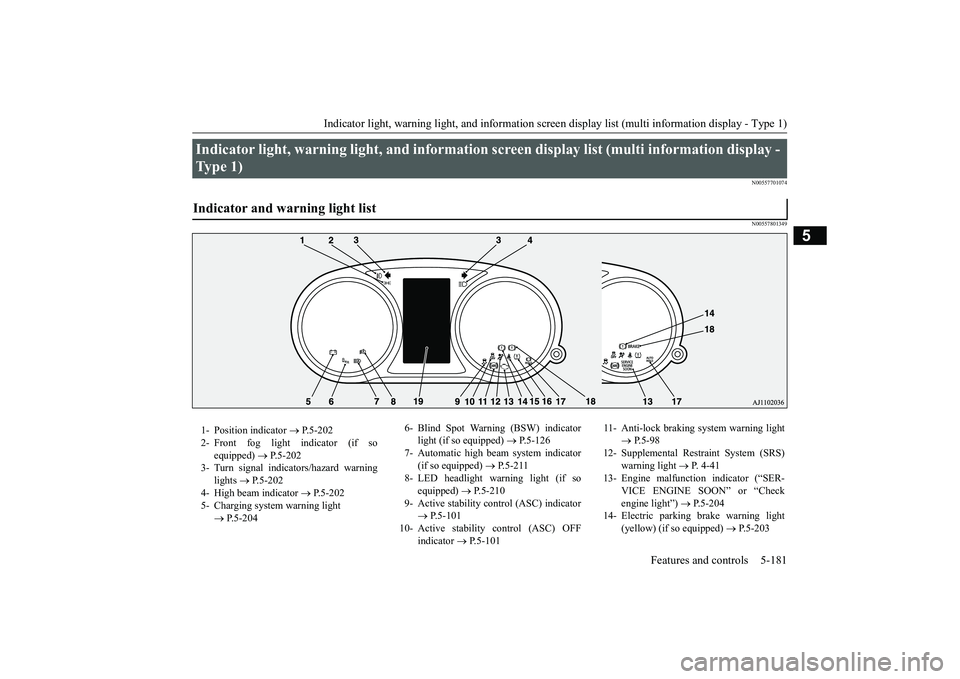
Indicator light, warning light, and information
screen display list (multi information display -
Type 1) Indicator and warning light list 1- Position indicator
P.5-202
2- Front fog light indicator (if so
equipped)
P.5-202
3- Turn signal indicators/hazard warning
lights
P.5-202
4- High beam indicator
P.5-202
5- Charging system warning light
P.5-204
6- Blind Spot Warning (BSW) indicator
light (if so equipped)
P.5-126
7- Automatic high beam system indicator
(if so equipped)
P.5-211
8- LED headlight warning light (if so
equipped)
P.5-210
9- Active stability control (ASC) indicator
P.5-101
10- Active stability
control (ASC) OFF
indicator
P.5-101
11- Anti-lock braking
system warning light
P.5-98
12- Supplemental Restra
int System (SRS)
warning light
P. 4 - 4 1
13- Engine malfuncti
on indicator (“SER-
VICE ENGINE SOON” or “Checkengine light”)
P.5-204
14- Electric parking
brake warning light
(yellow) (if so equipped)
P.5-203
BK0249100US.book 181 ページ 2017年5月10日 水曜日 午前8時49分
Page 282 of 441
Indicator and warning light package (multi information display - Type 2)
Features and controls 5-201
5
N00519801921
Indicator and warning light package (mu
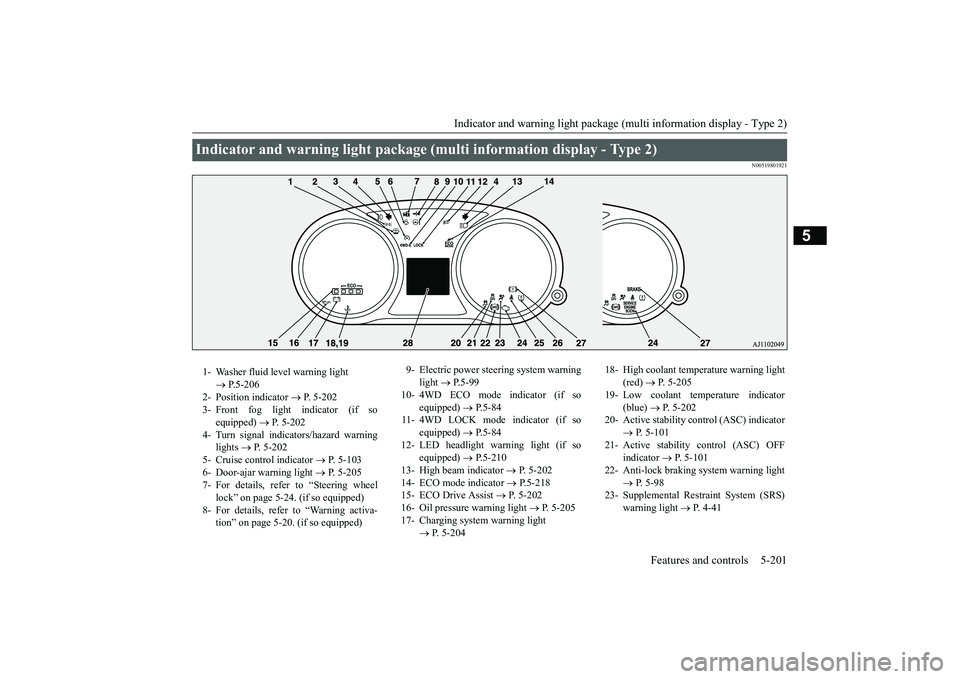
lti information display - Type 2)
1- Washer fluid level warning light
P.5-206
2- Position indicator
P. 5-202
3- Front fog light indicator (if so
equipped)
P. 5-202
4- Turn signal indicators/hazard warning
lights
P. 5-202
5- Cruise control indicator
P. 5-103
6- Door-ajar warning light
P. 5-205
7- For details, refer to “Steering wheel
lock” on page 5-24. (if so equipped)
8- For details, refer to “Warning activa-
tion” on page 5-20. (if so equipped)
9- Electric power steering system warning
light
P.5-99
10- 4WD ECO mode indicator (if so
equipped)
P.5-84
11- 4WD LOCK mode indicator (if so
equipped)
P.5-84
12- LED headlight warning light (if so
equipped)
P.5-210
13- High beam indicator
P. 5-202
14- ECO mode indicator
P.5-218
15- ECO Drive Assist
P. 5-202
16- Oil pressure warning light
P. 5-205
17- Charging system warning light
P. 5-204
18- High coolant temperature warning light
(red)
P. 5-205
19- Low coolant temp
erature indicator
(blue)
P. 5-202
20- Active stability control (ASC) indicator
P. 5-101
21- Active stability control (ASC) OFF
indicator
P. 5-101
22- Anti-lock braking system warning light
P. 5-98
23- Supplemental Restra
int System (SRS)
warning light
P. 4 - 4 1
BK0249100US.book 201 ページ 2017年5月10日 水曜日 午前8時49分
Page 283 of 441
Indicators5-202 Features and controls
5
N00519900127N00520000216
The arrows will flash in time with the corre-sponding exterior turn signals when the turnsignal lever is used.Both arrows will flash
when the hazard warn-
ing flasher swit
ch is pressed.
N00520100086
A blue light comes on when the headlightsare on high beam.
N00520200175
This indicator comes on while the front foglights are on.
N00551301078
This indicator light illuminates while theparking lights are on.
N00575601020
This indicator comes on in blue while thecoolant temperature is low.
N00579200030
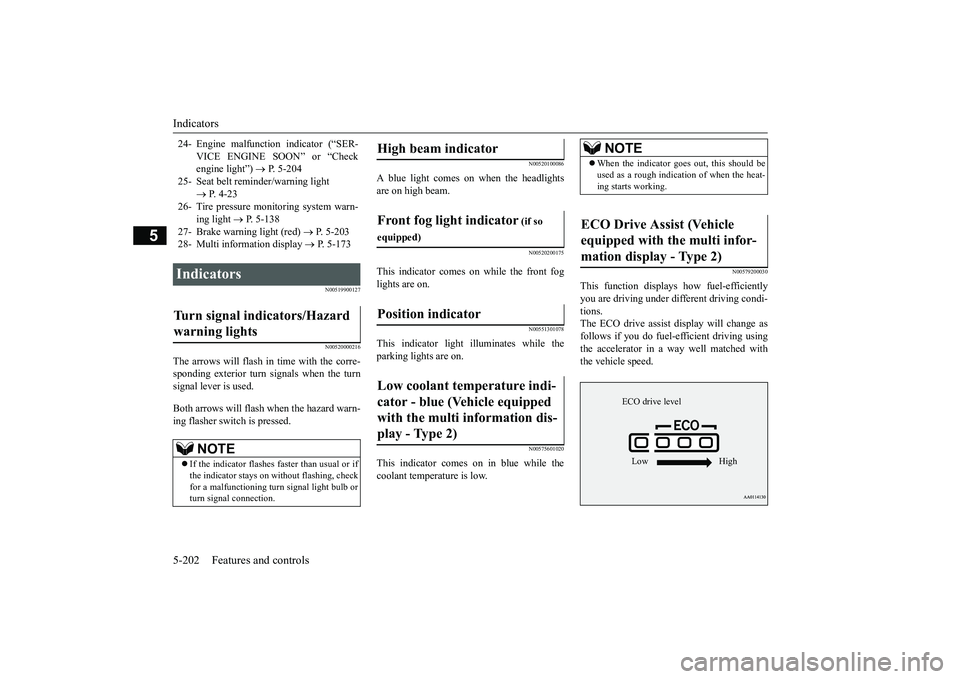
This function displays
how fuel-efficiently
you are driving under different driving condi-tions.The ECO drive assist di
splay will change as
follows if you do fuel-efficient driving usingthe accelerator in a way well matched withthe vehicle speed.
24- Engine malfuncti
on indicator (“SER-
VICE ENGINE SOON” or “Checkengine light”)
P. 5-204
25- Seat belt remi
nder/warning light
P. 4-23
26- Tire pressure moni
toring system warn-
ing light
P. 5-138
27- Brake warning light (red)
P. 5-203
28- Multi information display
P. 5-173
Indicators Turn signal indicators/Hazard warning lights
NOTE
If the indicator flashes faster than usual or ifthe indicator stays on wi
thout flashing, check
for a malfunctioning turn signal light bulb orturn signal connection.
High beam indicator Front fog light indicator
(if so
equipped)Position indicator Low coolant temperature indi-cator - blue (Vehicle equipped with the multi information dis-play - Type 2)
NOTE
When the indicator go
es out, this should be
used as a rough indication of when the heat-ing starts working.
ECO Drive Assist (Vehicle equipped with the multi infor-mation display - Type 2)
ECO drive levelLow High
BK0249100US.book 202 ページ 2017年5月10日 水曜日 午前8時49分
Page 289 of 441
Combination headlights and dimmer switch5-208 Features and controls
5
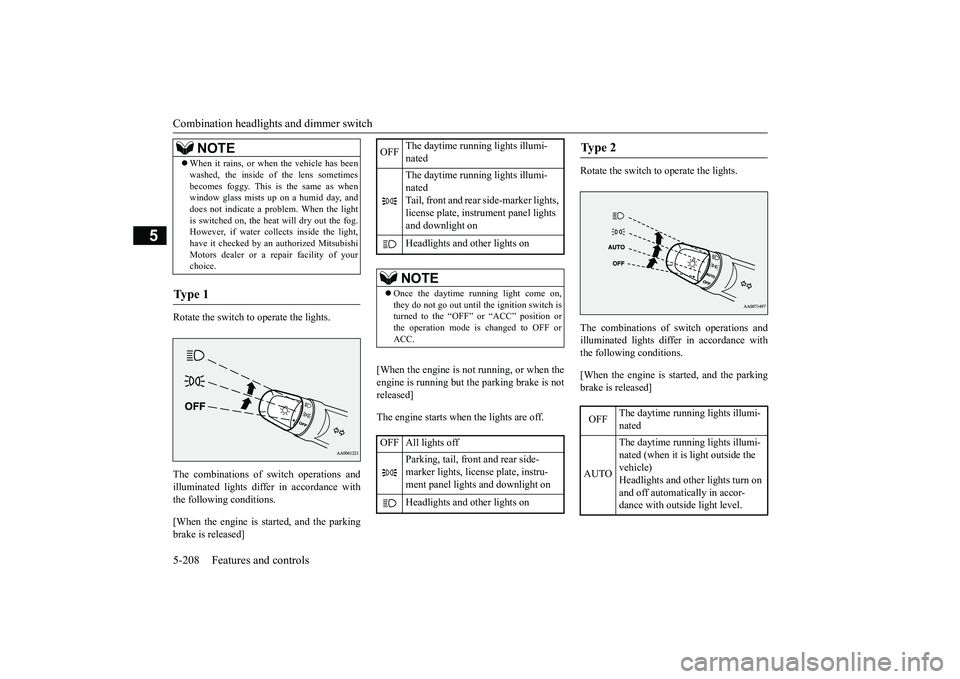
Rotate the switch to operate the lights.The combinations of
switch operations and
illuminated lights differ in accordance withthe following conditions.[When the engine is st
arted, and the parking
brake is released]
[When the engine is not
running, or when the
engine is running but the parking brake is notreleased]The engine starts when the lights are off.
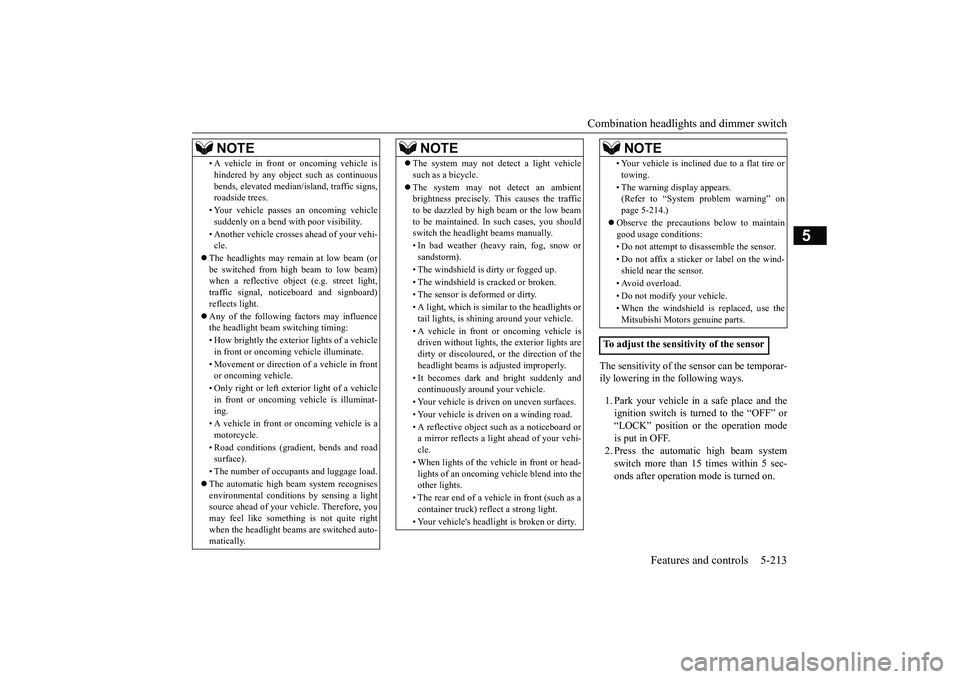
Rotate the switch to operate the lights.The combinations of
switch operations and
illuminated lights differ in accordance withthe following conditions.[When the engine is st
arted, and the parking
brake is released]
When it rains, or wh
en the vehicle has been
washed, the inside of the lens sometimesbecomes foggy. This is the same as whenwindow glass mists up on a humid day, anddoes not indicate a pr
oblem. When the light
is switched on, the heat will dry out the fog.However, if water collects inside the light,have it checked by an authorized MitsubishiMotors dealer or a re
pair facility of your
choice.
Ty p e 1
NOTE
OFF
The daytime running lights illumi-natedThe daytime running lights illumi-natedTail, front and rear
side-marker lights,
license plate, inst
rument panel lights
and downlight onHeadlights and other lights onNOTE
Once the daytime running light come on,they do not go out until the ignition switch isturned to the “OFF” or “ACC” position orthe operation mode is changed to OFF orACC.
OFF All lights off
Parking, tail, front
and rear side-
marker lights, license plate, instru-ment panel lights
and downlight on
Headlights and other lights on
Ty p e 2 OFF
The daytime running lights illumi-nated
AUTO
The daytime running lights illumi-nated (when it is
light outside the
vehicle)Headlights and other lights turn on and off automatically in accor-dance with outside light level.
BK0249100US.book 208 ページ 2017年5月10日 水曜日 午前8時49分
Page 294 of 441
Combination headlights and dimmer switch
Features and controls 5-213
5
The sensitivity of the sensor can be temporar-ily lowering in the following ways.1. Park your vehicle in
a safe place and the
ignition switch is turned to the “OFF” or“LOCK” position or the operation modeis put in OFF.2. Press the automatic high beam systemswitch more than 15 times within 5 sec-onds after operation mode is turned on.
• A vehicle in front
or oncoming vehicle is
hindered by any object such as continuousbends, elevated median
/island, traffic signs,
roadside trees.• Your vehicle passes
an oncoming vehicle
suddenly on a bend with poor visibility.• Another vehicle crosse
s ahead of your vehi-
cle.
The headlights may remain at low beam (orbe switched from high beam to low beam)when a reflective object (e.g. street light,traffic signal, notic
eboard and signboard)
reflects light. Any of the following
factors may influence
the headlight beam switching timing:• How brightly the exteri
or lights of a vehicle
in front or oncoming
vehicle il
luminate.
• Movement or direction of a vehicle in frontor oncoming vehicle.• Only right or left exte
rior light of a vehicle
in front or oncoming
vehicle is illuminat-
ing.• A vehicle in front or
oncoming vehicle is a
motorcycle.• Road conditions (gradient, bends and roadsurface).• The number of occupants and luggage load.The automatic high beam system recognisesenvironmental conditi
ons by sensing a light
source ahead of your vehicle. Therefore, youmay feel like someth
ing is not quite right
when the headlight beams are switched auto-matically.NOTE
The system may not de
tect a light vehicle
such as a bicycle.The system may not detect an ambientbrightness precisely. Th
is causes the traffic
to be dazzled by high beam or the low beamto be maintained. In such cases, you shouldswitch the headlight beams manually.• In bad weather (heavy rain, fog, snow orsandstorm).• The windshield is
dirty or fogged up.
• The windshield is cracked or broken.• The sensor is deformed or dirty.• A light, which is similar to the headlights ortail lights, is shin
ing around your vehicle.
• A vehicle in front
or oncoming vehicle is
driven without lights,
the exterior lights are
dirty or discoloured, or the direction of theheadlight beams is adjusted improperly. • It becomes dark and bright suddenly andcontinuously around your vehicle.• Your vehicle is driv
en on uneven surfaces.
• Your vehicle is driven on a winding road.• A reflective object su
ch as a noticeboard or
a mirror reflects a light ahead of your vehi-cle.• When lights of the vehi
cle in front or head-
lights of an oncoming ve
hicle blend into the
other lights.• The rear end of a vehicle in front (such as acontainer truck) re
flect a strong light.
• Your vehicle's headligh
t is broken or dirty.
NOTE
• Your vehicle is inclined
due to a flat tire or
towing.• The warning display appears.(Refer to “System problem warning” onpage 5-214.)good usage conditions: • Do not attempt to disassemble the sensor.• Do not affix a sticke
r or label on the wind-
shield near the sensor.• Avoid overload.• Do not modify your vehicle.• When the windshield is
replaced, use the
Mitsubishi Motors genuine parts.
To adjust the sensitivity of the sensor
NOTE
BK0249100US.book 213 ページ 2017年5月10日 水曜日 午前8時49分
Page 299 of 441
Hazard warning flasher switch5-218 Features and controls
5
N00522701328
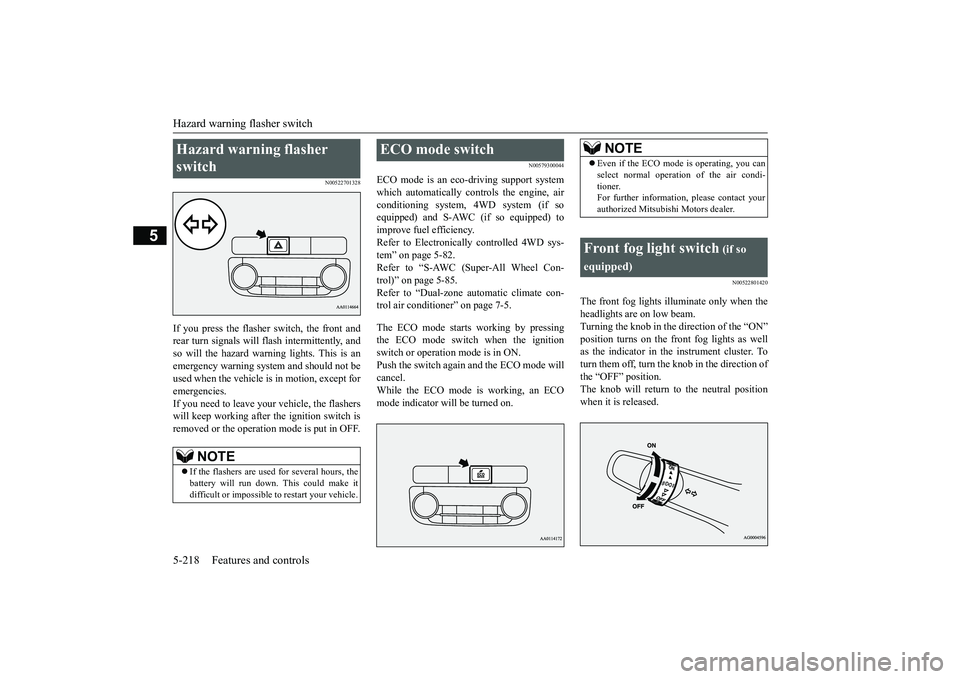
If you press the flasher switch, the front andrear turn signals will flash intermittently, andso will the hazard warn
ing lights. This is an
emergency warning syst
em and should not be
used when the vehicle is in motion, except foremergencies.If you need to leave your vehicle, the flasherswill keep working afte
r the ignition switch is
removed or the operation mode is put in OFF.
N00579300044
ECO mode is an eco-driving support systemwhich automatically cont
rols the engine, air
conditioning system,
4WD system (if so
equipped) and S-AWC (if so equipped) toimprove fuel efficiency.Refer to Electronically
controlled 4WD sys-
tem” on page 5-82.Refer to “S-AWC (Super-All Wheel Con-trol)” on page 5-85.Refer to “Dual-zone automatic climate con-trol air conditioner” on page 7-5.The ECO mode starts
working by pressing
the ECO mode switch when the ignitionswitch or operation mode is in ON.Push the switch again and the ECO mode willcancel.While the ECO mode is working, an ECOmode indicator will be turned on.
N00522801420
The front fog lights illuminate only when theheadlights are on low beam.Turning the knob in the direction of the “ON”position turns on the front fog lights as wellas the indicator in the instrument cluster. Toturn them off, turn the knob in the direction ofthe “OFF” position.The knob will return to the neutral positionwhen it is released.
Hazard warning flasher switch
NOTE
If the flashers are used for several hours, thebattery will run down.
This could make it
difficult or impossible
to restart your vehicle.
ECO mode switch
NOTE
Even if the ECO mode is operating, you canselect normal operati
on of the air condi-
tioner.For further information, please contact yourauthorized Mitsubishi Motors dealer.
Front fog light switch
(if so
equipped)
BK0249100US.book 218 ページ 2017年5月10日 水曜日 午前8時49分
Page 300 of 441
Wiper and washer switch
Features and controls 5-219
5
N00523001777
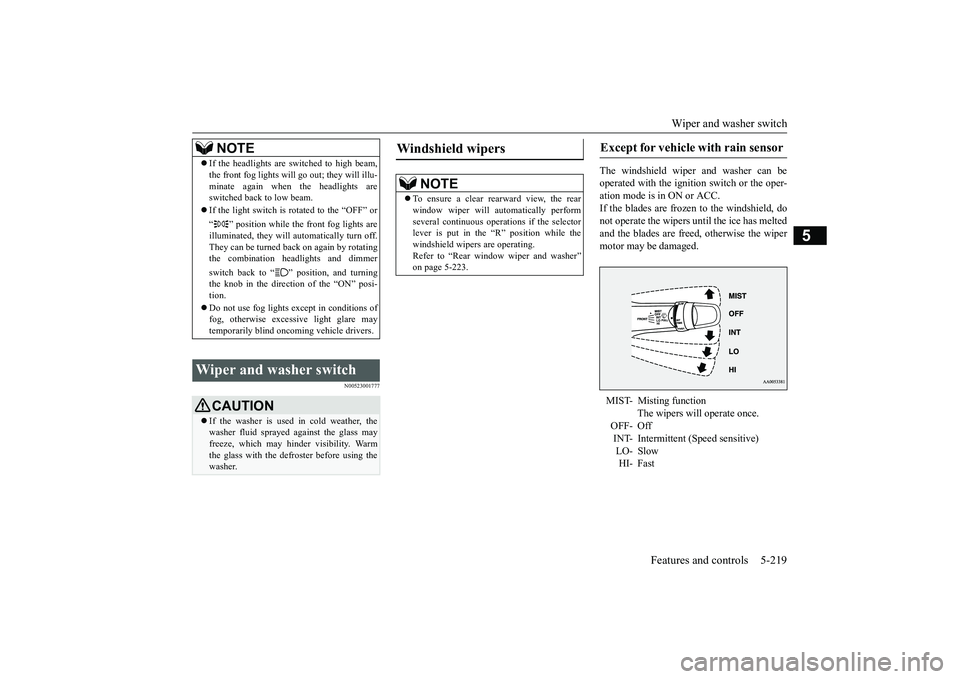
The windshield wiper
and washer can be
operated with the ignition switch or the oper-ation mode is in ON or ACC.If the blades are frozen to the windshield, donot operate the wipers
until the ice has melted
and the blades are free
d, otherwise the wiper
motor may be damaged.
NOTE
If the headlights are sw
itched to high beam,
the front fog lights will go out; they will illu-minate again when the headlights areswitched back to low beam.If the light switch is rotated to the “OFF” or“ ” position while the
front fog lights are
illuminated, they will automatically turn off.They can be turned back on again by rotatingthe combination headlights and dimmerswitch back to “ ” position, and turningthe knob in the direction of the “ON” posi-tion.Do not use fog lights ex
cept in conditions of
fog, otherwise excessive light glare maytemporarily blind oncoming vehicle drivers.
Wiper and washer switch
CAUTIONIf the washer is used
in cold weather, the
washer fluid sprayed against the glass mayfreeze, which may hinder visibility. Warmthe glass with the defroster before using thewasher.
Windshield wipers
NOTE
To ensure a clear rearward view, the rearwindow wiper will au
tomatically perform
several continuous opera
tions if the selector
lever is put in the “R” position while thewindshield wipers are operating.Refer to “Rear window wiper and washer”on page 5-223.
Except for vehicle with rain sensor MIST- Misting function
The wipers will operate once.
OFF- OffINT- Intermittent (Speed sensitive)HI- Fast
BK0249100US.book 219 ページ 2017年5月10日 水曜日 午前8時49分
Page 306 of 441
Electric rear window defogger switch
Features and controls 5-225
5
When the front wipers have frozen to thewindshield at the parked
positions, turning on
this switch will heat the windshield to makethe wipers operable. Pr
ess the electric rear
window defogger switch and the deicer willoperate.
N00523701497
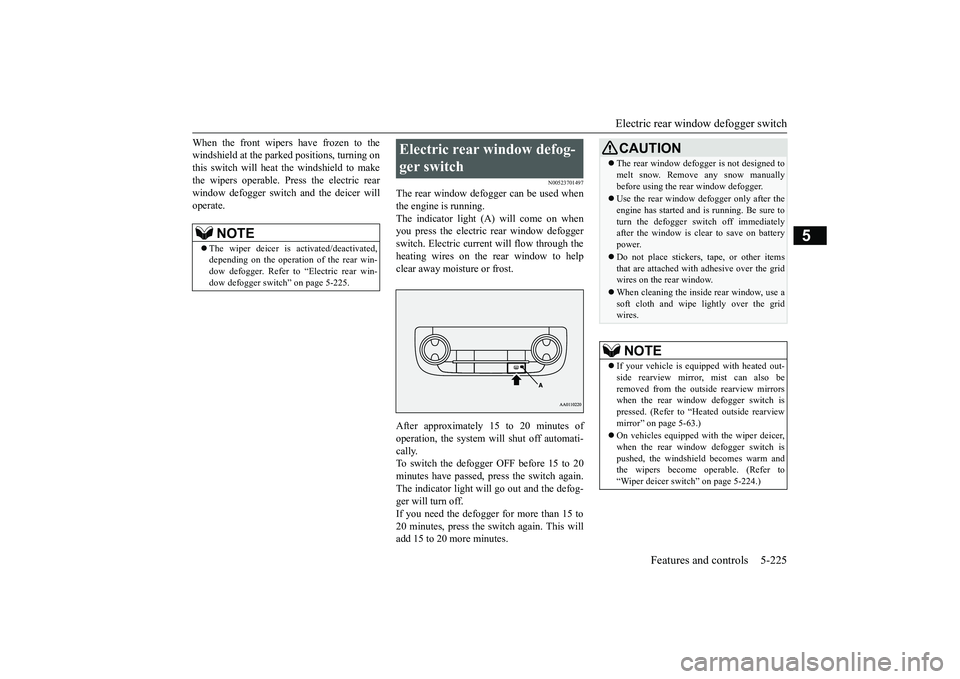
The rear window defogger can be used whenthe engine is running.The indicator light (A) will come on whenyou press the electric rear window defoggerswitch. Electric current will flow through theheating wires on the rear window to helpclear away moisture or frost.After approximately 15 to 20 minutes ofoperation, the system wi
ll shut off automati-
cally.To switch the defogger OFF before 15 to 20minutes have passed,
press the switch again.
The indicator light will
go out and the defog-
ger will turn off.If you need the defogger for more than 15 to20 minutes, press the switch again. This willadd 15 to 20 more minutes.
NOTE
The wiper deicer is
activated/de
activated,
depending on the operation of the rear win-dow defogger. Refer to
“Electric rear win-
dow defogger switch
” on page 5-225.
Electric rear window defog-ger switch
CAUTIONThe rear window defogge
r is not designed to
melt snow. Remove
any snow manually
before using the rear window defogger.Use the rear window de
fogger only after the
engine has started and
is running. Be sure to
turn the defogger swit
ch off immediately
after the window is cl
ear to save on battery
power.Do not place stickers,
tape, or other items
that are attached with adhesive over the gridwires on the rear window.When cleaning the inside
rear window, use a
soft cloth and wipe lightly over the gridwires.NOTE
If your vehicle is equi
pped with heated out-
side rearview mirror, mist can also beremoved from the outside rearview mirrorswhen the rear window defogger switch ispressed. (Refer to “Hmirror” on page 5-63.)On vehicles equipped w
ith the wiper deicer,
when the rear window defogger switch ispushed, the windshield
becomes warm and
the wipers become operable. (Refer to“Wiper deicer switch” on page 5-224.)
BK0249100US.book 225 ページ 2017年5月10日 水曜日 午前8時49分
Page 307 of 441
Heated steering wheel sw
itch (if so equipped)
5-226 Features and controls
5
N00589100032
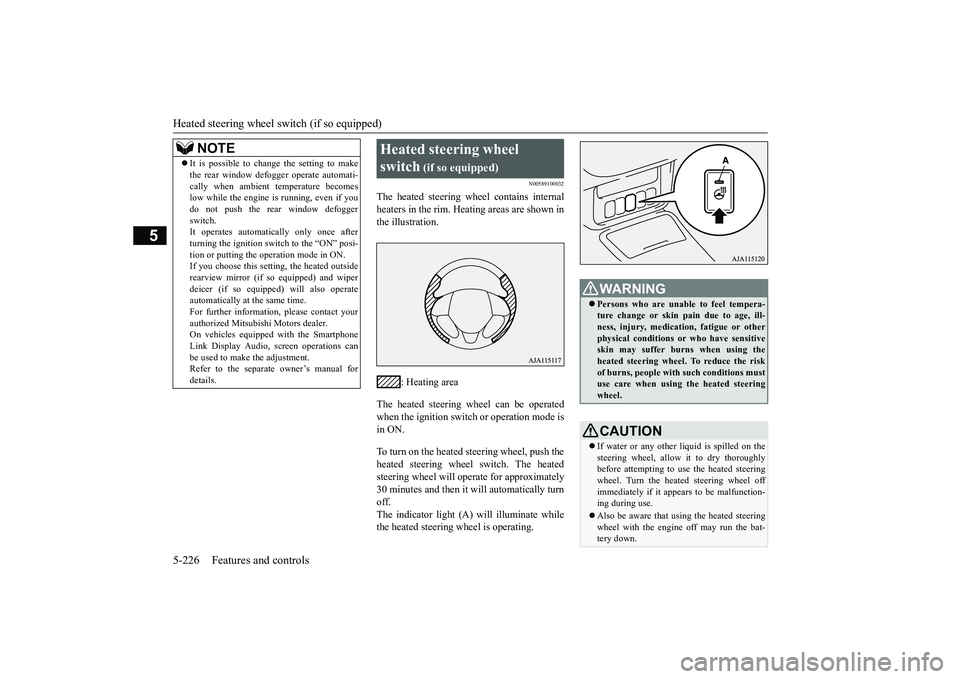
The heated steering wheel contains internalheaters in the rim. Heating areas are shown inthe illustration.
: Heating area
The heated steering wheel can be operatedwhen the ignition switch or operation mode isin ON.To turn on the heated steering wheel, push theheated steering wheel switch. The heatedsteering wheel will ope
rate for approximately
30 minutes and then it
will automatically turn
off.The indicator light (A) will illuminate whilethe heated steering wheel is operating.
It is possible to change the setting to makethe rear window def
ogger operate automati-
cally when ambient temperature becomeslow while the engine is running, even if youdo not push the rear window defoggerswitch.It operates automatica
lly only once after
turning the ignition switch to the “ON” posi-tion or putting the ope
ration mode in ON.
If you choose this setti
ng, the heated outside
rearview mirror (if so
equipped) and wiper
deicer (if so equippe
d) will also operate
automatically at the same time.For further information, please contact yourauthorized Mitsubishi Motors dealer.On vehicles equippe
d with the Smartphone
Link Display Audio, sc
reen operations can
be used to make the adjustment.Refer to the separate
owner’s manual for
details.NOTE
Heated steering wheel switch
(if so equipped)
Persons who are unable
to feel tempera-
ture change or skin
pain due to age, ill-
ness, injury, medicati
on, fatigue or other
physical conditions or
who have sensitive
skin may suffer burns when using theheated steering wheel. To reduce the riskof burns, people with such conditions mustuse care when using the heated steeringwheel.CAUTIONIf water or any other li
quid is spilled on the
steering wheel, allow it to dry thoroughlybefore attempting to use the heated steeringwheel. Turn the heated steering wheel offimmediately if it appe
ars to be malfunction-
ing during use.Also be aware that us
ing the heated steering
wheel with the engine off may run the bat-tery down.
BK0249100US.book 226 ページ 2017年5月10日 水曜日 午前8時49分