mirror controls MITSUBISHI OUTLANDER III 2018 Owner's Manual
[x] Cancel search | Manufacturer: MITSUBISHI, Model Year: 2018, Model line: OUTLANDER III, Model: MITSUBISHI OUTLANDER III 2018Pages: 441, PDF Size: 13.71 MB
Page 226 of 441

Multi Around Monitor (if so equipped)
Features and controls 5-145
5
CAUTIONBefore using the Multi Around Monitor,make sure that all doors and the liftgate areclosed and the outside
mirrors are unfolded.
If an outside mirror is folded and/or if a frontdoor and/or the liftgate
is open, the areas dis-
played on the Multi Around Monitor will notbe appropriate.
Location of each camera
A- Rear-view cameraB- Front-view cameraC- Side-view cameraCAUTIONIf the camera lens gets
dirty, a clear image
cannot be obtained. As
necessary, rinse the
lens with clean water a
nd gently wipe with a
clean, soft cloth.
To avoid damaging the camera;• Do not rub the cover excessively or polishit by using an abrasive compound.• Do not disassemble the camera.• Do not splash hot wate
r directly on the lens.
• Do not spray the camera and its surround-ings with high-pressure water.• Make sure that the liftgate is securelyclosed when backing up.
Do not attach anythi
ng on the camera and/or
surrounding areas. Doing
so will disturb the
camera.CAUTION
BK0249100US.book 145 ページ 2017年5月10日 水曜日 午前8時49分
Page 294 of 441
Combination headlights and dimmer switch
Features and controls 5-213
5
The sensitivity of the sensor can be temporar-ily lowering in the following ways.1. Park your vehicle in
a safe place and the
ignition switch is turned to the “OFF” or“LOCK” position or the operation modeis put in OFF.2. Press the automatic high beam systemswitch more than 15 times within 5 sec-onds after operation mode is turned on.
• A vehicle in front
or oncoming vehicle is
hindered by any object such as continuousbends, elevated median
/island, traffic signs,
roadside trees.• Your vehicle passes
an oncoming vehicle
suddenly on a bend with poor visibility.• Another vehicle crosse
s ahead of your vehi-
cle.
The headlights may remain at low beam (orbe switched from high beam to low beam)when a reflective object (e.g. street light,traffic signal, notic
eboard and signboard)
reflects light. Any of the following
factors may influence
the headlight beam switching timing:• How brightly the exteri
or lights of a vehicle
in front or oncoming
vehicle il
luminate.
• Movement or direction of a vehicle in frontor oncoming vehicle.• Only right or left exte
rior light of a vehicle
in front or oncoming
vehicle is illuminat-
ing.• A vehicle in front or
oncoming vehicle is a
motorcycle.• Road conditions (gradient, bends and roadsurface).• The number of occupants and luggage load.The automatic high beam system recognisesenvironmental conditi
ons by sensing a light
source ahead of your vehicle. Therefore, youmay feel like someth
ing is not quite right
when the headlight beams are switched auto-matically.NOTE
The system may not de
tect a light vehicle
such as a bicycle.The system may not detect an ambientbrightness precisely. Th
is causes the traffic
to be dazzled by high beam or the low beamto be maintained. In such cases, you shouldswitch the headlight beams manually.• In bad weather (heavy rain, fog, snow orsandstorm).• The windshield is
dirty or fogged up.
• The windshield is cracked or broken.• The sensor is deformed or dirty.• A light, which is similar to the headlights ortail lights, is shin
ing around your vehicle.
• A vehicle in front
or oncoming vehicle is
driven without lights,
the exterior lights are
dirty or discoloured, or the direction of theheadlight beams is adjusted improperly. • It becomes dark and bright suddenly andcontinuously around your vehicle.• Your vehicle is driv
en on uneven surfaces.
• Your vehicle is driven on a winding road.• A reflective object su
ch as a noticeboard or
a mirror reflects a light ahead of your vehi-cle.• When lights of the vehi
cle in front or head-
lights of an oncoming ve
hicle blend into the
other lights.• The rear end of a vehicle in front (such as acontainer truck) re
flect a strong light.
• Your vehicle's headligh
t is broken or dirty.
NOTE
• Your vehicle is inclined
due to a flat tire or
towing.• The warning display appears.(Refer to “System problem warning” onpage 5-214.)good usage conditions: • Do not attempt to disassemble the sensor.• Do not affix a sticke
r or label on the wind-
shield near the sensor.• Avoid overload.• Do not modify your vehicle.• When the windshield is
replaced, use the
Mitsubishi Motors genuine parts.
To adjust the sensitivity of the sensor
NOTE
BK0249100US.book 213 ページ 2017年5月10日 水曜日 午前8時49分
Page 306 of 441
Electric rear window defogger switch
Features and controls 5-225
5
When the front wipers have frozen to thewindshield at the parked
positions, turning on
this switch will heat the windshield to makethe wipers operable. Pr
ess the electric rear
window defogger switch and the deicer willoperate.
N00523701497
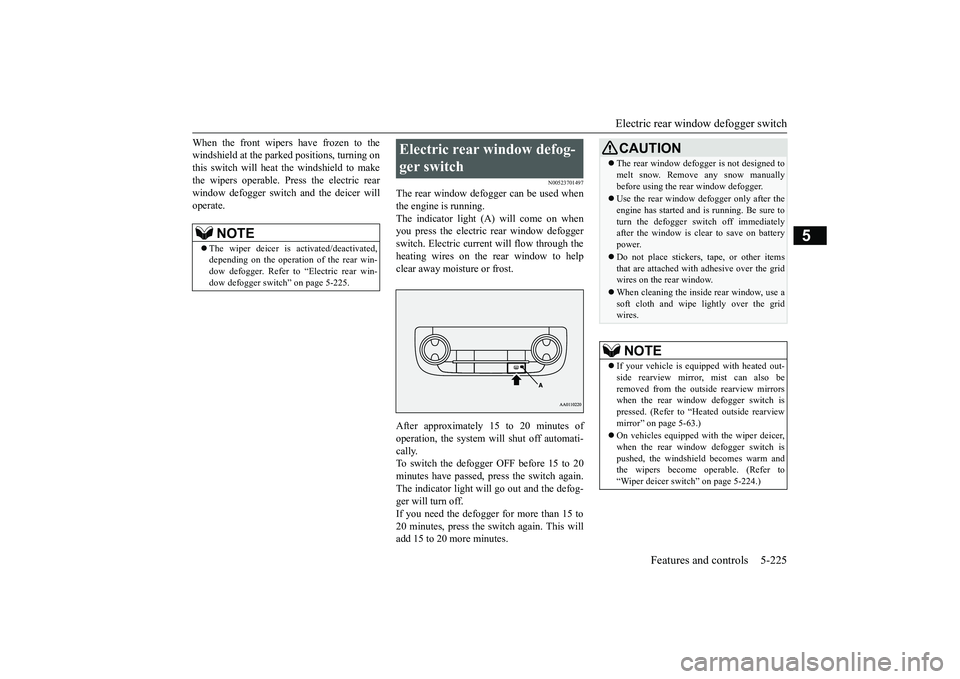
The rear window defogger can be used whenthe engine is running.The indicator light (A) will come on whenyou press the electric rear window defoggerswitch. Electric current will flow through theheating wires on the rear window to helpclear away moisture or frost.After approximately 15 to 20 minutes ofoperation, the system wi
ll shut off automati-
cally.To switch the defogger OFF before 15 to 20minutes have passed,
press the switch again.
The indicator light will
go out and the defog-
ger will turn off.If you need the defogger for more than 15 to20 minutes, press the switch again. This willadd 15 to 20 more minutes.
NOTE
The wiper deicer is
activated/de
activated,
depending on the operation of the rear win-dow defogger. Refer to
“Electric rear win-
dow defogger switch
” on page 5-225.
Electric rear window defog-ger switch
CAUTIONThe rear window defogge
r is not designed to
melt snow. Remove
any snow manually
before using the rear window defogger.Use the rear window de
fogger only after the
engine has started and
is running. Be sure to
turn the defogger swit
ch off immediately
after the window is cl
ear to save on battery
power.Do not place stickers,
tape, or other items
that are attached with adhesive over the gridwires on the rear window.When cleaning the inside
rear window, use a
soft cloth and wipe lightly over the gridwires.NOTE
If your vehicle is equi
pped with heated out-
side rearview mirror, mist can also beremoved from the outside rearview mirrorswhen the rear window defogger switch ispressed. (Refer to “Hmirror” on page 5-63.)On vehicles equipped w
ith the wiper deicer,
when the rear window defogger switch ispushed, the windshield
becomes warm and
the wipers become operable. (Refer to“Wiper deicer switch” on page 5-224.)
BK0249100US.book 225 ページ 2017年5月10日 水曜日 午前8時49分
Page 307 of 441
Heated steering wheel sw
itch (if so equipped)
5-226 Features and controls
5
N00589100032
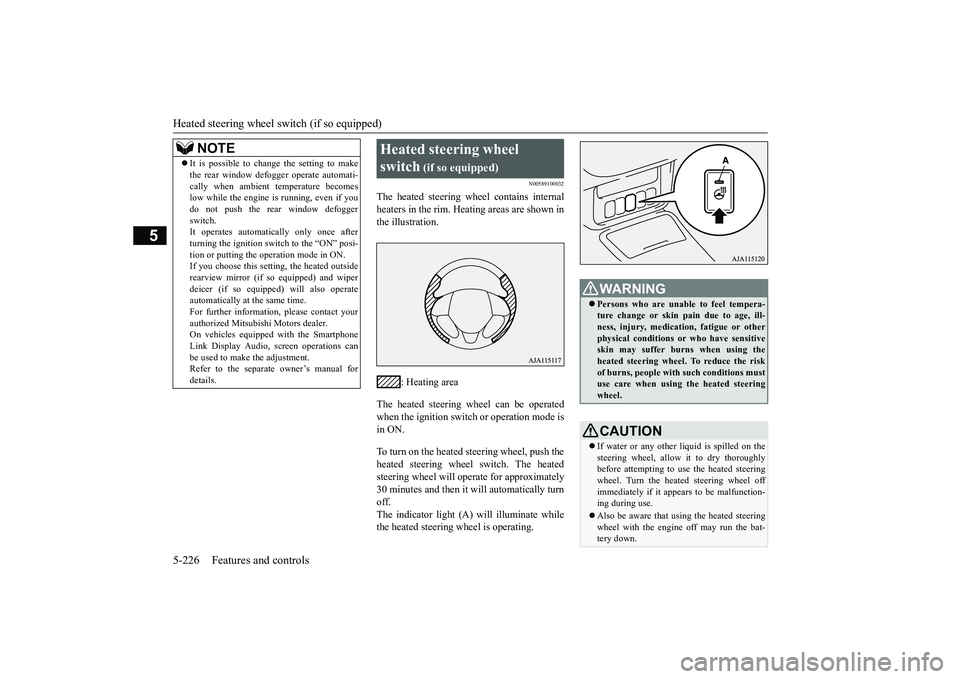
The heated steering wheel contains internalheaters in the rim. Heating areas are shown inthe illustration.
: Heating area
The heated steering wheel can be operatedwhen the ignition switch or operation mode isin ON.To turn on the heated steering wheel, push theheated steering wheel switch. The heatedsteering wheel will ope
rate for approximately
30 minutes and then it
will automatically turn
off.The indicator light (A) will illuminate whilethe heated steering wheel is operating.
It is possible to change the setting to makethe rear window def
ogger operate automati-
cally when ambient temperature becomeslow while the engine is running, even if youdo not push the rear window defoggerswitch.It operates automatica
lly only once after
turning the ignition switch to the “ON” posi-tion or putting the ope
ration mode in ON.
If you choose this setti
ng, the heated outside
rearview mirror (if so
equipped) and wiper
deicer (if so equippe
d) will also operate
automatically at the same time.For further information, please contact yourauthorized Mitsubishi Motors dealer.On vehicles equippe
d with the Smartphone
Link Display Audio, sc
reen operations can
be used to make the adjustment.Refer to the separate
owner’s manual for
details.NOTE
Heated steering wheel switch
(if so equipped)
Persons who are unable
to feel tempera-
ture change or skin
pain due to age, ill-
ness, injury, medicati
on, fatigue or other
physical conditions or
who have sensitive
skin may suffer burns when using theheated steering wheel. To reduce the riskof burns, people with such conditions mustuse care when using the heated steeringwheel.CAUTIONIf water or any other li
quid is spilled on the
steering wheel, allow it to dry thoroughlybefore attempting to use the heated steeringwheel. Turn the heated steering wheel offimmediately if it appe
ars to be malfunction-
ing during use.Also be aware that us
ing the heated steering
wheel with the engine off may run the bat-tery down.
BK0249100US.book 226 ページ 2017年5月10日 水曜日 午前8時49分
Page 310 of 441
Sun visors
Features and controls 5-229
5
N00524601363
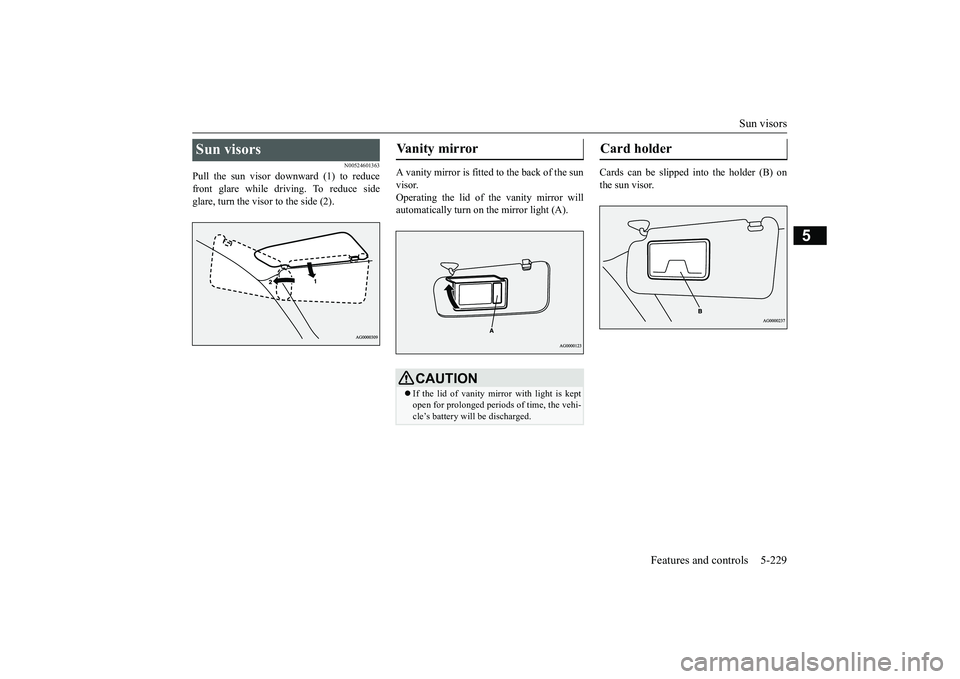
Pull the sun visor downward (1) to reducefront glare while driving. To reduce sideglare, turn the visor to the side (2).
A vanity mirror is fitted to the back of the sunvisor.Operating the lid of the vanity mirror willautomatically turn on the mirror light (A).
Cards can be slipped into the holder (B) onthe sun visor.
Sun visors
Vanity mirror
CAUTIONIf the lid of vanity mirror with light is keptopen for prolonged periods
of time, the vehi-
cle’s battery will be discharged.
Card holder
BK0249100US.book 229 ページ 2017年5月10日 水曜日 午前8時49分