display MITSUBISHI OUTLANDER III 2018 Owner's Guide
[x] Cancel search | Manufacturer: MITSUBISHI, Model Year: 2018, Model line: OUTLANDER III, Model: MITSUBISHI OUTLANDER III 2018Pages: 441, PDF Size: 13.71 MB
Page 114 of 441
Free-hand Advanced Securi
ty Transmitter (F.A.S.T.-key) (if so equipped)
Features and controls 5-33
5
N00562001062
N00562101076
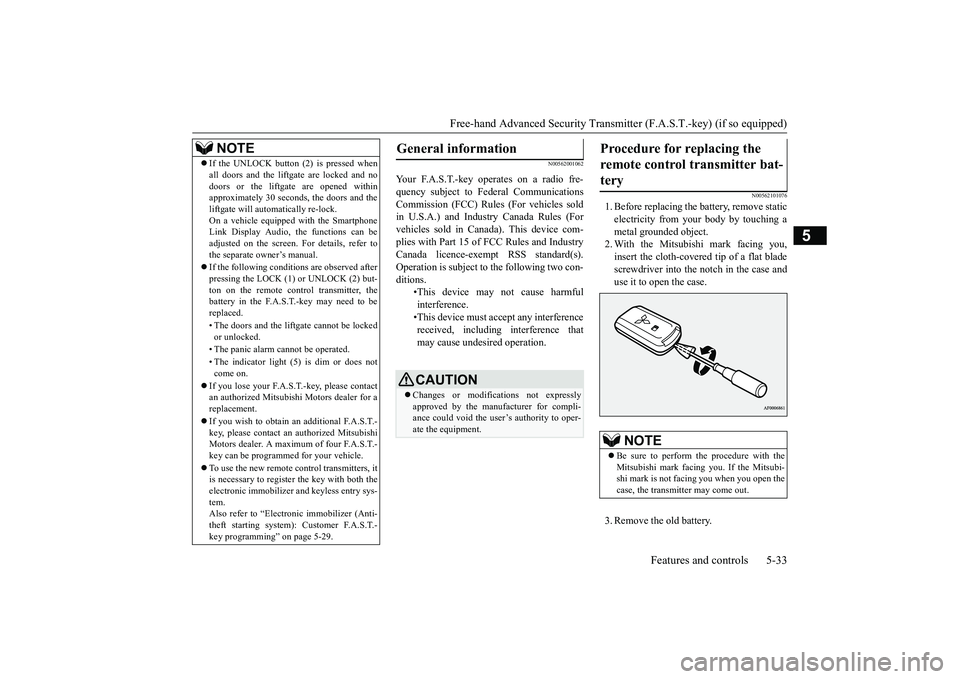
1. Before replacing the battery, remove staticelectricity from your body by touching ametal grounded object.2. With the Mitsubishi mark facing you,insert the cloth-covered tip of a flat bladescrewdriver into the notch in the case anduse it to open the case.3. Remove the old battery.
If the UNLOCK button (2) is pressed whenall doors and the liftgate are locked and nodoors or the liftgate are opened withinapproximately 30 seconds, the doors and theliftgate will automatically re-lock.On a vehicle equipped with the SmartphoneLink Display Audio, the functions can beadjusted on the screen. For details, refer tothe separate owner’s manual.If the following conditions are observed afterpressing the LOCK (1) or UNLOCK (2) but-ton on the remote control transmitter, thebattery in the F.A.S.T.-key may need to bereplaced.• The doors and the liftgate cannot be lockedor unlocked.• The panic alarm
cannot be operated.
• The indicator light
(5) is dim or does not
come on.
If you lose your F.A.S.T.-key, please contactan authorized Mitsubishi Motors dealer for areplacement.If you wish to obtain an additional F.A.S.T.-key, please contact an
authorized Mitsubishi
Motors dealer. A maximum of four F.A.S.T.-key can be programmed for your vehicle.To use the new remote control transmitters, itis necessary to register the key with both theelectronic immobilizer
and keyless entry sys-
tem.Also refer to “Electr
onic immobilizer (Anti-
theft starting system): Customer F.A.S.T.-key programming” on page 5-29.NOTE
General information
Your F.A.S.T.-key operates on a radio fre-quency subject to Fe
deral Communications
Commission (FCC) Rules (For vehicles soldin U.S.A.) and Industr
y Canada Rules (For
vehicles sold in Canada). This device com-plies with Part 15 of FCC Rules and IndustryCanada licence-exem
pt RSS standard(s).
Operation is subject to
the following two con-
ditions.
•This device may
not cause harmful
interference.•This device must ac
cept any interference
received, including interference thatmay cause undesired operation.CAUTIONChanges or modifica
tions not expressly
approved by the manufacturer for compli-ance could void the user’s authority to oper-ate the equipment.
Procedure for replacing the remote control transmitter bat-tery
NOTE
Be sure to perform the procedure with theMitsubishi mark facing you. If the Mitsubi-shi mark is not facing you when you open thecase, the transmitter may come out.
BK0249100US.book 33 ページ 2017年5月10日 水曜日 午前8時49分
Page 115 of 441
Door locks5-34 Features and controls
5
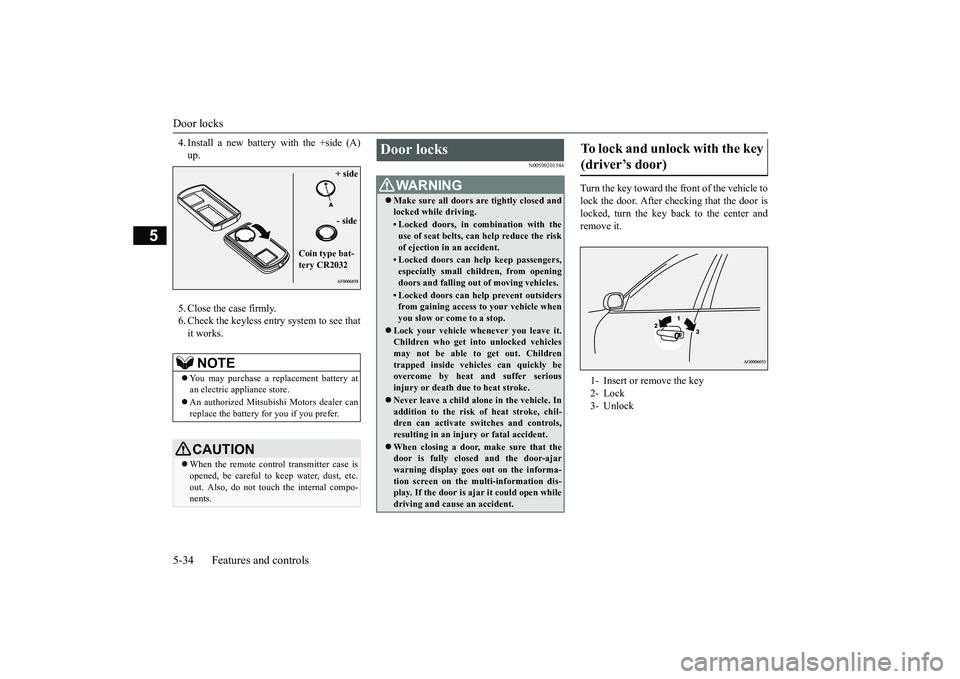
4. Install a new battery with the +side (A)5. Close the case firmly.6. Check the keyless entry system to see thatit works.
N00509201544
Turn the key toward the front of the vehicle tolock the door. After checking that the door islocked, turn the key back to the center andremove it.
NOTE
You may purchase a re
placement battery at
an electric appliance store.An authorized Mitsubishi Motors dealer canreplace the battery for you if you prefer.CAUTIONWhen the remote control transmitter case isopened, be careful to
keep water, dust, etc.
out. Also, do not touch the internal compo-nents.
+ side- side
Coin type bat-tery CR2032
Door locks
WA R N I N GMake sure all doors are tightly closed andlocked while driving.• Locked doors, in co
mbination with the
use of seat belts, can help reduce the riskof ejection in
an accident.
• Locked doors can help keep passengers,especially small children, from openingdoors and falling out
of moving vehicles.
• Locked doors can help
prevent outsiders
from gaining access to your vehicle whenyou slow or come to a stop.
Lock your vehicle when
ever you leave it.
Children who get into
unlocked vehicles
may not be able to get out. Childrentrapped inside vehicles can quickly beovercome by heat
and suffer serious
injury or death due to heat stroke.Never leave a ch
ild alone in the vehicle. In
addition to the risk
of heat stroke, chil-
dren can activate switches and controls,resulting in an injury
or fatal accident.
When closing a door,
make sure that the
door is fully closed and the door-ajarwarning display goes
out on the informa-
tion screen on the multi-information dis-play. If the door is aj
ar it could open while
driving and cause an accident.
To lock and unlock with the key (driver’s door) 1- Insert or remove the key2- Lock3- Unlock
BK0249100US.book 34 ページ 2017年5月10日 水曜日 午前8時49分
Page 116 of 441
Door locks
Features and controls 5-35
5
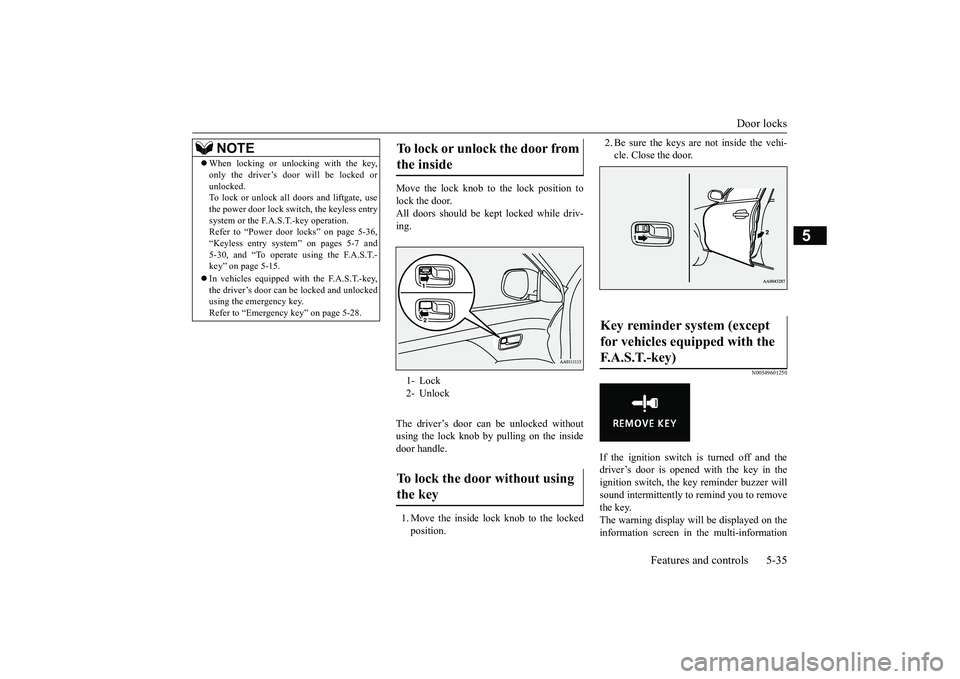
Move the lock knob to the lock position tolock the door.All doors should be kept
locked while driv-
ing.The driver’s door can be unlocked withoutusing the lock knob by pulling on the insidedoor handle.1. Move the inside lock knob to the lockedposition.
2. Be sure the keys are not inside the vehi-cle. Close the door.
N00549601250
If the ignition switch is turned off and thedriver’s door is opened with the key in theignition switch, the ke
y reminder buzzer will
sound intermittently to remind you to removethe key.The warning display will be displayed on theinformation screen in the multi-information
NOTE
When locking or unlocking with the key,only the driver’s door will be locked orunlocked.To lock or unlock all doors and liftgate, usethe power door lock swit
ch, the keyless entry
system or the F.A.S.T.-key operation.Refer to “Power door locks” on page 5-36,“Keyless entry system” on pages 5-7 and5-30, and “To operate using the F.A.S.T.-key” on page 5-15.In vehicles equipped wi
th the F.A.S.T.-key,
the driver’s door can be locked and unlockedusing the emergency key.Refer to “Emergency key” on page 5-28.
To lock or unlock the door from the inside 1- Lock2- UnlockTo lock the door without using the key
Key reminder system (except for vehicles equipped with the F. A . S . T. - k e y )
BK0249100US.book 35 ページ 2017年5月10日 水曜日 午前8時49分
Page 117 of 441
Power door locks5-36 Features and controls
5
display. (Color liquid crystal display typeonly)
N00517301052
If the key is in the ignition switch or the oper-ation mode is in any mode other than OFF,when you push the lock knob forward withthe driver’s door or passenger’s door open,the lock knob will automatically return to theunlocked position.
N00503801157
If the driver’s door is opened while the engineis stopped and the operation mode is in anymode other than OFF, the operation mode ONbuzzer will sound interm
ittently to remind
you put the operation mode in OFF.The warning display will be displayed on theinformation screen in the multi-informationdisplay. (Color liquid crystal display typeonly)
N00509301617
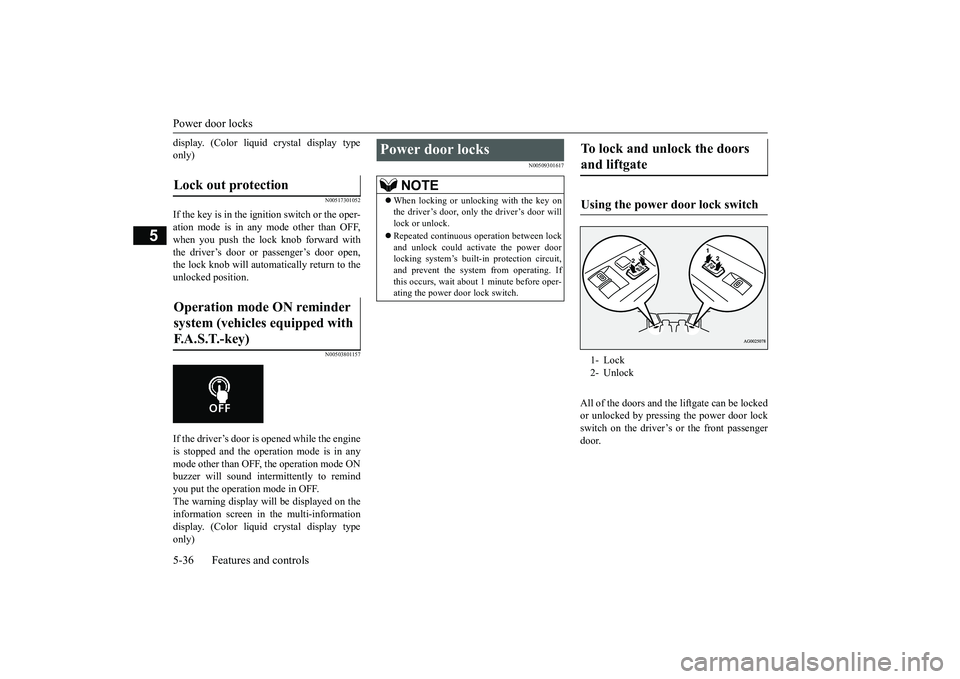
All of the doors and the liftgate can be lockedor unlocked by pressing the power door lockswitch on the driver’s or the front passengerdoor.
Lock out protection Operation mode ON reminder system (vehicles equipped with F.A.S.T.-key)
Power door locks
NOTE
When locking or unlocking with the key onthe driver’s door, only the driver’s door willlock or unlock.Repeated continuous
operation between lock
and unlock could activate the power doorlocking system’s built
-in protection circuit,
and prevent the system from operating. Ifthis occurs, wait about 1 minute before oper-ating the power door lock switch.
To lock and unlock the doors and liftgate Using the power door lock switch 1- Lock2- Unlock
BK0249100US.book 36 ページ 2017年5月10日 水曜日 午前8時49分
Page 118 of 441
Child safety locks for rear doorFeatures and controls 5-37
5
N00563401180
All doors and the liftg
ate will unlock when
the ignition switch is turned to the “OFF” or“LOCK” position or the operation mode isput in OFF.
All doors and the liftgate will unlock whenthe selector lever is moved to the “P” (PARK)position with the ignition
switch or the opera-
tion mode in ON.
N00509401298
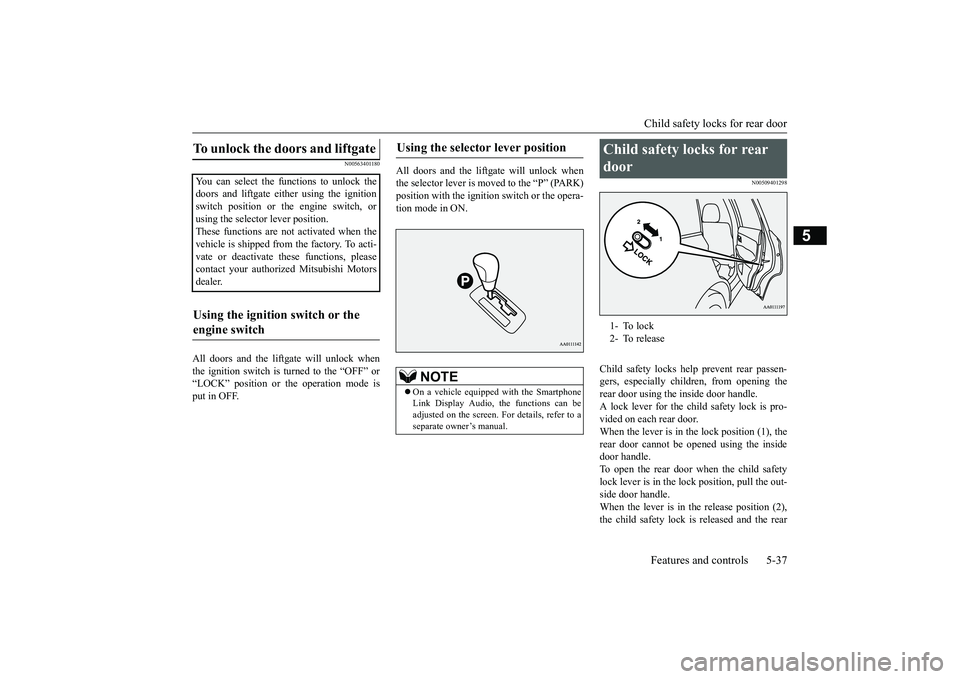
Child safety locks help prevent rear passen-gers, especially children, from opening therear door using the inside door handle.A lock lever for the child safety lock is pro-vided on each rear door.When the lever is in the lock position (1), therear door cannot be opened using the insidedoor handle.To open the rear door when the child safetylock lever is in the lock position, pull the out-side door handle.When the lever is in the release position (2),the child safety lock is released and the rear
To unlock the doors and liftgate You can select the functions to unlock thedoors and liftgate eith
er using the ignition
switch position or the engine switch, orusing the selector lever position.These functions are not activated when thevehicle is shipped from the factory. To acti-vate or deactivate th
ese functions, please
contact your authori
zed Mitsubishi Motors
dealer.Using the ignition switch or the engine switch
Using the selector lever position
NOTE
On a vehicle equipped with the SmartphoneLink Display Audio, the functions can beadjusted on the screen. For details, refer to aseparate owner’s manual.
Child safety locks for rear door 1- To lock2- To release
BK0249100US.book 37 ページ 2017年5月10日 水曜日 午前8時49分
Page 129 of 441
Theft-alarm system5-48 Features and controls
5
N00582500040
When the alarm is activated:1. The headlights blink on and off for 3 min-utes.After 3 minutes the headlights automati-cally shut off.2. The horn will sound intermittently for 3minutes.
N00582600025
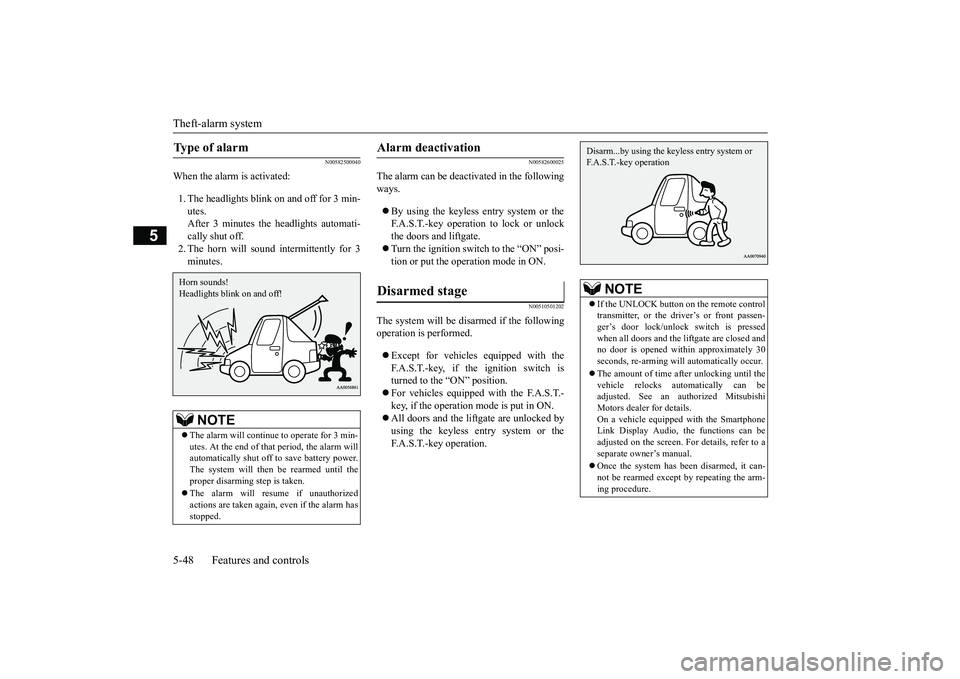
The alarm can be deacti
vated in the following
ways.By using the keyless entry system or theF.A.S.T.-key operation to lock or unlockthe doors and liftgate.Turn the ignition switch to the “ON” posi-tion or put the operation mode in ON.
N00510501202
The system will be disarmed if the followingoperation is performed.Except for vehicles equipped with theF.A.S.T.-key, if the ignition switch isturned to the “ON” position.For vehicles equipped with the F.A.S.T.-key, if the operation mode is put in ON.All doors and the lift
gate are unlocked by
using the keyless entry system or theF.A.S.T.-key operation.
Type of alarm
NOTE
The alarm will continue
to operate for 3 min-
utes. At the end of that
period, the alarm will
automatically shut off
to save battery power.
The system will then be rearmed until theproper disarming step is taken.The alarm will resu
me if unauthorized
actions are taken again, even if the alarm hasstopped.Horn sounds!Headlights blink on and off!
Alarm deactivation Disarmed stage
NOTE
If the UNLOCK button on the remote controltransmitter, or the driver’s or front passen-ger’s door lock/unlock switch is pressedwhen all doors and the li
ftgate are closed and
no door is opened with
in approximately 30
seconds, re-arming will
automatically occur.
The amount of time after unlocking until thevehicle relocks automatically can beadjusted. See an authorized MitsubishiMotors dealer for details.On a vehicle equipped with the SmartphoneLink Display Audio, the functions can beadjusted on the screen. For details, refer to aseparate owner’s manual.Once the system has been disarmed, it can-not be rearmed except
by repeating the arm-
ing procedure.Disarm...by using the keyless entry system or F.A.S.T.-key operation
BK0249100US.book 48 ページ 2017年5月10日 水曜日 午前8時49分
Page 135 of 441
Parking brake5-54 Features and controls
5
N00593100020
When parking on a hill, set the parking brake,and turn the front wheels toward the curb on adownhill, or away from
the curb on an uphill.
Before driving, be sure
to release the parking
brake.
N00593200034
The Electric parking brake is the system thatapplies the parking brake by the electricmotor.
Lever type parking brake
(if so
equipped)To a p p l y
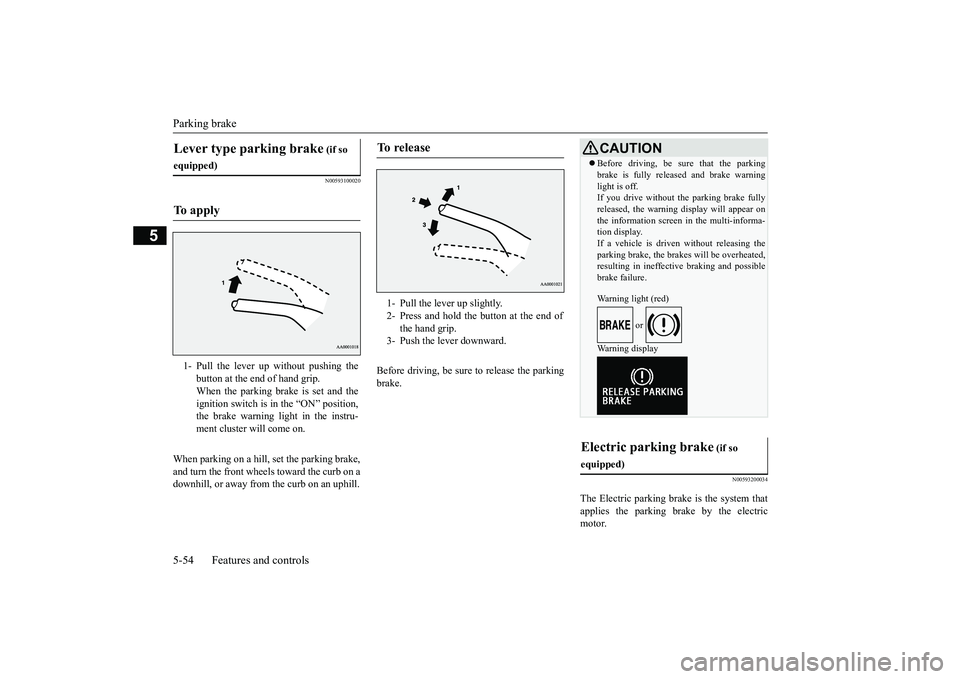
1- Pull the lever up without pushing the
button at the end of hand grip.When the parking brake is set and theignition switch is in
the “ON” position,
the brake warning light in the instru-ment cluster will come on.
To r e l e a s e
1- Pull the lever up slightly.2- Press and hold the button at the end of
the hand grip.
3- Push the lever downward.
CAUTIONBefore driving, be sure that the parkingbrake is fully released and brake warninglight is off.If you drive without the parking brake fullyreleased, the warning
display will appear on
the information screen
in the multi-informa-
tion display. If a vehicle is driven without releasing theparking brake, the brakes will be overheated,resulting in ineffectiv
e braking and possible
brake failure.Warning light (red)
or
Warning display
Electric parking brake
(if so
equipped)
BK0249100US.book 54 ページ 2017年5月10日 水曜日 午前8時49分
Page 136 of 441
Parking brake
Features and controls 5-55
5
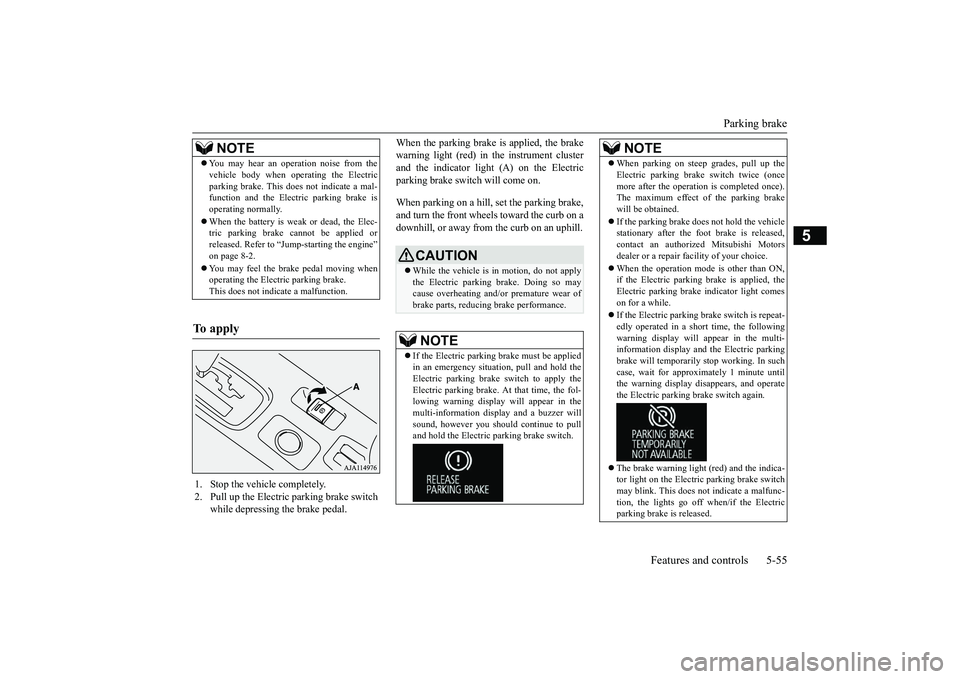
When the parking brake is applied, the brakewarning light (red) in
the instrument cluster
and the indicator light (A) on the Electricparking brake switch will come on.When parking on a hill, set the parking brake,and turn the front wheels toward the curb on adownhill, or away from
the curb on an uphill.
NOTE
You may hear an operation noise from thevehicle body when operating the Electricparking brake. This do
es not indicate a mal-
function and the Elec
tric parking brake is
operating normally.When the battery is weak or dead, the Elec-tric parking brake cannot be applied orreleased. Refer to “Jum
p-starting the engine”
on page 8-2.You may feel the brake pedal moving whenoperating the Electr
ic parking brake.
This does not indi
cate a malfunction.
To apply
1. Stop the vehicle completely.2. Pull up the Electric parking brake switch
while depressing the brake pedal.
CAUTIONWhile the vehicle is in motion, do not applythe Electric parking
brake. Doing so may
cause overheating and/or
premature wear of
brake parts, reducing brake performance. NOTE
If the Electric parking
brake must be applied
in an emergency situa
tion, pull and hold the
Electric parking brake
switch to apply the
Electric parking brake. At that time, the fol-lowing warning display
will appear in the
multi-information disp
lay and a buzzer will
sound, however you should continue to pulland hold the Electric
parking brake switch.
When parking on stee
p grades, pull up the
Electric parking brak
e switch twice (once
more after the operati
on is completed once).
The maximum effect of the parking brakewill be obtained.If the parking brake does not hold the vehiclestationary after the f
oot brake is released,
contact an authorized Mitsubishi Motorsdealer or a repair fa
cility of your choice.
When the operation mode is other than ON,if the Electric parking brake is applied, theElectric parking brake
indicator light comes
on for a while.If the Electric parking brake switch is repeat-edly operated in a short time, the followingwarning display will appear in the multi-information display and the Electric parkingbrake will temporarily stop working. In suchcase, wait for approxima
tely 1 minute until
the warning display di
sappears, and operate
the Electric parking
brake switch again.
The brake warning light (red) and the indica-tor light on the Electric
parking brake switch
may blink. This does no
t indicate a malfunc-
tion, the lights go off when/if the Electricparking brake is released.NOTE
BK0249100US.book 55 ページ 2017年5月10日 水曜日 午前8時49分
Page 138 of 441
Steering wheel height
and reach adjustment
Features and controls 5-57
5
Warning light (yellow)Warning displayIf there is a malfunction in the system, thewarning light will come on. In addition, thewarning display appears on the informationscreen in the multi information display.
Under normal conditions, the warning lightonly comes on when the operation mode isput in ON and goes off a few seconds later.
N00511501241
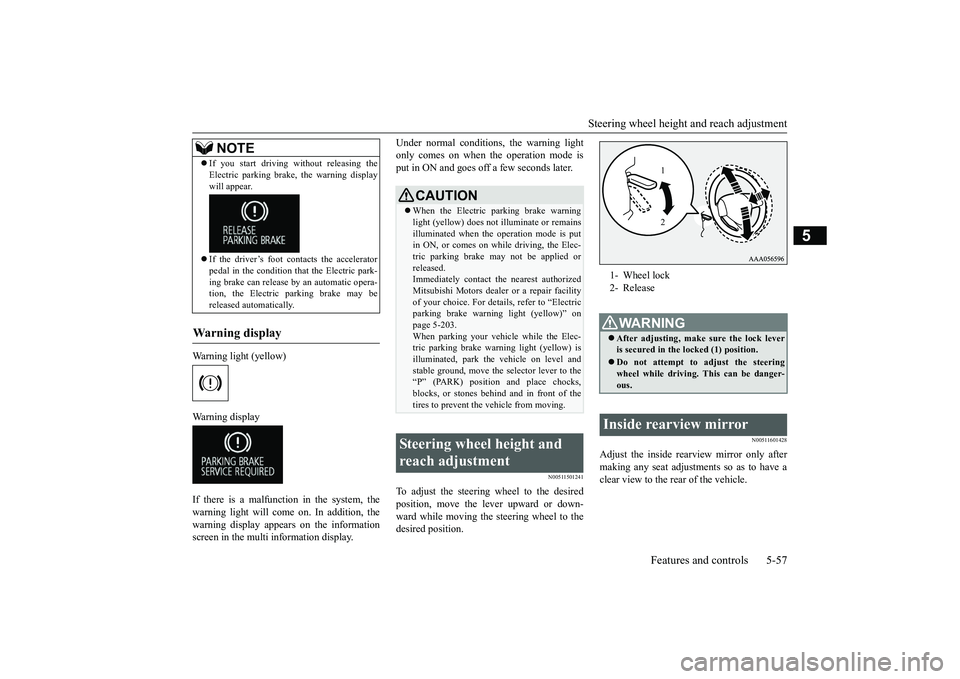
To adjust the steering wheel to the desiredposition, move the lever upward or down-ward while moving the steering wheel to thedesired position.
N00511601428
Adjust the inside rearview mirror only aftermaking any seat adjustme
nts so as to have a
clear view to the rear of the vehicle.
If you start driving wi
thout releasing the
Electric parking brake, the warning displaywill appear.If the driver’s foot contacts the acceleratorpedal in the condition th
at the Electric park-
ing brake can release by an automatic opera-tion, the Electric parking brake may bereleased automatically.
Wa r n i n g d is p la y
NOTE
CAUTIONWhen the Electric parking brake warninglight (yellow) does not
illuminate or remains
illuminated when the operation mode is putin ON, or comes on while driving, the Elec-tric parking brake may not be applied orreleased.Immediately contact the nearest authorizedMitsubishi Motors dealer
or a repair facility
of your choice. For detail
s, refer to “Electric
parking brake warni
ng light (yellow)” on
page 5-203.When parking your vehi
cle while the Elec-
tric parking brake warning light (yellow) isilluminated, park th
e vehicle on level and
stable ground, move the
selector lever to the
“P” (PARK) position and place chocks,blocks, or stones behind and in front of thetires to prevent the vehicle from moving.
Steering wheel height and reach adjustment
1- Wheel lock2- ReleaseWA R N I N GAfter adjusting, make sure the lock leveris secured in the locked (1) position.Do not attempt to adjust the steeringwheel while driving. This can be danger-ous.
Inside rearview mirror
12
BK0249100US.book 57 ページ 2017年5月17日 水曜日 午後2時31分
Page 143 of 441
Outside rearview mirrors5-62 Features and controls
5
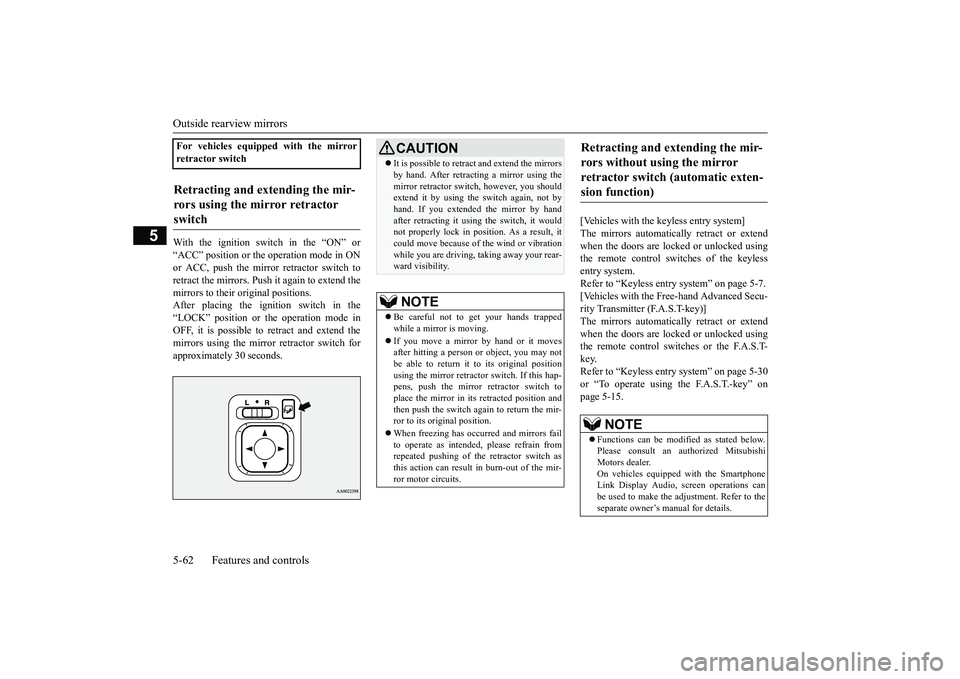
With the ignition switch in the “ON” or“ACC” position or the
operation mode in ON
or ACC, push the mirror retractor switch toretract the mirrors. Push it again to extend themirrors to their original positions.After placing the ignition switch in the“LOCK” position or the operation mode inOFF, it is possible to
retract and extend the
mirrors using the mirror retractor switch forapproximately 30 seconds.
[Vehicles with the keyless entry system]The mirrors automatically retract or extendwhen the doors are locked or unlocked usingthe remote control switches of the keylessentry system.Refer to “Keyless entry system” on page 5-7.[Vehicles with the Free-hand Advanced Secu-rity Transmitter (F.A.S.T-key)]The mirrors automatically retract or extendwhen the doors are locked or unlocked usingthe remote control switches or the F.A.S.T-key.Refer to “Keyless entry system” on page 5-30or “To operate using the F.A.S.T.-key” onpage 5-15.
For vehicles equipped with the mirrorretractor switchRetracting and extending the mir-rors using the mirror retractor switch
CAUTIONIt is possible to retract and extend the mirrorsby hand. After retracti
ng a mirror using the
mirror retractor switch, however, you shouldextend it by using the switch again, not byhand. If you extended the mirror by handafter retracting it using
the switch, it would
not properly lock in pos
ition. As a result, it
could move because of the wind or vibrationwhile you are driving, taking away your rear-ward visibility.NOTE
Be careful not to get your hands trappedwhile a mirror is moving.If you move a mirror by hand or it movesafter hitting a person or object, you may notbe able to return it to its original positionusing the mirror retractor switch. If this hap-pens, push the mirror retractor switch toplace the mirror in its
retracted position and
then push the switch again to return the mir-ror to its original position.When freezing has occurred and mirrors failto operate as intended,
please refrain from
repeated pushing of the retractor switch asthis action can result in burn-out of the mir-ror motor circuits.
Retracting and extending the mir-rors without using the mirror retractor switch (automatic exten-sion function)
NOTE
Functions can be modified as stated below.Please consult an authorized MitsubishiMotors dealer.On vehicles equippe
d with the Smartphone
Link Display Audio, sc
reen operations can
be used to make the adjustment. Refer to theseparate owner’s
manual for details.
BK0249100US.book 62 ページ 2017年5月10日 水曜日 午前8時49分