warning light MITSUBISHI OUTLANDER PHEV 2016 (in English) Owner's Guide
[x] Cancel search | Manufacturer: MITSUBISHI, Model Year: 2016, Model line: OUTLANDER PHEV, Model: MITSUBISHI OUTLANDER PHEV 2016Pages: 490, PDF Size: 22.02 MB
Page 188 of 490
Automatic headlamp levelling(vehicles with LED headlamps)
E00517601652
This mechanism automatically adjusts the di-
rection of the headlamps (beam position) de- pending on changes in the condition of the
vehicle, such as the number of occupants or
luggage weight. When the headlamps are il- luminated with the operation mode of the power switch in ON, the beam position of theheadlamps is automatically adjusted when the
vehicle stops.
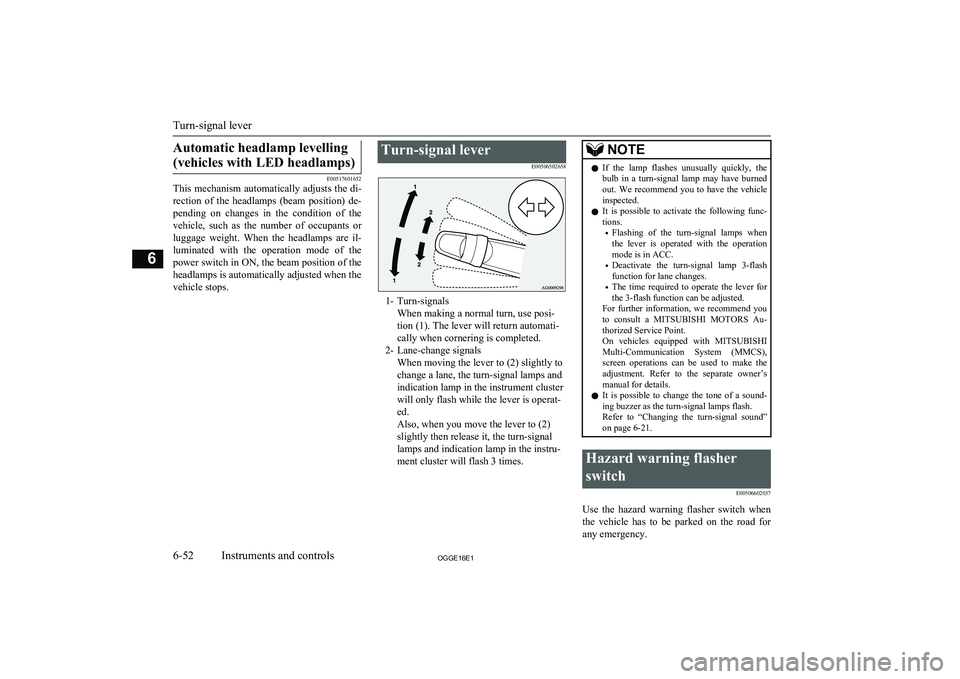
Turn-signal lever
E00506502658
1- Turn-signalsWhen making a normal turn, use posi-
tion (1). The lever will return automati-
cally when cornering is completed.
2- Lane-change signals When moving the lever to (2) slightly to
change a lane, the turn-signal lamps and
indication lamp in the instrument cluster
will only flash while the lever is operat-
ed.
Also, when you move the lever to (2)
slightly then release it, the turn-signal
lamps and indication lamp in the instru-
ment cluster will flash 3 times.
NOTEl If the lamp flashes unusually quickly, the
bulb in a turn-signal lamp may have burned out. We recommend you to have the vehicle
inspected.
l It is possible to activate the following func-
tions.
• Flashing of the turn-signal lamps when
the lever is operated with the operation
mode is in ACC.
• Deactivate the turn-signal lamp 3-flash
function for lane changes.
• The time required to operate the lever for
the 3-flash function can be adjusted.
For further information, we recommend you
to consult a MITSUBISHI MOTORS Au-
thorized Service Point.
On vehicles equipped with MITSUBISHI
Multi-Communication System (MMCS), screen operations can be used to make theadjustment. Refer to the separate owner’s
manual for details.
l It is possible to change the tone of a sound-
ing buzzer as the turn-signal lamps flash.
Refer to “Changing the turn-signal sound” on page 6-21.Hazard warning flasher
switch E00506602037
Use the hazard warning flasher switch when
the vehicle has to be parked on the road for
any emergency.
Turn-signal lever
6-52OGGE16E1Instruments and controls6
Page 202 of 490
Economical drivingE00600102220
For economical driving, there are some tech- nical requirements that have to be met. Theprerequisite for low fuel consumption is a
properly adjusted engine. In order to achieve longer life of the vehicle and the most eco- nomical operation, we recommend you tohave the vehicle checked at regular intervals in accordance with the service standards.
Fuel economy and generation of exhaust gas
and noise are highly influenced by personal
driving habits as well as the particular operat- ing conditions. The following points shouldbe observed in order to minimize wear of
brakes, tyres and engine as well as to reduce
environmental pollution.
Starting and acceleration
Avoid driving when the accelerator pedal ispushed way down, such as for unnecessarily sudden starts, acceleration and deceleration.
Smoothly depress the accelerator pedal.
Observe the speed limit and keep the speed
as constant as possible while driving.
Idling
Parking for a long period with the ready indi-
cator illuminated will shorten the cruising
range.
Speed
The higher the vehicle speed, the more drive
battery is consumed. Avoid driving at full speed. Even a slight release of the accelerator
pedal will save a significant amount of drive battery.
Tyre inflation pressure
Check the tyre inflation pressures at regular intervals. Low tyre inflation pressure increa-ses road resistance and fuel consumption. In addition, low tyre pressures adversely affect
tyre wear and driving stability.
Cargo loads
Do not drive with unnecessary articles in the
luggage compartment. Especially during city
driving where frequent starting and stopping is necessary, the increased weight of the ve-
hicle will greatly affect fuel consumption. Al- so avoid driving with unnecessary luggage or carriers, etc., on the roof; the increased air re- sistance will increase fuel consumption.
Air conditioning
Too much cooling/heating can affect the cruising range, so maintain an appropriatetemperature to extend the cruising range.
Driving, alcohol and drugs
E00600200070
Driving after drinking alcohol is one of the
most frequent causes of accidents.
Your driving ability can be seriously im- paired even with blood alcohol levels far be-
low the legal minimum. If you have been drinking, don’t drive. Ride with a designated non-drinking driver, call a cab or a friend, or
use public transportation. Drinking coffee or
taking a cold shower will not make you so- ber.
Similarly, prescription and nonprescription
drugs affect your alertness, perception and re- action time. Consult with your doctor or
pharmacist before driving while under the in- fluence of any of these medications.WARNINGl NEVER DRINK AND DRIVE.
Your perceptions are less accurate, your
reflexes are slower and your judgment is impaired.Safe driving techniques
E00600301775
Driving safety and protection against injury
cannot be fully ensured. However, we recom- mend that you pay extra attention to the fol-
lowing:
Economical driving
7-02OGGE16E1Starting and driving7
Page 204 of 490
NOTElIf the parking brake does not hold the vehi-
cle stationary after the foot brake is released,
have your vehicle checked immediately.
To release
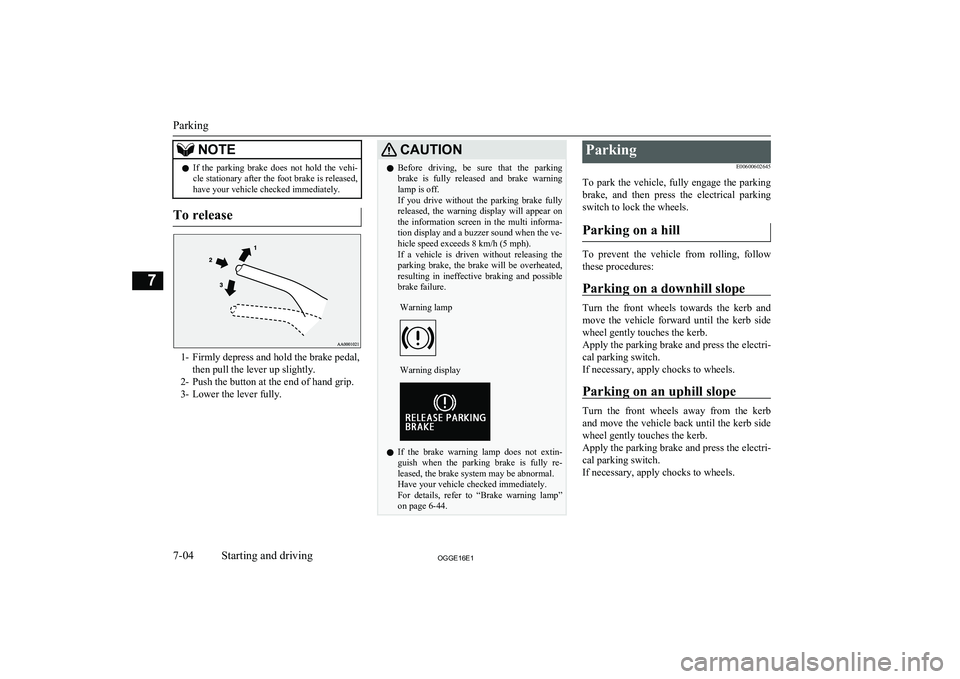
1- Firmly depress and hold the brake pedal,
then pull the lever up slightly.
2- Push the button at the end of hand grip.
3- Lower the lever fully.
CAUTIONl Before driving, be sure that the parking
brake is fully released and brake warning lamp is off.
If you drive without the parking brake fully
released, the warning display will appear on the information screen in the multi informa-tion display and a buzzer sound when the ve-
hicle speed exceeds 8 km/h (5 mph).
If a vehicle is driven without releasing the
parking brake, the brake will be overheated, resulting in ineffective braking and possible
brake failure.Warning lampWarning display
l If the brake warning lamp does not extin-
guish when the parking brake is fully re-
leased, the brake system may be abnormal.
Have your vehicle checked immediately.
For details, refer to “Brake warning lamp” on page 6-44.
Parking
E00600602645
To park the vehicle, fully engage the parking brake, and then press the electrical parking
switch to lock the wheels.
Parking on a hill
To prevent the vehicle from rolling, follow these procedures:
Parking on a downhill slope
Turn the front wheels towards the kerb and
move the vehicle forward until the kerb side wheel gently touches the kerb.
Apply the parking brake and press the electri-
cal parking switch.
If necessary, apply chocks to wheels.
Parking on an uphill slope
Turn the front wheels away from the kerb
and move the vehicle back until the kerb side wheel gently touches the kerb.
Apply the parking brake and press the electri-
cal parking switch.
If necessary, apply chocks to wheels.
Parking
7-04OGGE16E1Starting and driving7
Page 220 of 490
It is particularly important to note that 4-
wheel drive may not give sufficient hill climbing ability with the regenerative brakeon steep slopes. You should try to avoid driv-
ing on steep slopes.
Also, you must exercise caution when driving on sand and mud and when driving through
water because sufficient traction may not be available in certain circumstances.
Please avoid driving the vehicle through
areas where the tyres may get stuck in deep
sand or mud.WARNINGl Do not over-rely on the 4-wheel drive ve-
hicles. Even 4-wheel drive vehicles have limits to the system and ability to main-tain control and traction. Reckless driving
may lead to accidents. Always drive care- fully, taking account of the road condi-
tions.
l Improperly operating this vehicle on or
off-paved roads can cause an accident or
rollover in which you and your passengers
could be seriously injured or killed.
• Follow all instructions and guidelines in
the owner’s manual.
• Keep your speed low and do not drive
faster than conditions allow you to.NOTEl Driving on rough roads can be hard on a ve-
hicle. Before you leave paved roads, be sure all scheduled maintenance and service has
been done, and that you have inspected your vehicle. Pay special attention to the condi- tion of the tyres, and check the tyre pres-
sures.
l MITSUBISHI
MOTORS is not responsible
to the operator for any damage or injury caused or liability incurred by improper and
negligent operation of a vehicle. All techni- ques of vehicle operation depend on the skill and experience of the operator and other par-
ticipating parties. Any deviation from the recommended operating instructions above
is at their own risk.
l Note that the stopping distance required of a
4-wheel drive vehicle differs very little from
that of a 2-wheel drive vehicle. When driv-
ing on a snow-covered road or a slippery, muddy surface, make sure that you keep a
sufficient distance between your vehicle and the one ahead of you.
l The driving posture should be more upright;
adjust the seat to a good position for easy
steering and pedal operation. Be sure to wear
the seat belt.
l After driving on rough roads, check each
part of the vehicle and wash it thoroughlywith water. Refer to the “Inspection andmaintenance following rough road opera-
tion” section and “Maintenance” section.Climbing/descending sharp
grades
Your vehicle may not provide sufficient hill
climbing ability and regenerative brake on steep slope. Avoid driving on steep slopes
even though the vehicle is a 4-wheel drive vehicle.
Inspection and maintenance
following rough roadoperation E00606701407
After operating the vehicle in rough road
conditions, be sure to perform the following inspection and maintenance procedures:
l Check that the vehicle has not been dam-
aged by rocks, gravel, etc.
l Carefully wash the vehicle with water.
Drive the vehicle slowly while lightly
depressing the brake pedal in order to dry out the brakes. If the brakes still do
not function properly, we recommend you to have the brakes checked as soon
as possible.
l Remove the insects, dried grass, etc.
clogging the radiator core.
l Check the inside of the vehicle. If water
entry is found, dry the carpet etc.
Inspection and maintenance following rough road operation
7-20OGGE16E1Starting and driving7
Page 225 of 490
BrakingE00607002967
All the parts of the brake system are critical
to safety. We recommend you to have the ve- hicle checked at regular intervals according
to the service booklet.CAUTIONl Avoid driving habits that cause heavy brak-
ing and never “ride” the brakes by resting
your foot on the brake pedal while driving.
It causes brake overheating and fade.
Brake system
The service brake is divided into two brake
circuits. And your vehicle is equipped with
power brakes. If one brake circuit fails, the other is available to stop the vehicle. If you
should lose the power assist for some reason, the brakes will still work. In these situations,
even if the brake pedal moves down to the very end of its possible stroke or resists being
depressed, keep depressing the brake pedal
down harder and further than usual; stop
driving as soon as possible and have the brake system repaired.
WARNINGl Do not turn off the Plug-in Hybrid EV
System while your vehicle is in motion. If
you turn off the Plug-in Hybrid EV Sys- tem while driving, the power assistancefor the braking system will stop working
and your brakes will not work effectively.
l If the power assist is lost or if either brake
hydraulic system stops working properly,
have your vehicle checked immediately.
Warning display
The brake warning lamp illuminates to indi-
cate a fault in the braking system. A warning
is also displayed on the multi information display. Refer to “Brake warning lamp and Brake warning display” on pages 6-44, 6-46.
When brakes are wet
Check the brake system while driving at a
low speed immediately after starting, espe- cially when the brakes are wet, to confirmthey work normally.
A film of water can be formed on the brake
discs and prevent normal braking after driv-
ing in heavy rain or through large puddles, or after the vehicle is washed. If this occurs, dry the brakes out by driving slowly while lightly
depressing the brake pedal.
When driving downhillWARNINGl Do not leave any objects near the brake
pedal or let a floor mat slide under it; do- ing so could prevent the full pedal stroke
that would be necessary in an emergency. Make sure that the pedal can be operated freely at all times. Make sure that thefloor mat is securely held in place.CAUTIONl Put the selector lever to “B” position accord-
ing to the grade of a slope or the speed in along downward slope, and use the regenera-
tive brake together.
If you depress the brake pedal and slowing down is repeated frequently, the foot brake
may be overheated and effectiveness may worsen.
Braking
7-25OGGE16E1Starting and driving7
Page 227 of 490
NOTE•The Plug-in Hybrid EV System is operat-
ing.
(The hill start assist will not be activated
while the Plug-in Hybrid EV System is
starting or immediately after the Plug-in Hybrid EV System has started.)
• The select position is in any position other
than “P” or “N”.
• The vehicle is completely stationary, with
the brake pedal depressed.
• The parking brake is released.
l The hill start assist will not operate if the ac-
celerator pedal is depressed before the brake pedal is released.
l The hill start assist also operates when re-
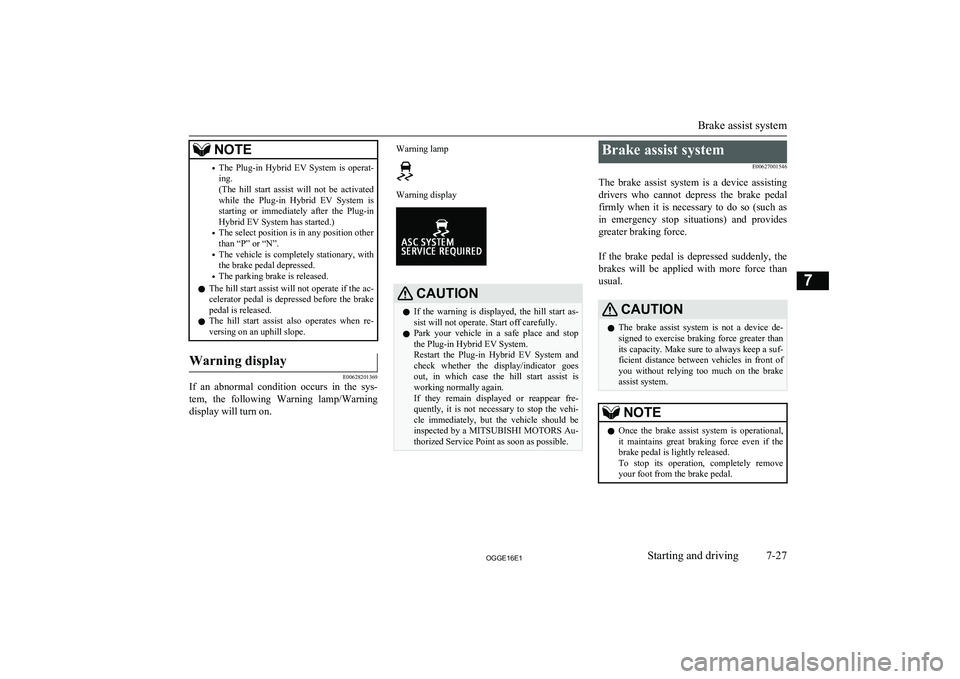
versing on an uphill slope.Warning display
E00628201369
If an abnormal condition occurs in the sys-
tem, the following Warning lamp/Warning
display will turn on.
Warning lampWarning displayCAUTIONl If the warning is displayed, the hill start as-
sist will not operate. Start off carefully.
l Park your vehicle in a safe place and stop
the Plug-in Hybrid EV System.
Restart the Plug-in Hybrid EV System and check whether the display/indicator goes
out, in which case the hill start assist is
working normally again.
If they remain displayed or reappear fre- quently, it is not necessary to stop the vehi-cle immediately, but the vehicle should be inspected by a MITSUBISHI MOTORS Au-
thorized Service Point as soon as possible.Brake assist system
E00627001546
The brake assist system is a device assisting drivers who cannot depress the brake pedalfirmly when it is necessary to do so (such as
in emergency stop situations) and provides
greater braking force.
If the brake pedal is depressed suddenly, the brakes will be applied with more force thanusual.CAUTIONl The brake assist system is not a device de-
signed to exercise braking force greater than its capacity. Make sure to always keep a suf-
ficient distance between vehicles in front of
you without relying too much on the brake
assist system.NOTEl Once the brake assist system is operational,
it maintains great braking force even if the
brake pedal is lightly released.
To stop its operation, completely remove
your foot from the brake pedal.
Brake assist system
7-27OGGE16E1Starting and driving7
Page 230 of 490
CAUTIONlAny of the following warning lamp/display
behaviour indicates that the ABS is not func-tioning and only the standard brake system
is working. (The standard brake system is functioning normally.) If this happens, takeyour vehicle to a MITSUBISHI MOTORS
Authorized Service Point.
• When the operation mode is put in ON,
the warning lamp does not come on or it remains on and does not go off.
• The warning lamp comes on while driv-
ing.
• The warning display appears while driv-
ing.If the warning lamp/display il-
luminate while driving
E00607302423
If only the ABS warning lamp/ display illuminate
l Avoid hard braking and high-speed driv-
ing. Stop the vehicle in a safe place.
Restart the Plug-in Hybrid EV System and check to see whether the lamp goes
out after a few minutes driving; if it then remains off during driving, there is no
problem.
However, if the lamp does not go out, or if it lights up again when the vehicle is driven, we recommend you to have the
vehicle checked as soon as possible.
l If you start Plug-in Hybrid EV System
when the auxiliary battery voltage is in-
sufficient, ABS warning lamp/display may illuminate, but this is not a failure
of ABS. When the drive battery is charg-
ed, the auxiliary battery is also charged, and the warning lamp/display will go
out. If the warning lamp/display contin- ues illuminating even after the battery is
sufficiently charged or the warning
lamp/display illuminates frequently, have your vehicle inspected by a
MITSUBISHI MOTORS Authorized
Service Point.
If the ABS warning lamp/ display and brake warning
lamp/display illuminate at the same time
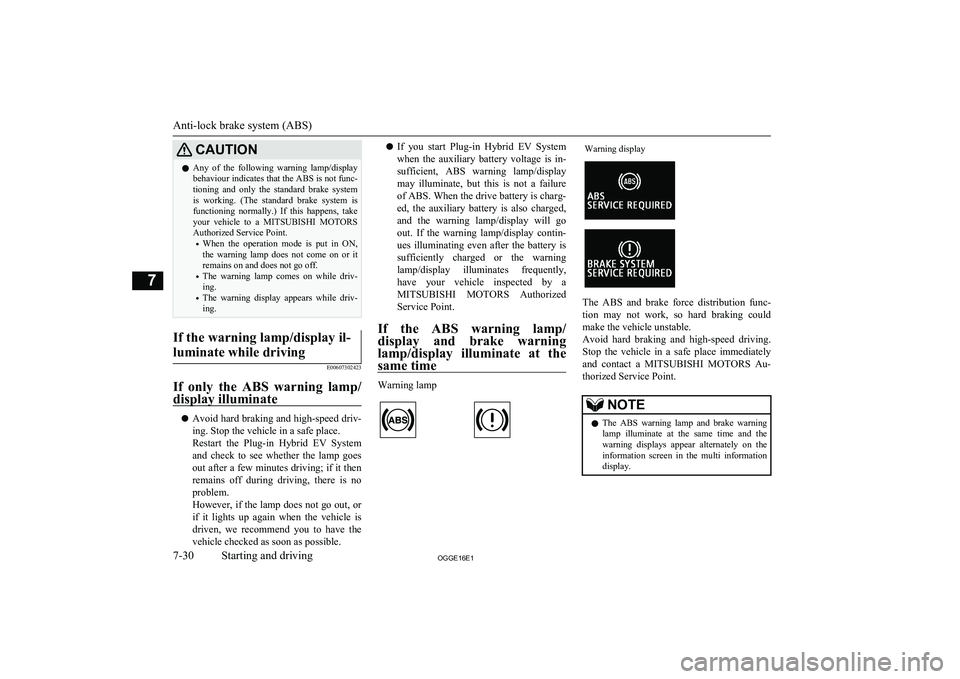
Warning lamp
Warning display
The ABS and brake force distribution func- tion may not work, so hard braking could
make the vehicle unstable.
Avoid hard braking and high-speed driving.
Stop the vehicle in a safe place immediately
and contact a MITSUBISHI MOTORS Au-
thorized Service Point.
NOTEl The ABS warning lamp and brake warning
lamp illuminate at the same time and the
warning displays appear alternately on the information screen in the multi informationdisplay.
Anti-lock brake system (ABS)
7-30OGGE16E1Starting and driving7
Page 253 of 490
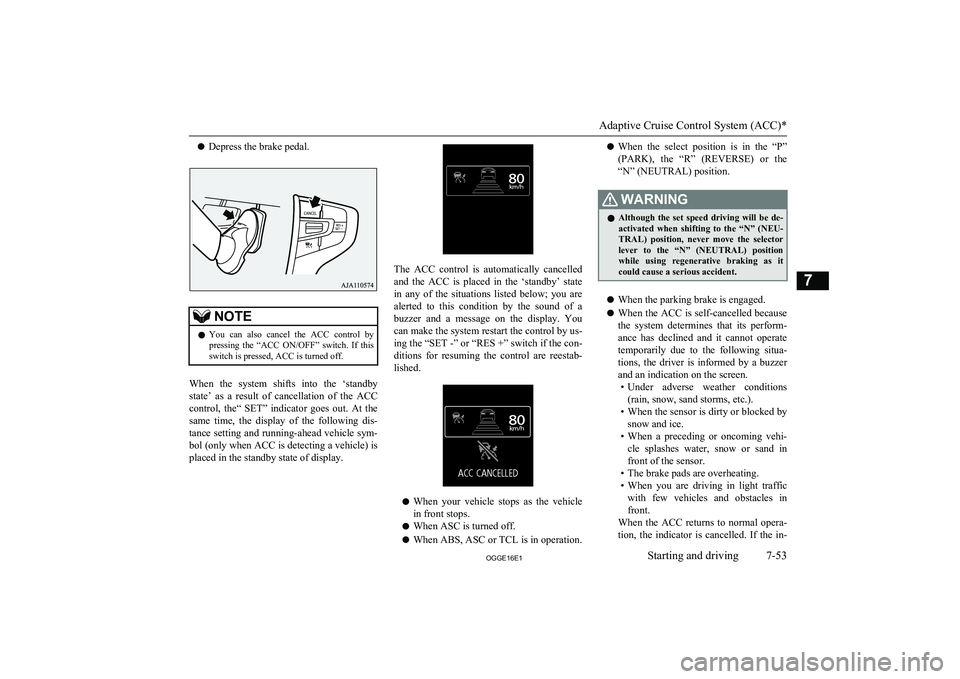
lDepress the brake pedal.NOTElYou can also cancel the ACC control by
pressing the “ACC ON/OFF” switch. If thisswitch is pressed, ACC is turned off.
When the system shifts into the ‘standby
state’ as a result of cancellation of the ACC
control, the“ SET” indicator goes out. At the same time, the display of the following dis-
tance setting and running-ahead vehicle sym- bol (only when ACC is detecting a vehicle) is
placed in the standby state of display.
The ACC control is automatically cancelled
and the ACC is placed in the ‘standby’ state
in any of the situations listed below; you are
alerted to this condition by the sound of a
buzzer and a message on the display. You can make the system restart the control by us-ing the “SET -” or “RES +” switch if the con-
ditions for resuming the control are reestab-
lished.
l When your vehicle stops as the vehicle
in front stops.
l When ASC is turned off.
l When ABS, ASC or TCL is in operation.
lWhen the select position is in the “P”
(PARK), the “R” (REVERSE) or the “N” (NEUTRAL) position.WARNINGl Although the set speed driving will be de-
activated when shifting to the “N” (NEU- TRAL) position, never move the selector
lever to the “N” (NEUTRAL) position
while using regenerative braking as it could cause a serious accident.
l When the parking brake is engaged.
l When the ACC is self-cancelled because
the system determines that its perform- ance has declined and it cannot operate
temporarily due to the following situa- tions, the driver is informed by a buzzer
and an indication on the screen. • Under adverse weather conditions
(rain, snow, sand storms, etc.).
• When the sensor is dirty or blocked by
snow and ice.
• When a preceding or oncoming vehi-
cle splashes water, snow or sand in front of the sensor.
• The brake pads are overheating.
• When you are driving in light traffic
with few vehicles and obstacles in front.
When the ACC returns to normal opera-
tion, the indicator is cancelled. If the in-
Adaptive Cruise Control System (ACC)*
7-53OGGE16E1Starting and driving7
Page 258 of 490
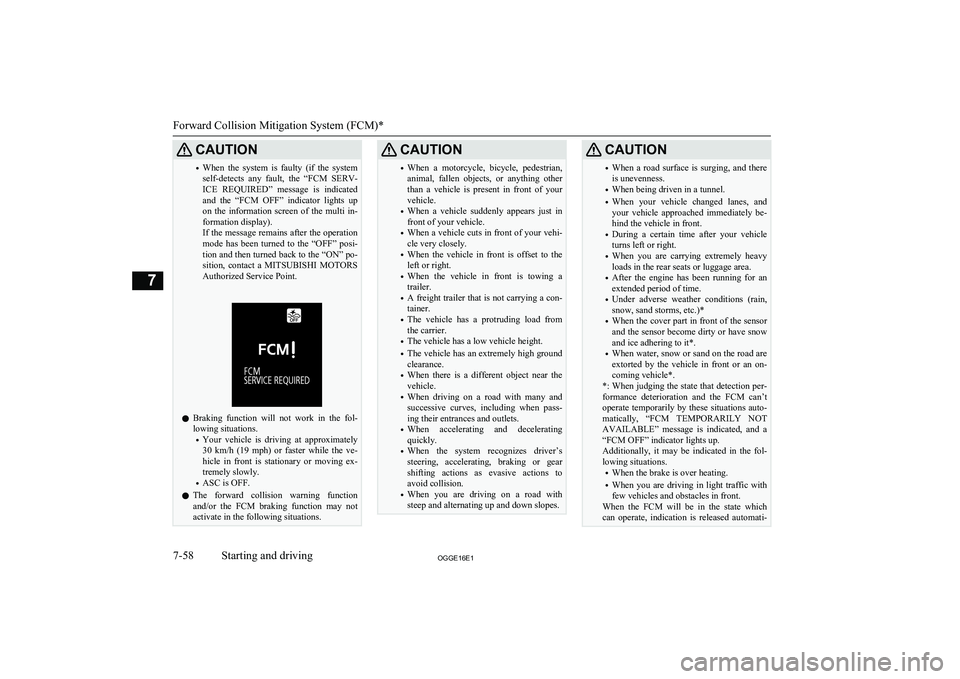
CAUTION•When the system is faulty (if the system
self-detects any fault, the “FCM SERV- ICE REQUIRED” message is indicated
and the “FCM OFF” indicator lights up on the information screen of the multi in- formation display).
If the message remains after the operation
mode has been turned to the “OFF” posi- tion and then turned back to the “ON” po-
sition, contact a MITSUBISHI MOTORS
Authorized Service Point.
l Braking function will not work in the fol-
lowing situations.
• Your vehicle is driving at approximately
30 km/h (19 mph) or faster while the ve-
hicle in front is stationary or moving ex- tremely slowly.
• ASC is OFF.
l The forward collision warning function
and/or the FCM braking function may not
activate in the following situations.
CAUTION• When a motorcycle, bicycle, pedestrian,
animal, fallen objects, or anything other
than a vehicle is present in front of your vehicle.
• When a vehicle suddenly appears just in
front of your vehicle.
• When a vehicle cuts in front of your vehi-
cle very closely.
• When the vehicle in front is offset to the
left or right.
• When the vehicle in front is towing a
trailer.
• A freight trailer that is not carrying a con-
tainer.
• The vehicle has a protruding load from
the carrier.
• The vehicle has a low vehicle height.
• The vehicle has an extremely high ground
clearance.
• When there is a different object near the
vehicle.
• When driving on a road with many and
successive curves, including when pass-
ing their entrances and outlets.
• When accelerating and decelerating
quickly.
• When the system recognizes driver’s
steering, accelerating, braking or gear
shifting actions as evasive actions to
avoid collision.
• When you are driving on a road with
steep and alternating up and down slopes.CAUTION• When a road surface is surging, and there
is unevenness.
• When being driven in a tunnel.
• When your vehicle changed lanes, and
your vehicle approached immediately be- hind the vehicle in front.
• During a certain time after your vehicle
turns left or right.
• When you are carrying extremely heavy
loads in the rear seats or luggage area.
• After the engine has been running for an
extended period of time.
• Under adverse weather conditions (rain,
snow, sand storms, etc.)*
• When the cover part in front of the sensor
and the sensor become dirty or have snow
and ice adhering to it*.
• When water, snow or sand on the road are
extorted by the vehicle in front or an on- coming vehicle*.
*: When judging the state that detection per- formance deterioration and the FCM can’t operate temporarily by these situations auto-
matically, “FCM TEMPORARILY NOT
AVAILABLE” message is indicated, and a “FCM OFF” indicator lights up.
Additionally, it may be indicated in the fol- lowing situations.
• When the brake is over heating.
• When you are driving in light traffic with
few vehicles and obstacles in front.
When the FCM will be in the state which
can operate, indication is released automati-
Forward Collision Mitigation System (FCM)*
7-58OGGE16E1Starting and driving7
Page 264 of 490
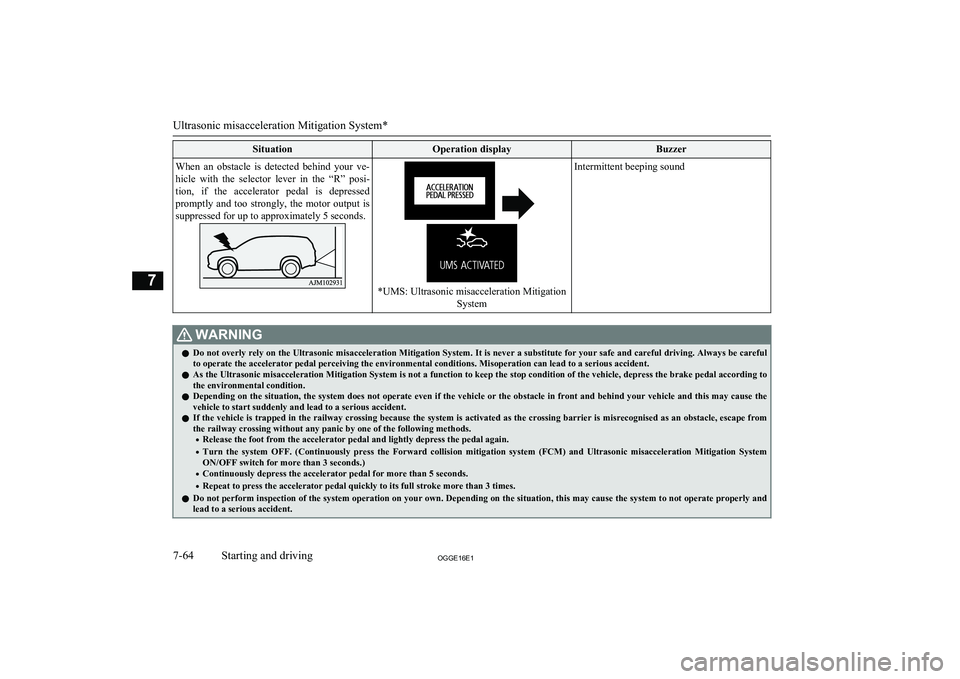
SituationOperation displayBuzzerWhen an obstacle is detected behind your ve-hicle with the selector lever in the “R” posi-
tion, if the accelerator pedal is depressed promptly and too strongly, the motor output is suppressed for up to approximately 5 seconds.
*UMS: Ultrasonic misacceleration Mitigation
System
Intermittent beeping soundWARNINGlDo not overly rely on the Ultrasonic misacceleration Mitigation System. It is never a substitute for your safe and careful driving. Always be careful
to operate the accelerator pedal perceiving the environmental conditions. Misoperation can lead to a serious accident.
l As the Ultrasonic misacceleration Mitigation System is not a function to keep the stop condition of the vehicle, depress the brake pedal according to
the environmental condition.
l Depending on the situation, the system does not operate even if the vehicle or the obstacle in front and behind your vehicle and this may cause the
vehicle to start suddenly and lead to a serious accident.
l If the vehicle is trapped in the railway crossing because the system is activated as the crossing barrier is misrecognised as an obstacle, escape from
the railway crossing without any panic by one of the following methods.
• Release the foot from the accelerator pedal and lightly depress the pedal again.
• Turn the system OFF. (Continuously press the Forward collision mitigation system (FCM) and Ultrasonic misacceleration Mitigation System
ON/OFF switch for more than 3 seconds.)
• Continuously depress the accelerator pedal for more than 5 seconds.
• Repeat to press the accelerator pedal quickly to its full stroke more than 3 times.
l Do not perform inspection of the system operation on your own. Depending on the situation, this may cause the system to not operate properly and
lead to a serious accident.
Ultrasonic misacceleration Mitigation System*
7-64OGGE16E1Starting and driving7