service indicator MITSUBISHI OUTLANDER PHEV 2018 (in English) User Guide
[x] Cancel search | Manufacturer: MITSUBISHI, Model Year: 2018, Model line: OUTLANDER PHEV, Model: MITSUBISHI OUTLANDER PHEV 2018Pages: 538, PDF Size: 25.01 MB
Page 204 of 538
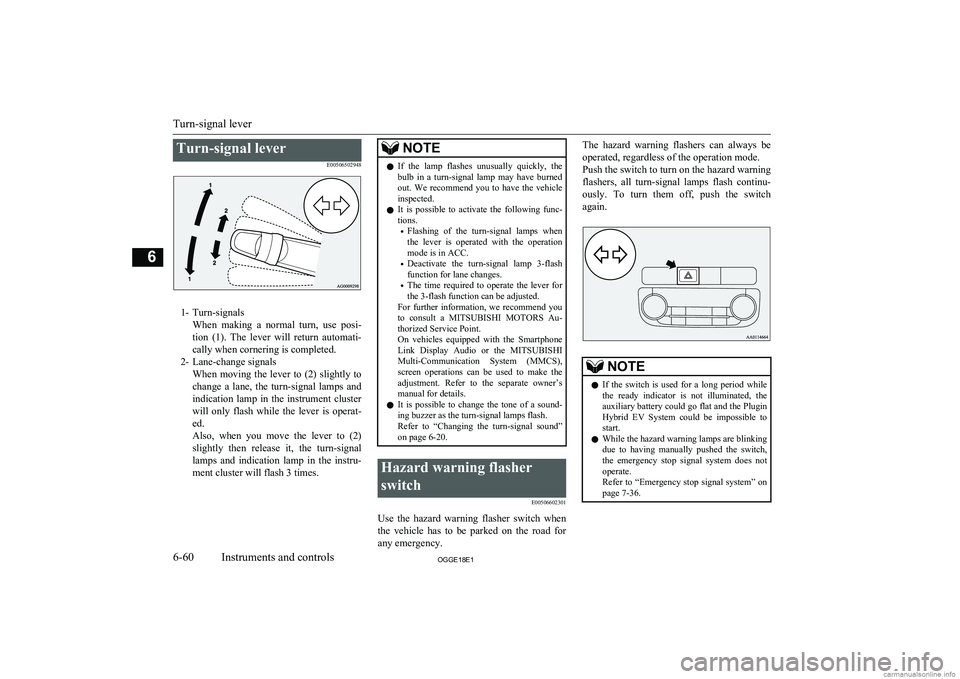
Turn-signal leverE00506502948
1- Turn-signalsWhen making a normal turn, use posi-
tion (1). The lever will return automati- cally when cornering is completed.
2- Lane-change signals When moving the lever to (2) slightly to
change a lane, the turn-signal lamps and indication lamp in the instrument clusterwill only flash while the lever is operat- ed.
Also, when you move the lever to (2)
slightly then release it, the turn-signal
lamps and indication lamp in the instru- ment cluster will flash 3 times.
NOTEl If the lamp flashes unusually quickly, the
bulb in a turn-signal lamp may have burned out. We recommend you to have the vehicle
inspected.
l It is possible to activate the following func-
tions.
• Flashing of the turn-signal lamps when
the lever is operated with the operation
mode is in ACC.
• Deactivate the turn-signal lamp 3-flash
function for lane changes.
• The time required to operate the lever for
the 3-flash function can be adjusted.
For further information, we recommend you
to consult a MITSUBISHI MOTORS Au-
thorized Service Point.
On vehicles equipped with the Smartphone
Link Display Audio or the MITSUBISHI
Multi-Communication System (MMCS),
screen operations can be used to make the adjustment. Refer to the separate owner’s
manual for details.
l It is possible to change the tone of a sound-
ing buzzer as the turn-signal lamps flash.
Refer to “Changing the turn-signal sound”
on page 6-20.Hazard warning flasher
switch E00506602301
Use the hazard warning flasher switch when
the vehicle has to be parked on the road for
any emergency.
The hazard warning flashers can always be
operated, regardless of the operation mode.
Push the switch to turn on the hazard warning flashers, all turn-signal lamps flash continu-
ously. To turn them off, push the switch
again.NOTEl If the switch is used for a long period while
the ready indicator is not illuminated, theauxiliary battery could go flat and the Plugin
Hybrid EV System could be impossible to start.
l While the hazard warning lamps are blinking
due to having manually pushed the switch,
the emergency stop signal system does not
operate.
Refer to “Emergency stop signal system” on page 7-36.
Turn-signal lever
6-60OGGE18E1Instruments and controls6
Page 205 of 538
ECO mode switchE00531801111
ECO mode is an eco-driving support system
which automatically controls the Plug-in Hy- brid EV System and air conditioning system to improve fuel efficiency.
When the ECO mode is active, your vehicle
will slowly accelerate even when you press the accelerator pedal.
Refer to “Automatic climate control air con- ditioner” on page 8-04.
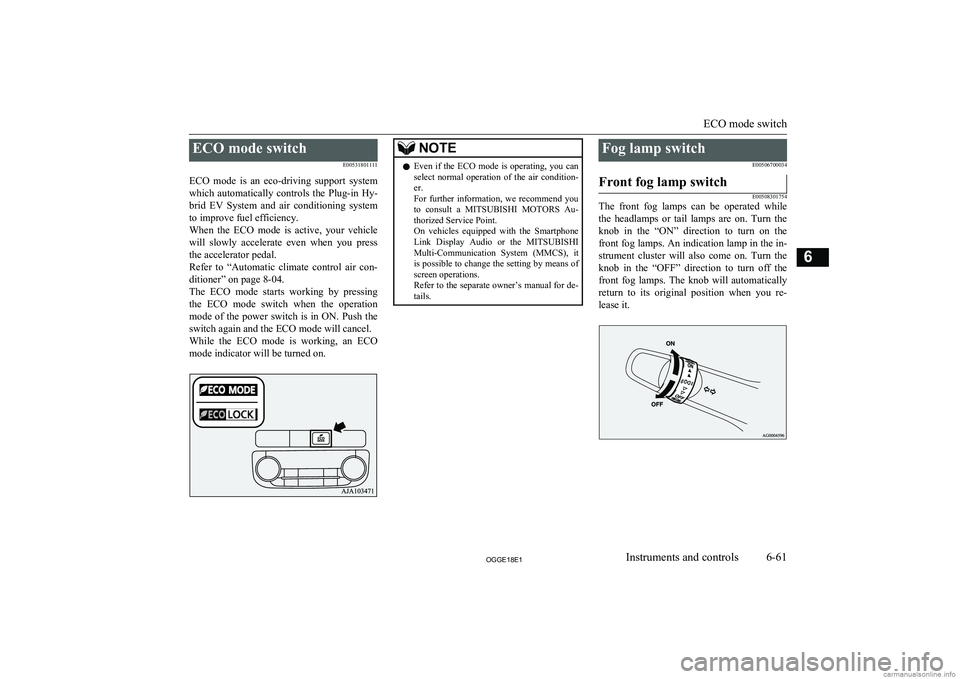
The ECO mode starts working by pressing
the ECO mode switch when the operation mode of the power switch is in ON. Push the
switch again and the ECO mode will cancel. While the ECO mode is working, an ECO mode indicator will be turned on.NOTEl Even if the ECO mode is operating, you can
select normal operation of the air condition-
er.
For further information, we recommend you to consult a MITSUBISHI MOTORS Au-
thorized Service Point.
On vehicles equipped with the Smartphone Link Display Audio or the MITSUBISHI
Multi-Communication System (MMCS), it is possible to change the setting by means of
screen operations.
Refer to the separate owner’s manual for de-
tails.Fog lamp switch
E00506700034Front fog lamp switch
E00508301754
The front fog lamps can be operated while
the headlamps or tail lamps are on. Turn the knob in the “ON” direction to turn on the
front fog lamps. An indication lamp in the in- strument cluster will also come on. Turn theknob in the “OFF” direction to turn off the front fog lamps. The knob will automatically
return to its original position when you re- lease it.
ECO mode switch
6-61OGGE18E1Instruments and controls6
Page 219 of 538
To release
Manual operation
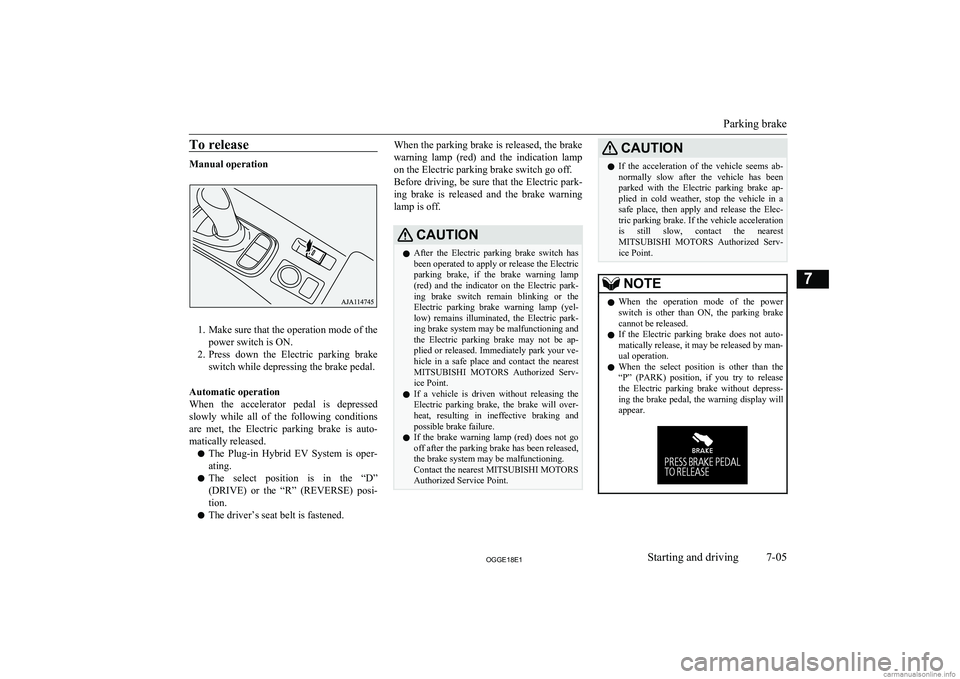
1. Make sure that the operation mode of thepower switch is ON.
2. Press down the Electric parking brake
switch while depressing the brake pedal.
Automatic operation
When the accelerator pedal is depressed
slowly while all of the following conditions are met, the Electric parking brake is auto-
matically released.
l The Plug-in Hybrid EV System is oper-
ating.
l The select position is in the “D”
(DRIVE) or the “R” (REVERSE) posi-
tion.
l The driver’s seat belt is fastened.
When the parking brake is released, the brake
warning lamp (red) and the indication lamp on the Electric parking brake switch go off.
Before driving, be sure that the Electric park-
ing brake is released and the brake warning lamp is off.CAUTIONl After the Electric parking brake switch has
been operated to apply or release the Electric parking brake, if the brake warning lamp
(red) and the indicator on the Electric park-
ing brake switch remain blinking or the Electric parking brake warning lamp (yel-
low) remains illuminated, the Electric park- ing brake system may be malfunctioning and
the Electric parking brake may not be ap- plied or released. Immediately park your ve-
hicle in a safe place and contact the nearest MITSUBISHI MOTORS Authorized Serv-
ice Point.
l If a vehicle is driven without releasing the
Electric parking brake, the brake will over-
heat, resulting in ineffective braking and possible brake failure.
l If the brake warning lamp (red) does not go
off after the parking brake has been released,the brake system may be malfunctioning.
Contact the nearest MITSUBISHI MOTORS
Authorized Service Point.CAUTIONl If the acceleration of the vehicle seems ab-
normally slow after the vehicle has been parked with the Electric parking brake ap-
plied in cold weather, stop the vehicle in a
safe place, then apply and release the Elec- tric parking brake. If the vehicle acceleration is still slow, contact the nearest
MITSUBISHI MOTORS Authorized Serv-
ice Point.NOTEl When the operation mode of the power
switch is other than ON, the parking brake
cannot be released.
l If the Electric parking brake does not auto-
matically release, it may be released by man-ual operation.
l When the select position is other than the
“P” (PARK) position, if you try to releasethe Electric parking brake without depress-
ing the brake pedal, the warning display will appear.
Parking brake
7-05OGGE18E1Starting and driving7
Page 244 of 538
CAUTIONlAlways confirm the indication lamp goes off
before driving.
If the indication lamp blinks, the operation
mode is put in OFF, and the operation mode is put in OFF once again. It is normal if the
indication lamp goes off. If the indication
lamp blinks again, have the vehicle inspec-
ted at a MITSUBISHI MOTORS Authorized Service Point as soon as possible.AVAS OFF switch
E00631701094
If the operation mode is put in ON, the
AVAS is automatically turned on.
The AVAS should be turned on while normal
driving.
When driving on the freeway etc., it is possi- ble to turn off the AVAS by pressing the
AVAS OFF switch.
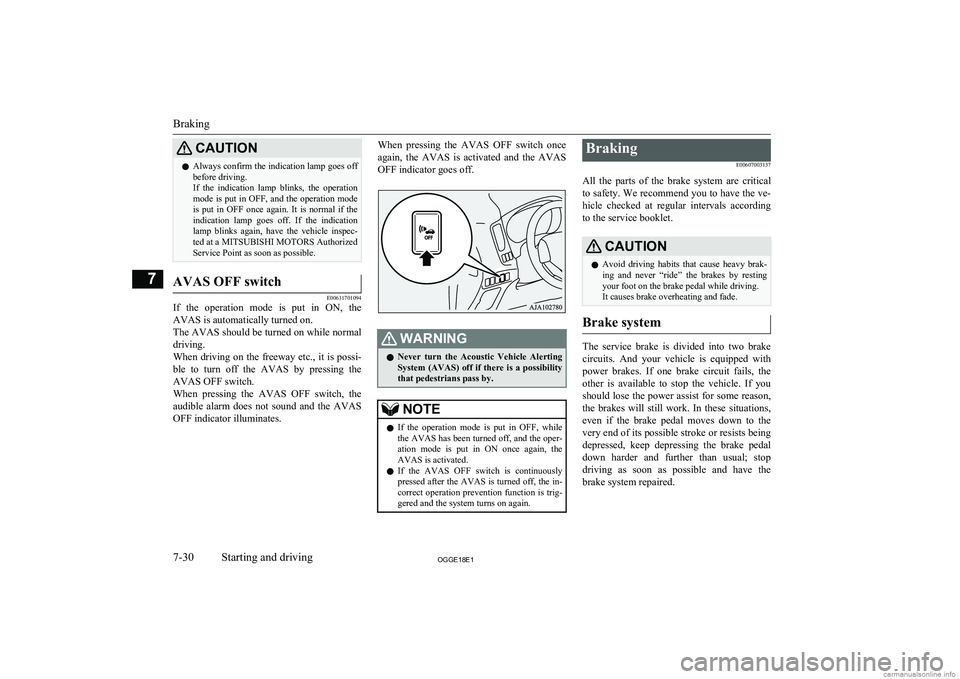
When pressing the AVAS OFF switch, the audible alarm does not sound and the AVAS
OFF indicator illuminates.
When pressing the AVAS OFF switch once
again, the AVAS is activated and the AVAS
OFF indicator goes off.WARNINGl Never turn the Acoustic Vehicle Alerting
System (AVAS) off if there is a possibility
that pedestrians pass by.NOTEl If the operation mode is put in OFF, while
the AVAS has been turned off, and the oper-
ation mode is put in ON once again, the
AVAS is activated.
l If the AVAS OFF switch is continuously
pressed after the AVAS is turned off, the in-
correct operation prevention function is trig-
gered and the system turns on again.Braking
E00607003137
All the parts of the brake system are critical
to safety. We recommend you to have the ve- hicle checked at regular intervals according
to the service booklet.CAUTIONl Avoid driving habits that cause heavy brak-
ing and never “ride” the brakes by resting
your foot on the brake pedal while driving.
It causes brake overheating and fade.
Brake system
The service brake is divided into two brake
circuits. And your vehicle is equipped with
power brakes. If one brake circuit fails, the other is available to stop the vehicle. If you
should lose the power assist for some reason, the brakes will still work. In these situations,
even if the brake pedal moves down to the very end of its possible stroke or resists being
depressed, keep depressing the brake pedal
down harder and further than usual; stop
driving as soon as possible and have the brake system repaired.
Braking
7-30OGGE18E1Starting and driving7
Page 249 of 538
NOTE•The vehicle is completely stationary, with
the brake pedal depressed.
• The parking brake is released.
l The hill start assist will not operate if the ac-
celerator pedal is depressed before the brake pedal is released.
l The hill start assist also operates when re-
versing on an uphill slope.Warning display
E00628201369
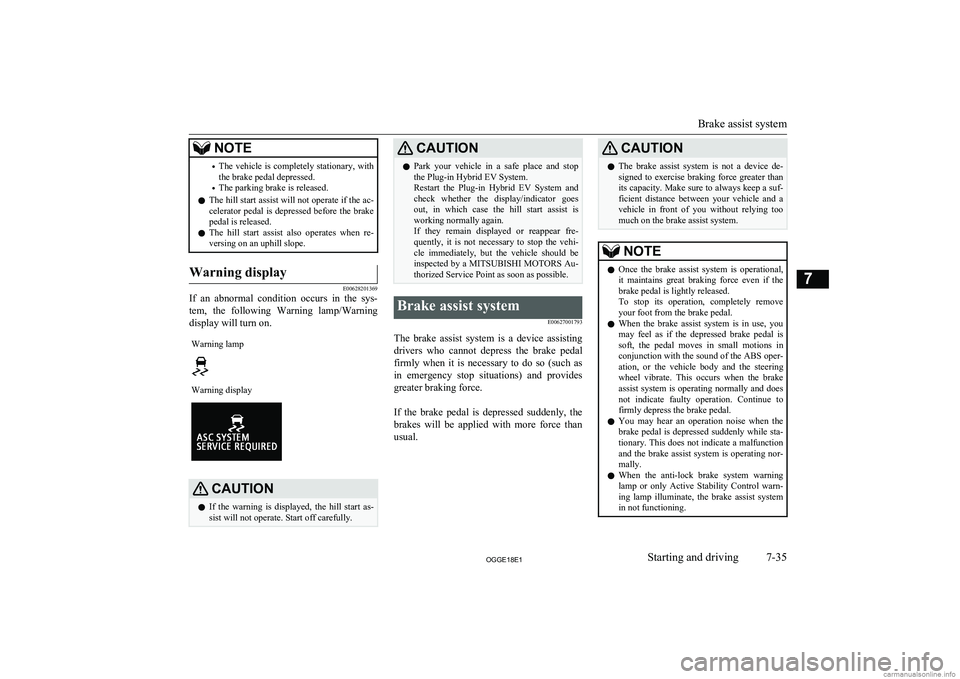
If an abnormal condition occurs in the sys-
tem, the following Warning lamp/Warning
display will turn on.
Warning lampWarning displayCAUTIONl If the warning is displayed, the hill start as-
sist will not operate. Start off carefully.CAUTIONl Park your vehicle in a safe place and stop
the Plug-in Hybrid EV System.
Restart the Plug-in Hybrid EV System and check whether the display/indicator goes out, in which case the hill start assist is
working normally again.
If they remain displayed or reappear fre- quently, it is not necessary to stop the vehi-cle immediately, but the vehicle should be
inspected by a MITSUBISHI MOTORS Au-
thorized Service Point as soon as possible.Brake assist system
E00627001793
The brake assist system is a device assistingdrivers who cannot depress the brake pedalfirmly when it is necessary to do so (such as
in emergency stop situations) and provides
greater braking force.
If the brake pedal is depressed suddenly, the brakes will be applied with more force than
usual.
CAUTIONl The brake assist system is not a device de-
signed to exercise braking force greater than its capacity. Make sure to always keep a suf-
ficient distance between your vehicle and a
vehicle in front of you without relying too much on the brake assist system.NOTEl Once the brake assist system is operational,
it maintains great braking force even if the
brake pedal is lightly released.
To stop its operation, completely remove
your foot from the brake pedal.
l When the brake assist system is in use, you
may feel as if the depressed brake pedal issoft, the pedal moves in small motions inconjunction with the sound of the ABS oper- ation, or the vehicle body and the steering
wheel vibrate. This occurs when the brake
assist system is operating normally and does not indicate faulty operation. Continue to
firmly depress the brake pedal.
l You may hear an operation noise when the
brake pedal is depressed suddenly while sta-
tionary. This does not indicate a malfunction
and the brake assist system is operating nor- mally.
l When the anti-lock brake system warning
lamp or only Active Stability Control warn- ing lamp illuminate, the brake assist system
in not functioning.
Brake assist system
7-35OGGE18E1Starting and driving7
Page 260 of 538
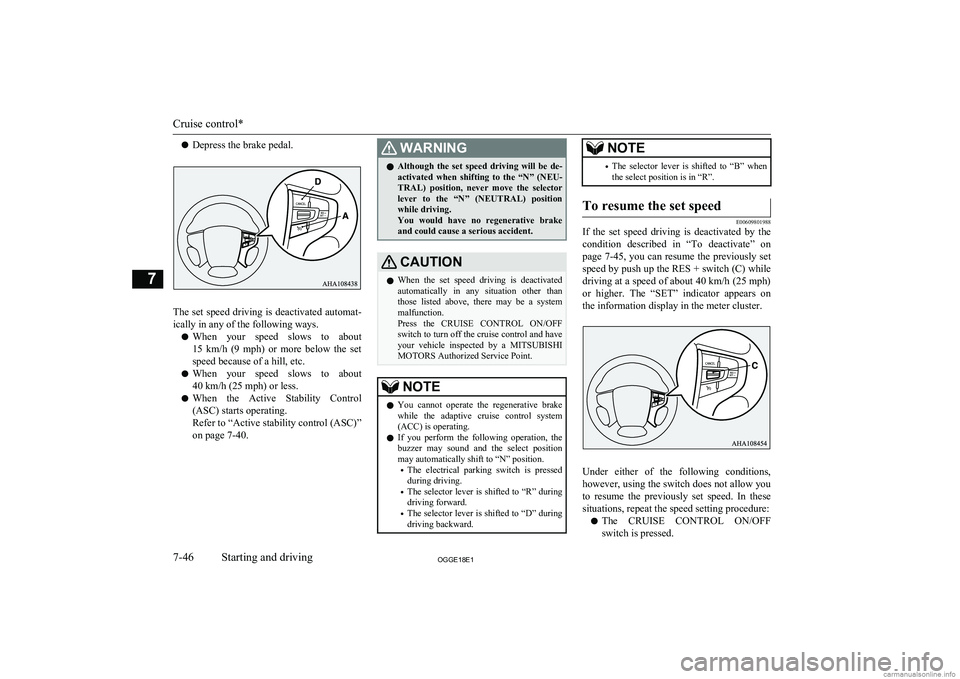
lDepress the brake pedal.
The set speed driving is deactivated automat-
ically in any of the following ways.
l When your speed slows to about
15 km/h (9 mph) or more below the set speed because of a hill, etc.
l When your speed slows to about
40 km/h (25 mph) or less.
l When the Active Stability Control
(ASC) starts operating.
Refer to “Active stability control (ASC)”
on page 7-40.
WARNINGl Although the set speed driving will be de-
activated when shifting to the “N” (NEU-
TRAL) position, never move the selector lever to the “N” (NEUTRAL) position
while driving.
You would have no regenerative brake and could cause a serious accident.CAUTIONl When the set speed driving is deactivated
automatically in any situation other thanthose listed above, there may be a system
malfunction.
Press the CRUISE CONTROL ON/OFF switch to turn off the cruise control and have your vehicle inspected by a MITSUBISHI
MOTORS Authorized Service Point.NOTEl You cannot operate the regenerative brake
while the adaptive cruise control system(ACC) is operating.
l If you perform the following operation, the
buzzer may sound and the select position may automatically shift to “N” position.
• The electrical parking switch is pressed
during driving.
• The selector lever is shifted to “R” during
driving forward.
• The selector lever is shifted to “D” during
driving backward.NOTE• The selector lever is shifted to “B” when
the select position is in “R”.To resume the set speed
E00609801988
If the set speed driving is deactivated by the
condition described in “To deactivate” on
page 7-45, you can resume the previously set
speed by push up the RES + switch (C) while
driving at a speed of about 40 km/h (25 mph)
or higher. The “SET” indicator appears on
the information display in the meter cluster.
Under either of the following conditions, however, using the switch does not allow you
to resume the previously set speed. In these
situations, repeat the speed setting procedure:
l The CRUISE CONTROL ON/OFF
switch is pressed.
Cruise control*
7-46OGGE18E1Starting and driving7
Page 261 of 538
lThe operation mode is put in OFF.
l The indicator display goes off.Speed Limiter*
E00633201093
The Speed Limiter is a driver assist functionto prevent from exceeding the speed set by
driver while Plug-in Hybrid EV System pow- er control.
CAUTIONl Because the system does not use service
brake (hydraulic brake), the vehicle speed
may exceed the set speed on the downhill.
If a driver wants to keep the vehicle speed in such a situation, he/she must put on a servicebrake.
If the vehicle speed exceeds the set speed
(about 3 km/h (2 mph)), the indicator will
brink in the combination meter.
If the vehicle speed exceeds the set speed about +3 km/h (2 mph) more than about 5
seconds after indicated alert message, beep
alert is sounded for about 10 seconds at the most.
While running without alert message, if you
decrease the set speed and vehicle speed is more than set speed about +3 km/h (2 mph) ,
alert message is displayed but beep alert is delayed.
In this case, when vehicle speed keeps ex-
ceeding set speed about +3 km/h (2 mph) for
about 30 seconds after the alert message is appeared, beep alert is sounded for about 10
seconds at the most.
If the vehicle speeds decreases less than set
speeds after the alert message is appeared, the message is disappeared. When beep alert is sounding, the beep alert also goes off.NOTEl However, this gives priority to audio and
visual signal of safety reasons or driver’s de-mand.Speed Limiter control switches
E00633301052
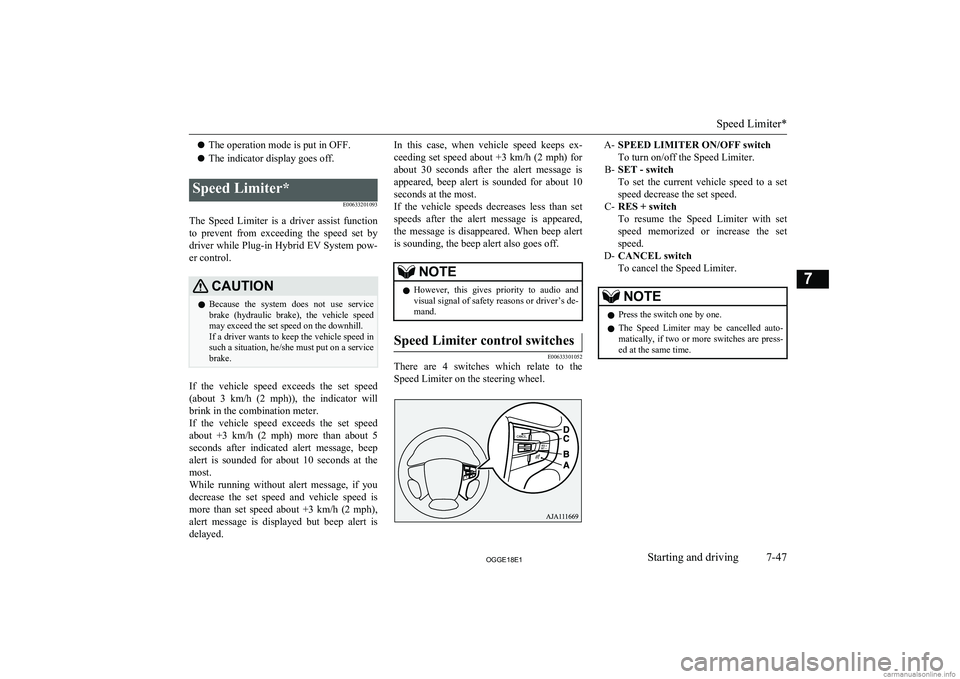
There are 4 switches which relate to the
Speed Limiter on the steering wheel.
A- SPEED LIMITER ON/OFF switch
To turn on/off the Speed Limiter.
B- SET - switch
To set the current vehicle speed to a set
speed decrease the set speed.
C- RES + switch
To resume the Speed Limiter with set speed memorized or increase the setspeed.
D- CANCEL switch
To cancel the Speed Limiter.NOTEl Press the switch one by one.
l The Speed Limiter may be cancelled auto-
matically, if two or more switches are press-ed at the same time.
Speed Limiter*
7-47OGGE18E1Starting and driving7
Page 284 of 538
This can occur when:l Foreign objects, such as dirt, snow or
ice, adhere to the windscreen of the sen-
sor portion.
l There are adverse weather conditions,
such as rain, snow, sand storms, etc.
l A vehicle in front or an oncoming vehi-
cle is splashing water, snow or dirt.
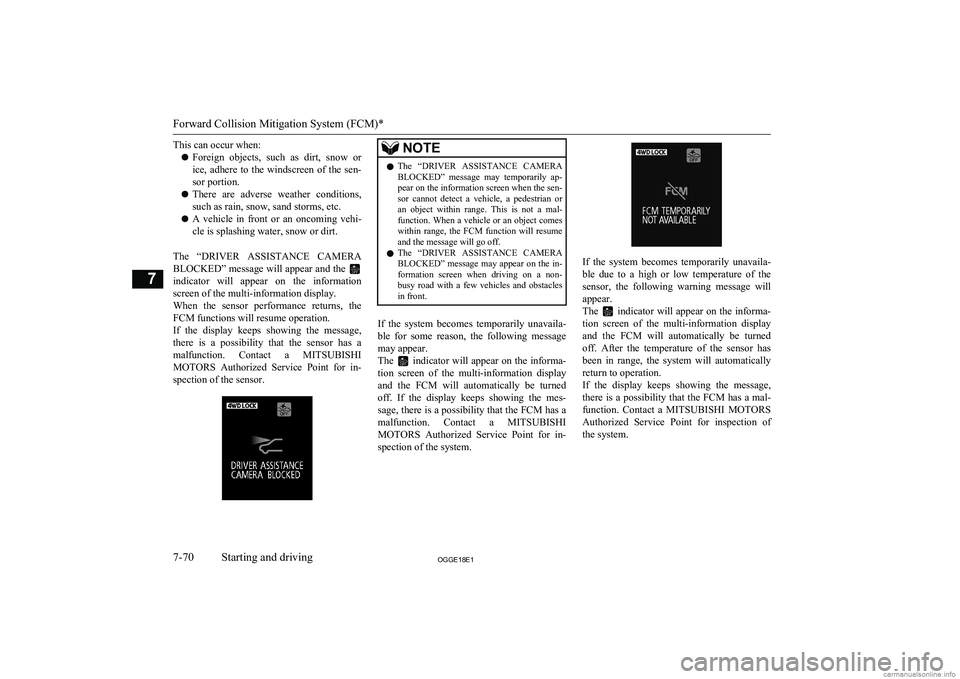
The “DRIVER ASSISTANCE CAMERA BLOCKED” message will appear and the
indicator will appear on the information screen of the multi-information display.
When the sensor performance returns, the
FCM functions will resume operation.
If the display keeps showing the message,
there is a possibility that the sensor has a malfunction. Contact a MITSUBISHI
MOTORS Authorized Service Point for in-
spection of the sensor.
NOTEl The “DRIVER ASSISTANCE CAMERA
BLOCKED” message may temporarily ap-
pear on the information screen when the sen-
sor cannot detect a vehicle, a pedestrian or an object within range. This is not a mal-
function. When a vehicle or an object comes within range, the FCM function will resume
and the message will go off.
l The “DRIVER ASSISTANCE CAMERA
BLOCKED” message may appear on the in- formation screen when driving on a non-busy road with a few vehicles and obstacles
in front.
If the system becomes temporarily unavaila-
ble for some reason, the following message
may appear.
The
indicator will appear on the informa-
tion screen of the multi-information display
and the FCM will automatically be turned off. If the display keeps showing the mes-
sage, there is a possibility that the FCM has a
malfunction. Contact a MITSUBISHI
MOTORS Authorized Service Point for in-
spection of the system.
If the system becomes temporarily unavaila-
ble due to a high or low temperature of the
sensor, the following warning message will
appear.
The
indicator will appear on the informa-
tion screen of the multi-information display
and the FCM will automatically be turned off. After the temperature of the sensor has
been in range, the system will automatically
return to operation.
If the display keeps showing the message, there is a possibility that the FCM has a mal-
function. Contact a MITSUBISHI MOTORS
Authorized Service Point for inspection of
the system.
Forward Collision Mitigation System (FCM)*
7-70OGGE18E1Starting and driving7
Page 285 of 538
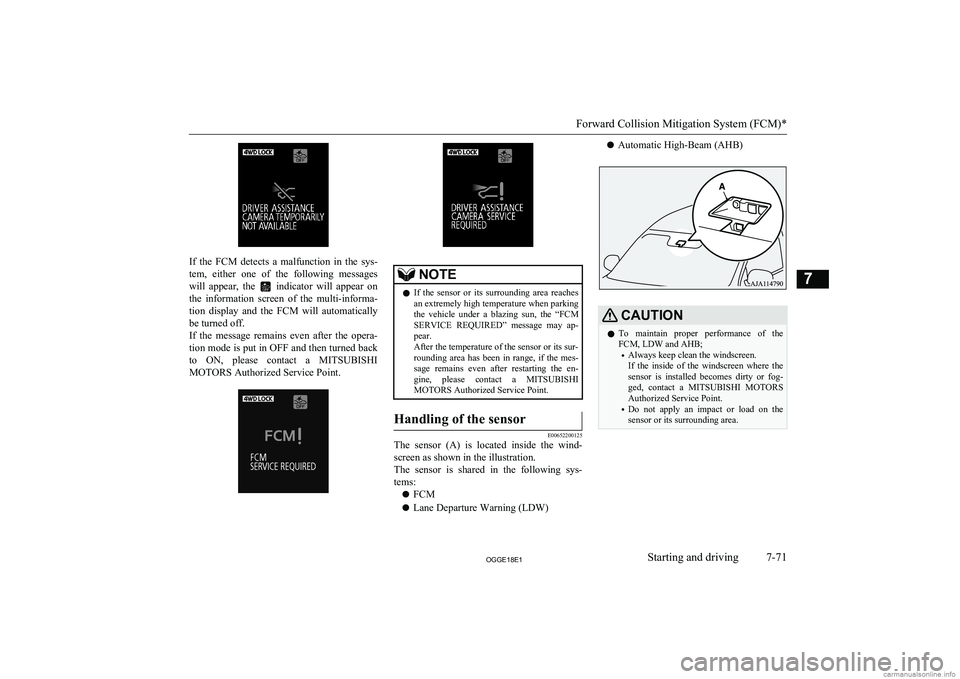
If the FCM detects a malfunction in the sys-
tem, either one of the following messages
will appear, the
indicator will appear on
the information screen of the multi-informa-
tion display and the FCM will automatically
be turned off.
If the message remains even after the opera- tion mode is put in OFF and then turned back to ON, please contact a MITSUBISHI
MOTORS Authorized Service Point.
NOTEl If the sensor or its surrounding area reaches
an extremely high temperature when parking the vehicle under a blazing sun, the “FCMSERVICE REQUIRED” message may ap-
pear.
After the temperature of the sensor or its sur-
rounding area has been in range, if the mes-
sage remains even after restarting the en-
gine, please contact a MITSUBISHI
MOTORS Authorized Service Point.Handling of the sensor
E00652200125
The sensor (A) is located inside the wind-
screen as shown in the illustration.
The sensor is shared in the following sys- tems:
l FCM
l Lane Departure Warning (LDW)
l Automatic High-Beam (AHB)CAUTIONlTo maintain proper performance of the
FCM, LDW and AHB;
• Always keep clean the windscreen.
If the inside of the windscreen where the
sensor is installed becomes dirty or fog- ged, contact a MITSUBISHI MOTORS
Authorized Service Point.
• Do not apply an impact or load on the
sensor or its surrounding area.
Forward Collision Mitigation System (FCM)*
7-71OGGE18E1Starting and driving7
Page 301 of 538
lThe vehicle speed is approximately
65 km/h (40 mph) or higher.
l The turn-signal lever is not operated.
l The hazard lamp is not activated.
l Environmental conditions are adequate
for the system to recognize the lane markings on both sides.
l The system has been placed in the ‘ON
state’.NOTEl The system stays in the “ON” state for ap-
proximately 7 seconds after the hazard lamp
has stopped flashing or the turn-signal lever has returned to the home position.
Lane departure warning
A buzzer sounds intermittently and indication
of “LANE DEPARTURE” appears in the in-
formation display,
indicator flashing in
amber when your vehicle is about to leave or has left the lane in the standby mode.
NOTEl If the warning continues for approximately 3
seconds or more, the system switches to the standby mode before the warning stops.
l If the lane markers are only on one side of
the road, the LDW will operate only for the
appropriate side where the lane marker is drawn.System problem warning
E00635901049
If a problem occurs with the system, a visual
warning specific to the type of the problem isgiven together with an audible alarm.
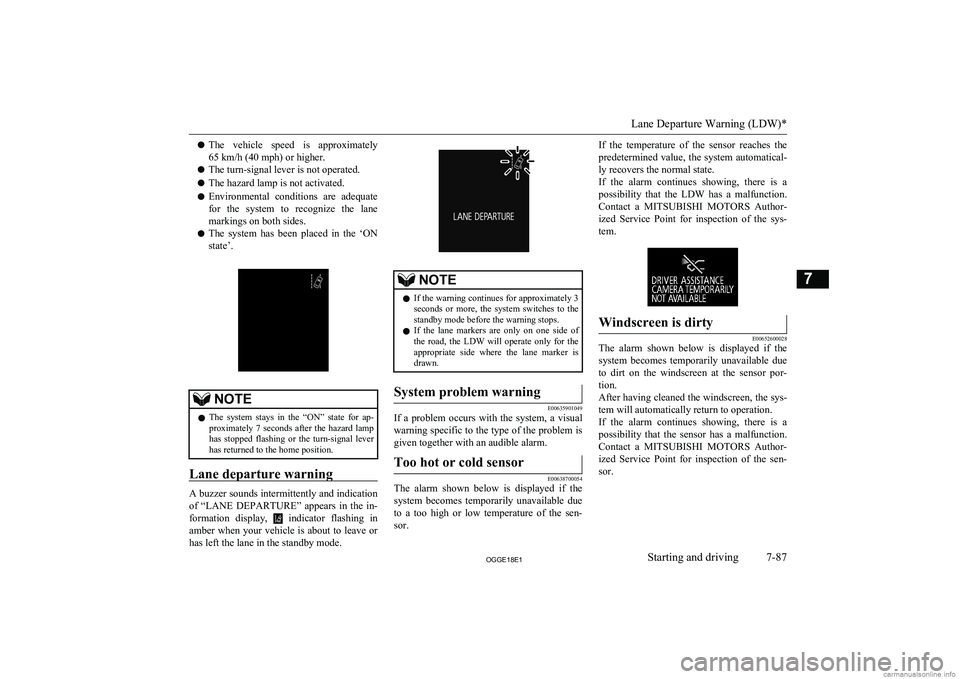
Too hot or cold sensor
E00638700054
The alarm shown below is displayed if the
system becomes temporarily unavailable due
to a too high or low temperature of the sen-
sor.
If the temperature of the sensor reaches the
predetermined value, the system automatical- ly recovers the normal state.
If the alarm continues showing, there is a possibility that the LDW has a malfunction.
Contact a MITSUBISHI MOTORS Author-
ized Service Point for inspection of the sys- tem.Windscreen is dirty
E00652600028
The alarm shown below is displayed if thesystem becomes temporarily unavailable due
to dirt on the windscreen at the sensor por- tion.
After having cleaned the windscreen, the sys-
tem will automatically return to operation.
If the alarm continues showing, there is a possibility that the sensor has a malfunction.
Contact a MITSUBISHI MOTORS Author-
ized Service Point for inspection of the sen- sor.
Lane Departure Warning (LDW)*
7-87OGGE18E1Starting and driving7