lock MITSUBISHI OUTLANDER SPORT 2015 3.G Workshop Manual
[x] Cancel search | Manufacturer: MITSUBISHI, Model Year: 2015, Model line: OUTLANDER SPORT, Model: MITSUBISHI OUTLANDER SPORT 2015 3.GPages: 384, PDF Size: 61.37 MB
Page 100 of 384
Power window control
Features and controls 5-37
5
N00548700097
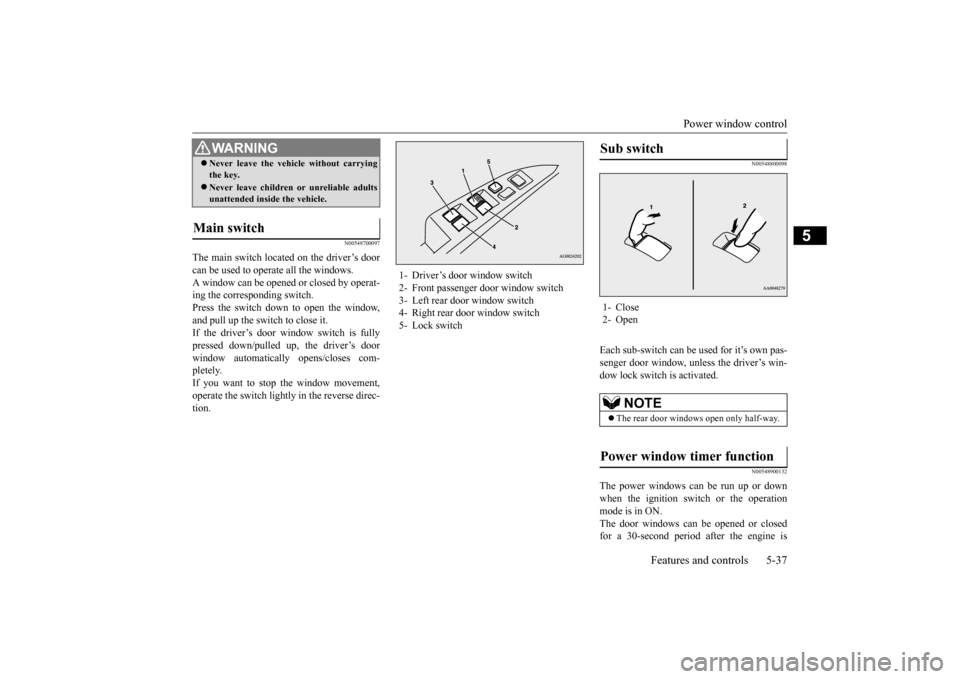
The main switch located on the driver’s door can be used to operate all the windows.A window can be opened or closed by operat- ing the corresponding switch. Press the switch down to open the window,and pull up the switch to close it. If the driver’s door window switch is fully pressed down/pulled up, the driver’s doorwindow automatically opens/closes com- pletely. If you want to stop the window movement,operate the switch lightly in the reverse direc- tion.
N00548800098
Each sub-switch can be used for it’s own pas-senger door window, unless the driver’s win- dow lock switch is activated.
N00548900132
The power windows can be run up or down when the ignition switch or the operation mode is in ON.The door windows can be opened or closed for a 30-second period after the engine is
Never leave the vehicle without carrying the key. Never leave children or unreliable adults unattended inside the vehicle.
Main switch
WA R N I N G
1- Driver’s door window switch 2- Front passenger door window switch3- Left rear door window switch 4- Right rear door window switch 5- Lock switch
Sub switch 1- Close 2- Open
NOTE
The rear door windows open only half-way.
Power window timer function
BK0206700US.bo
ok 37 ページ 2014年3月25日 火曜日 午後4時42分
Page 101 of 384
Power window control 5-38 Features and controls
5
stopped. However, once the driver’s door or the front passenger’s door is opened, the power windows cannot be operated.
N00549000130
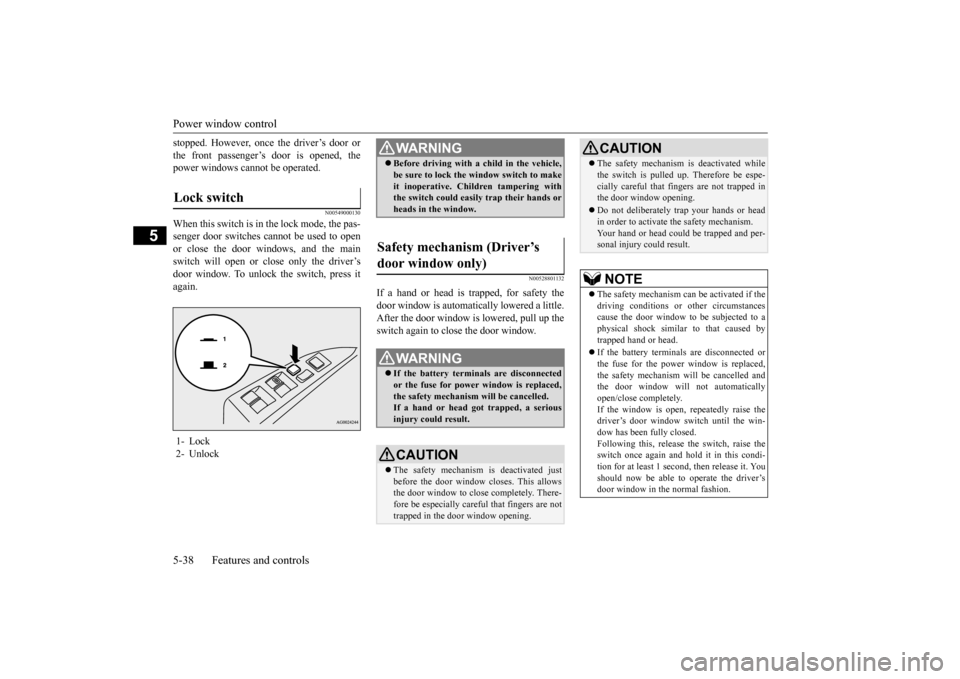
When this switch is in the lock mode, the pas-senger door switches cannot be used to open or close the door windows, and the mainswitch will open or close only the driver’sdoor window. To unlock
the switch, press it
again.
N00528801132
If a hand or head is trapped, for safety thedoor window is automatically lowered a little. After the door window is lowered, pull up theswitch again to close the door window.
Lock switch 1- Lock 2- Unlock
WA R N I N G Before driving with a child in the vehicle, be sure to lock the window switch to make it inoperative. Children tampering with the switch could easily trap their hands or heads in the window.
Safety mechanism (Driver’s door window only)
WA R N I N G If the battery terminals are disconnected or the fuse for power window is replaced, the safety mechanism will be cancelled. If a hand or head got trapped, a seriousinjury could result.CAUTION The safety mechanism is deactivated just before the door window closes. This allows the door window to close completely. There- fore be especially careful that fingers are nottrapped in the door window opening.
The safety mechanism is deactivated while the switch is pulled up. Therefore be espe- cially careful that fingers are not trapped in the door window opening. Do not deliberately trap your hands or head in order to activate the safety mechanism. Your hand or head could be trapped and per-sonal injury could result.NOTE
The safety mechanism can be activated if the driving conditions or other circumstances cause the door window to be subjected to aphysical shock similar to that caused by trapped hand or head. If the battery terminals are disconnected or the fuse for the power window is replaced, the safety mechanism will be cancelled andthe door window will not automatically open/close completely. If the window is open, repeatedly raise thedriver’s door window switch until the win- dow has been fully closed. Following this, release the switch, raise the switch once again and hol
d it in this condi-
tion for at least 1 second, then release it. Youshould now be able to operate the driver’s door window in the normal fashion.CAUTION
BK0206700US.bo
ok 38 ページ 2014年3月25日 火曜日 午後4時42分
Page 104 of 384
Steering wheel height and reach adjustment
Features and controls 5-41
5
N00511500228
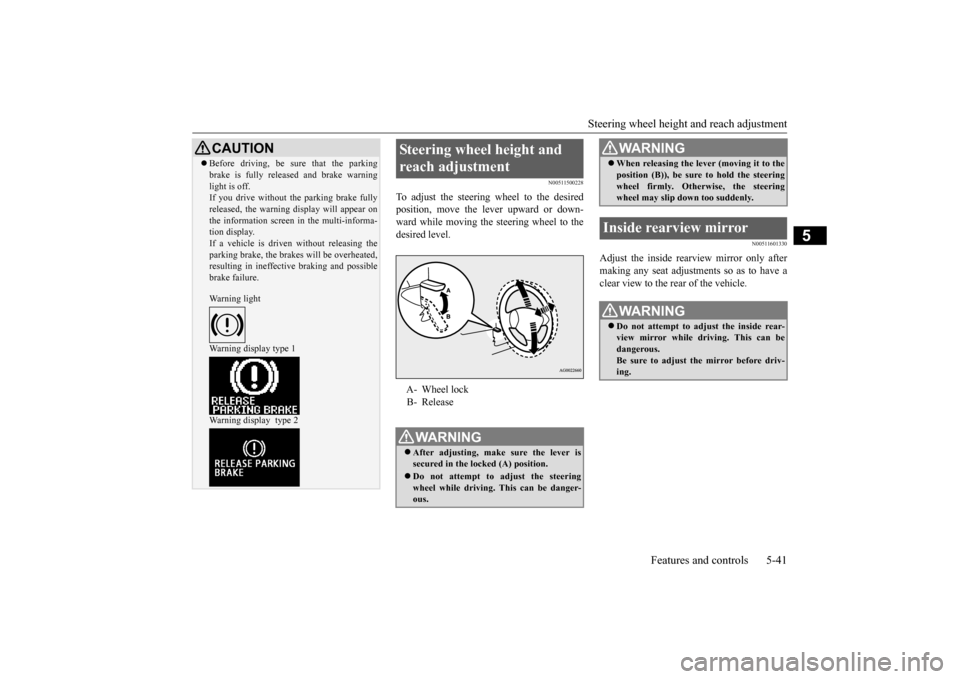
To adjust the steering wheel to the desired position, move the lever upward or down-ward while moving the steering wheel to the desired level.
N00511601330
Adjust the inside rearview mirror only after making any seat adjustments so as to have a clear view to the rear of the vehicle.
CAUTION Before driving, be sure that the parking brake is fully released and brake warning light is off. If you drive without the parking brake fully released, the warning display will appear onthe information screen in the multi-informa- tion display. If a vehicle is driven without releasing theparking brake, the brakes will be overheated, resulting in ineffective braking and possible brake failure. Warning light Warning display type 1 Warning display type 2
Steering wheel height and reach adjustment A- Wheel lock B- ReleaseWA R N I N G After adjusting, make sure the lever is secured in the locked (A) position. Do not attempt to adjust the steering wheel while driving. This can be danger-ous.
When releasing the lever (moving it to the position (B)), be sure to hold the steering wheel firmly. Otherwise, the steering wheel may slip down too suddenly.
Inside rearview mirror
WA R N I N G Do not attempt to adjust the inside rear- view mirror while driving. This can bedangerous. Be sure to adjust the mirror before driv- ing.WA R N I N G
BK0206700US.bo
ok 41 ページ 2014年3月25日 火曜日 午後4時42分
Page 109 of 384
Starting the engine 5-46 Features and controls
5
Do not operate the starter motor continu- ously for longer than
15 seconds as this
could run the battery down or damage thestarter motor. If the engine does not start, turn the ignition switch back to the “OFF” position, wait a few seconds, and then tryagain. Trying repeatedly with the engine or starter motor still turning will damage the starter mechanism. If the engine will not start because the bat- tery is weak or discharged, refer to “Jump-starting the engine” (on page 8-2) for instructions. A longer warm up period will only con- sume extra fuel. The
engine is warmed up
enough for driving when the bar graph ofengine coolant temperature display starts to move. Refer to “Interrupt display screen (With ignition switch or operationmode in ON)” on page 5-93.
This model is equipped with an electronically controlled fuel injection system. This is a sys-tem that automatically controls fuel injection. There is usually no need to depress the accel- erator pedal when starting the engine.The starter should not be run for more than 15 seconds at a time. To prevent battery drain, wait a few secondsbetween attempts to restart the engine. 1. Make sure all occupants are properly seated with seat belts fastened. 2. Insert the ignition key.3. Make sure the parking brake is applied. 4. Press and hold the brake pedal down with your right foot.5. Press and hold the clutch pedal all the way down (manual transaxle).
6. On vehicles equipped with manual trans- axle, place the gearshift lever in the “N” (Neutral) position. On vehicles equipped with continuouslyvariable transmission (CVT), make sure the selector lever is in the “P” (PARK) position. 7. Turn the ignition switch to the “ON” posi- tion and make certain that all warning lights are functioning properly beforestarting the engine. 8. Turn the ignition switch to the “START” position without pressing the acceleratorpedal. Release the key when the engine starts.
Tips for starting
WA R N I N G Never run the engine in a closed or poorly ventilated area any longer than is needed to move your vehicle out of the area. Car-bon monoxide gas, which is odorless and extremely poisonous, could build up and cause serious injury or death.
CAUTION Do not push-start the vehicle.Do not run the engine
at high rpms or drive
at high speeds until the engine has had a chance to warm up. Release the ignition switch as soon as the engine starts. Otherwise, the starter motorwill be damaged.
Starting the engine
NOTE
On vehicles equipped with CVT, the starter will not operate unless the selector lever is in the “P” (PARK) or “N” (NEUTRAL) posi- tion.For safety reasons, start the engine in the “P” (PARK) position so that the wheels are locked.NOTE
Minor noises may be heard on engine start- up. These will disappear as the engine warms up.
BK0206700US.bo
ok 46 ページ 2014年3月25日 火曜日 午後4時42分
Page 112 of 384
Continuously variable transmission (CVT) (if so equipped)
Features and controls 5-49
5
N00513000096
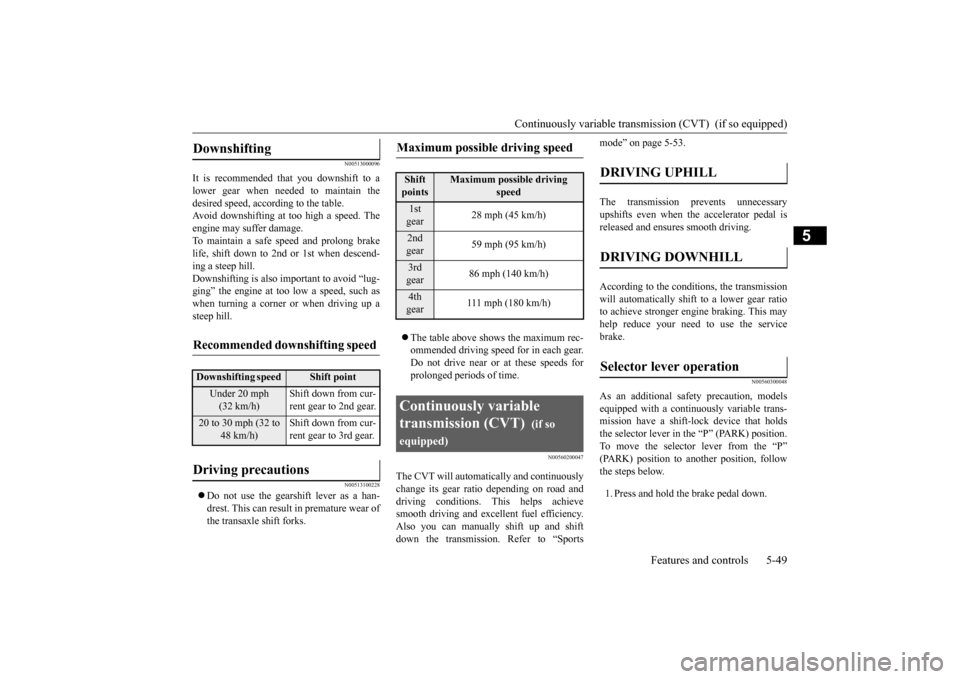
It is recommended that you downshift to a lower gear when needed to maintain thedesired speed, according to the table. Avoid downshifting at too high a speed. The engine may suffer damage.To maintain a safe speed and prolong brake life, shift down to 2nd or 1st when descend- ing a steep hill.Downshifting is also important to avoid “lug-ging” the engine at too low a speed, such as when turning a corner or when driving up a steep hill.
N00513100228
Do not use the gearshift lever as a han- drest. This can result in premature wear ofthe transaxle shift forks.
The table above shows the maximum rec- ommended driving speed for in each gear. Do not drive near or at these speeds for prolonged periods of time.
N00560200047
The CVT will automatically and continuouslychange its gear ratio depending on road anddriving conditions. This helps achieve smooth driving and excellent fuel efficiency. Also you can manually shift up and shiftdown the transmission. Refer to “Sports
mode” on page 5-53. The transmission prevents unnecessary upshifts even when the accelerator pedal isreleased and ensures smooth driving. According to the condi
tions, the transmission
will automatically shift to a lower gear ratioto achieve stronger engine braking. This may help reduce your need to use the service brake.
N00560300048
As an additional safe
ty precaution, models
equipped with a continuously variable trans-mission have a shift-lock device that holds the selector lever in the “P” (PARK) position. To move the selector lever from the “P”(PARK) position to another position, follow the steps below. 1. Press and hold the brake pedal down.
Downshifting
Recommended downshifting speed
Downshifting speed
Shift point
Under 20 mph (32 km/h)
Shift down from cur- rent gear to 2nd gear.
20 to 30 mph (32 to
48 km/h)
Shift down from cur- rent gear to 3rd gear.
Driving precautions
Maximum possible driving speed
Shift points
Maximum possible driving
speed
1st gear
28 mph (45 km/h)
2nd gear
59 mph (95 km/h)
3rd gear
86 mph (140 km/h)
4th gear
111 mph (180 km/h)
Continuously variable transmission (CVT)
(if so
equipped)
DRIVING UPHILL
DRIVING DOWNHILL
Selector lever operation
BK0206700US.bo
ok 49 ページ 2014年3月25日 火曜日 午後4時42分
Page 113 of 384
Continuously variable transmis
sion (CVT) (if so equipped)
5-50 Features and controls
5
2. Move the selector lever to the desired position.
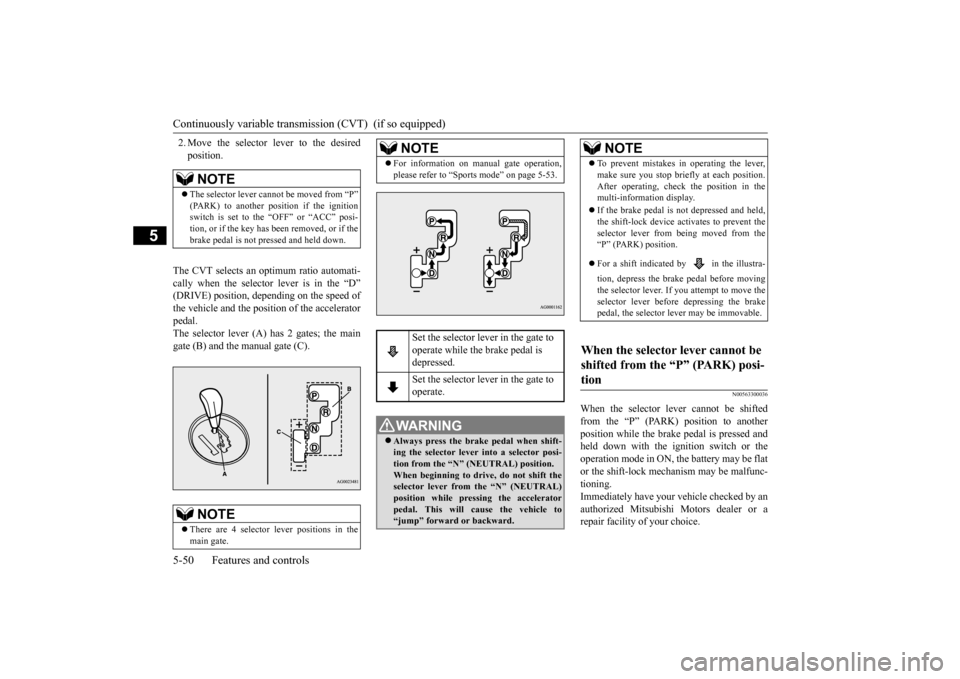
The CVT selects an optimum ratio automati- cally when the selector lever is in the “D” (DRIVE) position, depending on the speed ofthe vehicle and the position of the accelerator pedal. The selector lever (A) has 2 gates; the maingate (B) and the manual gate (C).
N00563300036
When the selector lever cannot be shiftedfrom the “P” (PARK) position to anotherposition while the brake pedal is pressed and held down with the ignition switch or the operation mode in ON, the battery may be flator the shift-lock mechanism may be malfunc- tioning. Immediately have your vehicle checked by anauthorized Mitsubishi Motors dealer or a repair facility of your choice.
NOTE
The selector lever cannot be moved from “P” (PARK) to another position if the ignitionswitch is set to the “OFF” or “ACC” posi- tion, or if the key has been removed, or if the brake pedal is not pressed and held down.NOTE
There are 4 selector lever positions in the main gate.
For information on manual gate operation, please refer to “Sports mode” on page 5-53.
Set the selector lever in the gate to operate while the brake pedal is depressed. Set the selector lever in the gate to operate.
WA R N I N G Always press the brake pedal when shift- ing the selector lever into a selector posi-tion from the “N” (NEUTRAL) position. When beginning to driv
e, do not shift the
selector lever from the “N” (NEUTRAL)position while pressing the accelerator pedal. This will cause the vehicle to “jump” forward or backward.NOTE
NOTE
To prevent mistakes in operating the lever, make sure you stop briefly at each position. After operating, check the position in the multi-information display. If the brake pedal is not depressed and held, the shift-lock device activates to prevent the selector lever from being moved from the“P” (PARK) position. For a shift indicated by in the illustra- tion, depress the brake pedal before moving the selector lever. If
you attempt to move the
selector lever before depressing the brake pedal, the selector lever may be immovable.
When the selector lever cannot be shifted from the “P” (PARK) posi- tion
BK0206700US.bo
ok 50 ページ 2014年3月25日 火曜日 午後4時42分
Page 114 of 384
Continuously variable transmission (CVT) (if so equipped)
Features and controls 5-51
5
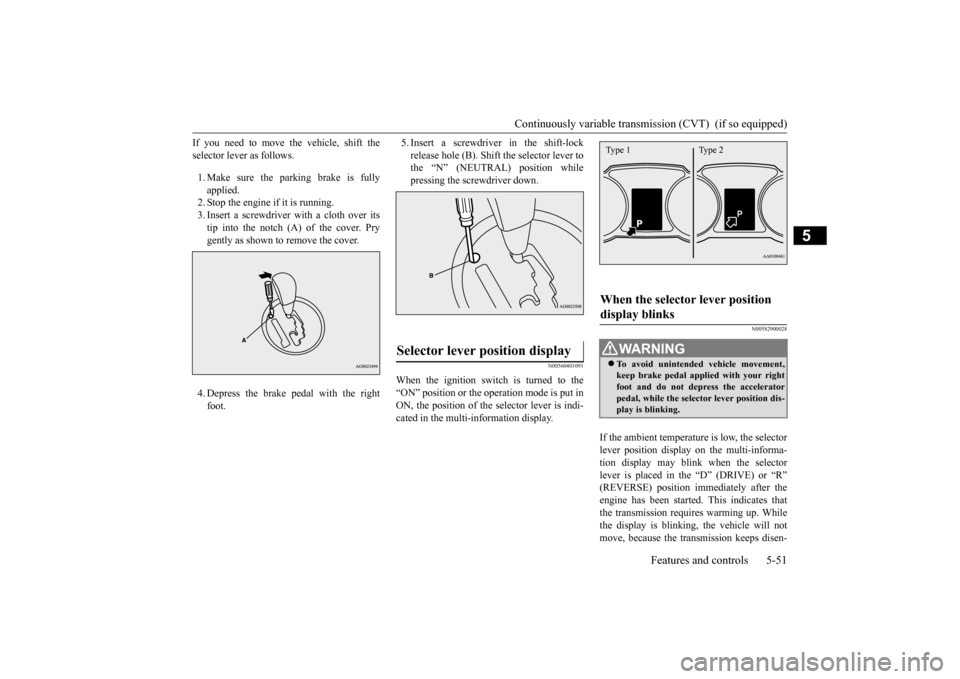
If you need to move the vehicle, shift the selector lever as follows. 1. Make sure the parking brake is fully applied. 2. Stop the engine if it is running.3. Insert a screwdriver with a cloth over its tip into the notch (A) of the cover. Pry gently as shown to remove the cover. 4. Depress the brake pedal with the right foot.
5. Insert a screwdriver in the shift-lock release hole (B). Shift the selector lever to the “N” (NEUTRAL) position while pressing the screwdriver down.
N00560401091
When the ignition switch is turned to the“ON” position or the operation mode is put inON, the position of the selector lever is indi- cated in the multi-information display.
N00582900028
If the ambient temperature is low, the selector lever position display on the multi-informa- tion display may blink when the selector lever is placed in the “D” (DRIVE) or “R”(REVERSE) position immediately after the engine has been started. This indicates that the transmission requires warming up. Whilethe display is blinking, the vehicle will not move, because the transmission keeps disen-
Selector lever position display
When the selector lever position display blinks
WA R N I N G To avoid unintended vehicle movement, keep brake pedal applied with your right foot and do not depress the acceleratorpedal, while the selector lever position dis- play is blinking.Type 1 Type 2
BK0206700US.bo
ok 51 ページ 2014年3月25日 火曜日 午後4時42分
Page 115 of 384
Continuously variable transmis
sion (CVT) (if so equipped)
5-52 Features and controls
5
gaging until the warm up is completed even if the selector lever is placed in the “D” or “R” position. When the selector lever position display is blinking, perform the following procedure: 1. Depress the brake pedal with your right foot and place the selector lever in the “N” (NEUTRAL) position for several seconds.2. Keep depressing the
brake pedal and then
place the selector lever in the “D” (DRIVE) or “R” (REVERSE) position. If the selector lever position display stopsblinking, the warm up is completed and the transmission will function normally. 3. If the display is still blinking, repeat steps1 and 2 above.
N00560501063
Ty p e 1
or
Ty p e 2
or
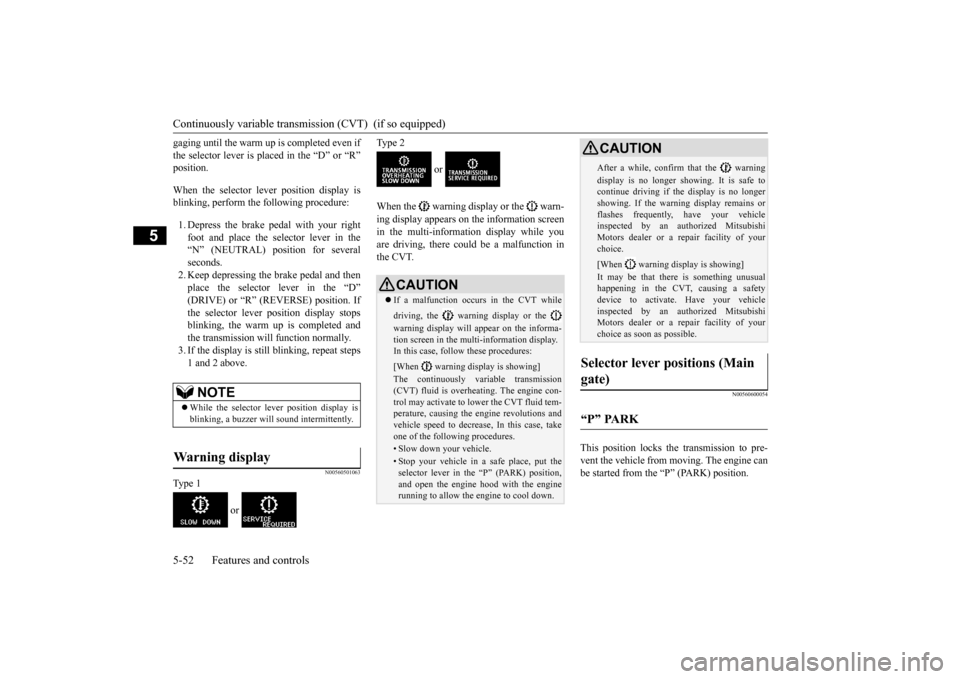
When the warning display or the warn- ing display appears on the information screen in the multi-information display while youare driving, there could be a malfunction in the CVT.
N00560600054
This position locks the transmission to pre- vent the vehicle from moving. The engine can be started from the “P” (PARK) position.
NOTE
While the selector lever position display is blinking, a buzzer will sound intermittently.
Warning display
CAUTION If a malfunction occurs in the CVT while driving, the warning display or the warning display will appear on the informa- tion screen in the multi-information display. In this case, follow these procedures: [When warning display is showing] The continuously variable transmission (CVT) fluid is overheating. The engine con-trol may activate to lower the CVT fluid tem- perature, causing the engine revolutions and vehicle speed to decrease, In this case, takeone of the following procedures.• Slow down your vehicle.• Stop your vehicle in a safe place, put theselector lever in the “P” (PARK) position,and open the engine hood with the engine running to allow the engine to cool down.
After a while, confirm that the warning display is no longer showing. It is safe to continue driving if the display is no longer showing. If the warning display remains orflashes frequently, have your vehicle inspected by an authorized Mitsubishi Motors dealer or a repair facility of yourchoice. [When warning display is showing] It may be that there is something unusual happening in the CVT, causing a safety device to activate. Have your vehicleinspected by an authorized Mitsubishi Motors dealer or a repair facility of your choice as soon as possible.
Selector lever positions (Main gate)
“P” PARK
CAUTION
BK0206700US.bo
ok 52 ページ 2014年3月25日 火曜日 午後4時42分
Page 119 of 384
Electronically controlled 4WD system (if so equipped) 5-56 Features and controls
5
To park the vehicle, first bring it to a com- plete stop, fully engage the parking brake,and then move the selector lever to the “P” (PARK) position. If the CVT does not shift while driving, or your vehicle does not pick up enough speedwhen starting on an uphill slope, it may be that there is something unusual happening in the transmission, causing a safety device toactivate. Have your vehicle checked at an authorized Mitsubishi Motors dealer or a repair facility of your choice as soon as possi-ble.
N00517201178
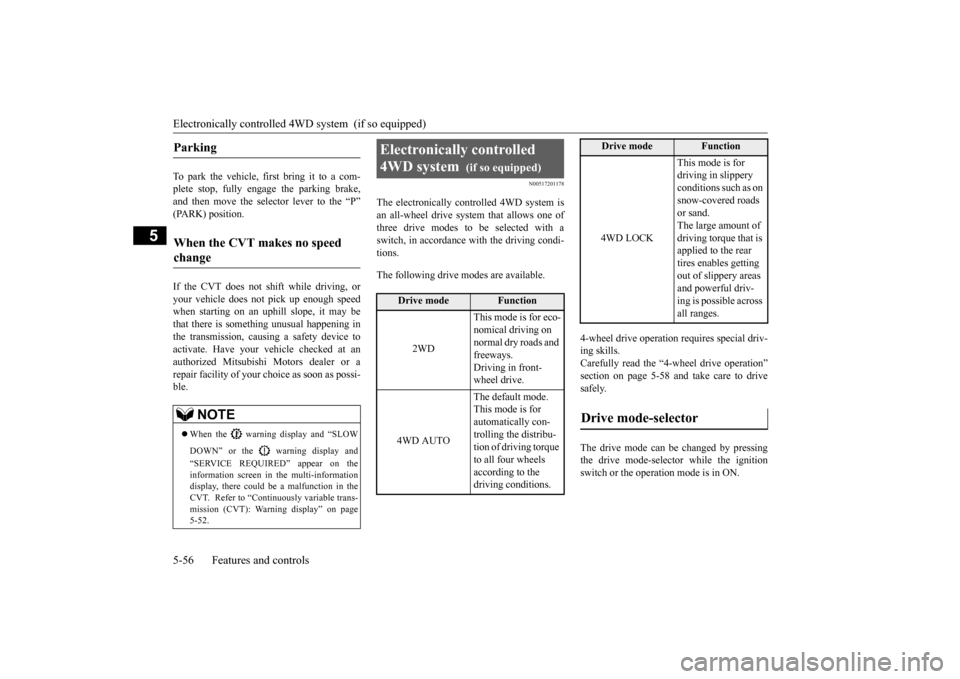
The electronically controlled 4WD system isan all-wheel drive system that allows one of three drive modes to be selected with a switch, in accordance with the driving condi-tions. The following drive modes are available.
4-wheel drive operation requires special driv- ing skills. Carefully read the “4-wheel drive operation”section on page 5-58
and take care to drive
safely. The drive mode can be changed by pressing the drive mode-selector while the ignition switch or the operation mode is in ON.
Parking
When the CVT makes no speed change
NOTE
When the warning display and “SLOW DOWN” or the warning display and “SERVICE REQUIRED” appear on the information screen in the multi-informationdisplay, there could be a malfunction in the CVT. Refer to “Continuously variable trans- mission (CVT): Warning display” on page5-52.
Electronically controlled 4WD system
(if so equipped)
Drive mode
Function
2WD
This mode is for eco- nomical driving on normal dry roads and freeways. Driving in front-wheel drive.
4WD AUTO
The default mode. This mode is for automatically con-trolling the distribu- tion of driving torque to all four wheels according to the driving conditions.
4WD LOCK
This mode is for driving in slippery conditions such as on snow-covered roads or sand. The large amount of driving torque that is applied to the rear tires enables getting out of slippery areas and powerful driv- ing is possible across all ranges.
Drive mode-selector
Drive mode
Function
BK0206700US.bo
ok 56 ページ 2014年3月25日 火曜日 午後4時42分
Page 120 of 384
Electronically controlled 4WD system (if so equipped)
Features and controls 5-57
5
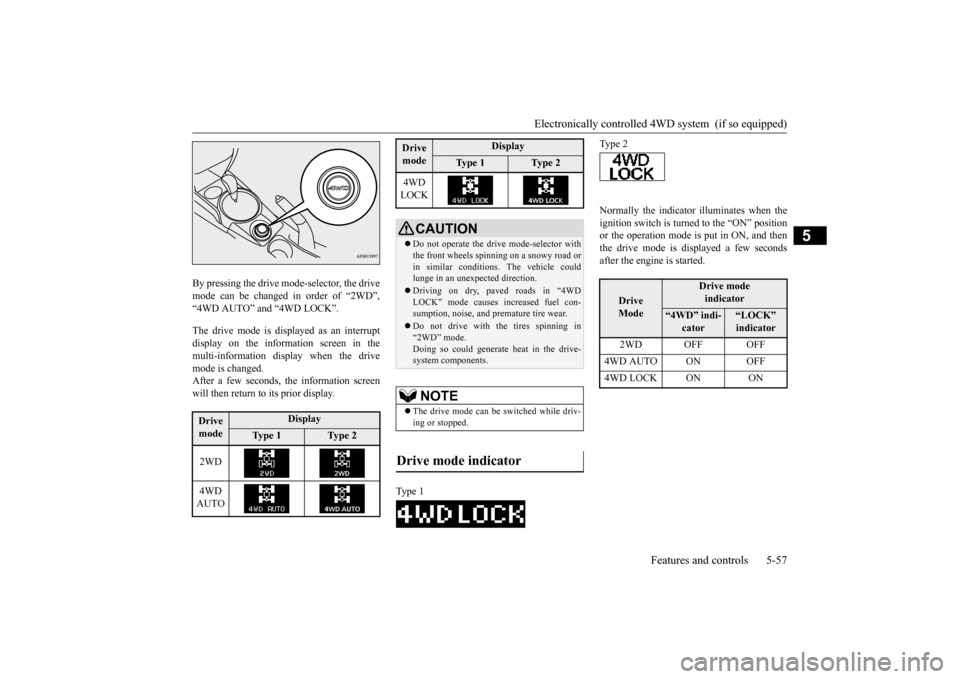
By pressing the drive mode-selector, the drive mode can be changed in order of “2WD”,“4WD AUTO” and “4WD LOCK”. The drive mode is displayed as an interrupt display on the information screen in the multi-information display when the drivemode is changed.After a few seconds, the information screen will then return to its prior display.
Normally the indicator illuminates when the ignition switch is turned to the “ON” position or the operation mode is put in ON, and then the drive mode is displayed a few secondsafter the engine is started.
Drive mode
Display
Ty p e 1
Ty p e 2
2WD 4WD AUTO
4WD LOCK
CAUTION Do not operate the drive mode-selector with the front wheels spinning on a snowy road or in similar conditions. The vehicle couldlunge in an unexpected direction. Driving on dry, paved roads in “4WD LOCK” mode causes increased fuel con- sumption, noise, and premature tire wear. Do not drive with the tires spinning in “2WD” mode. Doing so could generate heat in the drive-system components.NOTE
The drive mode can be switched while driv- ing or stopped.
Drive mode indicator
Type 1Drive mode
Display
Ty p e 1
Ty p e 2
Type 2
Drive Mode
Drive modeindicator
“4WD” indi-
cator
“LOCK” indicator
2WD OFF OFF
4WD AUTO ON OFF4WD LOCK ON ON
BK0206700US.bo
ok 57 ページ 2014年3月25日 火曜日 午後4時42分