brake light MITSUBISHI OUTLANDER SPORT 2017 3.G User Guide
[x] Cancel search | Manufacturer: MITSUBISHI, Model Year: 2017, Model line: OUTLANDER SPORT, Model: MITSUBISHI OUTLANDER SPORT 2017 3.GPages: 399, PDF Size: 14.61 MB
Page 120 of 399
Continuously variable transmission (CVT) (if so equipped)
Features and controls 5-57
5
N00560800027
To gain extra acceleration in “D” (DRIVE) position (when passing another vehicle) push the accelerator to the floor. The CVT will automatically downshift.
For short waiting periods, such as at traffic lights, the vehicle can be left in selector leverposition and held stationary with the service brake. For longer waiting periods with the enginerunning, place the selector lever in the “N” (NEUTRAL) position and apply the parking brake, while holding the vehicle stationarywith the service brake. Prior to moving off after having stopped the vehicle, make sure that the selector lever is in“D” (DRIVE) position or Sports mode posi- tion.
Operation of the CVT
CAUTION Before selecting a position with the engine running and the vehicle stationary, firmly depress the brake pedal to prevent the vehi- cle from creeping.The vehicle will begin to move as soon as the CVT is engaged, especially when the engine speed or idle speed is high, or with the airconditioning operating. Do not release the brake pedal until you are ready to drive away. Depress the brake pedal
with the right foot at
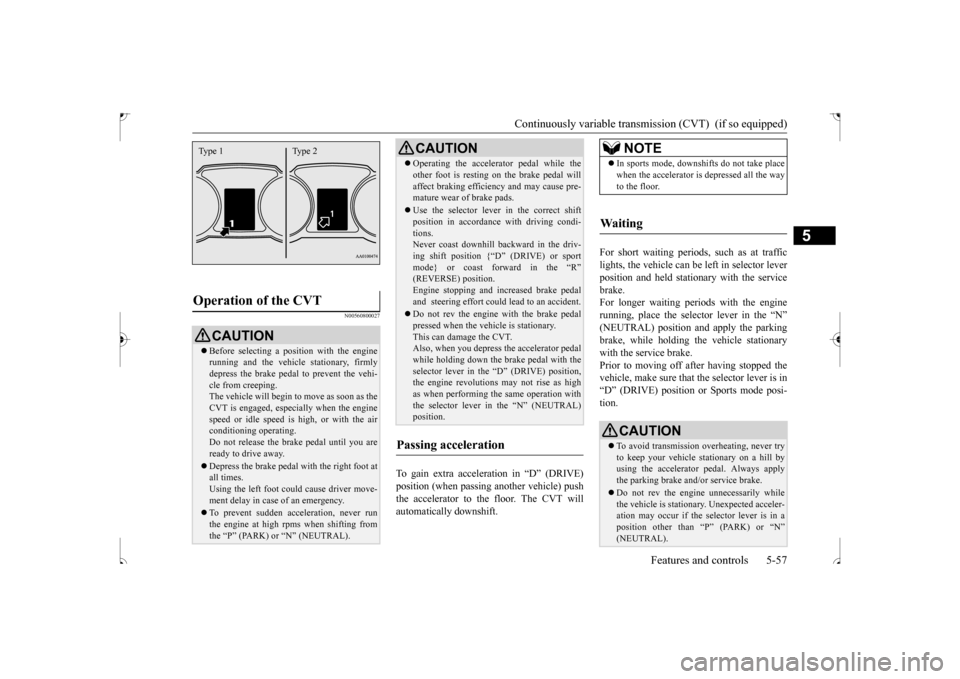
all times.Using the left foot could cause driver move- ment delay in case of an emergency. To prevent sudden acceleration, never run the engine at high rpms when shifting from the “P” (PARK) or “N” (NEUTRAL).Type 1 Type 2
Operating the accelerator pedal while the other foot is resting on the brake pedal will affect braking efficiency and may cause pre- mature wear of brake pads. Use the selector lever in the correct shift position in accordance with driving condi- tions.Never coast downhill backward in the driv- ing shift position {“D” (DRIVE) or sport mode} or coast forward in the “R”(REVERSE) position. Engine stopping and increased brake pedal and steering effort could lead to an accident. Do not rev the engine with the brake pedal pressed when the vehicle is stationary.This can damage the CVT. Also, when you depress the accelerator pedal while holding down the brake pedal with theselector lever in the “D” (DRIVE) position, the engine revolutions may not rise as high as when performing the same operation withthe selector lever in the “N” (NEUTRAL) position.
Passing acceleration
CAUTION
NOTE
In sports mode, downshifts do not take place when the accelerator is depressed all the way to the floor.
Waiting
CAUTION To avoid transmission overheating, never try to keep your vehicle stationary on a hill by using the accelerator pedal. Always apply the parking brake and/or service brake. Do not rev the engine unnecessarily while the vehicle is stationary. Unexpected acceler-ation may occur if the selector lever is in a position other than “P” (PARK) or “N” (NEUTRAL).
BK0239500US.bo
ok 57 ページ 2016年5月13日 金曜日 午前8時53分
Page 124 of 399
4-wheel drive operation
Features and controls 5-61
5
When turning a sharp corner in “4WD LOCK” position at low speed, a slight differ- ence in steering may be experienced similarto feeling as if the brakes were applied. This
is called tight corner braking and results from each of the four tires being at a different dis- tance from the corner. The phenomenon is typical of 4-wheel drive vehicles. If thisoccurs, either straighten out the steering wheel or change to another mode. Set the drive mode-selector to “4WD AUTO” or “4WD LOCK” in accordance with the road conditions, and then gradually depress the accelerator pedal for a smooth start.
WA R N I N G Do not over-rely on the 4-wheel drive vehi- cles. Even 4-wheel drive vehicles have lim- its to the system and ability to maintain control and traction. Reckless driving may lead to accidents. Always drive carefully,taking account of the road conditions. Improperly operating this vehicle on or off-pavement can cause an accident or rollover in which you and your passengers could be seriously injured or killed.• Follow all instructio
ns and guidelines in
the owner’s manual.• Keep your speed low and do not drivefaster than conditions.NOTE
Driving on rough roads can be hard on a vehicle. Before you leave the pavement, be sure all scheduled maintenance and servicehas been done, and that you have inspected your vehicle. Pay special attention to the condition of the tires, and check the tire pres-sures. Mitsubishi Motors is not responsible to the operator for any damage or injury caused or liability incurred by improper and negligentoperation of a vehicle. All techniques of vehicle operation depend on the skill and experience of the operator and other partici-pating parties. Any deviation from the rec- ommended operating instructions above is at their own risk.
Note that the stopping distance required of the 4-wheel drive vehicle differs very little from that of the front-wheel drive vehicle. When driving on a snow-covered road or a slippery, muddy surface, make sure that youkeep a sufficient distance between your vehi- cle and the one ahead of you. The driving posture should be more upright; adjust the seat to a good position for easy steering and pedal operation. Be sure to wearthe seat belt. After driving on rough roads, check each part of the vehicle and wash it thoroughly with water. Refer to the “Inspection and maintenance following rough road opera-tion” section and “Vehicle care and Mainte- nance” sections.CAUTION Setting the drive mode-selector to “4WD LOCK” position to drive on dry paved roadwill increase fuel consumption, with possible noise generation.
Turning sharp corners
NOTE
On snowy or icy roads
NOTE
The use of snow tires is recommended. Maintain a safe distance between vehicles, avoid sudden braking, and use engine brak- ing (downshifting).CAUTION Avoid sudden braking, sudden acceleration and sharp turning. Skidding occurs and con- trol of the vehicle could be lost.
BK0239500US.bo
ok 61 ページ 2016年5月13日 金曜日 午前8時53分
Page 126 of 399
Inspection and maintenance fo
llowing rough road operation Features and controls 5-63
5
N00530700098
After operating the vehicle in rough road con- ditions, be sure to perform the following inspection and maintenance procedures: Check that the vehicle has not been dam- aged by rocks, gravel, etc. Carefully wash the vehicle with water. Drive the vehicle slowly while lightlydepressing the brake pedal in order to dry out the brakes. If the brakes still do not function properly, co
ntact an authorized
Mitsubishi Motors dealer or a repair facil- ity of your choice as soon as possible to have the brakes checked. Remove the insects, dried grass, etc. clog- ging the radiator core.
After driving through water, check the engine, transaxle and differential oil. If the oil or grease is milky or cloudy because of water contamination, it mustbe replaced with new oil. Check the inside of the vehicle. If water entry is found, dry the carpet etc. Inspect the headlights. If water is in the headlight housing, have it drained at an authorized Mitsubishi Motors dealer or arepair facility of your choice. Have an authorized Mitsubishi Motors dealer replace grease in the wheel bear- ings.
N00530800187
Since the driving torque can be applied to thefour wheels, the driving performance of thevehicle when operating in 4-wheel drive is greatly affected by the condition of the tires. Pay close attention to the tires. Install only the specified tires on all wheels. Refer to “Tires and wheels” onpage 11-5.
Be sure all four tires and wheels are the same size and type. When it is necessary to replace any of the tires or wheels, replace all four. All tires should be rotated before the wear difference between the front and rear tires is recognizable.
Good vehicle performance cannot be expected if there is a difference in wear between tires. Refer to “Tire rotation” on page 9-19. Check the tire inflation pressure regularly.
After driving through water, apply the brakes to be sure they are functioning properly. If the brakes are wet and not functioning prop- erly, dry them out by driving slowly while lightly depressing the brake pedal. Inspecteach part of the vehicle carefully.
Inspection and maintenance following rough road opera-tion
CAUTION
Cautions on the handling of 4-wheel drive vehicles Tires and wheels
CAUTION Always use tires of the same size, type, and brand that have no wear differences. Usingtires of different size, type, brands or degree of wear, will increase the differential oil tem- perature and result in possible damage to thedriving system. Further, the drive train will be subject to excessive loading, possibly leading to oil leakage, component seizure, orother serious failures.
BK0239500US.bo
ok 63 ページ 2016年5月13日 金曜日 午前8時53分
Page 127 of 399
Service brake 5-64 Features and controls
5
N00517500275
Overuse of the brake can cause weakening, resulting in poor brake response and prema- ture wear of the brake pads.When driving down a long or steep hill, use engine braking by downshifting.
N00517600436
Your vehicle is equipped with power brakes for more braking force with less brake pedaleffort. Your brakes are designed to operate at full capacity, even if the power
assist is not being
used. If the power assist is not being used, the effort needed to press the brake pedal is greater.If you should lose the power assist for some reason, the brakes will still work. If the power brake unit or either of the twobrake hydraulic systems stops working prop- erly, the rest of the br
ake system will still
work, but the vehicle will not slow down asquickly. You will know this has happened if you find you need to press the brake down farther, orharder when slowing down or stopping, or if the brake warning light and the warning dis- play in the multi-information display comeon. Have the brake system repaired at an
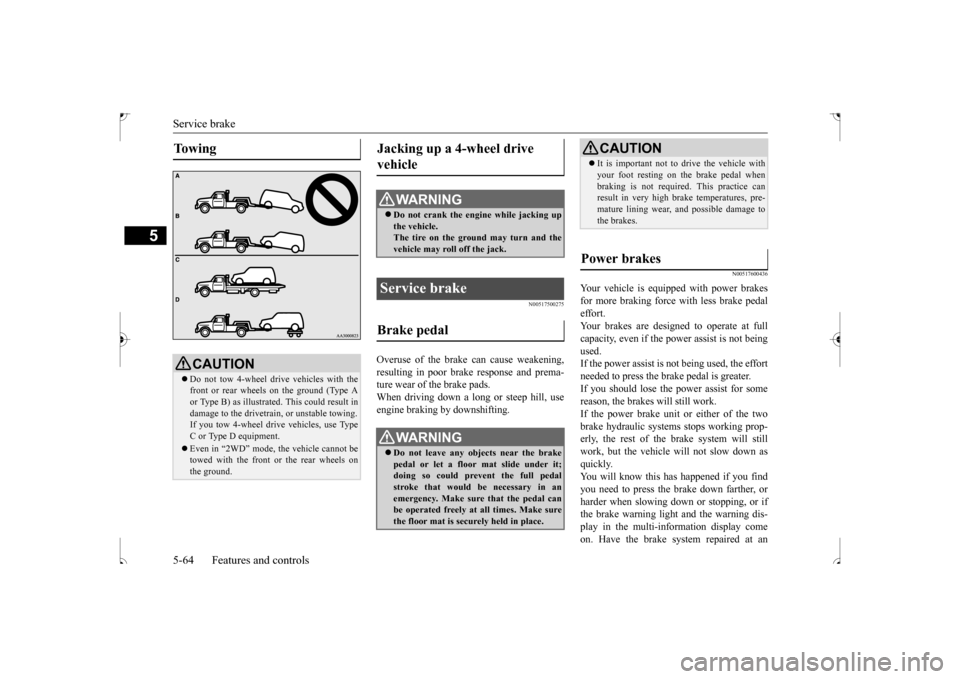
To w i n g
CAUTION Do not tow 4-wheel drive vehicles with the front or rear wheels on the ground (Type Aor Type B) as illustrated. This could result in damage to the drivetrain, or unstable towing. If you tow 4-wheel drive vehicles, use Type C or Type D equipment. Even in “2WD” mode, the vehicle cannot be towed with the front or the rear wheels on the ground.
Jacking up a 4-wheel drive vehicle
WA R N I N G Do not crank the engine while jacking up the vehicle.The tire on the ground may turn and the vehicle may roll off the jack.
Service brake Brake pedal
WA R N I N G Do not leave any objects near the brake pedal or let a floor mat slide under it; doing so could prevent the full pedal stroke that would be necessary in anemergency. Make sure that the pedal can be operated freely at all times. Make sure the floor mat is securely held in place.
CAUTION It is important not to drive the vehicle with your foot resting on the brake pedal when braking is not required. This practice can result in very high brake temperatures, pre- mature lining wear, and possible damage tothe brakes.
Power brakes
BK0239500US.bo
ok 64 ページ 2016年5月13日 金曜日 午前8時53分
Page 130 of 399
Anti-lock braking system
Features and controls 5-67
5
N00517900240
The anti-lock braking system helps prevent the wheels from lockin
g up when braking.
This helps maintain vehicle drivability and steering wheel handling.
When using the anti-lock brakes (sudden braking), steering is slightly different from normal driving conditions. Use thesteering wheel carefully. Always keep a safe distance from the vehicle in front of you. Even if your vehi-cle is equipped with the anti-lock braking system, leave a greater braking distance when:• Driving on gravel or snow-coveredroads. • Driving on uneven road surfaces. Operation of anti-lock braking system is not restricted situations where brakes are applied suddenly. This system may also prevent the wheels from locking whenyou drive over manholes, steel roadwork plates, road markings, or any uneven road surface. When the anti-lock braking system is in use, you may feel the brake pedal vibrat- ing and hear a unique sound. It may alsofeel as if the pedal resists being pressed. In this situation, si
mply hold the brake
pedal down firmly. Do not pump thebrake, which will result in reduced braking performance.
N00531600645
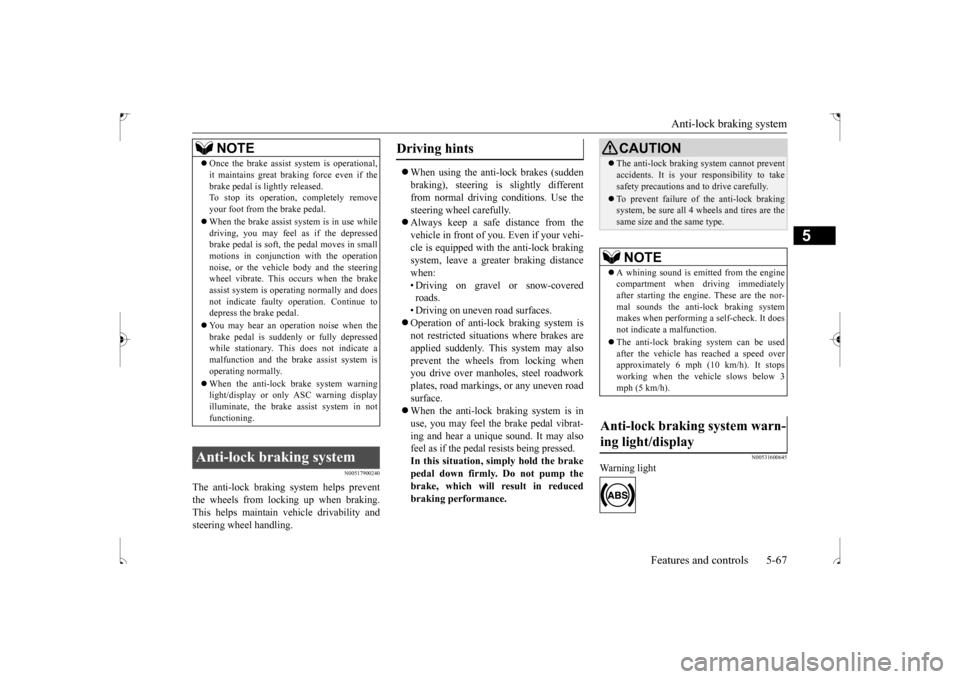
Warning light
NOTE
Once the brake assist system is operational, it maintains great braking force even if the brake pedal is lightly released. To stop its operation, completely remove your foot from the brake pedal. When the brake assist system is in use while driving, you may feel as if the depressedbrake pedal is soft, the pedal moves in small motions in conjunction with the operation noise, or the vehicle body and the steeringwheel vibrate. This occurs when the brake assist system is operating normally and does not indicate faulty operation. Continue todepress the brake pedal. You may hear an operation noise when the brake pedal is suddenly or fully depressed while stationary. This does not indicate a malfunction and the brake assist system isoperating normally. When the anti-lock brake system warning light/display or only ASC warning display illuminate, the brake assist system in not functioning.
Anti-lock braking system
Driving hints
CAUTION The anti-lock braking system cannot prevent accidents. It is your responsibility to take safety precautions and to drive carefully. To prevent failure of the anti-lock braking system, be sure all 4 wheels and tires are the same size and the same type.NOTE
A whining sound is emitted from the engine compartment when driving immediately after starting the engine. These are the nor- mal sounds the anti-lock braking systemmakes when performing a self-check. It does not indicate a malfunction. The anti-lock braking system can be used after the vehicle has reached a speed over approximately 6 mph (10 km/h). It stopsworking when the vehicle slows below 3 mph (5 km/h).
Anti-lock braking system warn- ing light/display
BK0239500US.bo
ok 67 ページ 2016年5月13日 金曜日 午前8時53分
Page 131 of 399
Anti-lock braking system 5-68 Features and controls
5
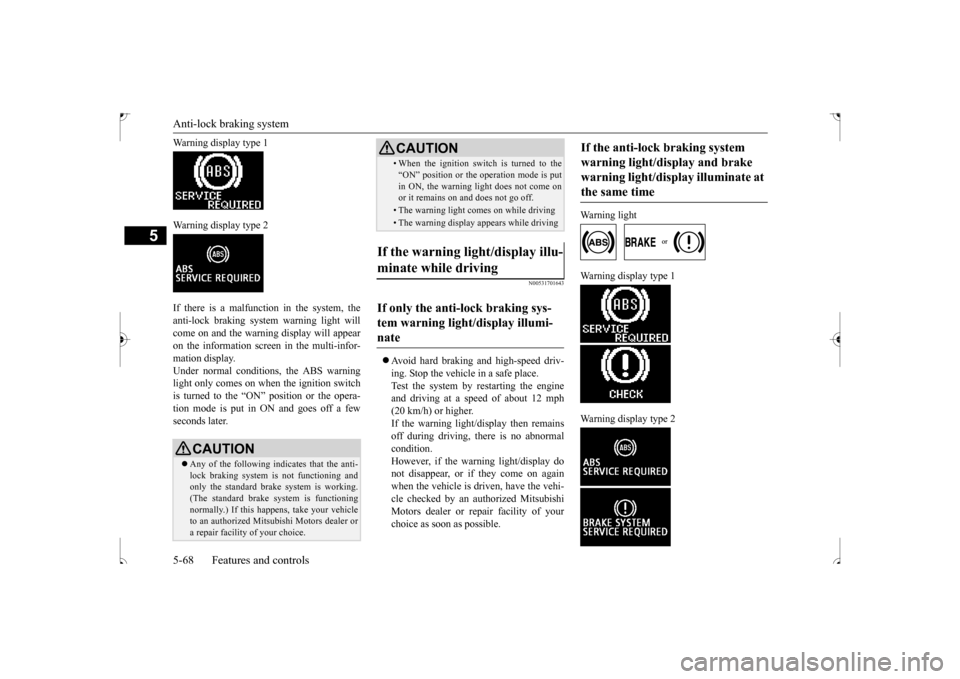
Warning display type 1 Warning display type 2 If there is a malfunction in the system, the anti-lock braking system warning light willcome on and the warning display will appear on the information screen in the multi-infor- mation display.Under normal conditions, the ABS warning light only comes on when the ignition switch is turned to the “ON” position or the opera-tion mode is put in ON and goes off a few seconds later.
N00531701643
Avoid hard braking and high-speed driv- ing. Stop the vehicle in a safe place. Test the system by restarting the engine and driving at a speed
of about 12 mph
(20 km/h) or higher. If the warning light/display then remains off during driving, there is no abnormalcondition. However, if the warning light/display do not disappear, or if they come on againwhen the vehicle is driven, have the vehi- cle checked by an authorized Mitsubishi Motors dealer or repair facility of yourchoice as soon as possible.
Warning light
Warning display type 1 Warning display type 2
CAUTION Any of the following indicates that the anti- lock braking system is not functioning and only the standard brake system is working. (The standard brake system is functioningnormally.) If this happens, take your vehicle to an authorized Mitsubishi Motors dealer or a repair facility of your choice.
• When the ignition switch is turned to the “ON” position or the operation mode is put in ON, the warning light does not come on or it remains on and does not go off.• The warning light comes on while driving• The warning display appears while driving
If the warning light/display illu- minate while driving If only the anti-lock braking sys- tem warning light/display illumi-nate
CAUTION
If the anti-lock braking system warning light/display and brake warning light/display illuminate at the same time
BK0239500US.bo
ok 68 ページ 2016年5月13日 金曜日 午前8時53分
Page 132 of 399
Electric power steering system (EPS)
Features and controls 5-69
5
The anti-lock braking system and brake force distribution function may not work, so hard braking could make the vehicle unstable. Avoid hard braking and high-speed driving.Stop the vehicle in a safe place and contact an authorized Mitsubishi Motors dealer or repair facility of your choice.
N00529200077
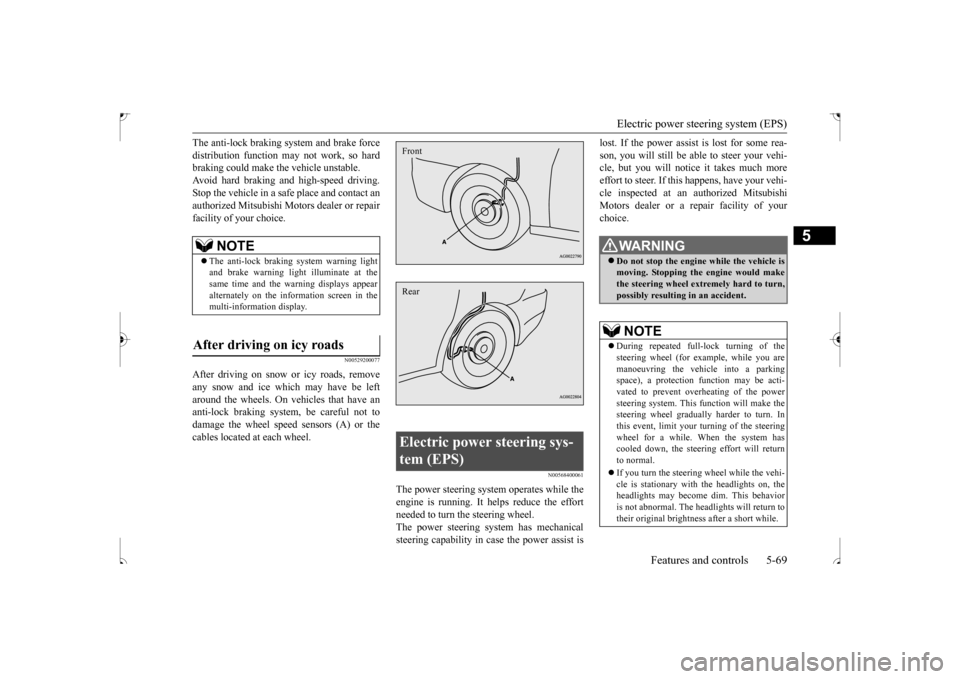
After driving on snow or icy roads, removeany snow and ice which may have be left around the wheels. On vehicles that have an anti-lock braking system, be careful not todamage the wheel speed sensors (A) or the cables located at each wheel.
N00568400061
The power steering system operates while the engine is running. It helps reduce the effortneeded to turn the steering wheel. The power steering system has mechanical steering capability in case the power assist is
lost. If the power assist is lost for some rea- son, you will still be able to steer your vehi- cle, but you will notice it takes much more effort to steer. If this happens, have your vehi-cle inspected at an authorized Mitsubishi Motors dealer or a repair facility of your choice.
NOTE
The anti-lock braking system warning light and brake warning light
illuminate at the
same time and the warning displays appear alternately on the information screen in the multi-information display.
After driving on icy roads
Electric power steering sys- tem (EPS) FrontRear
WA R N I N G Do not stop the engine while the vehicle is moving. Stopping the engine would makethe steering wheel extremely hard to turn, possibly resulting in an accident.NOTE
During repeated full-lock turning of the steering wheel (for example, while you are manoeuvring the vehicle into a parking space), a protection function may be acti-vated to prevent overheating of the power steering system. This function will make the steering wheel gradually harder to turn. Inthis event, limit your turning of the steering wheel for a while. When the system has cooled down, the steering effort will return to normal. If you turn the steering wheel while the vehi- cle is stationary with the headlights on, the headlights may become dim. This behavioris not abnormal. The headlights will return to their original brightness after a short while.
BK0239500US.bo
ok 69 ページ 2016年5月13日 金曜日 午前8時53分
Page 133 of 399
Active stability control (ASC) 5-70 Features and controls
5
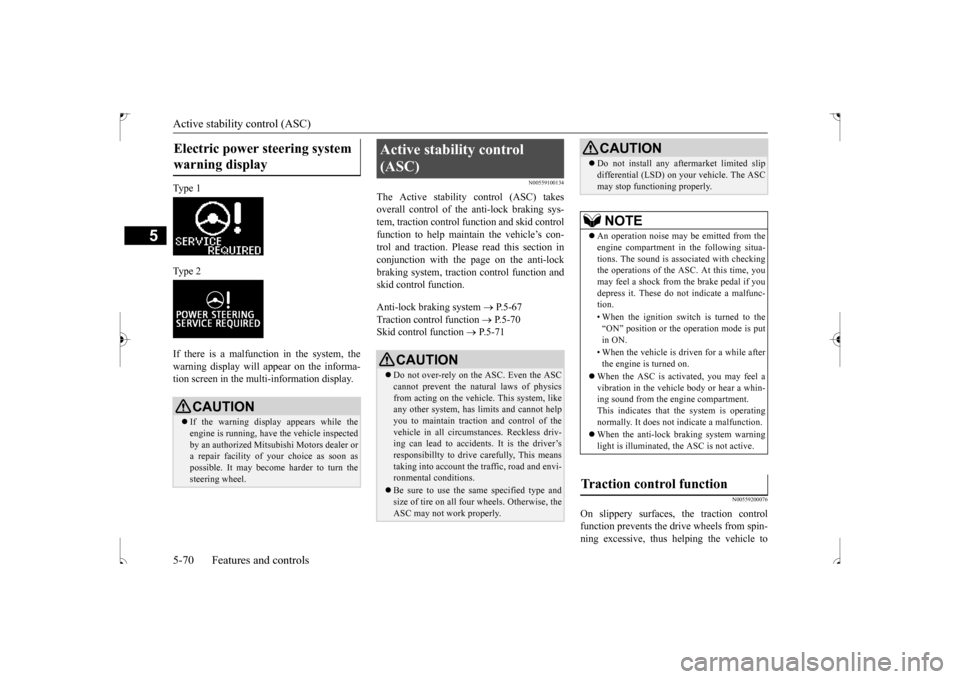
Ty p e 1 Ty p e 2 If there is a malfunction in the system, the warning display will appear on the informa-tion screen in the multi-information display.
N00559100134
The Active stability control (ASC) takesoverall control of the anti-lock braking sys-tem, traction control function and skid control function to help maintain the vehicle’s con- trol and traction. Please read this section inconjunction with the page on the anti-lock braking system, traction control function and skid control function. Anti-lock braking system
P.5-67
Traction control function
P.5-70
Skid control function
P.5-71
N00559200076
On slippery surfaces, the traction control function prevents the dr
ive wheels from spin-
ning excessive, thus helping the vehicle to
Electric power steering system warning display
CAUTION If the warning display appears while the engine is running, have the vehicle inspected by an authorized Mitsubishi Motors dealer ora repair facility of
your choice as soon as
possible. It may become harder to turn the steering wheel.
Active stability control (ASC)
CAUTION Do not over-rely on the ASC. Even the ASC cannot prevent the natural laws of physics from acting on the vehicle. This system, like any other system, has limits and cannot helpyou to maintain traction and control of the vehicle in all circumstances. Reckless driv- ing can lead to accidents. It is the driver’sresponsibillty to drive carefully, This means taking into account the traffic, road and envi- ronmental conditions. Be sure to use the same specified type and size of tire on all four wheels. Otherwise, the ASC may not work properly.
Do not install any aftermarket limited slip differential (LSD) on your vehicle. The ASC may stop functioning properly.NOTE
An operation noise may be emitted from the engine compartment in the following situa- tions. The sound is associated with checkingthe operations of the ASC. At this time, you may feel a shock from the brake pedal if you depress it. These do not indicate a malfunc-tion. • When the ignition switch is turned to the “ON” position or the operation mode is put in ON. • When the vehicle is driven for a while after the engine is turned on.
When the ASC is activated, you may feel a vibration in the vehicle body or hear a whin- ing sound from the engine compartment.This indicates that the system is operating normally. It does not indicate a malfunction. When the anti-lock braking system warning light is illuminated, the ASC is not active.
Traction control function
CAUTION
BK0239500US.bo
ok 70 ページ 2016年5月13日 金曜日 午前8時53分
Page 162 of 399
Multi-information display
Features and controls 5-99
5
N00555700132
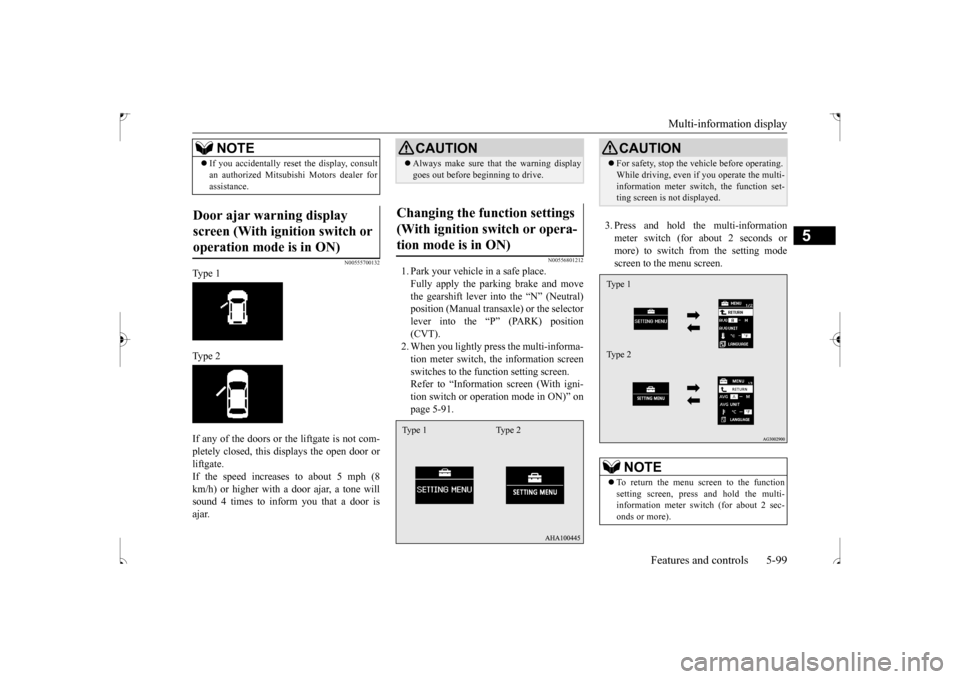
Type 1 Type 2 If any of the doors or the liftgate is not com- pletely closed, this displays the open door or liftgate. If the speed increases to about 5 mph (8km/h) or higher with
a door ajar, a tone will
sound 4 times to inform you that a door is ajar.
N00556801212
1. Park your vehicle in a safe place.Fully apply the parking brake and movethe gearshift lever into the “N” (Neutral) position (Manual transaxle) or the selector lever into the “P” (PARK) position(CVT). 2. When you lightly press the multi-informa- tion meter switch, the information screenswitches to the function setting screen. Refer to “Information screen (With igni- tion switch or operation mode in ON)” onpage 5-91.
3. Press and hold the multi-information meter switch (for about 2 seconds or more) to switch from the setting modescreen to the menu screen.
If you accidentally reset the display, consult an authorized Mitsubishi Motors dealer for assistance.
Door ajar warning display screen (With ignition switch or operation mode is in ON)
NOTE
CAUTION Always make sure that the warning display goes out before beginning to drive.
Changing the function settings (With ignition switch or opera-tion mode is in ON) Type 1 Type 2
CAUTION For safety, stop the vehicle before operating. While driving, even if you operate the multi- information meter switch, the function set- ting screen is not displayed.NOTE
To return the menu screen to the function setting screen, press and hold the multi-information meter switch (for about 2 sec- onds or more).Type 1 Type 2
BK0239500US.bo
ok 99 ページ 2016年5月13日 金曜日 午前8時53分
Page 169 of 399
Indicator light, warning light, an
d information screen display list
5-106 Features and controls
5
N00557700048 N00557800267
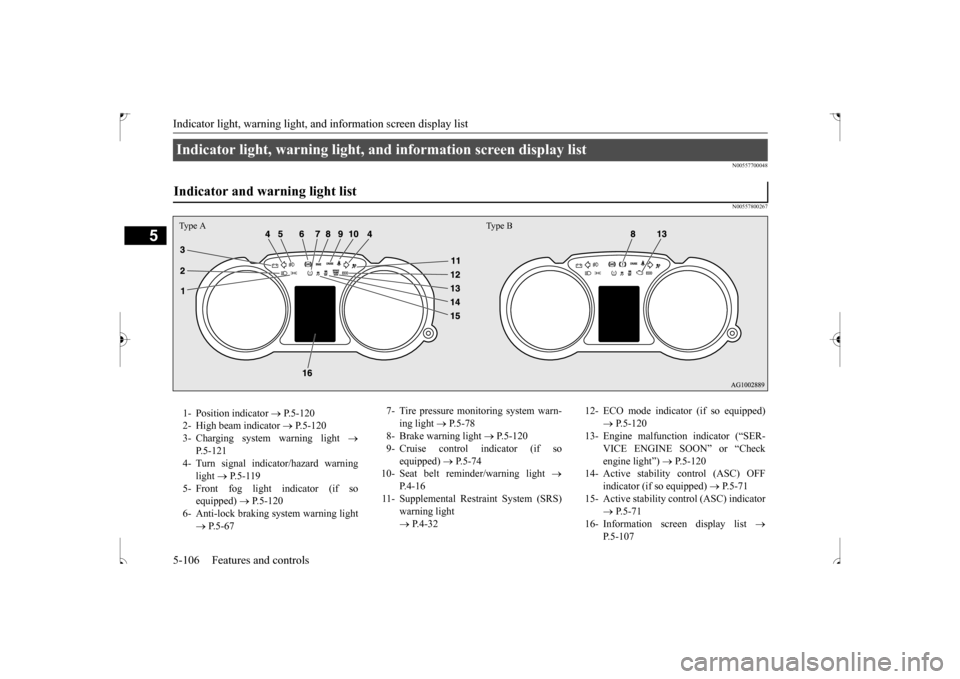
Indicator light, warning light, and information screen display list Indicator and warning light list Type A Type B1- Position indicator
P.5-120
2- High beam indicator
P.5-120
3- Charging system warning light
P.5-121
4- Turn signal indicator/hazard warning
light
P.5-119
5- Front fog light indicator (if so
equipped)
P.5-120
6- Anti-lock braking system warning light
P.5-67
7- Tire pressure monitoring system warn-
ing light
P.5-78
8- Brake warning light
P.5-120
9- Cruise control indicator (if so
equipped)
P.5-74
10- Seat belt reminder/warning light
P. 4 - 1 6
11- Supplemental Restraint System (SRS)
warning light P.4-32
12- ECO mode indicator (if so equipped)
P.5-120
13- Engine malfunction indicator (“SER-
VICE ENGINE SOON” or “Check engine light”)
P.5-120
14- Active stability control (ASC) OFF
indicator (if so equipped)
P.5-71
15- Active stability control (ASC) indicator
P.5-71
16- Information screen display list
P.5-107
BK0239500US.book
106 ページ 2016年5月13日 金曜日 午前8時53分