air condition MITSUBISHI PAJERO IV 2011 User Guide
[x] Cancel search | Manufacturer: MITSUBISHI, Model Year: 2011, Model line: PAJERO IV, Model: MITSUBISHI PAJERO IV 2011Pages: 377, PDF Size: 29.43 MB
Page 184 of 377
Ventilators
.................................................................................... 5-02
Front automatic air conditioning ..................................................5-03
Rear air conditioning* .................................................................. 5-10
Important operation tips for the air conditioning.......................... 5-11
Air purifier (with deodorizing function) .......................................5-12
LW/MW/FM electronic tuning radio with CD player* ................5-12
LW/MW/FM electronic tuning radio with CD autoch- anger*
....................................................................................... 5-26
To play tracks from USB device* ................................................5-43
To play tracks from a Bluetooth ®
device (vehicles with
Bluetooth ®
2.0 interface).......................................................... 5-53
To use the external audio input function* ....................................5-56
To listen to a disc in the rear-seat display (vehicles with rear-seat display) .............................................................. 5-57
Steering wheel remote control switch* ........................................5-57
Error codes.................................................................................... 5-59
Error codes (iPod)......................................................................... 5-61
Error codes (USB memory device) ..............................................5-63
Handling of compact discs ........................................................... 5-65
Antenna......................................................................................... 5-66
Link System* ................................................................................ 5-67
Bluetooth ®
2.0 interface* ............................................................. 5-67
USB input terminal* ..................................................................... 5-82
Sun visors..................................................................................... 5-84
Ashtray*........................................................................................ 5-85
Cigarette lighter* .......................................................................... 5-86
Accessory socket.......................................................................... 5-86
Interior lamps ................................................................................5-87
Storage spaces............................................................................... 5-91
Cup holder.................................................................................... 5-94 Rear shelf (3-door models)*
......................................................... 5-95
Cargo area cover (5-door models)* ..............................................5-96
Convenient hooks (5-door models)* ............................................5-96
Luggage hooks.............................................................................. 5-97
Coat hooks.................................................................................... 5-97
Installation position for warning triangle .....................................5-98For pleasant driving
5
OBKE12E1
Page 186 of 377
NOTE
l The
cool air
from the ventilators may appear
as a mist.
This is due to moist air being suddenly
cooled by the air conditioning. This will
clear after a few moments. Front automatic air conditioning
E00702400165
The front
air
conditioning can only be used while
the engine is running. For pleasant driving
5-03 5
OBKE12E1
Page 187 of 377
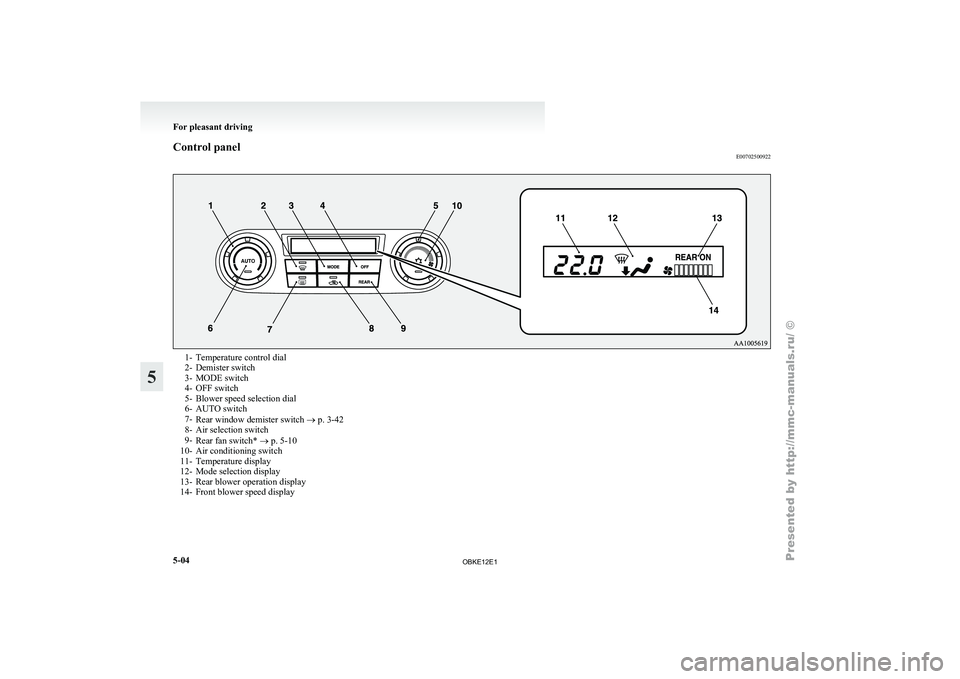
Control panel
E007025009221- Temperature control dial
2- Demister switch
3-
MODE switch
4-
OFF switch
5- Blower speed selection dial
6- AUTO switch
7- Rear window demister switch ® p. 3-42
8- Air selection switch
9- Rear fan switch* ® p. 5-10
10- Air conditioning switch
11- Temperature display
12- Mode selection display
13- Rear blower operation display
14- Front blower speed display For pleasant driving
5-04
5
OBKE12E1
Page 189 of 377
CAUTION
l
Normally, use the outside position to keep
the windscreen and
side windows clear
and quickly remove fog or frost from the
windscreen.
If high cooling performance is desired, or
if the outside air is dusty or otherwise con-
taminated use the recirculation position.
Switch to the outside position periodically
to increase ventilation so that the win-
dows do not become fogged up.
l Use of the recirculation position for exten-
ded time may cause the windows to fog up.
NOTE l If
you press
the AUTO switch to select auto-
matic control after manually switching be-
tween outside air and recirculated air, the air
selection will also be automatically controlled. AUTO switch
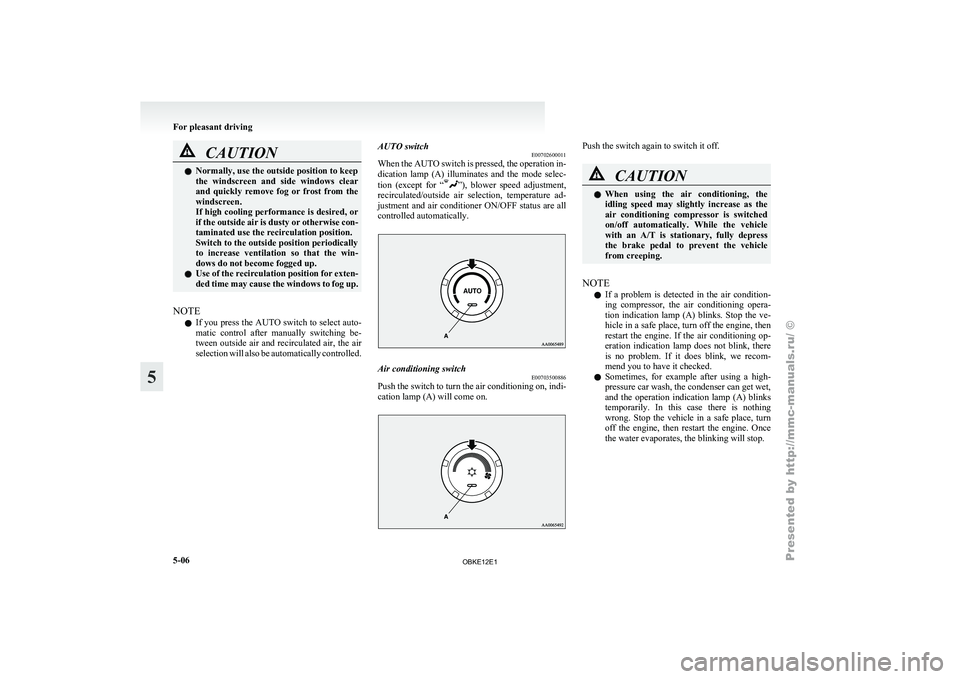
E00702600011
When the
AUTO
switch is pressed, the operation in-
dication lamp (A) illuminates and the mode selec-
tion (except for “ ”), blower speed adjustment,
recirculated/outside air
selection, temperature ad-
justment and air conditioner ON/OFF status are all
controlled automatically. Air conditioning switch
E00703500886
Push the switch to turn the air conditioning on, indi-
cation lamp (A) will come on. Push the switch again to switch it off.
CAUTION
l
When using
the air conditioning, the
idling speed may slightly increase as the
air conditioning compressor is switched
on/off automatically. While the vehicle
with an A/T is stationary, fully depress
the brake pedal to prevent the vehicle
from creeping.
NOTE l If
a problem
is detected in the air condition-
ing compressor, the air conditioning opera-
tion indication lamp (A) blinks. Stop the ve-
hicle in a safe place, turn off the engine, then
restart the engine. If the air conditioning op-
eration indication lamp does not blink, there
is no problem. If it does blink, we recom-
mend you to have it checked.
l Sometimes, for example after using a high-
pressure car wash, the condenser can get wet,
and the operation indication lamp (A) blinks
temporarily. In this case there is nothing
wrong. Stop the vehicle in a safe place, turn
off the engine, then restart the engine. Once
the water evaporates, the blinking will stop. For pleasant driving
5-06
5
OBKE12E1
Page 190 of 377
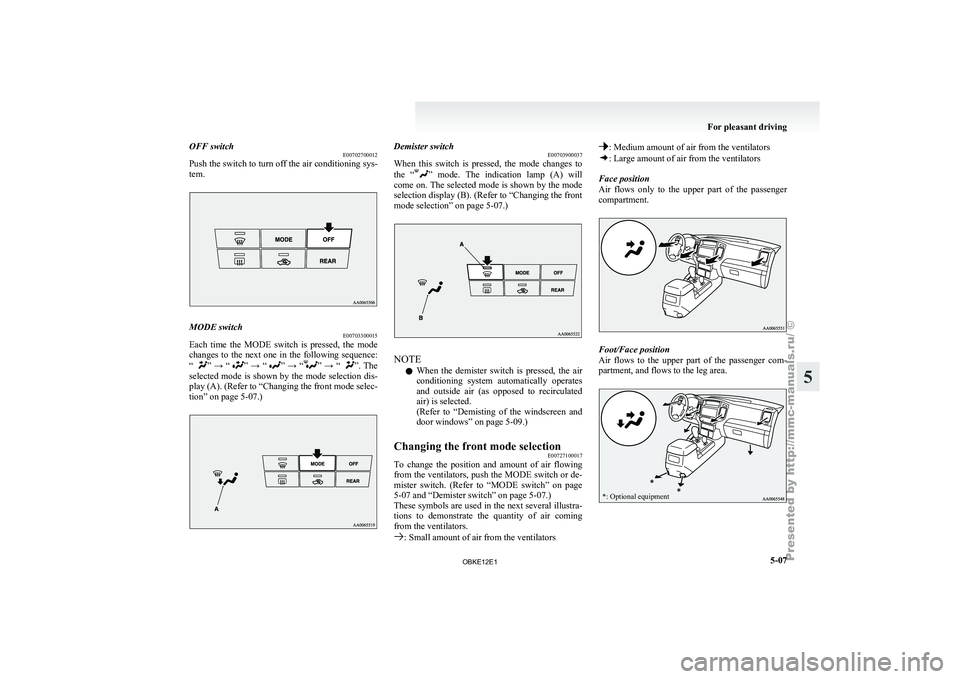
OFF switch
E00702700012
Push the switch
to turn off the air conditioning sys-
tem. MODE switch
E00703300015
Each time the MODE switch is pressed, the mode
changes to the
next one in the following sequence:
“ ” → “ ” → “ ” → “ ” → “ ”. The
selected mode
is shown by the mode selection dis-
play (A). (Refer to “Changing the front mode selec-
tion” on page 5-07.) Demister switch
E00703900037
When this switch
is pressed, the mode changes to
the “ ” mode. The indication lamp (A) will
come on.
The selected mode is shown by the mode
selection display (B). (Refer to “Changing the front
mode selection” on page 5-07.) NOTE
l When
the demister
switch is pressed, the air
conditioning system automatically operates
and outside air (as opposed to recirculated
air) is selected.
(Refer to “Demisting of the windscreen and
door windows” on page 5-09.)
Changing the front mode selection E00727100017
To change the position and amount of air flowing
from the ventilators,
push the MODE switch or de-
mister switch. (Refer to “MODE switch” on page
5-07 and “Demister switch” on page 5-07.)
These symbols are used in the next several illustra-
tions to demonstrate the quantity of air coming
from the ventilators. : Small amount of air from the ventilators : Medium amount of air from the ventilators
: Large amount of air from the ventilators
Face position
Air flows only
to the upper part of the passenger
compartment. Foot/Face position
Air
flows to
the upper part of the passenger com-
partment, and flows to the leg area.
*: Optional equipment For pleasant driving
5-07 5
OBKE12E1
Page 191 of 377
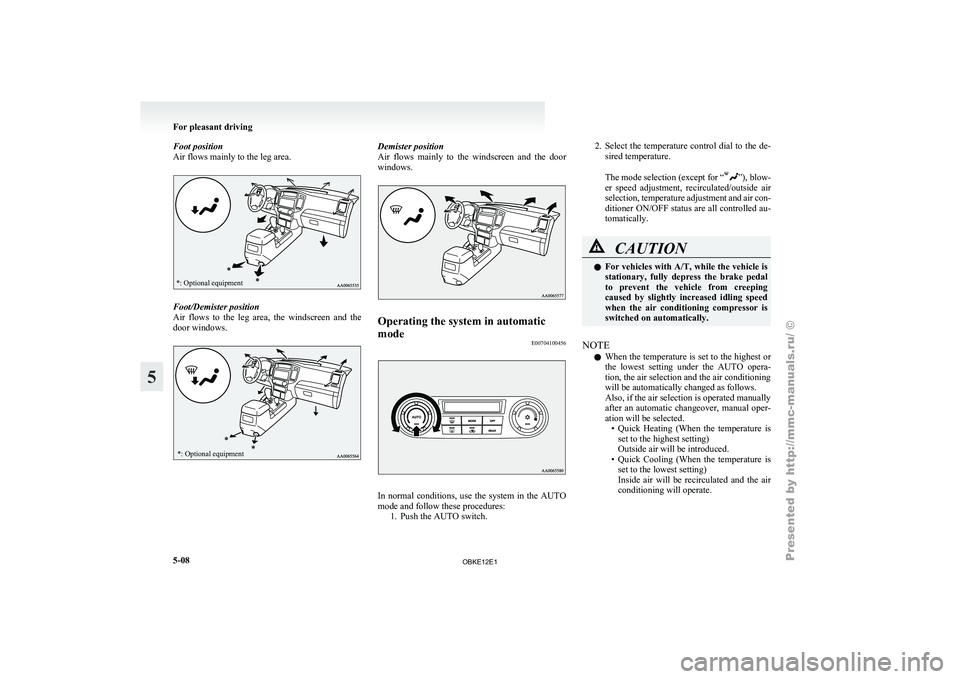
Foot position
Air flows mainly to the leg area.*: Optional equipment
Foot/Demister position
Air flows
to
the leg area, the windscreen and the
door windows.
*: Optional equipment Demister position
Air flows mainly
to the windscreen and the door
windows. Operating the system in automatic
mode
E00704100456 In normal conditions, use the system in the AUTO
mode and follow these procedures:
1. Push the AUTO switch. 2.
Select the
temperature control dial to the de-
sired temperature.
The mode
selection (except for “ ”), blow-
er speed adjustment,
recirculated/outside air
selection, temperature adjustment and air con-
ditioner ON/OFF status are all controlled au-
tomatically. CAUTION
l
For vehicles
with
A/T, while the vehicle is
stationary, fully depress the brake pedal
to prevent the vehicle from creeping
caused by slightly increased idling speed
when the air conditioning compressor is
switched on automatically.
NOTE l When
the temperature
is set to the highest or
the lowest setting under the AUTO opera-
tion, the air selection and the air conditioning
will be automatically changed as follows.
Also, if the air selection is operated manually
after an automatic changeover, manual oper-
ation will be selected. • Quick Heating (When the temperature isset to the highest setting)
Outside air will be introduced.
• Quick Cooling (When the temperature is set to the lowest setting)
Inside air will be recirculated and the air
conditioning will operate. For pleasant driving
5-08
5
OBKE12E1
Page 192 of 377
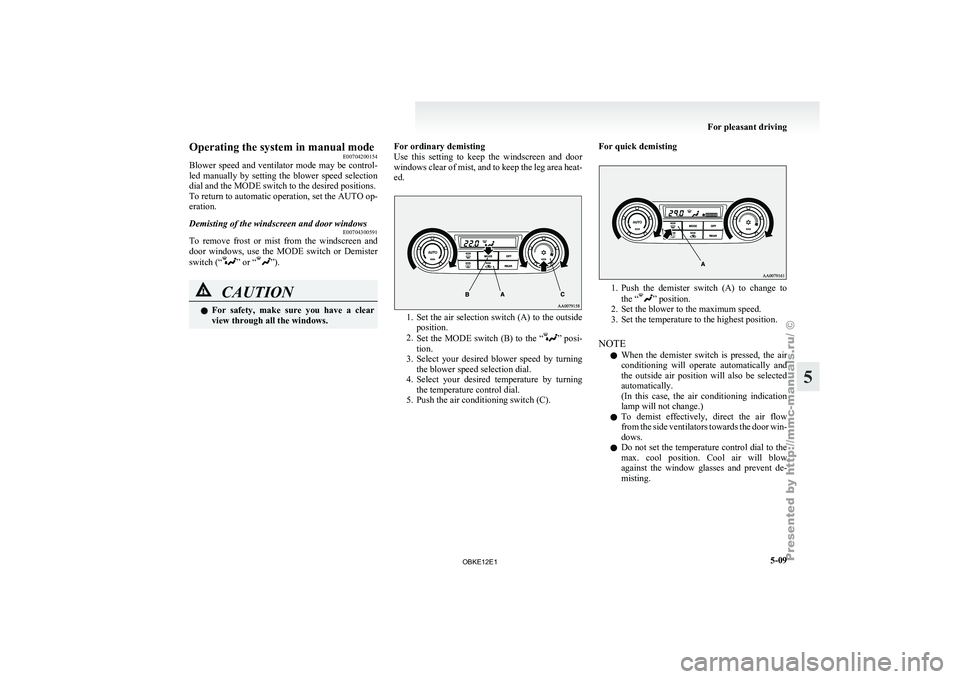
Operating the system in manual mode
E00704200154
Blower speed and
ventilator mode may be control-
led manually by setting the blower speed selection
dial and the MODE switch to the desired positions.
To return to automatic operation, set the AUTO op-
eration.
Demisting of the windscreen and door windows E00704300591
To remove frost or mist from the windscreen and
door windows, use
the MODE switch or Demister
switch (“ ” or “ ”).
CAUTION
l
For safety,
make
sure you have a clear
view through all the windows. For ordinary demisting
Use this
setting
to keep the windscreen and door
windows clear of mist, and to keep the leg area heat-
ed. 1. Set the air selection switch (A) to the outside
position.
2. Set the
MODE switch (B) to the “ ” posi-
tion.
3. Select
your desired blower speed by turning
the blower speed selection dial.
4. Select your desired temperature by turning the temperature control dial.
5. Push the air conditioning switch (C). For quick demisting 1. Push the demister switch (A) to change to
the “ ” position.
2. Set the blower to the maximum speed.
3. Set the temperature to the highest position.
NOTE l When
the demister switch is pressed, the air
conditioning will operate automatically and
the outside air position will also be selected
automatically.
(In this case, the air conditioning indication
lamp will not change.)
l To demist effectively, direct the air flow
from the side ventilators towards the door win-
dows.
l Do not set the temperature control dial to the
max. cool position. Cool air will blow
against the window glasses and prevent de-
misting. For pleasant driving
5-09 5
OBKE12E1
Page 193 of 377
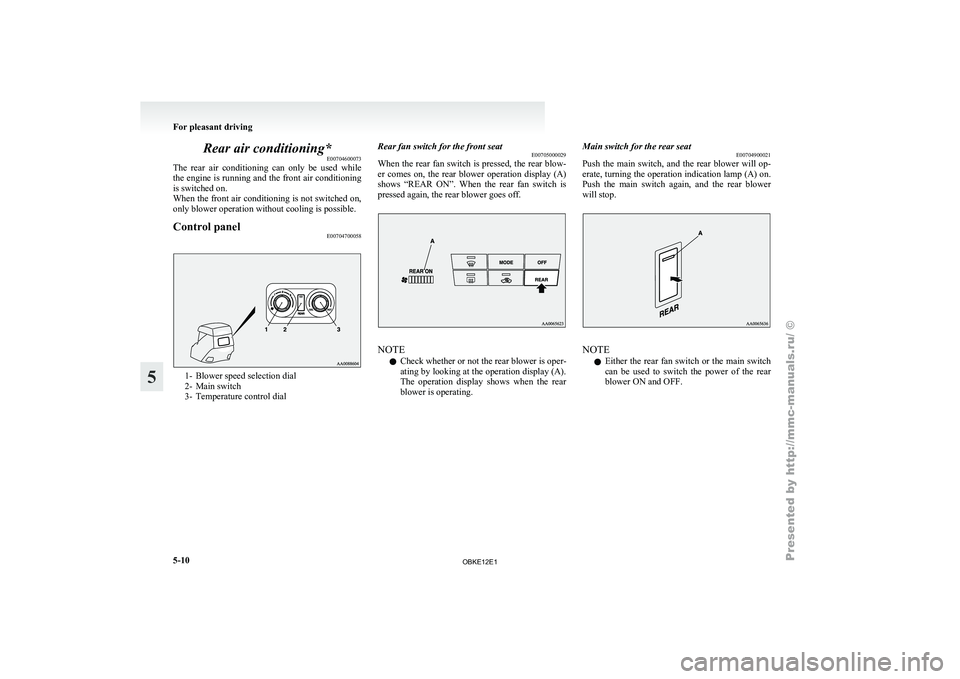
Rear air conditioning*
E00704600073
The rear air
conditioning can only be used while
the engine is running and the front air conditioning
is switched on.
When the front air conditioning is not switched on,
only blower operation without cooling is possible.
Control panel E007047000581- Blower speed selection dial
2- Main switch
3-
Temperature control dial Rear fan switch for the front seat
E00705000029
When the rear
fan switch is pressed, the rear blow-
er comes on, the rear blower operation display (A)
shows “REAR ON”. When the rear fan switch is
pressed again, the rear blower goes off. NOTE
l Check whether or not the rear blower is oper-
ating
by looking
at the operation display (A).
The operation display shows when the rear
blower is operating. Main switch for the rear seat
E00704900021
Push the main
switch, and the rear blower will op-
erate, turning the operation indication lamp (A) on.
Push the main switch again, and the rear blower
will stop. NOTE
l Either
the rear
fan switch or the main switch
can be used to switch the power of the rear
blower ON and OFF. For pleasant driving
5-10
5
OBKE12E1
Page 194 of 377
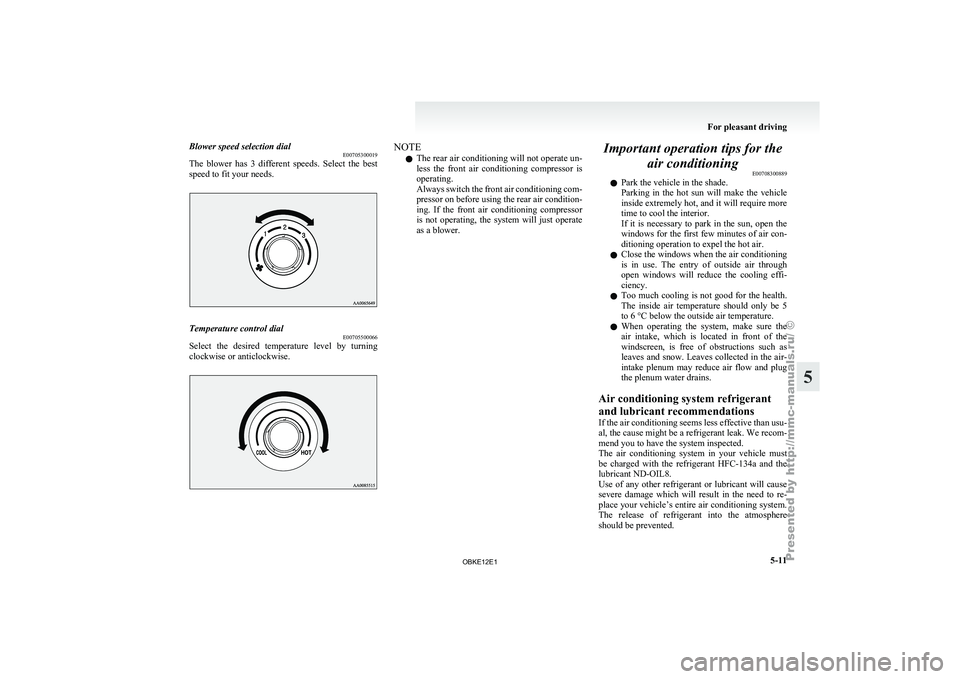
Blower speed selection dial
E00705300019
The blower has
3 different speeds. Select the best
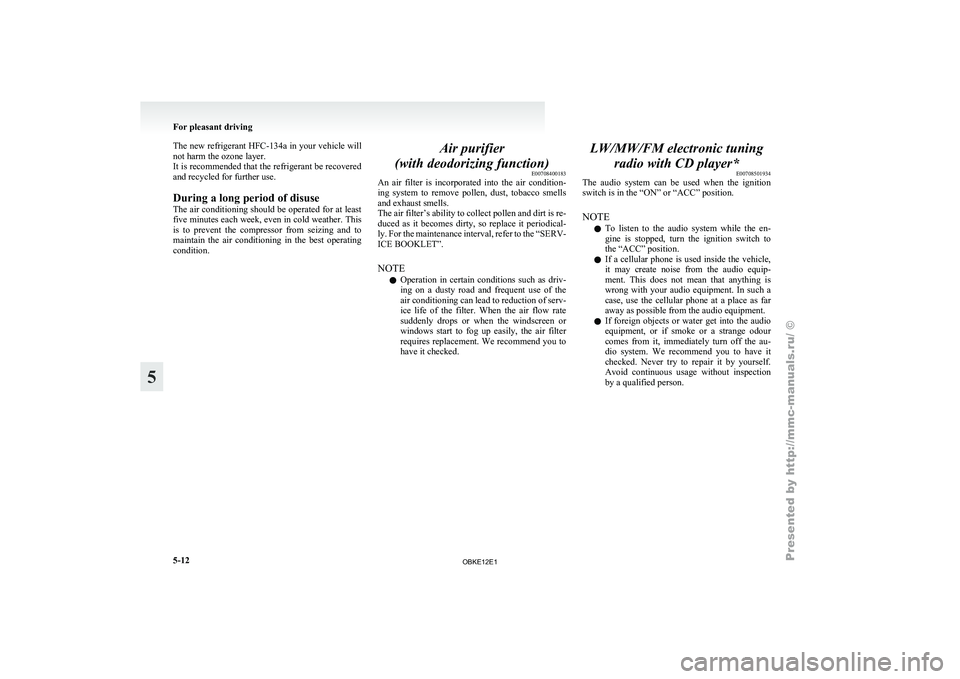
speed to fit your needs. Temperature control dial
E00705500066
Select the desired temperature level by turning
clockwise or anticlockwise. NOTE
l The
rear air
conditioning will not operate un-
less the front air conditioning compressor is
operating.
Always switch the front air conditioning com-
pressor on before using the rear air condition-
ing. If the front air conditioning compressor
is not operating, the system will just operate
as a blower. Important operation tips for the
air conditioning E00708300889
l Park the vehicle in the shade.
Parking
in
the
hot sun will make the vehicle
inside extremely hot, and it will require more
time to cool the interior.
If it is necessary to park in the sun, open the
windows for the first few minutes of air con-
ditioning operation to expel the hot air.
l Close the windows when the air conditioning
is in use. The entry of outside air through
open windows will reduce the cooling effi-
ciency.
l Too much cooling is not good for the health.
The inside air temperature should only be 5
to 6 °C below the outside air temperature.
l When operating the system, make sure the
air intake, which is located in front of the
windscreen, is free of obstructions such as
leaves and snow. Leaves collected in the air-
intake plenum may reduce air flow and plug
the plenum water drains.
Air conditioning system refrigerant
and lubricant recommendations
If the air conditioning seems less effective than usu-
al, the cause might be a refrigerant leak. We recom-
mend you to have the system inspected.
The air conditioning system in your vehicle must
be charged with the refrigerant HFC-134a and the
lubricant ND-OIL8.
Use of any other refrigerant or lubricant will cause
severe damage which will result in the need to re-
place your vehicle’s entire air conditioning system.
The release of refrigerant into the atmosphere
should be prevented. For pleasant driving
5-11 5
OBKE12E1
Page 195 of 377
The new refrigerant HFC-134a in your
vehicle will
not harm the ozone layer.
It is recommended that the refrigerant be recovered
and recycled for further use.
During a long period of disuse
The air conditioning should be operated for at least
five minutes each week, even in cold weather. This
is to prevent the compressor from seizing and to
maintain the air conditioning in the best operating
condition. Air purifier
(with deodorizing function) E00708400183
An air filter
is incorporated into the air condition-
ing system to remove pollen, dust, tobacco smells
and exhaust smells.
The air filter’s ability to collect pollen and dirt is re-
duced as it becomes dirty, so replace it periodical-
ly. For the maintenance interval, refer to the “SERV-
ICE BOOKLET”.
NOTE
l Operation in certain conditions such as driv-
ing on a dusty road and frequent use of the
air conditioning can lead to reduction of serv-
ice life of the filter. When the air flow rate
suddenly drops or when the windscreen or
windows start to fog up easily, the air filter
requires replacement. We recommend you to
have it checked. LW/MW/FM electronic tuning
radio with CD player* E00708501934
The audio system
can be used when the ignition
switch is in the “ON” or “ACC” position.
NOTE
l To listen to the audio system while the en-
gine is stopped, turn the ignition switch to
the “ACC” position.
l If a cellular phone is used inside the vehicle,
it may create noise from the audio equip-
ment. This does not mean that anything is
wrong with your audio equipment. In such a
case, use the cellular phone at a place as far
away as possible from the audio equipment.
l If foreign objects or water get into the audio
equipment, or if smoke or a strange odour
comes from it, immediately turn off the au-
dio system. We recommend you to have it
checked. Never try to repair it by yourself.
Avoid continuous usage without inspection
by a qualified person. For pleasant driving
5-12
5
OBKE12E1