radio MITSUBISHI PAJERO IV 2011 Owner's Manual
[x] Cancel search | Manufacturer: MITSUBISHI, Model Year: 2011, Model line: PAJERO IV, Model: MITSUBISHI PAJERO IV 2011Pages: 377, PDF Size: 29.43 MB
Page 216 of 377

AF (Alternative Frequencies) function
E00720900104
The AF function
finds a station broadcasting the
same program and selects the station with the stron-
gest signal of AF lists.
The AF function is turned on at all times unless
you manually switch it off.
The AF function can be turned ON and OFF. Refer
to “Function setup mode” on page 5-20.
CT (Clock Time) function E00721000098
The clock can be set automatically by using the sig-
nal from the
local RDS stations. Refer to “Adjust-
ing the time” on page 3-13.
REG (Regional) function E00721100015
REG function limits to receive the stations broad-
casting regional programs.
Regional programming and
regional networks are
organized differently depending on the country or
area (they may be changed according to the hour,
state, or broadcast area), so if you don’t want to re-
ceive the regional programs automatically, you can
set up REG ON not to receive regional programs.
The REG function can be turned ON and OFF. Re-
fer to “Function setup mode” on page 5-20.
PI (Program Identification) search function E00721200234
When travelling long distance and the recalled pre-
set station is
weak, the radio searches another fre-
quency broadcasting the same programming with
the same PI code in AF list. If there are no frequencies broadcasting the same
programming, the
radio
searches a frequency broad-
casting the regional programming. The radio suc-
ceeds in searching the regional programming, then
the display shows the REG indicator (13). If the ra-
dio does not succeed in searching the regional pro-
gramming, the radio returns to the recalled preset
station.
The PI function can be turned ON and OFF.
Refer to “Function setup mode” on page 5-20.
NOTE
l While searching, the audio system is muted.
The display shows “WAIT” or “SEARCH”.
PTY (Program type) E00721300280
RDS broadcasts are classified according to pro-
gram type (PTY)
as follows. Use the TUNE button
(7 or 8) to select your desired PTY. 1. NEWS
2. AFFAIRS (Current affairs)
3. INFO (Information)
4. SPORT
5. EDUCATE (Education)
6. DRAMA
7. CULTURE
8. SCIENCE
9. VARIED
10. POP M (Pop music)
11. ROCK M (Rock music)
12. EASY M (Easy music)
13. LIGHT M (Light classics)
14. CLASSICS
15. OTHER M (Other music)
16. WEATHER (Weather information)
17. FINANCE
18. CHILDREN 19. SOCIAL
20. RELIGION
21. PHONE IN
22.
TRAVEL
23. LEISURE
24. JAZZ
25. COUNTRY
26. NATION M (National music)
27. OLDIES
28. FOLK M (Folk music)
29. DOCUMENT
To search for a broadcast of desired program type: 1. Press the PTY button (10).
2. Press the TUNE button (7 or 8) for less than1 second at a time to select your desired PTY.
3. Two seconds after a desired PTY has been se- lected, the radio will begin to search for a
broadcast of your selected PTY. During
search, the selected PTY on the display blinks.
4. When the radio picks up a station with your desired PTY, the display will show the name
of the station. For pleasant driving
5-33 5
OBKE12E1
Page 217 of 377
NOTE
l If
the SEEK
button (5 or 6) is pressed for
less than 1 second, the radio will try to find
out another broadcast of the same program
type as currently selected.
l If no station is found with your desired PTY,
the display will show “EMPTY” for about 5
seconds and the radio will return to the previ-
ous station.
How to enter PTYs in the memory E00721400092
As many as 6 PTYs can be entered in the memory.
Follow the steps described below.
1. Press either
the
TUNE button (7 or 8) to tune
the PTY to be entered in the memory.
2. Press one of the memory select buttons (3) for 2 seconds or longer. The sound will be
momentarily interrupted while the PTY is be-
ing entered into the memory. The number of
the button corresponding to the entry into the
memory and the PTY are displayed.
3. The preset memory setting is retrieved by pressing the button and then releasing it with-
in about 2 seconds.
Traffic information E00721600212
The radio will automatically tune in to traffic infor-
mation broadcasts while
receiving FM broadcasts
or playing compact discs.
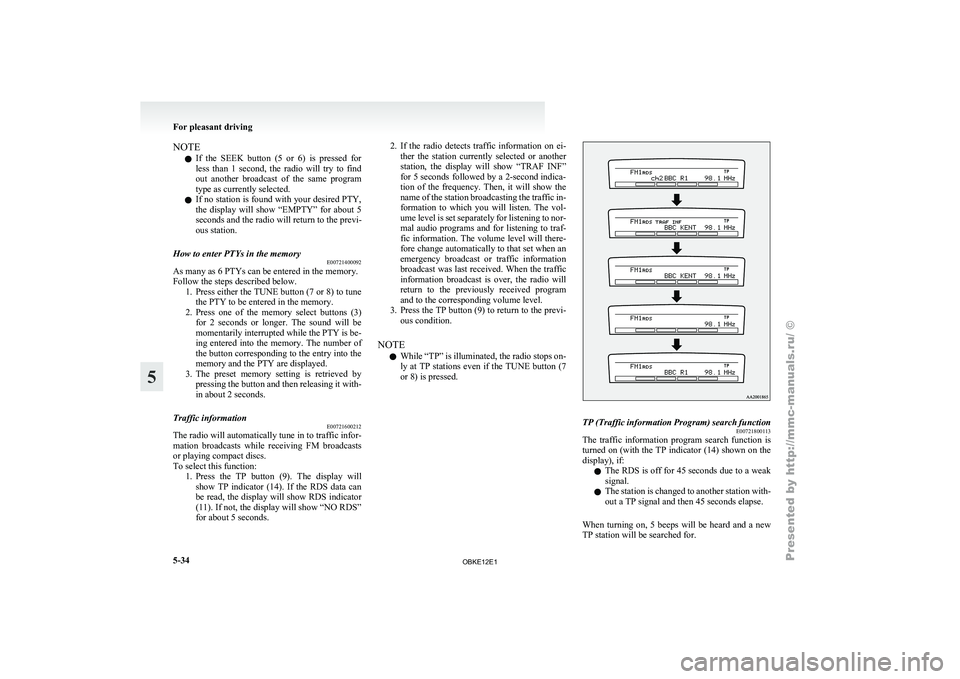
To select this function: 1. Press the TP button (9). The display willshow TP indicator (14). If the RDS data can
be read, the display will show RDS indicator
(11). If not, the display will show “NO RDS”
for about 5 seconds. 2. If the radio detects traffic information on ei-
ther the
station currently selected or another
station, the display will show “TRAF INF”
for 5 seconds followed by a 2-second indica-
tion of the frequency. Then, it will show the
name of the station broadcasting the traffic in-
formation to which you will listen. The vol-
ume level is set separately for listening to nor-
mal audio programs and for listening to traf-
fic information. The volume level will there-
fore change automatically to that set when an
emergency broadcast or traffic information
broadcast was last received. When the traffic
information broadcast is over, the radio will
return to the previously received program
and to the corresponding volume level.
3. Press the TP button (9) to return to the previ- ous condition.
NOTE l While “TP” is illuminated, the radio stops on-
ly at TP stations even if the TUNE button (7
or 8) is pressed. TP (Traffic information Program) search function
E00721800113
The traffic information program search function is
turned on (with
the TP indicator (14) shown on the
display), if:
l The RDS is off for 45 seconds due to a weak
signal.
l The station is changed to another station with-
out a TP signal and then 45 seconds elapse.
When turning on, 5 beeps will be heard and a new
TP station will be searched for. For pleasant driving
5-34
5
OBKE12E1
Page 218 of 377

Emergency broadcasts
E00721700200 If an emergency broadcast is caught while receiv-
ing a FM broadcast or playing back a compact disc,
the display will
show “ALARM” and the emergen-
cy broadcast will interrupt the current program.
The volume level is set separately for listening to
normal audio programs and for listening to emer-
gency broadcasts. The volume level will therefore
change automatically to that set when an emergen-
cy broadcast or traffic information broadcast was
last received. When the emergency broadcast is
over, the radio will return to the previously re-
ceived program and to the corresponding volume
level.
Function setup mode E00722500306
It is possible to change the following functions:
lAF
l CT
l REG
l TP-S
l PI-S
l SCV (Refer
to
“Speed Compensated Vol-
ume function” on page 5-29).
l PHONE 1. Press
the “MENU” button (4) for 2 seconds
or longer to select the function setup mode. For pleasant driving
5-35 5
OBKE12E1
Page 225 of 377

To find the start of each track on a disc for playback
Press the SCAN
button (14). “SCAN” will appear
on the display and the autochanger will play back
the first 10 seconds of each track on the selected disc.
The track number will blink while the scan mode is
selected. To exit the scan mode, press the SCAN
button again.
NOTE
l Once all tracks on the disc have been scan-
ned, playback of the disc will restart from the
beginning of the track that was playing when
scanning started.
l The scan mode will be cancelled when radio
or CD operation is selected.
l With a disc that contains both CD-DA and
MP3 files, the scan mode causes only files of
the same format (CD-DA only or MP3 files
only) to be played.
CD text and MP3 title display E00725000520
This autochanger can display CD text and MP3 ti-
tles including ID3 tag information. CD text
The autochanger can
display disc and track titles
for discs with converted disc and track title informa-
tion. Press the DISP button (3) repeatedly to make
selections in the following sequence: disc name →
track name → normal display mode.
Example
Disc
name
Track
name NOTE
l The
display can
show up to 16 characters. If
a disc name or track name has more than 16
characters, press the PAGE button (10) to
view the next 16 characters.
l When there is no title information to be dis-
played, the display shows “NO TITLE”.
l Characters that the autochanger cannot dis-
play are shown as “ ”. MP3 titles
The
autochanger
can
display folder and track titles
for discs with converted folder and track informa-
tion. Press the DISP button (7) repeatedly to make
selections in the following sequence: folder name
→ track name → normal display mode.
Track
name Folder
name Example ID3 tag information
The autochanger can
display ID3 tag information
for files that have been recorded with ID3 tag infor-
mation. 1. Press the DISP button (3) for 2 seconds or lon-ger to switch to the ID3 tag information. The
“TAG” indicator will appear on the display.
2. Then press the DISP button for less than 1 second repeatedly to make selections in the
following sequence: album name → track
name → artist name → normal display mode.
NOTE l To return from ID3 tag information to the
folder name, press the DISP button (3) again
for 2 seconds or longer.
l When there is no title information to be dis-
played, the display shows “NO TITLE”. For pleasant driving
5-42
5
OBKE12E1
Page 241 of 377
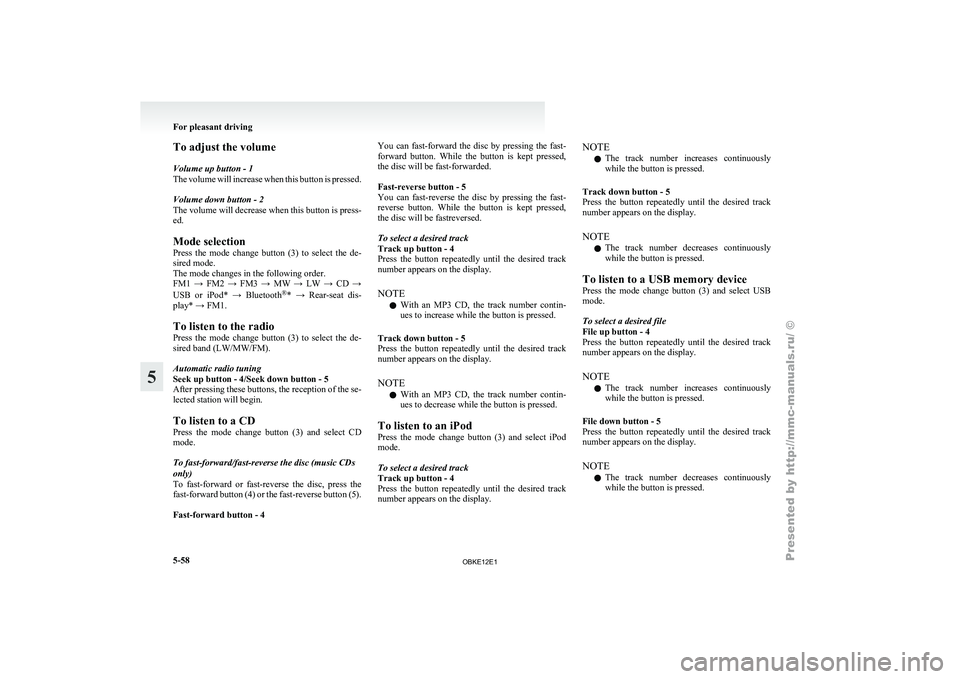
To adjust the volume
Volume up button - 1
The volume
will
increase when this button is pressed.
Volume down button - 2
The volume will decrease when this button is press-
ed.
Mode selection
Press the mode change button (3) to select the de-
sired mode.
The mode changes in the following order.
FM1 → FM2 → FM3 → MW → LW → CD →
USB or iPod* → Bluetooth ®
* → Rear-seat dis-
play* → FM1.
To listen to the radio
Press the mode change button (3) to select the de-
sired band (LW/MW/FM).
Automatic radio tuning
Seek up button - 4/Seek down button - 5
After pressing these buttons, the reception of the se-
lected station will begin.
To listen to a CD
Press the mode change button (3) and select CD
mode.
To fast-forward/fast-reverse the disc (music CDs
only)
To fast-forward or fast-reverse the disc, press the
fast-forward button (4) or the fast-reverse button (5).
Fast-forward button - 4 You can fast-forward the disc by pressing the fast-
forward
button.
While
the button is kept pressed,
the disc will be fast-forwarded.
Fast-reverse button - 5
You can fast-reverse the disc by pressing the fast-
reverse button. While the button is kept pressed,
the disc will be fastreversed.
To select a desired track
Track up button - 4
Press the button repeatedly until the desired track
number appears on the display.
NOTE
l With an MP3 CD, the track number contin-
ues to increase while the button is pressed.
Track down button - 5
Press the button repeatedly until the desired track
number appears on the display.
NOTE l With an MP3 CD, the track number contin-
ues to decrease while the button is pressed.
To listen to an iPod
Press the mode change button (3) and select iPod
mode.
To select a desired track
Track up button - 4
Press the button repeatedly until the desired track
number appears on the display. NOTE
l The
track number
increases continuously
while the button is pressed.
Track down button - 5
Press the button repeatedly until the desired track
number appears on the display.
NOTE l The track number decreases continuously
while the button is pressed.
To listen to a USB memory device
Press the mode change button (3) and select USB
mode.
To select a desired file
File up button - 4
Press the button repeatedly until the desired track
number appears on the display.
NOTE l The track number increases continuously
while the button is pressed.
File down button - 5
Press the button repeatedly until the desired track
number appears on the display.
NOTE l The track number decreases continuously
while the button is pressed. For pleasant driving
5-58
5
OBKE12E1
Page 243 of 377

Error display Problem Item Repair
NO DISC No disc inserted Disc is not in CD player.Insert disc.
ERROR 01 Focus error Disc is not loaded correctly, or condensation on
disc.Insert disc with label facing up. Remove
moisture from disc.
ERROR 02 Disc error Disc is dirty, scratched, or deformed; or exces-
sive vehicle vibration.Clean or replace disc. Retry when vibra-
tions stop.
ERROR 03 Mechanism error Loading or eject error. Pick-up is out of position.Eject disc and reload. If disc will not eject,
have the equipment inspected.
ERROR HOT Inside of audio system is hot. Internal protection against high temperatures. Allow radio to cool by waiting about
30 minutes.
ERROR Communication or power supply
error Communication error between external device
and audio equipment.
Power supply error of ex-
ternal device. Consult a MITSUBISHI MOTORS Author-
ized Service Point.For pleasant driving
5-60
5
OBKE12E1
Page 258 of 377

NOTE
l If
you say
“Call” when the vehicle phone
book and the mobile phone book are empty,
the voice guide will say “The vehicle phone
book is empty. Would you like to add a new
entry now?”
Answer “Yes,” and the voice guide will say
“Entering the phone book - new entry
menu.” You can now create data in the vehi-
cle phone book.
Answer “No,” to return to the main menu.
3. After the voice guide says “Name please,” say the name you want to call, from those reg-
istered in the phone book.
4. If there is only one match, the system pro- ceeds to Step 5.
If there are two or more matches, the voice
guide will say “More than one match was
found, would you like to call
call, answer “Yes.”
Answer “No,” and the name of the next match-
ing person will be uttered by the voice guide.
NOTE l If you say “No” to all names read by the sys-
tem, the voice guide will say “Name not
found, returning to main menu” and the sys-
tem will return to the main menu.
5. If only one telephone number is registered un- der the name you just said, the voice guide
proceeds to Step 6.
If two or more telephone numbers are regis-
tered that match the name you just said, the
voice guide will say “Would you like to call
er]?” Select the location to call.
NOTE l If
the name
you selected has matching data
in the vehicle phone book but no telephone
number is registered under the selected loca-
tion, the voice guide will say “{home/work/
mobile/other} not found for
Would you like to add location or try again?”
Say “Try again,” and the system will return
to Step 3.
Say “Add location” and you can register an
additional telephone number under the selec-
ted location.
l If the name you selected has matching data
in the mobile phone book but no telephone
number is registered under the selected loca-
tion, the voice guide will say “{home/work/
mobile/other} not found for
Would you like to try again?”
Answer “Yes,” and the system will return to
Step 3.
Answer “No,” and the call will be cancelled.
Start over again from Step 1.
6. The voice guide will say “Calling
telephone number.
NOTE l When the confirmation function is on, the sys-
tem will ask if the name and location of the
receiver are correct.
If the name is correct, answer “Yes.”
If you want to change the name or location to
call, answer “No.” The system will return to
Step 3. Redialing
You can redial
the last number called, based on the
history of dialed calls in the paired cellular phone.
Use the following procedure to redial. 1. Press the SPEECH button.
2. Say “Redial.”
SEND function E00761300035
During a call, press the SPEECH button to enter
voice recognition mode,
then say “
SEND” to generate DTMF tones.
For example, if during a call you need to simulate
the press of a phone button as a response to an auto-
mated system, press the SPEECH button and speak
“1 2 3 4 pound SEND” and the 1234# will be sent
on your cellular phone.
Receiving calls E00761600012
If an incoming phone call is received while the ig-
nition switch is in the “ACC” or “ON” position, the
audio system will
be automatically turned on and
switched to the incoming call, even when the audio
system was originally off.
The voice guide announcement for the incoming
call will be output from the front passenger’s seat
speaker.
If the CD player or radio was playing when the in-
coming call was received, the audio system will
mute the sound from the CD player or radio and out-
put only the incoming call.
To receive the call, press the PICK-UP button on
the steering wheel control switch.
When the call is over, the audio system will return
to its previous state. For pleasant driving
5-75 5
OBKE12E1
Page 328 of 377
No. Symbol Electrical sys-
tem Capacity
27 Starter motor
10 A
28 — — —
29 — Spare fuse 20 A
30 — Spare fuse 10 A
31 — Spare fuse 30 A
32 — Spare fuse 25 A l
Some fuses
may not be installed on your ve-
hicle, depending on the vehicle model or spec-
ifications.
l The table above shows the main equipment
corresponding to each fuse.
The fuse block does not contain spare 7.5 A
and 15 A fuses. If a fuse of one of these ca-
pacities blows, replace it temporarily by bor-
rowing the one that matches from:
7.5 A: Outside rear-view mirrors
15 A: Cigarette lighter
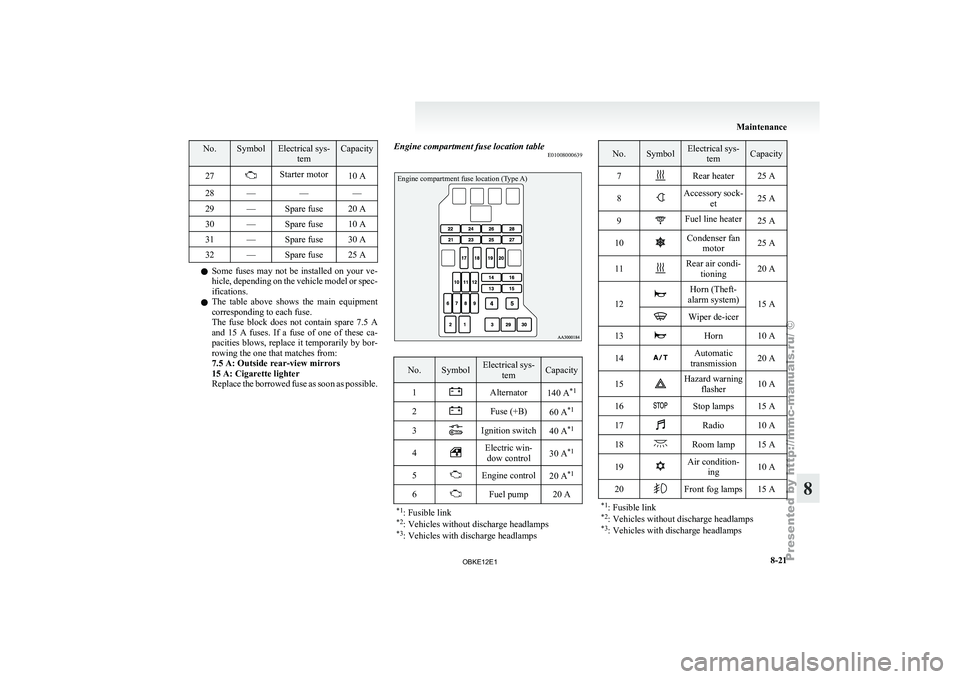
Replace the borrowed fuse as soon as possible. Engine compartment fuse location table
E01008000639
Engine compartment fuse location (Type A) No. Symbol Electrical sys-
tem Capacity
1 Alternator
140 A*1
2 Fuse (+B)
60 A*1
3 Ignition switch
40 A*1
4 Electric win-
dow control 30 A
*1
5 Engine control
20 A*1
6 Fuel pump 20 A
*1 : Fusible link
*2 : Vehicles without discharge headlamps
*3 : Vehicles with discharge headlamps No. Symbol Electrical sys-
tem Capacity
7 Rear heater 25 A
8 Accessory sock-
et 25 A
9 Fuel line heater
25 A
10 Condenser fan
motor 25 A
11 Rear air condi-
tioning 20 A
12 Horn (Theft-
alarm system) 15 A Wiper de-icer
13 Horn 10 A
14 Automatic
transmission 20 A
15 Hazard warning
flasher 10 A
16 Stop lamps 15 A
17 Radio 10 A
18 Room lamp 15 A
19 Air condition-
ing 10 A
20 Front fog lamps 15 A
*1 : Fusible link
*2 : Vehicles without discharge headlamps
*3 : Vehicles with discharge headlamps Maintenance
8-21 8
OBKE12E1
Page 358 of 377
A
Accessory (Installation) 04
Accessory socket 5-86
Active stability & traction control (ASTC) 4-41
Additional equipment
8-19
Air conditioning Front automatic air conditioning
5-03
Important operation tips for the air condition-
ing 5-11
Rear air conditioning 5-10
Air purifier (with deodorizing function) 5-12
Airbag 2-33
Antenna 5-66
Anti-lock brake system (ABS) 4-39 Warning lamp 4-40
Approach lamps 1-08
Armrest 2-08,2-10
Ashtray 5-85
Audio Error codes 5-59
Handling of compact discs 5-65
LW/MW/FM electronic tuning radio with CD au-
tochanger 5-26
LW/MW/FM electronic tuning radio with CD
player 5-12
Steering wheel remote control switch 5-57
Auto-cutout function 5-91
Automatic headlamp levelling 3-34
Automatic transmission Fluid 9-15
Selector lever operation 4-19
Selector lever position 4-20
Sports mode 4-21
BBackdoor 1-09 Battery 8-10
Charge warning display 3-10
Discharged battery (Emergency starting) 6-02
Specification 9-11
Bleeding the fuel system
6-06
Bluetooth® 2.0 interface 5-67
Bonnet 8-03
Brake Anti-lock brake 4-39
Brake assist system 4-38
Braking 4-37
Fluid 8-08,9-15
Parking brake 4-06
Power brakes 4-37
Warning lamp 3-09
Bulb capacity 8-24
C Card holder 5-84,5-93
Cargo loads 4-56
Catalytic converter 8-02
Cautions on handling of 4-wheel drive vehi-
cles 4-35
Central door locks 1-07
Centre console box 5-92
Centre information display
3-11
Changing a fuse 8-22
Charge warning display 3-10
Check engine warning lamp
3-10
Child restraint 2-23
Child-protection rear doors 1-08
Cigarette lighter 5-86
Cleaning Aluminium wheels 7-05
Chrome parts 7-05
Exterior of your vehicle 7-03
Genuine leather 7-02
Interior of your vehicle 7-02 Plastic, vinyl leather, etc 7-02
Polishing 7-04
Sunroof 7-05
Washing 7-03
Waxing 7-04
Clutch Fluid 8-09,9-15
Coat hooks 5-97
Combination headlamps and dipper switch 3-31
Convenient hook 5-96
Coolant (engine) 8-06,9-15
Cruise control 4-45
Cup holder 5-94
Curtain airbag system 2-40
D Daytime dipper button 3-06
Daytime running lamp 3-32
Demister (rear window) 3-42
Diesel particulate filter (DPF)
4-15
Diesel preheat indication lamp
3-08
Dimensions 9-04
Dipper (High/Low beam change) 3-32
Door ajar warning lamp 3-11
Door courtesy lamps 5-91,8-24 Replacement 8-30
Doors Central door locks 1-07
Child-protection 1-08
Lock and unlock 1-06
Driving, alcohol and drugs 4-02
E Economical driving 4-02
Electric window control 1-15
Switch 1-15
Timer function 1-16 Alphabetical index
1
OBKE12E1
Page 360 of 377
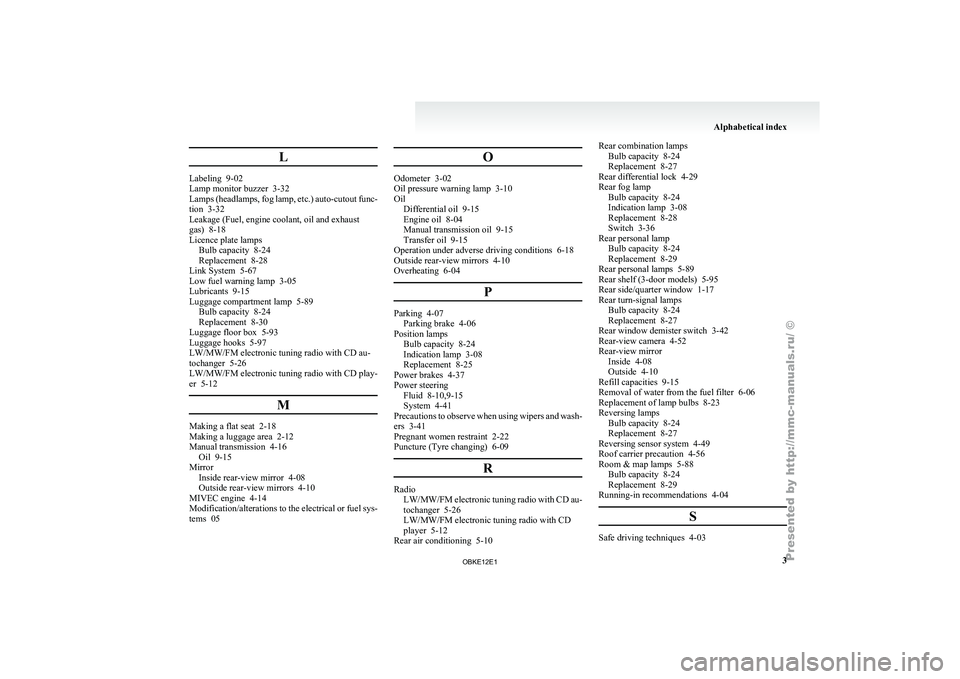
L
Labeling 9-02
Lamp monitor buzzer 3-32
Lamps
(headlamps,
fog lamp, etc.) auto-cutout func-
tion 3-32
Leakage (Fuel, engine coolant, oil and exhaust
gas) 8-18
Licence plate lamps Bulb capacity 8-24
Replacement 8-28
Link System 5-67
Low fuel warning lamp 3-05
Lubricants 9-15
Luggage compartment lamp 5-89 Bulb capacity 8-24
Replacement 8-30
Luggage floor box 5-93
Luggage hooks 5-97
LW/MW/FM electronic tuning radio with CD au-
tochanger 5-26
LW/MW/FM electronic tuning radio with CD play-
er 5-12
MMaking a flat seat 2-18
Making a luggage area 2-12
Manual transmission 4-16
Oil 9-15
Mirror Inside rear-view mirror 4-08
Outside rear-view mirrors 4-10
MIVEC engine 4-14
Modification/alterations to
the electrical or fuel sys-
tems 05 OOdometer 3-02
Oil pressure warning lamp 3-10
Oil
Differential oil 9-15
Engine oil 8-04
Manual transmission oil 9-15
Transfer oil 9-15
Operation under adverse driving conditions 6-18
Outside rear-view mirrors 4-10
Overheating 6-04
P Parking 4-07
Parking brake 4-06
Position lamps Bulb capacity 8-24
Indication lamp 3-08
Replacement
8-25
Power brakes 4-37
Power steering Fluid 8-10,9-15
System 4-41
Precautions to observe when using wipers and wash-
ers 3-41
Pregnant women restraint 2-22
Puncture (Tyre changing) 6-09
R Radio
LW/MW/FM electronic tuning
radio with CD au-
tochanger 5-26
LW/MW/FM electronic tuning radio with CD
player 5-12
Rear air conditioning 5-10 Rear combination lamps
Bulb capacity 8-24
Replacement 8-27
Rear differential lock
4-29
Rear fog lamp Bulb capacity 8-24
Indication lamp 3-08
Replacement 8-28
Switch 3-36
Rear personal lamp Bulb capacity 8-24
Replacement 8-29
Rear personal lamps 5-89
Rear shelf (3-door models) 5-95
Rear side/quarter window 1-17
Rear turn-signal lamps Bulb capacity 8-24
Replacement 8-27
Rear window demister switch 3-42
Rear-view camera 4-52
Rear-view mirror Inside 4-08
Outside 4-10
Refill capacities 9-15
Removal of water from the fuel filter 6-06
Replacement of lamp bulbs 8-23
Reversing lamps Bulb capacity 8-24
Replacement 8-27
Reversing sensor system 4-49
Roof carrier precaution 4-56
Room & map lamps 5-88 Bulb capacity 8-24
Replacement 8-29
Running-in recommendations 4-04
S Safe driving techniques 4-03 Alphabetical index
3
OBKE12E1