display MITSUBISHI TRITON 2011 Owner's Manual
[x] Cancel search | Manufacturer: MITSUBISHI, Model Year: 2011, Model line: TRITON, Model: MITSUBISHI TRITON 2011Pages: 369, PDF Size: 26.15 MB
Page 109 of 369
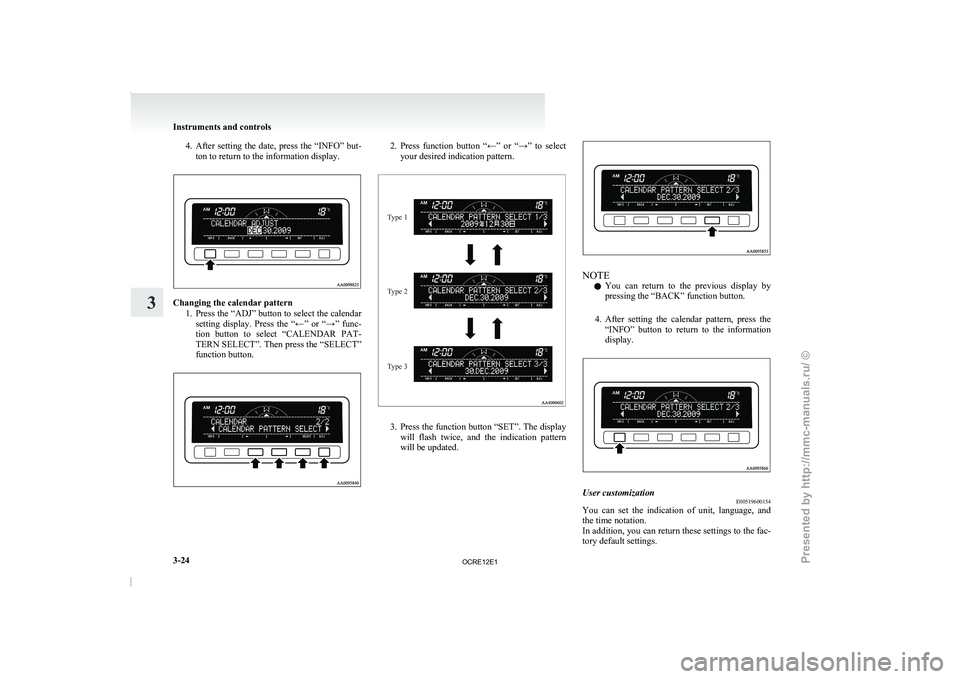
4. After setting the date, press the “INFO” but-
ton to return to the information display. Changing the calendar pattern
1. Press the “ADJ” button to
select the calendar
setting display. Press the “←” or “→” func-
tion button to select “CALENDAR PAT-
TERN SELECT”. Then press the “SELECT”
function button. 2. Press function button “←” or “→” to select
your desired indication pattern.
Type 1
Type 2
Type 3 3. Press the function button “SET”. The display
will flash twice, and
the indication pattern
will be updated. NOTE
l You
can return to the
previous display by
pressing the “BACK” function button.
4. After setting the calendar pattern, press the “INFO” button to return to the information
display. User customization
E00519600154
You can set the indication of unit, language, and
the time notation.
In addition, you can return
these settings to the fac-
tory default settings. Instruments and controls
3-24
3
OCRE12E1
Presented by http://mmc-manuals.ru/ \251
Page 110 of 369
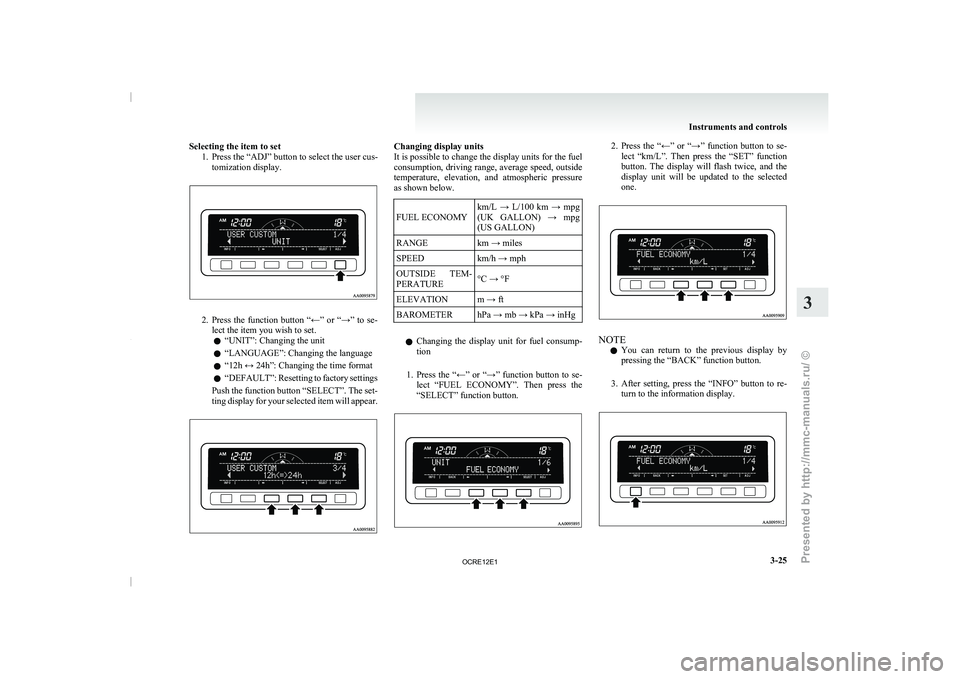
Selecting the item to set
1. Press the “ADJ” button to select the user cus-tomization display. 2. Press the function button “←” or “→” to se-
lect the item you wish to set.
l “UNIT”: Changing the unit
l “LANGUAGE”: Changing the language
l “12h ↔ 24h”: Changing the time format
l “DEFAULT”: Resetting to
factory
settings
Push the function button “SELECT”. The set-
ting display for your selected item will appear. Changing display units
It is possible to change the display units for the fuel
consumption, driving range, average speed,
outside
temperature, elevation, and atmospheric pressure
as shown below.
FUEL ECONOMY km/L → L/100 km → mpg
(UK GALLON) → mpg
(US GALLON)
RANGE km → miles
SPEED km/h → mph
OUTSIDE TEM-
PERATURE °C → °F
ELEVATION
m → ft
BAROMETER hPa → mb → kPa → inHg
l Changing the display unit for
fuel consump-
tion
1. Press the “←” or “→” function button to se- lect “FUEL ECONOMY”. Then press the
“SELECT” function button. 2. Press the “←” or “→” function button to se-
lect “km/L”. Then press
the “SET” function
button. The display will flash twice, and the
display unit will be updated to the selected
one. NOTE
l You
can return to the
previous display by
pressing the “BACK” function button.
3. After setting, press the “INFO” button to re- turn to the information display. Instruments and controls
3-25 3
OCRE12E1
Presented by http://mmc-manuals.ru/ \251
Page 111 of 369
Changing the language
It is possible to set
the display language of the cen-
tre information display to English, Spanish,
French, German, Portuguese or Italian.
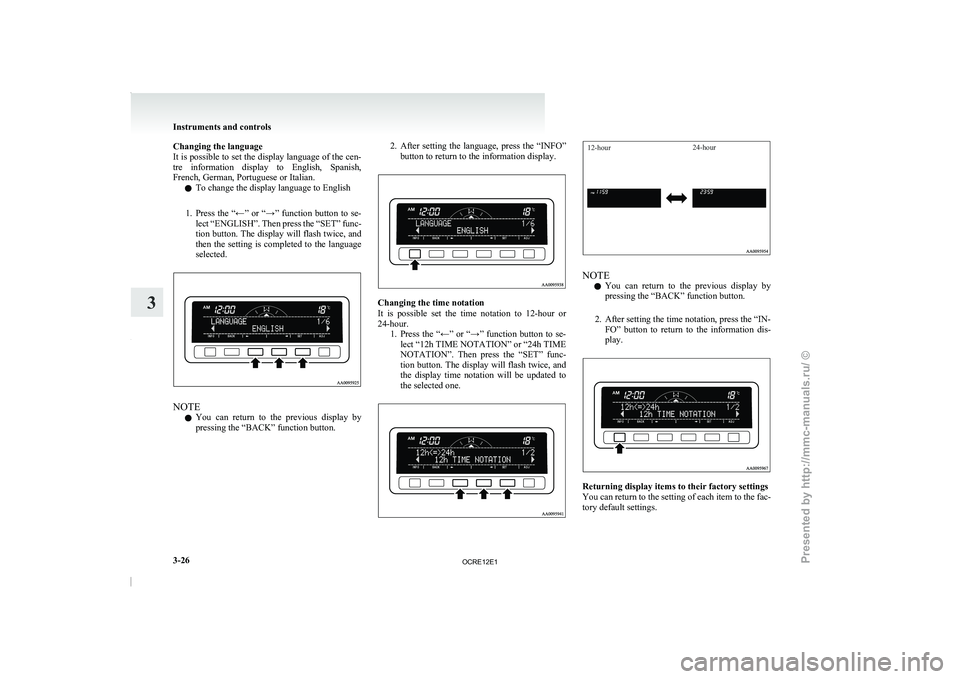
l To change the display language to English
1. Press the “←” or “→” function button to se- lect “ENGLISH”. Then press the “SET” func-
tion button. The display will flash twice, and
then the setting is completed to the language
selected. NOTE
l You
can return to the
previous display by
pressing the “BACK” function button. 2. After setting the language, press the “INFO”
button to return to the information display. Changing the time notation
It is possible set
the
time notation to 12-hour or
24-hour. 1. Press the “←” or “→” function button to se-lect “12h TIME NOTATION” or “24h TIME
NOTATION”. Then press the “SET” func-
tion button. The display will flash twice, and
the display time notation will be updated to
the selected one.
12-hour 24-hour NOTE
l You
can return to the
previous display by
pressing the “BACK” function button.
2. After setting the time notation, press the “IN- FO” button to return to the information dis-
play. Returning display items to their factory settings
You can return to the
setting of each item to the fac-
tory default settings. Instruments and controls
3-26
3
OCRE12E1
Presented by http://mmc-manuals.ru/ \251
Page 112 of 369
NOTE
l The factory settings are as follows:
•Fuel consumption: L/100 km (62 mph)
• Driving range: km
• Average speed: km/h
•
Outside temperature: °C
• Elevation: m
• Atmospheric pressure: hPa
• Display language: English
• Time notation: 12-hour
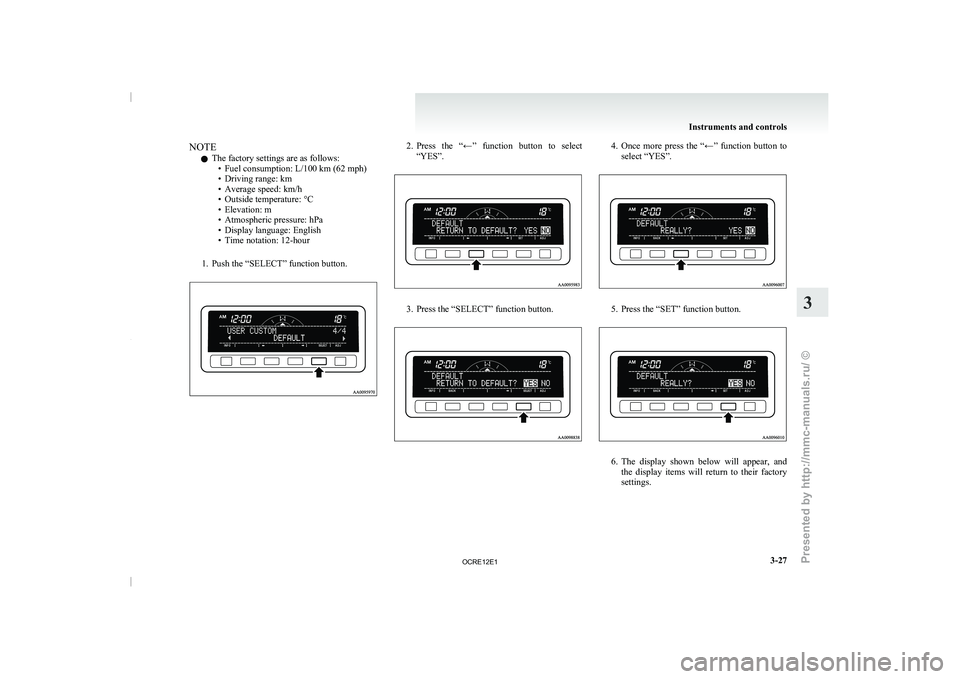
1. Push the “SELECT” function button. 2. Press the “←” function button to select
“YES”. 3. Press the “SELECT” function button. 4. Once more press the “←” function button to
select “YES”. 5. Press the “SET” function button.
6. The display shown below will appear, and
the display items will
return to their factory
settings. Instruments and controls
3-27 3
OCRE12E1
Presented by http://mmc-manuals.ru/ \251
Page 113 of 369
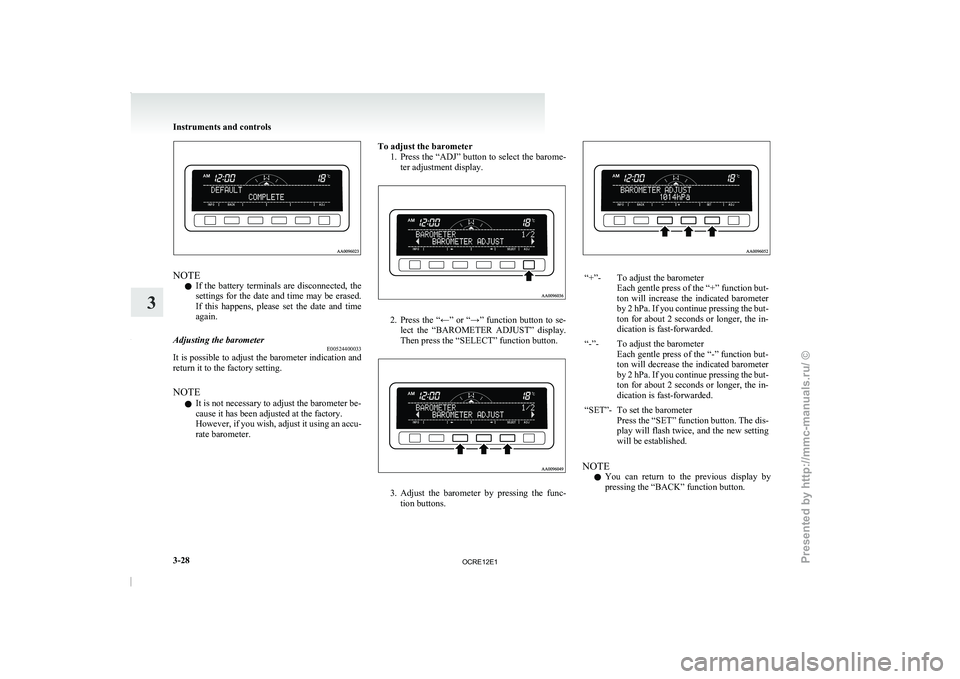
NOTE
l If
the battery terminals are
disconnected, the
settings for the date and time may be erased.
If this happens, please set the date and time
again.
Adjusting the barometer E00524400033
It is possible to adjust the barometer indication and
return it to the factory setting.
NOTE
l It is not necessary to adjust the barometer be-
cause it has been adjusted at the factory.
However, if you wish,
adjust
it using an accu-
rate barometer. To adjust the barometer
1. Press the “ADJ” button to
select the barome-
ter adjustment display. 2. Press the “←” or “→” function button to se-
lect the “BAROMETER ADJUST”
display.
Then press the “SELECT” function button. 3. Adjust the barometer by pressing the func-
tion buttons. “+”- To adjust the barometer
Each gentle press of the
“+” function but-
ton will increase the indicated barometer
by 2 hPa. If you continue pressing the but-
ton for about 2 seconds or longer, the in-
dication is fast-forwarded.
“-”- To adjust the barometer Each gentle press of the
“-” function but-
ton will decrease the indicated barometer
by 2 hPa. If you continue pressing the but-
ton for about 2 seconds or longer, the in-
dication is fast-forwarded.
“SET”- To set the barometer Press the “SET” function button.
The dis-
play will flash twice, and the new setting
will be established.
NOTE l You
can return to the
previous display by
pressing the “BACK” function button. Instruments and controls
3-28
3
OCRE12E1
Presented by http://mmc-manuals.ru/ \251
Page 114 of 369
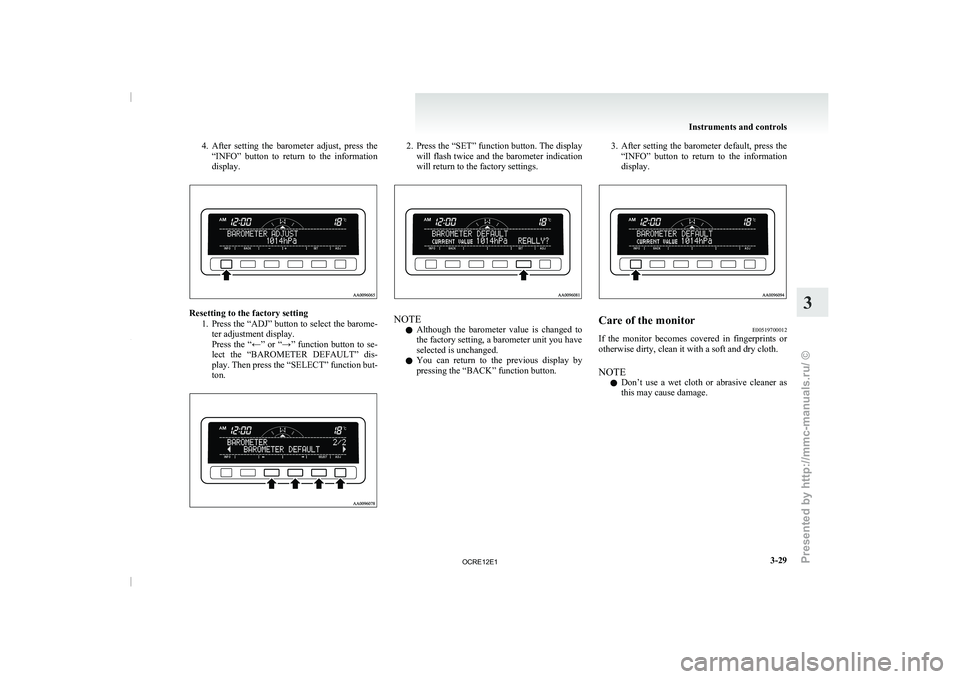
4. After setting the barometer adjust, press the
“INFO” button to return to the information
display. Resetting to the factory setting
1. Press the “ADJ” button to
select the barome-
ter adjustment display.
Press the “←” or “→” function button to se-
lect the “BAROMETER DEFAULT” dis-
play. Then press the “SELECT” function but-
ton. 2. Press the “SET” function button. The display
will flash twice and
the barometer indication
will return to the factory settings. NOTE
l Although
the barometer value is
changed to
the factory setting, a barometer unit you have
selected is unchanged.
l You can return to the previous display by
pressing the “BACK” function button. 3. After
setting the barometer default, press the
“INFO” button to return
to the information
display. Care of the monitor
E00519700012
If the monitor becomes covered in fingerprints or
otherwise dirty, clean it with a soft and dry cloth.
NOTE
l Don’t
use a wet cloth
or abrasive cleaner as
this may cause damage. Instruments and controls
3-29 3
OCRE12E1
Presented by http://mmc-manuals.ru/ \251
Page 129 of 369
Running-in recommendations
E00600402395
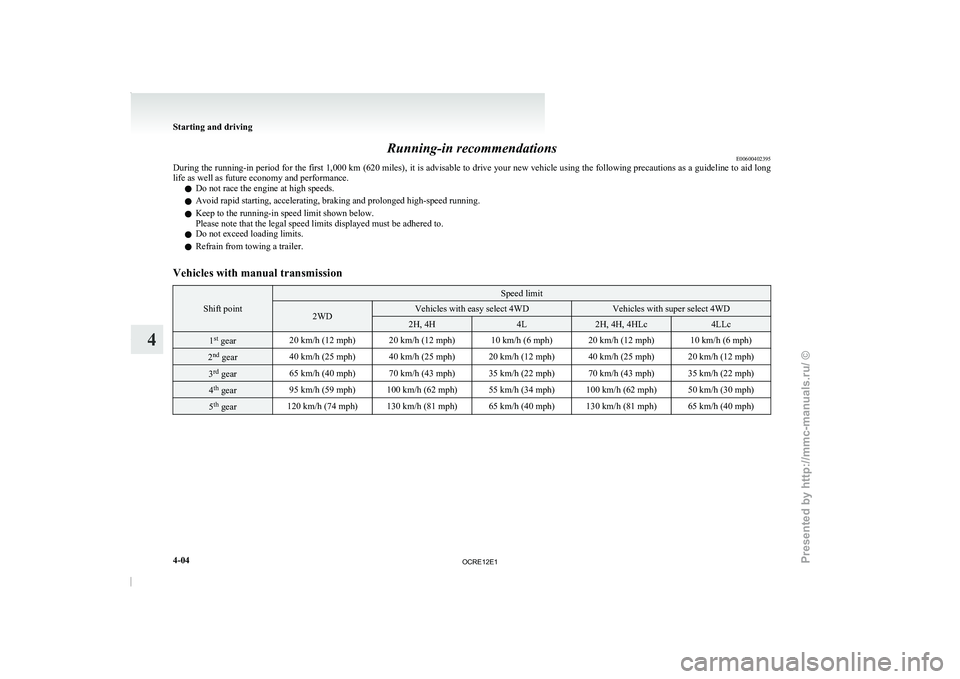
During the running-in period for
the first 1,000 km (620 miles), it is advisable to drive your new vehicle using the following precautions as a guideline to aid long
life as well as future economy and performance.
l Do not race the engine at high speeds.
l Avoid rapid starting, accelerating, braking and prolonged high-speed running.
l Keep to the running-in speed limit shown below.
Please note that the legal speed limits displayed must be adhered to.
l Do not exceed loading limits.
l Refrain from towing a trailer.
Vehicles with manual transmission Shift point Speed limit
2WD Vehicles with easy select 4WD Vehicles with super select 4WD
2H, 4H 4L 2H, 4H, 4HLc 4LLc
1
st
gear 20 km/h (12 mph) 20 km/h (12 mph) 10 km/h (6 mph) 20 km/h (12 mph) 10 km/h (6 mph)2
nd
gear 40 km/h (25 mph) 40 km/h (25 mph) 20 km/h (12 mph) 40 km/h (25 mph) 20 km/h (12 mph)3
rd
gear 65 km/h (40 mph) 70 km/h (43 mph) 35 km/h (22 mph) 70 km/h (43 mph) 35 km/h (22 mph)4
th
gear 95 km/h (59 mph) 100 km/h (62 mph) 55 km/h (34 mph) 100 km/h (62 mph) 50 km/h (30 mph)5
th
gear 120 km/h (74 mph) 130 km/h (81 mph) 65 km/h (40 mph) 130 km/h (81 mph) 65 km/h (40 mph)Starting and driving
4-04
4
OCRE12E1
Presented by http://mmc-manuals.ru/ \251
Page 196 of 369
LW/MW/FM electronic tuning radio with CD player*
E00708501745
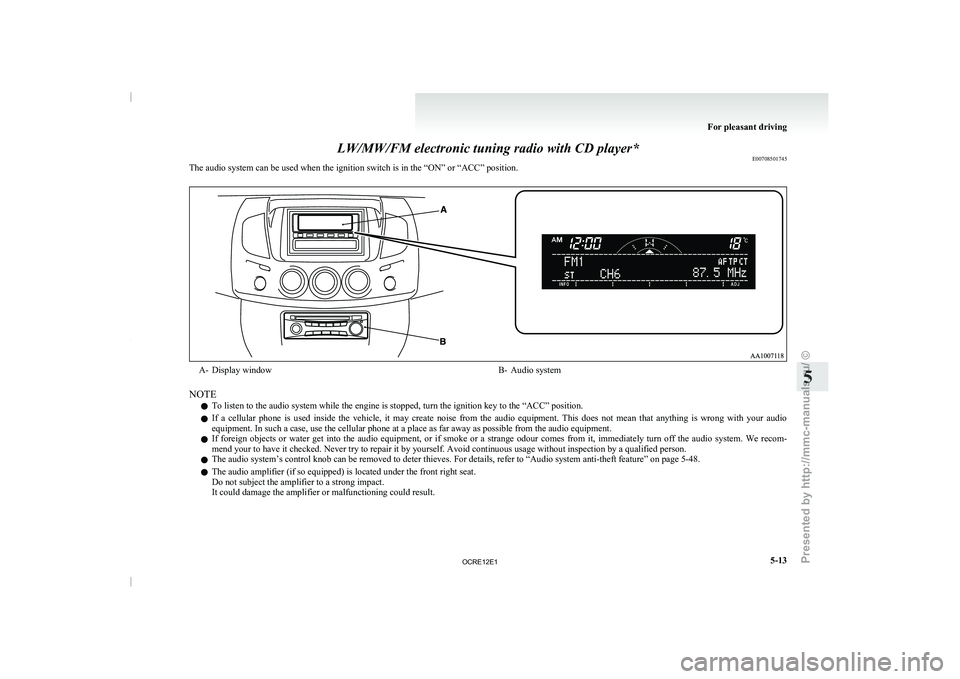
The audio system can be used when the ignition switch is in the “ON” or “ACC” position. A- Display window
B- Audio system
NOTE l To listen to the audio system while the engine is stopped, turn the ignition key to the “ACC” position.
l If
a cellular phone is
used inside the vehicle, it may create noise from the audio equipment. This does not mean that anything is wrong with your audio
equipment. In such a case, use the cellular phone at a place as far away as possible from the audio equipment.
l If foreign objects or water get into the audio equipment, or if smoke or a strange odour comes from it, immediately turn off the audio system. We recom-
mend your to have it checked. Never try to repair it by yourself. Avoid continuous usage without inspection by a qualified person.
l The audio system’s control knob can be removed to deter thieves. For details, refer to
“Audio system anti-theft feature” on page 5-48.
l The audio amplifier (if so equipped) is located under the front right seat.
Do not subject the amplifier to a strong impact.
It could damage the amplifier or malfunctioning could result. For pleasant driving
5-13 5
OCRE12E1
Presented by http://mmc-manuals.ru/ \251
Page 197 of 369
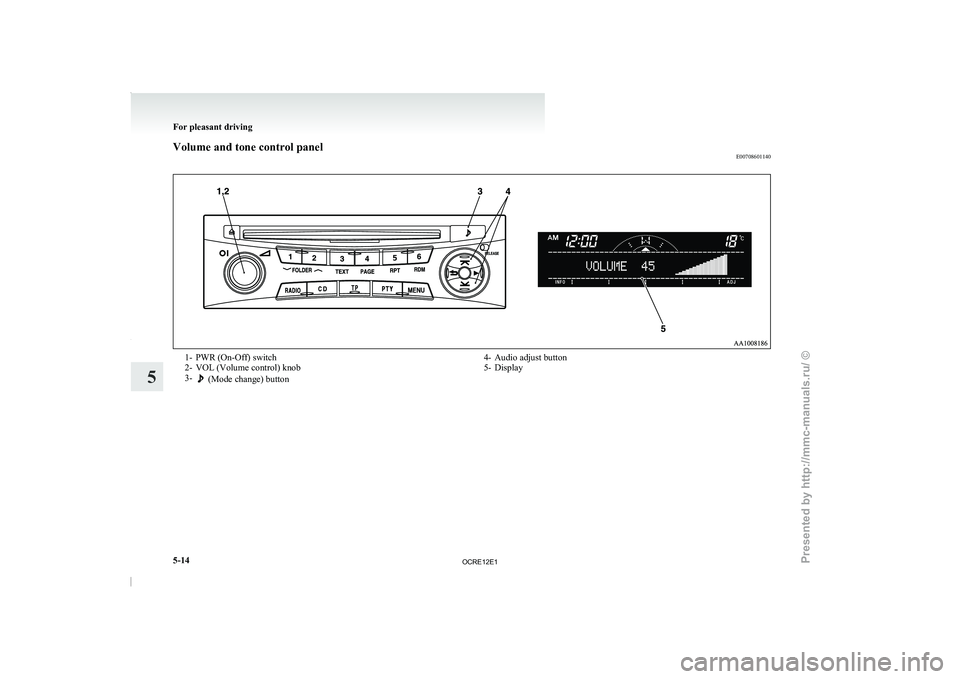
Volume and tone control panel
E007086011401- PWR (On-Off) switch
2-
VOL (Volume control) knob
3- (Mode change) button
4- Audio adjust button
5-
Display For pleasant driving
5-14
5
OCRE12E1
Presented by http://mmc-manuals.ru/ \251
Page 198 of 369
To adjust the volume
E00708700665
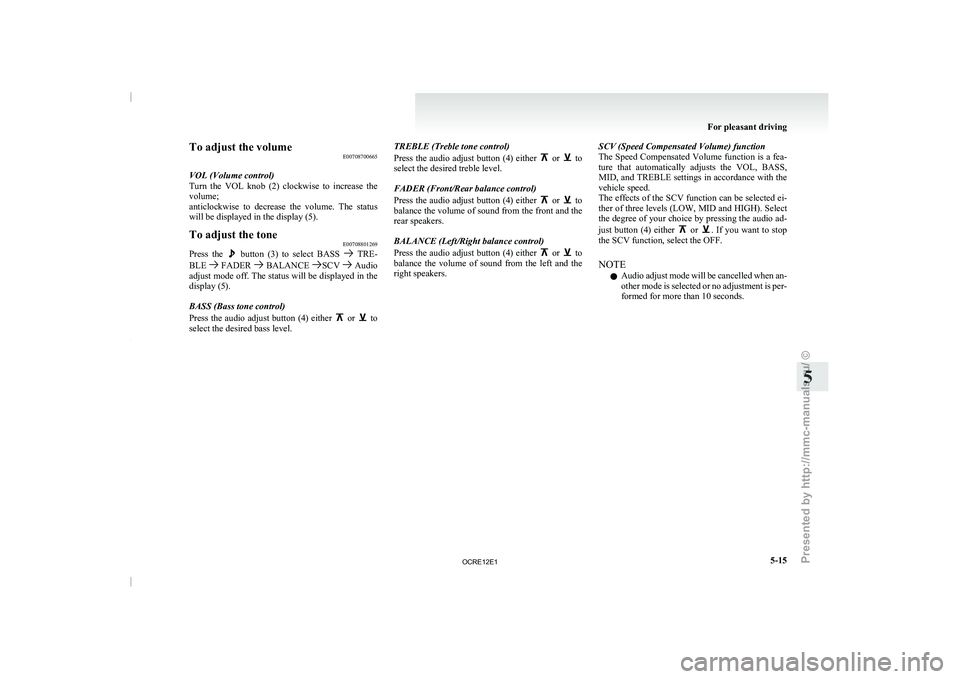
VOL (Volume control)
Turn the VOL knob (2)
clockwise to increase the
volume;
anticlockwise to decrease the volume. The status
will be displayed in the display (5).
To adjust the tone E00708801269
Press the button (3) to select BASS TRE-
BLE FADER BALANCE SCV Audio
adjust mode off. The status
will be displayed in the
display (5).
BASS (Bass tone control)
Press the audio adjust button (4) either or to
select the desired bass level. TREBLE (Treble tone control)
Press the audio adjust button
(4) either or to
select the desired treble level.
FADER (Front/Rear balance control)
Press the audio adjust button
(4) either or to
balance the volume of sound
from the front and the
rear speakers.
BALANCE (Left/Right balance control)
Press the audio adjust button (4) either or to
balance the volume of sound
from the left and the
right speakers. SCV (Speed Compensated Volume) function
The Speed Compensated Volume
function
is a fea-
ture that automatically adjusts the VOL, BASS,
MID, and TREBLE settings in accordance with the
vehicle speed.
The effects of the SCV function can be selected ei-
ther of three levels (LOW, MID and HIGH). Select
the degree of your choice by pressing the audio ad-
just button (4) either or . If you want to stop
the SCV function, select the OFF.
NOTE
l Audio
adjust mode will be
cancelled when an-
other mode is selected or no adjustment is per-
formed for more than 10 seconds. For pleasant driving
5-15 5
OCRE12E1
Presented by http://mmc-manuals.ru/ \251