seats NISSAN 370Z 2019 Owner´s Manual
[x] Cancel search | Manufacturer: NISSAN, Model Year: 2019, Model line: 370Z, Model: NISSAN 370Z 2019Pages: 460, PDF Size: 2.26 MB
Page 69 of 460

2 Instruments and controls
Cockpit ........................................................................\
.......................... 2-3
Instrument panel ........................................................................\
.. 2-4
Meters and gauges ..................................................................... 2-5Speedometer and odometer ........................................ 2-6
Tachometer ........................................................................\
........ 2-7
Engine coolant temperature gauge ....................... 2-7
Fuel gauge ........................................................................\
........... 2-8
Triple meter ........................................................................\
........ 2-8
Warning lights, indicator lights and
audible reminders ..................................................................... 2-10
Checking lights ..................................................................... 2-11
Warning lights ........................................................................\
2-11
Indicator lights ...................................................................... 2-15
Audible reminders .............................................................. 2-18
Vehicle information display ............................................... 2-19 Operational indicators .................................................... 2-20
Warnings and alerts .......................................................... 2-21
Maintenance indicators ................................................. 2-23
Trip computer ........................................................................\
2-23
Security systems ........................................................................\
2-29
Vehicle Security System ................................................ 2-29
NISSAN Vehicle Immobilizer System .................... 2-30
Wiper and washer switch .................................................... 2-32
Rear window defroster switch ........................................ 2-33 Headlight and turn signal switch ................................ 2-34
Xenon headlights ............................................................. 2-34
Headlight switch ............................................................... 2-34
Turn signal switch ........................................................... 2-37
Fog light switch (if so equipped) ......................... 2-38
Horn ........................................................................\
............................. 2-38
Heated seats (if so equipped) ......................................... 2-38
Climate controlled seats (if so equipped) ............. 2-40
Vehicle Dynamic Control (VDC) OFF switch ........ 2-41
Power outlet ........................................................................\
......... 2-42
Storage ........................................................................\
...................... 2-43 Instrument pocket (except for navigation
system equipped models) ......................................... 2-43
Cup holders ........................................................................\
... 2-43
Glove box ........................................................................\
........ 2-44
Console box ........................................................................\
.. 2-44
Rear parcel box .................................................................. 2-45
Cargo cover (if so equipped) ................................... 2-45
Windows ........................................................................\
................... 2-46 Power windows ................................................................. 2-46
Interior lights ........................................................................\
........ 2-50 Map lights ........................................................................\
....... 2-50
Interior light control switch ..................................... 2-50
Vanity mirror lights ................................................................. 2-51
Page 84 of 460
2-16Instruments and controls
Front passenger air bag sta-
tus light
The front passenger air bag status light
(), located on the center of the instru-
ment panel, will be lit and the passenger
front air bag will be OFF depending on
how the front passenger seat is being
used.
For front passenger air bag status light
operation, see “NISSAN Advanced Air Bag
System (front seats)” (P.1-36) of this man-
ual.
High beam indicator light
This light comes on when the headlight
high beam is on and goes out when the
low beam is selected.
Malfunction Indicator Light
(MIL)
If the malfunction indicator light comes
on steady or blinks while the engine is
running, it may indicate a potential emis-
sion control malfunction.
The malfunction indicator light may also
come on steady if the fuel-filler cap is
loose or missing, or if the vehicle runs out
of fuel. Check to make sure the fuel-filler
cap is installed and closed tightly, and
that the vehicle has at least 3 US gallons (11.4 liters) of fuel in the fuel tank.
After a few driving trips, the
light
should turn off if no other potential
emission control system malfunction ex-
ists.
If this indicator light remains on for 20
seconds and then blinks for 10 seconds
when the engine is not running, it indi-
cates that the vehicle is not ready for an
emission control system inspection/
maintenance test. (See “Readiness for
Inspection/Maintenance (I/M) test” (P.10-
25).)
Operation:
The malfunction indicator light will come
on in one of two ways:
. Malfunction indicator light on steady
— An emission control system mal-
function has been detected. Check
the fuel-filler cap if the LOOSE FUEL
CAP warning appears in the vehicle
information display. If the fuel-filler
cap is loose or missing, tighten or
install the cap and continue to drive
the vehicle. The
light should turn
off after a few driving trips. If the
light does not turn off after a few
driving trips, have the vehicle in-
spected. It is recommended you visit
a NISSAN dealer for this service. You
do not need to have your vehicle towed to the dealer.
. Malfunction indicator light blinking —
An engine misfire has been detected
which may damage the emission
control system.
To reduce or avoid emission control
system damage:
1) Do not drive at speeds above 45
MPH (72 km/h).
2) Avoid hard acceleration or decel- eration.
3) Avoid steep uphill grades.
4) If possible, reduce the amount of cargo being hauled or towed.
The malfunction indicator light may
stop blinking and remain on.
Have the vehicle inspected. It is re-
commended you visit a NISSAN dealer
for this service. You do not need to
have your vehicle towed to the dealer.
CAUTION
Continued vehicle operation without
having the emission control system
checked and repaired as necessary
could lead to poor driveability, re-
duced fuel economy, and possible
damage to the emission control sys-
tem.
Page 106 of 460
2-38Instruments and controls
SIC4066
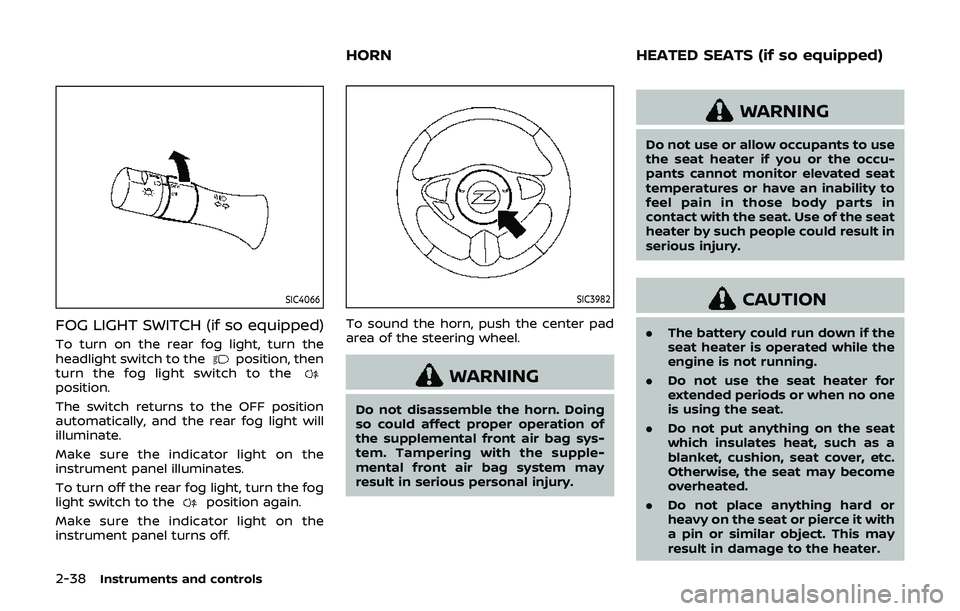
FOG LIGHT SWITCH (if so equipped)
To turn on the rear fog light, turn the
headlight switch to theposition, then
turn the fog light switch to the
position.
The switch returns to the OFF position
automatically, and the rear fog light will
illuminate.
Make sure the indicator light on the
instrument panel illuminates.
To turn off the rear fog light, turn the fog
light switch to the
position again.
Make sure the indicator light on the
instrument panel turns off.
SIC3982
To sound the horn, push the center pad
area of the steering wheel.
WARNING
Do not disassemble the horn. Doing
so could affect proper operation of
the supplemental front air bag sys-
tem. Tampering with the supple-
mental front air bag system may
result in serious personal injury.
WARNING
Do not use or allow occupants to use
the seat heater if you or the occu-
pants cannot monitor elevated seat
temperatures or have an inability to
feel pain in those body parts in
contact with the seat. Use of the seat
heater by such people could result in
serious injury.
CAUTION
. The battery could run down if the
seat heater is operated while the
engine is not running.
. Do not use the seat heater for
extended periods or when no one
is using the seat.
. Do not put anything on the seat
which insulates heat, such as a
blanket, cushion, seat cover, etc.
Otherwise, the seat may become
overheated.
. Do not place anything hard or
heavy on the seat or pierce it with
a pin or similar object. This may
result in damage to the heater.
HORN HEATED SEATS (if so equipped)
Page 107 of 460
.Any liquid spilled on the heated
seat should be removed immedi-
ately with a dry cloth.
. When cleaning the seat, never use
gasoline, thinner, or any similar
materials.
. If any malfunctions are found or
the heated seat does not operate,
turn the switch off and have the
system checked. It is recom-
mended you visit a NISSAN dealer
for this service.
SIC2770
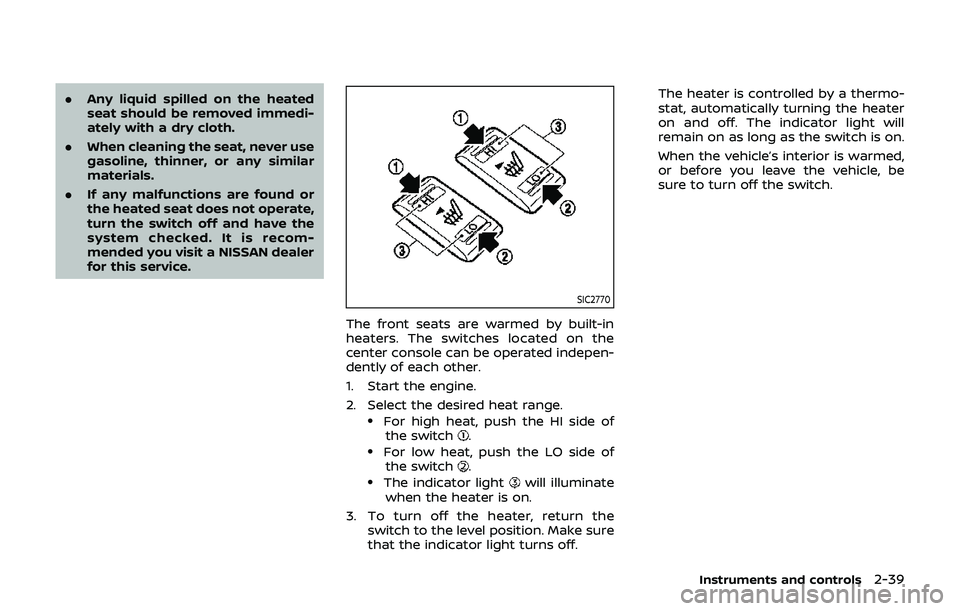
The front seats are warmed by built-in
heaters. The switches located on the
center console can be operated indepen-
dently of each other.
1. Start the engine.
2. Select the desired heat range.
.For high heat, push the HI side of
the switch..For low heat, push the LO side ofthe switch..The indicator lightwill illuminate
when the heater is on.
3. To turn off the heater, return the switch to the level position. Make sure
that the indicator light turns off. The heater is controlled by a thermo-
stat, automatically turning the heater
on and off. The indicator light will
remain on as long as the switch is on.
When the vehicle’s interior is warmed,
or before you leave the vehicle, be
sure to turn off the switch.
Instruments and controls2-39
Page 108 of 460
2-40Instruments and controls
SIC2771
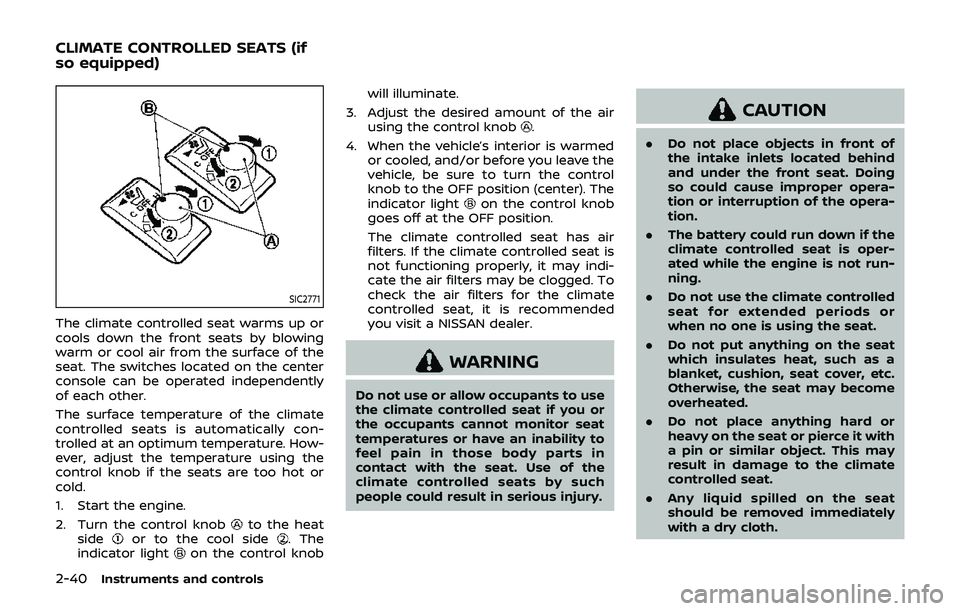
The climate controlled seat warms up or
cools down the front seats by blowing
warm or cool air from the surface of the
seat. The switches located on the center
console can be operated independently
of each other.
The surface temperature of the climate
controlled seats is automatically con-
trolled at an optimum temperature. How-
ever, adjust the temperature using the
control knob if the seats are too hot or
cold.
1. Start the engine.
2. Turn the control knob
to the heat
sideor to the cool side. The
indicator lighton the control knob will illuminate.
3. Adjust the desired amount of the air using the control knob
.
4. When the vehicle’s interior is warmed or cooled, and/or before you leave the
vehicle, be sure to turn the control
knob to the OFF position (center). The
indicator light
on the control knob
goes off at the OFF position.
The climate controlled seat has air
filters. If the climate controlled seat is
not functioning properly, it may indi-
cate the air filters may be clogged. To
check the air filters for the climate
controlled seat, it is recommended
you visit a NISSAN dealer.
WARNING
Do not use or allow occupants to use
the climate controlled seat if you or
the occupants cannot monitor seat
temperatures or have an inability to
feel pain in those body parts in
contact with the seat. Use of the
climate controlled seats by such
people could result in serious injury.
CAUTION
. Do not place objects in front of
the intake inlets located behind
and under the front seat. Doing
so could cause improper opera-
tion or interruption of the opera-
tion.
. The battery could run down if the
climate controlled seat is oper-
ated while the engine is not run-
ning.
. Do not use the climate controlled
seat for extended periods or
when no one is using the seat.
. Do not put anything on the seat
which insulates heat, such as a
blanket, cushion, seat cover, etc.
Otherwise, the seat may become
overheated.
. Do not place anything hard or
heavy on the seat or pierce it with
a pin or similar object. This may
result in damage to the climate
controlled seat.
. Any liquid spilled on the seat
should be removed immediately
with a dry cloth.
CLIMATE CONTROLLED SEATS (if
so equipped)
Page 207 of 460
.DTS and DTS 2.0 “” are registered
trademarks of DTS, Inc.
Parental level (parental control):
DVDs with the parental control setting
can be played with this system. Please
use your own judgement to set the
parental control with the system.
Disc selection:
The following disc formats can be played
with the DVD drive.
. DVD-VIDEO
. VIDEO-CD
. CD-DA (Conventional Compact Disc)
. DTS-CD
USB (Universal Serial Bus) connec-
tion port
WARNING
Do not connect, disconnect or oper-
ate the USB device while driving.
Doing so can be a distraction. If
distracted you could lose control of
your vehicle and cause an accident
or serious injury.
CAUTION
.Do not force the USB device into
the USB connection port. Insert-
ing the USB device tilted or up-
side-down into the port may da-
mage the port. Make sure that
the USB device is connected cor-
rectly into the USB connection
port.
. Do not grab the USB connection
port cover (if so equipped) when
pulling the USB device out of the
port. This could damage the port
and the cover.
. Do not leave the USB cable in a
place where it can be pulled
unintentionally. Pulling the cable
may damage the port.
The vehicle is not equipped with a USB
device. USB devices should be purchased
separately as necessary.
This system cannot be used to format
USB devices. To format a USB device, use
a personal computer.
In some states/area, the USB device for
the front seats plays only sound without
images for regulatory reasons, even when
the vehicle is parked. This system supports various USB mem-
ory devices, USB hard drives and iPod®
players. Some USB devices may not be
supported by this system.
.
Partitioned USB devices may not be
played correctly.
. Some characters used in other lan-
guages (Chinese, Japanese, etc.) may
not appear properly in the display.
Using English language characters
with a USB device is recommended.
General notes for USB use:
Refer to your device manufacturer’s own-
er information regarding the proper use
and care of the device.
Notes for iPod® use:
“Made for iPod®”, “Made for iPhone®”, and
“Made for iPad®” mean that an electronic
accessory has been designed to connect
specifically to iPod®, iPhone®, or iPad®,
respectively, and has been certified by the
developer to meet Apple performance
standards.
Apple is not responsible for the operation
of this device or its compliance with
safety and regulatory standards.
Please note that the use of this accessory
with iPod®, iPhone®, or iPad® may affect
wireless performance.
iPad®, iPhone®, iPod®, iPod classic®, iPod
nano®, iPod shuffle®, and iPod touch® are
Center display, heater, air conditioner, audio, phone and voice recognition systems4-41
Page 361 of 460
CAUTION
Do not use abrasive cleaners when
washing the wheels.
Aluminum alloy wheels
Wash regularly with a sponge dampened
in a mild soap solution, especially during
winter months in areas where road salt is
used. Salt could discolor the wheels if not
removed.
CAUTION
Follow the directions below to avoid
staining or discoloring the wheels:
.Do not use a cleaner that uses
strong acid or alkali contents to
clean the wheels.
. Do not apply wheel cleaners to
the wheels when they are hot.
The wheel temperature should be
the same as ambient tempera-
ture.
. Rinse the wheel to completely
remove the cleaner within 15
minutes after the cleaner is ap-
plied.
CHROME PARTS
Clean chrome parts regularly with a non-
abrasive chrome polish to maintain the
finish.
TIRE DRESSING
NISSAN does not recommend the use of
tire dressings. Tire manufacturers apply a
coating to the tires to help reduce dis-
coloration of the rubber. If a tire dressing
is applied to the tires, it may react with
the coating and form a compound. This
compound may come off the tire while
driving and stain the vehicle paint.
If you choose to use a tire dressing, take
the following precautions:
.Use a water-based tire dressing. The
coating on the tire dissolves more
easily with an oil-based tire dressing.
. Apply a light coat of tire dressing to
help prevent it from entering the tire
tread/grooves (where it would be
difficult to remove).
. Wipe off excess tire dressing using a
dry towel. Make sure the tire dressing
is completely removed from the tire
tread/grooves.
. Allow the tire dressing to dry as
recommended by tire dressing manu-
facturer. Occasionally remove loose dust from the
interior trim, plastic parts and seats using
a vacuum cleaner or soft bristled brush.
Wipe the vinyl and leather surfaces with a
clean, soft cloth dampened in mild soap
solution, then wipe clean with a dry soft
cloth.
Regular care and cleaning is required in
order to maintain the appearance of the
leather.
Before using any fabric protector, read
the manufacturer’s recommendations.
Some fabric protectors contain chemicals
that may stain or bleach the seat materi-
al.
Use a cloth dampened only with water, to
clean the meter and gauge lens.
WARNING
Do not use water or acidic cleaners
(hot steam cleaners) on the seat. This
can damage the seat or occupant
classification sensor. This can also
affect the operation of the air bag
system and result in serious perso-
nal injury.
Appearance and care7-5
CLEANING INTERIOR
Page 407 of 460
When driving in areas using road salt or
other corrosive materials, check lubrica-
tion frequently.
Lights*:Clean the headlights on a regular
basis. Make sure that the headlights, stop
lights, tail lights, turn signal lights, and
other lights are all operating properly and
installed securely. Also check headlight
aim.
Road wheel nuts (lug nuts)*: When
checking the tires, make sure no wheel
nuts are missing, and check for any loose
wheel nuts. Tighten if necessary.
Tire rotation*: Tires cannot be rotated, as
the front tires are a different size from the
rear tires and the direction of wheel
rotation is fixed in each tire.
Tires*: Check the pressure with a gauge
often and always prior to long distance
trips. If necessary, adjust the pressure in
all tires, including the spare, to the
pressure specified. Check carefully for
damage, cuts or excessive wear.
Tire Pressure Monitoring System (TPMS)
transmitter components: Replace the
TPMS transmitter grommet seal, valve
core and cap when the tires are replaced
due to wear or age.
Wheel alignment and balance: If the
vehicle should pull to either side while
driving on a straight and level road, or if you detect uneven or abnormal tire wear,
there may be a need for wheel alignment.
If the steering wheel or seat vibrates at
normal highway speeds, wheel balancing
may be needed.
For additional information regarding tires,
refer to “Important Tire Safety Informa-
tion” (US) or “Tire Safety Information”
(Canada) in the NISSAN Warranty Infor-
mation Booklet.
Windshield:
Clean the windshield on a
regular basis. Check the windshield at
least every six months for cracks or other
damage. Have a damaged windshield
repaired by a qualified repair facility.
Windshield wiper blades*: Check for
cracks or wear if they do not wipe
properly.
Inside the vehicle
The maintenance items listed here should
be checked on a regular basis, such as
when performing scheduled mainte-
nance, cleaning the vehicle, etc.
Accelerator pedal: Check the pedal for
smooth operation and make sure the
pedal does not catch or require uneven
effort. Keep the floor mat away from the
pedal.
Automatic transmission P (Park) me-
chanism: On a fairly steep hill, check that your vehicle is held securely with the shift
lever in the P (Park) position without
applying any brakes.
Brake pedal:
Check the pedal for smooth
operation. If the brake pedal suddenly
goes down further than normal, the pedal
feels spongy or the vehicle seems to take
longer to stop, have your vehicle checked
immediately. It is recommended you visit
a NISSAN dealer for this service. Keep the
floor mat away from the pedal.
Brakes: Check that the brakes do not pull
the vehicle to one side when applied.
Parking brake: Check the parking brake
operation regularly. The vehicle should be
securely held on a fairly steep hill with
only the parking brake applied. If the
parking brake needs adjusted, it is re-
commended you visit a NISSAN dealer for
this service.
Seats: Check seat position controls such
as seat adjusters, seatback recliner, etc. to
ensure they operate smoothly and that all
latches lock securely in every position.
Check that the head restraints move up
and down smoothly and that the locks (if
so equipped) hold securely in all latched
positions.
Seat belts: Check that all parts of the seat
belt system (for example, buckles, an-
chors, adjuster and retractors) operate
Maintenance and schedules9-3
Page 441 of 460
WARNING
.It is extremely dangerous to
ride in a cargo area inside
the vehicle. In a collision,
people riding in these areas
are more likely to be ser-
iously injured or killed.
.Do not allow people to ride
in any area of vehicle that is
not equipped with seats and
seat belts.
.Be sure everyone in your
vehicle is in a seat and using
a seat belt properly.
TERMS
It is important to familiarize your-
self with the following terms before
loading your vehicle:
. Curb Weight (actual weight of
your vehicle) - vehicle weight
including: standard equipment,
fluids, emergency tools, and
spare tire assembly. This weight
does not include passengers and cargo.
. GVW (Gross Vehicle Weight) -
curb weight plus the combined
weight of optional equipment,
passengers and cargo.
. GVWR (Gross Vehicle Weight Rat-
ing) - maximum total combined
weight of the unloaded vehicle,
passengers, luggage, hitch, trai-
ler tongue load and any other
optional equipment. This infor-
mation is located on the F.M.V.S.
S./C.M.V.S.S. label.
. GAWR (Gross Axle Weight Rating)
- maximum weight (load) limit
specified for the front or rear
axle. This information is located
on the F.M.V.S.S./C.M.V.S.S. label.
. GCWR (Gross Combined Weight
Rating) - The maximum total
weight rating of the vehicle,
passengers, cargo, and trailer.
. Vehicle Capacity Weight, Load
limit, Total load capacity - max-
imum total weight limit specified
of the load (passengers and
cargo) for the vehicle. This is the maximum combined weight
of occupants and cargo that can
be loaded into the vehicle. If the
vehicle is used to tow a trailer,
the trailer tongue weight must
be included as part of the cargo
load. This information is located
on the Tire and Loading Infor-
mation label.
. Cargo capacity - permissible
weight of cargo, the weight of
total occupants weight sub-
tracted from the load limit.
Technical and consumer information10-19
VEHICLE LOADING INFORMATION
Page 451 of 460
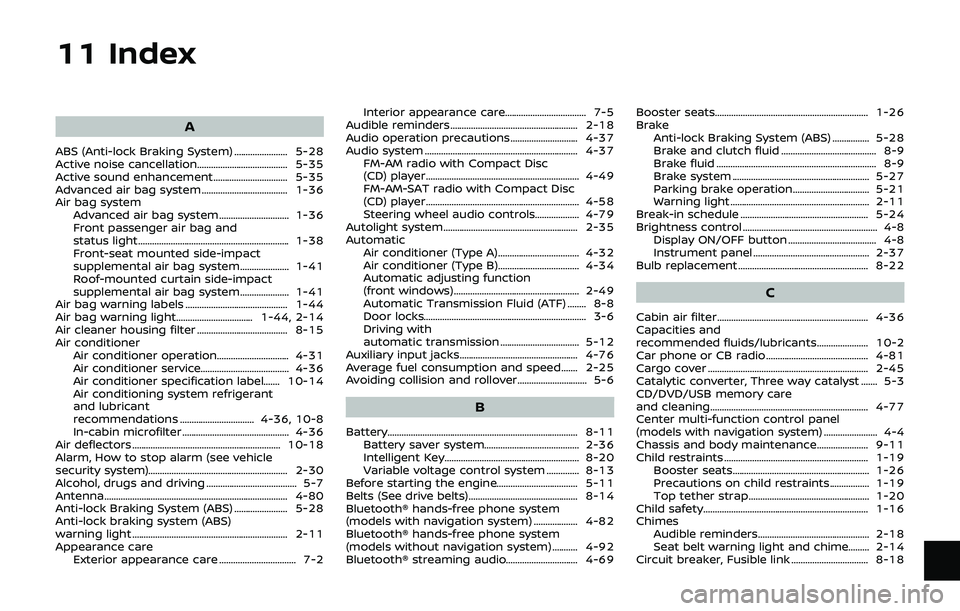
11 Index
A
ABS (Anti-lock Braking System) ....................... 5-28
Active noise cancellation....................................... 5-35
Active sound enhancement................................ 5-35
Advanced air bag system ..................................... 1-36
Air bag systemAdvanced air bag system .............................. 1-36
Front passenger air bag and
status light................................................................. 1-38
Front-seat mounted side-impact
supplemental air bag system..................... 1-41
Roof-mounted curtain side-impact
supplemental air bag system..................... 1-41
Air bag warning labels ............................................ 1-44
Air bag warning light................................. 1-44, 2-14
Air cleaner housing filter ....................................... 8-15
Air conditioner Air conditioner operation............................... 4-31
Air conditioner service...................................... 4-36
Air conditioner specification label....... 10-14
Air conditioning system refrigerant
and lubricant
recommendations ................................ 4-36, 10-8
In-cabin microfilter .............................................. 4-36
Air deflectors ................................................................ 10-18
Alarm, How to stop alarm (see vehicle
security system)............................................................ 2-30
Alcohol, drugs and driving ....................................... 5-7
Antenna........................................................................\
....... 4-80
Anti-lock Braking System (ABS) ....................... 5-28
Anti-lock braking system (ABS)
warning light ................................................................... 2-11
Appearance care Exterior appearance care ................................. 7-2 Interior appearance care................................... 7-5
Audible reminders....................................................... 2-18
Audio operation precautions ............................. 4-37
Audio system .................................................................. 4-37 FM-AM radio with Compact Disc
(CD) player .................................................................. 4-49
FM-AM-SAT radio with Compact Disc
(CD) player .................................................................. 4-58
Steering wheel audio controls................... 4-79
Autolight system.......................................................... 2-35
Automatic Air conditioner (Type A)................................... 4-32
Air conditioner (Type B)................................... 4-34
Automatic adjusting function
(front windows) ...................................................... 2-49
Automatic Transmission Fluid (ATF) ........ 8-8
Door locks...................................................................... 3-6
Driving with
automatic transmission .................................. 5-12
Auxiliary input jacks................................................... 4-76
Average fuel consumption and speed ....... 2-25
Avoiding collision and rollover.............................. 5-6
B
Battery........................................................................\
.......... 8-11 Battery saver system......................................... 2-36
Intelligent Key.......................................................... 8-20
Variable voltage control system .............. 8-13
Before starting the engine................................... 5-11
Belts (See drive belts)............................................... 8-14
Bluetooth® hands-free phone system
(models with navigation system) ................... 4-82
Bluetooth® hands-free phone system
(models without navigation system) ........... 4-92
Bluetooth® streaming audio............................... 4-69 Booster seats.................................................................. 1-26
Brake
Anti-lock Braking System (ABS) ................ 5-28
Brake and clutch fluid ......................................... 8-9
Brake fluid ..................................................................... 8-9
Brake system ........................................................... 5-27
Parking brake operation................................. 5-21
Warning light............................................................ 2-11
Break-in schedule ....................................................... 5-24
Brightness control .......................................................... 4-8 Display ON/OFF button ...................................... 4-8
Instrument panel .................................................. 2-37
Bulb replacement ........................................................ 8-22
C
Cabin air filter ................................................................. 4-36
Capacities and
recommended fluids/lubricants...................... 10-2
Car phone or CB radio ............................................ 4-81
Cargo cover ..................................................................... 2-45
Catalytic converter, Three way catalyst ....... 5-3
CD/DVD/USB memory care
and cleaning.................................................................... 4-77
Center multi-function control panel
(models with navigation system) ....................... 4-4
Chassis and body maintenance...................... 9-11
Child restraints .............................................................. 1-19 Booster seats........................................................... 1-26
Precautions on child restraints................. 1-19
Top tether strap .................................................... 1-20
Child safety....................................................................... 1-16
Chimes Audible reminders................................................ 2-18
Seat belt warning light and chime......... 2-14
Circuit breaker, Fusible link ................................. 8-18