MPG NISSAN 370Z COUPE 2010 Owners Manual
[x] Cancel search | Manufacturer: NISSAN, Model Year: 2010, Model line: 370Z COUPE, Model: NISSAN 370Z COUPE 2010Pages: 409, PDF Size: 3.56 MB
Page 82 of 409
Black plate (80,1)
Model "Z34-D" EDITED: 2009/ 9/ 10
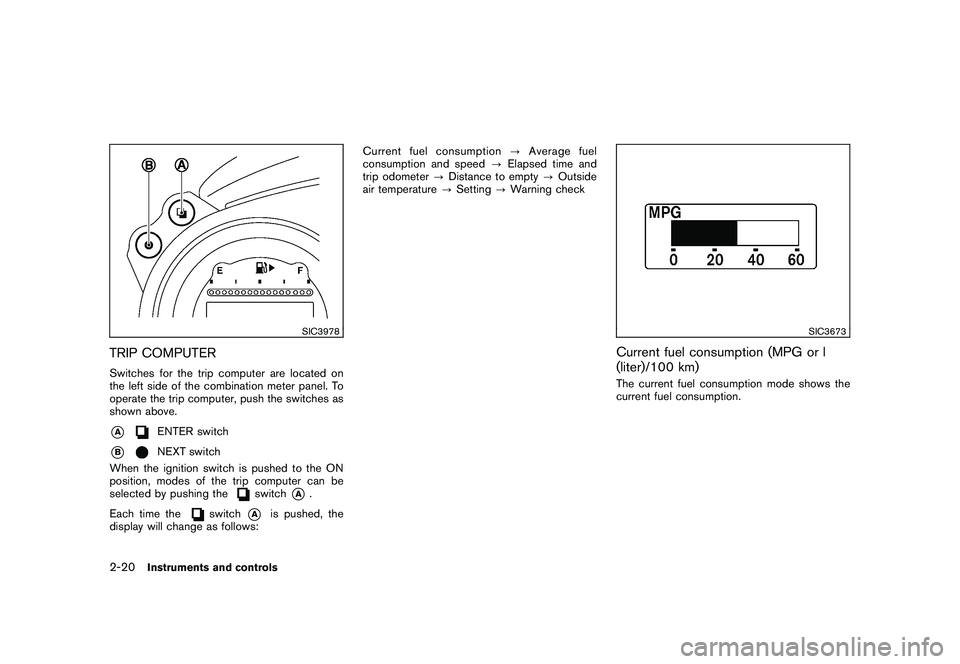
SIC3978
TRIP COMPUTERSwitches for the trip computer are located on
the left side of the combination meter panel. To
operate the trip computer, push the switches as
shown above.*A
ENTER switch
*B
NEXT switch
When the ignition switch is pushed to the ON
position, modes of the trip computer can be
selected by pushing the
switch
*A
.
Each time the
switch
*A
is pushed, the
display will change as follows: Current fuel consumption
?Average fuel
consumption and speed ?Elapsed time and
trip odometer ?Distance to empty ?Outside
air temperature ?Setting ?Warning check
SIC3673
Current fuel consumption (MPG or l
(liter)/100 km)The current fuel consumption mode shows the
current fuel consumption.
2-20
Instruments and controls
Page 83 of 409

Black plate (81,1)
Model "Z34-D" EDITED: 2009/ 9/ 10
SIC3674
Average fuel consumption (MPG or l
(liter)/100 km) and speed (MPH or km/h)Fuel consumption:
The average fuel consumption mode shows the
average fuel consumption since the last reset.
Resetting is done by pushing the
switch
*B
for longer than 1 second. (The average speed is
also reset at the same time.)
The display is updated every 30 seconds. At
about the first 1/3 mile (500 m) after a reset, the
display shows “——”.Speed:
The average speed mode shows the average
vehicle speed since the last reset. Resetting is
done by pushing the
switch
*B
for longer
than 1 second. (The average fuel consumption is
also reset at the same time.)
The display is updated every 30 seconds. The
first 30 seconds after a reset, the display shows
“——”.
SIC4226
Elapsed time and trip odometer (MILES
or km)Elapsed time:
The elapsed time mode shows the time since
the last reset. The displayed time can be reset
by pushing the
switch
*B
for longer than
1 second. (The trip odometer is also reset at the
same time.)
Trip odometer:
The trip odometer mode shows the total
distance the vehicle has been driven since the
last reset. Resetting is done by pushing the
switch
*B
for longer than 1 second. (The
elapsed time is also reset at the same time.)Instruments and controls
2-21
Page 167 of 409
Black plate (167,1)
Model "Z34-D" EDITED: 2009/ 9/ 10
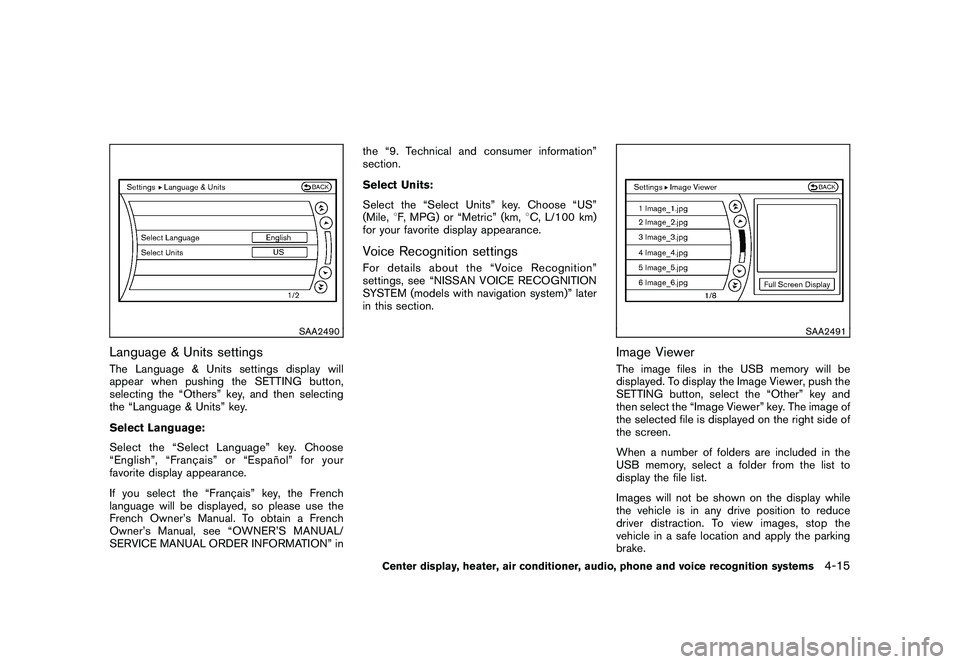
SAA2490
Language & Units settingsThe Language & Units settings display will
appear when pushing the SETTING button,
selecting the “Others” key, and then selecting
the “Language & Units” key.
Select Language:
Select the “Select Language” key. Choose
“English”, “Franc¸ais” or “Espan˜
ol” for your
favorite display appearance.
If you select the “Franc¸ ais” key, the French
language will be displayed, so please use the
French Owner’s Manual. To obtain a French
Owner’s Manual, see “OWNER’S MANUAL/
SERVICE MANUAL ORDER INFORMATION” in the “9. Technical and consumer information”
section.
Select Units:
Select the “Select Units” key. Choose “US”
(Mile,
8F, MPG) or “Metric” (km, 8C, L/100 km)
for your favorite display appearance.
Voice Recognition settingsFor details about the “Voice Recognition”
settings, see “NISSAN VOICE RECOGNITION
SYSTEM (models with navigation system)” later
in this section.
SAA2491
Image ViewerThe image files in the USB memory will be
displayed. To display the Image Viewer, push the
SETTING button, select the “Other” key and
then select the “Image Viewer” key. The image of
the selected file is displayed on the right side of
the screen.
When a number of folders are included in the
USB memory, select a folder from the list to
display the file list.
Images will not be shown on the display while
the vehicle is in any drive position to reduce
driver distraction. To view images, stop the
vehicle in a safe location and apply the parking
brake.
Center display, heater, air conditioner, audio, phone and voice recognition systems
4-15