steering NISSAN 370Z COUPE 2011 Owner's Guide
[x] Cancel search | Manufacturer: NISSAN, Model Year: 2011, Model line: 370Z COUPE, Model: NISSAN 370Z COUPE 2011Pages: 419, PDF Size: 3.61 MB
Page 253 of 419
Black plate (249,1)
Model "Z34-D" EDITED: 2010/ 7/ 27
nication link.
The transfer procedure varies according to each
cellular phone. See the cellular phone Owner’s
Manual for details. You can also visit www.
nissanusa.com/bluetooth for instructions on
transferring phone numbers from NISSAN re-
commended cellular phones.
The system repeats the number and prompts
you for the next command. When you have
finished entering numbers or transferring an
entry, choose “Store.”
The system confirms the name, location and
number.
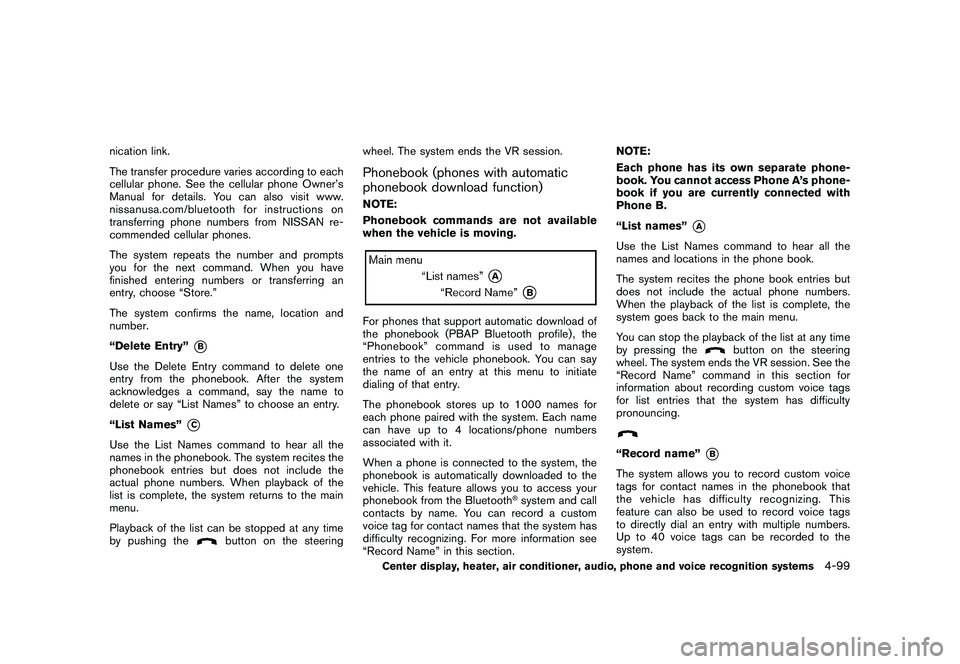
“Delete Entry”
*B
Use the Delete Entry command to delete one
entry from the phonebook. After the system
acknowledges a command, say the name to
delete or say “List Names” to choose an entry.
“List Names”
*C
Use the List Names command to hear all the
names in the phonebook. The system recites the
phonebook entries but does not include the
actual phone numbers. When playback of the
list is complete, the system returns to the main
menu.
Playback of the list can be stopped at any time
by pushing the
button on the steeringwheel. The system ends the VR session.
Phonebook (phones with automatic
phonebook download function)NOTE:
Phonebook commands are not available
when the vehicle is moving.For phones that support automatic download of
the phonebook (PBAP Bluetooth profile) , the
“Phonebook” command is used to manage
entries to the vehicle phonebook. You can say
the name of an entry at this menu to initiate
dialing of that entry.
The phonebook stores up to 1000 names for
each phone paired with the system. Each name
can have up to 4 locations/phone numbers
associated with it.
When a phone is connected to the system, the
phonebook is automatically downloaded to the
vehicle. This feature allows you to access your
phonebook from the Bluetooth
®system and call
contacts by name. You can record a custom
voice tag for contact names that the system has
difficulty recognizing. For more information see
“Record Name” in this section. NOTE:
Each phone has its own separate phone-
book. You cannot access Phone A’s phone-
book if you are currently connected with
Phone B.
“List names”
*A
Use the List Names command to hear all the
names and locations in the phone book.
The system recites the phone book entries but
does not include the actual phone numbers.
When the playback of the list is complete, the
system goes back to the main menu.
You can stop the playback of the list at any time
by pressing the
button on the steering
wheel. The system ends the VR session. See the
“Record Name” command in this section for
information about recording custom voice tags
for list entries that the system has difficulty
pronouncing.
“Record name”
*B
The system allows you to record custom voice
tags for contact names in the phonebook that
the vehicle has difficulty recognizing. This
feature can also be used to record voice tags
to directly dial an entry with multiple numbers.
Up to 40 voice tags can be recorded to the
system.
Center display, heater, air conditioner, audio, phone and voice recognition systems
4-99
Page 260 of 419
Black plate (256,1)
Model "Z34-D" EDITED: 2010/ 7/ 27
SAA2532
Getting StartedBefore using the NISSAN Voice Recognition
system for the first time, you can confirm how to
use commands by viewing the Getting Started
section of the User Guide.
1. Select the “Getting Started” key.
2. You can confirm the page by scrolling thescreen using the multi-function controller.
Tutorials on the operation of the NISSAN
Voice Recognition system
If you choose “Using the Address Book”,
“Finding a Street Address” or “Placing Calls”,
you can view tutorials on how to perform these
operations using NISSAN Voice Recognition.
SAA2534
Let’s PracticeThis mode helps learn how to use the NISSAN
Voice Recognition system.
1. Select the “Let’s Practice” key.
2. After the message screen appears, push the TALK
switch on the steering wheel.
3. Speak the displayed number after the tone. The evaluation screen will be displayed and
the result can be confirmed.
SAA2533
Useful tips for correct operationYou can display useful speaking tips to help the
system recognize your voice commands cor-
rectly.
Select “Help on Speaking” to start display.USING THE SYSTEM
InitializationWhen the ignition switch is pushed to the ON
position, NISSAN Voice Recognition is initia-
lized, which may take up to one minute. When
completed, the system is ready to accept voice
commands. If the TALK
switch is pushed
before the initialization completes, the display
will show the message: “System not ready.” or a
4-106
Center display, heater, air conditioner, audio, phone and voice recognition systems
Page 261 of 419
Black plate (257,1)
Model "Z34-D" EDITED: 2010/ 7/ 27
beep sounds.Before startingTo get the best recognition performance from
NISSAN Voice Recognition, observe the follow-
ing:
.The interior of the vehicle should be as quiet
as possible. Close the windows to eliminate
the surrounding noises (traffic noise and
vibration sounds, etc.) , which may prevent
the system from correctly recognizing the
voice commands.
. Wait until the tone sounds before speaking a
command.
. Speak in a natural conversational voice
without pausing between words.
. If the air conditioner is set to “Auto”, the fan
speed is automatically lowered so that your
commands can be recognized more easily.
SAA2167
Giving voice commands1. Push the TALK
switch located on the
steering wheel.
SAA2535
2. A list of commands appears on the screen, and the system announces, “Would you like
to access Phone, Navigation, Information,
Audio or Help?”.
3. After the tone sounds and the icon on the screen changes from
to
, speak a
command.
Selecting the “Practice” key will start the
practice mode. See “Let’s Practice” earlier
in this section.
4. Continue to follow the voice menu prompts and speak after the tone sounds until your
desired operation is completed.
Selecting the “Help ” key can display the
Center display, heater, air conditioner, audio, phone and voice recognition systems
4-107
Page 262 of 419
Black plate (258,1)
Model "Z34-D" EDITED: 2010/ 7/ 27
detailed information of the each command.
Operating tips:
. Say a command after the tone.
. Commands that are available are always
shown on the display and spoken through
voice menu prompts. Commands other than
those that are displayed are not accepted.
Please follow the prompts given by the
system.
. If the command is not recognized, the
system announces, “Please say again”.
Repeat the command in a clear voice.
. Push the BACK button once to return to the
previous screen.
. To exit the voice recognition system, push
and hold the TALK
switch. The
message, “Voice canceled” will be an-
nounced.
. To skip the voice guidance function and give
the command immediately, press the TALK
switch to interrupt the system. Re-
member to speak after the tone.
. If you want to adjust the volume of the
system feedback, push the volume control
buttons [+] or [ ] on the steering switch or
use the audio system volume knob while the
system is making an announcement. How to speak numbers:
NISSAN Voice Recognition requires a certain
way to speak numbers when giving voice
commands. Refer to the following examples.
General rule
Only single digits 0 (zero) to 9 can be used. (For
example, if you would like to say 500, “five zero
zero” can be used, but “five hundred” cannot.)
Examples
.
1-800-662-6200
— “One eight zero zero six six two six two zero zero”
Improving Recognition of Phone numbers
You can improve the recognition of phone
numbers by saying the phone number in three
groups of numbers. For example, when you try to
call 800-662-6200, say “eight zero zero” first,
and the system will then ask you for the next
three digits. Then, say “six six two”. After
recognition, the system will then ask for the last
four digits. Say, “six two zero zero”. Using this
method of phone digit entry can improve
recognition performance.
When speaking a house number, speak the
number “0” as “zero”. If the letter “o (Oh)” is
included in the house number, it will not be
recognized as the number “0 (zero)” even if you speak “oh” instead of “zero”.
Please speak
“zero” for the number “0 (zero)”, “oh” for
the letter “o (oh)”
4-108
Center display, heater, air conditioner, audio, phone and voice recognition systems
Page 266 of 419
Black plate (262,1)
Model "Z34-D" EDITED: 2010/ 7/ 27
Voice command examplesTo use the NISSAN Voice Recognition function,
speaking one command is sometimes sufficient,
but at other times it is necessary to speak two or
more commands. As examples, some additional
basic operations by voice commands are
described here.
For navigation system commands, see the
separate Navigation System Owner’s Manual.
SAA2167
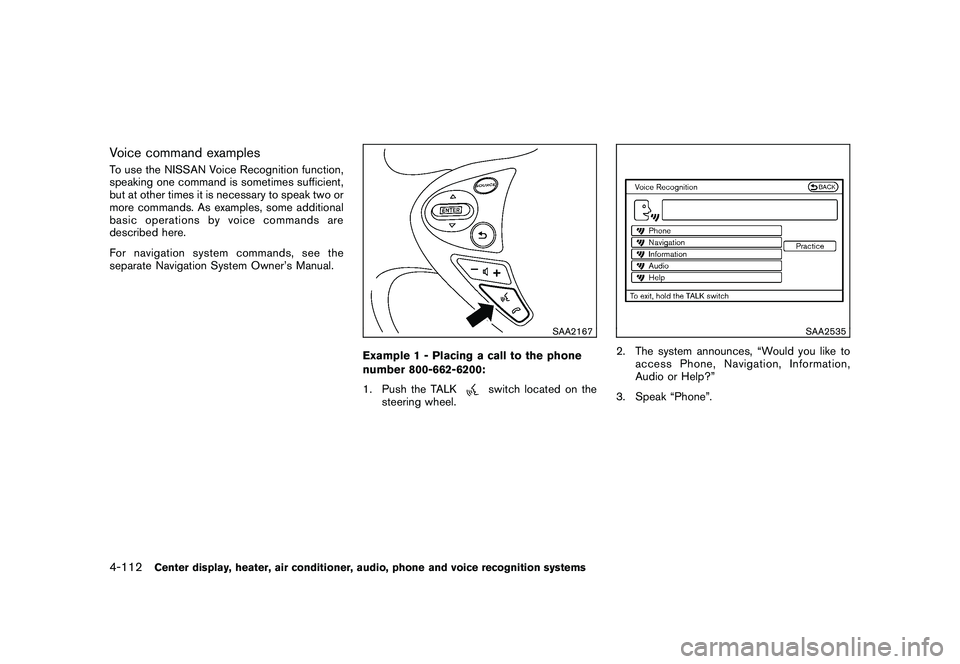
Example 1 - Placing a call to the phone
number 800-662-6200:
1. Push the TALK
switch located on the
steering wheel.
SAA2535
2. The system announces, “Would you like to access Phone, Navigation, Information,
Audio or Help?”
3. Speak “Phone”.
4-112
Center display, heater, air conditioner, audio, phone and voice recognition systems
Page 269 of 419
Black plate (265,1)
Model "Z34-D" EDITED: 2010/ 7/ 27
SAA2167
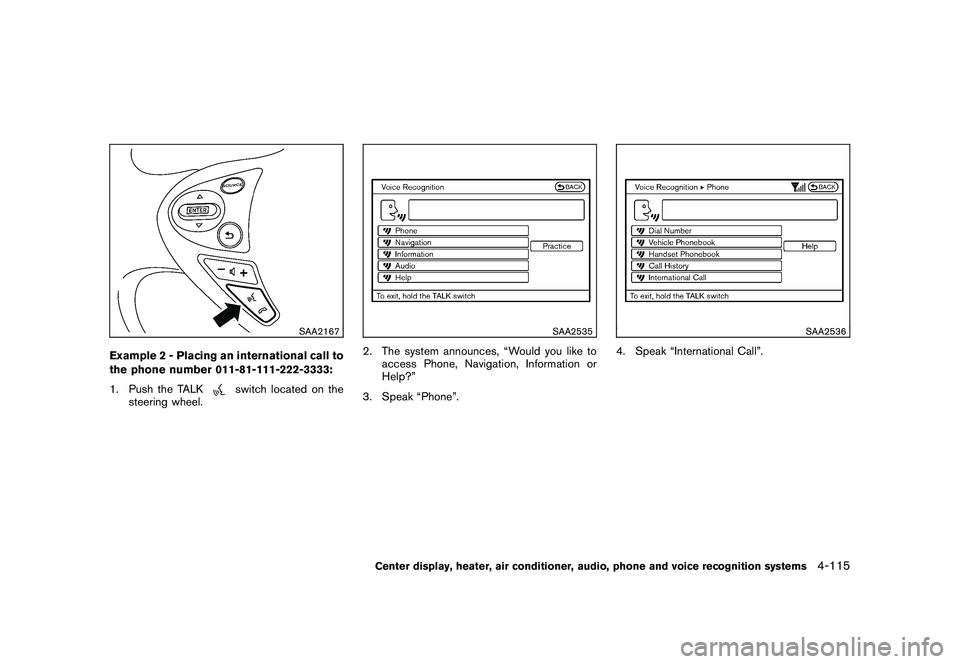
Example 2 - Placing an international call to
the phone number 011-81-111-222-3333:
1. Push the TALK
switch located on the
steering wheel.
SAA2535
2. The system announces, “Would you like to access Phone, Navigation, Information or
Help?”
3. Speak “Phone”.
SAA2536
4. Speak “International Call”.
Center display, heater, air conditioner, audio, phone and voice recognition systems
4-115
Page 277 of 419
Black plate (273,1)
Model "Z34-D" EDITED: 2010/ 7/ 27
.Wait until a tone sounds before speaking a
command.
. Speak in a natural voice without pausing
between words.
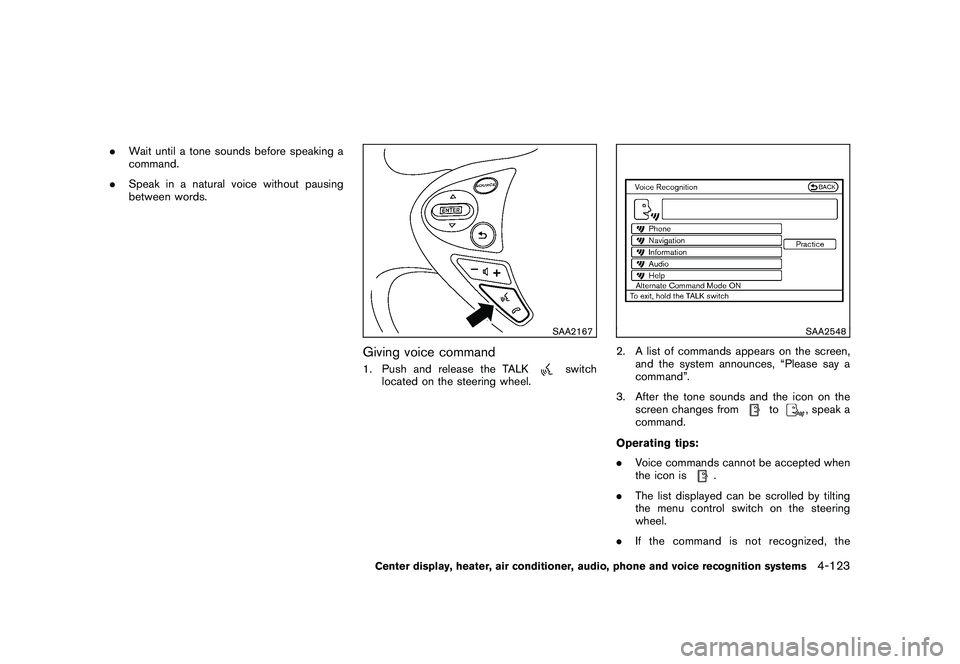
SAA2167
Giving voice command1. Push and release the TALK
switch
located on the steering wheel.
SAA2548
2. A list of commands appears on the screen, and the system announces, “Please say a
command”.
3. After the tone sounds and the icon on the screen changes from
to
, speak a
command.
Operating tips:
. Voice commands cannot be accepted when
the icon is
.
. The list displayed can be scrolled by tilting
the menu control switch on the steering
wheel.
. If the command is not recognized, the
Center display, heater, air conditioner, audio, phone and voice recognition systems
4-123
Page 278 of 419
Black plate (274,1)
Model "Z34-D" EDITED: 2010/ 7/ 27
system announces, “Please say again”.
Repeat the command in a clear voice.
. Push the BACK button once to return to the
previous screen.
. If you want to cancel the command, push
and hold the TALK
switch for 1 second.
The message “Voice canceled” will be
announced.
. To skip the voice guidance function and give
the command immediately, press the TALK
switch to interrupt the system. Re-
member to speak after the tone.
. If you want to adjust the volume of the
system feedback, push the volume control
switch (+ or ) on the steering wheel or use
the audio system volume knob while the
system is making an announcement.
How to speak numbers:
NISSAN Voice Recognition requires a certain
way to speak numbers when giving voice
commands. Refer to the following examples.
General rule
Only single digits 0 (zero) to 9 can be used. (For
example, if you would like to say 500, “five zero
zero” can be used, but “five hundred” cannot. Phone numbers
Speak phone numbers according to the follow-
ing examples:
.
1-800-662-6200
— “Dial one eight zero zero six six two six two zero zero.”
Note 1: For the best voice recognition phone
dialing results, say phone numbers as single
digits.
Note 2: You cannot say 555-6000 as “five five
five six thousands”.
Note 3: When speaking a house number, speak
the number “0” as “ zero”. If the letter “o ( Oh)” is
included in the house number, it will not be
recognized as the number “0 (zero)” even if you
speak “oh” instead of “ zero”. Please speak
“zero” for the number “0 (zero)”, “oh” for the
letter “o (oh)”.
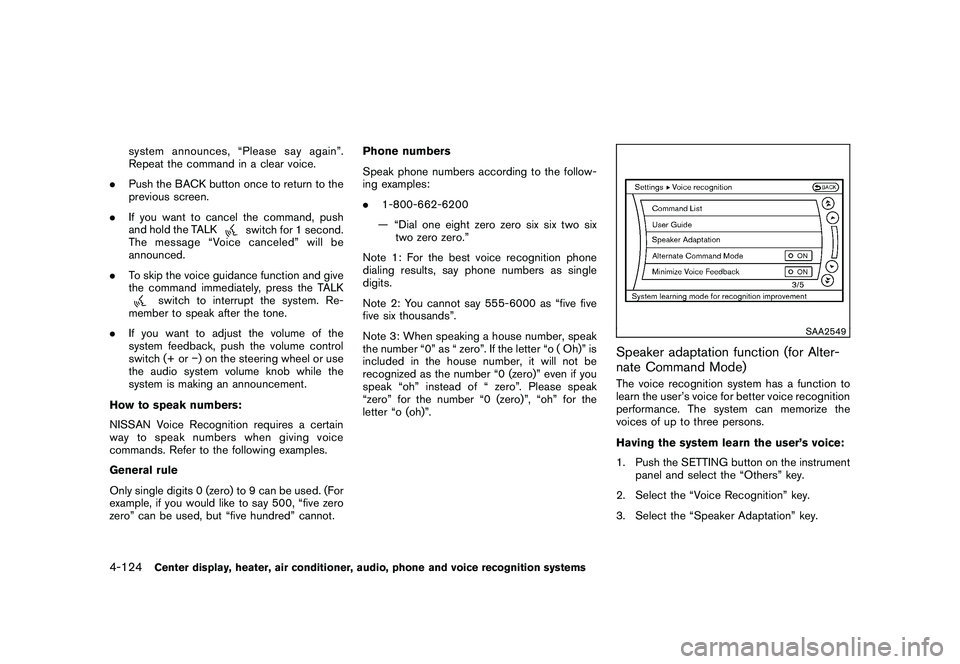
SAA2549
Speaker adaptation function (for Alter-
nate Command Mode)The voice recognition system has a function to
learn the user’s voice for better voice recognition
performance. The system can memorize the
voices of up to three persons.
Having the system learn the user’s voice:
1. Push the SETTING button on the instrument panel and select the “Others” key.
2. Select the “Voice Recognition” key.
3. Select the “Speaker Adaptation” key.
4-124
Center display, heater, air conditioner, audio, phone and voice recognition systems
Page 283 of 419
Black plate (16,1)
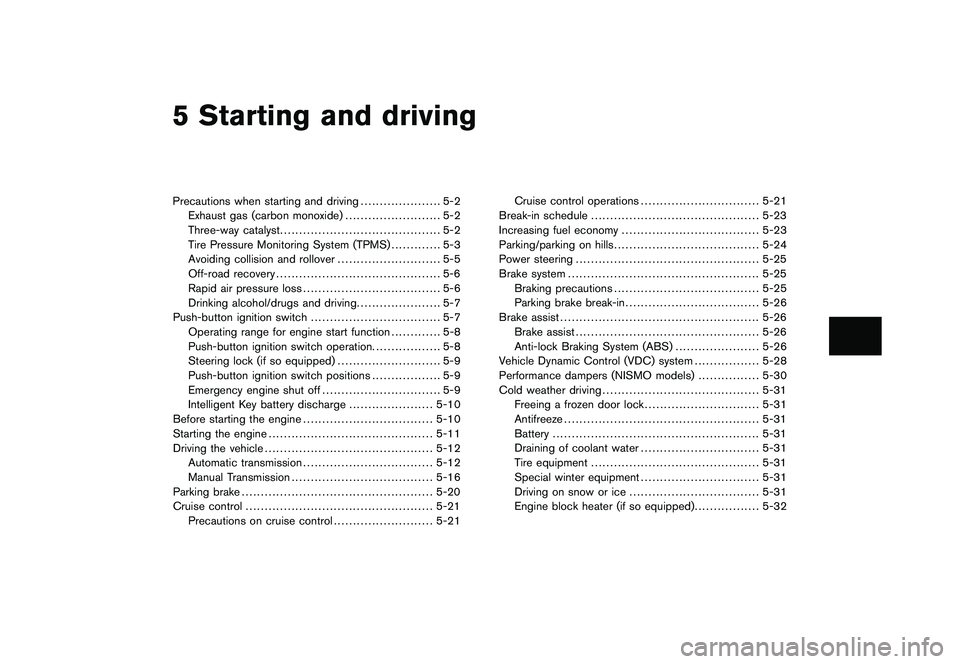
5 Starting and driving
Model "Z34-D" EDITED: 2010/ 7/ 28
Precautions when starting and driving..................... 5-2
Exhaust gas (carbon monoxide) ......................... 5-2
Three-way catalyst .......................................... 5-2
Tire Pressure Monitoring System (TPMS) ............. 5-3
Avoiding collision and rollover ........................... 5-5
Off-road recovery ........................................... 5-6
Rapid air pressure loss .................................... 5-6
Drinking alcohol/drugs and driving ...................... 5-7
Push-button ignition switch .................................. 5-7
Operating range for engine start function ............. 5-8
Push-button ignition switch operation. ................. 5-8
Steering lock (if so equipped) ........................... 5-9
Push-button ignition switch positions .................. 5-9
Emergency engine shut off ............................... 5-9
Intelligent Key battery discharge ...................... 5-10
Before starting the engine .................................. 5-10
Starting the engine ........................................... 5-11
Driving the vehicle ............................................ 5-12
Automatic transmission .................................. 5-12
Manual Transmission ..................................... 5-16
Parking brake .................................................. 5-20
Cruise control ................................................. 5-21
Precautions on cruise control .......................... 5-21 Cruise control operations
............................... 5-21
Break-in schedule ............................................ 5-23
Increasing fuel economy .................................... 5-23
Parking/parking on hills ...................................... 5-24
Power steering ................................................ 5-25
Brake system .................................................. 5-25
Braking precautions ...................................... 5-25
Parking brake break-in ................................... 5-26
Brake assist .................................................... 5-26
Brake assist ................................................ 5-26
Anti-lock Braking System (ABS) ...................... 5-26
Vehicle Dynamic Control (VDC) system ................. 5-28
Performance dampers (NISMO models) ................ 5-30
Cold weather driving ......................................... 5-31
Freeing a frozen door lock .............................. 5-31
Antifreeze ................................................... 5-31
Battery ...................................................... 5-31
Draining of coolant water ............................... 5-31
Tire equipment ............................................ 5-31
Special winter equipment ............................... 5-31
Driving on snow or ice .................................. 5-31
Engine block heater (if so equipped) ................. 5-32
Page 286 of 419
Black plate (282,1)
Model "Z34-D" EDITED: 2010/ 7/ 27
your vehicle to ensure that the replacement or
alternate tires and wheels allow the TPMS to
continue to function properly.Additional information.The TPMS does not monitor the tire
pressure of the spare tire.
. The TPMS will activate only when the
vehicle is driven at speeds above 16 MPH
(25 km/h) . Also, this system may not detect
a sudden drop in tire pressure (for example a
flat tire while driving) .
. The low tire pressure warning light does not
automatically turn off when the tire pressure
is adjusted. After the tire is inflated to the
recommended pressure, the vehicle must be
driven at speeds above 16 MPH (25 km/h)
to activate the TPMS and turn off the low tire
pressure warning light. Use a tire pressure
gauge to check the tire pressure.
. Tire pressure rises and falls depending on
the heat caused by the vehicle’s operation
and the outside temperature. Low outside
temperature can lower the temperature of
the air inside the tire which can cause a
lower tire inflation pressure. This may cause
the low tire pressure warning light to
illuminate. If the warning light illuminates in
low ambient temperature, check the tire
pressure for all four tires. For additional information, see “Low tire pres-
sure warning light” in the “2. Instruments and
controls” section and “TIRE PRESSURE MON-
ITORING SYSTEM (TPMS)” in the “6. In case of
emergency” section.
WARNING
.
If the low tire pressure warning light
illuminates while driving, avoid sud-
den steering maneuvers or abrupt
braking, reduce vehicle speed, pull
off the road to a safe location and
stop the vehicle as soon as possi-
ble. Driving with under-inflated tires
may permanently damage the tires
and increase the likelihood of tire
failure. Serious vehicle damage
could occur and may lead to an
accident and could result in serious
personal injury. Check the tire pres-
sure for all four tires. Adjust the tire
pressure to the recommended COLD
tire pressure shown on the Tire and
Loading Information label to turn
the low tire pressure warning light
OFF. If the light still illuminates
while driving after adjusting the tire
pressure, a tire may be flat. If you
have a flat tire, replace it with a spare tire as soon as possible. (See
“FLAT TIRE” in the “6. In case of
emergency” section for changing a
flat tire.)
. When a spare tire is mounted or a
wheel is replaced, the TPMS will not
function and the low tire pressure
warning light will flash for approxi-
mately 1 minute. The light will
remain on after 1 minute. Contact
your NISSAN dealer as soon as
possible for tire replacement and/
or system resetting.
. Replacing tires with those not ori-
ginally specified by NISSAN could
affect the proper operation of the
TPMS.
. Do not inject any tire liquid or
aerosol tire sealant into the tires,
as this may cause a malfunction of
the tire pressure sensors (for mod-
els not equipped with the emer-
gency tire puncture repair kit) .
. If you used the Emergency Tire
Sealant to repair a minor tire punc-
ture, your NISSAN dealer will also
need to replace the TPMS sensor in
addition to repairing or replacing
5-4
Starting and driving