AUX NISSAN 370Z ROADSTER 2011 Owner's Manual
[x] Cancel search | Manufacturer: NISSAN, Model Year: 2011, Model line: 370Z ROADSTER, Model: NISSAN 370Z ROADSTER 2011Pages: 419, PDF Size: 3.61 MB
Page 229 of 419
Black plate (225,1)
Model "Z34-D" EDITED: 2010/ 7/ 27
marks of Gracenote. The Gracenote logo and
logotype, and the “Powered by Gracenote” logo
are trademarks of Gracenote.
SAA2282
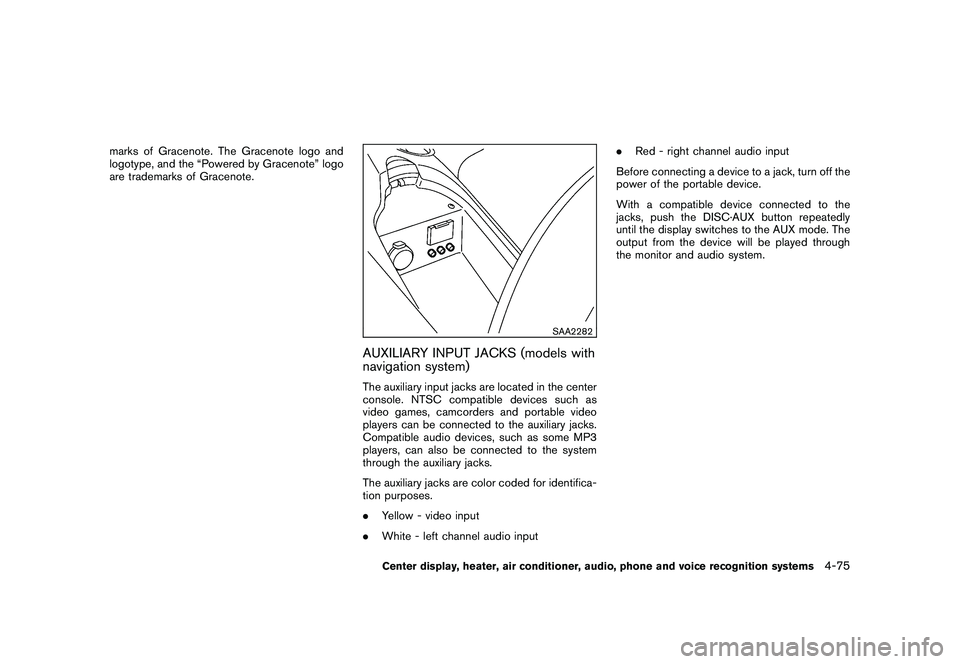
AUXILIARY INPUT JACKS (models with
navigation system)The auxiliary input jacks are located in the center
console. NTSC compatible devices such as
video games, camcorders and portable video
players can be connected to the auxiliary jacks.
Compatible audio devices, such as some MP3
players, can also be connected to the system
through the auxiliary jacks.
The auxiliary jacks are color coded for identifica-
tion purposes.
.Yellow - video input
. White - left channel audio input .
Red - right channel audio input
Before connecting a device to a jack, turn off the
power of the portable device.
With a compatible device connected to the
jacks, push the DISC·AUX button repeatedly
until the display switches to the AUX mode. The
output from the device will be played through
the monitor and audio system.
Center display, heater, air conditioner, audio, phone and voice recognition systems
4-75
Page 230 of 419
Black plate (226,1)
Model "Z34-D" EDITED: 2010/ 7/ 27
SAA2496
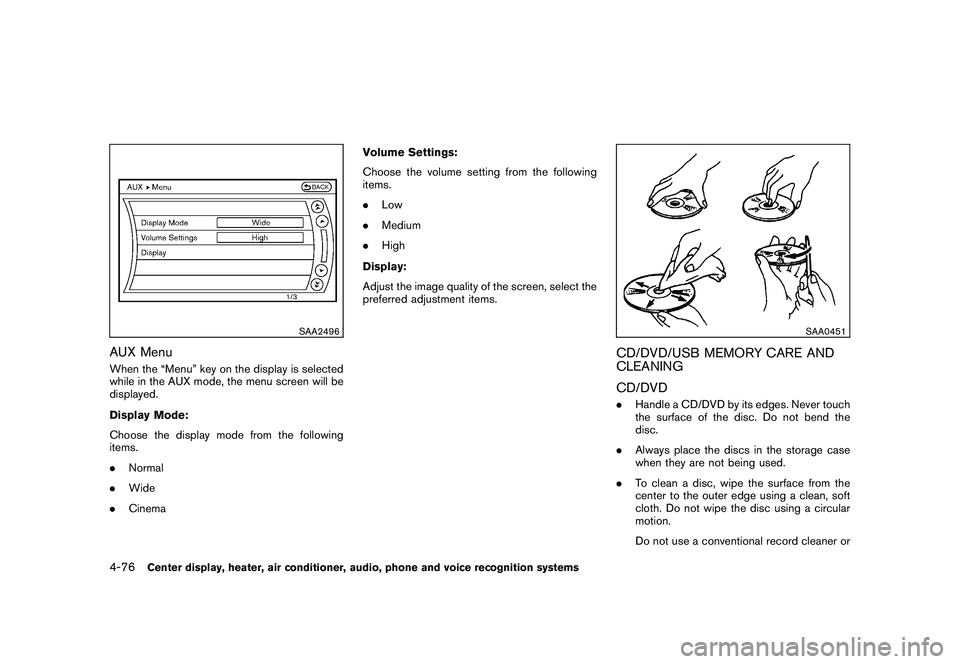
AUX MenuWhen the “Menu” key on the display is selected
while in the AUX mode, the menu screen will be
displayed.
Display Mode:
Choose the display mode from the following
items.
.Normal
. Wide
. Cinema Volume Settings:
Choose the volume setting from the following
items.
.
Low
. Medium
. High
Display:
Adjust the image quality of the screen, select the
preferred adjustment items.
SAA0451
CD/DVD/USB MEMORY CARE AND
CLEANING
CD/DVD. Handle a CD/DVD by its edges. Never touch
the surface of the disc. Do not bend the
disc.
. Always place the discs in the storage case
when they are not being used.
. To clean a disc, wipe the surface from the
center to the outer edge using a clean, soft
cloth. Do not wipe the disc using a circular
motion.
Do not use a conventional record cleaner or
4-76
Center display, heater, air conditioner, audio, phone and voice recognition systems
Page 232 of 419
Black plate (228,1)
Model "Z34-D" EDITED: 2010/ 7/ 27
XM Satellite Radio (if so equipped):
.Tilting up/down for less than 1.5 seconds
will scroll up or down through the preset
channel.
. Tilting up/down for more than 1.5 seconds
will go to the next or previous category.
. Pushing the menu control switch will show
the XM Menu.
iPod
®(models with navigation system) :
. Tilting up/down for less than 1.5 seconds
will scroll up or down through the track
number.
. Tilting up/down for more than 1.5 seconds
will skip to the next or previous index.
. Pushing the menu control switch will show
the iPod Menu.
CD:
. Tilting up/down for less than 1.5 seconds
will scroll up or down through the track
number.
. Tilting up/down for more than 1.5 seconds
will scroll up or down through the folder
number (if playing compressed audio files) .
. Pushing the menu control switch will show
the CD Menu. DVD (models with navigation system):
.
Tilting up/down for less than 1.5 seconds
will scroll up or down through the track
number.
. Tilting up/down for more than 1.5 seconds
will scroll up or down through the title
number.
. Pushing the menu control switch will select
an item from the DVD display.
. When the transparent operation menu ap-
pears, the switch will control the menu.
USB (models with navigation system):
. Tilting up/down for less than 1.5 seconds
will scroll up or down through the track
number.
. Tilting up/down for more than 1.5 seconds
will scroll up or down through the folder
number
. Pushing the menu control switch will show
the USB Menu.
Music Box
®(models with navigation sys-
tem):
. Tilting up/down for less than 1.5 seconds
will scroll up or down through the track
number.
. Tilting up/down for more than 1.5 seconds will scroll up or down through the album
(folder) number (if playing compressed
audio files) .
. Pushing the menu control switch will show
the Music Box
®Menu.
Bluetooth
®Audio (models with navigation
system):
. Tilting up/down for less than 1.5 seconds
will scroll up or down through the track
number.
AUX:
. Pushing the menu control switch will show
the AUX Menu.
BACK switch (models with navi-
gation system)
Push this switch to go back to the previous
screen or cancel the selection if it is not
completed.Volume control switchesPush the upper (+) or lower ( ) side switch to
increase or decrease the volume.Audio source switchPush the audio source switch to change the
mode as follows.
4-78
Center display, heater, air conditioner, audio, phone and voice recognition systems
Page 233 of 419
Black plate (229,1)
Model "Z34-D" EDITED: 2010/ 7/ 27
.Models with navigation system
AM ?FM ?SAT ?CD/DVD ?Music
Box
®? USB/iPod
®?Bluetooth
®Audio ?
AUX
. Models without navigation system
AM ?FM ?CD ?AUX ?SAT*
*: if so equipped
ANTENNA
Window antenna (for Coupe models)The antenna pattern is printed inside the rear
window.
CAUTION
. Do not place metalized film near the
rear window glass or attach any
metal parts to it. This may cause
poor reception or noise.
. When cleaning the inside of the rear
window, be careful not to scratch or
damage the rear window antenna.
Lightly wipe along the antenna with
a dampened soft cloth.
SAA2374
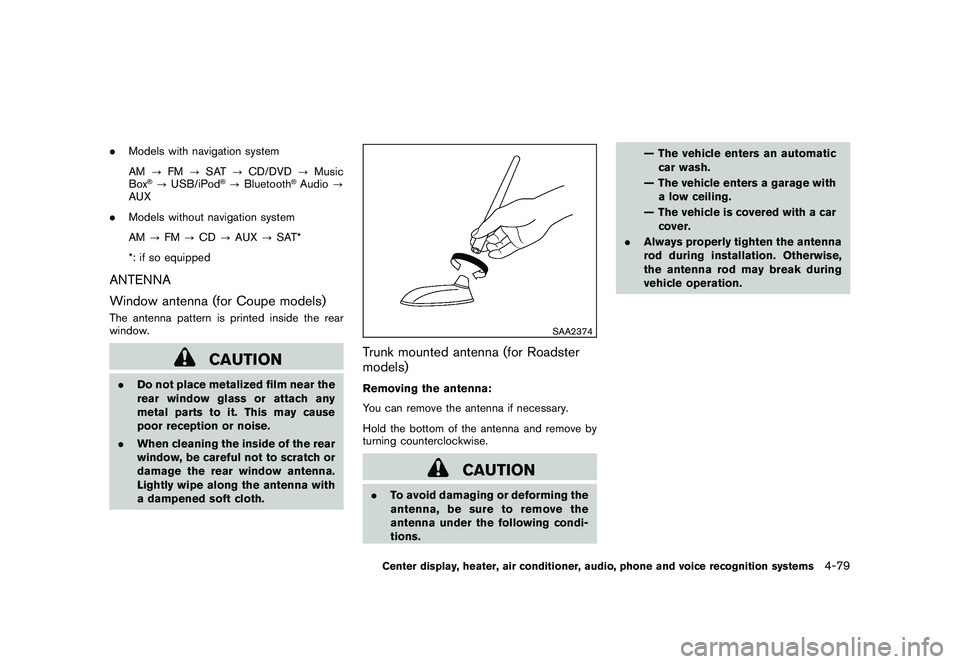
Trunk mounted antenna (for Roadster
models)Removing the antenna:
You can remove the antenna if necessary.
Hold the bottom of the antenna and remove by
turning counterclockwise.
CAUTION
.To avoid damaging or deforming the
antenna,besuretoremovethe
antenna under the following condi-
tions. — The vehicle enters an automatic
car wash.
— The vehicle enters a garage with a low ceiling.
— The vehicle is covered with a car cover.
. Always properly tighten the antenna
rod during installation. Otherwise,
the antenna rod may break during
vehicle operation.Center display, heater, air conditioner, audio, phone and voice recognition systems
4-79
Page 274 of 419
Black plate (270,1)
Model "Z34-D" EDITED: 2010/ 7/ 27
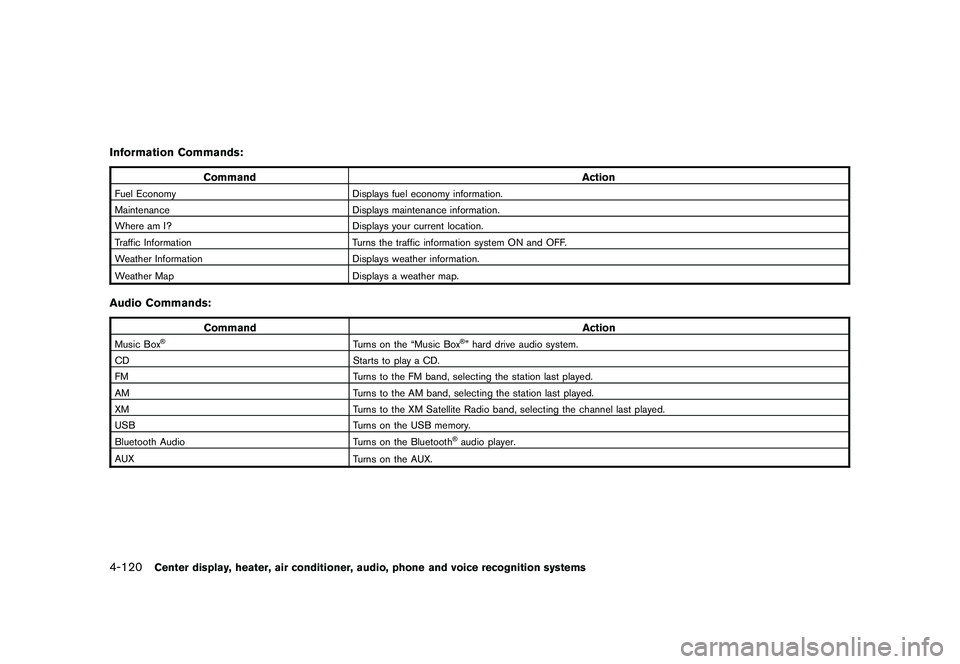
Information Commands:
CommandAction
Fuel EconomyDisplays fuel economy information.
Maintenance Displays maintenance information.
Where am I? Displays your current location.
Traffic Information Turns the traffic information system ON and OFF.
Weather Information Displays weather information.
Weather Map Displays a weather map.Audio Commands:
Command Action
Music Box
®
Turns on the “Music Box
®” hard drive audio system.
CD Starts to play a CD.
FM Turns to the FM band, selecting the station last played.
AM Turns to the AM band, selecting the station last played.
XM Turns to the XM Satellite Radio band, selecting the channel last played.
USB Turns on the USB memory.
Bluetooth Audio Turns on the Bluetooth®audio player.
AUX Turns on the AUX.
4-120
Center display, heater, air conditioner, audio, phone and voice recognition systems
Page 411 of 419
Black plate (1,1)
10 Index
A
ABS (Anti-lock Braking System) .................. 5-26
Advanced air bag system ......................... 1-32
Air bag system Advanced air bag system ..................... 1-32
Front passenger air bag and status light .... 1-33
Front-seat mounted side-impact
supplemental air bag system .................. 1-36
Roof-mounted curtain side-impact
supplemental air bag system .................. 1-36
Air bag warning labels ............................. 1-38
Air bag warning light ....................... 1-38, 2-12
Air cleaner housing filter .......................... 8-18
Air conditioner Air conditioner operation ...................... 4-24
Air conditioner service ......................... 4-30
Air conditioner specification label ............ 9-13
Air conditioning system refrigerant and
lubricant recommendations .............. 4-30, 9-7
In-cabin microfilter ............................. 4-29
Air deflectors ....................................... 9-17
Alarm, How to stop alarm
(see vehicle security system) ..................... 2-26
Alcohol, drugs and driving .......................... 5-7
Antenna ............................................. 4-79
Anti-lock Braking System (ABS) .................. 5-26
Anti-lock braking system (ABS) warning light ..... 2-9
Appearance care Exterior appearance care ........................ 7-2
Interior appearance care ........................ 7-5
Audible reminders ................................. 2-15
Audio operation precautions ...................... 4-30 Audio system
....................................... 4-30
Steering wheel audio controls ................ 4-77
Autochanger Compact Disc (CD) ........................... 4-48
Autolight system ................................... 2-30
Automatic Air conditioner (Type A) ....................... 4-25
Air conditioner (Type B) ....................... 4-27
Automatic adjusting function
(front windows) ................................ 2-43
Automatic transmission fluid (ATF) ........... 8-12
Door locks ........................................ 3-5
Driving with automatic transmission .......... 5-12
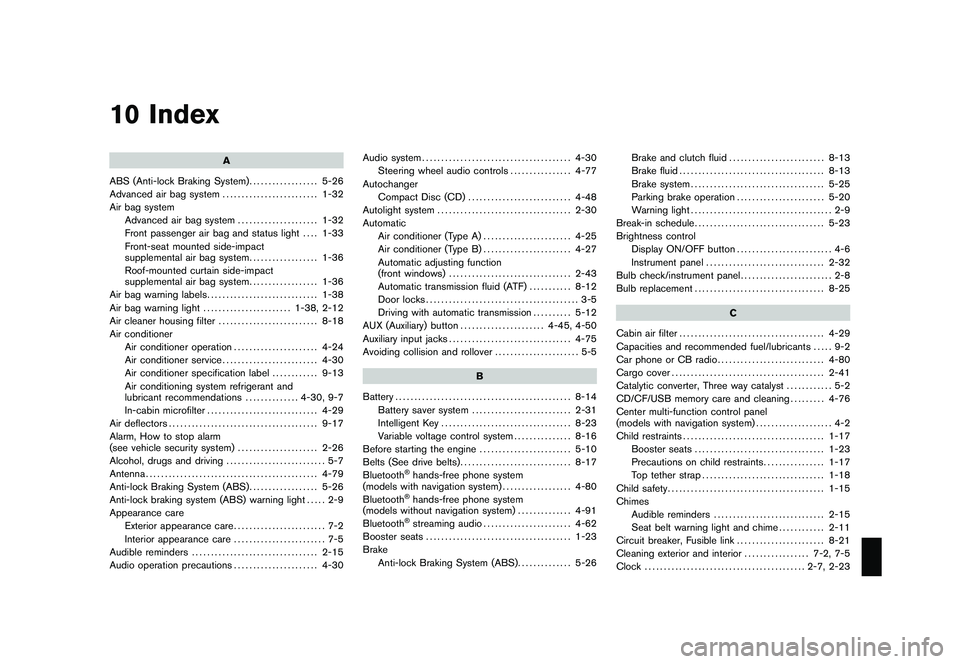
AUX (Auxiliary) button ...................... 4-45, 4-50
Auxiliary input jacks ................................ 4-75
Avoiding collision and rollover ...................... 5-5
B
Battery .............................................. 8-14
Battery saver system .......................... 2-31
Intelligent Key .................................. 8-23
Variable voltage control system ............... 8-16
Before starting the engine ........................ 5-10
Belts (See drive belts) ............................. 8-17
Bluetooth
®hands-free phone system
(models with navigation system) .................. 4-80
Bluetooth®hands-free phone system
(models without navigation system) .............. 4-91
Bluetooth®streaming audio ....................... 4-62
Booster seats ...................................... 1-23
Brake Anti-lock Braking System (ABS) .............. 5-26Brake and clutch fluid
......................... 8-13
Brake fluid ...................................... 8-13
Brake system ................................... 5-25
Parking brake operation ....................... 5-20
Warning light ..................................... 2-9
Break-in schedule .................................. 5-23
Brightness control Display ON/OFF button ......................... 4-6
Instrument panel ............................... 2-32
Bulb check/instrument panel ........................ 2-8
Bulb replacement .................................. 8-25
C
Cabin air filter ...................................... 4-29
Capacities and recommended fuel/lubricants ..... 9-2
Car phone or CB radio ............................ 4-80
Cargo cover ........................................ 2-41
Catalytic converter, Three way catalyst ............ 5-2
CD/CF/USB memory care and cleaning ......... 4-76
Center multi-function control panel
(models with navigation system) .................... 4-2
Child restraints ..................................... 1-17
Booster seats .................................. 1-23
Precautions on child restraints ................ 1-17
Top tether strap ................................ 1-18
Child safety ......................................... 1-15
Chimes Audible reminders ............................. 2-15
Seat belt warning light and chime ............ 2-11
Circuit breaker, Fusible link ....................... 8-21
Cleaning exterior and interior ................. 7-2, 7-5
Clock .......................................... 2-7, 2-23
Model "Z34-D" EDITED: 2010/ 7/ 28