clock setting NISSAN ALTIMA 2005 L31 / 3.G Owners Manual
[x] Cancel search | Manufacturer: NISSAN, Model Year: 2005, Model line: ALTIMA, Model: NISSAN ALTIMA 2005 L31 / 3.GPages: 304, PDF Size: 4.91 MB
Page 134 of 304
The “MAINTENANCE NOTICE” screen displays
each time the key is turned ON until one of the
following conditions are met:c “RESET” is selected.
c “Display Maintenance and Notification” is
set OFF.
c the maintenance interval is set again.
HOW TO USE THE “SETTING”
BUTTON
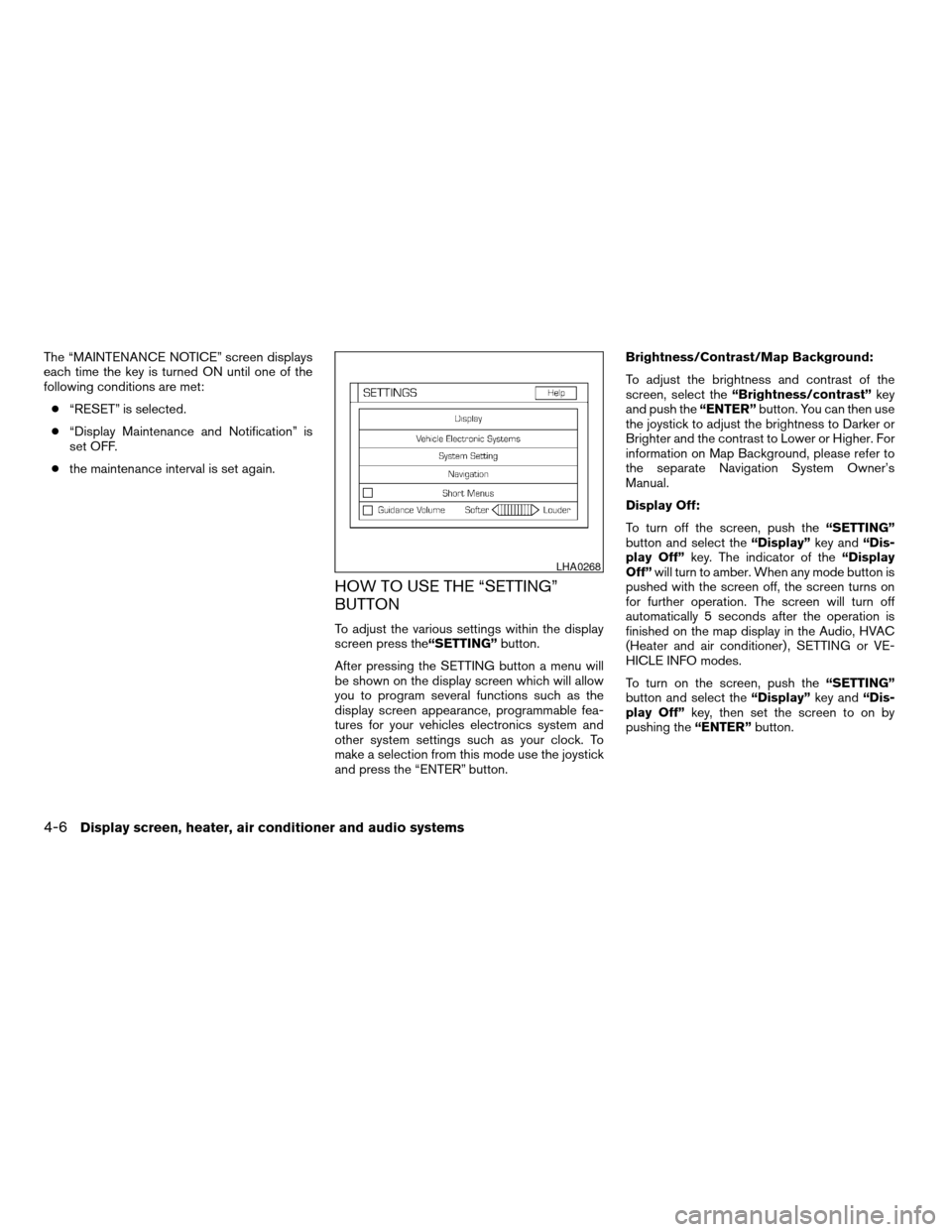
To adjust the various settings within the display
screen press the “SETTING”button.
After pressing the SETTING button a menu will
be shown on the display screen which will allow
you to program several functions such as the
display screen appearance, programmable fea-
tures for your vehicles electronics system and
other system settings such as your clock. To
make a selection from this mode use the joystick
and press the “ENTER” button. Brightness/Contrast/Map Background:
To adjust the brightness and contrast of the
screen, select the
“Brightness/contrast” key
and push the “ENTER”button. You can then use
the joystick to adjust the brightness to Darker or
Brighter and the contrast to Lower or Higher. For
information on Map Background, please refer to
the separate Navigation System Owner’s
Manual.
Display Off:
To turn off the screen, push the “SETTING”
button and select the “Display”key and“Dis-
play Off” key. The indicator of the “Display
Off” will turn to amber. When any mode button is
pushed with the screen off, the screen turns on
for further operation. The screen will turn off
automatically 5 seconds after the operation is
finished on the map display in the Audio, HVAC
(Heater and air conditioner) , SETTING or VE-
HICLE INFO modes.
To turn on the screen, push the “SETTING”
button and select the “Display”key and“Dis-
play Off” key, then set the screen to on by
pushing the “ENTER”button.
LHA0268
4-6Display screen, heater, air conditioner and audio systems
ZREVIEW COPYÐ2005 Altima (l30)
Owners ManualÐUSA_English (nna)
07/09/04Ðbetty
X
Page 136 of 304
Auto re-lock time:
This key allows you to set the length of time
before doors auto re-lock.
Sensitivity of automatic headlights:
This key allows you to set the sensitivity of the
automatic headlights:c Lower- less sensitive, automatic headlights
will take longer to come on when the head-
light sensor senses less ambient light.
c Higher- more sensitive, automatic head-
lights will come on quicker when the head-
light sensor senses less ambient light.
Automatic headlights off delay:
This key allows you to set the length of time
before the automatic headlights turn off after
exiting the vehicle.
Speed dependent wiper:
This key allows you to turn on or turn off the
driving speed dependent intermittent wiper func-
tion.
Return all settings to default:
When this key is selected and turned on using
the “ENTER” button, all settings made by VE-
HICLE ELECTRONICS will return to the default
settings.
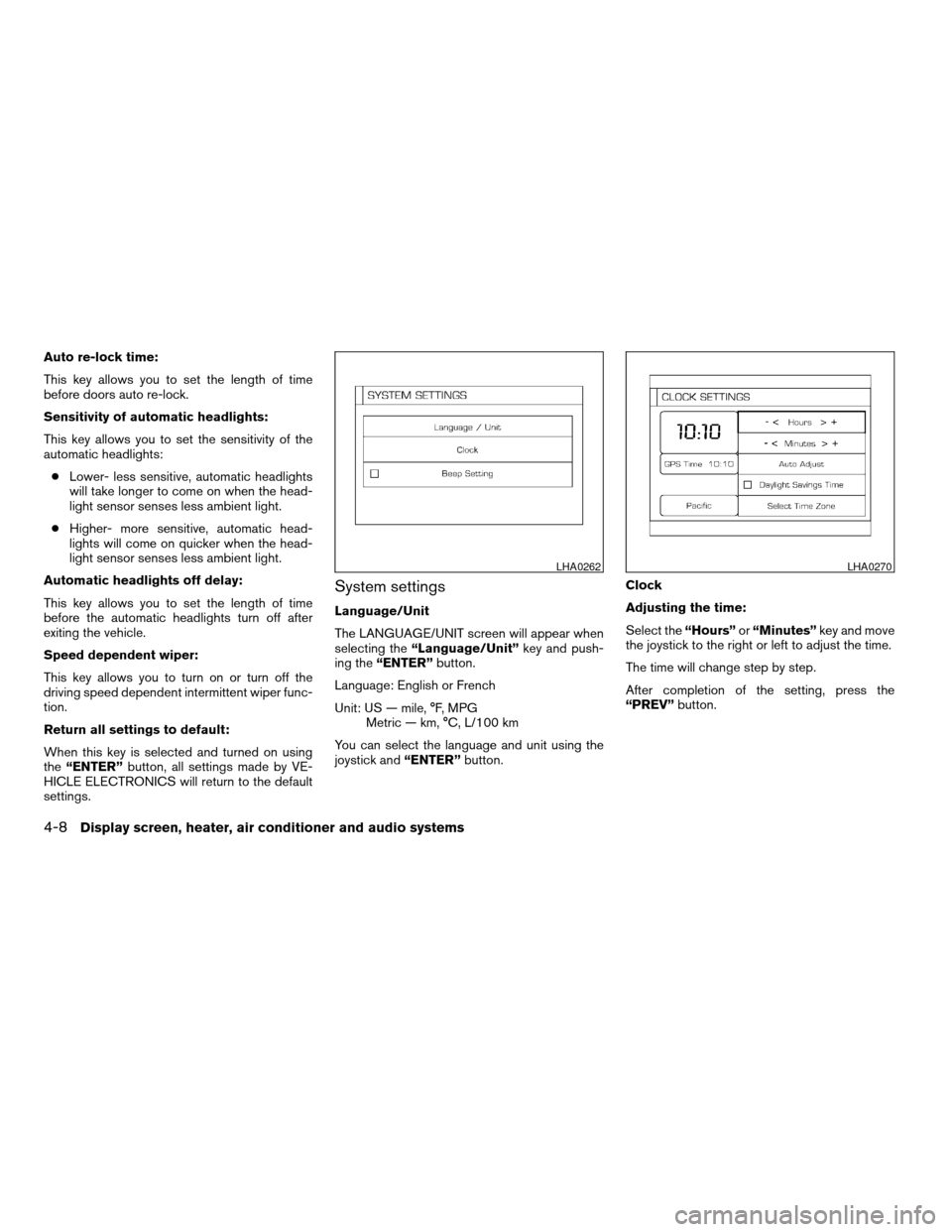
System settings
Language/Unit
The LANGUAGE/UNIT screen will appear when
selecting the “Language/Unit” key and push-
ing the “ENTER” button.
Language: English or French
Unit: US — mile, °F, MPG Metric — km, °C, L/100 km
You can select the language and unit using the
joystick and “ENTER”button. Clock
Adjusting the time:
Select the
“Hours”or“Minutes” key and move
the joystick to the right or left to adjust the time.
The time will change step by step.
After completion of the setting, press the
“PREV” button.
LHA0262LHA0270
4-8Display screen, heater, air conditioner and audio systems
ZREVIEW COPYÐ2005 Altima (l30)
Owners ManualÐUSA_English (nna)
07/09/04Ðdebbie
X
Page 137 of 304
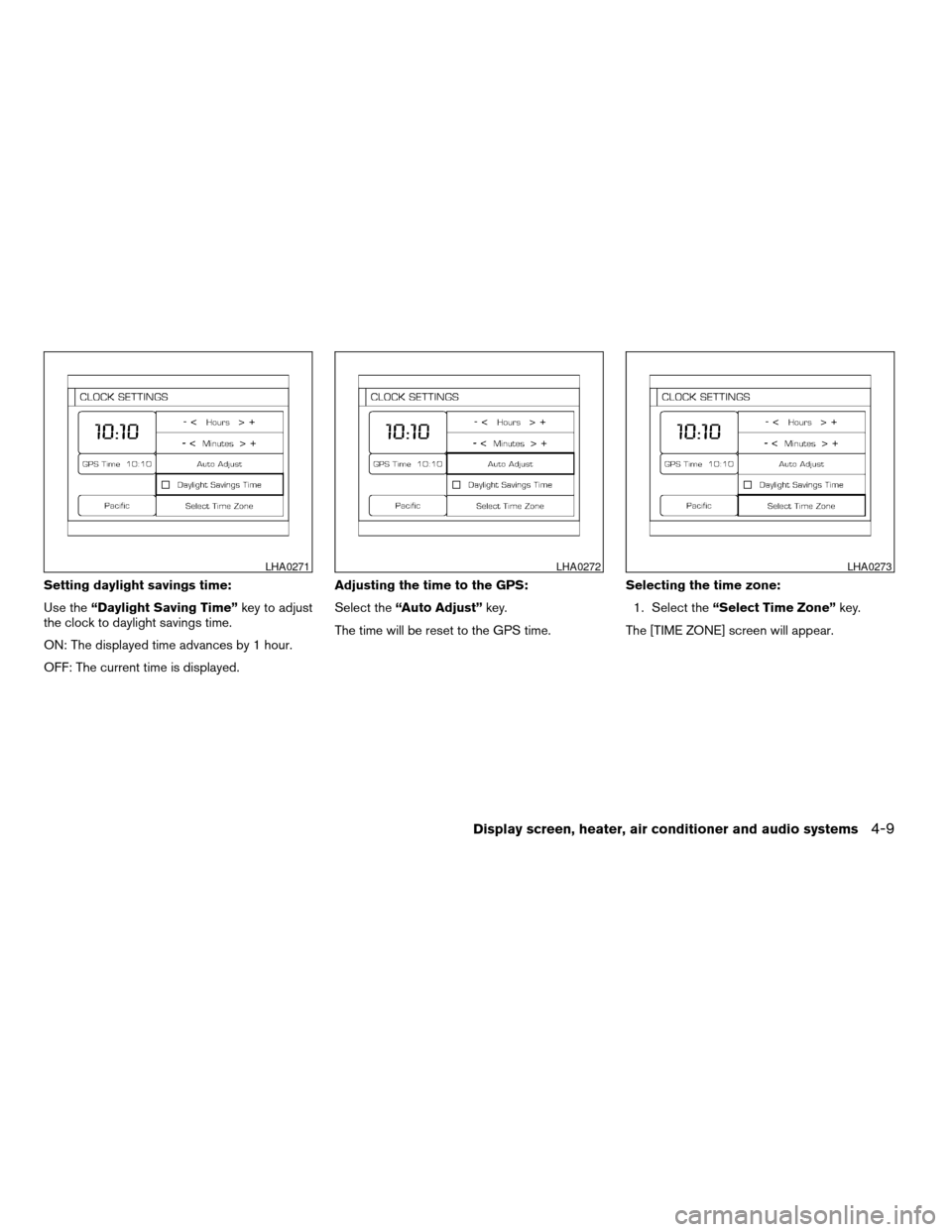
Setting daylight savings time:
Use the“Daylight Saving Time” key to adjust
the clock to daylight savings time.
ON: The displayed time advances by 1 hour.
OFF: The current time is displayed. Adjusting the time to the GPS:
Select the
“Auto Adjust” key.
The time will be reset to the GPS time. Selecting the time zone:
1. Select the “Select Time Zone” key.
The [TIME ZONE] screen will appear.
LHA0271LHA0272LHA0273
Display screen, heater, air conditioner and audio systems4-9
ZREVIEW COPYÐ2005 Altima (l30)
Owners ManualÐUSA_English (nna)
07/09/04Ðdebbie
X
Page 138 of 304
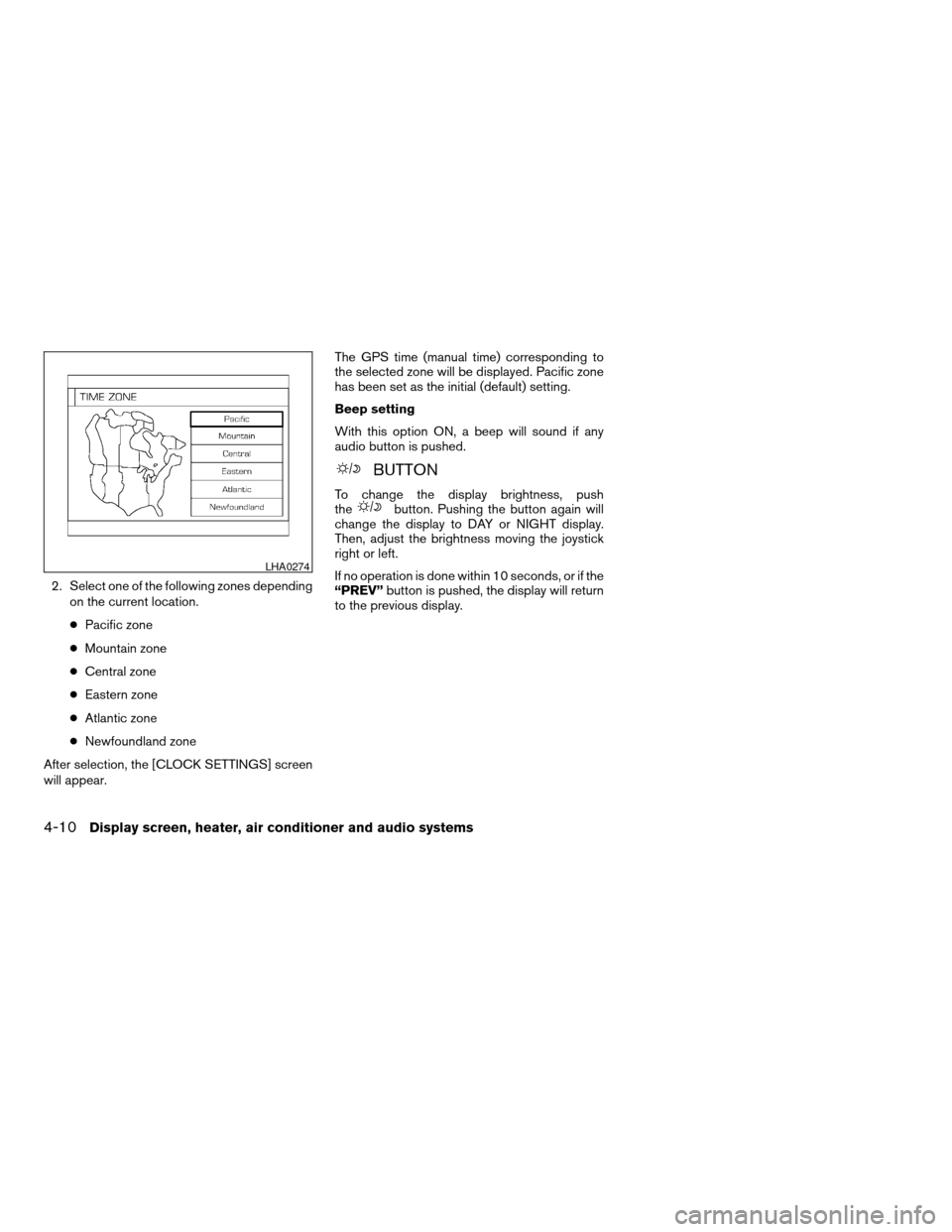
2. Select one of the following zones dependingon the current location.
c Pacific zone
c Mountain zone
c Central zone
c Eastern zone
c Atlantic zone
c Newfoundland zone
After selection, the [CLOCK SETTINGS] screen
will appear. The GPS time (manual time) corresponding to
the selected zone will be displayed. Pacific zone
has been set as the initial (default) setting.
Beep setting
With this option ON, a beep will sound if any
audio button is pushed.
BUTTON
To change the display brightness, push
thebutton. Pushing the button again will
change the display to DAY or NIGHT display.
Then, adjust the brightness moving the joystick
right or left.
If no operation is done within 10 seconds, or if the
“PREV” button is pushed, the display will return
to the previous display.
LHA0274
4-10Display screen, heater, air conditioner and audio systems
ZREVIEW COPYÐ2005 Altima (l30)
Owners ManualÐUSA_English (nna)
07/09/04Ðdebbie
X
Page 166 of 304
the system is off to call up the mode (radio or CD)
which was playing immediately before the system
was turned off.
To turn the system off, press the
POWER/VOLUME control knob.
Turn the POWER/VOLUME control knob to ad-
just the volume.
This vehicle has speed sensitive control volume
(SSV) for audio. The audio volume changes as
the driving speed changes.
AUDIO knob (BASS, MIDRANGE, TREBLE,
FADE, BALANCE and SSV if so equipped):
Press the AUDIO knob to change the mode as
follows:
BASS!MID !TREBLE !FADE !BALANCE
! SSV
To adjust Bass, Mid (Midrange) , Treble, Fade and
Balance, press the AUDIO knob until the desired
mode appears in the display. Turn the Tuning
knob to adjust Bass and Treble to the desired
level. You can also use the Tuning knob to adjust
Fader and Balance modes. Fader adjusts the
sound level between the front and rear speakers
and Balance adjusts the sound between the right
and left speakers.
To change the SSV mode to OFF, LOW, MID or
HIGH, turn the Tuning knob to the right or left. Once you have adjusted the sound quality to the
desired level, press the AUDIO knob repeatedly
until the radio or CD display reappears. Other-
wise, the radio or CD display will automatically
reappear after about 10 seconds.
Clock set
For setting the clock see “Adjusting the time” on
page 4-8.
Display CD text:
To change the text displayed while playing a CD,
press the AUDIO knob until “Display Mode” ap-
pears.
Turn the Audio knob within 2 seconds. The text
will change as follows:
Track number
Ã!Track title Ã!Disc title Ã!
Track number
Display satellite radio text (if so equipped):
To change the text displayed while listening to
satellite radio, press the AUDIO knob until “Dis-
play Mode” appears.
Turn the Tuning knob within 2 seconds. The text
will change as follows:
Channel number Ã!Channel name Ã!Artist
Ã! TitleÃ! Channel number Pause/mute button:
To mute or pause the audio sound, push the
PAUSE/MUTE button. Radio mute will flash in the
display screen.
To release the mute or pause, push the button
again.
FM/AM/SAT radio operation
FM/AM/SAT band select:
Pushing the FM, AM or SAT radio select button
will change the band to either FM, AM or SAT
(satellite-if so equipped) radio stations.
When the FM, AM or SAT radio select button is
pushed while the ignition switch is in the ACC or
ON, the radio will come on at the station last
played.
The last station played will also come on when
the Power/Volume control knob is depressed to
ON.
No satellite radio reception is available and “NO
SAT” is displayed when the SAT button is
pressed unless optional satellite receiver and
antenna are installed and an XM
Tor SIRIUS™
satellite radio service subscription is active.
If a compact disc is playing when the FM, AM or
SAT radio select button is pushed, the compact
4-38Display screen, heater, air conditioner and audio systems
ZREVIEW COPYÐ2005 Altima (l30)
Owners ManualÐUSA_English (nna)
07/09/04Ðbetty
X