pairing phone NISSAN ALTIMA 2008 L32A / 4.G Quick Reference Guide
[x] Cancel search | Manufacturer: NISSAN, Model Year: 2008, Model line: ALTIMA, Model: NISSAN ALTIMA 2008 L32A / 4.GPages: 36, PDF Size: 2.85 MB
Page 16 of 36
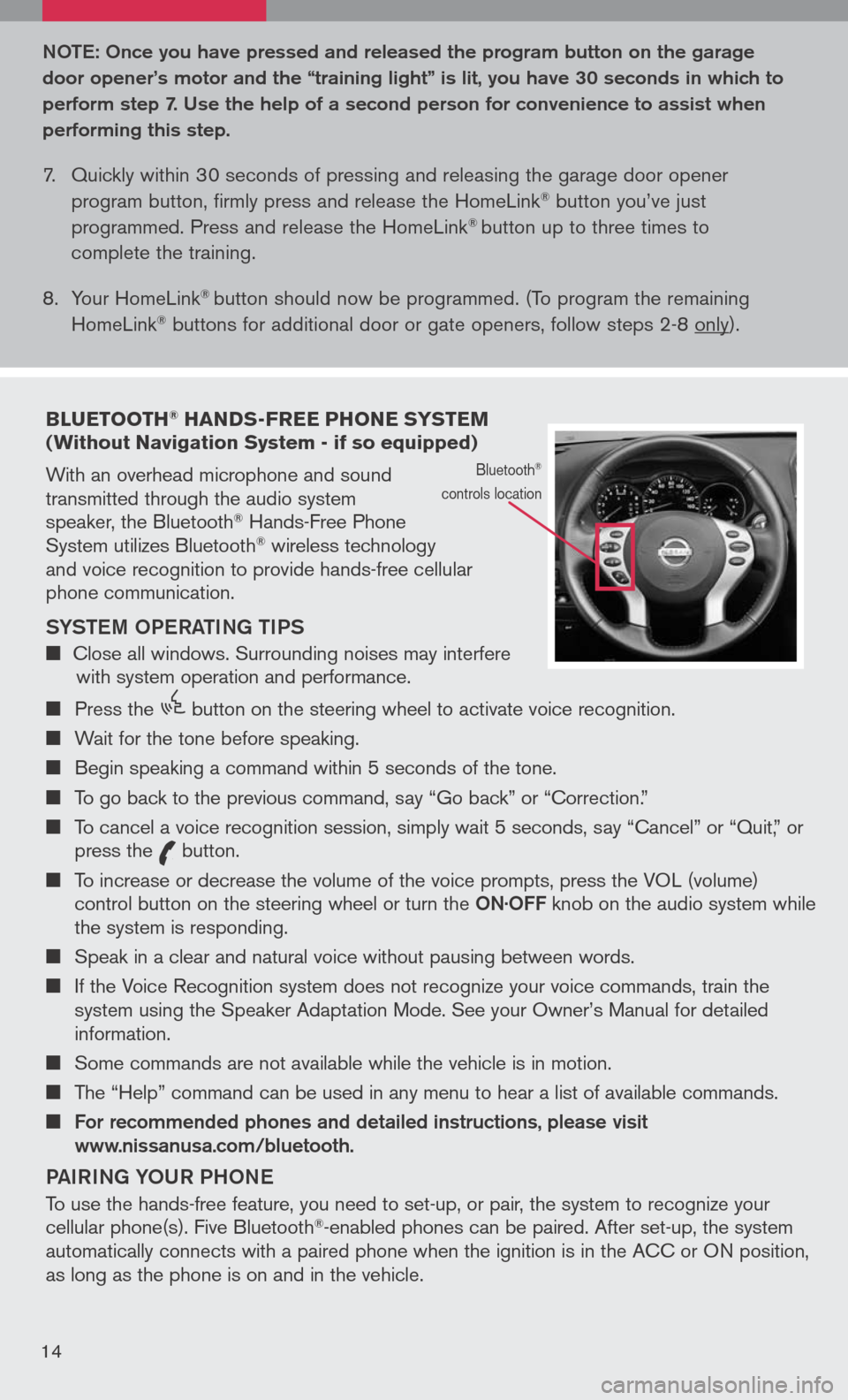
bLUETOOTH® HANDS-FREE PHONE SYSTEM (Without Navigation System - if so equipped)
With an overhead microphone and sound transmitted through the audio system speaker, the Bluetooth® Hands-Free Phone System utilizes Bluetooth® wireless technology and voice recognition to provide hands-free cellular phone communication.
SYS teM oPe RA tING tIPS
Close all windows. Surrounding noises may interfere with system operation and performance.
Press the
icon C
button on the steering wheel to activate voice recognition.
Wait for the tone before speaking.
Begin speaking a command within 5 seconds of the tone.
To go back to the previous command, say “Go back” or “Correction.”
To cancel a voice recognition session, simply wait 5 seconds, say “Cancel” or “Quit,” or press the
icon C
button.
To increase or decrease the volume of the voice prompts, press the VOL (volume) control button on the steering wheel or turn the oN· oFF knob on the audio system while the system is responding.
Speak in a clear and natural voice without pausing between words.
If the Voice Recognition system does not recognize your voice commands, train the system using the Speaker Adaptation Mode. See your Owner’s Manual for detailed information.
Some commands are not available while the vehicle is in motion.
The “Help” command can be used in any menu to hear a list of available commands.
For recommended phones and detailed instructions, please visit www.nissanusa.com/bluetooth.
PAIRING Y oUR PH oNe
To use the hands-free feature, you need to set-up, or pair, the system to recognize your cellular phone(s). Five Bluetooth®-enabled phones can be paired. After set-up, the system automatically connects with a paired phone when the ignition is in the ACC or ON position, as long as the phone is on and in the vehicle.
Bluetooth®
controls location
Note : o nce you have pressed and released the program button on the garage
door opener’s motor and the “training light” is lit, you have 30 seconds in which to
perform step 7. Use the help of a second person for convenience to assist when
performing this step.
7. Quickly within 30 seconds of pressing and releasing the garage door opener
program button, firmly press and release the HomeLink® button you’ve just
programmed. Press and release the HomeLink® button up to three times to
complete the training.
8. Your HomeLink
® button should now be programmed. (To program the remaining
HomeLink® buttons for additional door or gate openers, follow steps 2-8 only).
14
Page 17 of 36
PAIRING PRoCeDUR e
NOTE: The vehicle must be stationary when pairing the phone.
1. Press the
icon C
button on the steering wheel and wait for tone.
2. Say “Setup.”
3. Wait for the tone, then say “Pair phone.”
4. Wait for the tone, then say “New phone.”
5. Initiate pairing from the phone.
The pairing procedure varies according to each cellular phone model. For
detailed pairing instructions and compatible phones, please visit www.nissanusa.com/bluetooth.
When prompted for a PIN code, enter “1234” from the handset. (The PIN code
is assigned by NISSAN and cannot be changed.)
6. Say a name for the phone when the system asks you to provide one. You can give
the phone a name of your choice.
7. Say a number between 1 and 5 when the system asks you for a priority level. The
priority level determines which phone interacts with the system when two or more
paired phones are active in the vehicle at the same time. Choose 1 if this is the only
phone or the primary phone.
8. Say “Yes” or “No” when the system asks if you would like to select a custom ring
tone. Follow the instructions provided by the system to choose a ring tone.
Sett ING UP Y oUR PH oNe B oo K - ADDING N eW eN tRI eS
Each paired phone has its own dedicated phone book. Each phone book can store up to 40 names. Each name can have up to 4 locations/numbers: Home, Office, Mobile, and Other.
1. Press the
icon C
button and wait for tone.
2. Say “Phone book.”
3. Wait for the tone, then say “New entry.”
4. When prompted, say the name for the new entry. For example, say “Michelle.” If the
name is too short or too long, or if it sounds too much like a name that is already
stored in the phone book, the system tells you and prompts you to say a name
again. Choose a new name.
5. Say “Yes” or “No” when the system asks you to confirm the name is correct.
6. Say a location (“Home,” “Office,” “Mobile” or “Other”) when the system asks you to
provide one. The system acknowledges the location.
7. When prompted, say a phone number for the location. For example, say “five five five one two one two.” The system repeats the number and prompts you for the next command.
By Voice command - When prompted, say a phone number for the location. For example, say “five five five one two one two.” The system repeats the number and
prompts you for the next command.
By Bluetooth® transfer - Say “Transfer entry.” The system acknowledges the command and asks you to initiate the transfer from the phone handset. The new contact phone number will be transferred from the cellular phone via the Bluetooth® communication link. The transfer procedure varies according to each cellular phone. See the cellular phone owner’s manual for details.
8. Say “Store” when you are finished entering numbers. The system confirms the
name, location, and number.
9. Say “Yes” or “No” when the system asks if you would like to store another location
15
Page 19 of 36
PAIRING YoUR PH oNe
Before using the hands-free feature, you need to set-up, or pair, the system to recognize your cellular phone(s). Up to 5 Bluetooth®-enabled phones can be paired to this system. After the initial one-time set-up, the system automatically connects with a paired phone when the ignition switch is in the ACC or ON position, as long as the phone is in range and within the vehicle cabin.
PAIRING PR oCeDUR e
NOTE: The vehicle must be stationary when pairing the phone.
INItIAL PAIRING
NOTE: This procedure can only be used to pair the first phone to the system.
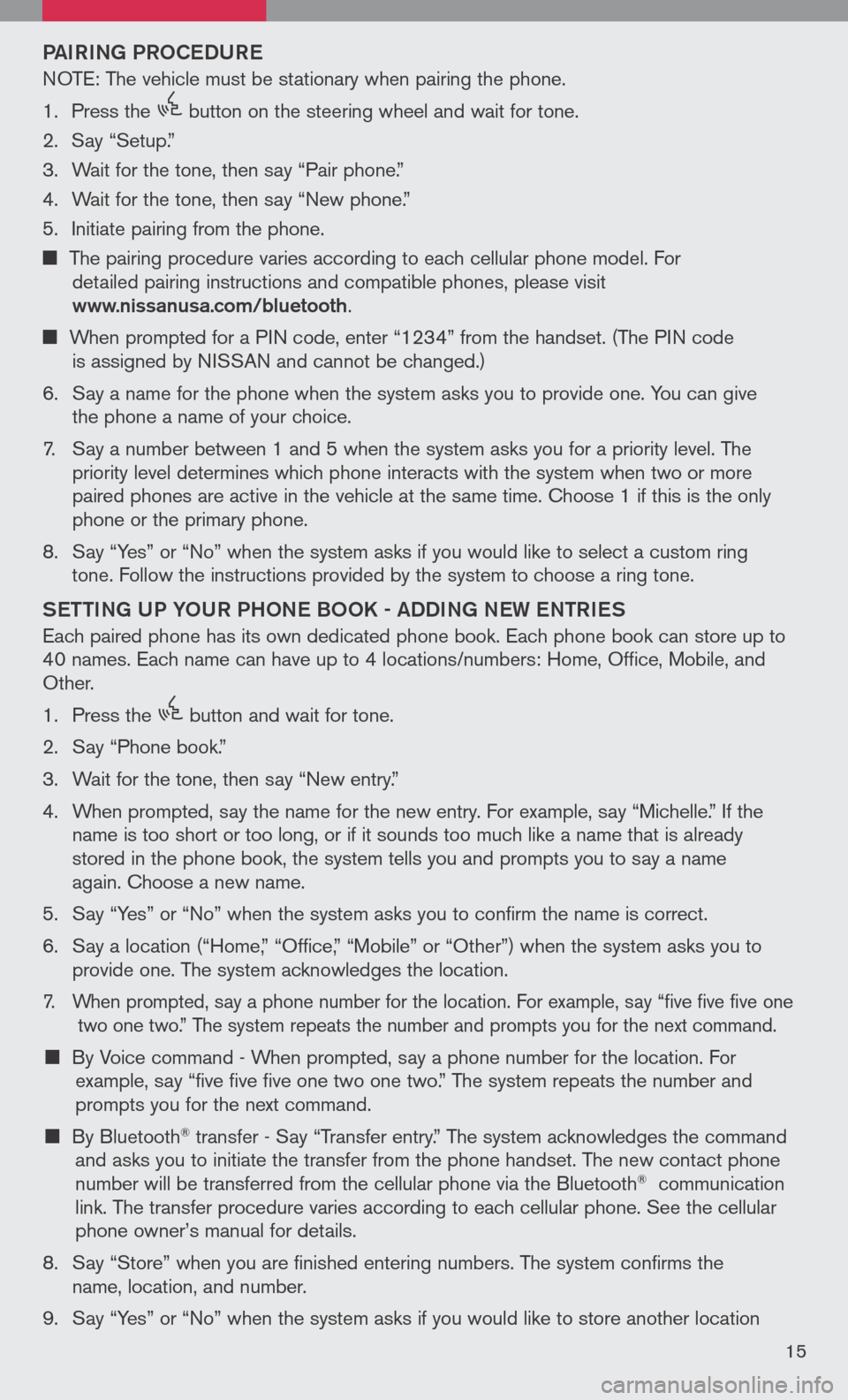
1. Press the
icon C
button on the steering wheel.
2. A message is displayed. Press the
icon C
button again.
3.
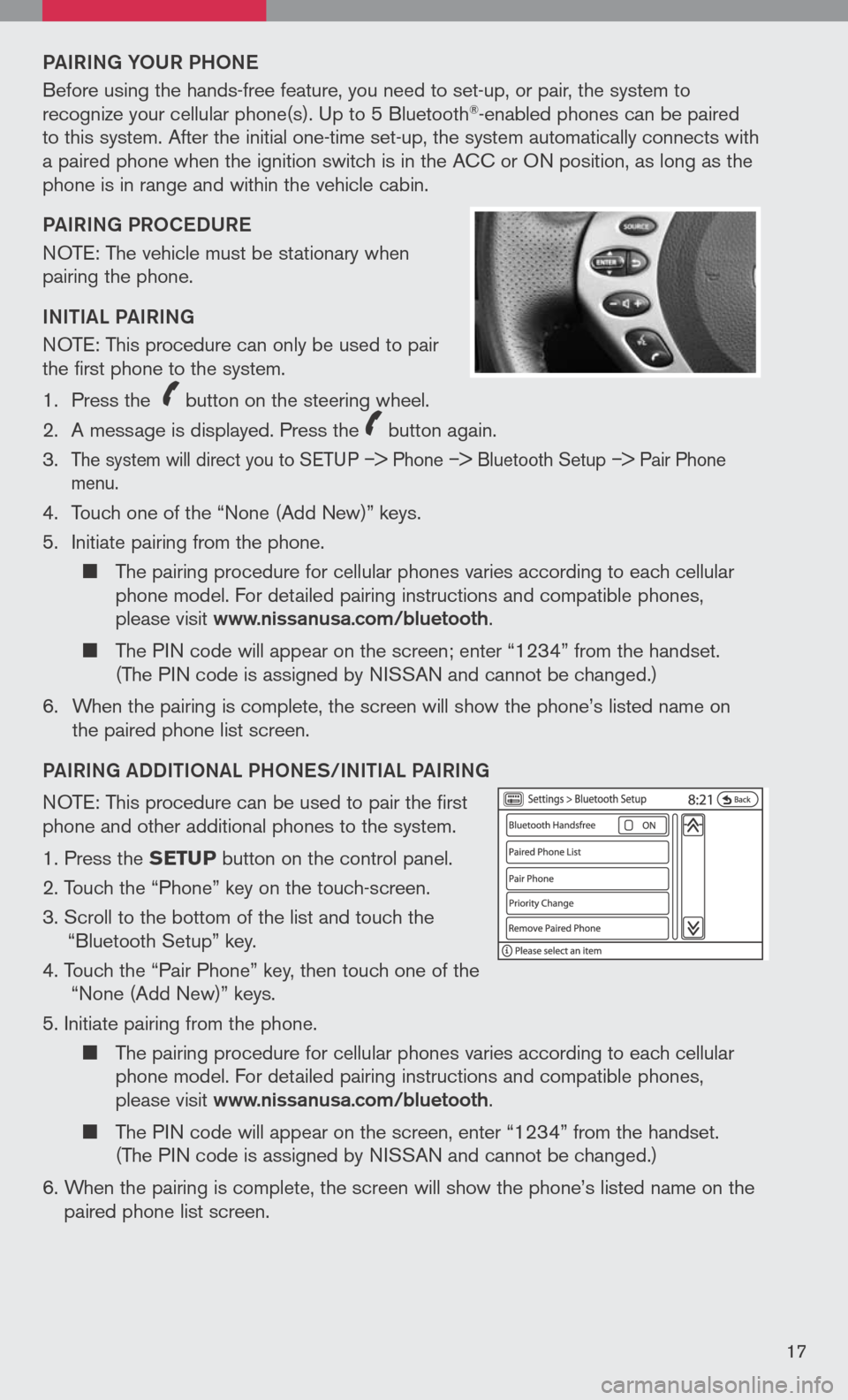
The system will direct you to SETUP –> Phone –> Bluetooth Setup –> Pair Phone menu.
4. Touch one of the “None (Add New)” keys.
5. Initiate pairing from the phone.
The pairing procedure for cellular phones varies according to each cellular phone model. For detailed pairing instructions and compatible phones, please visit www.nissanusa.com/bluetooth.
The PIN code will appear on the screen; enter “1234” from the handset. (The PIN code is assigned by NISSAN and cannot be changed.)
6. When the pairing is complete, the screen will show the phone’s listed name on
the paired phone list screen.
PAIRING ADDIt Io NAL PH oNeS/INIt IAL PAIRING
NOTE: This procedure can be used to pair the first phone and other additional phones to the system.
1. Press the SETUP button on the control panel.
2. Touch the “Phone” key on the touch-screen.
3. Scroll to the bottom of the list and touch the
“Bluetooth Setup” key.
4. Touch the “Pair Phone” key, then touch one of the “None (Add New)” keys.
5. Initiate pairing from the phone.
The pairing procedure for cellular phones varies according to each cellular phone model. For detailed pairing instructions and compatible phones, please visit www.nissanusa.com/bluetooth.
The PIN code will appear on the screen, enter “1234” from the handset. (The PIN code is assigned by NISSAN and cannot be changed.)
6. When the pairing is complete, the screen will show the phone’s listed name on the
paired phone list screen.
17