check engine light NISSAN ALTIMA 2011 Owners Manual
[x] Cancel search | Manufacturer: NISSAN, Model Year: 2011, Model line: ALTIMA, Model: NISSAN ALTIMA 2011Pages: 446, PDF Size: 3.61 MB
Page 79 of 446
2 Instruments and controls
Instrument panel...................................2-2
Meters and gauges ................................2-3
Speedometer and odometer .....................2-4
Tachometer ....................................2-5
Engine coolant temperature gauge ...............2-5
Fuel gauge ....................................2-6
Compass display (if so equipped) ...................2-6
Compass display ...............................2-7
Warning/indicator lights and audible reminders ......2-10
Checking bulbs ............................... 2-10
Warning lights ................................ 2-11
Indicator lights ................................ 2-14
Audible reminders ............................. 2-16
Vehicle information display ......................... 2-17
How to use the Vehicle Information Display .......2-17
Security systems ................................. 2-26
Vehicle security system ......................... 2-26
NISSAN vehicle immobilizer system .............2-27
Windshield wiper and washer switch ...............2-28
Switch operation .............................. 2-28
Rear window and outside mirror (if so equipped)
defroster switch .................................. 2-29
Headlight and turn signal switch ....................2-29Xenon headlights (if so equipped) . . .
............2-29
Headlight control switch ........................ 2-31
Daytime running light system (Canada only) ......2-32
Instrument brightness control ...................2-33
Turn signal switch ............................. 2-33
Fog light switch (if so equipped) ................2-34
Hazard warning flasher switch .....................2-34
Horn ............................................ 2-35
Heated seat (if so equipped) .......................2-35
Vehicle Dynamic Control (VDC) off switch ...........2-36
Power outlet ..................................... 2-36
Storage ......................................... 2-37
Map pockets .................................. 2-37
Seatback pockets (if so equipped) ..............2-37
Storage pouch (if so equipped) .................2-38
Sunglasses
holder............................. 2-38
Cup holders .................................. 2-40
Glove box .................................... 2-41
Console box .................................. 2-41
Storage box (if so equipped) ....................2-42
Covered storage box ........................... 2-42
Grocery hooks ................................ 2-42
Cargo net (if so equipped) ......................2-43
Page 94 of 446
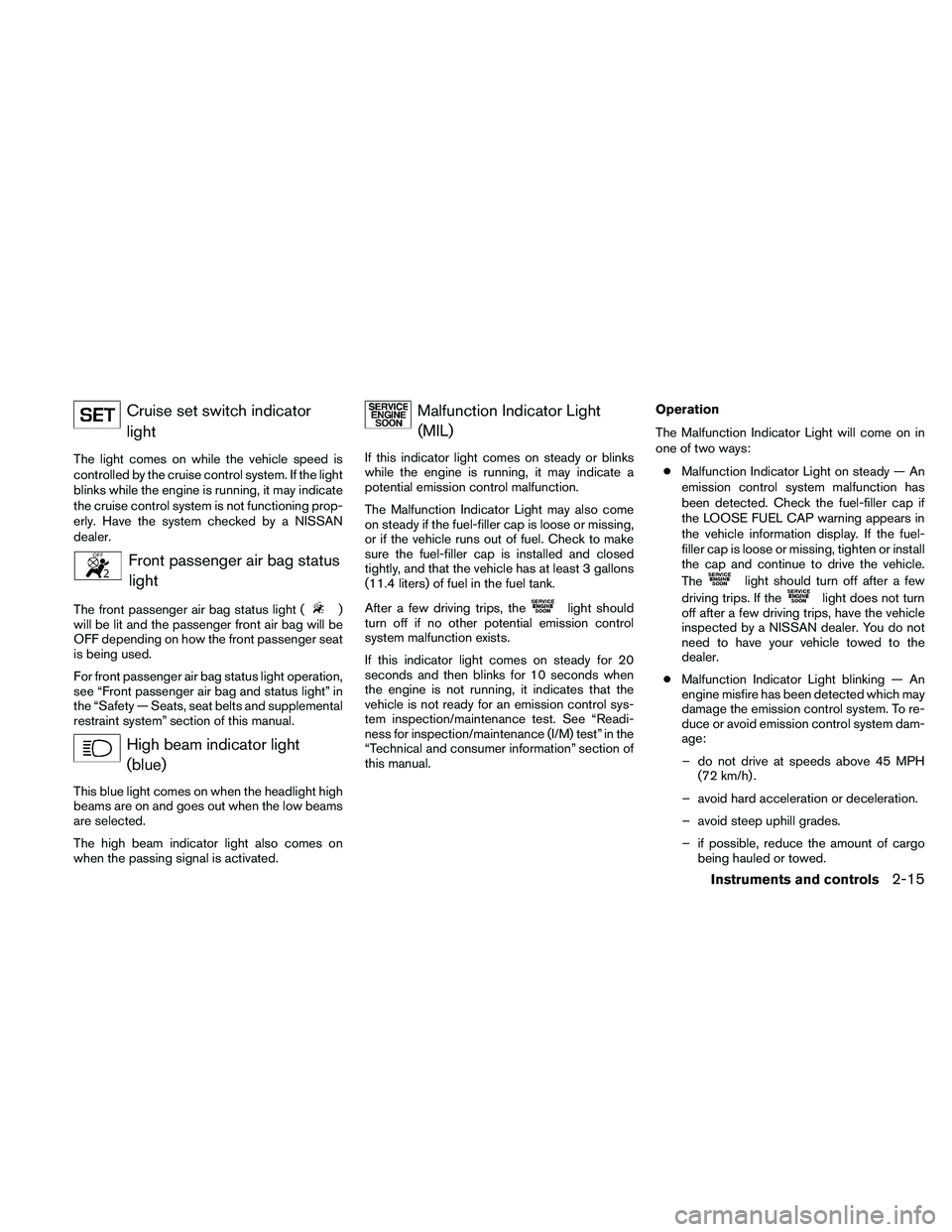
Cruise set switch indicatorlight
The light comes on while the vehicle speed is
controlled by the cruise control system. If the light
blinks while the engine is running, it may indicate
the cruise control system is not functioning prop-
erly. Have the system checked by a NISSAN
dealer.
Page 104 of 446
Engine start operation indicator (CVT
models)
This indicator illuminates when the ignition switch
is placed in the LOCK, OFF, ACC or ON position
with the shift selector in the P (Park) position.
This indicator means that the engine will start by
pushing the push-button ignition switch with the
brake pedal depressed.
Engine start operation indicator (M/T
models)
This indicator illuminates when the ignition switch
is placed in the LOCK, OFF, ACC or ON position
with the shift selector in neutral and the parking
brake on.
This indicator means that the engine will start by
pushing the ignition switch with the clutch and
the brake pedal depressed.
NISSAN Intelligent Key™ insertion indica-
tor
This indicator illuminates when the Intelligent Key
needs to be inserted into the Intelligent Key port.
(For example, the Intelligent Key battery is dis-
charged.)
If this indicator illuminates, insert the Intelligent
Key into the Intelligent Key port in the correct
direction. See “Push-button ignition switch” in
the “Starting and driving” section.NISSAN Intelligent Key™ removal indica-
tor
This indicator illuminates when the driver’s door
is opened with the ignition switch placed in the
OFF position and the Intelligent Key placed in the
Intelligent Key port. A key reminder chime also
sounds.
If this indicator illuminates, remove the Intelligent
Key from the Intelligent Key port and take it with
you when leaving the vehicle.
NISSAN Intelligent Key™ battery dis-
charge indicator
This indicator illuminates when the Intelligent Key
battery is running out of power.
If this indicator illuminates, replace the battery
with a new one. See “NISSAN Intelligent Key™” in
the “Maintenance and do-it-yourself” section.
Loose fuel cap warning
This warning appears when the fuel-filler cap is
not tightened correctly after the vehicle has been
refueled. See “Fuel-filler cap” in the “Pre-driving
checks and adjustments” section.
Check tire pressure warning
This warning appears when the low tire pressure
warning light in the meter illuminates and low tire
pressure is detected. If this warning appears,
stop the vehicle and adjust the tire pressure to
the recommended COLD tire pressure shown on
the Tire and Loading Information label. See “Low
tire pressure warning light” earlier in this section
and “Tire Pressure Monitoring System (TPMS)”
in the “Starting and driving” section.
Instruments and controls2-25
Page 317 of 446
2. Place the ignition switch in the OFF orLOCK position, and wait approximately 10
seconds.
3. Repeat steps 1 and 2.
4. Restart the engine while holding the device (which may have caused the interference)
separate from the registered key.
If the no start condition re-occurs, NISSAN rec-
ommends placing the registered key on a sepa-
rate key ring to avoid interference from other
devices. ●
Make sure the area around the vehicle is
clear.
● Check fluid levels such as engine oil, cool-
ant, brake fluid, and windshield-washer fluid
as frequently as possible, or at least when-
ever you refuel.
● Check that all windows and lights are clean.
● Visually inspect tires for their appearance
and condition. Also check tires for proper
inflation.
● Lock all doors.
● Position seat and adjust head restraints.
● Adjust inside and outside mirrors.
● Fasten seat belts and ask all passengers to
do likewise.
● Check the operation of warning lights when
the ignition switch is pushed to the ON
position. See “Warning/indicator lights and
audible reminders” in the “Instruments and
controls” section of this manual. 1. Apply the parking brake.
2.
Continuously Variable Transmission
(CVT) model:
Move the shift selector to P (Park) or N
(Neutral) . P (Park) is recommended.
The starter is designed not to operate if
the shift selector is in any of the driving
positions.
Manual transmission (M/T) model:
Move the shift selector to N (Neutral) . De-
press the clutch pedal to the floor.
The starter is designed not to operate
unless the clutch pedal is fully de-
pressed.
3. Push the ignition switch to the ON position. Depress the brake pedal and the clutch
pedal (if so equipped) and push the ignition
switch to start the engine.
To start the engine immediately, push and
release the ignition switch while depressing
the brake pedal with the ignition switch in
any position.
BEFORE STARTING THE ENGINE STARTING THE ENGINE
5-10Starting and driving
Page 324 of 446
Accelerator downshift
— in D position —
For passing or hill climbing, depress the accel-
erator pedal to the floor. This shifts the transmis-
sion down into a lower gear, depending on the
vehicle speed.
High fluid temperature protection
mode
This transmission has a high fluid temperature
protection mode. If the fluid temperature be-
comes too high (for example, when climbing
steep grades in high temperature with heavy
loads, such as when towing a trailer) , engine
power and, under some conditions, vehicle
speed will be decreased automatically to reduce
the chance of transmission damage. Vehicle
speed can be controlled with the accelerator
pedal, but the engine and vehicle speed may be
limited.
Fail-safe
If the vehicle is driven under extreme con-
ditions, such as excessive wheel spinning
and subsequent hard braking, the fail-safe
system may be activated. The MIL may
come on to indicate the fail-safe mode is
activated, see “Malfunction Indicator Light
(MIL)” in the “Instrument and controls” sec-tion. This will occur even if all electrical
circuits are functioning properly. In this
case, place the ignition switch in the OFF
position and wait for 10 seconds. Then
push the switch back to the ON position.
The vehicle should return to its normal op-
erating condition. If it does not return to its
normal operating condition, have a
NISSAN dealer check the transmission and
repair if necessary.
Page 339 of 446
To shut off the engine in an emergency situation
while driving perform the following procedure:
– Rapidly push the push-button ignition switch 3consecutive times, or
– Push and hold the push-button ignition switch for more than 2 seconds.TIRE PRESSURE MONITORING
SYSTEM (TPMS)
This vehicle is equipped with the Tire Pressure
Monitoring System (TPMS) . It monitors tire pres-
sure of all tires except the spare. When the low
tire pressure warning light is lit, and the CHECK
TIRE PRESSURE warning appears in the vehicle
information display, one or more of your tires is
significantly under-inflated. If the vehicle is being
driven with low tire pressure, the TPMS will acti-
vate and warn you of it by the low tire pressure
warning light. This system will activate only when
the vehicle is driven at speeds above 16 MPH
(25 km/h) . For more details, refer to
“Warning/indicator lights and audible reminders”
in the “Instruments and controls” section, and
“Tire Pressure Monitoring System (TPMS)” in the
“Starting and driving” section.
Page 359 of 446
8 Maintenance and do-it-yourself
Maintenance requirements..........................8-2
General maintenance ..............................8-2
Explanation of general maintenance items .........8-2
Maintenance precautions . . .........................8-5
Engine compartment check locations ................8-6
Engine cooling system .............................8-8
Checking engine coolant level ...................8-9
Changing engine coolant ........................8-9
Engine oil ........................................ 8-10
Checking engine oil level .......................8-10
Changing engine oil ........................... 8-11
Changing engine oil filter .......................8-12
Continuously Variable Transmission (CVT) fluid
(if so equipped) .................................. 8-13
Power steering fluid ............................... 8-14
Brake and clutch (if so equipped) fluid ..............8-14
Brake fluid .................................... 8-15
Clutch fluid (if so equipped) ....................8-15
Windshield-washer fluid ........................... 8-15
Windshield-washer fluid reservoir ...............8-15
Battery .......................................... 8-16
Jump starting ................................. 8-17
Variable voltage control system .....................8-18Drive belt
........................................ 8-18
Spark plugs . ..................................... 8-19
Replacing spark plugs ......................... 8-19
Air cleaner ....................................... 8-20
In-cabin microfilter ............................. 8-21
Windshield wiper blades .......................... 8-21
Cleaning ..................................... 8-21
Replacing .................................... 8-21
Brakes .......................................... 8-22
Self-adjusting brakes .......................... 8-22
Brake pad wear indicators ......................8-22
Fuses ........................................... 8-23
Engine compartment ........................... 8-24
Passenger compartment .......................8-25
Battery replacement .............................. 8-27
NISSAN
Intelligent Key™ ....................... 8-27
Lights ........................................... 8-28
Headlights .................................... 8-28
Front park/turn/sidemarker light .................8-29
Exterior and interior lights .......................8-30
Upper tether anchor/key cylinder covers ............8-36
Removing covers from rear parcel shelf ..........8-37
Installing covers to rear parcel shelf ..............8-37
Page 363 of 446
Seat beltsCheck that all parts of the seat belt
system (for example, buckles, anchors, adjusters
and retractors) operate properly and smoothly,
and are installed securely. Check the belt web-
bing for cuts, fraying, wear or damage.
Steering wheel Check for changes in the steer-
ing system, such as excessive freeplay, hard
steering or strange noises.
Warning lights and chimes Make sure all
warning lights and chimes are operating properly.
Windshield wiper and washer* Check that
the wipers and washer operate properly and that
the wipers do not streak.
Windshield defroster Check that the air
comes out of the defroster outlets properly and in
sufficient quantity when operating the heater or
air conditioner.
Under the hood and vehicle
The maintenance items listed here should be
checked periodically (for example, each time you
check the engine oil or refuel) .
Battery* Check the fluid level in each cell. It
should be between the MAX and MIN lines. Ve-
hicles operated in high temperatures or under
severe conditions require frequent checks of the
battery fluid level. Brake and clutch fluid levels*
Make sure that
the brake and clutch fluid level is between the
MIN and MAX lines on the reservoir.
Engine coolant level* Check the coolant level
when the engine is cold.
Engine drive belts* Make sure the drive belts
are not frayed, worn, cracked or oily.
Engine oil level* Check the level after parking
the vehicle on a level surface with the engine off.
Wait more than 10 minutes for the oil to drain
back into the oil pan.
Exhaust system Make sure there are no loose
supports, cracks or holes. If the sound of the
exhaust seems unusual or there is a smell of
exhaust fumes, immediately have the exhaust
system inspected by a NISSAN dealer. See “Ex-
haust gas (carbon monoxide)” in the “Starting
and driving” section of this manual.
Fluid leaks Check under the vehicle for fuel, oil,
water or other fluid leaks after the vehicle has
been parked for a while. Water dripping from the
air conditioner after use is normal. If you should
notice any leaks or if gasoline fumes are evident,
check for the cause and have it corrected imme-
diately. Power steering fluid level* and lines
Check
the level when the fluid is cold, with the engine
off. Check the lines for proper attachment, leaks,
cracks, etc.
Radiator and hoses Check the front of the
radiator and clean off any dirt, insects, leaves,
etc., that may have accumulated. Make sure the
hoses have no cracks, deformation, rot or loose
connections.
Underbody The underbody is frequently ex-
posed to corrosive substances such as those
used on icy roads or to control dust. It is very
important to remove these substances from the
underbody, otherwise rust may form on the floor
pan, frame, fuel lines and exhaust system. At the
end of winter, the underbody should be thor-
oughly flushed with plain water, in those areas
where mud and dirt may have accumulated. See
the “Appearance and care” section of this
manual.
Windshield–washer fluid* Check that there is
adequate fluid in the reservoir.
8-4Maintenance and do-it-yourself
Page 413 of 446
E–85 fuel
E-85 fuel is a mixture of approximately 85% fuel
ethanol and 15% unleaded gasoline. E-85 can
only be used in a Flexible Fuel Vehicle (FFV) . Do
not use E-85 in your vehicle. U.S. government
regulations require fuel ethanol dispensing
pumps to be identified by a small, square, orange
and black label with the common abbreviation or
the appropriate percentage for that region.
Aftermarket fuel additives
NISSAN does not recommend the use of any
aftermarket fuel additives (for example, fuel injec-
tor cleaner, octane booster, intake valve deposit
removers, etc.) which are sold commercially.
Many of these additives intended for gum, varnish
or deposit removal may contain active solvents or
similar ingredients that can be harmful to the fuel
system and engine.
Octane rating tips
Using unleaded gasoline with an octane
rating lower than recommended can cause
persistent, heavy “spark knock.” (“Spark
knock” is a metallic rapping noise.) If se-
vere, this can lead to engine damage. If you
detect a persistent heavy spark knock even
when using gasoline of the stated octane
rating, or if you hear steady spark knock
while holding a steady speed on levelroads, have a NISSAN dealer correct the
condition. Failure to correct the condition
is misuse of the vehicle, for which NISSAN
is not responsible.
Incorrect ignition timing may result in spark
knock, after-run and/or overheating, which may
cause excessive fuel consumption or engine
damage. If any of the above symptoms are en-
countered, have your vehicle checked at a
NISSAN dealer.
However, now and then you may notice
light spark knock for a short time while
accelerating or driving up hills. This is not a
cause for concern, because you get the
greatest fuel benefit when there is light
spark knock for a short time under heavy
engine load.
Page 435 of 446
Additional information concerning motor
vehicle safety may be obtained from
Transport Canada’s Road Safety Informa-
tion Centre at 1-800-333-0371 or online
at www.tc.gc.ca/roadsafety.
To notify NISSAN of any safety concerns
please contact our Consumer Information
Centre toll free at 1-800-387-0122.Due to legal requirements in some states and
Canadian Provinces, your vehicle may be re-
quired to be in what is called the “ready condi-
tion” for an Inspection/Maintenance (I/M) test of
the emission control system.
The vehicle is set to the “ready condition” when it
is driven through certain driving patterns. Usually,
the ready condition can be obtained by ordinary
usage of the vehicle.
If a powertrain system component is repaired or the
battery is disconnected, the vehicle may be reset to
a “not ready” condition. Before taking the I/M test,
check the vehicle’s inspection/maintenance test
readiness condition. Place the ignition switch in the
ON position without starting the engine. If the
Malfunction Indicator Light (MIL) comes on steady
for 20 seconds and then blinks for 10 seconds , the
I/M test condition is “not ready”. If the MIL does not
blink after 20 seconds, the I/M test condition is
“ready”. Contact a NISSAN dealer to set the “ready
condition” or to prepare the vehicle for testing.
This vehicle is equipped with an Event Data Re-
corder (EDR) . The main purpose of an EDR is to
record, in certain crash or near crash-like situa-
tions, such as an air bag deployment or hitting a
road obstacle, data that will assist in understand-
ing how a vehicle’s systems performed. The EDR
is designed to record data related to vehicle
dynamics and safety systems for a short period of
time, typically 30 seconds or less. The EDR in this
vehicle is designed to record such data as:● How various systems in your vehicle were
operating;
● Whether or not the driver and passenger
safety belts were buckled/fastened;
● How far (if at all) the driver was depressing
the accelerator and/or brake pedal; and,
● How fast the vehicle was traveling.
● Sounds are not recorded.
These data can help provide a better understand-
ing of the circumstances in which crashes and
injuries occur. NOTE: EDR data are recorded by
your vehicle only if a nontrivial crash situation
occurs; no data are recorded by the EDR under
normal driving conditions and no personal data
(e.g. name, gender, age and crash location) are
recorded. However, other parties, such as law
enforcement, could combine the EDR data with
the type of personally identifying data routinely
acquired during a crash investigation.
READINESS FOR INSPECTION/
MAINTENANCE (I/M) TEST EVENT DATA RECORDERS (EDR)
9-26Technical and consumer information