trunk release NISSAN ALTIMA 2019 Owner´s Manual
[x] Cancel search | Manufacturer: NISSAN, Model Year: 2019, Model line: ALTIMA, Model: NISSAN ALTIMA 2019Pages: 592, PDF Size: 7.4 MB
Page 31 of 592
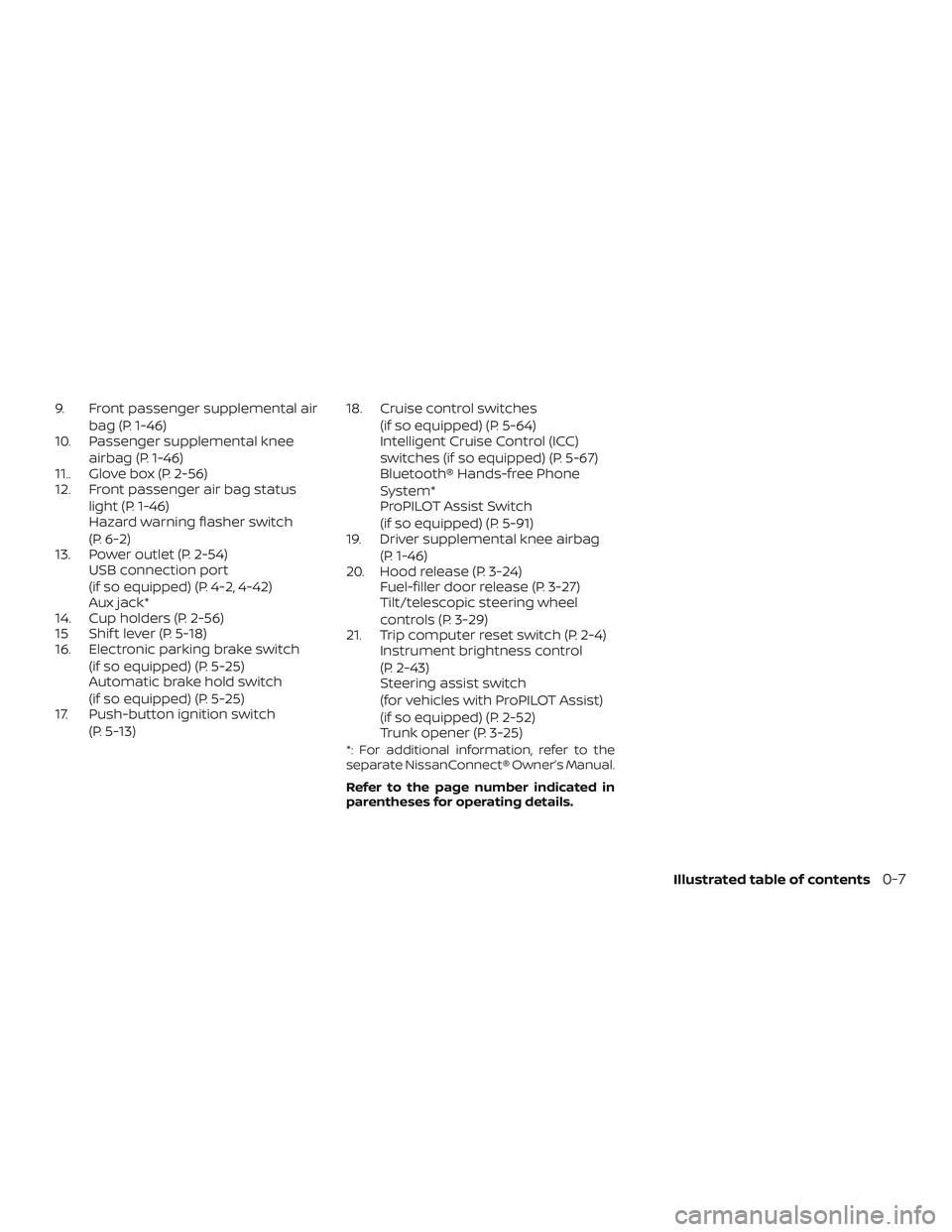
9. Front passenger supplemental airbag (P. 1-46)
10. Passenger supplemental knee
airbag (P. 1-46)
11.. Glove box (P. 2-56)
12. Front passenger air bag status
light (P. 1-46)
Hazard warning flasher switch
(P. 6-2)
13. Power outlet (P. 2-54) USB connection port
(if so equipped) (P. 4-2, 4-42)
Aux jack*
14. Cup holders (P. 2-56)
15 Shif t lever (P. 5-18)
16. Electronic parking brake switch
(if so equipped) (P. 5-25)
Automatic brake hold switch
(if so equipped) (P. 5-25)
17. Push-button ignition switch
(P. 5-13) 18. Cruise control switches
(if so equipped) (P. 5-64)
Intelligent Cruise Control (ICC)
switches (if so equipped) (P. 5-67)
Bluetooth® Hands-free Phone
System*
ProPILOT Assist Switch
(if so equipped) (P. 5-91)
19. Driver supplemental knee airbag
(P. 1-46)
20. Hood release (P. 3-24) Fuel-filler door release (P. 3-27)
Tilt/telescopic steering wheel
controls (P. 3-29)
21. Trip computer reset switch (P. 2-4) Instrument brightness control
(P. 2-43)
Steering assist switch
(for vehicles with ProPILOT Assist)
(if so equipped) (P. 2-52)
Trunk opener (P. 3-25)
*: For additional information, refer to the
separate NissanConnect® Owner’s Manual.
Refer to the page number indicated in
parentheses for operating details.
Illustrated table of contents0-7
Page 109 of 592
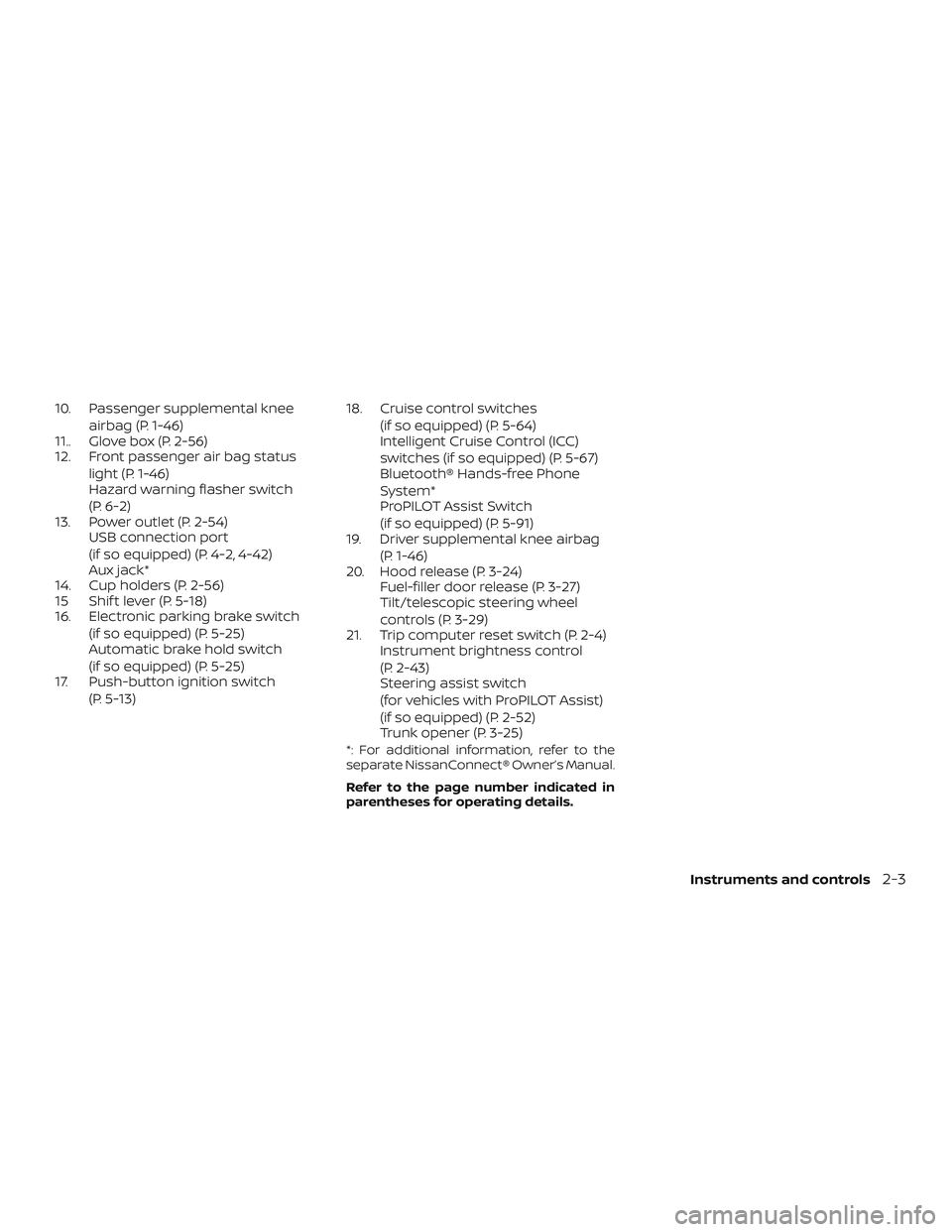
10. Passenger supplemental kneeairbag (P. 1-46)
11.. Glove box (P. 2-56)
12. Front passenger air bag status
light (P. 1-46)
Hazard warning flasher switch
(P. 6-2)
13. Power outlet (P. 2-54) USB connection port
(if so equipped) (P. 4-2, 4-42)
Aux jack*
14. Cup holders (P. 2-56)
15 Shif t lever (P. 5-18)
16. Electronic parking brake switch
(if so equipped) (P. 5-25)
Automatic brake hold switch
(if so equipped) (P. 5-25)
17. Push-button ignition switch
(P. 5-13) 18. Cruise control switches
(if so equipped) (P. 5-64)
Intelligent Cruise Control (ICC)
switches (if so equipped) (P. 5-67)
Bluetooth® Hands-free Phone
System*
ProPILOT Assist Switch
(if so equipped) (P. 5-91)
19. Driver supplemental knee airbag
(P. 1-46)
20. Hood release (P. 3-24) Fuel-filler door release (P. 3-27)
Tilt/telescopic steering wheel
controls (P. 3-29)
21. Trip computer reset switch (P. 2-4) Instrument brightness control
(P. 2-43)
Steering assist switch
(for vehicles with ProPILOT Assist)
(if so equipped) (P. 2-52)
Trunk opener (P. 3-25)
*: For additional information, refer to the
separate NissanConnect® Owner’s Manual.
Refer to the page number indicated in
parentheses for operating details.
Instruments and controls2-3
Page 120 of 592
Master warning light
When the ignition is in the ON position, the
master warning light illuminates if any of
the following are displayed on the vehicle
information display.∙ No key warning
∙ Low windshield-washer fluid warning
∙ Parking brake release warning
∙ Door/trunk open warning
∙ Loose fuel cap
∙ Low tire pressure warning
Power steering warninglight
WARNING
∙ If the engine is not running or is turned off while driving, the power as-
sist for the steering will not work.
Steering will be harder to operate. ∙ When the power steering warning
light illuminates with the engine run-
ning, there will be no power assist for
the steering. You will still have control
of the vehicle, but the steering will be
harder to operate. Have the power
steering system checked. It is recom-
mended that you visit a NISSAN dealer
for this service.
When the ignition switch is placed in the ON
position, the power steering warning light
illuminates. Af ter starting the engine, the
power steering warning light turns off. This
indicates the power steering is operational.
If the power steering warning light illumi-
nates while the engine is running, it may
indicate the power steering is not function-
ing properly and may need servicing. Have
the power steering checked. It is recom-
mended that you visit a NISSAN dealer for
this service.
When the power steering warning light illu-
minates with the engine running, there will
be no power assist for the steering, but you
will still have control of the vehicle. At this
time, greater steering effort is required to
operate the steering wheel, especially in
sharp turns and at low speeds. For additional information, refer to “Power
steering” in the “Starting and driving” sec-
tion of this manual.
Rear Automatic Braking
(RAB) warning light (if so
equipped)
This light comes on when the ignition
switch is placed in the ON position. It turns
off af ter the engine is started.
This light illuminates when the RAB system
is turned off in the vehicle information dis-
play.
If the light illuminates when the RAB sys-
tem is on, it may indicate that the system is
unavailable. For additional information, re-
fer to “Rear Automatic Braking (RAB)” in the
“Starting and driving” section of this
manual.
Seat belt warning light andchime
The light and chime remind you to fasten
the driver and front passenger seat belts.
For additional information, refer to “Seat
belts” in the “Safety—Seats, seat belts and
supplemental restraint system” section of
this manual.
2-14Instruments and controls
Page 138 of 592
VEHICLE INFORMATION DISPLAY
WARNINGS
1. No Key Detected
2. Key ID Incorrect
3. Key Battery Low
4. Key System Error: See Owner’s Manual
5. Key Registration Complete
6. Shif t to Park
7. Push ignition to OFF
8. Push brake and start switch to drive
9. Engine start operation for IntelligentKey system (if I-Key battery level is low)
10. Release Parking Brake
11. Low Fuel
12. Loose Fuel Cap
13. Low Oil Pressure: See Owner’s Manual
14. Low Washer Fluid (if so equipped)
15. Tire Pressure Low - Add Air
16. TPMS Error: See Owner’s Manual
17. Door Open
18. Trunk Open 19. Timer Alert – Have a break?
20. Low Outside Temperature
21. Power will turn off to save the battery
22. Power turned off to save the battery
23. Reminder: Turn OFF headlights
24. Headlight System Error: See Owner’s
Manual (if so equipped)
25. Parking Sensor Error: See Owner’s Manual (if so equipped)
26. Driver Attention Alert Malfunction
27. Malfunction: See Owner’s Manual (if so equipped)
28. Unavailable: Side Radar Obstruction (if so equipped)
29. Unavailable: High Camera Temperature (if so equipped)
30. Driver Attention Alert— Take a Break?
31. Malfunction (if so equipped)
32. Shipping Mode On Push Storage Fuse
33. Not Available: Parking Brake On (if so equipped)
34. CVT Error: See Owner’s Manual
35. Rear Door Alert is activated 36. Check Back Seat For All Articles
37. Intelligent Cruise Control (ICC) indica-
tors (if so equipped)
38. Intelligent Cruise Control (ICC) (for ve- hicles with ProPILOT Assist) indicators
(if so equipped)
39. Speed Limit Sign indicator (if so equipped)
40. System Fault (if so equipped)
41. Chassis Control System Error: See Owner’s Manual (if so equipped)
42. Not Available System Malfunction (if so equipped)
43. Not Available: Seat Belt Not Fastened (if so equipped)
44. Not Available: Front Radar Blocked (if so equipped)
45. Currently not available (if so equipped)
46. Not Available Poor Road Conditions (if so equipped)
47. Unavailable: High Cabin Temperature (if so equipped)
48. AWD Error: See Owner’s Manual (if so equipped)
2-32Instruments and controls
Page 140 of 592
Engine start operation for Intelligent
Key system (if I-Key battery level is low)
This indicator appears when the battery of
the Intelligent Key is low and when the In-
telligent Key system and the vehicle are not
communicating normally.
If this appears, touch the ignition switch
with the Intelligent Key while depressing
the brake pedal. For additional information,
refer to “NISSAN Intelligent Key® battery dis-
charge” in the “Starting and driving” section
of this manual.
Release Parking Brake
This warning illuminates in the message
area of the vehicle information display
when the parking brake is set and the ve-
hicle is driven.
Low Fuel
This warning illuminates when the fuel level
in the fuel tank is getting low. Refuel as
soon as it is convenient, preferably before
the fuel gauge reaches 0 (Empty).There
will be a small reserve of fuel in the tank
when the fuel gauge needle reaches 0
(Empty). Loose Fuel Cap
This warning appears when the fuel-filler
cap is not tightened correctly af ter the ve-
hicle has been refueled. For additional in-
formation, refer to “Fuel-filler cap” in the
“Pre-driving checks and adjustments” sec-
tion of this manual.
Low Oil Pressure: See Owner’s Manual
This warning appears in the message area
of the vehicle information display if low oil
pressure is detected. This gauge is not de-
signed to indicate low oil level.
The low oil
pressure warning is not designed to indi-
cate a low oil level. Use the dipstick to
check the oil level. For additional informa-
tion, refer to “Engine oil” in the “Do-it-
yourself ” section of this manual.
Low Washer Fluid (if so equipped)
This warning illuminates when the
windshield-washer fluid is at a low level.
Add windshield-washer fluid as necessary.
For additional information, refer to
“Windshield-washer fluid” in the “Do-it-
yourself ” section of this manual.
Tire Pressure Low - Add Air
This warning appears when the low tire
pressure warning light in the meter illumi- nates and low tire pressure is detected. The
warning appears each time the ignition
switch is placed in the ON position as long
as the low tire pressure warning light re-
mains illuminated. If this warning appears,
stop the vehicle and adjust the tire pres-
sures of all four tires to the recommended
COLD tire pressure shown on the Tire and
Loading Information label. For additional
information, refer to “Low tire pressure
warning light” in this section and “Tire Pres-
sure Monitoring System (TPMS)” in the
“Starting and driving” section of this
manual.
TPMS Error: See Owner’s Manual
This warning appears when there is an er-
ror with your TPMS. If this warning comes
on, have the system checked. It is recom-
mended that you visit a NISSAN dealer for
this service.
Door Open
This warning illuminates when a door has
been opened.
Trunk Open
This warning illuminates when the trunk
has been opened.
2-34Instruments and controls
Page 146 of 592
4. Confirm that theindicator light
comes on. The
indicator stays il-
luminated for a period of time indicat-
ing that the system is in the pre-armed
phase.
The
indicator light will blink every
3 seconds once the security system is
armed.
If during the pre-armed phase one of
the following occurs, the system will
not arm:
∙ Any door is unlocked with the me- chanical key (if so equipped), Intelli-
gent Key or door request switch.
∙ The ignition switch is placed in the AUTO ACC or ON position.
∙ Even when the driver and/or passen-
gers are in the vehicle, the system will
activate when all the doors, hood and
trunk are locked with the ignition
switch placed in the LOCK position.
When placing the ignition switch in
the AUTO new ACC or ON position, the
system will be released.
Vehicle security system activation
The vehicle security system will give the
following alarm:
∙ The headlights blink and the horn sounds intermittently.
∙ The alarm automatically turns off af ter a period of time. However, the alarm
reactivates if the vehicle is tampered
with again. The alarm can be shut off by
unlocking the driver’s door or trunk lid
with the key, or by pressing the
button on the Intelligent Key.
The alarm is activated by:
∙ opening the door or trunk lid without using the key or Intelligent Key (even if
the door is unlocked by releasing the
door inside lock switch).
How to stop an activated alarm
The alarm stops only by unlocking a door
or the trunk with the mechanical key (if so
equipped), pressing the
button on
the Intelligent Key, or pushing the request
switch on the driver’s or passenger’s door
with the Intelligent Key in range of the door
handle.
NISSAN VEHICLE IMMOBILIZER
SYSTEM
The NISSAN Vehicle Immobilizer System
will not allow the engine to start without
the use of a registered key.
If the engine fails to start using a registered
key (for example, when interference is
caused by another registered key, an auto-
mated toll road device or automatic pay-
ment device on the key ring), restart the
engine using the following procedures:
1. Leave the ignition switch placed in the ON position for approximately 5 sec-
onds.
2. Place the ignition switch in the OFF or LOCK position, and wait approximately
10 seconds.
3. Repeat Steps 1 and 2.
4. Restart the engine while holding the device (which may have caused the in-
terference) separate from the regis-
tered key.
If the no start condition re-occurs, NISSAN
recommends placing the registered key on
a separate key ring to avoid interference
from other devices.
2-40Instruments and controls
Page 178 of 592
3 Pre-driving checks and adjustments
Keys.............................................3-2NISSAN Intelligent Key® .......................3-2
NISSAN Vehicle Immobilizer System
keys..........................................3-4
Doors ...........................................3-4
Locking with key ..............................3-5
Locking with inside lock knob .................3-6
Locking with power door lock switch .........3-6
Automatic door locks (if so equipped) ........ 3-7
Child safety rear door lock .................... 3-7
NISSAN Intelligent Key® .......................... 3-7
Operating range ..............................3-9
Door locks/unlocks precaution ..............3-10
NISSAN Intelligent Key® operation ............3-10
How to use the remote keyless entry
function ..................................... 3-14
Warning signals ............................. 3-18
Troubleshooting guide ......................3-18
Remote Engine Start ........................... 3-21
Remote Engine Start operating range .......3-21
Remote starting the vehicle .................3-22
Extending engine run time ..................3-22Canceling a Remote Engine Start
............3-22
Conditions the Remote Engine Start will
notwork .................................... 3-23
Hood ........................................... 3-24
Trunk lid ........................................ 3-25
Opener operation ........................... 3-25
Interior trunk lid release .....................3-26
Interior trunk access ........................ 3-26
Fuel-filler door .................................. 3-27
Opener operation ........................... 3-27
Fuel-filler cap ................................ 3-27
Steering wheel ................................. 3-29
Tilt operation ................................ 3-30
Telescopic operation ........................ 3-30
Sun visors ...................................... 3-30
Vanity mirrors ............................... 3-31
Mirrors ......................................... 3-31
Manual anti-glare rearview mirror
(if so equipped) .............................. 3-31
Automatic anti-glare rearview mirror
(if
so equipped) .............................. 3-32
Outside mirrors ............................. 3-32
Page 194 of 592
∙ Switching the Auto Room Lamp to theOFF position in vehicle settings of the
vehicle information display. For addi-
tional information, refer to “Vehicle in-
formation display” in the “Instruments
and controls” section of this manual.
Opening windows (if so equipped)
The Intelligent Key allows you to simultane-
ously open windows equipped with auto-
matic operation.
∙ To open the windows, press the
button on the Intelligent Key longer
than 3 seconds af ter all doors are un-
locked.
The door windows cannot be closed by
using the Intelligent Key.
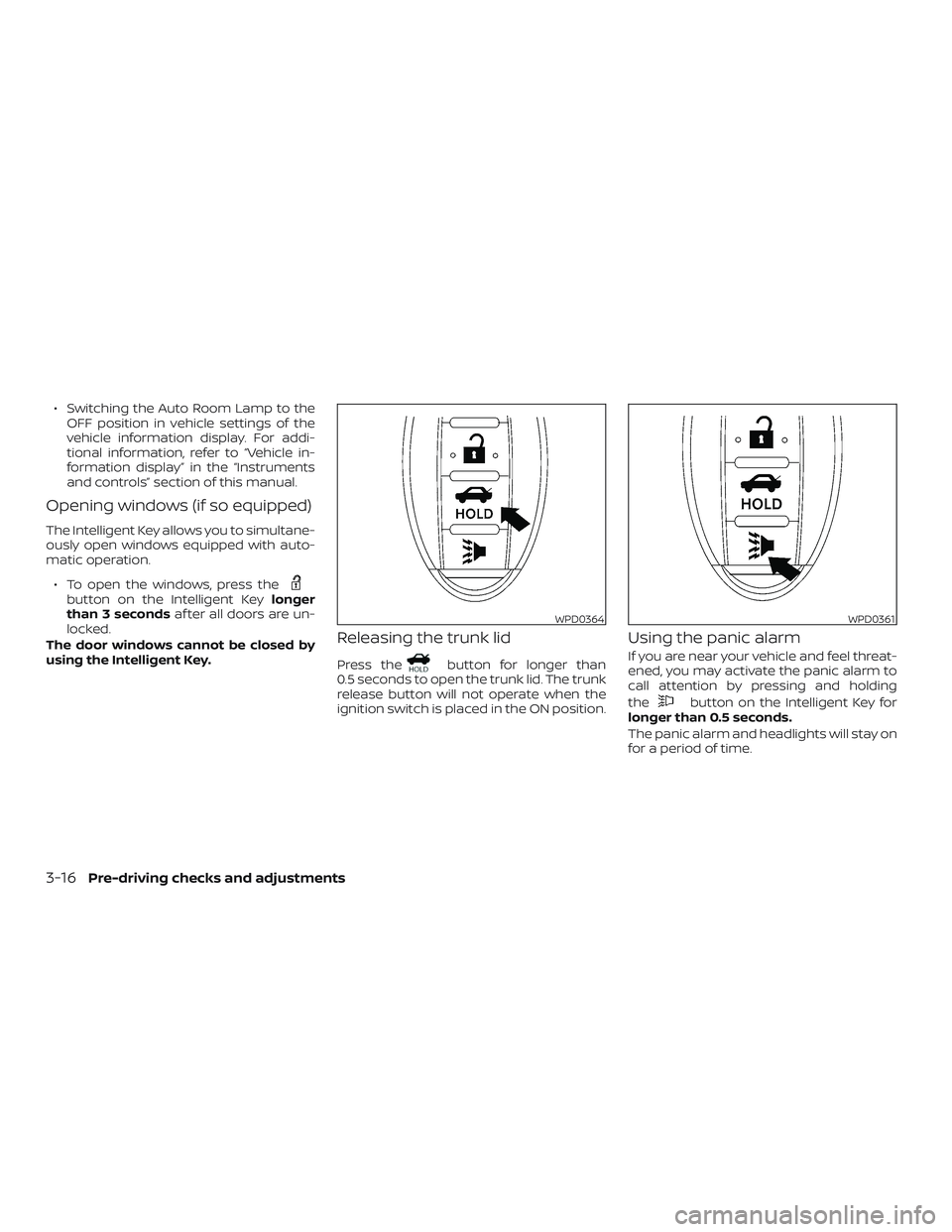
Releasing the trunk lid
Press thebutton for longer than
0.5 seconds to open the trunk lid. The trunk
release button will not operate when the
ignition switch is placed in the ON position.
Using the panic alarm
If you are near your vehicle and feel threat-
ened, you may activate the panic alarm to
call attention by pressing and holding
the
button on the Intelligent Key for
longer than 0.5 seconds.
The panic alarm and headlights will stay on
for a period of time.
WPD0364WPD0361
3-16Pre-driving checks and adjustments
Page 204 of 592

NOTE:
Request switches for all doors and trunk
can be deactivated when the I-Key Door
Lock setting is switched to OFF in the
“Vehicle Settings” of the vehicle informa-
tion display. For additional information,
refer to “Vehicle information display ” in
the “Instruments and controls” section
of the manual.
INTERIOR TRUNK LID RELEASE
WARNING
Closely supervise children when they
are around cars to prevent them from
playing and becoming locked in the
trunk where they could be seriously in-
jured. Keep the car locked, with the rear
seatback and trunk lid securely latched
when not in use, and prevent children’s
access to car keys.The interior trunk lid release mechanism
provides a means of escape for children
and adults in the event they become
locked inside the trunk.
To open the trunk from the inside, pull the
illuminated release handle until the lock re-
leases and push up on the trunk lid. The
release handle is made of a material that
glows in the dark af ter a brief exposure to
ambient light.
The handle is located inside the trunk com-
partment on the interior of the trunk lid.
INTERIOR TRUNK ACCESS
The trunk can be accessed from the pas-
senger side of the rear seat.
1. Move the front passenger seat to the most forward position.
2. Open the access cover on the rear par- cel shelf.
3. Slide the handle in the direction of the arrow.
4. Fold down the passenger’s side seat- back.
LPD2081
3-26Pre-driving checks and adjustments
Page 205 of 592
WARNING
∙ Never allow anyone to ride in thecargo area or on the rear seat when it
is in the fold-down position. Use of
these areas by passengers without
proper restraints could result in seri-
ous injury or death in an accident or
sudden stop.
∙ Properly secure all cargo with ropes or straps to help prevent it from sliding
or shif ting. Do not place cargo higher
than the seatbacks. In a sudden stop
or collision, unsecured cargo could
cause personal injury.
∙ When returning the seatbacks to the upright position, be certain they are
completely secured in the latched po-
sition. If they are not completely se-
cured, passengers may be injured in
an accident or sudden stop.
∙ Closely supervise children when they are around cars to prevent them from
playing and becoming locked in the
trunk where they could be seriously
injured. Keep the car locked, with the
rear seatback and trunk lid securely
latched when not in use, and prevent
children’s access to car keys.
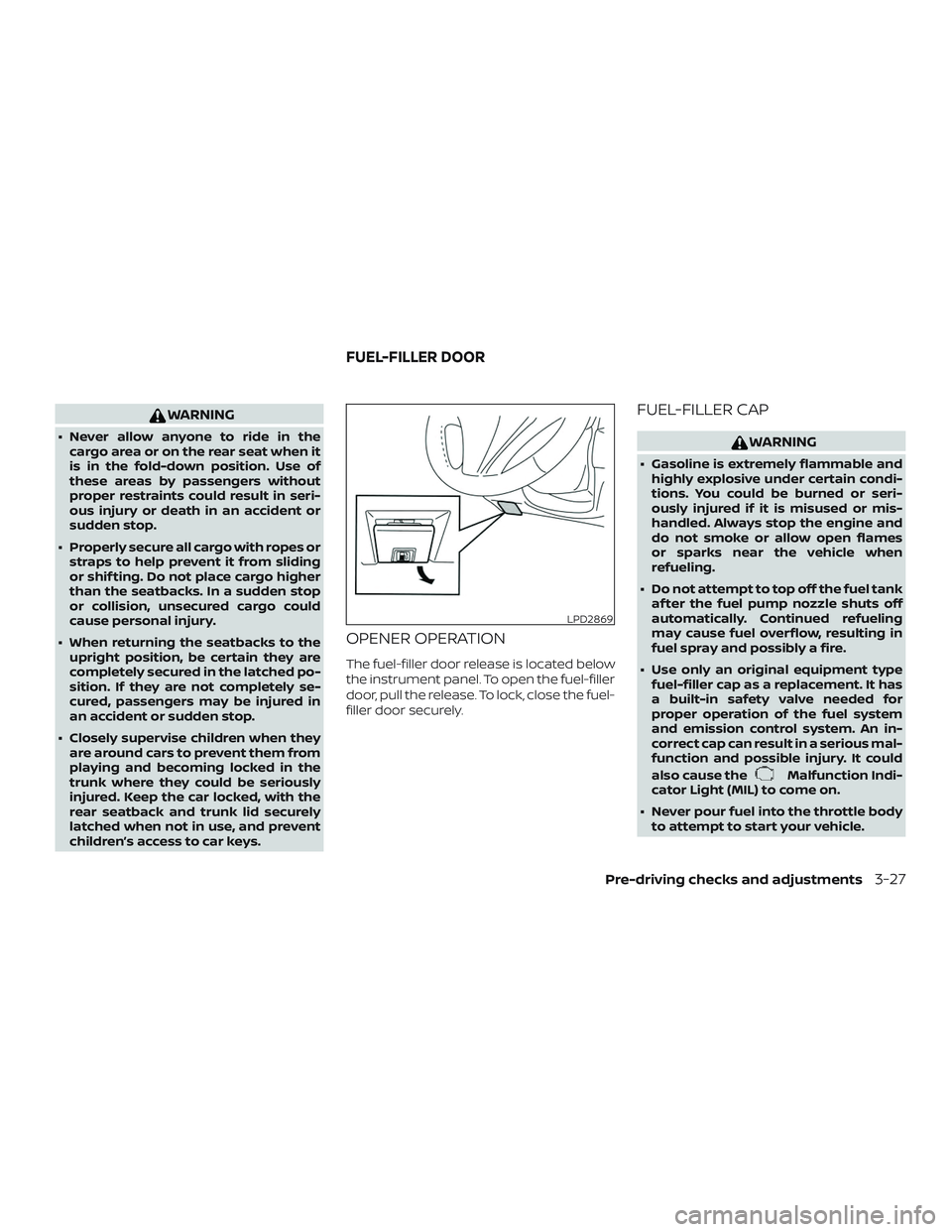
OPENER OPERATION
The fuel-filler door release is located below
the instrument panel. To open the fuel-filler
door, pull the release. To lock, close the fuel-
filler door securely.
FUEL-FILLER CAP
WARNING
∙ Gasoline is extremely flammable andhighly explosive under certain condi-
tions. You could be burned or seri-
ously injured if it is misused or mis-
handled. Always stop the engine and
do not smoke or allow open flames
or sparks near the vehicle when
refueling.
∙ Do not attempt to top off the fuel tank af ter the fuel pump nozzle shuts off
automatically. Continued refueling
may cause fuel overflow, resulting in
fuel spray and possibly a fire.
∙ Use only an original equipment type fuel-filler cap as a replacement. It has
a built-in safety valve needed for
proper operation of the fuel system
and emission control system. An in-
correct cap can result in a serious mal-
function and possible injury. It could
also cause the
Malfunction Indi-
cator Light (MIL) to come on.
∙ Never pour fuel into the throttle body to attempt to start your vehicle.
LPD2869
FUEL-FILLER DOOR
Pre-driving checks and adjustments3-27