Tire NISSAN ALTIMA 2020 Owner´s Manual
[x] Cancel search | Manufacturer: NISSAN, Model Year: 2020, Model line: ALTIMA, Model: NISSAN ALTIMA 2020Pages: 559, PDF Size: 6.3 MB
Page 259 of 559
∙ Unsecured cargo can be thrownaround when driving over rough ter-
rain. Properly secure all cargo so it will
not be thrown forward and cause in-
jury to you or your passengers.
∙ Exceeding the roof rack capacity can raise the center of gravity excessively
and affect the handling and stability
of the vehicle.
∙ Secure heavy loads in the cargo area as far forward and as low as possible.
Do not equip the vehicle with tires
larger than specified in this manual.
This could cause your vehicle to roll
over.
∙ Do not grip the inside or spokes of the steering wheel when driving off-road.
The steering wheel could move sud-
denly and injure your hands. Instead
drive with your fingers and thumbs on
the outside of the rim.
∙ Before operating the vehicle, ensure that the driver and all passengers
have their seat belts fastened.
∙ Always drive with the floor mats in place as the floor may become hot. ∙ Lower your speed when encountering
strong crosswinds. With a higher cen-
ter of gravity, your NISSAN is more af-
fected by strong side winds. Slower
speeds ensure better vehicle control.
∙ Do not drive beyond the performance capability of the tires, even with AWD
engaged.
∙ For AWD equipped vehicles, do not at- tempt to raise two wheels off the
ground and shif t the transmission to
any drive or reverse position with the
engine running. Doing so may result
in drivetrain damage or unexpected
vehicle movement which could result
in serious vehicle damage or personal
injury. ∙ Do not attempt to test an AWD
equipped vehicle on a 2-wheel dyna-
mometer (such as the dynamometers
used by some states for emissions
testing) or similar equipment even if
the other two wheels are raised off the
ground. Make sure you inform test fa-
cility personnel that your vehicle is
equipped with AWD before it is placed
on a dynamometer. Using the wrong
test equipment may result in drive-
train damage or unexpected vehicle
movement which could result in seri-
ous vehicle damage or personal
injury.
∙ When a wheel is off the ground due to an unlevel surface, do not spin the
wheel excessively.
∙ Accelerating quickly, sharp steering maneuvers or sudden braking may
cause loss of control.
∙ If at all possible, avoid sharp turning maneuvers, particularly at high
speeds. Your NISSAN vehicle has a
higher center of gravity than a pas-
senger car. The vehicle is not de-
signed for cornering at the same
speeds as passenger cars.
5-12Starting and driving
Page 260 of 559
∙ Failure to operate this vehicle cor-rectly could result in loss of control
and/or a rollover accident.
∙ Always use tires of the same type, size, brand, construction (bias, bias-
belted, or radial), and tread pattern on
all four wheels. Install tire chains on
the front wheels when driving on slip-
pery roads and drive carefully.
∙ Be sure to check the brakes immedi- ately af ter driving in mud or water. For
additional information, refer to “Brake
precautions” in this section.
∙ Avoid parking your vehicle on steep hills. If you get out of the vehicle and it
rolls forward, backward or sideways,
you could be injured.
∙ Whenever you drive off-road through sand, mud or water as deep as the
wheel hub, more frequent mainte-
nance may be required. For additional
information, refer to “Maintenance
under severe operating conditions” in
the “Maintenance and schedules” sec-
tion of this manual.WARNING
Do not operate the push-button igni-
tion switch while driving the vehicle ex-
cept in an emergency. (The engine will
stop when the ignition switch is pushed
three consecutive times in quick suc-
cession or the ignition switch is pushed
and held for more than 2 seconds.) If the
engine stops while the vehicle is being
driven, this could lead to a crash and
serious injury.
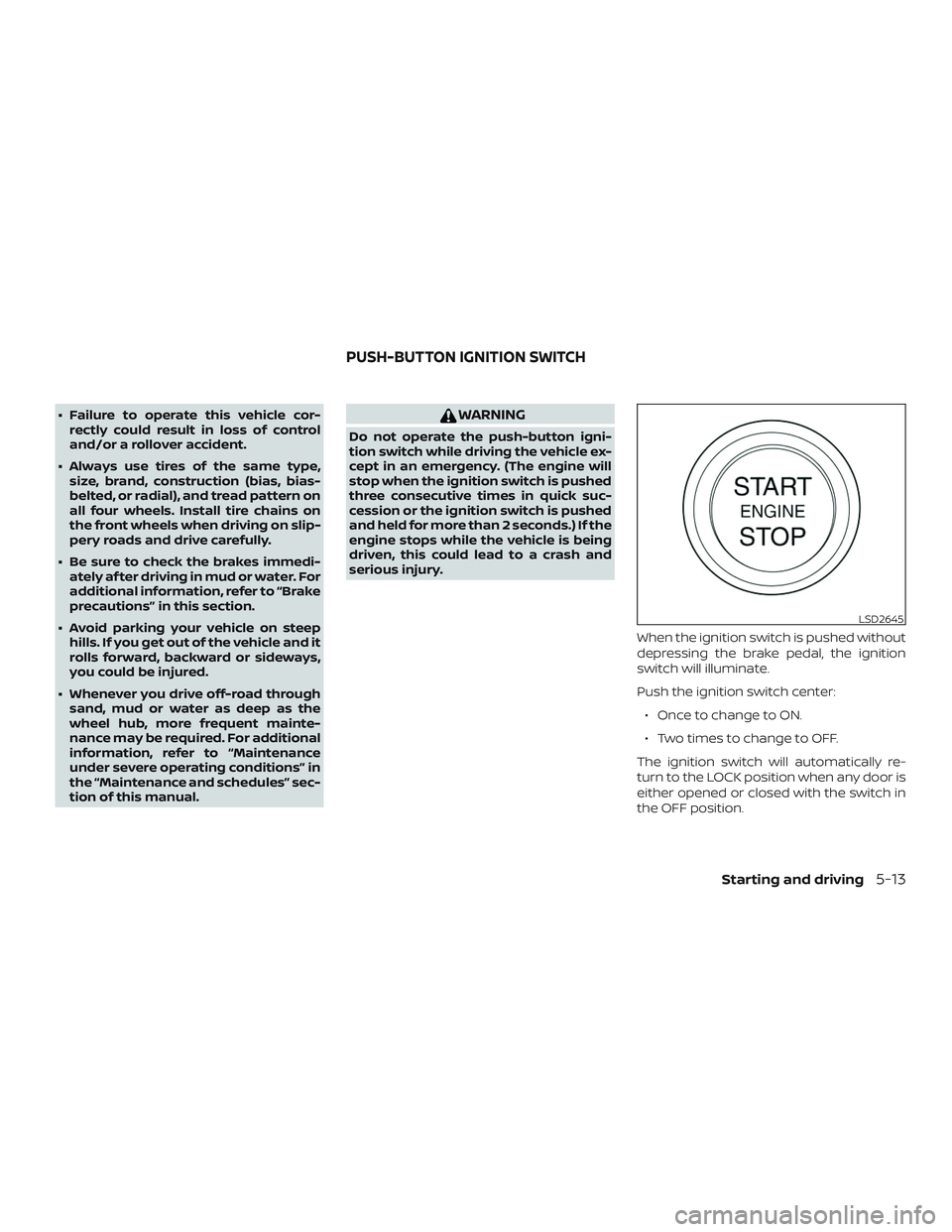
When the ignition switch is pushed without
depressing the brake pedal, the ignition
switch will illuminate.
Push the ignition switch center:∙ Once to change to ON.
∙ Two times to change to OFF.
The ignition switch will automatically re-
turn to the LOCK position when any door is
either opened or closed with the switch in
the OFF position.
LSD2645
PUSH-BUTTON IGNITION SWITCH
Starting and driving5-13
Page 264 of 559
∙ Make sure the area around the vehicle isclear.
∙ Check fluid levels such as engine oil, coolant, brake fluid, and windshield-
washer fluid as frequently as possible,
or at least whenever you refuel.
∙ Check that all windows and lights are clean.
∙ Visually inspect tires for their appear- ance and condition. Also check tires for
proper inflation.
∙ Lock all doors.
∙ Position seat and adjust headrests/head restraints.
∙ Adjust inside and outside mirrors.
∙ Fasten seat belts and ask all passen- gers to do likewise.
∙ Check the operation of warning lights when the ignition switch is pushed to
the ON position. For additional informa-
tion, refer to “Warning lights, indicator
lights and audible reminders” in the “In-
struments and controls” section of this
manual. 1. Apply the parking brake.
2. Move the shif t lever to P (Park) or N
(Neutral). P (Park) is recommended.
The starter is designed not to oper-
ate if the shif t lever is in any of the
driving positions.
3. Push the ignition switch to the ON po- sition. Depress the brake pedal and
push the ignition switch to start the
engine.
To start the engine immediately, push
and release the ignition switch while
depressing the brake pedal with the
ignition switch in any position.
∙ If the engine is very hard to start in extremely cold weather or when re-
starting, depress the accelerator
pedal a little (approximately 1/3 to the
floor) and while holding, crank the en-
gine. Release the accelerator pedal
when the engine starts.
∙ If the engine is very hard to start be- cause it is flooded, depress the accel-
erator pedal all the way to the floor
and hold it. Push the ignition switch
to the ON position to start cranking
the engine. Af ter 5 or 6 seconds, stop
cranking by pushing the ignition switch to the LOCK position. Af ter
cranking the engine, release the ac-
celerator pedal. Crank the engine
with your foot off the accelerator
pedal by depressing the brake pedal
and pushing the ignition switch to
start the engine. If the engine starts,
but fails to run, repeat the above pro-
cedure.
CAUTION
Do not operate the starter for more
than 15 seconds at a time. If the engine
does not start, push the ignition switch
to the OFF position and wait 10 seconds
before cranking again, otherwise the
starter could be damaged.
4. Warm-up:
Allow the engine to idle for at least
30 seconds af ter starting. Do not race
the engine while warming it up. Drive at
a moderate speed for a short distance
first, especially in cold weather. In cold
weather, keep the engine running for a
minimum of 2 to 3 minutes before
shutting it off. Starting and stopping
the engine over a short period of time
may make the vehicle more difficult to
start.
BEFORE STARTING THE ENGINE STARTING THE ENGINE
Starting and driving5-17
Page 284 of 559
∙ Do not use the LDW system under thefollowing conditions as it may not
function properly:
– During bad weather (rain, fog, snow, etc.).
– When driving on slippery roads, such as on ice or snow.
– When driving on winding or un- even roads.
– When there is a lane closure due to road repairs.
– When driving in a makeshif t or temporary lane.
– When driving on roads where the lane width is too narrow.
– When driving without normal tire conditions (for example, tire wear,
low tire pressure, installation of
spare tire, tire chains, nonstandard
wheels).
– When the vehicle is equipped with non-original brake parts or sus-
pension parts.
– When you are towing a trailer or other vehicle. ∙ The system may not function prop-
erly under the following conditions:
– On roads where there are multiple parallel lane markers; lane mark-
ers that are faded or not painted
clearly; yellow painted lane mark-
ers; non-standard lane markers; or
lane markers covered with water,
dirt, snow, etc.
– On roads where the discontinued lane markers are still detectable.
– On roads where there are sharp curves.
– On roads where there are sharply contrasting objects, such as shad-
ows, snow, water, wheel ruts,
seams or lines remaining af ter
road repairs. (The LDW system
could detect these items as lane
markers.)
– On roads where the traveling lane merges or separates.
– When the vehicle’s traveling direc- tion does not align with the lane
marker. – When traveling close to the vehicle
in front of you, which obstructs the
lane camera unit detection range.
– When rain, snow, dirt or an object adheres to the windshield in front
of the lane camera unit.
– When the headlights are not bright due to dirt on the lens or if the aim-
ing is not adjusted properly.
– When strong light enters the lane camera unit. (For example, the light
directly shines on the front of the
vehicle at sunrise or sunset.)
– When a sudden change in bright- ness occurs. (For example, when
the vehicle enters or exits a tunnel
or under a bridge.)
SYSTEM TEMPORARILY
UNAVAILABLE
If the vehicle is parked in direct sunlight
under high temperature conditions (over
approximately 104°F [40°C]) and then
started, the LDW system may be deacti-
vated automatically and the following
message will appear in the vehicle infor-
mation display: “Unavailable: High Cabin
Temperature.”
Starting and driving5-37
Page 289 of 559
I-LI SYSTEM LIMITATIONS
WARNING
Listed below are the system limitations
for the I-LI system. Failure to follow the
warnings and instructions for proper
use of the I-LI system could result in
serious injury or death.
∙ The I-LI system may activate if youchange lanes without first activating
your turn signal or, for example, if a
construction zone directs traffic to
cross an existing lane marker. If this
occurs you may need to apply correc-
tive steering to complete your lane
change.
∙ Because the I-LI may not activate un- der the road, weather, and lane
marker conditions described in this
section, it may not activate every time
your vehicle begins to leave its lane
and you will need to apply corrective
steering.
∙ When the I-LI system is operating, avoid excessive or sudden steering
maneuvers. Otherwise, you could lose
control of the vehicle. ∙ The I-LI system will not operate at
speeds below approximately 37 mph
(60 km/h) or if it cannot detect lane
markers.
∙ Do not use the I-LI system under the following conditions as it may not
function properly:
– During bad weather (rain, fog, snow, etc.).
– When driving on slippery roads, such as on ice or snow.
– When driving on winding or un- even roads.
– When there is a lane closure due to road repairs.
– When driving in a makeshif t or temporary lane.
– When driving on roads where the lane width is too narrow.
– When driving without normal tire conditions (for example, tire wear,
low tire pressure, installation of
spare tire, tire chains, non-
standard wheels). – When the vehicle is equipped with
nonoriginal brake parts or suspen-
sion parts.
– When you are towing a trailer or other vehicle.
– On roads where there are multiple parallel lane markers; lane mark-
ers that are faded or not painted
clearly; yellow painted lane mark-
ers; non-standard lane markers; or
lane markers covered with water,
dirt, snow, etc.
– On roads where discontinued lane markers are still detectable.
– On roads where there are sharp curves.
– On roads where there are sharply contrasting objects, such as shad-
ows, snow, water, wheel ruts,
seams or lines remaining af ter
road repairs. (The I-LI system could
detect these items as lane
markers.)
– On roads where the traveling lane merges or separates.
5-42Starting and driving
Page 365 of 559
– When driving on roads where thetraveling lane merges or separates
or where there are temporary lane
markers because of road
construction
– When there is a lane closure due to road repairs
– When driving on a bumpy road sur- face, such as an uneven dirt road
– When driving on sharp curves or winding roads
– When driving on repeated uphill and downhill roads
∙ Do not use the Steering Assist under the following conditions because the
system will not operate properly:
– When driving with a tire that is not within normal tire conditions (for
example, tire wear, abnormal tire
pressure, installation of a spare
tire, tire chains, nonstandard
wheels)
– When the vehicle is equipped with non-original brake or suspension
parts – When an object such as a sticker or
cargo obstructs the camera
– When excessively heavy baggage is loaded in the rear seat or lug-
gage area of your vehicle
– When the vehicle load capacity is exceeded
– When towing a trailer or other vehicle
∙ Excessive noise will interfere with the warning chime sound, and the beep
may not be heard.
∙ For the ProPILOT Assist system to op- erate properly, the windshield in front
of the camera must be clean. Replace
worn wiper blades. The correct size
wiper blades must be used to help
make sure the windshield is kept
clean. Only use Genuine NISSAN wiper
blades, or equivalent wiper blades,
that are specifically designed for use
on your vehicle model and model
year. It is recommended that you visit
a NISSAN dealer for the correct parts
for your vehicle.Steering Assist temporary
standby
Automatic standby due to driving opera-
tion:
When the driver activates the turn signal,
the Steering Assist is temporarily placed in
a standby mode. (The Steering Assist re-
starts automatically when the operating
conditions are met again.)
Automatic standby:
In the following cases, a warning message
is displayed along with the chime, and the
Steering Assist is placed in a temporary
standby mode. (The Steering Assist re-
starts automatically when the operating
conditions are met again.)
∙ When lane markers on both sides are no longer detected
∙ When a vehicle ahead is no longer de- tected under approximately 37 mph
(60 km/h)
5-118Starting and driving
Page 375 of 559
– An ultrasonic wave source, such asanother vehicle’s sonar, is near the
vehicle.
∙ Once the automatic brake control op- erates, it does not operate again if the
vehicle approaches the same
obstacle.
∙ The automatic brake control can only operate for a short period of time.
Therefore, the driver must depress
the brake pedal.
∙ In the following situations, the RAB system may not operate properly or
may not function sufficiently:
– The vehicle is driven in bad weather (rain, fog, snow, etc.).
– The vehicle is driven on a steep hill.
– The vehicle’s posture is changed (e.g., when driving over a bump).
– The vehicle is driven on a slippery road.
– The vehicle is turned sharply by turning the steering wheel fully.
– Snow chains are used. – Wheels or tires other than NISSAN
recommended are used.
– The brakes are cold at low ambient temperatures or immediately af ter
driving has started.
– The braking force becomes poor due to wet brakes af ter driving
through a puddle or washing the
vehicle.
∙ Turn the RAB system off in the follow- ing conditions to prevent the occur-
rence of an unexpected accident re-
sulting from sudden system
operation:
– The vehicle is towed.
– The vehicle is carried on a flatbed truck.
– The vehicle is on the chassis dynamometer.
– The vehicle drives on an uneven road surface. – Suspension parts other than those
designated as Genuine NISSAN
parts are used. (If the vehicle
height or the vehicle body inclina-
tion is changed, the system may
not detect an obstacle correctly.)
∙ Excessive noise (e.g., audio system volume, an open vehicle window) will
interfere with the chime sound, and it
may not be heard.
SYSTEM MALFUNCTION
If the RAB system malfunctions, it will be
turned off automatically, the RAB system
warning light will illuminate, and the “Sys-
tem fault” warning message will appear in
the vehicle information display.
Action to take
If the warning light illuminates, park the ve-
hicle in a safe location, turn the engine off,
and restart the engine. If the warning light
continues to illuminate, have the RAB sys-
tem checked. It is recommended that you
visit a NISSAN dealer for this service.
5-128Starting and driving
Page 406 of 559
∙ Do not attach metallic objects near thesensor area (brush guard, etc.). This
could cause failure or malfunction.
∙ Do not alter, remove or paint the front bumper. Before customizing or restor-
ing the front bumper, it is recom-
mended that you visit a NISSAN dealer.
FCC Notice
For USA
This device complies with Part 15 of the
FCC Rules. Operation is subject to the fol-
lowing two conditions: 1. This device may not cause harmful
interference, and
2. This device must accept any interfer-
ence received, including interference
that may cause undesired operation.
FCC Warning
Changes or modifications not expressly
approved by the party responsible for
compliance could void the user’s author-
ity to operate the equipment. For Canada
This device complies with Industry
Canada licence-exempt RSS standard(s).
Operation is subject to the following two
conditions:
1. This device may not cause interfer-
ence,
2. This device must accept any interfer-
ence, including interference that
may cause undesired operation of
the device.WARNING
Failure to follow the warnings and in-
structions for proper use of the I-DA
system could result in serious injury or
death.
∙ The I–DA system is only a warning to inform the driver of a potential lack of
driver attention or drowsiness. It will
not steer the vehicle or prevent loss of
control.
∙ The I–DA system does not detect and provide an alert of the driver’s lack of
attention or fatigue in every situation.
∙ It is the driver’s responsibility to: ∙ stay alert,
∙ drive safely,
∙ keep the vehicle in the travelinglane,
∙ be in control of the vehicle at all times,
∙ avoid driving when tired,
∙ avoid distractions (texting, etc).
The I–DA system helps alert the driver if the
system detects a lack of attention or driv-
ing fatigue.
INTELLIGENT DRIVER ALERTNESS
(I-DA)
Starting and driving5-159
Page 411 of 559
∙ Your vehicle will reach its ideal oper-ating temperature more quickly
while driving versus idling.
10. Keeping your Vehicle Cool
∙ Park your vehicle in a covered parking area or in the shade whenever pos-
sible.
∙ When entering a hot vehicle, opening the windows will help to reduce the
inside temperature faster, resulting in
reduced demand on your A/C sys-
tem. ∙ Keep your engine tuned up.
∙ Follow the recommended scheduled
maintenance.
∙ Keep the tires inflated to the correct pressure. Low tire pressure increases
tire wear and lowers fuel economy.
∙ Keep the wheels in correct alignment. Improper alignment increases tire wear
and lowers fuel economy.
∙ Use the recommended viscosity engine oil. For additional information, refer to
“Engine oil and oil filter recommenda-
tions” in the “Technical and consumer
information” section of this manual. If any malfunction occurs in the AWD sys-
tem while the engine is running, messages
are displayed in the meter.
INCREASING FUEL ECONOMY
ALL-WHEEL DRIVE (AWD) (if so
equipped)
5-164Starting and driving
Page 412 of 559
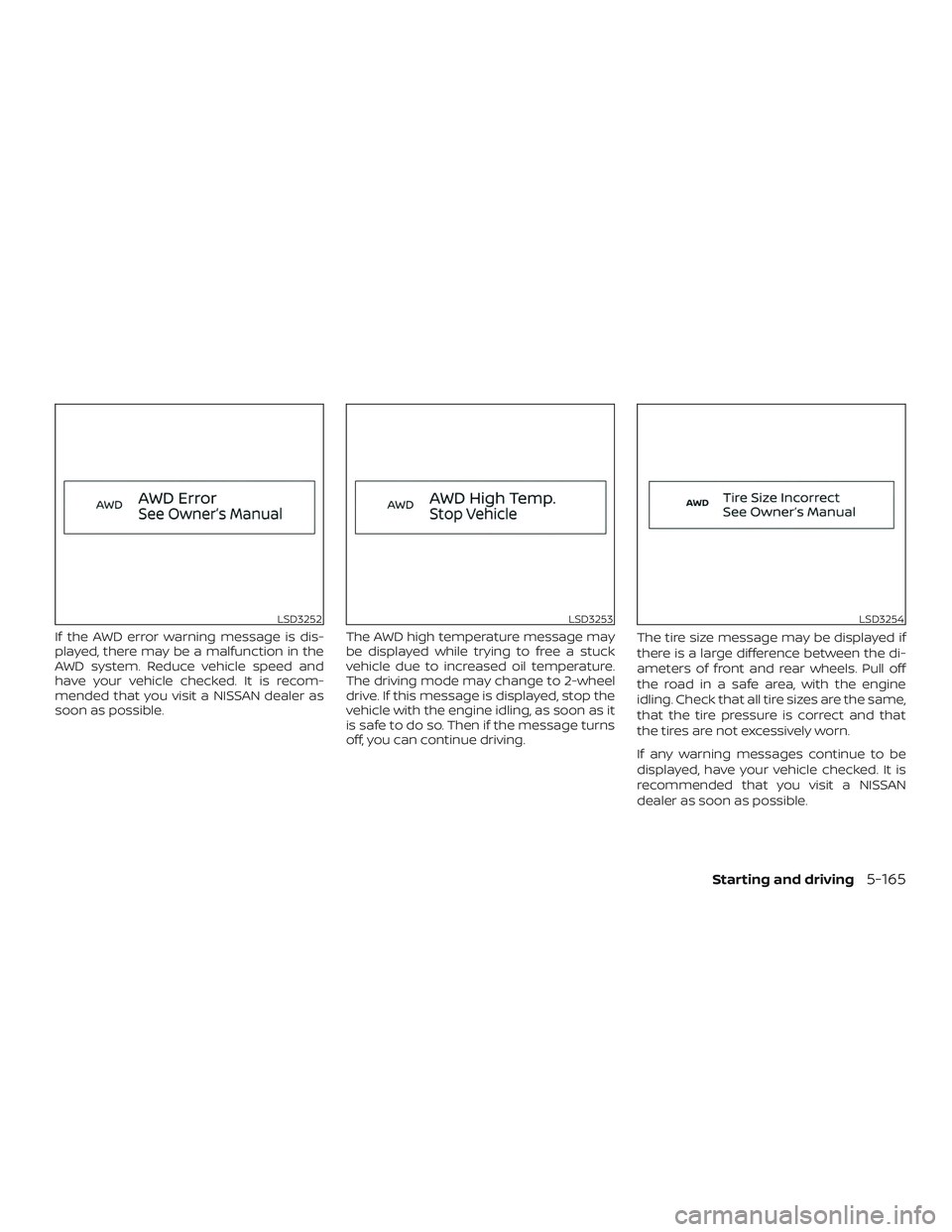
If the AWD error warning message is dis-
played, there may be a malfunction in the
AWD system. Reduce vehicle speed and
have your vehicle checked. It is recom-
mended that you visit a NISSAN dealer as
soon as possible.The AWD high temperature message may
be displayed while trying to free a stuck
vehicle due to increased oil temperature.
The driving mode may change to 2-wheel
drive. If this message is displayed, stop the
vehicle with the engine idling, as soon as it
is safe to do so. Then if the message turns
off, you can continue driving.The tire size message may be displayed if
there is a large difference between the di-
ameters of front and rear wheels. Pull off
the road in a safe area, with the engine
idling. Check that all tire sizes are the same,
that the tire pressure is correct and that
the tires are not excessively worn.
If any warning messages continue to be
displayed, have your vehicle checked. It is
recommended that you visit a NISSAN
dealer as soon as possible.
LSD3252LSD3253LSD3254
Starting and driving5-165