brake NISSAN ALTIMA 2021 Owner's Manual
[x] Cancel search | Manufacturer: NISSAN, Model Year: 2021, Model line: ALTIMA, Model: NISSAN ALTIMA 2021Pages: 559, PDF Size: 6.26 MB
Page 365 of 559
– When driving on roads where thetraveling lane merges or separates
or where there are temporary lane
markers because of road
construction
– When there is a lane closure due to road repairs
– When driving on a bumpy road sur- face, such as an uneven dirt road
– When driving on sharp curves or winding roads
– When driving on repeated uphill and downhill roads
∙ Do not use the Steering Assist under the following conditions because the
system will not operate properly:
– When driving with a tire that is not within normal tire conditions (for
example, tire wear, abnormal tire
pressure, installation of a spare
tire, tire chains, nonstandard
wheels)
– When the vehicle is equipped with non-original brake or suspension
parts – When an object such as a sticker or
cargo obstructs the camera
– When excessively heavy baggage is loaded in the rear seat or lug-
gage area of your vehicle
– When the vehicle load capacity is exceeded
– When towing a trailer or other vehicle
∙ Excessive noise will interfere with the warning chime sound, and the beep
may not be heard.
∙ For the ProPILOT Assist system to op- erate properly, the windshield in front
of the camera must be clean. Replace
worn wiper blades. The correct size
wiper blades must be used to help
make sure the windshield is kept
clean. Only use Genuine NISSAN wiper
blades, or equivalent wiper blades,
that are specifically designed for use
on your vehicle model and model
year. It is recommended that you visit
a NISSAN dealer for the correct parts
for your vehicle.Steering Assist temporary
standby
Automatic standby due to driving opera-
tion:
When the driver activates the turn signal,
the Steering Assist is temporarily placed in
a standby mode. (The Steering Assist re-
starts automatically when the operating
conditions are met again.)
Automatic standby:
In the following cases, a warning message
is displayed along with the chime, and the
Steering Assist is placed in a temporary
standby mode. (The Steering Assist re-
starts automatically when the operating
conditions are met again.)
∙ When lane markers on both sides are no longer detected
∙ When a vehicle ahead is no longer de- tected under approximately 37 mph
(60 km/h)
5-118Starting and driving
Page 371 of 559
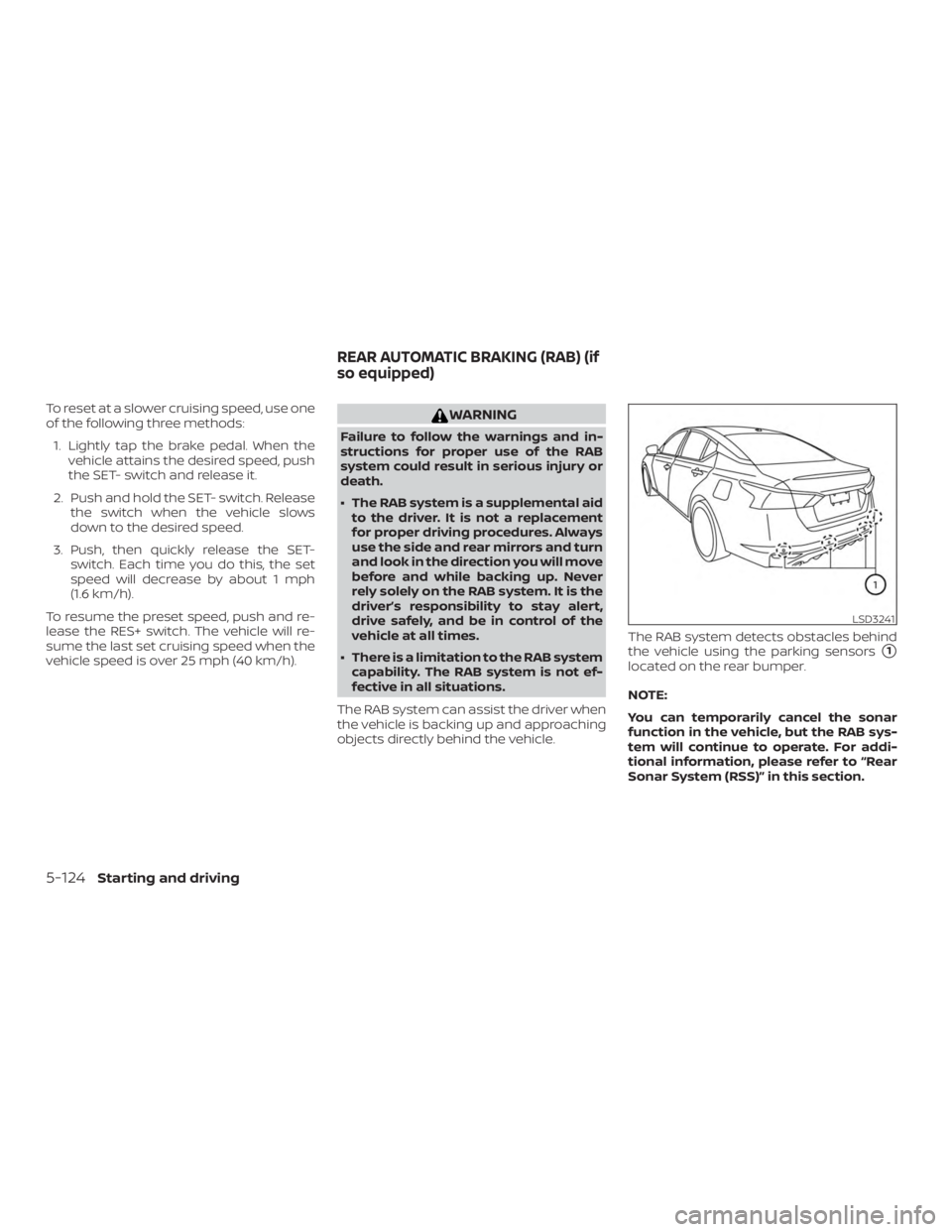
To reset at a slower cruising speed, use one
of the following three methods:1. Lightly tap the brake pedal. When the vehicle attains the desired speed, push
the SET- switch and release it.
2. Push and hold the SET- switch. Release the switch when the vehicle slows
down to the desired speed.
3. Push, then quickly release the SET- switch. Each time you do this, the set
speed will decrease by about 1 mph
(1.6 km/h).
To resume the preset speed, push and re-
lease the RES+ switch. The vehicle will re-
sume the last set cruising speed when the
vehicle speed is over 25 mph (40 km/h).
Page 375 of 559
– An ultrasonic wave source, such asanother vehicle’s sonar, is near the
vehicle.
∙ Once the automatic brake control op- erates, it does not operate again if the
vehicle approaches the same
obstacle.
∙ The automatic brake control can only operate for a short period of time.
Therefore, the driver must depress
the brake pedal.
∙ In the following situations, the RAB system may not operate properly or
may not function sufficiently:
– The vehicle is driven in bad weather (rain, fog, snow, etc.).
– The vehicle is driven on a steep hill.
– The vehicle’s posture is changed (e.g., when driving over a bump).
– The vehicle is driven on a slippery road.
– The vehicle is turned sharply by turning the steering wheel fully.
– Snow chains are used. – Wheels or tires other than NISSAN
recommended are used.
– The brakes are cold at low ambient temperatures or immediately af ter
driving has started.
– The braking force becomes poor due to wet brakes af ter driving
through a puddle or washing the
vehicle.
∙ Turn the RAB system off in the follow- ing conditions to prevent the occur-
rence of an unexpected accident re-
sulting from sudden system
operation:
– The vehicle is towed.
– The vehicle is carried on a flatbed truck.
– The vehicle is on the chassis dynamometer.
– The vehicle drives on an uneven road surface. – Suspension parts other than those
designated as Genuine NISSAN
parts are used. (If the vehicle
height or the vehicle body inclina-
tion is changed, the system may
not detect an obstacle correctly.)
∙ Excessive noise (e.g., audio system volume, an open vehicle window) will
interfere with the chime sound, and it
may not be heard.
SYSTEM MALFUNCTION
If the RAB system malfunctions, it will be
turned off automatically, the RAB system
warning light will illuminate, and the “Sys-
tem fault” warning message will appear in
the vehicle information display.
Action to take
If the warning light illuminates, park the ve-
hicle in a safe location, turn the engine off,
and restart the engine. If the warning light
continues to illuminate, have the RAB sys-
tem checked. It is recommended that you
visit a NISSAN dealer for this service.
5-128Starting and driving
Page 414 of 559
WARNING
∙ Do not stop or park the vehicle overflammable materials such as dry
grass, waste paper or rags. They may
ignite and cause a fire. ∙ Safe parking procedures require that
both the parking brake be set and the
transmission placed into P (Park). Fail-
ure to do so could cause the vehicle to
move unexpectedly or roll away and
result in an accident. Make sure the
shif t lever has been pushed as far for-
ward as it can go and cannot be
moved without depressing the foot
brake pedal.
∙ Never leave the engine running while the vehicle is unattended. ∙ Do not leave children unattended in-
side the vehicle. They could unknow-
ingly activate switches or controls or
make the vehicle move. Unattended
children could become involved in se-
rious accidents.
∙ To help avoid risk of injury or death through unintended operation of the
vehicle and/or its systems, do not
leave children, people who require the
assistance of others or pets unat-
tended in your vehicle. Additionally,
the temperature inside a closed ve-
hicle on a warm day can quickly be-
come high enough to cause a signifi-
cant risk of injury or death to people
and pets.
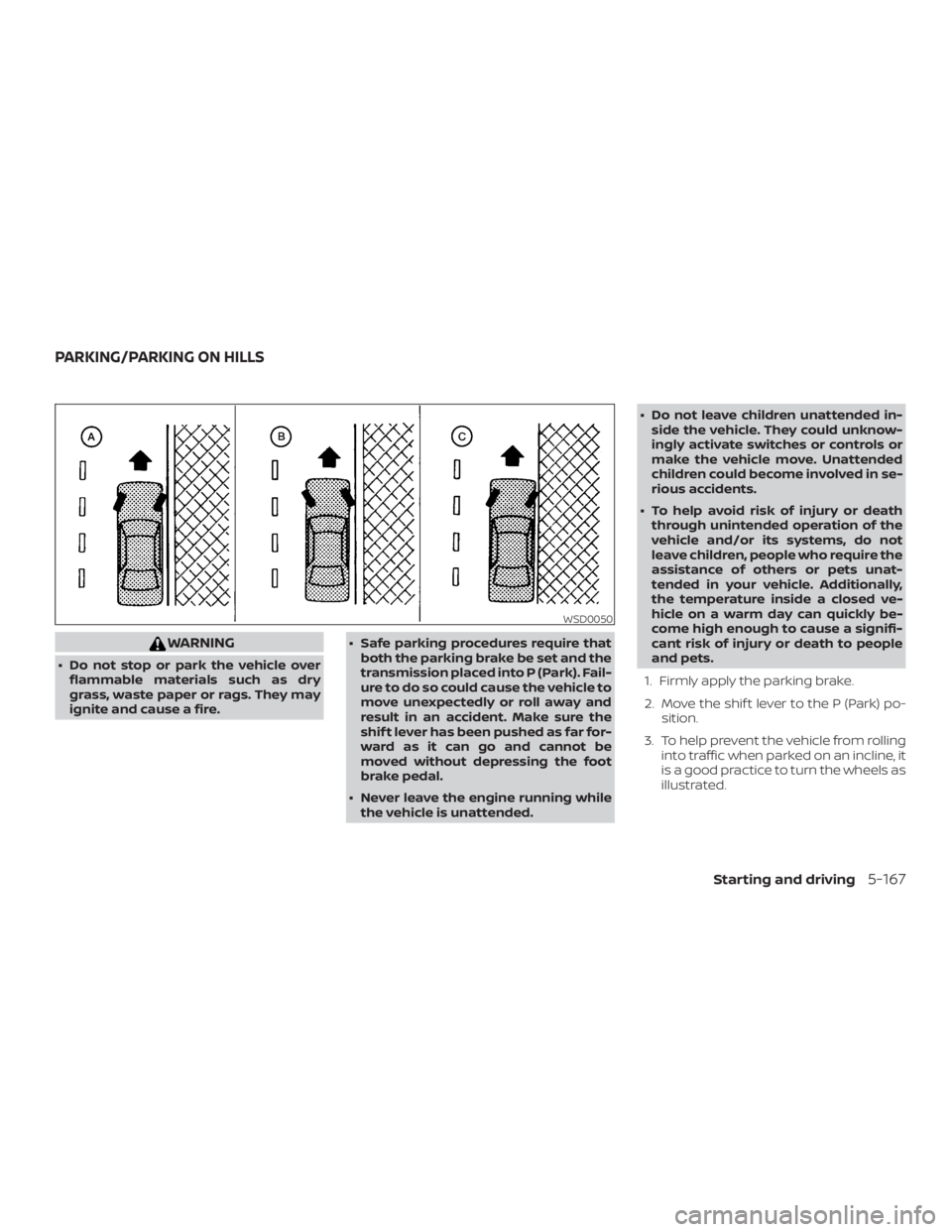
1. Firmly apply the parking brake.
2. Move the shif t lever to the P (Park) po- sition.
3. To help prevent the vehicle from rolling into traffic when parked on an incline, it
is a good practice to turn the wheels as
illustrated.
Page 416 of 559
The brake system has two separate hy-
draulic circuits. If one circuit malfunctions,
you will still have braking at two wheels.
BRAKE PRECAUTIONS
Vacuum assisted brakes
The brake booster aids braking by using
engine vacuum. If the engine stops, you
can stop the vehicle by depressing the
brake pedal. However, greater foot pres-
sure on the brake pedal will be required to
stop the vehicle and stopping distance will
be longer.
Using the brakes
Avoid resting your foot on the brake pedal
while driving. This will overheat the brakes,
wear out the brake pads faster, and reduce
gas mileage.
To help reduce brake wear and to prevent
the brakes from overheating, reduce speed
and downshif t to a lower gear before going
down a slope or long grade. Overheated
brakes may reduce braking performance
and could result in loss of vehicle control.
Page 417 of 559
– When replacing tires, install thespecified size of tires on all four
wheels.
– When installing a spare tire, make sure that it is the proper size and
type as specified on the Tire and
Loading Information label. For ad-
ditional information, refer to “Tire
and Loading Information label” in
the “Technical and consumer infor-
mation” section of this manual.
– For additional information, refer to “Wheels and tires” in the “Do-it-
yourself ” section of this manual.
The ABS controls the brakes so the wheels
do not lock during hard braking or when
braking on slippery surfaces. The system
detects the rotation speed at each wheel
and varies the brake fluid pressure to pre-
vent each wheel from locking and sliding.
By preventing each wheel from locking, the
system helps the driver maintain steering
control and helps to minimize swerving
and spinning on slippery surfaces.
Using the system
Depress the brake pedal and hold it down.
Depress the brake pedal with firm steady
pressure, but do not pump the brakes. The Anti-lock Braking System will operate to
prevent the wheels from locking up. Steer
the vehicle to avoid obstacles.
Page 418 of 559
WARNING
The Brake Assist is only an aid to assist
braking operation and is not a collision
warning or avoidance device. It is the
driver’s responsibility to stay alert, drive
safely and be in control of the vehicle at
all times.The VDC system uses various sensors to
monitor driver inputs and vehicle motion.
Under certain driving conditions, the VDC
system helps to perform the following
functions:
∙ Controls brake pressure to reduce wheel slip on one slipping drive wheel
so power is transferred to a non-
slipping drive wheel on the same axle.
∙ Controls brake pressure and engine output to reduce drive wheel slip based
on vehicle speed (traction control func-
tion).
∙ Controls brake pressure at individual wheels and engine output to help the
driver maintain control of the vehicle in
the following conditions:
– Understeer (vehicle tends to not fol- low the steered path despite in-
creased steering input)
– Oversteer (vehicle tends to spin due to certain road or driving conditions)
The VDC system can help the driver to
maintain control of the vehicle, but it can-
not prevent loss of vehicle control in all driv-
ing situations. When the VDC system operates, the
Page 421 of 559
The chassis control is an electric control
module that includes the following func-
tions:∙ Intelligent Trace Control
∙ Active Ride Control
INTELLIGENT TRACE CONTROL
(I-TC)
This system senses driving based on the
driver’s steering and acceleration/braking
patterns, and controls brake pressure at
individual wheels to aid tracing at corners
and help smooth vehicle response.
The I-TC can be set to on (enabled) or off
(disabled) through the vehicle information
display “Settings” page. For additional infor-
mation, refer to “Vehicle information dis-
play” in the “Instruments and controls” sec-
tion of this manual.
When the VDC system is turned off, the I-TC
is also turned off.
Page 422 of 559
When the vehicle is stopped on a hill, the hill
start assist system automatically keeps
the brakes applied to help prevent the ve-
hicle from rolling backward in the time it
takes the driver to release the brake pedal
and apply the accelerator.
The hill start assist system will operate au-
tomatically under the following conditions:∙ The transmission is shif ted to a forward or reverse gear.
∙ The vehicle is stopped completely on a hill by applying the brake. The maxi-
mum holding time is 2 seconds. Af ter
2 seconds the vehicle will begin to roll
back and the hill start assist system will
stop operating completely.
The hill start assist system will not operate
when the shif t lever is placed in the N (Neu-
tral) or P (Park) position or on a flat and level
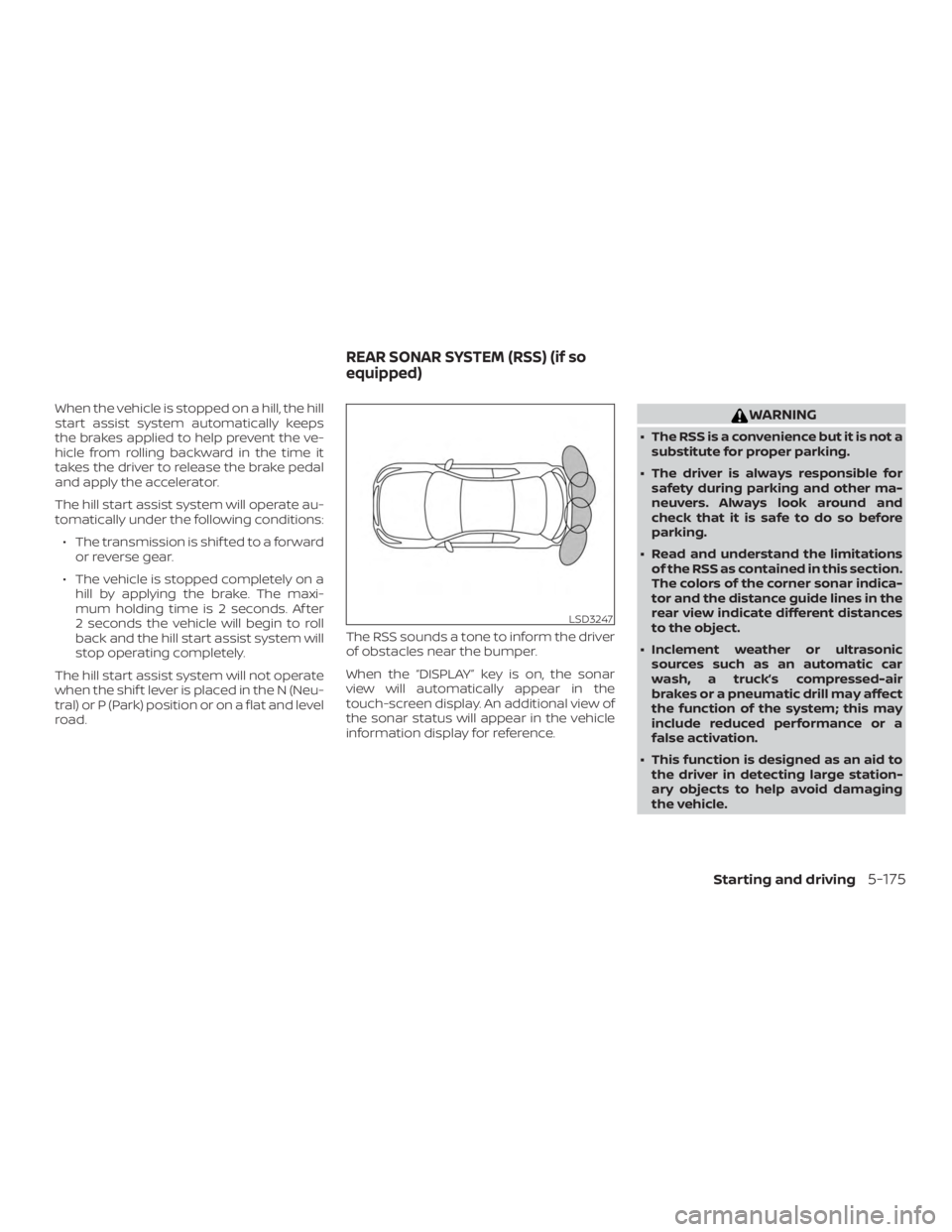
road. The RSS sounds a tone to inform the driver
of obstacles near the bumper.
When the “DISPLAY” key is on, the sonar
view will automatically appear in the
touch-screen display. An additional view of
the sonar status will appear in the vehicle
information display for reference.
Page 435 of 559
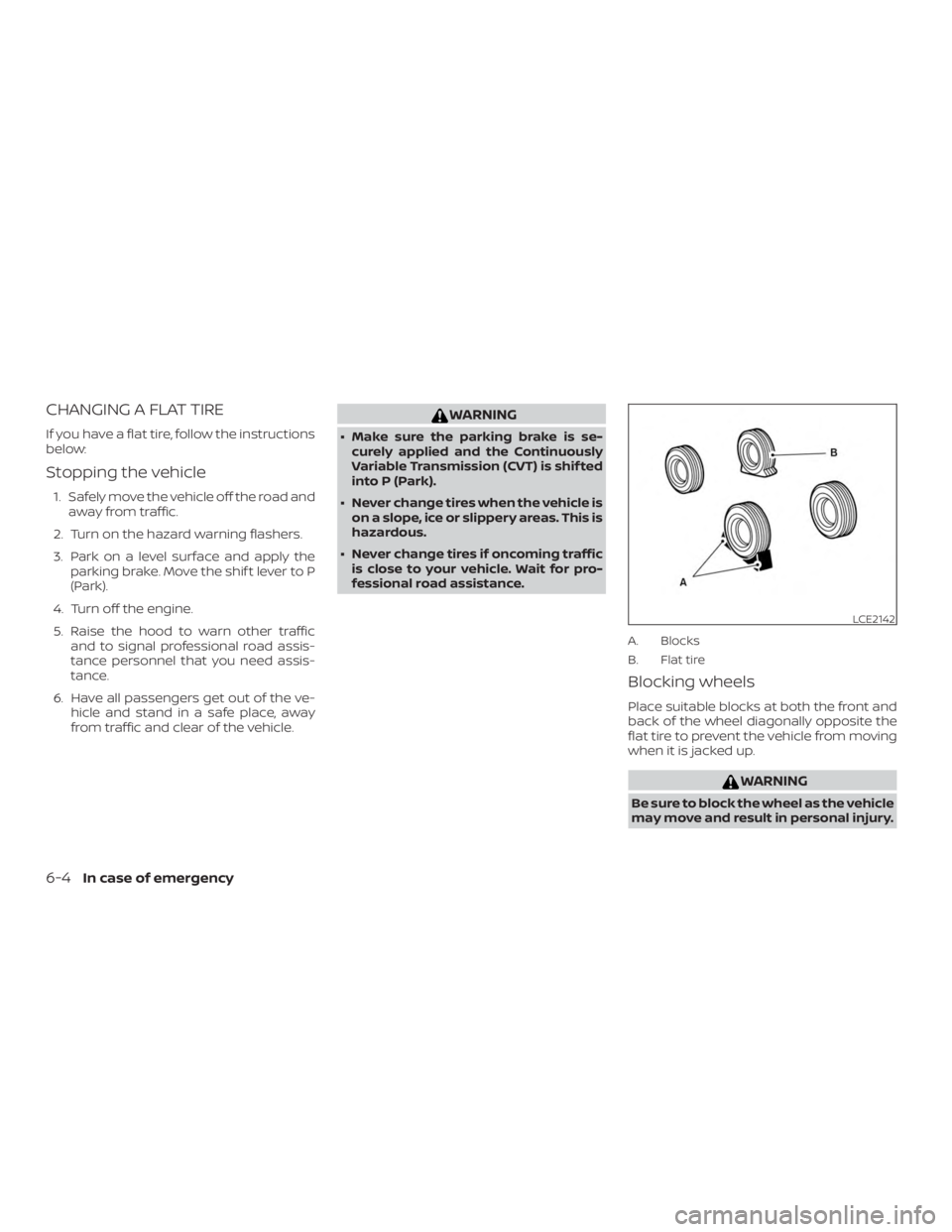
CHANGING A FLAT TIRE
If you have a flat tire, follow the instructions
below:
Stopping the vehicle
1. Safely move the vehicle off the road andaway from traffic.
2. Turn on the hazard warning flashers.
3. Park on a level surface and apply the parking brake. Move the shif t lever to P
(Park).
4. Turn off the engine.
5. Raise the hood to warn other traffic and to signal professional road assis-
tance personnel that you need assis-
tance.
6. Have all passengers get out of the ve- hicle and stand in a safe place, away
from traffic and clear of the vehicle.