emergency key NISSAN ALTIMA 2023 Owners Manual
[x] Cancel search | Manufacturer: NISSAN, Model Year: 2023, Model line: ALTIMA, Model: NISSAN ALTIMA 2023Pages: 644, PDF Size: 4.12 MB
Page 124 of 644
Unavailable High Cabin Temperature
This message appears when the camera
detects an interior temperature of more
than 104°F (40°C). For additional informa-
tion, see “Automatic Emergency Braking
(AEB) with Pedestrian Detection” (P. 5-135) or
“Lane Departure Warning (LDW)” (P. 5-33).
Unavailable Side Radar Obstruction
This message appears when the Blind
Spot Warning (BSW)/Rear Cross Traffic Alert
(RCTA) systems become unavailable be-
cause a radar blockage is detected. For
additional information, see “Blind Spot
Warning (BSW)” (P. 5-46) or “Rear Cross Traf-
fic Alert (RCTA)” (P. 5-58).
Vehicle ahead detection
indicator
This indicator shows when the following
systems are engaged and have detected a
vehicle:
• Automatic Emergency Braking (AEB) withPedestrian Detection
• Intelligent Forward Collision Warning (I-FCW)
For additional information, see “Automatic
Emergency Braking (AEB) with Pedestrian
Detection” (P. 5-135) or “Intelligent Forward
Collision Warning (I-FCW)” (P. 5-147). The vehicle information display is located
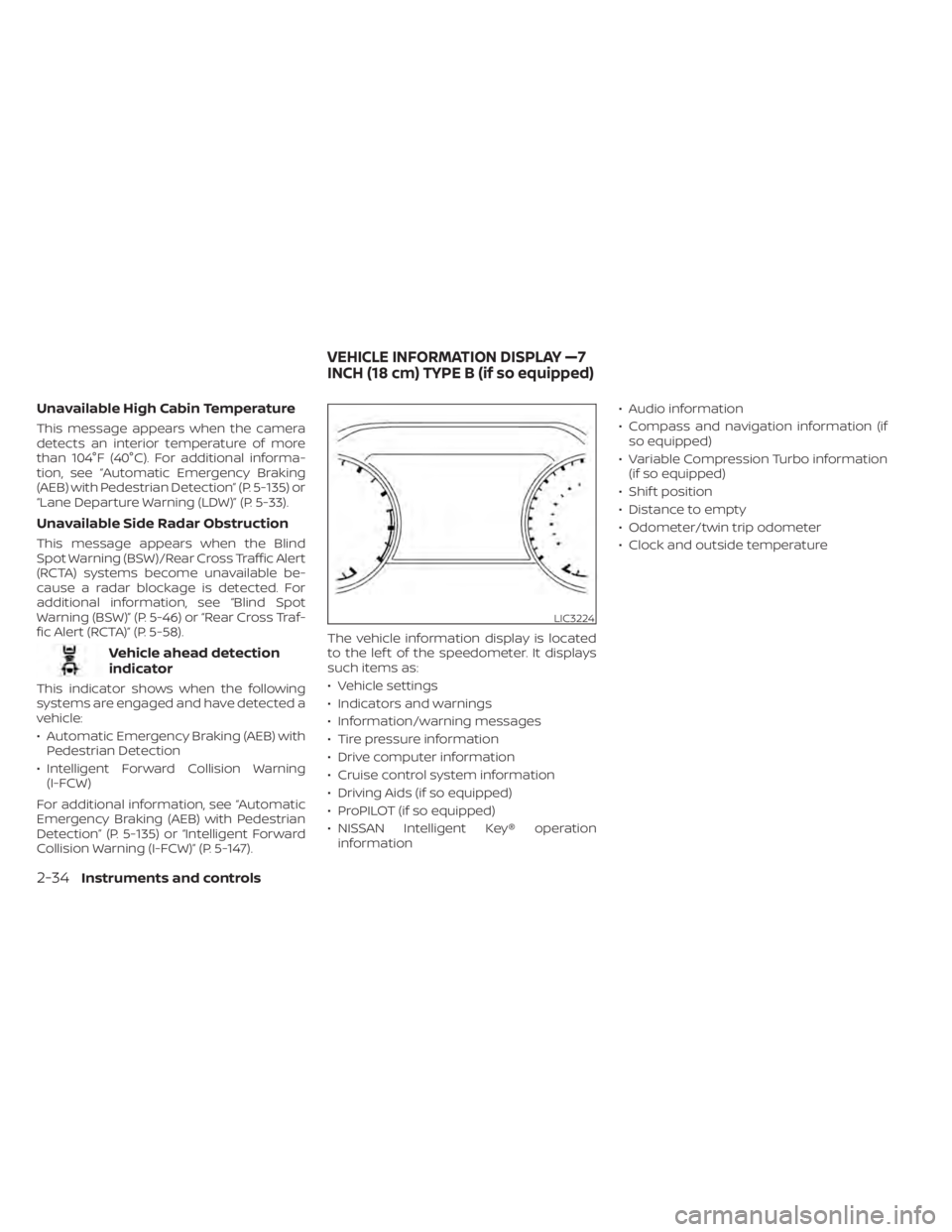
to the lef t of the speedometer. It displays
such items as:
• Vehicle settings
• Indicators and warnings
• Information/warning messages
• Tire pressure information
• Drive computer information
• Cruise control system information
• Driving Aids (if so equipped)
• ProPILOT (if so equipped)
• NISSAN Intelligent Key® operation
information • Audio information
• Compass and navigation information (if
so equipped)
• Variable Compression Turbo information (if so equipped)
• Shif t position
• Distance to empty
• Odometer/twin trip odometer
• Clock and outside temperature
LIC3224
VEHICLE INFORMATION DISPLAY —7
INCH (18 cm) TYPE B (if so equipped)
2-34Instruments and controls
Page 296 of 644
5 Starting and driving
Precautions when starting and driving..........5-4
Exhaust gas (carbon monoxide) ..............5-4
Three-way catalyst ...........................5-4
Tire Pressure Monitoring System
(TPMS) .......................................5-5
Avoiding collision and rollover ................5-9
Off-roadrecovery ............................5-9
Rapid air pressure loss .......................5-9
Drinking alcohol/drugs and driving ..........5-10
Driving safety precautions ...................5-10
Push-button ignition switch ....................5-13
Operating range ............................ 5-14
Push-button ignition switch positions .......5-14
Emergency engine shut off ..................5-15
NISSAN Intelligent Key® battery
discharge ................................... 5-15
NISSAN Vehicle Immobilizer System .........5-16
Before starting the engine .....................5-16
Starting the engine ............................. 5-16
Remote Engine Start ........................ 5-17
Driving the vehicle .............................. 5-18
Continuously Variable Transmission
(CVT) ........................................ 5-18
Parking brake .................................. 5-25
Manual parking brake (pedal type) ...........5-25
Electronic parking brake (switch type) .......5-25 Automatic brake hold (if so equipped)
..........5-27
How to activate/deactivate the
automatic brake hold function ..............5-28
How to use the automatic brake hold
function ..................................... 5-29
Traffic Sign Recognition (TSR) (if so equipped) . . . 5-30 System operation ........................... 5-31
Turning the Traffic Sign Recognition
(TSR) system on and off .....................5-32
System temporarily unavailable .............5-32
System malfunction ......................... 5-32
System maintenance .......................5-33
Lane Departure Warning (LDW) .................5-33
LDW system operation ......................5-34
How to enable/disable the LDW system .....5-36
LDW system limitations .....................5-38
System temporarily unavailable .............5-39
System malfunction ......................... 5-39
System maintenance .......................5-39
Intelligent
Lane Intervention (I-LI)
(if so equipped) ................................. 5-40
I-LI system operation ........................ 5-41
How to enable/disable the I-LI system ......5-42
I-LI system limitations .......................5-43
System temporarily unavailable .............5-44
System malfunction ......................... 5-45
Page 311 of 644
AUTO ACC:
With the vehicle in the P (Park) position, the
Intelligent Key with you and the ignition
switch placed from the ON position to the
OFF position, the radio can still be used for
a period of time, or until the driver’s door is
opened.
Af ter a period of time, functions such as
radio, navigation, and Bluetooth® Hands-
Free Phone System may be restarted by
pressing the POWER button/VOLUME con-
trol knob or the key fob unlock button. For
additional information, refer to the sepa-
rate NissanConnect® Owner’s Manual.
EMERGENCY ENGINE SHUT OFF
To shut off the engine in an emergency
situation while driving, perform the follow-
ing procedure:
• Rapidly push the ignition switch threeconsecutive times in less than 1.5 sec-
onds, or
• Push and hold the ignition switch for more than 2 seconds.
NISSAN INTELLIGENT KEY®
BATTERY DISCHARGE
If the battery of the NISSAN Intelligent Key®
is discharged or environmental conditions
interfere with the Intelligent Key operation,
start the engine according to the following
procedure:
1. Place the shif t lever in the P (Park) position.
2. Firmly apply the foot brake.
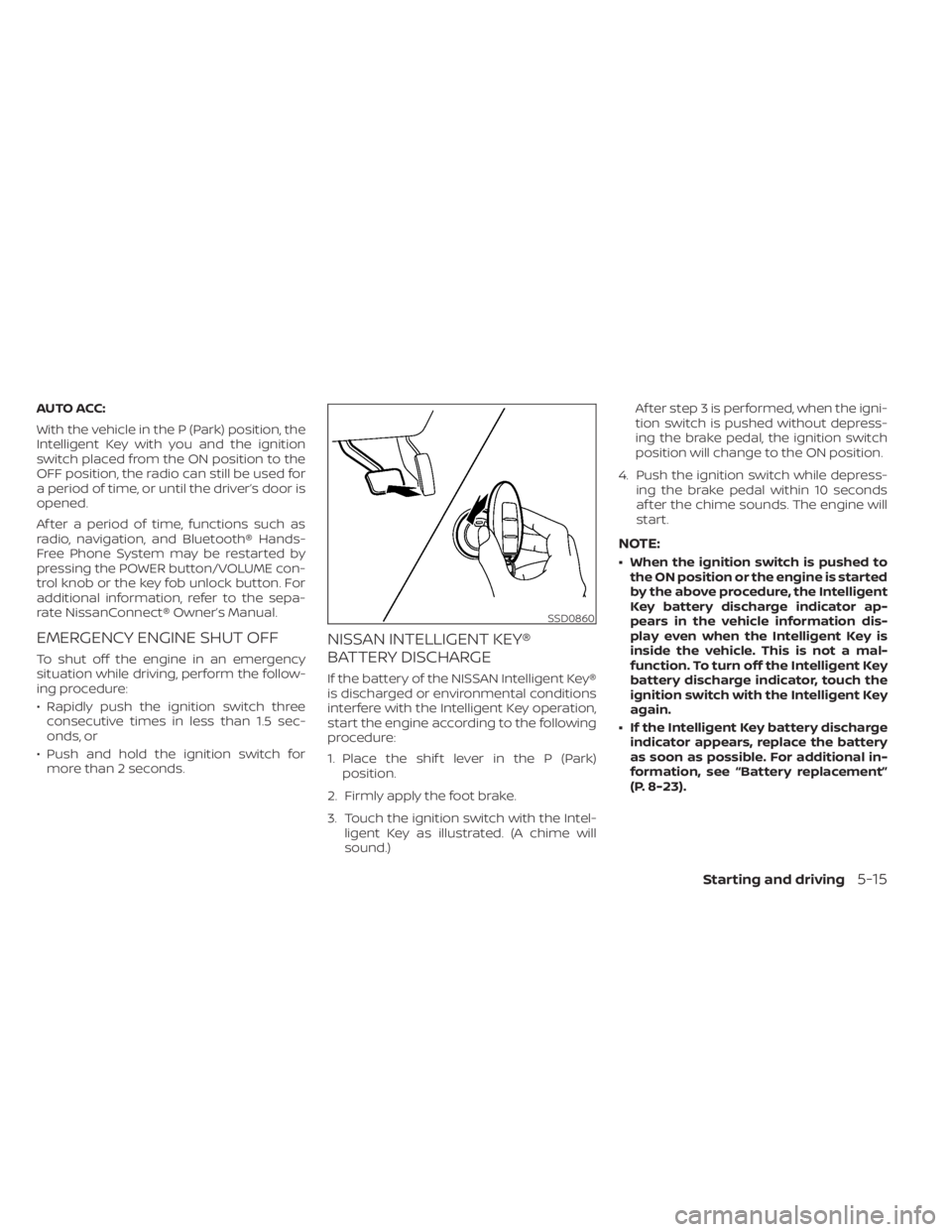
3. Touch the ignition switch with the Intel- ligent Key as illustrated. (A chime will
sound.) Af ter step 3 is performed, when the igni-
tion switch is pushed without depress-
ing the brake pedal, the ignition switch
position will change to the ON position.
4. Push the ignition switch while depress- ing the brake pedal within 10 seconds
af ter the chime sounds. The engine will
start.
NOTE:
• When the ignition switch is pushed tothe ON position or the engine is started
by the above procedure, the Intelligent
Key battery discharge indicator ap-
pears in the vehicle information dis-
play even when the Intelligent Key is
inside the vehicle. This is not a mal-
function. To turn off the Intelligent Key
battery discharge indicator, touch the
ignition switch with the Intelligent Key
again.
• If the Intelligent Key battery discharge indicator appears, replace the battery
as soon as possible. For additional in-
formation, see “Battery replacement”
(P. 8-23).
SSD0860
Starting and driving5-15
Page 627 of 644
11 Index
A
Active noise cancellationActive sound enhancement......5-187Active Ride Control (ARC).........5-178Air bag (See supplemental restraint
system).................... .1-47Air bag system
Front (See supplemental front impact air
bag system)
................1-54Air bag warning light.........1-67, 2-12Air bag warning light,
supplemental..............1-67, 2-12Air cleaner housing filter..........8-18Air conditionerAir conditioner operation.....4-35, 4-41Air conditioner specification label. .10-14Air conditioner system refrigerant
recommendations............10-8Air conditioner system refrigerant and oil
recommendations............10-8Heater and air conditioner
controls...............4-33, 4-41Servicing air conditioner........4-44Air flow charts................4-36Alarm system (See vehicle security
system)................... .2-52All-Wheel Drive................5-168Anchor point locations...........1-28Antenna....................4-64Anti-lock Braking System (ABS).....5-173
Antifreeze...................5-185Armrests.....................1-7Audio system.................4-45AM radio operation............4-51AM radio reception............4-45AM/FM radio............4-49, 4-51Auxiliary (AUX) devices operation. . .4-52Bluetooth® audio.............4-60FM radio operation............4-52FM radio reception............4-45iPod® Player................4-57iPod® player operation..........4-57Radio................... .4-45USB (Universal Serial Bus) Connection
Port.................... .4-54USB Connections.............4-55USB interface...............4-54Autolight switch...............2-58Automatic
Automatic power window switch. . .2-76Automatic anti-glare inside mirror. . . .3-29Automatic brake hold............5-27Automatic door locks.............3-6Automatic Emergency Braking
(AEB)...................2-13,2-16Automatic Emergency Braking (AEB) with
Pedestrian Detection............5-135AWD......................5-168
B
Battery.................5- 185, 8-14Charge warning light...........2-11Battery replacement............8-23Key fob...................8-23NISSAN Intelligent Key®.........8-24Before starting the engine.........5-16Belt (See drive belt)..............8-16Blind Spot Warning (BSW).........5-46Bluetooth® audio..............4-60Bluetooth® hands-free phone system. .4-67Bluetooth® connections.........4-81Connecting procedure..........4-72Phone indicators.............4-71Text messaging..............4-77Voice commands.............4-73Booster seats.................1-43Brake
Anti-lock Braking System (ABS). . . .5-173Brake fluid.................8-12Brake light (See stop light).......8-26Brake system...............5-173Brake warning light............2-10Brake wear indicators.......2-18,8-20Self-adjusting brakes..........8-20Brake Assist.................5-175Brake fluid...................8-12Brake system................5-173Brakes.....................8-20Break-in schedule..............5-167