instrument panel NISSAN ALTIMA HYBRID 2007 L32A / 4.G User Guide
[x] Cancel search | Manufacturer: NISSAN, Model Year: 2007, Model line: ALTIMA HYBRID, Model: NISSAN ALTIMA HYBRID 2007 L32A / 4.GPages: 344, PDF Size: 4.85 MB
Page 110 of 344

NOTE:
Autolight activation sensitivity and the
time delay for autolight shutoff is adjust-
able for vehicles with navigation system.
See “Vehicle electronic systems” in the
“Display screen, heater, air conditioner and
audio systems” section later in this manual.
To turn on the autolight system:
1. Turn the headlight switch to the AUTO posi-
tion
s1.
2. Turn the ignition key to ON.
3. The autolight system automatically turns the
headlights on and off.
Initially, if the ignition switch is turned OFF and a
door is opened and left open, the headlights
remain ON for 5 minutes. If another door is
opened during the 5 minutes, then the 5 minute
timer is reset.
To turn the autolight system off, turn the switch to
the OFF,
,orposition.Be sure you do not put anything on top of
the autolight sensor located on the top side
of the instrument panel. The autolight sen-
sor controls the autolight; if it is covered,
the autolight sensor reacts as if it is dark
out and the headlights will illuminate. If
this occurs while parked with the Hybrid
System off and the ignition switch in the
ON position, your vehicle’s battery could
become discharged.
Headlight beam select
s1To select the high beam function, push the
lever forward. The high beam lights come on
and the
light illuminates.
s2Pull the lever back to select the low beam.
s3Pulling and releasing the lever flashes the
headlight high beams on and off.
Battery saver system
If the ignition switch is turned OFF while the
headlight switch is in theorposi-
tion, the headlights will turn off after 5 minutes.
LIC1068LIC1087
2-30Instruments and controls
ZREVIEW COPYÐ2007 Altima Hybrid Electric
(ahv)
Owners ManualÐUSA_English(nna)
11/27/06Ðdebbie
X
Page 111 of 344
CAUTION
Even with the INFINITI Advanced Air Bag
System, never install a rear facing child
restraint in the front seat. An inflating
supplemental front air bag could seriously
injure or kill your child. A rear-facing child
restraint must only be used in the rear
seat.
DAYTIME RUNNING LIGHT SYSTEM
(Canada only)
The headlights automatically illuminate at a re-
duced intensity when the engine is started with
the parking brake released. The daytime running
lights operate with the headlight switch in the
OFF position or in the
position. Turn the
headlight switch to theposition for full
illumination when driving at night.
If the parking brake is applied before the engine is
started, the daytime running lights do not illumi-
nate. The daytime running lights illuminate when
the parking brake is released. The daytime run-
ning lights will remain on until the ignition switch
is turned off.
WARNING
When the daytime running light system is
active, tail lights on your vehicle are not
on. It is necessary at dusk to turn on your
headlights. Failure to do so could cause
an accident injuring yourself and others.
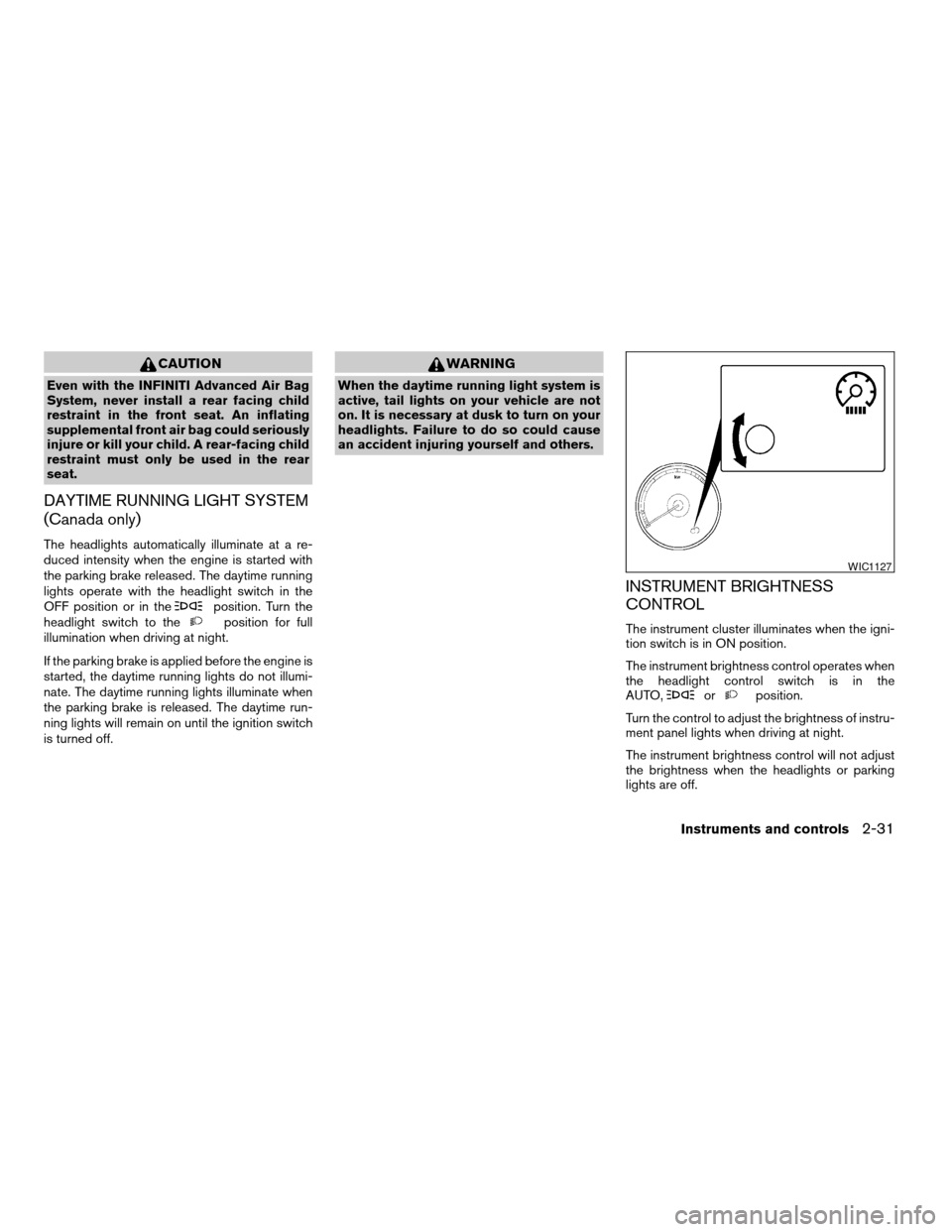
INSTRUMENT BRIGHTNESS
CONTROL
The instrument cluster illuminates when the igni-
tion switch is in ON position.
The instrument brightness control operates when
the headlight control switch is in the
AUTO,
orposition.
Turn the control to adjust the brightness of instru-
ment panel lights when driving at night.
The instrument brightness control will not adjust
the brightness when the headlights or parking
lights are off.
WIC1127
Instruments and controls2-31
ZREVIEW COPYÐ2007 Altima Hybrid Electric
(ahv)
Owners ManualÐUSA_English(nna)
11/27/06Ðdebbie
X
Page 114 of 344
CAUTION
cDo not use the seat heater for extended
periods or when no one is using the
seat.
cDo not put anything on the seat which
insulates heat, such as a blanket, cush-
ion, seat cover, etc. Otherwise, the seat
may become overheated.
cDo not place anything hard or heavy on
the seat or pierce it with a pin or similar
object. This may result in damage to the
heater.
cAny liquid spilled on the heated seat
should be removed immediately with a
dry cloth.
cWhen cleaning the seat, never use
gasoline, benzine, thinner, or any simi-
lar materials.
cIf any abnormalities are found or the
heated seat does not operate, turn the
switch off and have the system checked
by your NISSAN dealer.
cThe battery could run down if the seat
heater is operated while the Hybrid Sys-
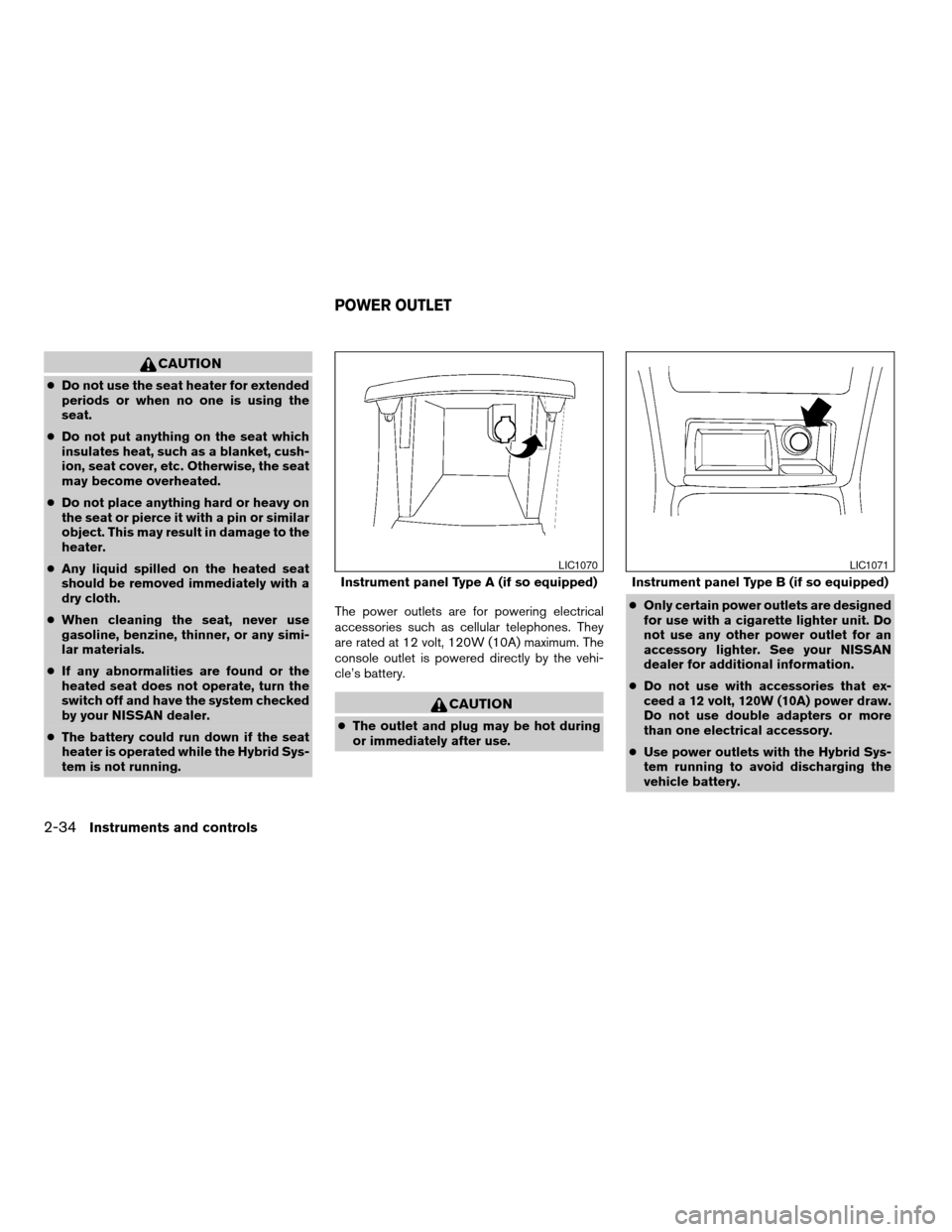
tem is not running.The power outlets are for powering electrical
accessories such as cellular telephones. They
are rated at 12 volt, 120W (10A) maximum. The
console outlet is powered directly by the vehi-
cle’s battery.
CAUTION
cThe outlet and plug may be hot during
or immediately after use.cOnly certain power outlets are designed
for use with a cigarette lighter unit. Do
not use any other power outlet for an
accessory lighter. See your NISSAN
dealer for additional information.
cDo not use with accessories that ex-
ceed a 12 volt, 120W (10A) power draw.
Do not use double adapters or more
than one electrical accessory.
cUse power outlets with the Hybrid Sys-
tem running to avoid discharging the
vehicle battery.
Instrument panel Type A (if so equipped)
LIC1070
Instrument panel Type B (if so equipped)
LIC1071
POWER OUTLET
2-34Instruments and controls
ZREVIEW COPYÐ2007 Altima Hybrid Electric
(ahv)
Owners ManualÐUSA_English(nna)
11/27/06Ðdebbie
X
Page 121 of 344
POWER WINDOWS
WARNING
cMake sure that all passengers have
their hands, etc. inside the vehicle while
it is in motion and before closing the
windows. Use the window lock switch
to prevent unexpected use of the power
windows.
cDo not leave children unattended inside
the vehicle. They could unknowingly ac-
tivate switches or controls and become
trapped in a window. Unattended chil-
dren could become involved in serious
accidents.
The power windows operate when the ignition
switch is in the ON position, or for about 45
seconds after the ignition switch is turned to the
OFF position. If the driver’s or passenger’s door
is opened during this period of about 45 sec-
onds, power to the windows is canceled.
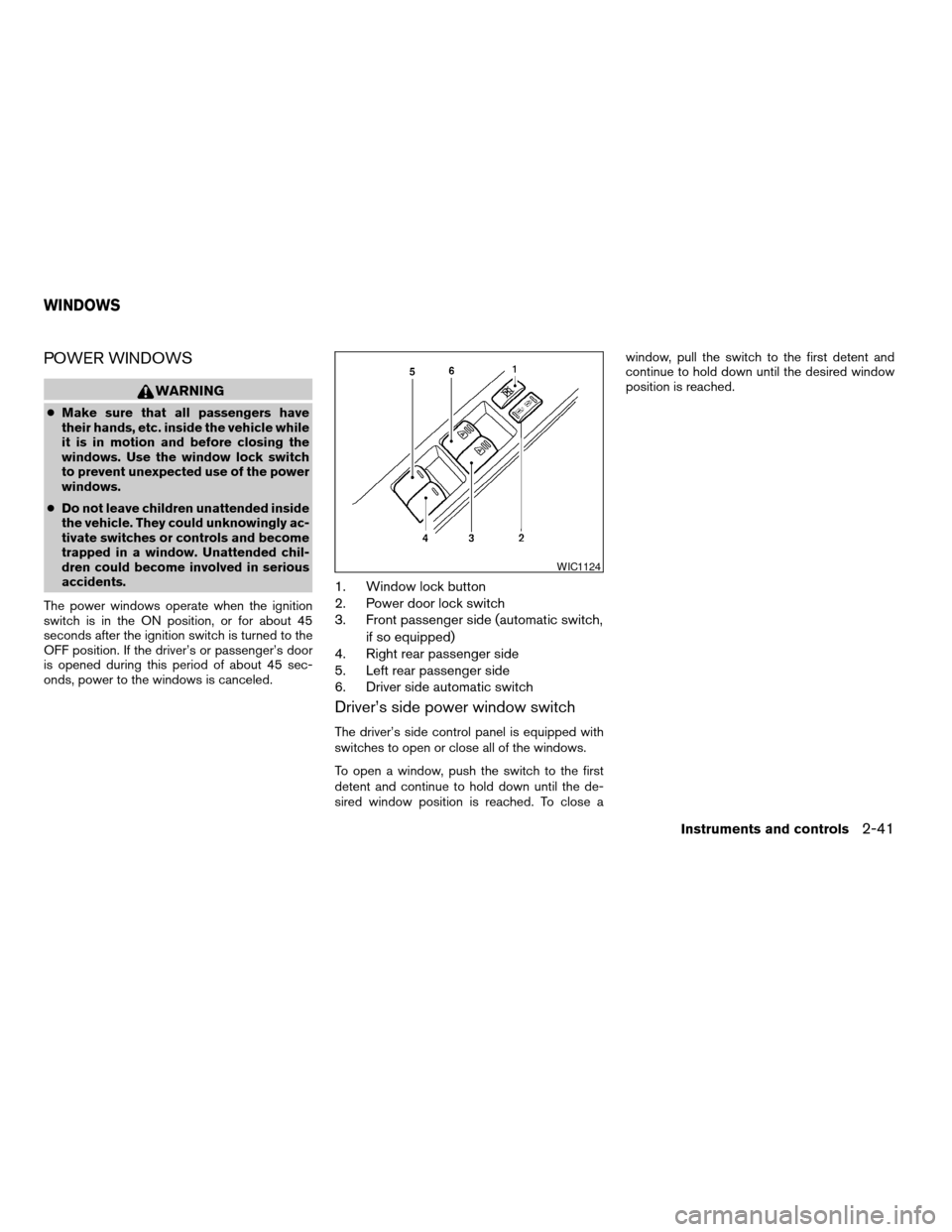
1. Window lock button
2. Power door lock switch
3. Front passenger side (automatic switch,
if so equipped)
4. Right rear passenger side
5. Left rear passenger side
6. Driver side automatic switch
Driver’s side power window switch
The driver’s side control panel is equipped with
switches to open or close all of the windows.
To open a window, push the switch to the first
detent and continue to hold down until the de-
sired window position is reached. To close awindow, pull the switch to the first detent and
continue to hold down until the desired window
position is reached.
WIC1124
WINDOWS
Instruments and controls2-41
ZREVIEW COPYÐ2007 Altima Hybrid Electric
(ahv)
Owners ManualÐUSA_English(nna)
11/27/06Ðdebbie
X
Page 124 of 344
To open or close the sunroof part way, push the
switch in any direction while the sunroof is sliding
to stop it in the desired position.
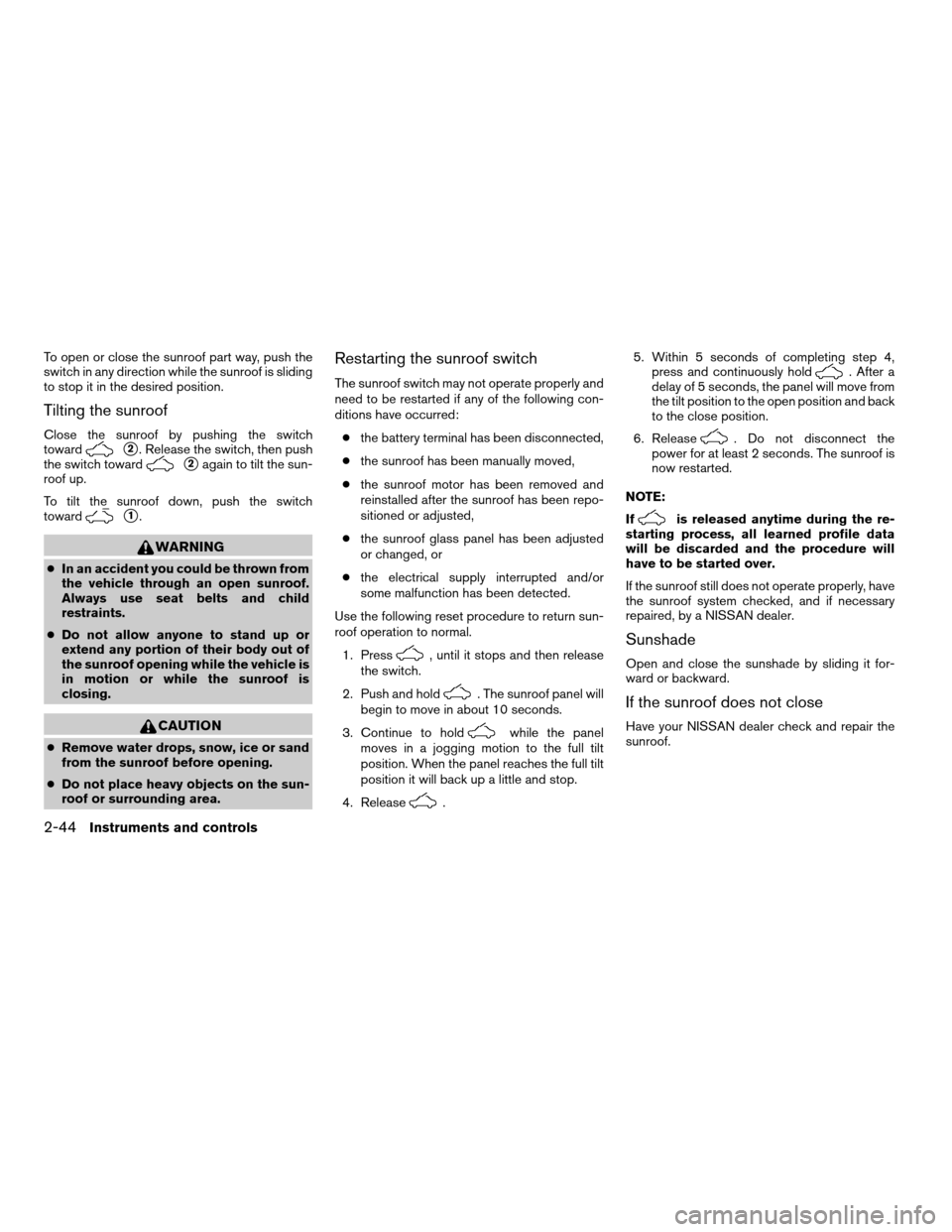
Tilting the sunroof
Close the sunroof by pushing the switch
toward
s2. Release the switch, then push
the switch toward
s2again to tilt the sun-
roof up.
To tilt the sunroof down, push the switch
toward
s1.
WARNING
cIn an accident you could be thrown from
the vehicle through an open sunroof.
Always use seat belts and child
restraints.
cDo not allow anyone to stand up or
extend any portion of their body out of
the sunroof opening while the vehicle is
in motion or while the sunroof is
closing.
CAUTION
cRemove water drops, snow, ice or sand
from the sunroof before opening.
cDo not place heavy objects on the sun-
roof or surrounding area.
Restarting the sunroof switch
The sunroof switch may not operate properly and
need to be restarted if any of the following con-
ditions have occurred:
cthe battery terminal has been disconnected,
cthe sunroof has been manually moved,
cthe sunroof motor has been removed and
reinstalled after the sunroof has been repo-
sitioned or adjusted,
cthe sunroof glass panel has been adjusted
or changed, or
cthe electrical supply interrupted and/or
some malfunction has been detected.
Use the following reset procedure to return sun-
roof operation to normal.
1. Press
, until it stops and then release
the switch.
2. Push and hold
. The sunroof panel will
begin to move in about 10 seconds.
3. Continue to hold
while the panel
moves in a jogging motion to the full tilt
position. When the panel reaches the full tilt
position it will back up a little and stop.
4. Release
.5. Within 5 seconds of completing step 4,
press and continuously hold
. After a
delay of 5 seconds, the panel will move from
the tilt position to the open position and back
to the close position.
6. Release
. Do not disconnect the
power for at least 2 seconds. The sunroof is
now restarted.
NOTE:
If
is released anytime during the re-
starting process, all learned profile data
will be discarded and the procedure will
have to be started over.
If the sunroof still does not operate properly, have
the sunroof system checked, and if necessary
repaired, by a NISSAN dealer.
Sunshade
Open and close the sunshade by sliding it for-
ward or backward.
If the sunroof does not close
Have your NISSAN dealer check and repair the
sunroof.
2-44Instruments and controls
ZREVIEW COPYÐ2007 Altima Hybrid Electric
(ahv)
Owners ManualÐUSA_English(nna)
11/27/06Ðarosenma
X
Page 140 of 344
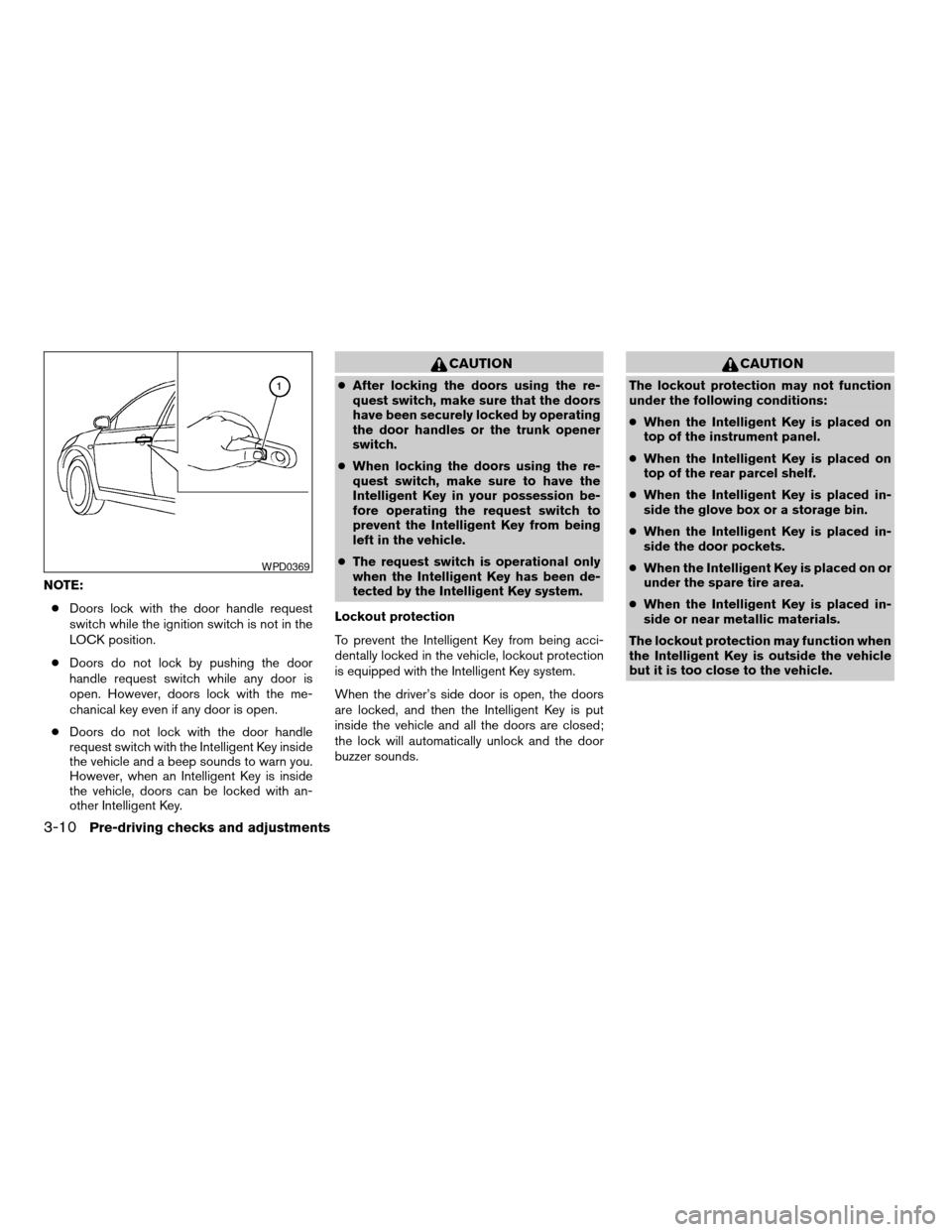
NOTE:
cDoors lock with the door handle request
switch while the ignition switch is not in the
LOCK position.
cDoors do not lock by pushing the door
handle request switch while any door is
open. However, doors lock with the me-
chanical key even if any door is open.
cDoors do not lock with the door handle
request switch with the Intelligent Key inside
the vehicle and a beep sounds to warn you.
However, when an Intelligent Key is inside
the vehicle, doors can be locked with an-
other Intelligent Key.
CAUTION
cAfter locking the doors using the re-
quest switch, make sure that the doors
have been securely locked by operating
the door handles or the trunk opener
switch.
cWhen locking the doors using the re-
quest switch, make sure to have the
Intelligent Key in your possession be-
fore operating the request switch to
prevent the Intelligent Key from being
left in the vehicle.
cThe request switch is operational only
when the Intelligent Key has been de-
tected by the Intelligent Key system.
Lockout protection
To prevent the Intelligent Key from being acci-
dentally locked in the vehicle, lockout protection
is equipped with the Intelligent Key system.
When the driver’s side door is open, the doors
are locked, and then the Intelligent Key is put
inside the vehicle and all the doors are closed;
the lock will automatically unlock and the door
buzzer sounds.
CAUTION
The lockout protection may not function
under the following conditions:
cWhen the Intelligent Key is placed on
top of the instrument panel.
cWhen the Intelligent Key is placed on
top of the rear parcel shelf.
cWhen the Intelligent Key is placed in-
side the glove box or a storage bin.
cWhen the Intelligent Key is placed in-
side the door pockets.
cWhen the Intelligent Key is placed on or
under the spare tire area.
cWhen the Intelligent Key is placed in-
side or near metallic materials.
The lockout protection may function when
the Intelligent Key is outside the vehicle
but it is too close to the vehicle.
WPD0369
3-10Pre-driving checks and adjustments
ZREVIEW COPYÐ2007 Altima Hybrid Electric
(ahv)
Owners ManualÐUSA_English(nna)
11/27/06Ðdebbie
X
Page 145 of 344

The hazard warning lights will flash once and the
horn will sound once to confirm that the horn
beep feature has been reactivated.
Deactivating the horn beep feature does not si-
lence the horn if the alarm is triggered.
WARNING SIGNALS
To help prevent the vehicle from moving unex-
pectedly by erroneous operation of the Intelligent
Key or to help prevent the vehicle from beingstolen, a chime or buzzer sounds from inside and
outside the vehicle and a warning is displayed in
the instrument panel.
When a chime or beep sounds or a warning is
displayed, be sure to check the vehicle and the
Intelligent Key.
See the troubleshooting guide that follows and
“Vehicle information display indicator lights and
warnings” in the “Instruments and controls” sec-
tion.
TROUBLESHOOTING GUIDE
Verify the location of all Intelligent Keys that are
programmed for the vehicle. If another Intelligent
Key is in range or inside the vehicle, the vehicle
system may respond differently than expected.
Pre-driving checks and adjustments3-15
ZREVIEW COPYÐ2007 Altima Hybrid Electric
(ahv)
Owners ManualÐUSA_English(nna)
11/27/06Ðdebbie
X
Page 147 of 344
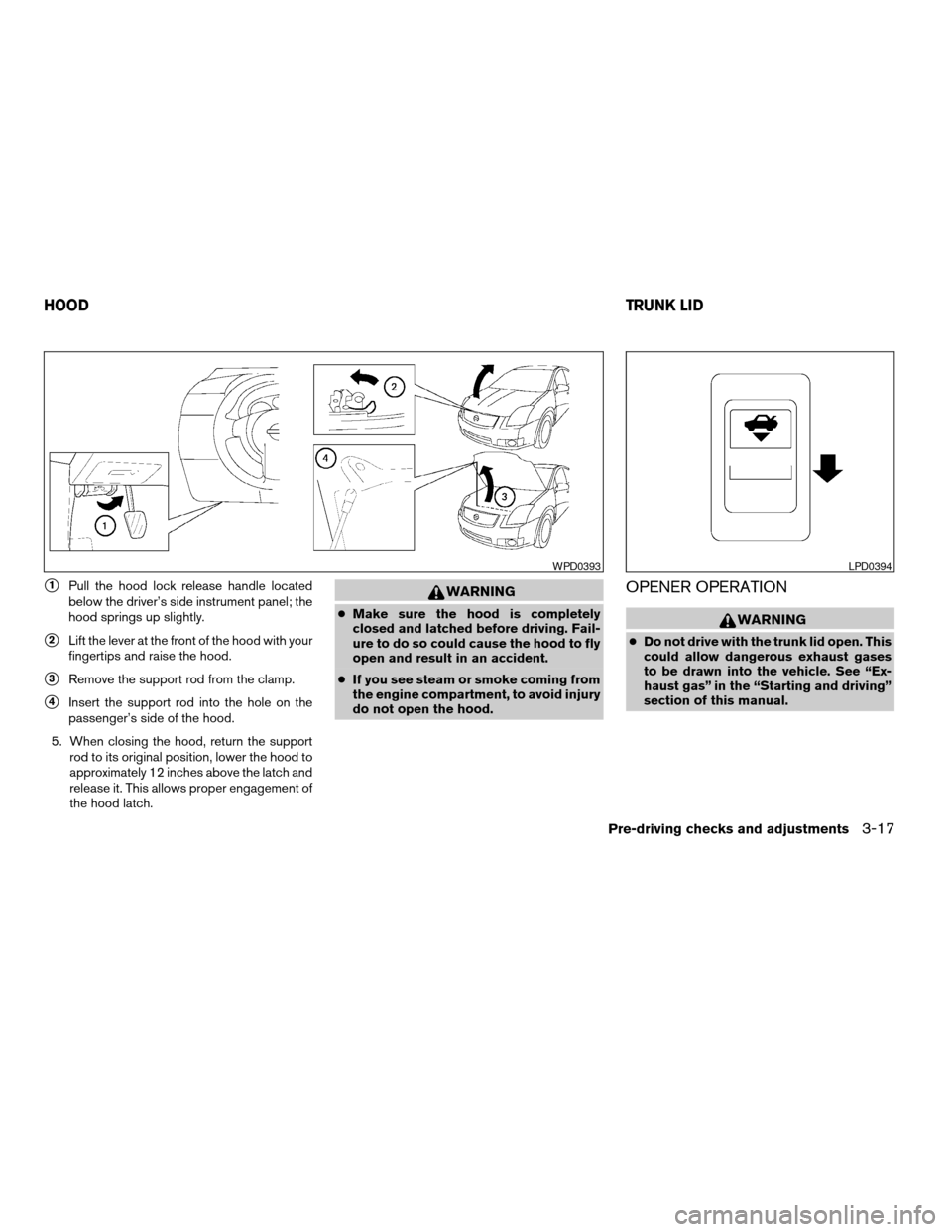
s1Pull the hood lock release handle located
below the driver’s side instrument panel; the
hood springs up slightly.
s2Lift the lever at the front of the hood with your
fingertips and raise the hood.
s3Remove the support rod from the clamp.
s4Insert the support rod into the hole on the
passenger’s side of the hood.
5. When closing the hood, return the support
rod to its original position, lower the hood to
approximately 12 inches above the latch and
release it. This allows proper engagement of
the hood latch.
WARNING
cMake sure the hood is completely
closed and latched before driving. Fail-
ure to do so could cause the hood to fly
open and result in an accident.
cIf you see steam or smoke coming from
the engine compartment, to avoid injury
do not open the hood.
OPENER OPERATION
WARNING
cDo not drive with the trunk lid open. This
could allow dangerous exhaust gases
to be drawn into the vehicle. See “Ex-
haust gas” in the “Starting and driving”
section of this manual.
WPD0393LPD0394
HOODTRUNK LID
Pre-driving checks and adjustments3-17
ZREVIEW COPYÐ2007 Altima Hybrid Electric
(ahv)
Owners ManualÐUSA_English(nna)
11/27/06Ðdebbie
X
Page 168 of 344

OPERATING TIPS
cWhen the engine coolant temperature and
outside air temperature are low, the air flow
from the foot outlets may not operate for a
maximum of 150 seconds. However, this is
not a malfunction. After the coolant tempera-
ture warms up, air flow from the foot outlets
will operate normally.
The sunload sensor, located on the top of the
instrument panel on the driver’s side, helps the
system maintain a constant temperature. Do not
put anything on or around this sensor.The air conditioner system in your NISSAN ve-
hicle is charged with a refrigerant designed with
the environment in mind.
This refrigerant does not harm the earth’s
ozone layer.
Special charging equipment and lubricant is re-
quired when servicing your NISSAN air condi-
tioner. Using improper refrigerants or lubricants
will cause severe damage to your air conditioner
system. See “Air conditioner system refrigerant
and lubricant recommendations” in the “Techni-
cal and consumer information” section of this
manual.
A NISSAN dealer is able to service your “environ-
mentally friendly” air conditioning system.
WARNING
The air conditioner system contains re-
frigerant under high pressure. To avoid
personal injury, any air conditioner ser-
vice should be done only by an experi-
enced technician with proper equipment.
WHA0791
SERVICING AIR CONDITIONER
4-12Monitor, climate, audio, phone and voice recognition systems
ZREVIEW COPYÐ2007 Altima Hybrid Electric
(ahv)
Owners ManualÐUSA_English(nna)
11/27/06Ðdebbie
X
Page 214 of 344

Enter Digit:
Brings up a keypad, enter digits when needed.
For example, entering your PIN number for voice-
mail.
Cancel Mute:
This will appear after the “Mute” key is touched.
Mute will be cancelled.
To adjust the person’s voice to be louder or
quieter, press the volume control switch located
on the steering wheel switches or turn the volume
control knob on the instrument panel while talking
on the phone. This adjustment is also available in
the SETUP mode.
PHONE SETTING
To set up the hands-free phone system to your
preferred settings, press the SETUP button, then
touch the “Phone” key on the display.
Phonebook:
See “Phonebook download” earlier in this section.
Downloaded Phonebook:
See the following information for each item.
cDownload All:
Transfer phonebook entries from your cellu-
lar phone to the vehicle’s phonebook. For
more information, see “Phonebook down-
load” earlier in this section.cDelete Downloaded Phonebook:
Delete all of the downloaded phonebook
entries.
cDelete an Entry of Downloaded Phone-
book:
Delete a single entry from the downloaded
phonebook. Touch the corresponding letter
key, then touch on the name key you wish to
delete. Touch the “Yes” key to delete the
entry.
Delete Call Logs:
Delete all the outgoing or incoming call logs from
the list.
Phone Ringer Vol:
Adjust the ring volume to be quieter “–” or louder
“+”.
Phone Incoming Vol:
Adjust the phone incoming volume to be quieter
“–” or louder “+”.
Use Vehicle Ringtone:
If this item is turned on, a specific ringtone that is
different from the cellular phone’s will sound
when receiving a call.
Bluetooth Setup:
See the following information for each item.
cBluetooth Hands-Free:
If this item is turned off, the connection be-
WHA0788
4-58Monitor, climate, audio, phone and voice recognition systems
ZREVIEW COPYÐ2007 Altima Hybrid Electric
(ahv)
Owners ManualÐUSA_English(nna)
11/27/06Ðdebbie
X