ignition NISSAN ALTIMA HYBRID 2009 L32A / 4.G Owner's Guide
[x] Cancel search | Manufacturer: NISSAN, Model Year: 2009, Model line: ALTIMA HYBRID, Model: NISSAN ALTIMA HYBRID 2009 L32A / 4.GPages: 353, PDF Size: 4.18 MB
Page 110 of 353

To turn on the autolight system:
1. Turn the headlight switch to the AUTO posi-
tion
s1.
2. Place the ignition switch in the ON position.
3. The autolight system automatically turns the
headlights on and off.
Initially, if the ignition switch is placed in the OFF
position and a door is opened and left open, the
headlights remain ON for 5 minutes. If another
door is opened during the 5 minutes, then the 5
minute timer is reset.
To turn the autolight system off, turn the switch to
the OFF,
,orposition.
Be sure you do not put anything on top of
the autolight sensor located on the top side
of the instrument panel. The autolight sen-
sor controls the autolight; if it is covered,
the autolight sensor reacts as if it is dark
out and the headlights will illuminate. If
this occurs while parked with the Hybrid
System off and the ignition switch placed
in the ON position, your vehicle’s battery
could become discharged.Headlight beam select
s1To select the high beam function, push the
lever forward. The high beam lights come on
and the
light illuminates.
s2Pull the lever back to select the low beam.
s3Pulling and releasing the lever flashes the
headlight high beams on and off.
Battery saver system
If the ignition switch is placed in the OFF position
while the headlight switch is in the
orposition, the headlights will turn off after
5 minutes.
LIC1068LIC1087
Instruments and controls2-31
ZREVIEW COPYÐ2009 Altima Hybrid Electric
(ahv)
Owners ManualÐCanadian_French(fr_can)
06/16/08Ðdebbie
X
Page 111 of 353
CAUTION
Even though the battery saver feature au-
tomatically turns off the headlights after a
period of time, you should turn the head-
light switch to the OFF position when the
engine is not running to avoid discharging
the vehicle battery.
DAYTIME RUNNING LIGHT SYSTEM
(Canada only)
The headlights automatically illuminate at a re-
duced intensity when the engine is started with
the parking brake released. The daytime running
lights operate with the headlight switch in the
OFF position or in the
position. Turn the
headlight switch to the
position for full
illumination when driving at night.
If the parking brake is applied before the engine is
started, the daytime running lights do not illumi-
nate. The daytime running lights illuminate when
the parking brake is released. The daytime run-
ning lights will remain on until the ignition switch
is placed in the OFF position.
WARNING
When the daytime running light system is
active, tail lights on your vehicle are not
on. It is necessary at dusk to turn on your
headlights. Failure to do so could cause
an accident injuring yourself and others.
INSTRUMENT BRIGHTNESS
CONTROL
The instrument cluster illuminates when the igni-
tion switch is placed in the ON position.
The instrument brightness control operates when
the headlight control switch is in the
AUTO,
orposition.
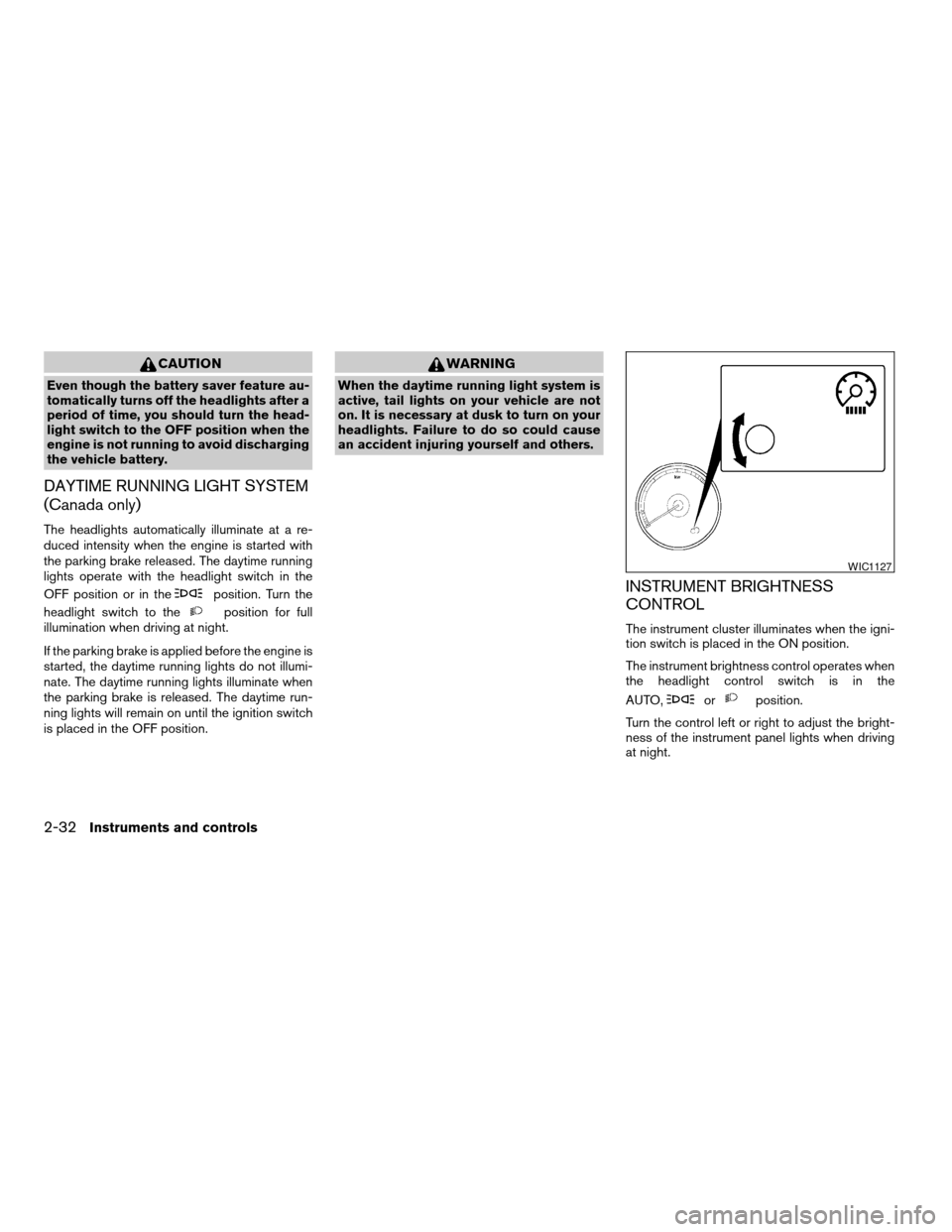
Turn the control left or right to adjust the bright-
ness of the instrument panel lights when driving
at night.
WIC1127
2-32Instruments and controls
ZREVIEW COPYÐ2009 Altima Hybrid Electric
(ahv)
Owners ManualÐCanadian_French(fr_can)
06/16/08Ðdebbie
X
Page 113 of 353
The flashers will operate with the ignition switch
placed in any position.
Some state laws may prohibit the use of
the hazard warning flasher switch while
driving.
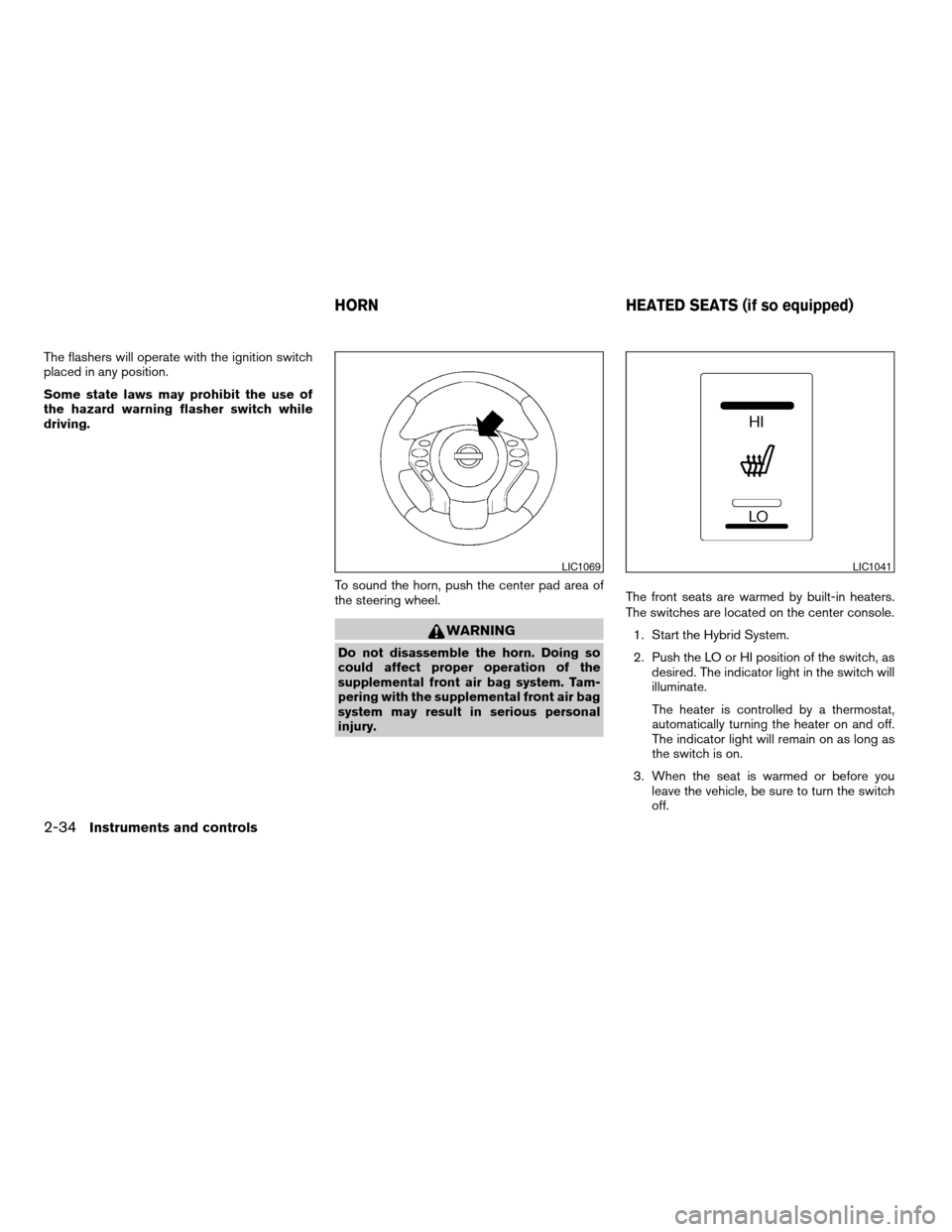
To sound the horn, push the center pad area of
the steering wheel.
WARNING
Do not disassemble the horn. Doing so
could affect proper operation of the
supplemental front air bag system. Tam-
pering with the supplemental front air bag
system may result in serious personal
injury.The front seats are warmed by built-in heaters.
The switches are located on the center console.
1. Start the Hybrid System.
2. Push the LO or HI position of the switch, as
desired. The indicator light in the switch will
illuminate.
The heater is controlled by a thermostat,
automatically turning the heater on and off.
The indicator light will remain on as long as
the switch is on.
3. When the seat is warmed or before you
leave the vehicle, be sure to turn the switch
off.
LIC1069LIC1041
HORN HEATED SEATS (if so equipped)
2-34Instruments and controls
ZREVIEW COPYÐ2009 Altima Hybrid Electric
(ahv)
Owners ManualÐCanadian_French(fr_can)
06/16/08Ðdebbie
X
Page 120 of 353
CARGO NET (if so equipped)
WARNING
Properly secure all cargo with ropes or
straps to help prevent it from sliding or
shifting. In a sudden stop or collision, un-
secured cargo could cause personal
injury.
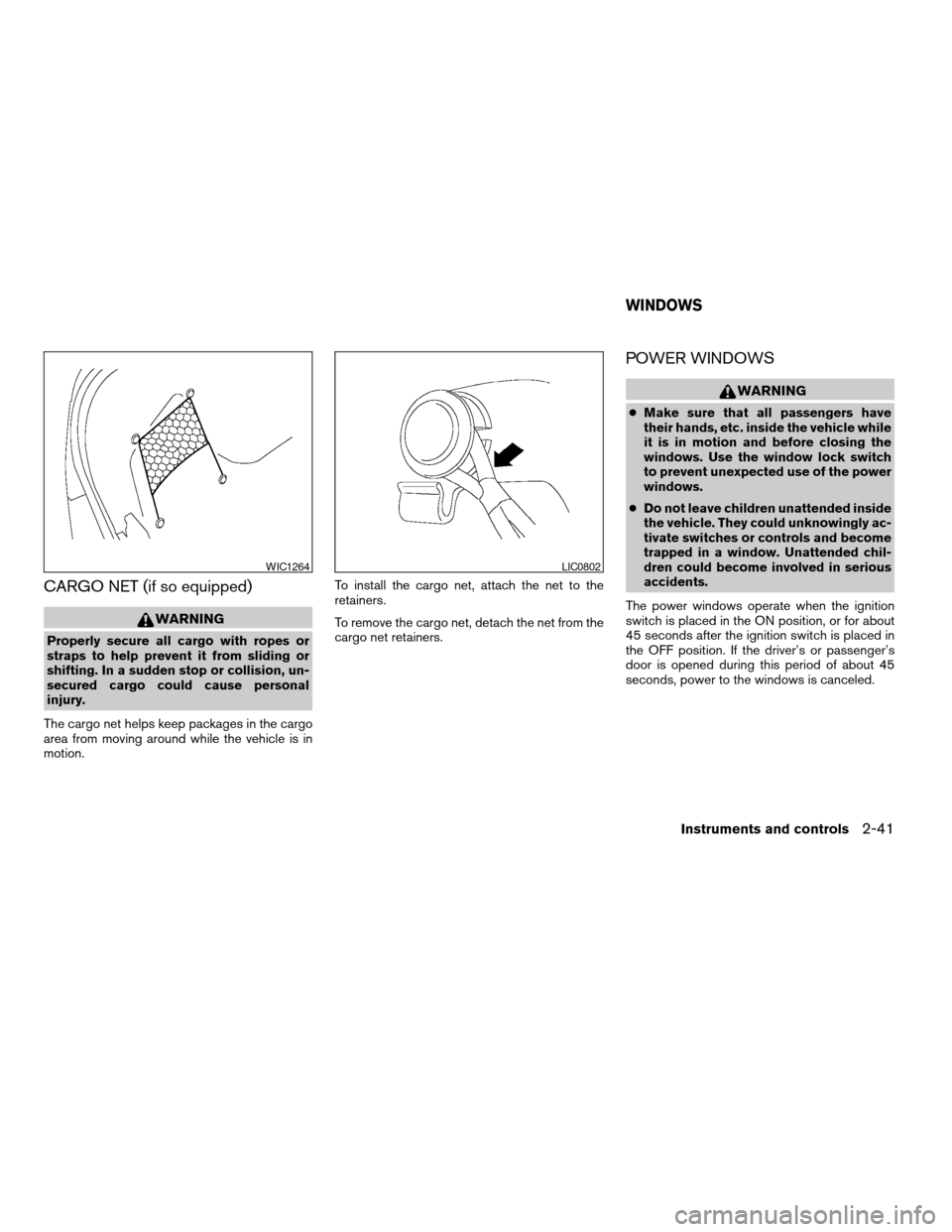
The cargo net helps keep packages in the cargo
area from moving around while the vehicle is in
motion.To install the cargo net, attach the net to the
retainers.
To remove the cargo net, detach the net from the
cargo net retainers.
POWER WINDOWS
WARNING
cMake sure that all passengers have
their hands, etc. inside the vehicle while
it is in motion and before closing the
windows. Use the window lock switch
to prevent unexpected use of the power
windows.
cDo not leave children unattended inside
the vehicle. They could unknowingly ac-
tivate switches or controls and become
trapped in a window. Unattended chil-
dren could become involved in serious
accidents.
The power windows operate when the ignition
switch is placed in the ON position, or for about
45 seconds after the ignition switch is placed in
the OFF position. If the driver’s or passenger’s
door is opened during this period of about 45
seconds, power to the windows is canceled.
WIC1264LIC0802
WINDOWS
Instruments and controls2-41
ZREVIEW COPYÐ2009 Altima Hybrid Electric
(ahv)
Owners ManualÐCanadian_French(fr_can)
06/16/08Ðdebbie
X
Page 122 of 353
Rear power window switch
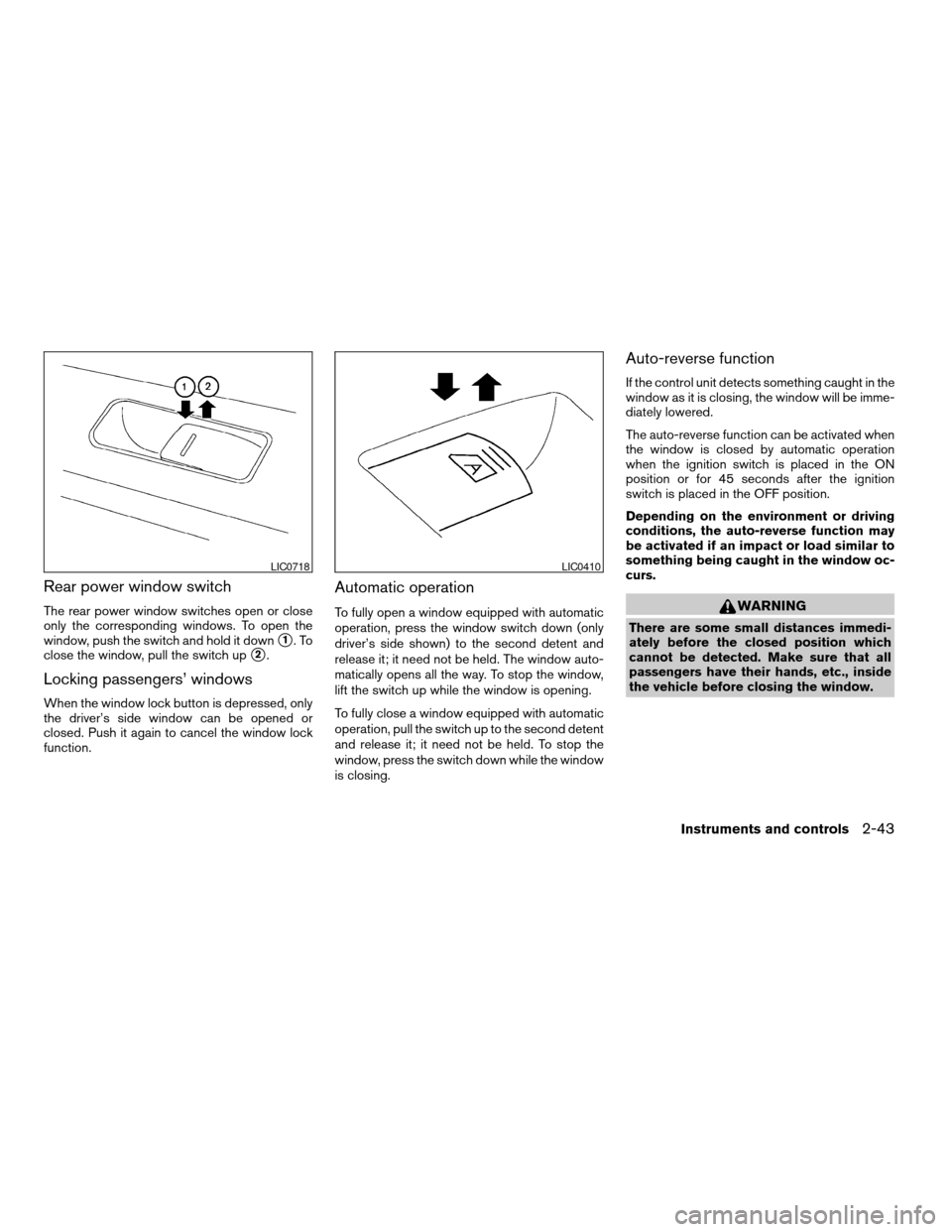
The rear power window switches open or close
only the corresponding windows. To open the
window, push the switch and hold it down
s1.To
close the window, pull the switch up
s2.
Locking passengers’ windows
When the window lock button is depressed, only
the driver’s side window can be opened or
closed. Push it again to cancel the window lock
function.
Automatic operation
To fully open a window equipped with automatic
operation, press the window switch down (only
driver’s side shown) to the second detent and
release it; it need not be held. The window auto-
matically opens all the way. To stop the window,
lift the switch up while the window is opening.
To fully close a window equipped with automatic
operation, pull the switch up to the second detent
and release it; it need not be held. To stop the
window, press the switch down while the window
is closing.
Auto-reverse function
If the control unit detects something caught in the
window as it is closing, the window will be imme-
diately lowered.
The auto-reverse function can be activated when
the window is closed by automatic operation
when the ignition switch is placed in the ON
position or for 45 seconds after the ignition
switch is placed in the OFF position.
Depending on the environment or driving
conditions, the auto-reverse function may
be activated if an impact or load similar to
something being caught in the window oc-
curs.
WARNING
There are some small distances immedi-
ately before the closed position which
cannot be detected. Make sure that all
passengers have their hands, etc., inside
the vehicle before closing the window.
LIC0718LIC0410
Instruments and controls2-43
ZREVIEW COPYÐ2009 Altima Hybrid Electric
(ahv)
Owners ManualÐCanadian_French(fr_can)
06/16/08Ðdebbie
X
Page 123 of 353
When power window switch does not
operate
If the power window automatic function (closing
only) does not operate properly, perform the fol-
lowing procedure to initialize the power window
system:
1. Place the ignition switch in the ON position.
2. Open the window more than halfway by
operating the power window switch.
3. Pull the power window switch and hold it to
close the window, and then hold the switch
more than 3 seconds after the window is
closed.
4. Release the power window switch. Operate
the window by the automatic function to
confirm the initialization is complete. The
power window automatically opens or
closes depending on if the automatic down
or up function is selected.
5. Perform steps 2 through 4 above for other
windows.
If the power window function does not operate
properly after performing the above procedure,
see a NISSAN dealer for assistance.
AUTOMATIC MOONROOF
The moonroof will only operate when the ignition
switch is placed in the ON position. The auto-
matic moonroof is operational for about 45 sec-
onds, even if the ignition switch is placed in the
ACC or OFF position. If the driver’s door or the
front passenger’s door is opened during this
period of about 45 seconds, power to the moon-
roof is canceled.
Sliding the moonroof
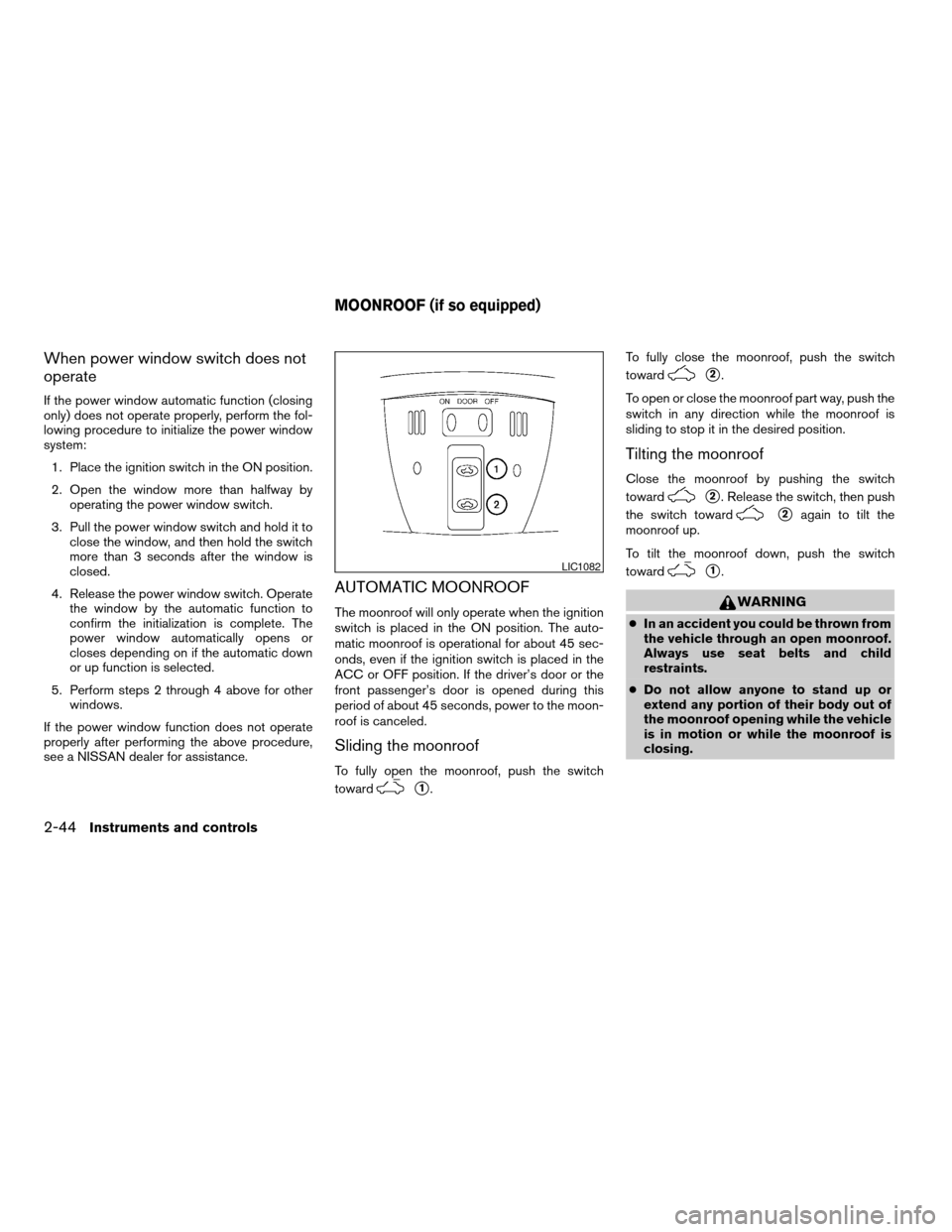
To fully open the moonroof, push the switch
toward
s1.To fully close the moonroof, push the switch
toward
s2.
To open or close the moonroof part way, push the
switch in any direction while the moonroof is
sliding to stop it in the desired position.
Tilting the moonroof
Close the moonroof by pushing the switch
toward
s2. Release the switch, then push
the switch toward
s2again to tilt the
moonroof up.
To tilt the moonroof down, push the switch
toward
s1.
WARNING
cIn an accident you could be thrown from
the vehicle through an open moonroof.
Always use seat belts and child
restraints.
cDo not allow anyone to stand up or
extend any portion of their body out of
the moonroof opening while the vehicle
is in motion or while the moonroof is
closing.
LIC1082
MOONROOF (if so equipped)
2-44Instruments and controls
ZREVIEW COPYÐ2009 Altima Hybrid Electric
(ahv)
Owners ManualÐCanadian_French(fr_can)
06/16/08Ðdebbie
X
Page 124 of 353
CAUTION
cRemove water drops, snow, ice or sand
from the moonroof before opening.
cDo not place heavy objects on the
moonroof or surrounding area.
Resetting the moonroof switch
The moonroof switch may not operate properly
and need to be reset if any of the following
conditions have occurred:
cthe moonroof has been manually moved,
cthe moonroof motor has been removed and
reinstalled after the moonroof has been re-
positioned or adjusted,
cthe moonroof glass panel has been adjusted
or changed, or
cthe electrical supply interrupted and/or
some malfunction has been detected.
Use the following reset procedure to return the
moonroof operation to normal.
1. Place the ignition switch in the ON position.
2. Push and hold the moonroof switch
toward
s2. Once the moonroof has
reached the full tilt position, release the
switch. Push and hold the switch towardthe
s2position again. After a delay of
four seconds, the moonroof will make a small
movement and backup.
3. Release the switch.
4. Within 5 seconds of releasing the switch,
push and continuously hold the switch
toward
s2. The moonroof will move
from the tilt position to the open position and
back to the close position.
NOTE:
If the switch is released at any time during
Step 4, the procedure must be restarted.
5. Release the switch. Do not place the ignition
switch in the OFF position for at least 2
seconds. The moonroof is now reset.
If the moonroof still does not operate properly,
have the moonroof system checked by a NISSAN
dealer.
Auto-reverse function (when closing or
tilting down the moonroof)
The auto-reverse function can be activated when
the moonroof is closed or tilted down by auto-
matic operation when the ignition switch is
placed in the ON position or for about 45 sec-
onds after the ignition switch is placed in the OFF
position.Depending on the environment or driving
conditions, the auto-reverse function may
be activated if an impact or load similar to
something being caught in the moonroof
occurs.
WARNING
There are some small distances immedi-
ately before the closed position which
cannot be detected. Make sure that all
passengers have their hands, etc., inside
the vehicle before closing the moonroof.
When closing:
If the control unit detects something caught in the
moonroof as it moves to the front, the moonroof
will immediately open backward.
When tilting down:
If the control unit detects something caught in the
moonroof as it tilts down, the moonroof will im-
mediately tilt up.
If the auto-reverse function malfunctions and re-
peats opening or tilting up the moonroof, keep
pushing the tilt down switch within 5 seconds
after it happens; the moonroof will fully close
gradually. Make sure nothing is caught in the
moonroof.
Instruments and controls2-45
ZREVIEW COPYÐ2009 Altima Hybrid Electric
(ahv)
Owners ManualÐCanadian_French(fr_can)
06/16/08Ðdebbie
X
Page 125 of 353
WARNING
cIn an accident you could be thrown from
the vehicle through an open moonroof.
Always use seat belts and child
restraints.
cDo not allow anyone to stand up or
extend any portion of their body out of
the moonroof opening while the vehicle
is in motion or while the moonroof is
closing.
CAUTION
cRemove water drops, snow, ice or sand
from the moonroof before opening.
cDo not place heavy objects on the
moonroof or surrounding area.
Sunshade
Open and close the sunshade by sliding it for-
ward or backward.
If the moonroof does not close
Have your NISSAN dealer check and repair the
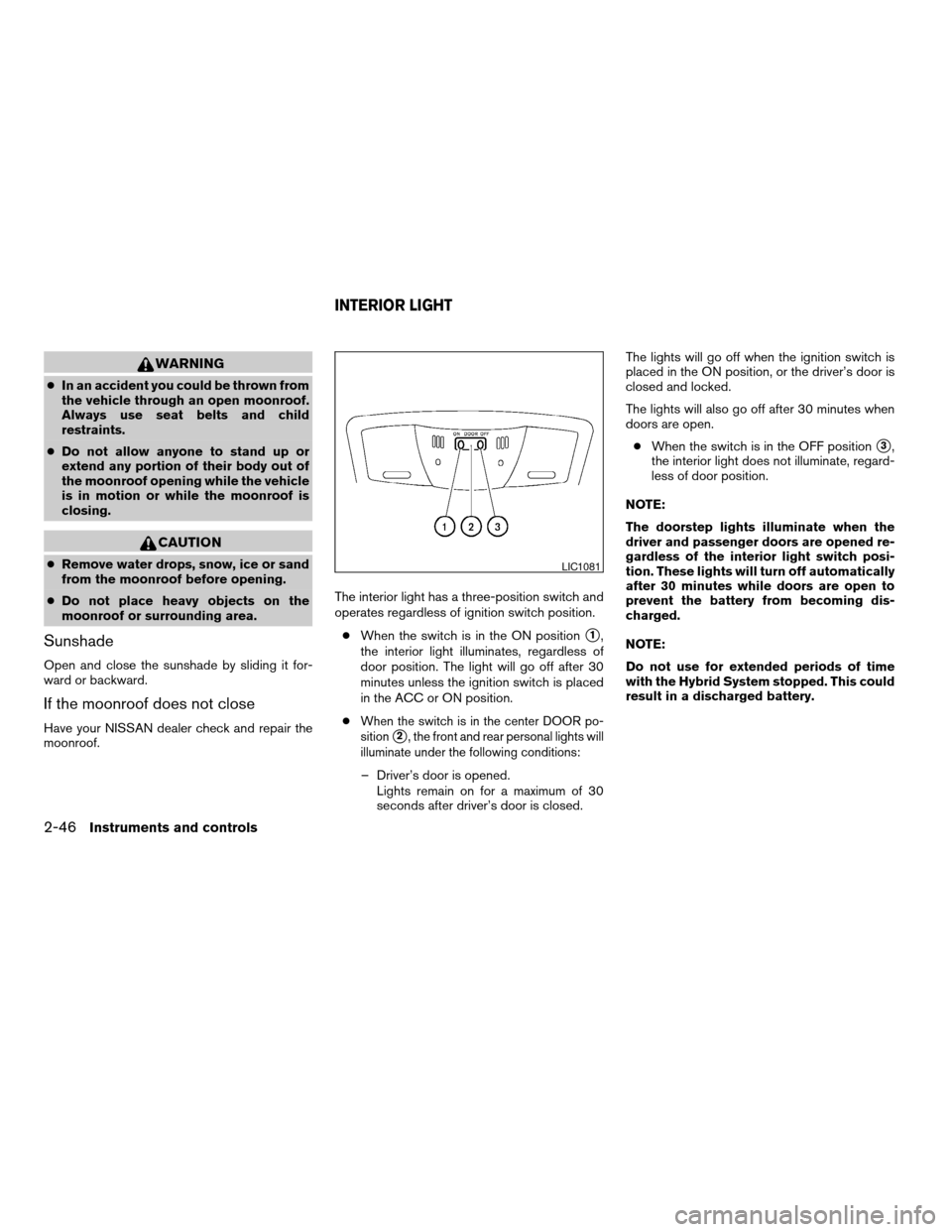
moonroof.The interior light has a three-position switch and
operates regardless of ignition switch position.
cWhen the switch is in the ON position
s1,
the interior light illuminates, regardless of
door position. The light will go off after 30
minutes unless the ignition switch is placed
in the ACC or ON position.
c
When the switch is in the center DOOR po-
sition
s2, the front and rear personal lights will
illuminate under the following conditions:
– Driver’s door is opened.
Lights remain on for a maximum of 30
seconds after driver’s door is closed.The lights will go off when the ignition switch is
placed in the ON position, or the driver’s door is
closed and locked.
The lights will also go off after 30 minutes when
doors are open.
cWhen the switch is in the OFF position
s3,
the interior light does not illuminate, regard-
less of door position.
NOTE:
The doorstep lights illuminate when the
driver and passenger doors are opened re-
gardless of the interior light switch posi-
tion. These lights will turn off automatically
after 30 minutes while doors are open to
prevent the battery from becoming dis-
charged.
NOTE:
Do not use for extended periods of time
with the Hybrid System stopped. This could
result in a discharged battery.
LIC1081
INTERIOR LIGHT
2-46Instruments and controls
ZREVIEW COPYÐ2009 Altima Hybrid Electric
(ahv)
Owners ManualÐCanadian_French(fr_can)
06/16/08Ðdebbie
X
Page 127 of 353
The light illuminates when the trunk lid is opened.
When the trunk lid is closed, the light goes off.
The light will go off after about 30 minutes if the
trunk lid is left open, unless the ignition switch is
placed in the ACC or ON position.
For bulb replacement procedures, refer to “Exte-
rior and interior lights” in the “Maintenance and
do-it-yourself” section of this manual.The HomeLinkTUniversal Transceiver provides a
convenient way to consolidate the functions of up
to three individual hand-held transmitters into
one built-in device.
HomeLinkTUniversal Transceiver:
cWill operate most Radio Frequency (RF)
devices such as garage doors, gates, home
and office lighting, entry door locks and se-
curity systems.
cIs powered by your vehicle’s battery. No
separate batteries are required. If the vehi-
cle’s battery is discharged or is discon-
nected, HomeLinkTwill retain all program-
ming.
Once the HomeLinkTUniversal Transceiver
is programmed, retain the original trans-
mitter for future programming procedures
(Example: new vehicle purchases) . Upon
sale of the vehicle, the programmed
HomeLinkTUniversal Transceiver buttons
should be erased for security purposes. For
additional information refer to “Program-
ming HomeLinkT” later in this section.WARNING
cDo not use the HomeLinkTUniversal
Transceiver with any garage door
opener that lacks safety stop and re-
verse features as required by federal
safety standards. (These standards be-
came effective for opener models
manufactured after April 1, 1982) . A ga-
rage door opener which cannot detect
an object in the path of a closing garage
door and then automatically stop and
reverse, does not meet current federal
safety standards. Using a garage door
opener without these features in-
creases the risk of serious injury or
death.
cDuring the programming procedure
your garage door or security gate will
open and close (if the transmitter is
within range) . Make sure that people or
objects are clear of the garage door,
gate, etc. that you are programming.
cYour vehicle’s Hybrid System should be
turned off while programming the
HomeLinkTUniversal Transceiver.
TRUNK LIGHT HOMELINKTUNIVERSAL
TRANSCEIVER (if so equipped)
2-48Instruments and controls
ZREVIEW COPYÐ2009 Altima Hybrid Electric
(ahv)
Owners ManualÐCanadian_French(fr_can)
06/16/08Ðdebbie
X
Page 137 of 353

Lockout protection
When the power door lock switch (driver’s or
front passenger’s side) is moved to the lock
position with the Intelligent Key in the port and
any door open, all doors will lock and unlock
automatically. With the Intelligent Key left in the
vehicle (not in the Intelligent Key port) and any
door open, all doors will unlock automatically and
a chime will sound after the door is closed.
AUTOMATIC DOOR LOCKS
cAll doors will be locked automatically when
the vehicle speed reaches 15 MPH (24 km/
h) .
cAll the doors will unlock automatically when
the ignition switch is placed in the OFF
position.
The automatic lock and unlock functions
can be deactivated or activated indepen-
dently of each other.To deactivate or activate
the automatic door lock or unlock system, per-
form the following procedure:
1. Close all doors.
2. Place the ignition switch in the ON position.3. Do one of the following within 20 seconds of
performing Step #2:
cTo change AUTO UNLOCK settings:
push and hold the power door lock switch
to the
position (UNLOCK) for more
than 5 seconds.
cTo change AUTO LOCK settings: push
and hold the power door lock switch to
the
position (LOCK) for more
than 5 seconds.
4. When activated, the hazard indicator will
flash twice. When deactivated, the hazard
indicator will flash once.
5. The ignition switch must be placed in the
OFF and ON position again between each
setting change.
CHILD SAFETY REAR DOOR LOCK
Child safety locks help prevent the rear doors
from being opened accidentally, especially when
small children are in the vehicle.
The child safety lock levers are located on the
edge of the rear doors.
When the lever is in the unlock position
s1, the
door can be opened from the outside or the
inside.
When the lever is in the lock position
s2,
the door can be opened only from the out-
side.
LIC0716
3-6Pre-driving checks and adjustments
ZREVIEW COPYÐ2009 Altima Hybrid Electric
(ahv)
Owners ManualÐCanadian_French(fr_can)
06/16/08Ðdebbie
X