climate settings NISSAN ALTIMA SEDAN 2013 Owner's Manual
[x] Cancel search | Manufacturer: NISSAN, Model Year: 2013, Model line: ALTIMA SEDAN, Model: NISSAN ALTIMA SEDAN 2013Pages: 413, PDF Size: 4.52 MB
Page 265 of 413
The system allows for the sending and receiving
of text messages through the vehicle interface.
Sending a text message:1. Press the
button.
2. Say “Send Text”.
3. The system will provide a list of available commands in order to determine the recipi-
ent of the text message. Choose from the
following:
● (a name)
● Number
● Incoming Calls
● Outgoing Calls
● Missed Calls
For more information about these options,
see “Voice commands” in this section.
4. Once a recipient is chosen, the system prompts for which message to send. Five
predefined messages are available as well
as three custom messages. To choose one
of the predefined messages, speak one of
the following:
● “Driving, can’t text”
● “Call me” ●
“On my way”
● “Running late”
● “Okay”
To send one of the custom messages, say
“Custom Messages”. If more than one cus-
tom message is stored, the system will
prompt for the number of the desired cus-
tom message. For more information on set-
ting and managing custom text messages,
see “Bluetooth® settings” in this section.
Reading a received text message:1. Press the
button.
2. Say “Read Text”.
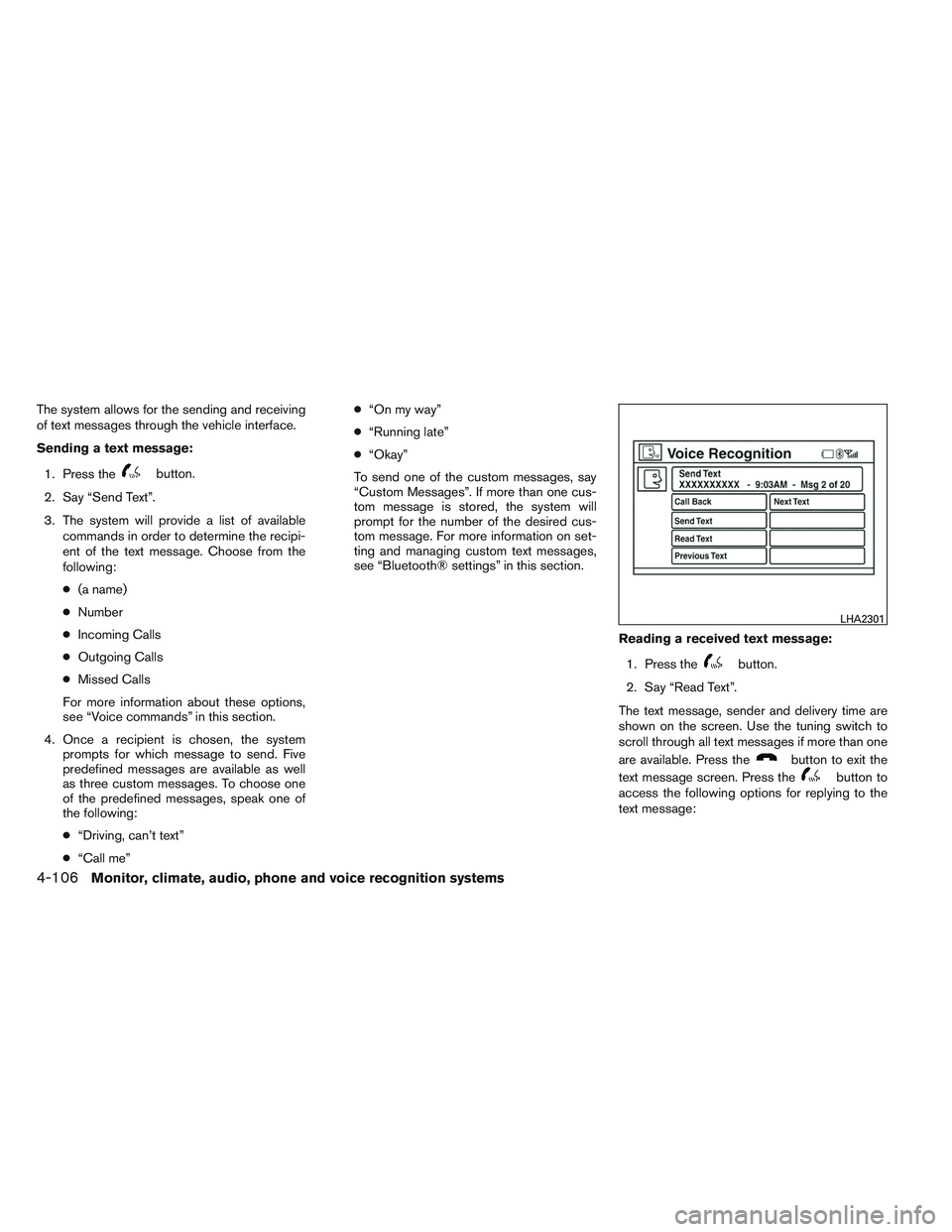
The text message, sender and delivery time are
shown on the screen. Use the tuning switch to
scroll through all text messages if more than one
are available. Press the
button to exit the
text message screen. Press the
button to
access the following options for replying to the
text message:
LHA2301
4-106Monitor, climate, audio, phone and voice recognition systems
Page 266 of 413
●Call Back
Speak this command to call the sender of
the text message using the Bluetooth®
Hands-Free Phone System.
● Send Text
Speak this command to send a text message
response to the sender of the text message.
● Read Text
Speak this command to read the text mes-
sage again.
● Previous Text
Speak this command to move to the previ-
ous text message (if available) .
● Next Text
Speak this command to move to the next text
message (if available) .
NOTE:
Text messages are only displayed if the
vehicle speed is less than 5 mph.
BLUETOOTH SETTINGS
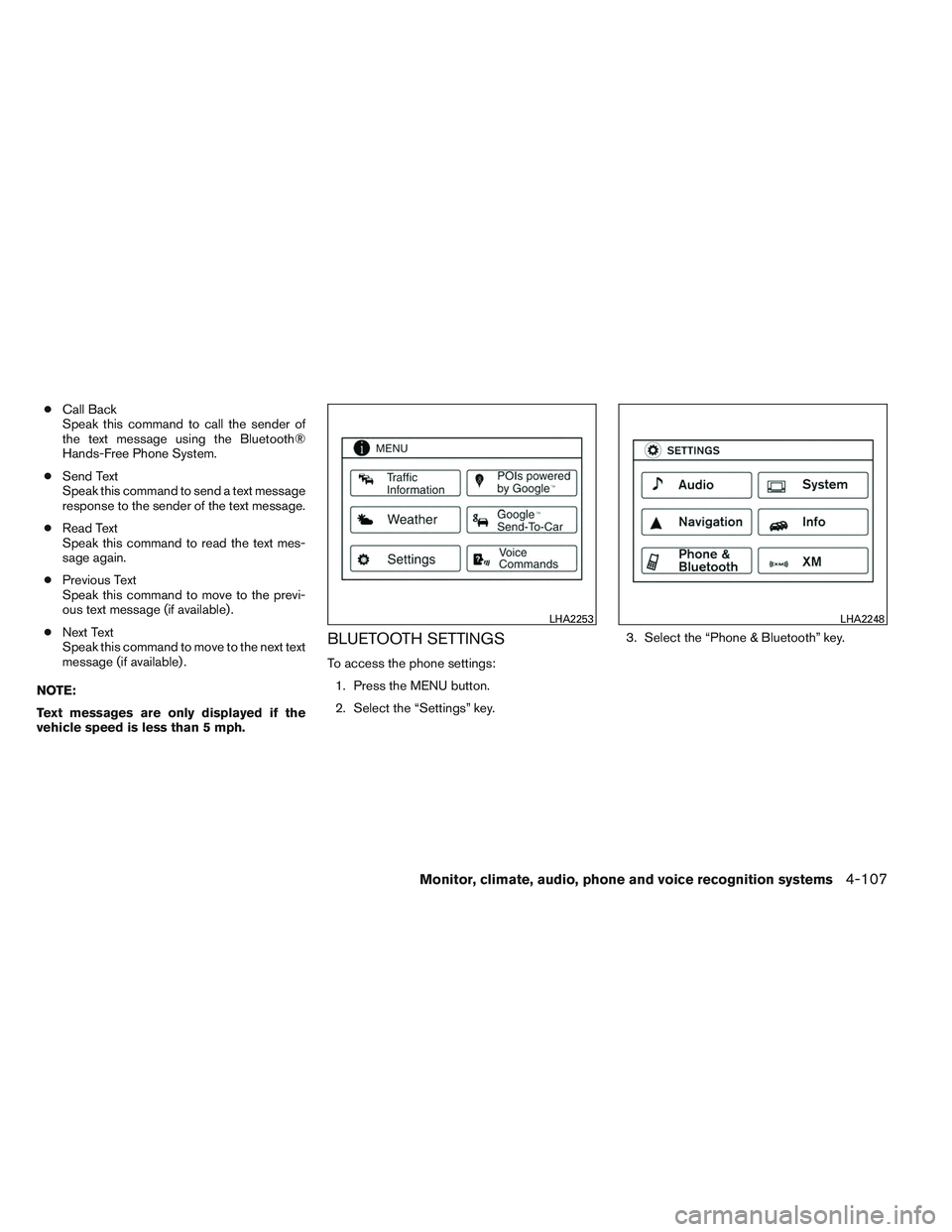
To access the phone settings: 1. Press the MENU button.
2. Select the “Settings” key. 3. Select the “Phone & Bluetooth” key.
LHA2253LHA2248
Monitor, climate, audio, phone and voice recognition systems4-107
Page 267 of 413
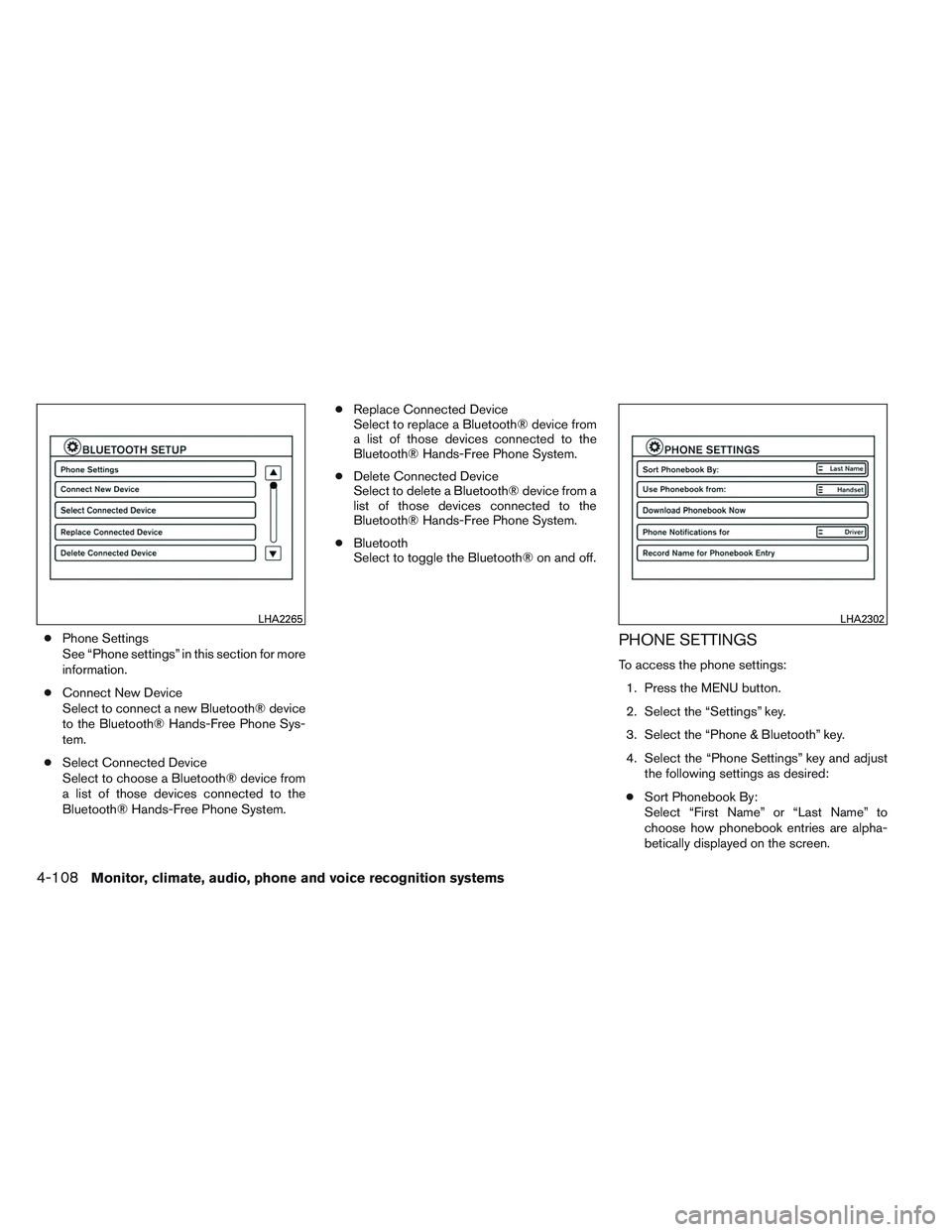
●Phone Settings
See “Phone settings” in this section for more
information.
● Connect New Device
Select to connect a new Bluetooth® device
to the Bluetooth® Hands-Free Phone Sys-
tem.
● Select Connected Device
Select to choose a Bluetooth® device from
a list of those devices connected to the
Bluetooth® Hands-Free Phone System. ●
Replace Connected Device
Select to replace a Bluetooth® device from
a list of those devices connected to the
Bluetooth® Hands-Free Phone System.
● Delete Connected Device
Select to delete a Bluetooth® device from a
list of those devices connected to the
Bluetooth® Hands-Free Phone System.
● Bluetooth
Select to toggle the Bluetooth® on and off.PHONE SETTINGS
To access the phone settings:
1. Press the MENU button.
2. Select the “Settings” key.
3. Select the “Phone & Bluetooth” key.
4. Select the “Phone Settings” key and adjust the following settings as desired:
● Sort Phonebook By:
Select “First Name” or “Last Name” to
choose how phonebook entries are alpha-
betically displayed on the screen.
LHA2265LHA2302
4-108Monitor, climate, audio, phone and voice recognition systems