USB port NISSAN ALTIMA SEDAN 2013 Owners Manual
[x] Cancel search | Manufacturer: NISSAN, Model Year: 2013, Model line: ALTIMA SEDAN, Model: NISSAN ALTIMA SEDAN 2013Pages: 413, PDF Size: 4.52 MB
Page 13 of 413
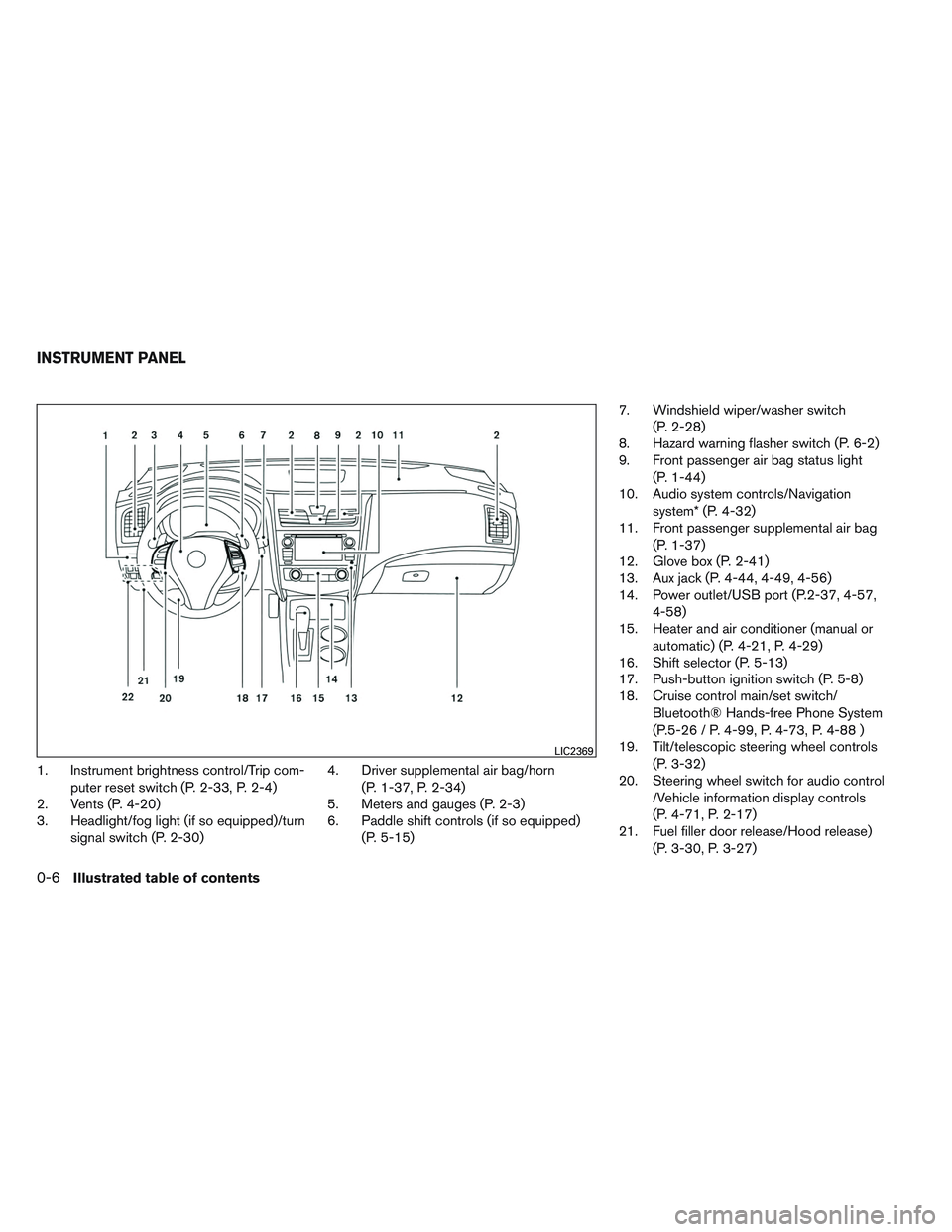
1. Instrument brightness control/Trip com-puter reset switch (P. 2-33, P. 2-4)
2. Vents (P. 4-20)
3. Headlight/fog light (if so equipped)/turn
signal switch (P. 2-30) 4. Driver supplemental air bag/horn
(P. 1-37, P. 2-34)
5. Meters and gauges (P. 2-3)
6. Paddle shift controls (if so equipped)
(P. 5-15) 7. Windshield wiper/washer switch
(P. 2-28)
8. Hazard warning flasher switch (P. 6-2)
9. Front passenger air bag status light
(P. 1-44)
10. Audio system controls/Navigation
system* (P. 4-32)
11. Front passenger supplemental air bag
(P. 1-37)
12. Glove box (P. 2-41)
13. Aux jack (P. 4-44, 4-49, 4-56)
14. Power outlet/USB port (P.2-37, 4-57,
4-58)
15. Heater and air conditioner (manual or
automatic) (P. 4-21, P. 4-29)
16. Shift selector (P. 5-13)
17. Push-button ignition switch (P. 5-8)
18. Cruise control main/set switch/
Bluetooth® Hands-free Phone System
(P.5-26 / P. 4-99, P. 4-73, P. 4-88 )
19. Tilt/telescopic steering wheel controls
(P. 3-32)
20. Steering wheel switch for audio control
/Vehicle information display controls
(P. 4-71, P. 2-17)
21. Fuel filler door release/Hood release)
(P. 3-30, P. 3-27)
LIC2369
INSTRUMENT PANEL
0-6Illustrated table of contents
Page 73 of 413
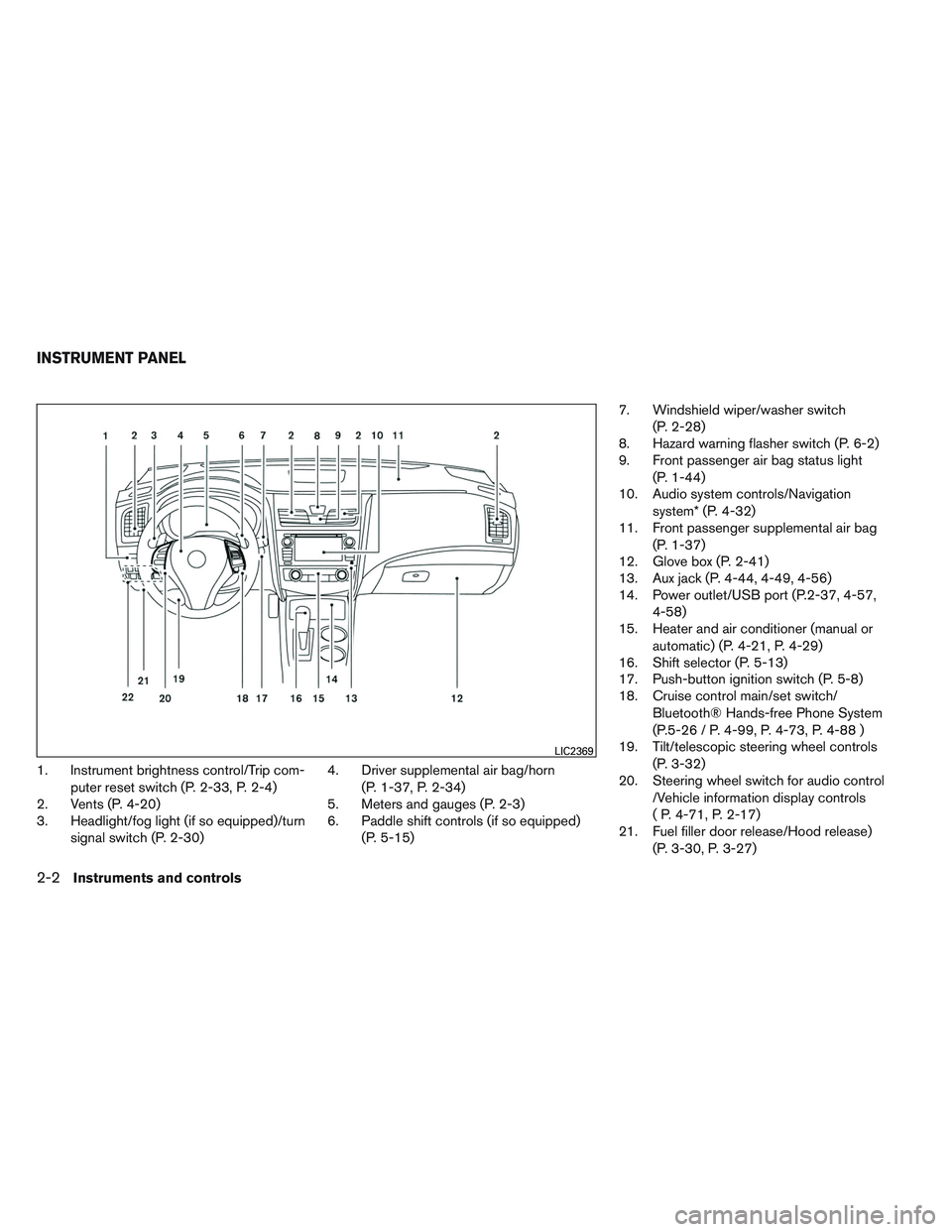
1. Instrument brightness control/Trip com-puter reset switch (P. 2-33, P. 2-4)
2. Vents (P. 4-20)
3. Headlight/fog light (if so equipped)/turn
signal switch (P. 2-30) 4. Driver supplemental air bag/horn
(P. 1-37, P. 2-34)
5. Meters and gauges (P. 2-3)
6. Paddle shift controls (if so equipped)
(P. 5-15) 7. Windshield wiper/washer switch
(P. 2-28)
8. Hazard warning flasher switch (P. 6-2)
9. Front passenger air bag status light
(P. 1-44)
10. Audio system controls/Navigation
system* (P. 4-32)
11. Front passenger supplemental air bag
(P. 1-37)
12. Glove box (P. 2-41)
13. Aux jack (P. 4-44, 4-49, 4-56)
14. Power outlet/USB port (P.2-37, 4-57,
4-58)
15. Heater and air conditioner (manual or
automatic) (P. 4-21, P. 4-29)
16. Shift selector (P. 5-13)
17. Push-button ignition switch (P. 5-8)
18. Cruise control main/set switch/
Bluetooth® Hands-free Phone System
(P.5-26 / P. 4-99, P. 4-73, P. 4-88 )
19. Tilt/telescopic steering wheel controls
(P. 3-32)
20. Steering wheel switch for audio control
/Vehicle information display controls
( P. 4-71, P. 2-17)
21. Fuel filler door release/Hood release)
(P. 3-30, P. 3-27)
LIC2369
INSTRUMENT PANEL
2-2Instruments and controls
Page 198 of 413
USB (Universal Serial Bus) memory (if
so equipped)
WARNING
Do not connect or disconnect the USB
device while driving. Doing so can be a
distraction. If distracted you could lose
control of your vehicle and cause an acci-
dent or serious injury.
CAUTION
●Do not force the USB device into the
USB port. Inserting the USB device
tilted or up-side-down into the port may
damage the USB device and the port.
Make sure that the USB device is con-
nected correctly into the USB port.
● Do not grab the USB port cover (if so
equipped) when pulling the USB device
out of the port. This could damage the
port and the cover.
● Do not leave the USB cable in a place
where it can be pulled unintentionally.
Pulling the cable may break the wire,
USB device or the port. ●
To avoid damage and loss of function
when using a USB device, note the fol-
lowing precautions.
– Do not bend the cable excessively (1.6 in [40 mm]) radius minimum.
– Do not twist the cable excessively (more than 180 degrees) .
– Do not pull or drop the cable.
– Do not hit or press the USB port or USB device with hands, feet, or
objects.
– Do not store objects with sharp edges in the storage area where the
cable is stored.
– Do not leave the USB device and attached devices in the vehicle com-
partment. When not in use for ex-
tended periods of time, store the
cable and USB device in a clean, dust
free environment at room tempera-
ture and without direct sun exposure.
– Do not use the cable for any other purposes than its intended use in the
vehicle.
The vehicle is not equipped with a USB device.
USB devices should be purchased separately as
necessary. This system cannot be used to format USB de-
vices. To format a USB device, use a personal
computer.
In some states/area, the USB device for the front
seats plays only sound without images for regu-
latory reasons, even when the vehicle is parked.
This system supports various USB memory de-
vices, USB hard drives and iPod® players. Some
USB devices may not be supported by this sys-
tem.
● Partitioned USB devices may not play cor-
rectly.
● Some characters used in other languages
(Chinese, Japanese, etc.) may not appear
properly in the display. Using English lan-
guage characters with a USB device is rec-
ommended.
General notes for USB use: ● The USB device may not function when the
passenger compartment temperature is ex-
tremely high. Lower the temperature before
use.
● During cold weather or rainy days, the player
may malfunction due to humidity. If this oc-
curs, remove the USB device and dehu-
midify or ventilate the USB player com-
pletely.
Monitor, climate, audio, phone and voice recognition systems4-39
Page 199 of 413
●Do not connect a USB device if a connector,
cable or USB port is wet. Allow the connector,
cable, and USB port to dry completely before
connecting the USB device. (Wait for
24 hours or more until it is dry.) If the connec-
tor and USB port are exposed to fluids other
than water, evaporative residue may cause a
short circuit between the connector pins and
USB port. In this case, replace the cable and
USB port. Otherwise damage to the USB
device and a loss of function may occur.
●If the cable is damaged (insulation cut, con-
nectors cracked, contamination such as liq-
uids, dust, dirt, etc. in the connectors) , do
not use the cable. Replace the cable with a
new one.
● Do not put a USB device in a location where
static electricity occurs, electrical noise is
generated or hot air from the air conditioner
blows directly on it. Doing so may cause the
data stored on the USB device to be cor-
rupted.
Notes for iPod® use:
iPod® is a trademark of Apple Inc., registered in
the U.S. and other countries. ● Improperly plugging in the iPod may cause a
checkmark to be displayed on and off (flick-
ering) . Always make sure that the iPod is
connected properly. ●
An iPod® nano (1st Generation) may remain
in fast forward or rewind mode if it is con-
nected during a seek operation. In this case,
please manually reset the iPod.
● An iPod® nano (2nd Generation) will con-
tinue to fast-forward or rewind if it is discon-
nected during a seek operation.
● An incorrect song title may appear when the
Play Mode is changed while using an iPod®
nano (2nd Generation) .
● Audiobooks may not play in the same order
as they appear on an iPod®.
● Large video files cause slow responses in an
iPod®. The vehicle center display may mo-
mentarily black out, but will soon recover.
● If an iPod® automatically selects large video
files while in the shuffle mode, the vehicle
center display may momentarily black out,
but will soon recover.
Bluetooth® streaming audio
●Some Bluetooth® audio devices may not be
recognized by the in-vehicle audio system.
● It is necessary to set up the wireless con-
nection between a compatible Bluetooth®
audio device and the in-vehicle Bluetooth®
module before using the Bluetooth® audio. ●
Operating procedure of the Bluetooth® au-
dio will vary depending on the devices. Make
sure how to operate your audio device be-
fore using it with this system.
● The Bluetooth® audio may be stopped un-
der the following conditions:
● Receiving a call on the Hands-Free
Phone System.
● Checking the connection to the hands-
free phone.
● Do not place the Bluetooth® audio device in
an area surrounded by metal or far away from
the in-vehicle Bluetooth® module to prevent
tone quality degradation and wireless con-
nection disruption.
● While an audio device is connected through
the Bluetooth® wireless connection, the
battery power of the device may discharge
quicker than usual.
● This system supports the Bluetooth® Audio
Distribution Profile (A2DP, AVRCP) .BLUETOOTH® is a
trademark owned by
Bluetooth SIG, Inc. and
licensed to Visteon.
4-40Monitor, climate, audio, phone and voice recognition systems
Page 208 of 413
SEEK/CAT button:
Press the SEEK/CAT button
while a CD or
MP3/WMA CD is playing to return to the begin-
ning of the current track. Press the SEEK/CAT
button
several times to skip backward sev-
eral tracks.
Press the SEEK/CAT button
while a CD or
MP3/WMA CD is playing to advance one track.
Press the SEEK/CAT button
several times
to skip forward several tracks. If the last track on
a CD is skipped, the first track on the disc is
played. If the last track in a folder of an
MP3/WMA CD is skipped, the first track of the
next folder is played.
TUNE/SCROLL knob (MP3/WMA CD
only):
If an MP3/WMA CD with multiple folders is play-
ing, turn the TUNE/SCROLL knob to change fold-
ers. Turn the knob to the left to skip back a folder.
Turn the knob to the right to skip ahead a folder.
RPT button:
When the RPT button is pressed while a com-
pact disc is playing, the play pattern can be
changed as follows:
CD:
1 Track Repeat ←→OFF CD with MP3 or WMA:
1 Folder Repeat
→1 Track Repeat →OFF
1 Track Repeat: the current track will be re-
peated.
1 Folder Repeat: the current folder will be re-
peated.
OFF: No repeat play pattern is applied. The indi-
cator on the display will turn off.
The current play pattern of the CD is displayed on
the screen unless no pattern is applied.
RDM button:
When the RDM button is pressed while a com-
pact disc is playing, the play pattern can be
changed as follows:
CD:
1 Disc Random ←→OFF
CD with MP3 or WMA:
1 Disc Random →1 Folder Random →OFF
1 Disc Random: all tracks on the disc will be
played randomly.
1 Folder Random: all tracks in the current folder
will be played randomly.
OFF: No random play pattern is applied. The
indicator on the display will turn off. The current play pattern of the CD is displayed on
the screen unless no pattern is applied.
button:
The AUX IN jack is located on the CD player. The
AUX IN audio input jack accepts any standard
analog audio input such as from a portable cas-
sette tape/CD player, MP3 player or a laptop
computer.
Press the button to play a compatible
device plugged into the AUX IN jack. The
button is also used to switch the audio
system to a source plugged into the USB input
jack in the center console. When a device is
plugged into the AUX IN jack while another de-
vice is plugged into the USB input jack, the
button is used to toggle between the
two functions.
For more information about the USB input jack,
see “USB interface (models without Navigation
System)” in this section.
EJECT button:
When the
button is pressed with a com-
pact disc loaded, the compact disc will eject and
the last source will be played.
Monitor, climate, audio, phone and voice recognition systems4-49
Page 215 of 413
playing, touching the “Browse” key will also list
the folders on the disc. Follow the procedure for
selecting a song with the touchscreen to choose
a folder.
SEEK (Reverse or FastForward) buttons:
Press and hold the seek buttons
orfor 1.5 seconds while the compact disc is playing
to reverse or fast forward the track being played.
The compact disc plays at an increased speed
while reversing or fast forwarding. When the but-
ton is released, the compact disc returns to nor-
mal play speed.
SEEK buttons:
Press the seek button
while a CD or
MP3/WMA CD is playing to return to the begin-
ning of the current track. Press the seek
button
several times to skip backward sev-
eral tracks.
Press the seek button
while a CD or
MP3/WMA CD is playing to advance one track.
Press the seek button
several times to skip
forward several tracks. If the last track on a CD is
skipped, the first track on the disc is played. If the
last track in a folder of an MP3/WMA CD is
skipped, the first track of the next folder is played. AUX button:
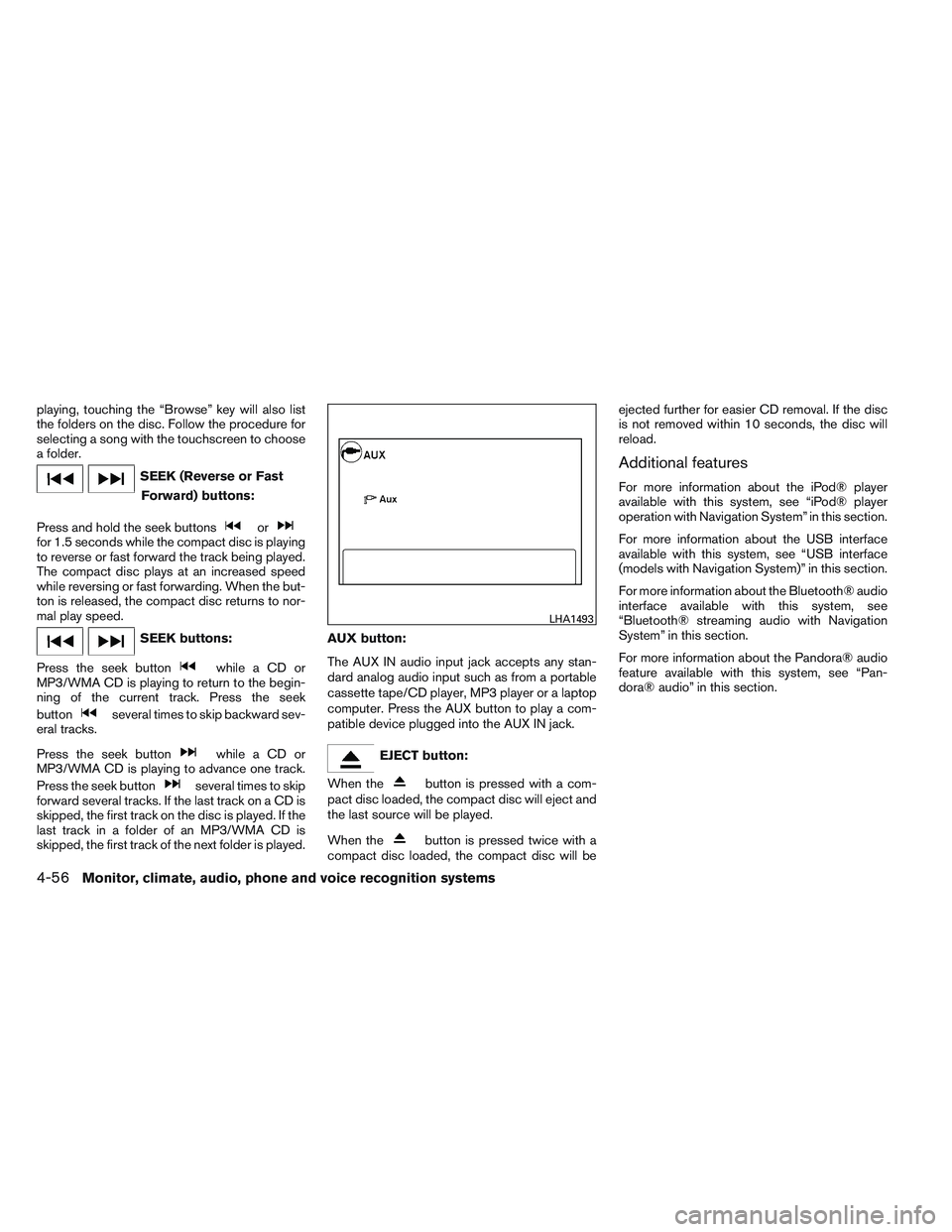
The AUX IN audio input jack accepts any stan-
dard analog audio input such as from a portable
cassette tape/CD player, MP3 player or a laptop
computer. Press the AUX button to play a com-
patible device plugged into the AUX IN jack.
EJECT button:
When the
button is pressed with a com-
pact disc loaded, the compact disc will eject and
the last source will be played.
When the
button is pressed twice with a
compact disc loaded, the compact disc will be ejected further for easier CD removal. If the disc
is not removed within 10 seconds, the disc will
reload.
Additional features
For more information about the iPod® player
available with this system, see “iPod® player
operation with Navigation System” in this section.
For more information about the USB interface
available with this system, see “USB interface
(models with Navigation System)” in this section.
For more information about the Bluetooth® audio
interface available with this system, see
“Bluetooth® streaming audio with Navigation
System” in this section.
For more information about the Pandora® audio
feature available with this system, see “Pan-
dora® audio” in this section.
LHA1493
4-56Monitor, climate, audio, phone and voice recognition systems
Page 216 of 413
USB INTERFACE (models without
Navigation System) (if so equipped)Connecting a device to the USB input
jack
CAUTION
●
Do not force the USB device into the
USB port. Inserting the USB device
tilted or up-side-down into the port may
damage the USB device and the port.
Make sure that the USB device is con-
nected correctly into the USB port.
(Some USB devices come with a
mark as a guide. Make sure that the
mark is facing the correct direction be-
fore inserting the device.)
● Do not locate objects near the USB de-
vice to prevent the objects from leaning
on the USB device and the port. Pres-
sure from the objects may damage the
USB device and the port.
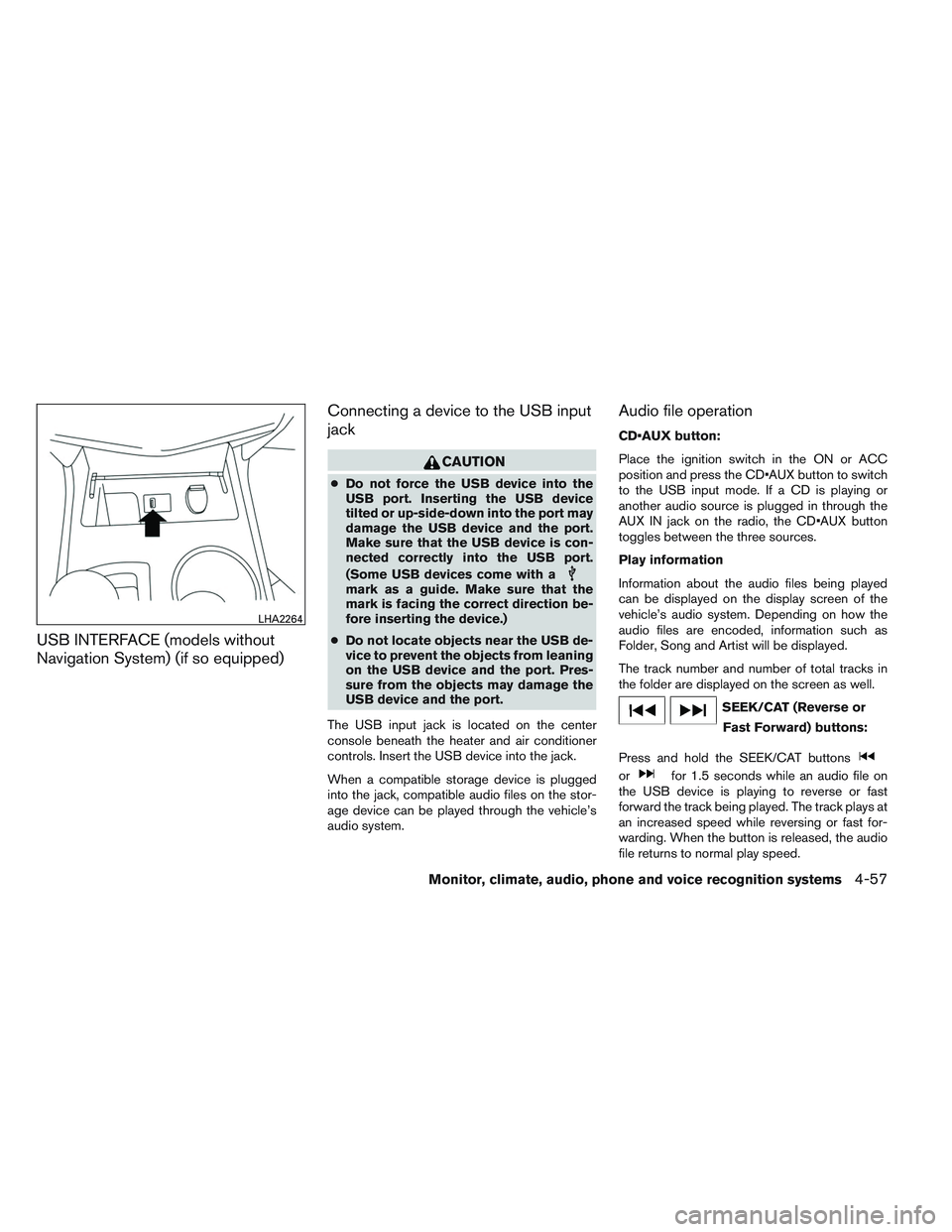
The USB input jack is located on the center
console beneath the heater and air conditioner
controls. Insert the USB device into the jack.
When a compatible storage device is plugged
into the jack, compatible audio files on the stor-
age device can be played through the vehicle’s
audio system.
Audio file operation
button:
Place the ignition switch in the ON or ACC
position and press the button to switch
to the USB input mode. If a CD is playing or
another audio source is plugged in through the
AUX IN jack on the radio, the button
toggles between the three sources.
Play information
Information about the audio files being played
can be displayed on the display screen of the
vehicle’s audio system. Depending on how the
audio files are encoded, information such as
Folder, Song and Artist will be displayed.
The track number and number of total tracks in
the folder are displayed on the screen as well.
SEEK/CAT (Reverse or Fast Forward) buttons:
Press and hold the SEEK/CAT buttons
orfor 1.5 seconds while an audio file on
the USB device is playing to reverse or fast
forward the track being played. The track plays at
an increased speed while reversing or fast for-
warding. When the button is released, the audio
file returns to normal play speed.
LHA2264
Monitor, climate, audio, phone and voice recognition systems4-57
Page 218 of 413
Connecting a device to the USB input
jack
CAUTION
●Do not force the USB device into the
USB port. Inserting the USB device
tilted or up-side-down into the port may
damage the USB device and the port.
Make sure that the USB device is con-
nected correctly into the USB port.
(Some USB devices come with a
mark as a guide. Make sure that the
mark is facing the correct direction be-
fore inserting the device.)
● Do not locate objects near the USB de-
vice to prevent the objects from leaning
on the USB device and the port. Pres-
sure from the objects may damage the
USB device and the port.
The USB input jack is located on the center
console beneath the heater and air conditioner
controls. Insert the USB device into the jack.
When a compatible storage device is plugged
into the jack, compatible audio files on the stor-
age device can be played through the vehicle’s
audio system.
Audio file operation
AUX button:
Place the ignition switch in the ON or ACC
position and press the AUX button to switch to
the USB input mode. If another audio source is
playing and a USB memory device is inserted,
press the AUX button repeatedly until the center
display changes to the USB memory mode.
If the system has been turned off while the USB
memory was playing, push the ON-OFF/VOL
control knob to restart the USB memory.
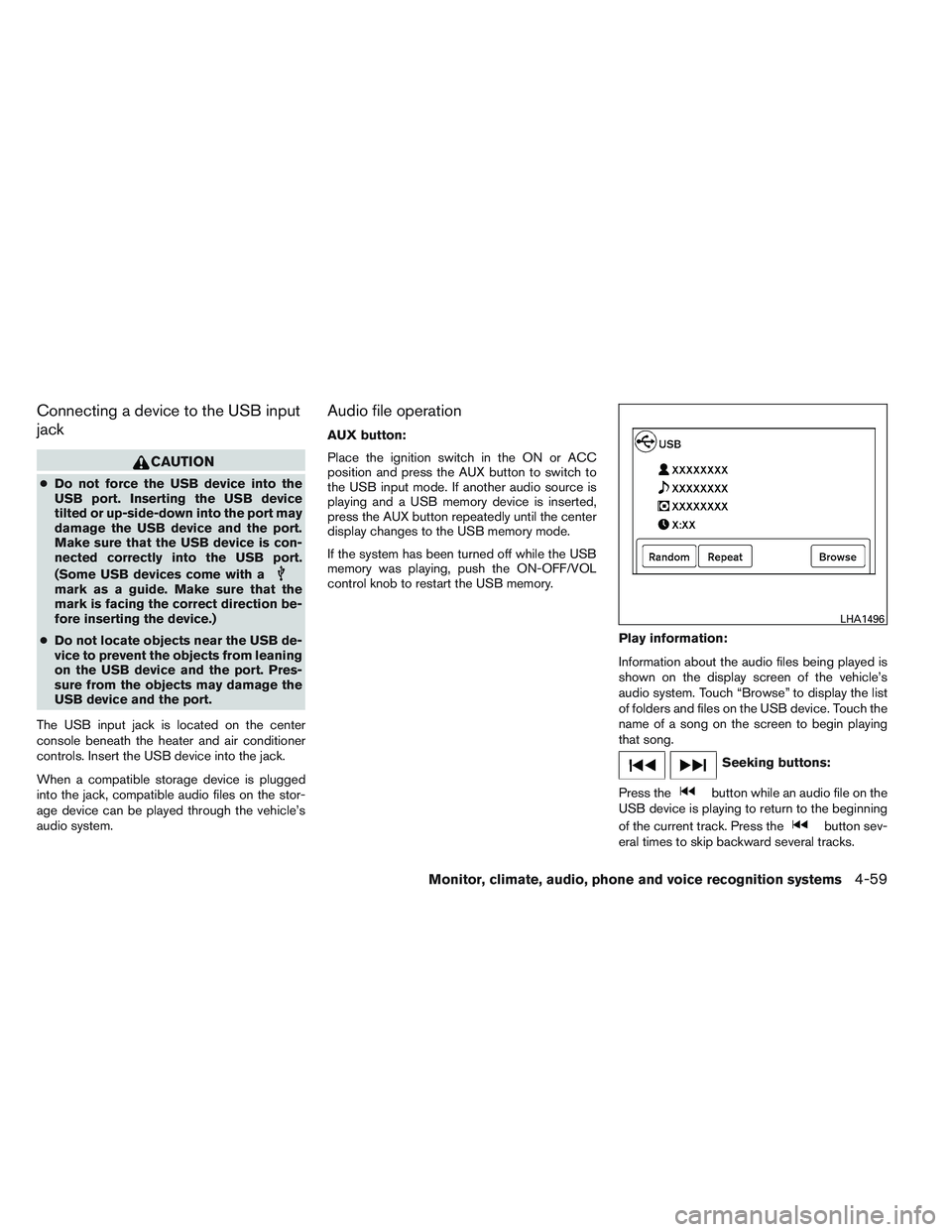
Play information:
Information about the audio files being played is
shown on the display screen of the vehicle’s
audio system. Touch “Browse” to display the list
of folders and files on the USB device. Touch the
name of a song on the screen to begin playing
that song.
Seeking buttons:
Press the
button while an audio file on the
USB device is playing to return to the beginning
of the current track. Press the
button sev-
eral times to skip backward several tracks.
LHA1496
Monitor, climate, audio, phone and voice recognition systems4-59
Page 219 of 413
Press thebutton while an audio file on the
USB device is playing to advance one track.
Press the
button several times to skip for-
ward several tracks. If the last track in a folder on
the USB device is skipped, the first track of the
next folder is played.
Random and repeat play mode:
While files on a USB device are playing, the play
pattern can be altered so that songs are repeated
or played randomly.
Random:
Touch the “Random” key to apply a random play
pattern to the USB device. When the random
mode is active, the
icon is displayed to the
left of the song title or album name to denote
which random pattern is applied. To cancel Ran-
dom mode, touch the “Random” key until
no
icon is displayed.
Repeat:
Touch the “Repeat” key to apply a repeat play
pattern to the USB device. When the repeat
mode is active, the
icon is displayed to the
left of the song title or album name to denote
which repeat pattern is applied. To cancel Repeat
mode, touch the “Repeat” key until no
icon
is displayed.
iPod®* PLAYER OPERATION
WITHOUT NAVIGATION SYSTEM (if
so equipped) Connecting iPod®
CAUTION
●
Do not force the iPod® cable into the
USB port. Inserting the USB device
tilted or up-side-down into the port may
damage the iPod® cable and the port.
Make sure that the iPod® cable is con-
nected correctly into the USB port.
(Some iPod® cables come with a
mark as a guide. Make sure that the
mark is facing the correct direction be-
fore inserting the iPod® cable.)
● Do not locate objects near the iPod®
cable to prevent the objects from lean-
ing on the iPod® cable and the port.
Pressure from the objects may damage
the iPod® cable and the port.
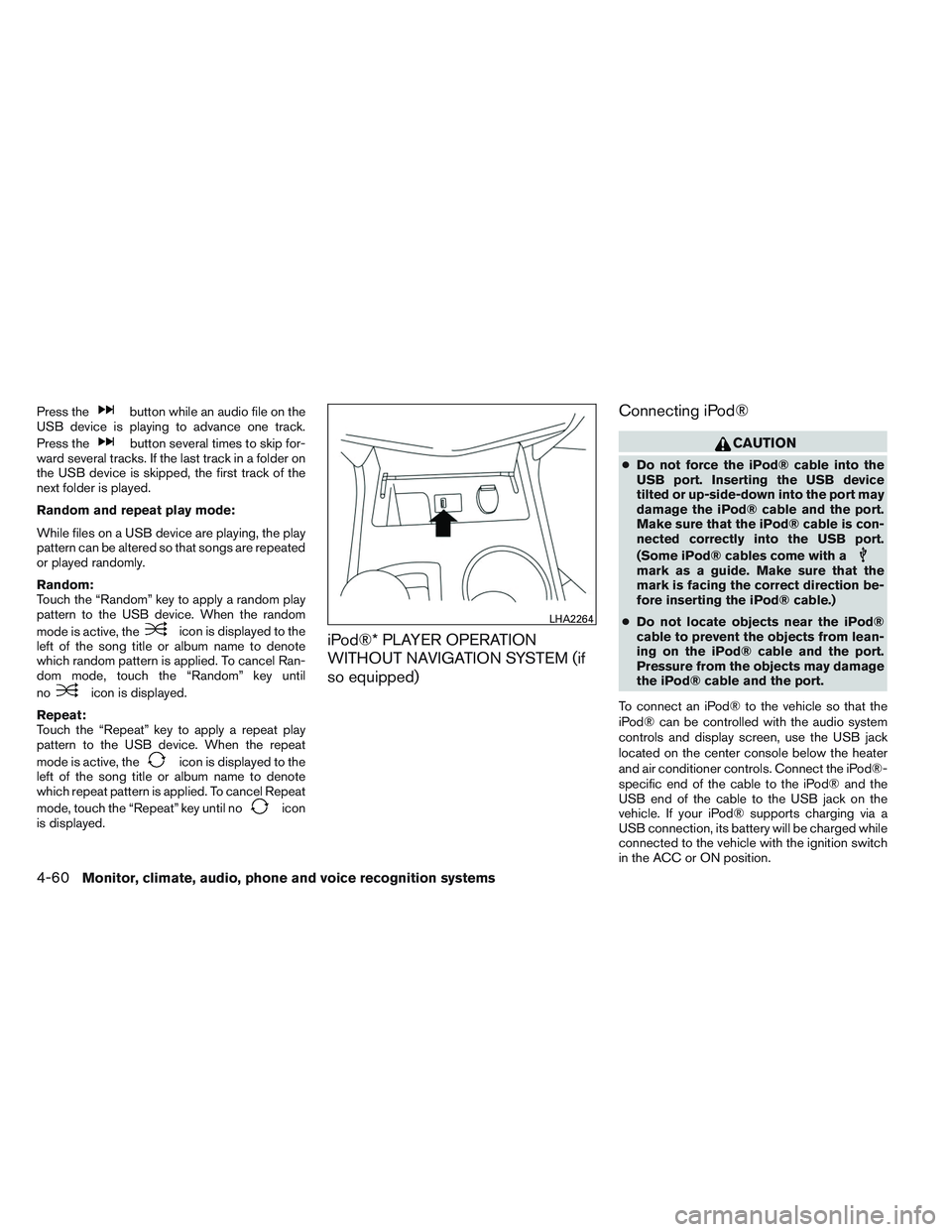
To connect an iPod® to the vehicle so that the
iPod® can be controlled with the audio system
controls and display screen, use the USB jack
located on the center console below the heater
and air conditioner controls. Connect the iPod®-
specific end of the cable to the iPod® and the
USB end of the cable to the USB jack on the
vehicle. If your iPod® supports charging via a
USB connection, its battery will be charged while
connected to the vehicle with the ignition switch
in the ACC or ON position.
LHA2264
4-60Monitor, climate, audio, phone and voice recognition systems
Page 222 of 413
Connecting iPod®
CAUTION
●Do not force the iPod® cable into the
USB port. Inserting the USB device
tilted or up-side-down into the port may
damage the iPod® cable and the port.
Make sure that the iPod® cable is con-
nected correctly into the USB port.
(Some iPod® cables come with a
mark as a guide. Make sure that the
mark is facing the correct direction be-
fore inserting the iPod® cable.)
● Do not locate objects near the iPod®
cable to prevent the objects from lean-
ing on the iPod® cable and the port.
Pressure from the objects may damage
the iPod® cable and the port.
To connect an iPod® to the vehicle so that the
iPod® can be controlled with the audio system
controls and display screen, use the USB jack
located on the center console below the heater
and air conditioner controls. Connect the iPod®-
specific end of the cable to the iPod® and the
USB end of the cable to the USB jack on the
vehicle. If your iPod® supports charging via a
USB connection, its battery will be charged while
connected to the vehicle with the ignition switch
in the ACC or ON position. While connected to the vehicle, the iPod® can
only be operated by the vehicle audio controls.
To disconnect the iPod® from the vehicle, re-
move the USB end of the cable from the USB
jack on the vehicle, then remove the cable from
the iPod®.
* iPod® is a trademark of Apple Inc., registered in
the U.S. and other countries.Compatibility
The following models are compatible:
● iPod® 5th Generation (firmware version
1.2.3 or later)
● iPod® Classic (firmware version 1.1.1 or
later)
● iPod® Touch (firmware version 2.0.0 or
later)*
● iPod® Nano - 1st generation (firmware ver-
sion 1.3.1 or later)
● iPod® Nano - 2nd generation (firmware ver-
sion 1.1.3 or later)
● iPod® Nano - 3rd generation (firmware ver-
sion 1.1.3 or later)
● iPod® Nano - 4th generation (firmware ver-
sion 1.0.4 or later) ●
iPod® Nano - 5th generation (firmware ver-
sion 1.0.1 or later)
* Some features of this iPod® may not be fully
functional.
Make sure that your iPod® firmware is updated to
the version indicated above.
Monitor, climate, audio, phone and voice recognition systems4-63