audio NISSAN ALTIMA SV 2018 Owners Manual
[x] Cancel search | Manufacturer: NISSAN, Model Year: 2018, Model line: ALTIMA SV, Model: NISSAN ALTIMA SV 2018Pages: 467, PDF Size: 5.06 MB
Page 155 of 467
∙ Wetting may damage the IntelligentKey. If the Intelligent Key gets wet, im-
mediately wipe until it is completely
dry.
∙ Do not place the Intelligent Key for an extended period in an area where
temperatures exceed 140°F (60°C).
∙ Do not attach the Intelligent Key with a key holder that contains a magnet.
∙ Do not place the Intelligent Key near equipment that produces a magnetic
field, such as a TV, audio equipment
and personal computers.
If an Intelligent Key is lost or stolen, NISSAN
recommends erasing the ID code of that
Intelligent Key from the vehicle. This may
prevent the unauthorized use of the Intelli-
gent Key to operate the vehicle. For infor-
mation regarding the erasing procedure, it
is recommended that you visit a NISSAN
dealer.
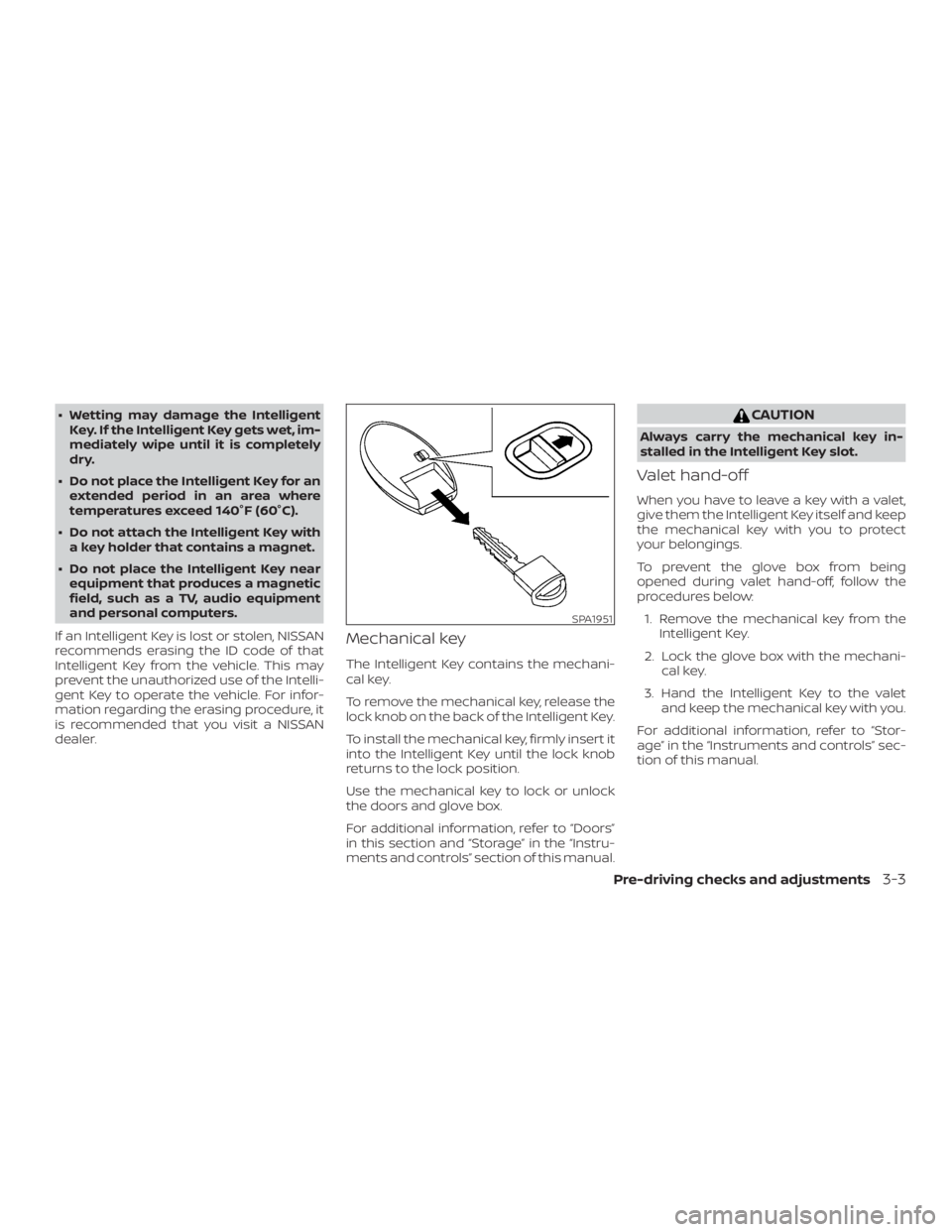
Mechanical key
The Intelligent Key contains the mechani-
cal key.
To remove the mechanical key, release the
lock knob on the back of the Intelligent Key.
To install the mechanical key, firmly insert it
into the Intelligent Key until the lock knob
returns to the lock position.
Use the mechanical key to lock or unlock
the doors and glove box.
For additional information, refer to “Doors”
in this section and “Storage” in the “Instru-
ments and controls” section of this manual.
Page 212 of 467
If possible, do not put cargo over the satel-
lite antenna.
A build up of ice on the satellite radio an-
tenna can affect satellite radio perfor-
mance. Remove the ice to restore satellite
radio reception.
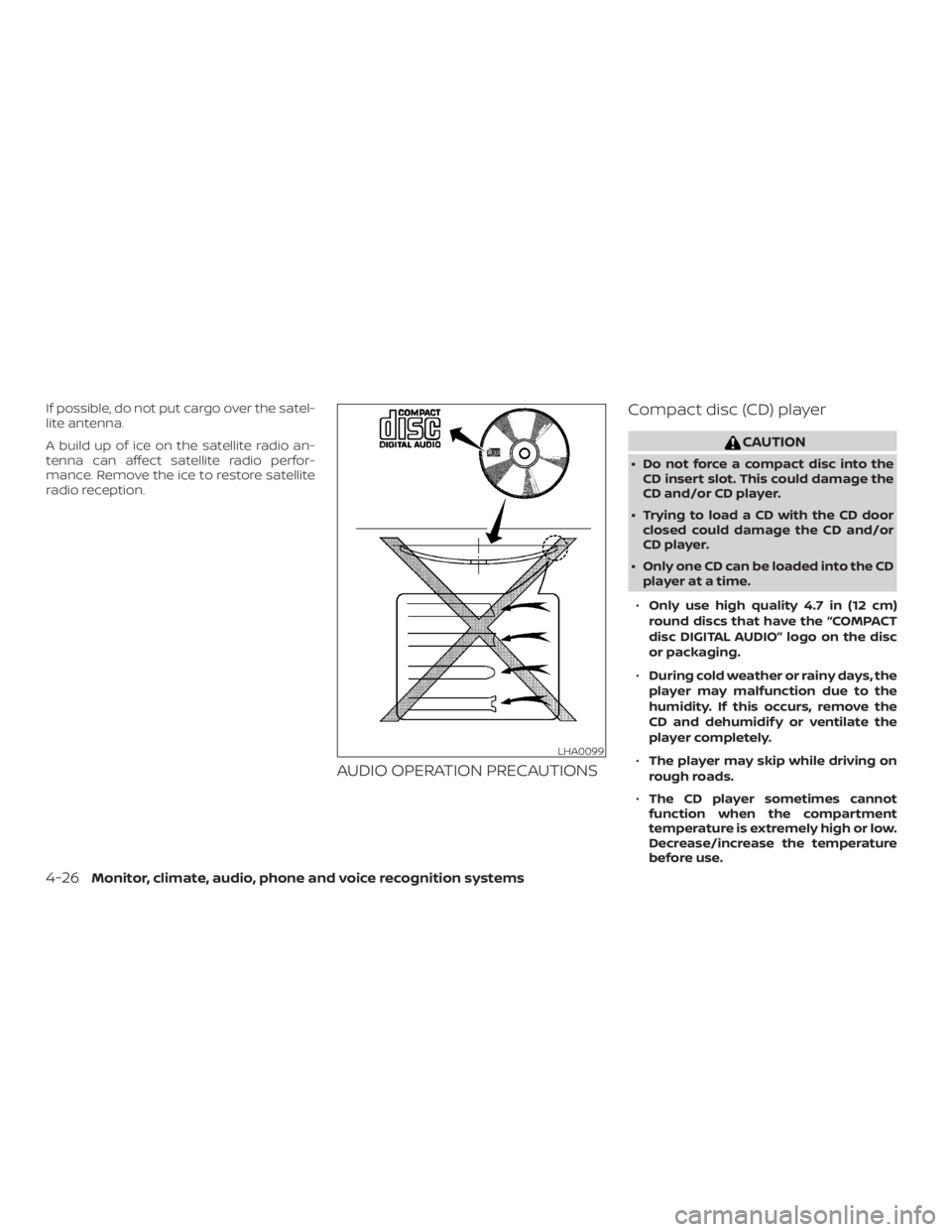
AUDIO OPERATION PRECAUTIONSCompact disc (CD) player
Page 229 of 467
CAUTION
∙ Do not force the USB device into theUSB connection port. Inserting the
USB device tilted or up-side-down
into the port may damage the port.
Make sure that the USB device is con-
nected correctly into the USB connec-
tion port.
∙ Do not grab the USB port cover (if so equipped) when pulling the USB de-
vice out of the port. This could dam-
age the port and the cover.
∙ Do not leave the USB cable in a place where it can be pulled unintentionally.
Pulling the cable may damage the
port.
For additional information, refer to your de-
vice manufacturer’s owner information re-
garding the proper use and care of the
device.
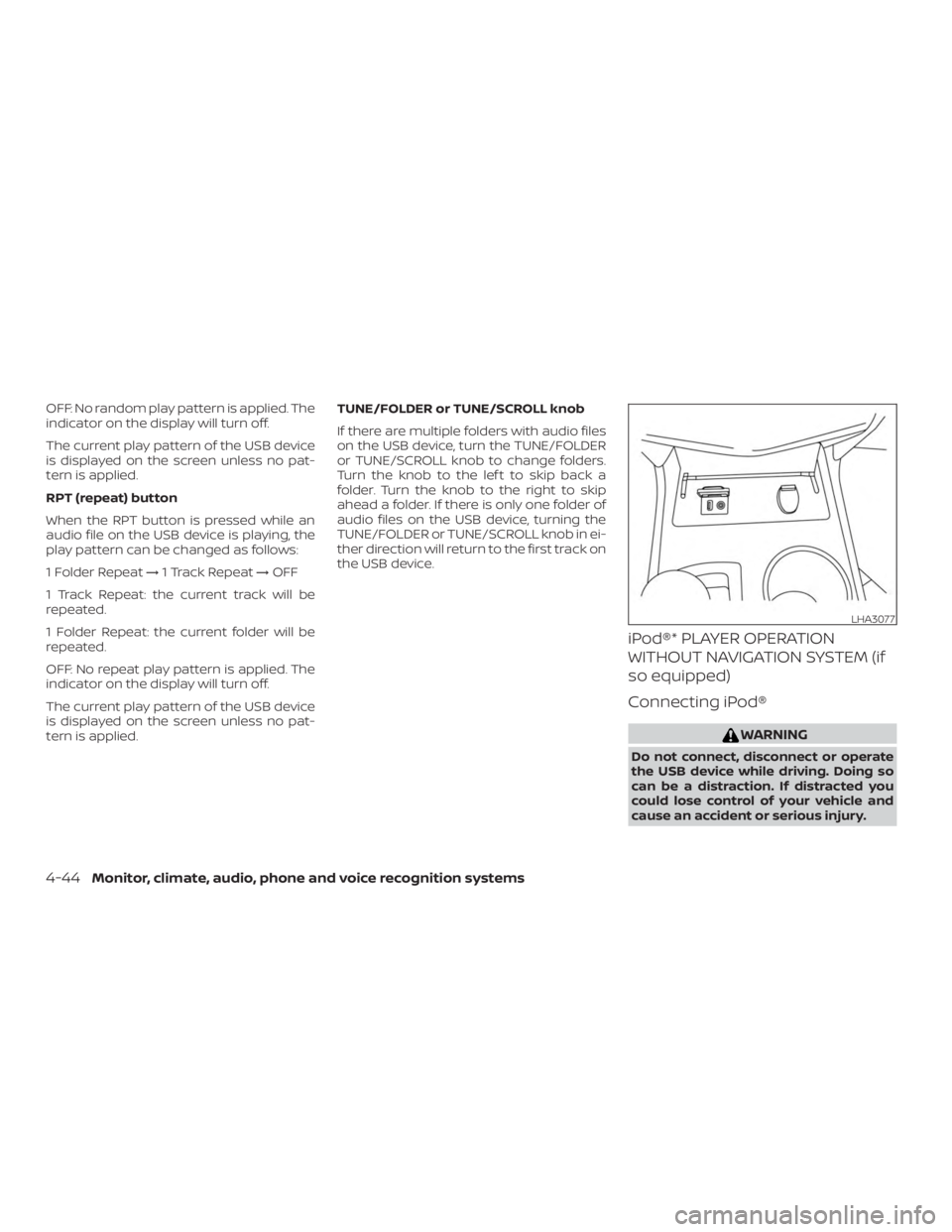
The USB port is located in the center con-
sole. Insert the USB device into the connec-
tion port.
When a compatible storage device is
plugged into the connection port, compat-
ible audio files on the storage device can be
played through the vehicle’s audio system.
Audio file operation
MEDIA button
Place the ignition switch in the ON or ACC
position and press the MEDIA button to
switch to the USB input mode. If a CD is
playing or another audio source is plugged
in through the AUX IN jack, the MEDIA but-
ton toggles between the three sources.
Play information
Information about the audio files being
played can be displayed on the display
screen of the vehicle’s audio system. De-
pending on how the audio files are en-
coded, information such as Folder, Song
and Artist will be displayed.
The track number and number of total
tracks in the folder are displayed on the
screen as well.
Page 230 of 467
OFF: No random play pattern is applied. The
indicator on the display will turn off.
The current play pattern of the USB device
is displayed on the screen unless no pat-
tern is applied.
RPT (repeat) button
When the RPT button is pressed while an
audio file on the USB device is playing, the
play pattern can be changed as follows:
1 Folder Repeat→1 Track Repeat →OFF
1 Track Repeat: the current track will be
repeated.
1 Folder Repeat: the current folder will be
repeated.
OFF: No repeat play pattern is applied. The
indicator on the display will turn off.
The current play pattern of the USB device
is displayed on the screen unless no pat-
tern is applied. TUNE/FOLDER or TUNE/SCROLL knob
If there are multiple folders with audio files
on the USB device, turn the TUNE/FOLDER
or TUNE/SCROLL knob to change folders.
Turn the knob to the lef t to skip back a
folder. Turn the knob to the right to skip
ahead a folder. If there is only one folder of
audio files on the USB device, turning the
TUNE/FOLDER or TUNE/SCROLL knob in ei-
ther direction will return to the first track on
the USB device.
iPod®* PLAYER OPERATION
WITHOUT NAVIGATION SYSTEM (if
so equipped)
Connecting iPod®
Page 231 of 467
CAUTION
∙ Do not force the USB device into theUSB port. Inserting the USB device
tilted or up-side-down into the port
may damage the port. Make sure that
the USB device is connected correctly
into the USB connection port.
∙ Do not grab the USB port cover (if so equipped) when pulling the USB de-
vice out of the port. This could dam-
age the port and the cover.
∙ Do not leave the USB cable in a place where it can be pulled unintentionally.
Pulling the cable may damage the
port.
For additional information, refer to your de-
vice manufacturer’s owner information re-
garding the proper use and care of the
device.
To connect an iPod® to the vehicle so that
the iPod® can be controlled with the audio
system controls and display screen, use
the USB connection port located in the
center console. Connect the iPod®-specific
end of the cable to the iPod® and the USB
end of the cable to the USB connection
port. on the vehicle. If your iPod® supports
charging via a USB connection, its battery will be charged while connected to the ve-
hicle with the ignition switch in the ACC or
ON position.
While connected to the vehicle, the iPod®
can only be operated by the vehicle audio
controls.
To disconnect the iPod® from the vehicle,
remove the USB end of the cable from the
USB connection port. on the vehicle, then
remove the cable from the iPod®.
* iPod® is a trademark of Apple Inc., regis-
tered in the U.S. and other countries.
Compatibility
The following models are compatible:
∙ iPod® Classic - 5th Generation (firmware version 1.3.0 or later)
∙ iPod® Classic - 6th Generation (firm- ware version 2.0.1 or later)
∙ iPod® Classic - 7th Generation (firmware version 2.0.4 or later)
∙ iPod® nano - 1st generation (firmware version 1.3.1 or later)
∙ iPod® nano - 2nd generation (firmware version 1.1.3 or later) ∙ iPod® nano - 3rd generation (firmware
version 1.1.3 or later)
∙ iPod® nano - 4th generation (firmware version 1.0.4 or later)
∙ iPod® nano - 5th generation (firmware version 1.0.2 or later)
∙ iPod® nano - 6th generation (firmware version 1.1 or later)
∙ iPod® Touch - 2nd generation (firmware version 4.2.1 or later)
∙ iPod® Touch - 3rd generation (firmware version 5.1 or later) (minimum iOS 5.0
required for smartphone integration)
∙ iPod® Touch - 4th generation (firmware version 5.1 or later) (minimum iOS 5.0
required for smartphone integration)
∙ iPhone® 3G (firmware version 4.2.1 or later)
∙ iPhone® 3GS (firmware version 5.1 or later) (minimum iOS 5.0 required for
smartphone integration)
∙ iPhone® 4 (firmware version 5.1 or later) (minimum iOS 5.0 required for smart-
phone integration)
Monitor, climate, audio, phone and voice recognition systems4-45
Page 280 of 467
∙ The following conditions may reducethe ability of the radar to detect other
vehicles:
– Severe weather
– Road spray
– Ice/frost/dirt build-up on the vehicle
∙ Do not attach stickers (including transparent material), install accesso-
ries or apply additional paint near the
radar sensors. These conditions may
reduce the ability of the radar to de-
tect other vehicles.
∙ Excessive noise (for example, audio system volume, open vehicle window)
will interfere with the chime sound,
and it may not be heard.
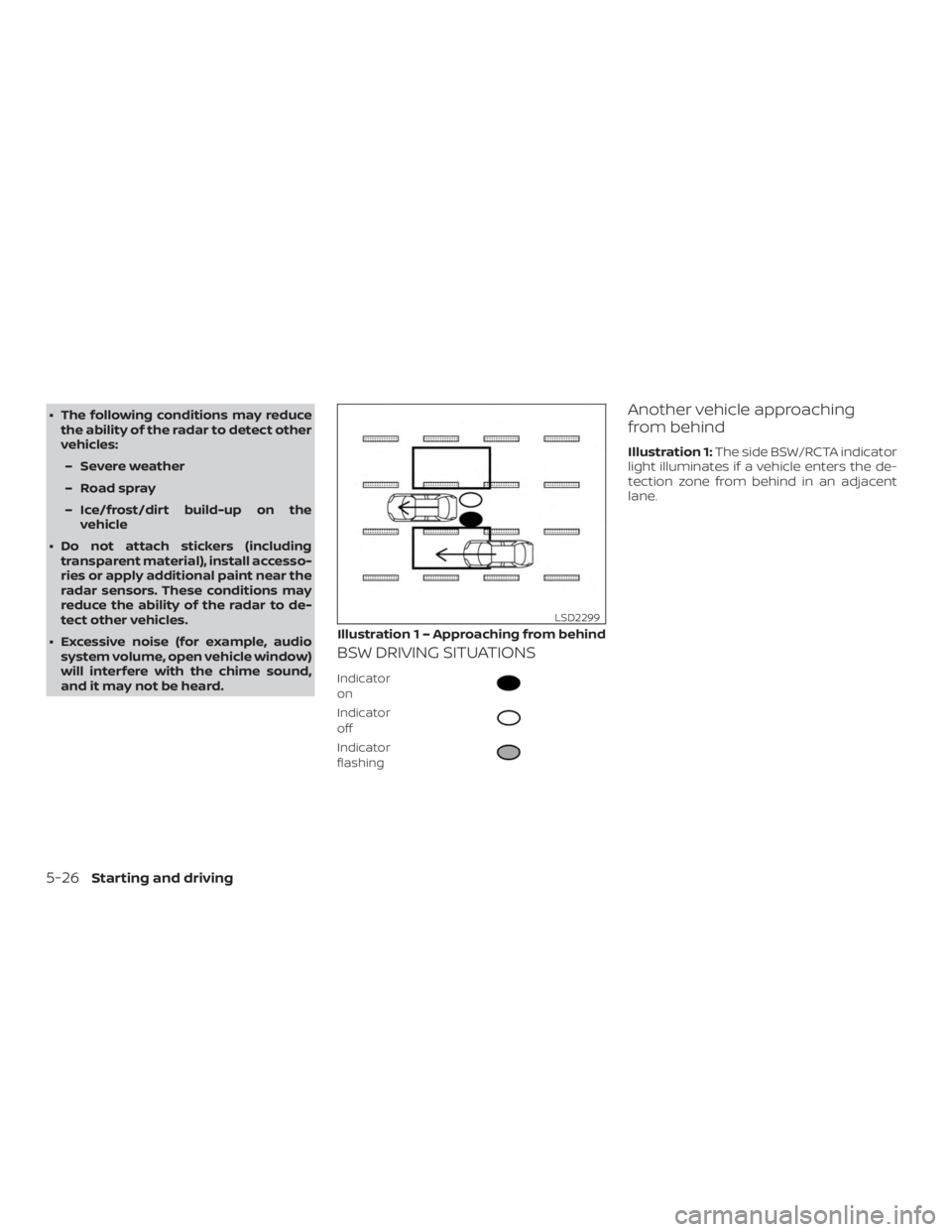
BSW DRIVING SITUATIONS
Indicator
on
Page 291 of 467
WARNING
Listed below are the system limitations
for the RCTA system. Failure to operate
the vehicle in accordance with these
system limitations could result in seri-
ous injury or death.
∙ Always check surroundings and turnto check what is behind you before
backing up. The radar sensors detect
approaching (moving) vehicles. The
radar sensors cannot detect every
object such as:
– Pedestrians, bicycles, motorcycles, animals or child-operated toy
vehicles
– A vehicle that is passing at speeds greater than approximately
19 mph (30 km/h)
– A vehicle that is passing at speeds lower than approximately 5 mph
(8 km/h)
∙ The radar sensors may not detect ap- proaching vehicles in certain
situations:
– Illustration a: When a vehicle parked next to you obstructs the
beam of the radar sensor. – Illustration b: When the vehicle is
parked in an angled parking space.
– Illustration c: When the vehicle is parked on inclined ground.
– Illustration d: When an approach- ing vehicle turns into your vehicle’s
parking lot aisle.
– Illustration e: When the angle formed by your vehicle and ap-
proaching vehicle is small.
∙ The following conditions may reduce the ability of the radar to detect other
vehicles:
– Severe weather
– Road spray
– Ice/frost/dirt build-up on the vehicle
∙ Do not attach stickers (including transparent material), install accesso-
ries or apply additional paint near the
radar sensors. These conditions may
reduce the ability of the radar to de-
tect other vehicles. ∙ Excessive noise (e.g. audio system
volume, open vehicle window) will in-
terfere with the chime sound, and it
may not be heard.
Starting and driving5-37
Page 461 of 467
TransmissionContinuously Variable Transmission (CVT)
fluid......................8-11
Driving with Continuously Variable
Transmission (CVT) ............5-14
Transmission shif t lever lock release . . .5-19
Travel (See registering a vehicle in another
country) .....................10-10
Trip odometer ..................2-4
Trunk access through the rear
seat.................... .1-6, 3-25
Trunklid.....................3-24
Trunk lid lock opener lever ..........3-24
Trunklight....................2-55
Turn signal switch ...............2-39
U
Uniform tire quality grading .........10-17
USBinterface..................4-42 Audio file operation ............4-43
V
Vanitymirror..................3-30
Variable voltage control system ......8-16
Vehicle dimensions and weights ......10-9
Vehicle Dynamic Control (VDC) OFF
switch......................2-42
Vehicle dynamic control (VDC) system . .5-83
Vehicle Dynamic Control (VDC) system . .5-83
Vehicle identification .............10-10
Vehicle identification number (VIN) . . . .10-10Vehicle identification number (VIN)
(Chassis number)
...............10-10
Vehicle identification number (VIN)
plate.......................10-10
Vehicle immobilizer system ......2-32,5-12
Vehicle loading information ........10-13
Vehiclerecovery................6-14
Vehicle security system ............2-31
Vehicle security system (NISSAN Vehicle
Immobilizer System), engine start . .2-32, 5-12
Ventilators ....................4-11
Visors ......................3-29
Voice Prompt Interrupt ............4-57
W
Warning Airbagwarninglight........1-62, 2-15
Anti-lock brake warning light ......2-11
Battery charge warning light ......2-12
Brakewarninglight ............2-11
Hazard warning flasher switch ......6-2
Loose fuel cap warning .........2-28
Lowfuelwarninglight.......2-14,2-28
Lowtirepressurewarninglight.....2-12
Low windshield-washer fluid warning
light......................2-29
Passenger air bag and status light . . .1-53
Seatbeltwarninglight.......1-14, 2-15
Supplemental air bag warning
light.................. .1-62, 2-15
TPMS......................2-4
Vehicle security system ..........2-31
Warning/indicator lights and audible
reminders ...............2-15,3-17 Warning labels (for SRS)
..........1-61
Warning/indicator lights and audible
reminders .................2-15,3-17
Audible reminders ..........2-15,3-17
Indicatorlights............2-15, 3-17
Warninglights ............2-15,3-17
Warninglights ..............2-15, 3-17
Warning lights, indicator lights and audible
reminders ....................2-10
Weights (See dimensions and weights) . .10-9
Wheels and tires ................8-31
Wheel/tire size .................10-9
When traveling or registering in another
country .....................10-10
Windows ................... .2-49
Locking passengers' windows .....2-51
Powerrearwindows ...........2-51
Powerwindows..............2-49
Rearpowerwindows.......... .2-51
Windshield-washer fluid ...........8-13
Windshield wiper blades ...........8-19
Wiper Wiper blades ................8-19
Wiper and washer switch ..........2-34
11-7