center console NISSAN ARMADA 2005 1.G Owners Manual
[x] Cancel search | Manufacturer: NISSAN, Model Year: 2005, Model line: ARMADA, Model: NISSAN ARMADA 2005 1.GPages: 352, PDF Size: 6.46 MB
Page 28 of 352
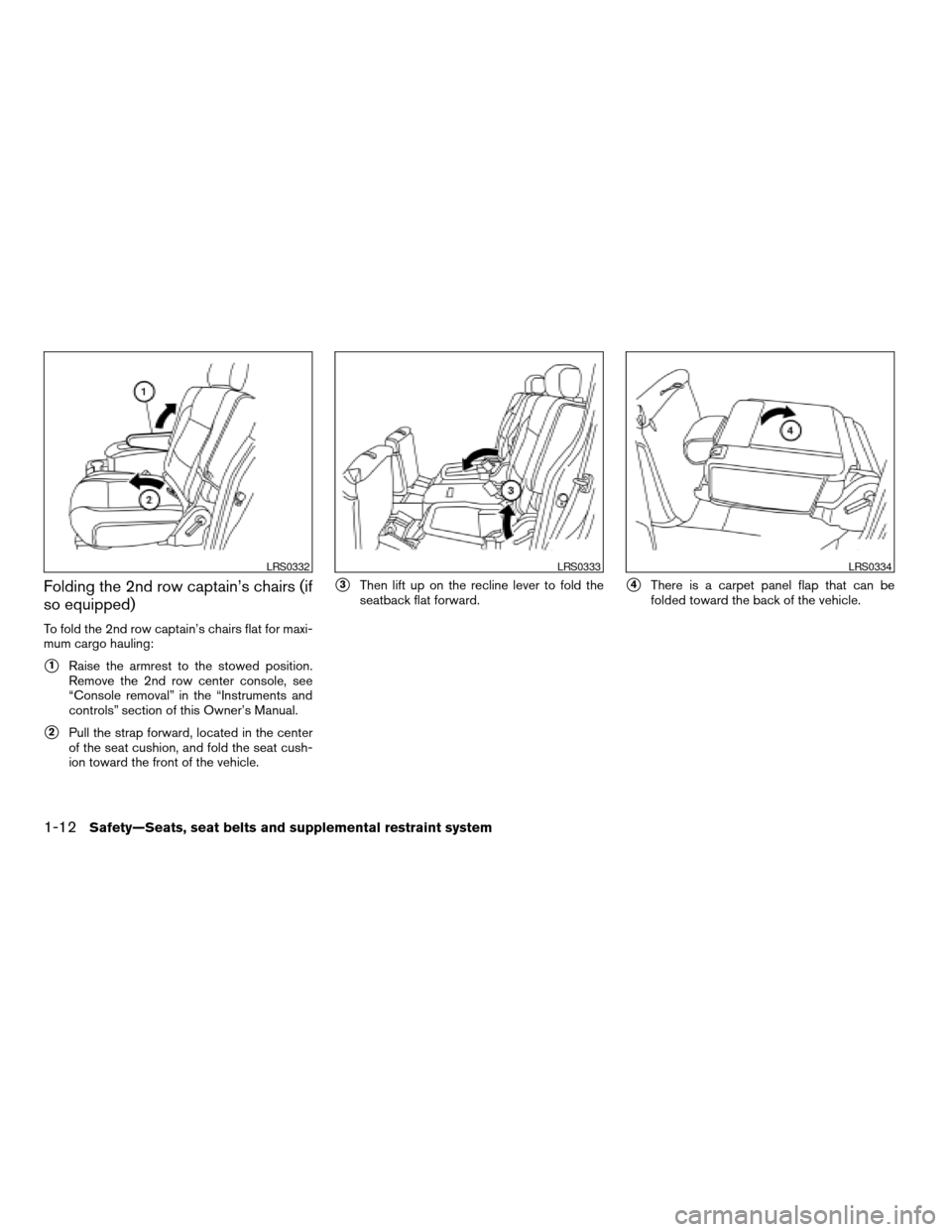
Folding the 2nd row captain’s chairs (if
so equipped)
To fold the 2nd row captain’s chairs flat for maxi-
mum cargo hauling:
s1Raise the armrest to the stowed position.
Remove the 2nd row center console, see
“Console removal” in the “Instruments and
controls” section of this Owner’s Manual.
s2Pull the strap forward, located in the center
of the seat cushion, and fold the seat cush-
ion toward the front of the vehicle.
s3Then lift up on the recline lever to fold the
seatback flat forward.s4There is a carpet panel flap that can be
folded toward the back of the vehicle.
LRS0332LRS0333LRS0334
1-12Safety—Seats, seat belts and supplemental restraint system
ZREVIEW COPYÐ2005 Armada(wzw)
Owners ManualÐUSA_English(nna)
11/18/04Ðtbrooks
X
Page 91 of 352

Overhead console.............................2-37
Cup holders..................................2-38
2nd row center console (if so equipped).........2-40
Cargo area storage bin.........................2-41
Luggage hooks................................2-42
Cargo net....................................2-43
Roof rack.....................................2-44
Windows........................................2-45
Power windows...............................2-45
Power vent windows (if so equipped)............2-47
Manual vent windows (if so equipped)...........2-48
Sunroof (if so equipped)...........................2-48
Automatic sunroof.............................2-48
Interior light......................................2-50Console light..................................2-51
Personal lights...................................2-51
Map lights.......................................2-51
Cargo light......................................2-52
HomeLinkTuniversal transceiver...................2-52
Programming HomeLinkT.......................2-53
Programming HomeLinkTfor Canadian
customers....................................2-54
Operating the HomeLinkTuniversal
transceiver....................................2-55
Programming trouble-diagnosis.................2-55
Clearing the programmed information............2-55
Reprogramming a single HomeLinkTbutton......2-55
If your vehicle is stolen.........................2-55
ZREVIEW COPYÐ2005 Armada(wzw)
Owners ManualÐUSA_English(nna)
11/18/04Ðtbrooks
X
Page 124 of 352
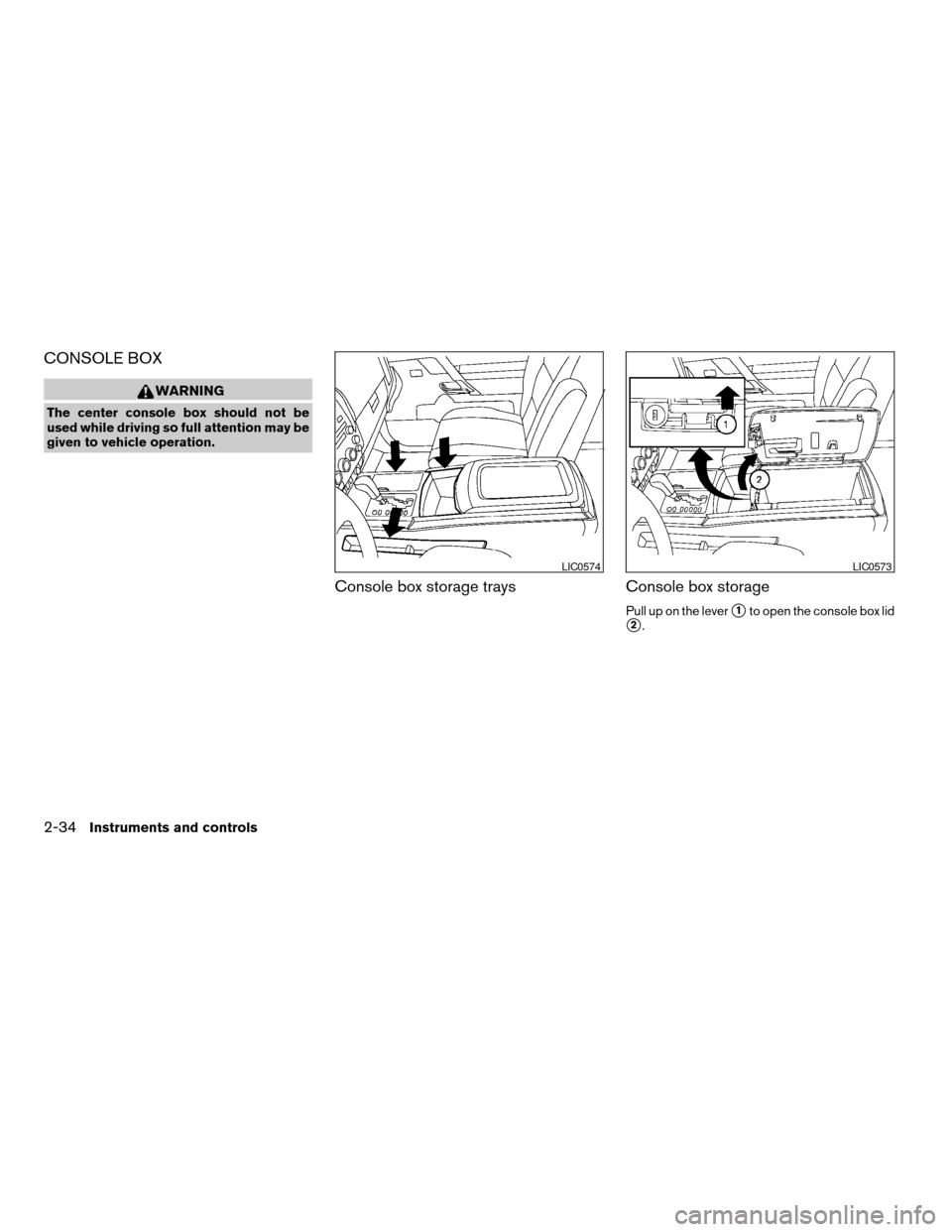
CONSOLE BOX
WARNING
The center console box should not be
used while driving so full attention may be
given to vehicle operation.
Console box storage trays Console box storage
Pull up on the levers1to open the console box lid
s2.
LIC0574LIC0573
2-34Instruments and controls
ZREVIEW COPYÐ2005 Armada(wzw)
Owners ManualÐUSA_English(nna)
11/18/04Ðtbrooks
X
Page 130 of 352
CAUTION
cDo not use bottle holder for any other
objects that could be thrown about in
the vehicle and possibly injure people
during sudden braking or an accident.
cDo not use bottle holder for open liquid
containers.
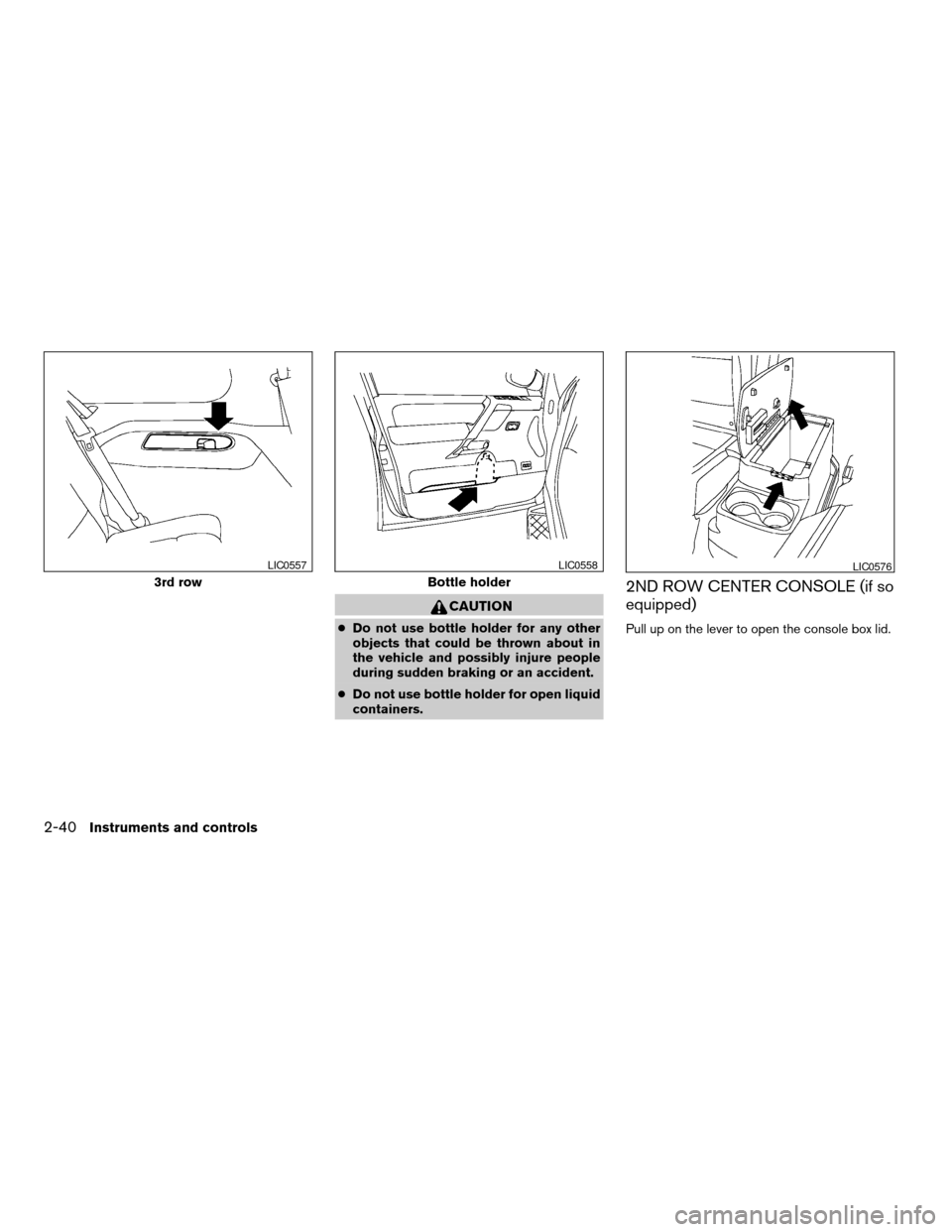
2ND ROW CENTER CONSOLE (if so
equipped)
Pull up on the lever to open the console box lid.
3rd row
LIC0557
Bottle holder
LIC0558LIC0576
2-40Instruments and controls
ZREVIEW COPYÐ2005 Armada(wzw)
Owners ManualÐUSA_English(nna)
11/18/04Ðtbrooks
X
Page 131 of 352

Removing the 2nd row center console
box
To remove the 2nd row center console box:
s1Lift out the cup holder tray.
s2Pull up on the handle to tilt the console box
up.
s3Move the console box toward the front of the
vehicle and lift it out.To reinstall the 2nd row center console box:
1. Slide the console box over the base toward
the rear of the vehicle.
2. Push down to lock the console box in place.
3. Replace the cup holder tray.
CARGO AREA STORAGE BIN
To open the cargo area storage bin, pull down on
the tab and pull the lid off.
LIC0577LIC0571
Instruments and controls2-41
ZREVIEW COPYÐ2005 Armada(wzw)
Owners ManualÐUSA_English(nna)
11/18/04Ðtbrooks
X