check engine light NISSAN ARMADA 2007 1.G Owner's Guide
[x] Cancel search | Manufacturer: NISSAN, Model Year: 2007, Model line: ARMADA, Model: NISSAN ARMADA 2007 1.GPages: 344, PDF Size: 5.35 MB
Page 329 of 344

cBe careful when passing other vehicles.
Passing while towing a trailer requires con-
siderably more distance than normal pass-
ing. Remember, the length of the trailer must
also pass the other vehicle before you can
safely change lanes.
cDown shift the transmission to a lower gear
for engine braking when driving down steep
or long hills. This will help slow the vehicle
without applying the brakes.
cTo maintain engine braking efficiency and
electrical charging performance, do not use
overdrive.
cAvoid holding the brake pedal down too long
or too frequently. This could cause the
brakes to overheat, resulting in reduced
braking efficiency.
cIncrease your following distance to allow for
greater stopping distances while towing a
trailer. Anticipate stops and brake gradually
cDo not use cruise control while towing a
trailer.
cSome states or provinces have specific
regulations and speed limits for vehicles that
are towing trailers. Obey the local speed
limits.cCheck your hitch, trailer wiring harness con-
nections, and trailer wheel lug nuts after 50
miles (80 km) of travel and at every break.
cWhen stopped in traffic for long periods of
time in hot weather, put the vehicle in the P
(Park) position.
cWhen launching a boat, don’t allow the wa-
ter level to go over the exhaust tail pipe or
rear bumper.
cMake sure you disconnect the trailer lights
before backing the trailer into the water or
the trailer lights may burn out.
When towing a trailer, final drive gear oil
should be replaced and transmission
oil/fluid should be changed more fre-
quently. For additional information, see the
“Maintenance and do-it-yourself” section
earlier in this manual.
Tow mode
Tow mode should be used when pulling a heavy
trailer or hauling a heavy load. Press the tow
button to activate the tow mode. The tow indica-
tor in the instrument panel illuminates when the
tow mode is selected. Press the Tow button
again to turn the tow mode OFF. The Tow mode is
automatically cancelled when the key is turned
OFF.The Tow mode does the following:
cReduces transmissions shifts when pulling a
trailer or hauling a load.
cProvides similar shift feel to driver when the
vehicle is towing.
The Tow mode should be used when the vehicle
and trailer weight is at least 75% of the vehicle’s
GCWR. Tow mode is most useful in the following
driving conditions when towing a heavy trailer or
hauling a heavy load:
cRolling terrain.
cStop and go traffic.
cBusy parking lots.
Driving the vehicle in the Tow mode with no
trailer/load or light trailer/light load will not cause
any damage. However, fuel economy may be
reduced and the transmission/engine driving
characteristics may feel unusual.
When towing a trailer, final drive gear oil
should be replaced and transmission
oil/fluid should be changed more fre-
quently. For additional information, see the
“Maintenance and do-it-yourself” section
earlier in this manual.
Technical and consumer information9-27
ZREVIEW COPYÐ2007 Armada(wzw)
Owners ManualÐUSA_English(nna)
07/08/06Ðtbrooks
X
Page 332 of 344
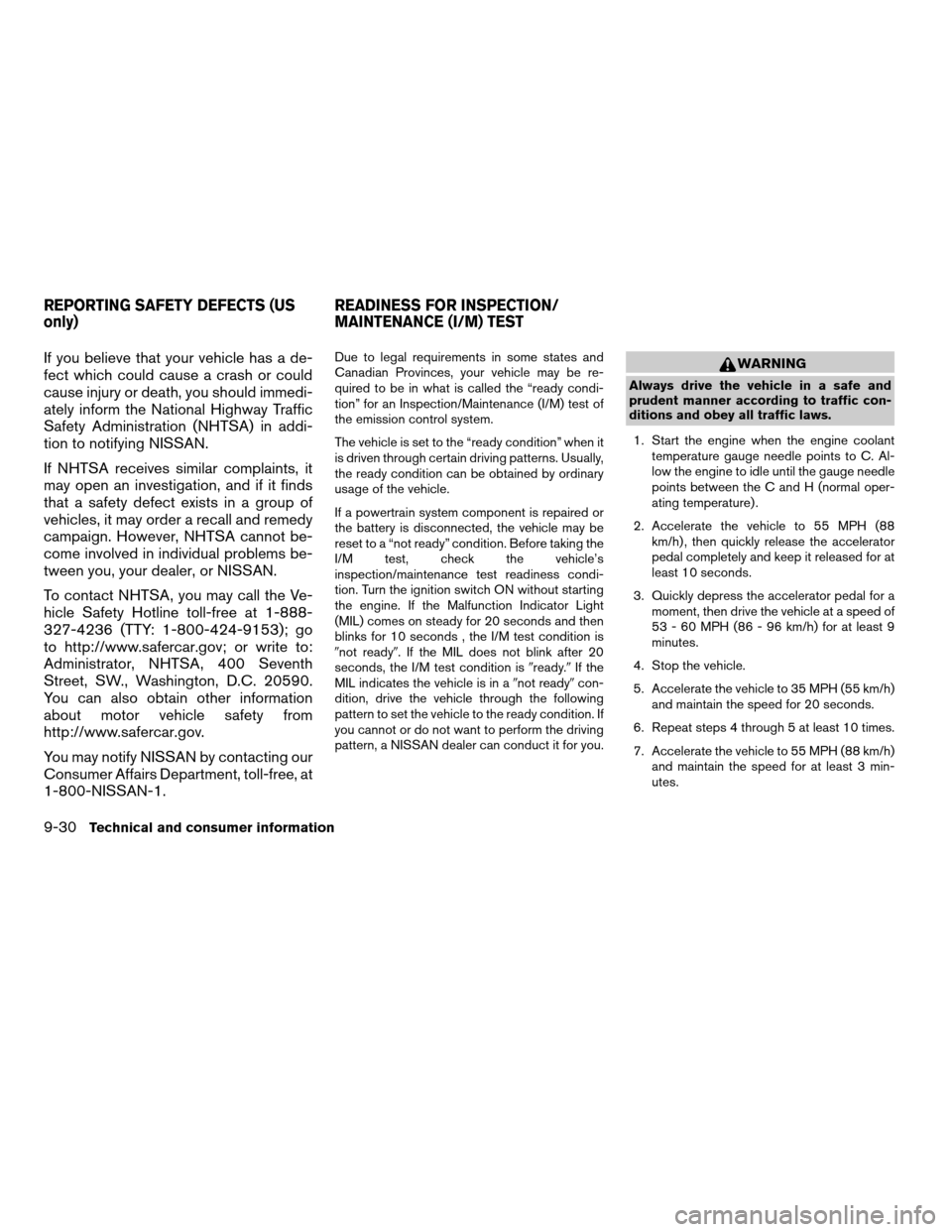
If you believe that your vehicle has a de-
fect which could cause a crash or could
cause injury or death, you should immedi-
ately inform the National Highway Traffic
Safety Administration (NHTSA) in addi-
tion to notifying NISSAN.
If NHTSA receives similar complaints, it
may open an investigation, and if it finds
that a safety defect exists in a group of
vehicles, it may order a recall and remedy
campaign. However, NHTSA cannot be-
come involved in individual problems be-
tween you, your dealer, or NISSAN.
To contact NHTSA, you may call the Ve-
hicle Safety Hotline toll-free at 1-888-
327-4236 (TTY: 1-800-424-9153); go
to http://www.safercar.gov; or write to:
Administrator, NHTSA, 400 Seventh
Street, SW., Washington, D.C. 20590.
You can also obtain other information
about motor vehicle safety from
http://www.safercar.gov.
You may notify NISSAN by contacting our
Consumer Affairs Department, toll-free, at
1-800-NISSAN-1.Due to legal requirements in some states and
Canadian Provinces, your vehicle may be re-
quired to be in what is called the “ready condi-
tion” for an Inspection/Maintenance (I/M) test of
the emission control system.
The vehicle is set to the “ready condition” when it
is driven through certain driving patterns. Usually,
the ready condition can be obtained by ordinary
usage of the vehicle.
If a powertrain system component is repaired or
the battery is disconnected, the vehicle may be
reset to a “not ready” condition. Before taking the
I/M test, check the vehicle’s
inspection/maintenance test readiness condi-
tion. Turn the ignition switch ON without starting
the engine. If the Malfunction Indicator Light
(MIL) comes on steady for 20 seconds and then
blinks for 10 seconds , the I/M test condition is
9not ready9. If the MIL does not blink after 20
seconds, the I/M test condition is9ready.9If the
MIL indicates the vehicle is in a9not ready9con-
dition, drive the vehicle through the following
pattern to set the vehicle to the ready condition. If
you cannot or do not want to perform the driving
pattern, a NISSAN dealer can conduct it for you.WARNING
Always drive the vehicle in a safe and
prudent manner according to traffic con-
ditions and obey all traffic laws.
1. Start the engine when the engine coolant
temperature gauge needle points to C. Al-
low the engine to idle until the gauge needle
points between the C and H (normal oper-
ating temperature) .
2. Accelerate the vehicle to 55 MPH (88
km/h) , then quickly release the accelerator
pedal completely and keep it released for at
least 10 seconds.
3. Quickly depress the accelerator pedal for a
moment, then drive the vehicle at a speed of
53 - 60 MPH (86 - 96 km/h) for at least 9
minutes.
4. Stop the vehicle.
5. Accelerate the vehicle to 35 MPH (55 km/h)
and maintain the speed for 20 seconds.
6. Repeat steps 4 through 5 at least 10 times.
7. Accelerate the vehicle to 55 MPH (88 km/h)
and maintain the speed for at least 3 min-
utes.
REPORTING SAFETY DEFECTS (US
only)READINESS FOR INSPECTION/
MAINTENANCE (I/M) TEST
9-30Technical and consumer information
ZREVIEW COPYÐ2007 Armada(wzw)
Owners ManualÐUSA_English(nna)
07/08/06Ðtbrooks
X
Page 335 of 344

10 Index
4WD warning light...............2-15
A
Active head restraint...............1-9
Adjusting pedal position............3-16
Air bag (See supplemental restraint
system).....................1-47
Air bag system
Front (See supplemental front impact
air bag system)...............1-54
Air bag warning labels.............1-62
Air bag warning light...........1-62, 2-17
Air cleaner housing filter............8-17
Air conditioner
Air conditioner service...........4-20
Air conditioner specification label.....9-12
Air conditioner system refrigerant and oil
recommendations..............9-7
Heater and air conditioner controls. . . .4-17
Rear seat air conditioner..........4-20
Servicing air conditioner..........4-20
Alarm system
(See vehicle security system).........2-20
Anchor point locations.............1-30
Antenna.....................4-38
Anti-lock brake warning light..........2-13
Anti-lock braking system (ABS)........5-27
Audible reminders................2-20
Audio system..................4-21
Compact Disc (CD) changer.......4-33FM/AM/SAT radio with compact disc
(CD) changer................4-29
Radio....................4-21
Rear audio controls.............4-38
Steering wheel audio control switch. . . .4-36
Autolight switch.................2-25
Automatic
Automatic drive positioner.........3-20
Automatic power window switch.....2-45
Automatic transmission position
indicator light................2-17
Driving with automatic
transmission.............5-10, 5-11
Transmission selector lever lock
release....................5-14
Automatic anti-glare inside mirror.......3-18
Automatic transmission fluid temperature
gauge.......................2-7
AUX jack.....................4-35
B
Back button....................4-3
Battery......................8-13
Charge warning light............2-14
Before starting the engine............5-9
Belts (See drive belts).............8-15
Booster seats..................1-42
Brake
Anti-lock braking system (ABS)......5-27
Brake fluid..................8-12Brake light (See stop light).........8-27
Brake system................5-26
Brake warning light.............2-13
Brake wear indicators........2-20, 8-21
Parking brake operation..........5-15
Self-adjusting brakes............8-21
Brakes......................8-21
Break-in schedule................5-17
Brightness control
Instrument panel..............2-27
Brightness/contrast button...........4-13
Bulb check/instrument panel..........2-13
Bulb replacement................8-27
C
Capacities and recommended
fuel/lubricants...................9-2
Captain’s chair adjustment (2nd row)......1-5
Car phone or CB radio.............4-49
Cargo light...................2-51
Cargo (See vehicle loading information) . . .9-13
CD care and cleaning.............4-35
CD changer (See audio system)........4-33
Child restraint with top tether strap......1-30
Child restraints.......1-17, 1-18, 1-25, 1-27
Precautions on child
restraints............1-25, 1-36, 1-42
Top tether strap anchor point locations . .1-30
Child safety rear door lock............3-5
Chimes, audible reminders...........2-20
ZREVIEW COPYÐ2007 Armada(wzw)
Owners ManualÐUSA_English(nna)
07/08/06Ðtbrooks
X
Page 336 of 344

Cigarette lighter.................2-32
Cleaning exterior and interior..........7-2
Clock......................4-30
(models with navigation system)......4-12
Clock set....................4-12
C.M.V.S.S. certification label..........9-11
Cold weather driving..............5-30
Compass display.................2-8
Console box...............2-33, 2-40
Control panel buttons..............4-2
Brightness/contrast button.........4-13
Back button..................4-3
Enter button..................4-2
Setting button................4-7
Startup screen................4-3
Trip button..................4-3
Controls
Audio controls
(steering wheel)...............4-36
Heater and air conditioner controls. . . .4-17
Rear audio controls.............4-38
Rear seat air conditioner..........4-20
Coolant
Capacities and recommended
fuel/lubricants.................9-2
Changing engine coolant..........8-8
Checking engine coolant level........8-7
Engine coolant temperature gauge.....2-5
Corrosion protection...............7-5
Cruise control..................5-15
Cup holders...................2-37
Curtain side-impact and rollover air bag . . .1-59D
Daytime running light system
(Canada only)..................2-26
Defroster switch
Rear window and outside mirror
defroster switch...............2-24
Digital video disc DVD.............4-39
Dimensions and weights.............9-9
Dimmer switch for instrument panel......2-27
Display controls (see control panel buttons) . .4-2
Distance to empty................4-4
Door locks....................3-3
Door open warning light............2-14
Drive belts....................8-15
Drive positioner, Automatic...........3-20
Driving
Cold weather driving............5-30
Driving with automatic
transmission.............5-10, 5-11
Precautions when starting and driving . . .5-2
E
Economy - fuel.................5-17
Emission control information label.......9-11
Emission control system warranty.......9-29
Engine
Before starting the engine..........5-9
Capacities and recommended
fuel/lubricants.................9-2
Changing engine coolant..........8-8
Changing engine oil.............8-9
Changing engine oil filter..........8-10Checking engine coolant level........8-7
Checking engine oil level..........8-8
Engine compartment check locations. . . .8-6
Engine coolant temperature gauge.....2-5
Engine cooling system............8-7
Engine oil...................8-8
Engine oil and oil filter recommendation . .9-6
Engine oil viscosity..............9-6
Engine serial number............9-11
Engine specifications.............9-8
Starting the engine.............5-10
Engine oil pressure gauge............2-6
Engine oil pressure low/engine coolant
temperature high warning light.........2-14
English/metric setting..............4-11
Enter button....................4-2
Event data recorders..............9-31
Exhaust gas (Carbon monoxide)........5-2
Eyeglass case..................2-35
F
Flashers
(See hazard warning flasher switch)......2-28
Flat tire......................6-2
Floor mat positioning aid.............7-4
Fluid
Brake fluid..................8-12
Capacities and recommended
fuel/lubricants.................9-2
Engine coolant................8-7
Engine oil...................8-8
Power steering fluid.............8-11
Window washer fluid............8-12
F.M.V.S.S. certification label..........9-11
10-2
ZREVIEW COPYÐ2007 Armada(wzw)
Owners ManualÐUSA_English(nna)
07/08/06Ðtbrooks
X
Page 338 of 344

Light
Air bag warning light.........1-62, 2-17
Brake light (See stop light).........8-27
Bulb check/instrument panel........2-13
Bulb replacement..............8-27
Charge warning light............2-14
Fog light switch...............2-28
Headlight and turn signal switch......2-24
Headlight control switch..........2-24
Interior light.................2-49
Light bulbs..................8-25
Low tire pressure warning light......2-15
Low washer fluid warning light.......2-16
Passenger air bag and status light.....1-56
Personal lights...............2-50
Security indicator light...........2-19
Warning/indicator lights and audible
reminders..................2-12
Lights
Map lights..................2-50
Lock
Child safety rear door lock..........3-5
Door locks..................3-3
Lift gate release...............3-13
Power door locks...............3-4
Low fuel warning light.............2-15
Low tire pressure warning light........2-15
Low washer fluid warning light.........2-16
Luggage hook..................2-41
Luggage rack (see roof rack).........2-43
Luggage (See vehicle loading information) . .9-13
Luggage storage
(see vehicle loading information)........2-41M
Maintenance
Changing the maintenance interval.....4-5
Displaying the maintenance notice
reminder....................4-6
General maintenance............8-2
Inside the vehicle...............8-3
Maintenance precautions..........8-5
Outside the vehicle..............8-2
Resetting the maintenance interval.....4-5
Seat belt maintenance...........1-25
Setting....................4-5
Under the hood and vehicle.........8-4
Malfunction indicator light...........2-18
Manual front seat adjustment..........1-2
Manual vent windows..............2-47
Map lights....................2-50
Map pocket...................2-36
Meters and gauges................2-3
Instrument brightness control.......2-27
Mirror
Automatic anti-glare inside mirror.....3-18
Outside mirror control...........3-19
Outside mirrors...............3-19
Vanity mirror.................3-18
N
NISSAN mobile entertainment system
(MES)......................4-39
NISSAN vehicle immobilizer
system................2-21, 3-2, 5-9O
Octane rating (See fuel octane rating).....9-4
Odometer.....................2-4
Oil
Capacities and recommended
fuel/lubricants.................9-2
Changing engine oil.............8-9
Changing engine oil filter..........8-10
Checking engine oil level..........8-8
Engine oil...................8-8
Engine oil and oil filter recommendation . .9-6
Engine oil pressure low/engine coolant
temperature high warning light.......2-14
Engine oil viscosity..............9-6
Outside mirror control.............3-19
Outside mirrors.................3-19
Overheat
If your vehicle overheats..........6-10
Owner’s manual order form..........9-31
Owner’s manual/service manual order
information....................9-31
P
Parking
Parking brake operation..........5-15
Parking/parking on hills...........5-25
Pedal position adjustment...........3-16
Personal lights.................2-50
Power
Power door locks...............3-4
Power outlet.................2-31
Power rear windows............2-45
10-4
ZREVIEW COPYÐ2007 Armada(wzw)
Owners ManualÐUSA_English(nna)
07/08/06Ðtbrooks
X