warning NISSAN ARMADA 2009 Repair Manual
[x] Cancel search | Manufacturer: NISSAN, Model Year: 2009, Model line: ARMADA, Model: NISSAN ARMADA 2009Pages: 465, PDF Size: 6.33 MB
Page 103 of 465
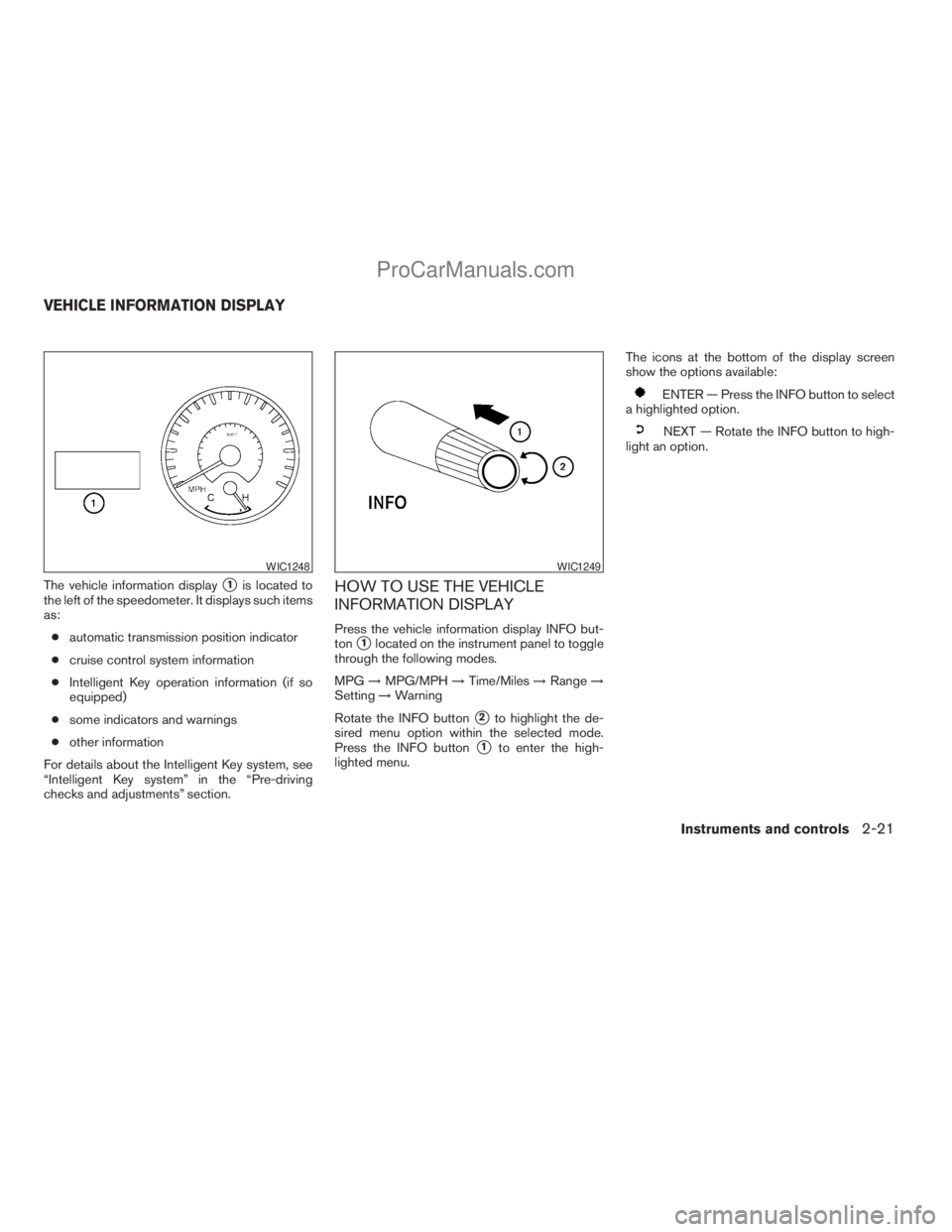
The vehicle information displays1is located to
the left of the speedometer. It displays such items
as:
cautomatic transmission position indicator
ccruise control system information
cIntelligent Key operation information (if so
equipped)
csome indicators and warnings
cother information
For details about the Intelligent Key system, see
“Intelligent Key system” in the “Pre-driving
checks and adjustments” section.HOW TO USE THE VEHICLE
INFORMATION DISPLAY
Press the vehicle information display INFO but-
ton
s1located on the instrument panel to toggle
through the following modes.
MPG!MPG/MPH!Time/Miles!Range!
Setting!Warning
Rotate the INFO button
s2to highlight the de-
sired menu option within the selected mode.
Press the INFO button
s1to enter the high-
lighted menu.The icons at the bottom of the display screen
show the options available:
ENTER — Press the INFO button to select
a highlighted option.
NEXT — Rotate the INFO button to high-
light an option.
WIC1248WIC1249
VEHICLE INFORMATION DISPLAY
Instruments and controls2-21
ZREVIEW COPYÐ2009 Armada(wzw)
Owners ManualÐUSA_English(nna)
02/26/08Ðdebbie
X
ProCarManuals.com
Page 106 of 465
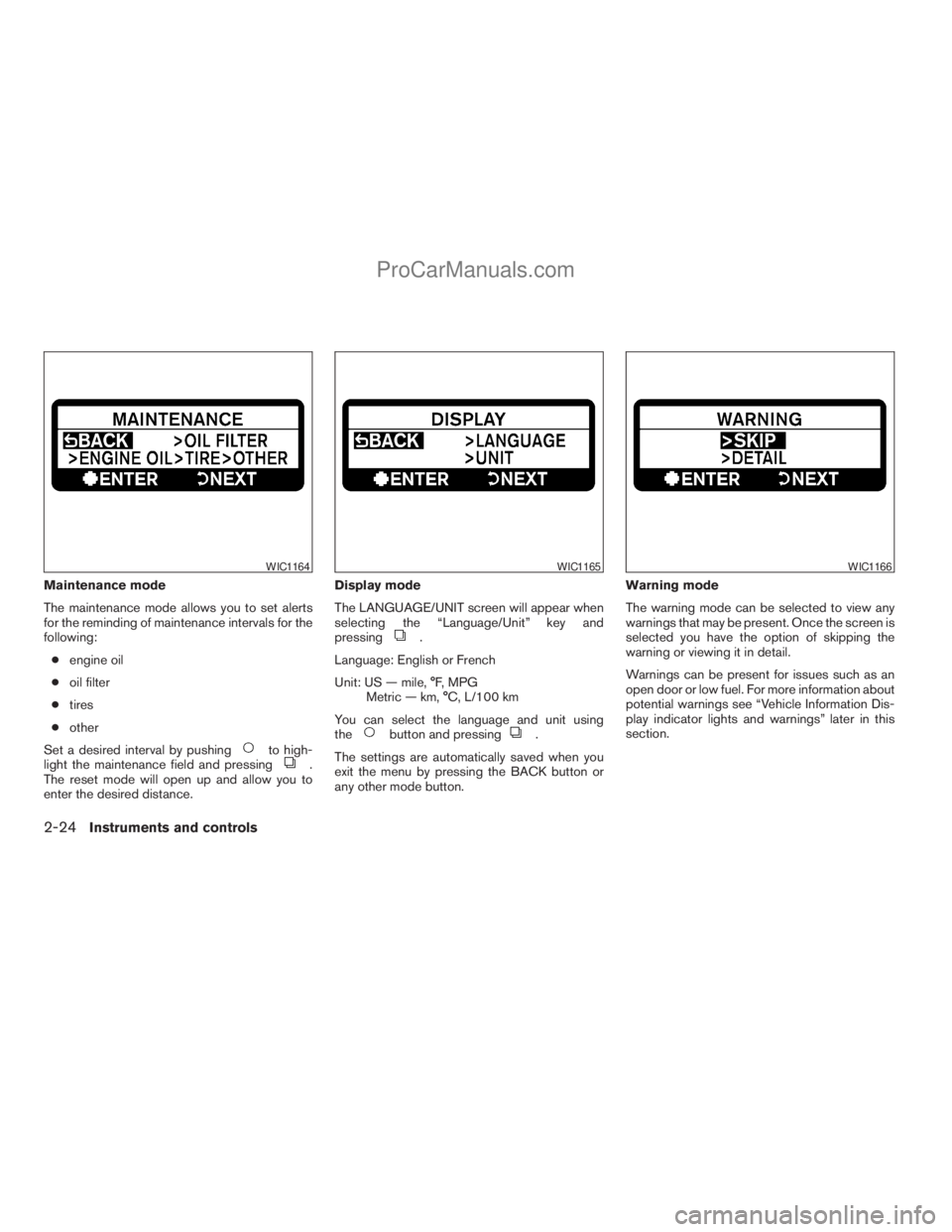
Maintenance mode
The maintenance mode allows you to set alerts
for the reminding of maintenance intervals for the
following:
cengine oil
coil filter
ctires
cother
Set a desired interval by pushing
to high-
light the maintenance field and pressing.
The reset mode will open up and allow you to
enter the desired distance.Display mode
The LANGUAGE/UNIT screen will appear when
selecting the “Language/Unit” key and
pressing
.
Language: English or French
Unit: US — mile, °F, MPG
Metric — km, °C, L/100 km
You can select the language and unit using
the
button and pressing.
The settings are automatically saved when you
exit the menu by pressing the BACK button or
any other mode button.Warning mode
The warning mode can be selected to view any
warnings that may be present. Once the screen is
selected you have the option of skipping the
warning or viewing it in detail.
Warnings can be present for issues such as an
open door or low fuel. For more information about
potential warnings see “Vehicle Information Dis-
play indicator lights and warnings” later in this
section.
WIC1164WIC1165WIC1166
2-24Instruments and controls
ZREVIEW COPYÐ2009 Armada(wzw)
Owners ManualÐUSA_English(nna)
02/26/08Ðdebbie
X
ProCarManuals.com
Page 107 of 465
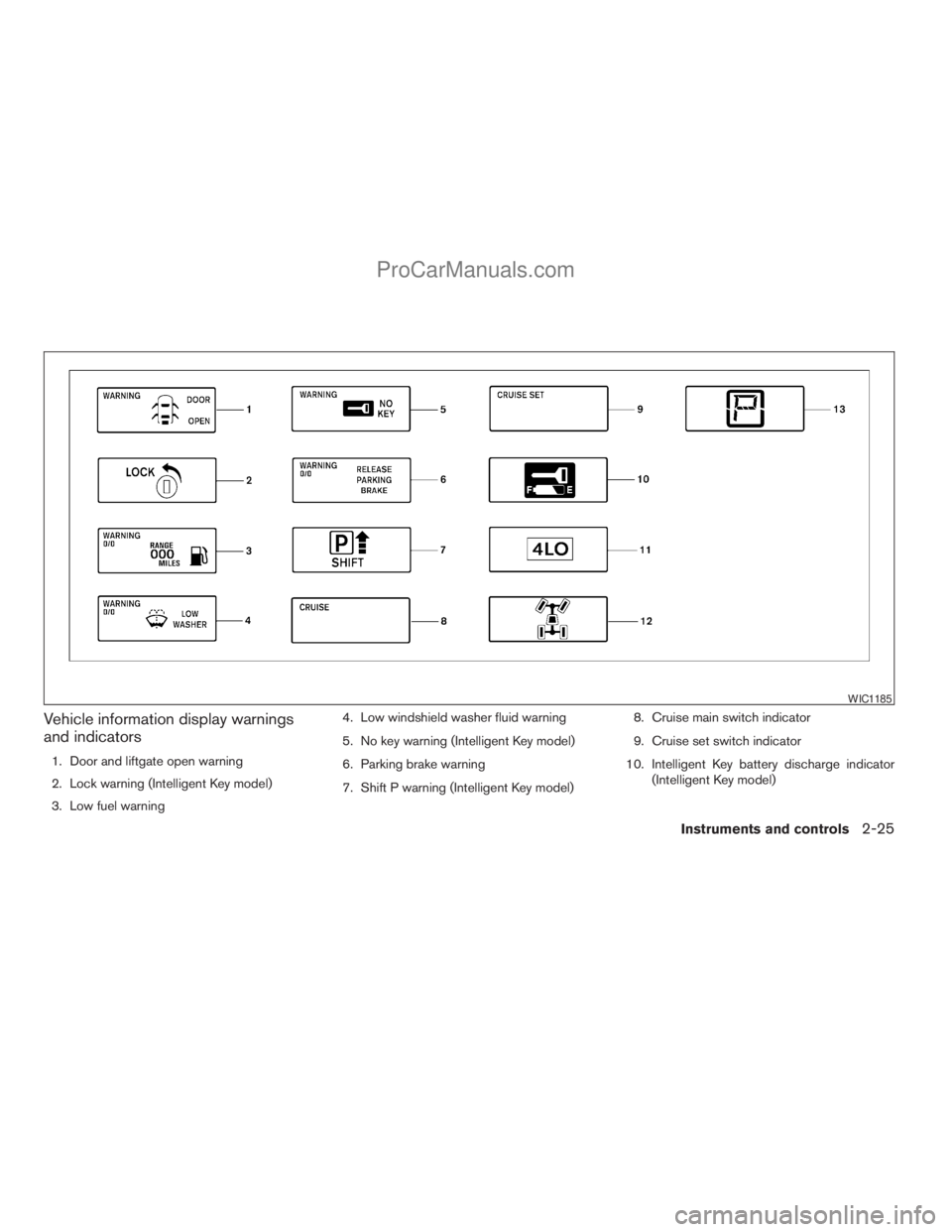
Vehicle information display warnings
and indicators
1. Door and liftgate open warning
2. Lock warning (Intelligent Key model)
3. Low fuel warning4. Low windshield washer fluid warning
5. No key warning (Intelligent Key model)
6. Parking brake warning
7. Shift P warning (Intelligent Key model)8. Cruise main switch indicator
9. Cruise set switch indicator
10. Intelligent Key battery discharge indicator
(Intelligent Key model)
WIC1185
Instruments and controls2-25
ZREVIEW COPYÐ2009 Armada(wzw)
Owners ManualÐUSA_English(nna)
02/26/08Ðdebbie
X
ProCarManuals.com
Page 108 of 465
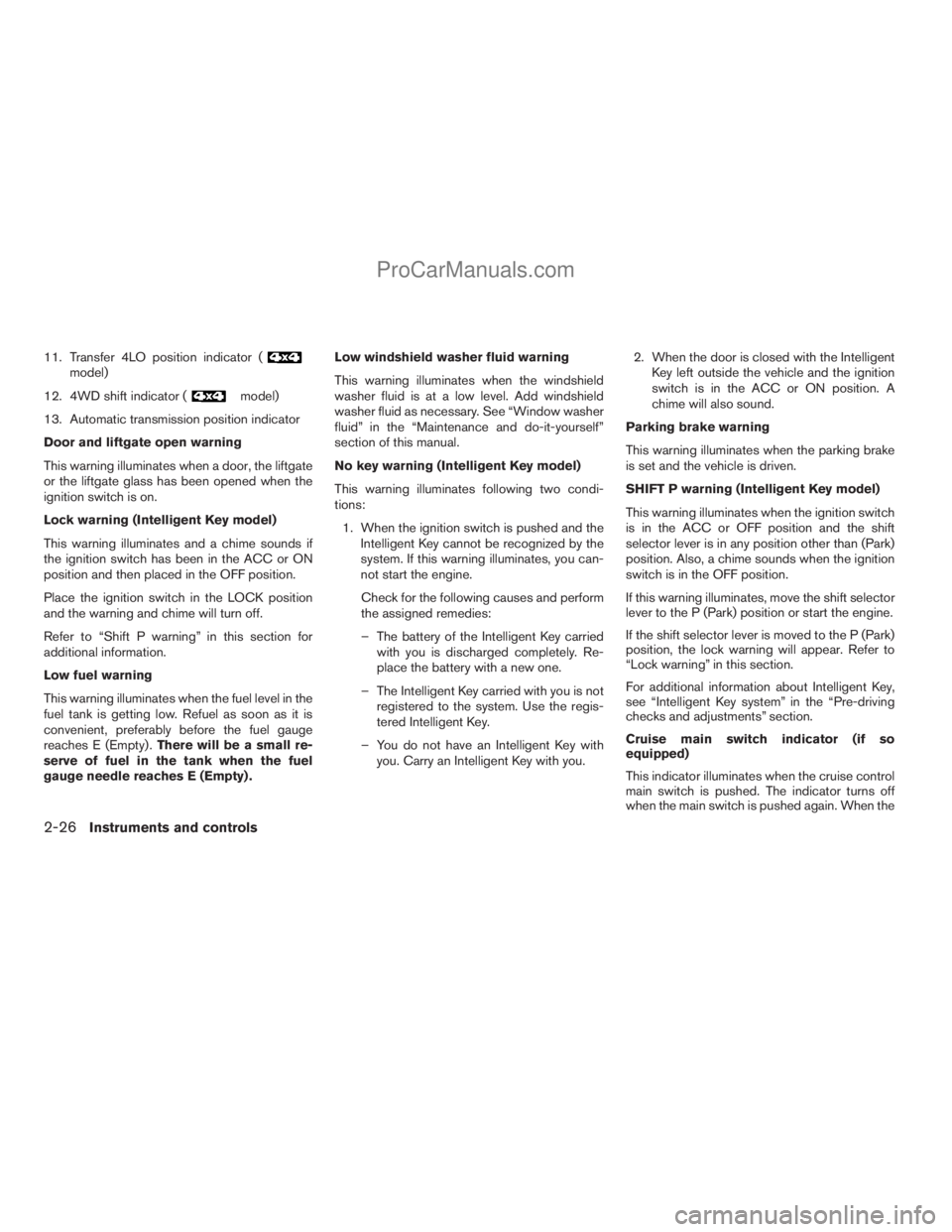
11. Transfer 4LO position indicator (model)
12. 4WD shift indicator (
model)
13. Automatic transmission position indicator
Door and liftgate open warning
This warning illuminates when a door, the liftgate
or the liftgate glass has been opened when the
ignition switch is on.
Lock warning (Intelligent Key model)
This warning illuminates and a chime sounds if
the ignition switch has been in the ACC or ON
position and then placed in the OFF position.
Place the ignition switch in the LOCK position
and the warning and chime will turn off.
Refer to “Shift P warning” in this section for
additional information.
Low fuel warning
This warning illuminates when the fuel level in the
fuel tank is getting low. Refuel as soon as it is
convenient, preferably before the fuel gauge
reaches E (Empty) .There will be a small re-
serve of fuel in the tank when the fuel
gauge needle reaches E (Empty) .Low windshield washer fluid warning
This warning illuminates when the windshield
washer fluid is at a low level. Add windshield
washer fluid as necessary. See “Window washer
fluid” in the “Maintenance and do-it-yourself”
section of this manual.
No key warning (Intelligent Key model)
This warning illuminates following two condi-
tions:
1. When the ignition switch is pushed and the
Intelligent Key cannot be recognized by the
system. If this warning illuminates, you can-
not start the engine.
Check for the following causes and perform
the assigned remedies:
– The battery of the Intelligent Key carried
with you is discharged completely. Re-
place the battery with a new one.
– The Intelligent Key carried with you is not
registered to the system. Use the regis-
tered Intelligent Key.
– You do not have an Intelligent Key with
you. Carry an Intelligent Key with you.2. When the door is closed with the Intelligent
Key left outside the vehicle and the ignition
switch is in the ACC or ON position. A
chime will also sound.
Parking brake warning
This warning illuminates when the parking brake
is set and the vehicle is driven.
SHIFT P warning (Intelligent Key model)
This warning illuminates when the ignition switch
is in the ACC or OFF position and the shift
selector lever is in any position other than (Park)
position. Also, a chime sounds when the ignition
switch is in the OFF position.
If this warning illuminates, move the shift selector
lever to the P (Park) position or start the engine.
If the shift selector lever is moved to the P (Park)
position, the lock warning will appear. Refer to
“Lock warning” in this section.
For additional information about Intelligent Key,
see “Intelligent Key system” in the “Pre-driving
checks and adjustments” section.
Cruise main switch indicator (if so
equipped)
This indicator illuminates when the cruise control
main switch is pushed. The indicator turns off
when the main switch is pushed again. When the
2-26Instruments and controls
ZREVIEW COPYÐ2009 Armada(wzw)
Owners ManualÐUSA_English(nna)
02/27/08Ðtbrooks
X
ProCarManuals.com
Page 112 of 465
Security indicator light
The security indicator light blinks whenever the
ignition switch is in the LOCK, OFF or ACC
position. This function indicates the NISSAN Ve-
hicle Immobilizer System is operational.
If the NISSAN Vehicle Immobilizer System is mal-
functioning, the light will remain on while the
ignition key is in the ON position.
If the light still remains on and/or the en-
gine will not start, see a NISSAN dealer for
NISSAN Vehicle Immobilizer System ser-
vice as soon as possible. Please bring all
registered keys that you have when visiting
your NISSAN dealer for service.
SWITCH OPERATION
The windshield wiper and washer operates when
the ignition switch is in the ON position.
Push the lever down to operate the wiper at the
following speed:
s1Intermittent (INT) — intermittent operation
can be adjusted by turning the knob toward
sA(Slower) orsB(Faster) . Also, the inter-
mittent operation speed varies in accor-
dance with the vehicle speed. (For example,
when the vehicle speed is high, the intermit-
tent operation speed will be faster.)NOTE:
You can turn on or turn off the driving
speed dependent intermittent wiper func-
tion. Refer to “Comfort & convenience set-
tings” in the “Monitor, climate, audio,
phone and voice recognition systems” sec-
tion later in this manual.
s2Low (LO) — continuous low speed operation
s3High (HI) — continuous high speed opera-
tion
Push the lever up
s4to have one sweep opera-
tion (MIST) of the wiper.
Pull the lever toward you
s5to operate the
washer. The wiper will also operate several times.
WARNING
In freezing temperatures the washer solu-
tion may freeze on the windshield and
obscure your vision which may lead to an
accident. Warm the windshield with the
defroster before you wash the windshield.
LIC0474LIC0965
WINDSHIELD WIPER AND WASHER
SWITCH
2-30Instruments and controls
ZREVIEW COPYÐ2009 Armada(wzw)
Owners ManualÐUSA_English(nna)
02/26/08Ðdebbie
X
ProCarManuals.com
Page 113 of 465
CAUTION
cDo not operate the washer continu-
ously for more than 30 seconds.
cDo not operate the washer if the reser-
voir tank is empty.
cDo not fill the window washer reservoir
tank with washer fluid concentrates at
full strength. Some methyl alcohol
based washer fluid concentrates may
permanently stain the grille if spilled
while filling the window washer reser-
voir tank.
cPre-mix washer fluid concentrates with
water to the manufacturer’s recom-
mended levels before pouring the fluid
into the window washer reservoir tank.
Do not use the window washer reservoir
tank to mix the washer fluid concen-
trate and water.The rear window wiper and washer operate when
the ignition switch is in the ON position.
Turn the switch clockwise from the OFF position
to operate the wiper.
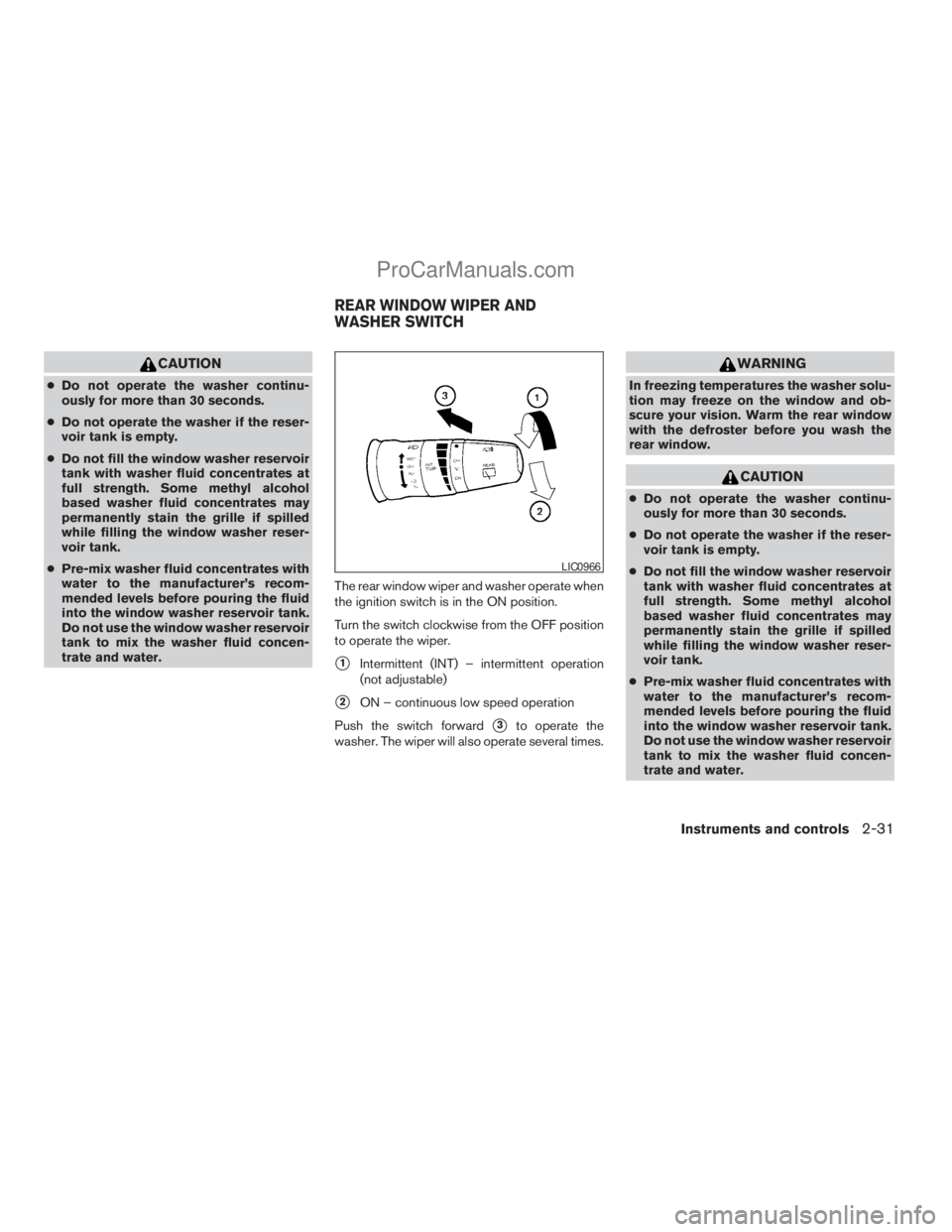
s1Intermittent (INT) – intermittent operation
(not adjustable)
s2ON – continuous low speed operation
Push the switch forward
s3to operate the
washer. The wiper will also operate several times.
WARNING
In freezing temperatures the washer solu-
tion may freeze on the window and ob-
scure your vision. Warm the rear window
with the defroster before you wash the
rear window.
CAUTION
cDo not operate the washer continu-
ously for more than 30 seconds.
cDo not operate the washer if the reser-
voir tank is empty.
cDo not fill the window washer reservoir
tank with washer fluid concentrates at
full strength. Some methyl alcohol
based washer fluid concentrates may
permanently stain the grille if spilled
while filling the window washer reser-
voir tank.
cPre-mix washer fluid concentrates with
water to the manufacturer’s recom-
mended levels before pouring the fluid
into the window washer reservoir tank.
Do not use the window washer reservoir
tank to mix the washer fluid concen-
trate and water.
LIC0966
REAR WINDOW WIPER AND
WASHER SWITCH
Instruments and controls2-31
ZREVIEW COPYÐ2009 Armada(wzw)
Owners ManualÐUSA_English(nna)
02/26/08Ðdebbie
X
ProCarManuals.com
Page 116 of 465
Headlight beam select
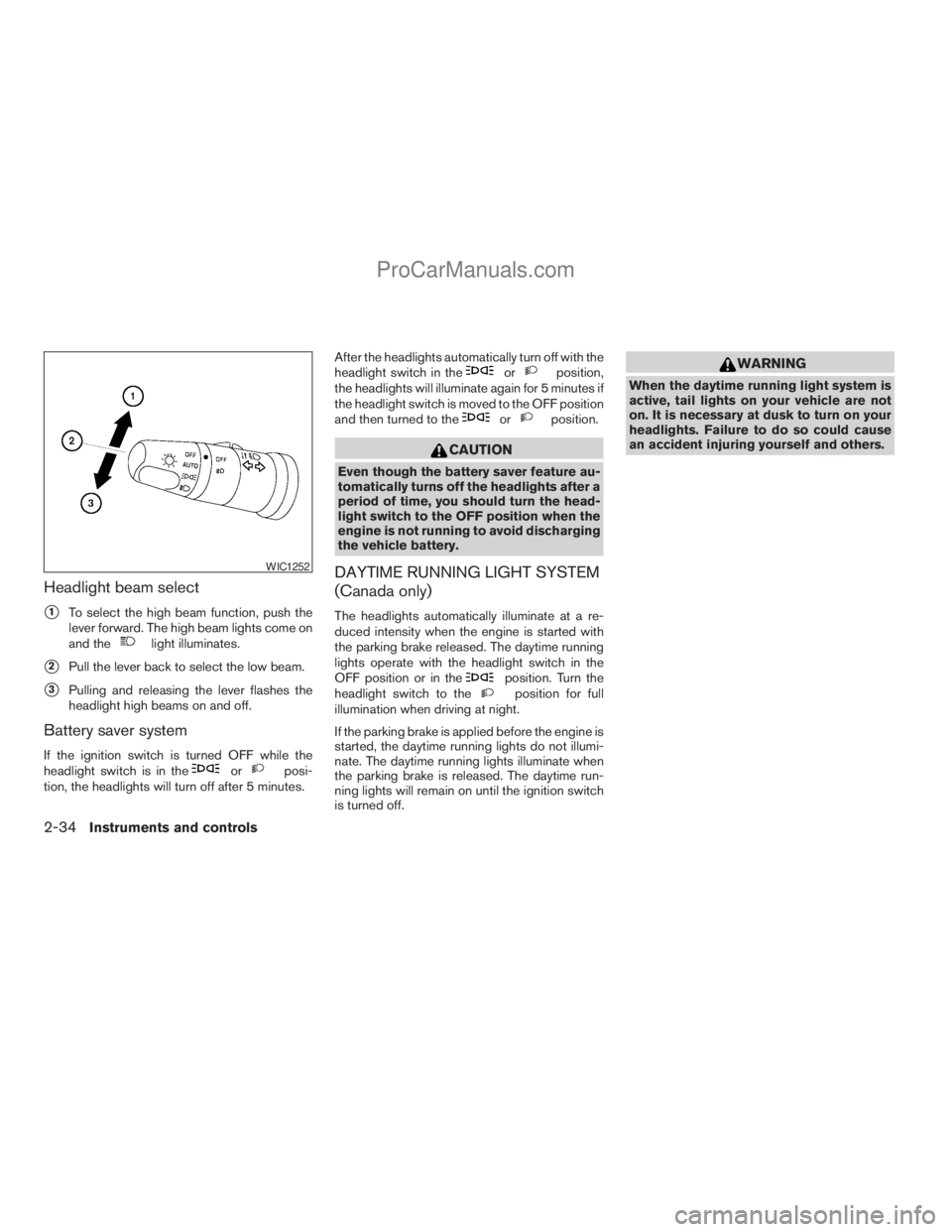
s1To select the high beam function, push the
lever forward. The high beam lights come on
and the
light illuminates.
s2Pull the lever back to select the low beam.
s3Pulling and releasing the lever flashes the
headlight high beams on and off.
Battery saver system
If the ignition switch is turned OFF while the
headlight switch is in theorposi-
tion, the headlights will turn off after 5 minutes.After the headlights automatically turn off with the
headlight switch in the
orposition,
the headlights will illuminate again for 5 minutes if
the headlight switch is moved to the OFF position
and then turned to the
orposition.
CAUTION
Even though the battery saver feature au-
tomatically turns off the headlights after a
period of time, you should turn the head-
light switch to the OFF position when the
engine is not running to avoid discharging
the vehicle battery.
DAYTIME RUNNING LIGHT SYSTEM
(Canada only)
The headlights automatically illuminate at a re-
duced intensity when the engine is started with
the parking brake released. The daytime running
lights operate with the headlight switch in the
OFF position or in the
position. Turn the
headlight switch to theposition for full
illumination when driving at night.
If the parking brake is applied before the engine is
started, the daytime running lights do not illumi-
nate. The daytime running lights illuminate when
the parking brake is released. The daytime run-
ning lights will remain on until the ignition switch
is turned off.
WARNING
When the daytime running light system is
active, tail lights on your vehicle are not
on. It is necessary at dusk to turn on your
headlights. Failure to do so could cause
an accident injuring yourself and others.
WIC1252
2-34Instruments and controls
ZREVIEW COPYÐ2009 Armada(wzw)
Owners ManualÐUSA_English(nna)
02/26/08Ðdebbie
X
ProCarManuals.com
Page 118 of 465
Push the switch on to warn other drivers when
you must stop or park under emergency condi-
tions. All turn signal lights flash.
WARNING
cIf stopping for an emergency, be sure to
move the vehicle well off the road.
cDo not use the hazard warning flashers
while moving on the highway unless
unusual circumstances force you to
drive so slowly that your vehicle might
become a hazard to other traffic.
cTurn signals do not work when the haz-
ard warning flasher lights are on.The flashers will operate with the ignition switch
in any position.
Some state laws may prohibit the use of
the hazard warning flasher switch while
driving.
To sound the horn, push the center pad area of
the steering wheel.
WARNING
Do not disassemble the horn. Doing so
could affect proper operation of the
supplemental front air bag system. Tam-
pering with the supplemental front air bag
system may result in serious personal
injury.
LIC0394LIC0604
HAZARD WARNING FLASHER
SWITCHHORN
2-36Instruments and controls
ZREVIEW COPYÐ2009 Armada(wzw)
Owners ManualÐUSA_English(nna)
02/26/08Ðdebbie
X
ProCarManuals.com
Page 120 of 465
Push the switch again to turn the heated steering
wheel off manually. The indicator light will go off.
NOTE:
The heated steering wheel switch is
equipped with a 30 minute timer. After the
switch has been activate for 30 minutes,
the system will automatically turn off.If the
surface temperature of the steering wheel
is above 68°F (20°C) when the switch is
turned on, the system will not heat the
steering wheel. This is not a malfunction.
The vehicle should be driven with the Vehicle
Dynamic Control (VDC) system on for most driv-
ing conditions.
If the vehicle is stuck in mud or snow, the VDC
system reduces the engine output to reduce
wheel spin. The engine speed will be reduced
even if the accelerator is depressed to the floor. If
maximum engine power is needed to free a stuck
vehicle, turn the VDC system off.
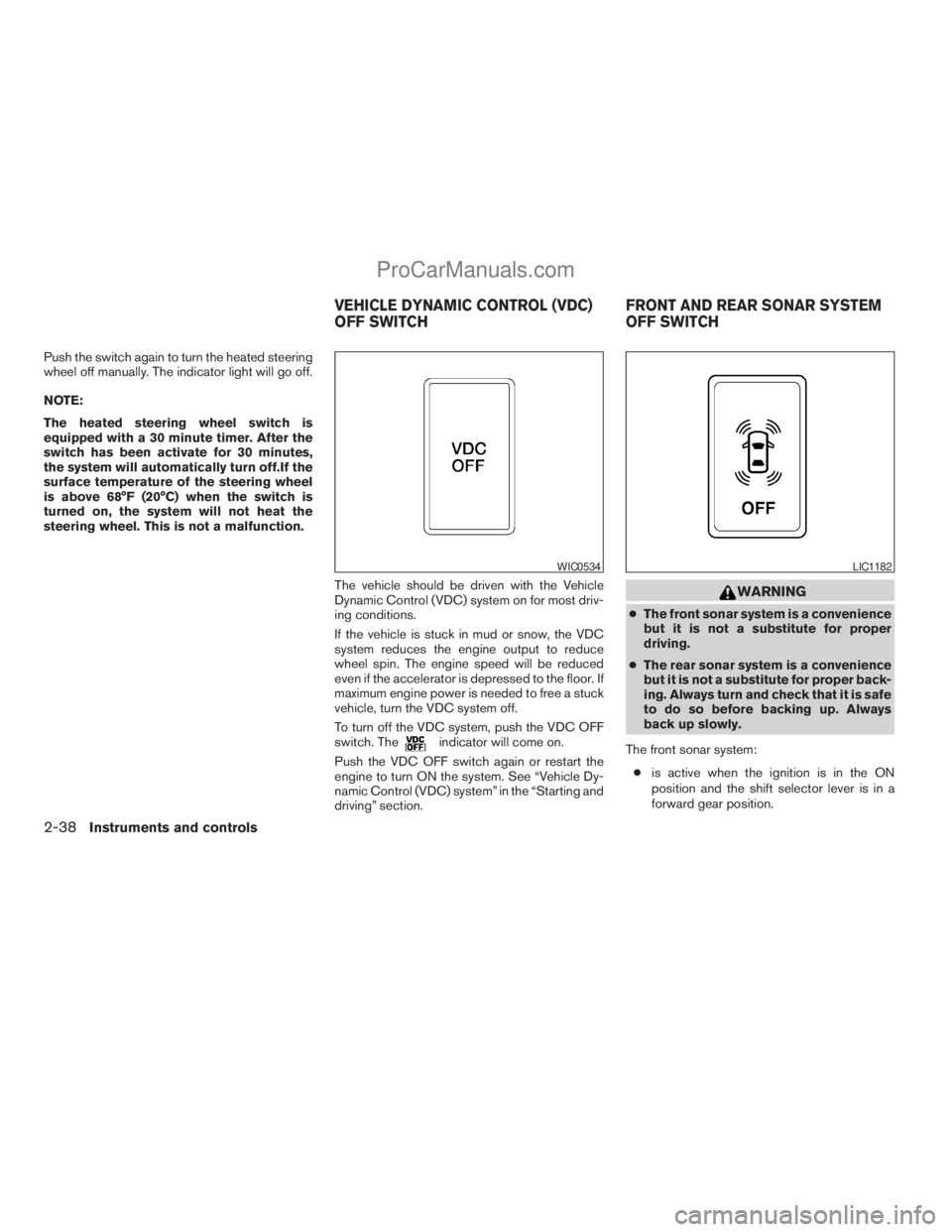
To turn off the VDC system, push the VDC OFF
switch. The
indicator will come on.
Push the VDC OFF switch again or restart the
engine to turn ON the system. See “Vehicle Dy-
namic Control (VDC) system” in the “Starting and
driving” section.
WARNING
cThe front sonar system is a convenience
but it is not a substitute for proper
driving.
cThe rear sonar system is a convenience
but it is not a substitute for proper back-
ing. Always turn and check that it is safe
to do so before backing up. Always
back up slowly.
The front sonar system:
cis active when the ignition is in the ON
position and the shift selector lever is in a
forward gear position.
WIC0534LIC1182
VEHICLE DYNAMIC CONTROL (VDC)
OFF SWITCHFRONT AND REAR SONAR SYSTEM
OFF SWITCH
2-38Instruments and controls
ZREVIEW COPYÐ2009 Armada(wzw)
Owners ManualÐUSA_English(nna)
02/26/08Ðdebbie
X
ProCarManuals.com
Page 123 of 465
cPush the plug in as far as it will go. If
good contact is not made, the plug may
overheat or the internal temperature
fuse may open.
cWhen not in use, be sure to close the
cap. Do not allow water to contact the
outlet.
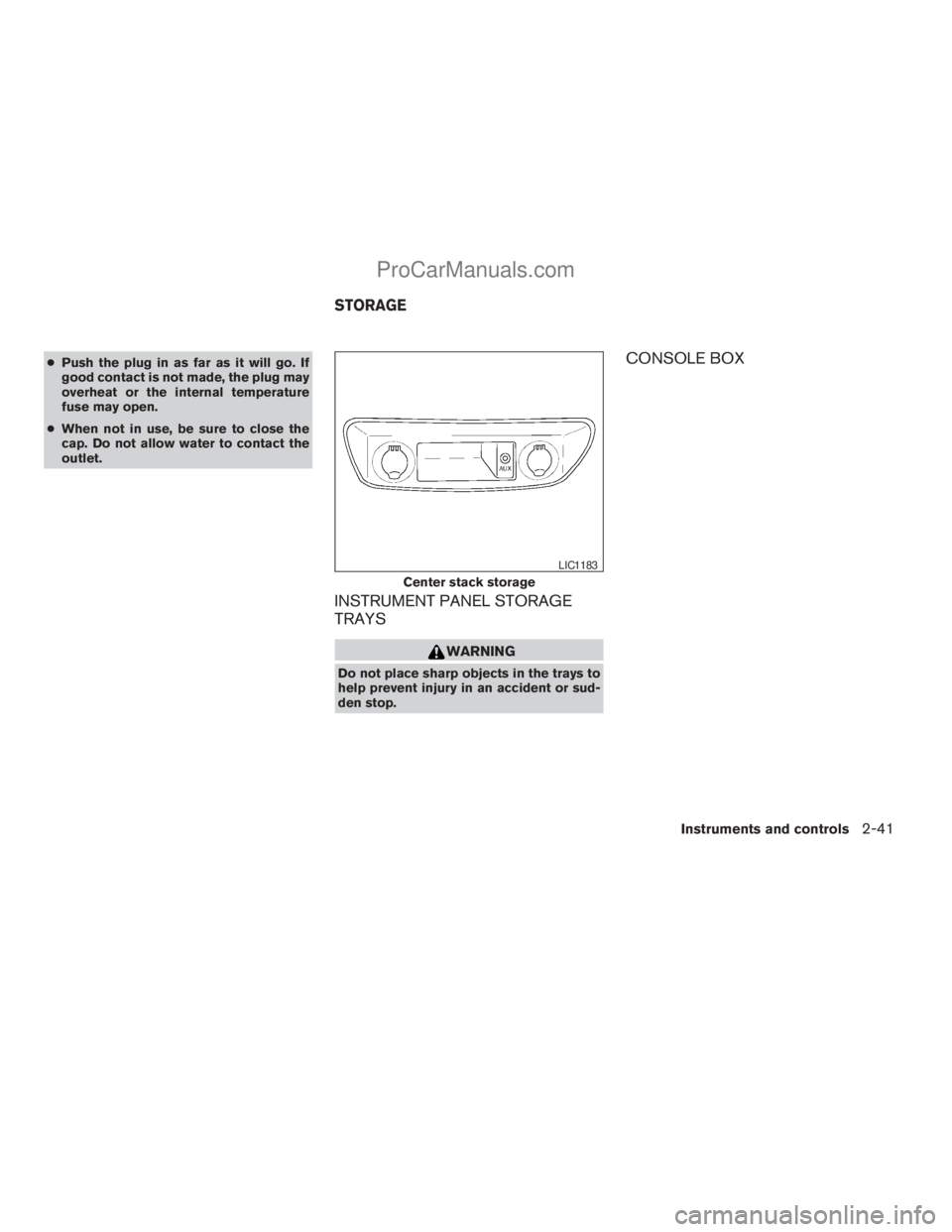
INSTRUMENT PANEL STORAGE
TRAYS
WARNING
Do not place sharp objects in the trays to
help prevent injury in an accident or sud-
den stop.
CONSOLE BOX
Center stack storage
LIC1183
STORAGE
Instruments and controls2-41
ZREVIEW COPYÐ2009 Armada(wzw)
Owners ManualÐUSA_English(nna)
02/26/08Ðdebbie
X
ProCarManuals.com