light NISSAN ARMADA 2011 Owners Manual
[x] Cancel search | Manufacturer: NISSAN, Model Year: 2011, Model line: ARMADA, Model: NISSAN ARMADA 2011Pages: 489, PDF Size: 4.35 MB
Page 347 of 489
When the ignition switch cannot be turned to-
ward the LOCK position when the Intelligent Key
is in range, proceed as follows:1. Move the shift selector into the P (Park) position.
2. Turn the ignition switch slightly in the ON direction.
3. Turn the switch toward the LOCK position.
The shift selector can be moved from the P
(Park) position if the ignition switch is in
the ON position and the foot brake pedal is
depressed.
There is an OFF position in between LOCK and
ACC, although it does not show on the ignition
switch. When the ignition switch is OFF, the
steering wheel is not locked (for models with a
steering wheel lock mechanism) .
In order for the steering wheel to be locked, it
must be turned about 1/6 of a turn counterclock-
wise from the straight up position.
To lock the steering wheel, turn the ignition
switch to the LOCK position. To unlock the
steering wheel, push the ignition switch in
and turn it gently while rotating the steer-
ing wheel slightly right and left. If the battery of the vehicle equipped with
the Intelligent Key system is discharged,
the ignition switch cannot be turned from
the LOCK position, even using the me-
chanical key.
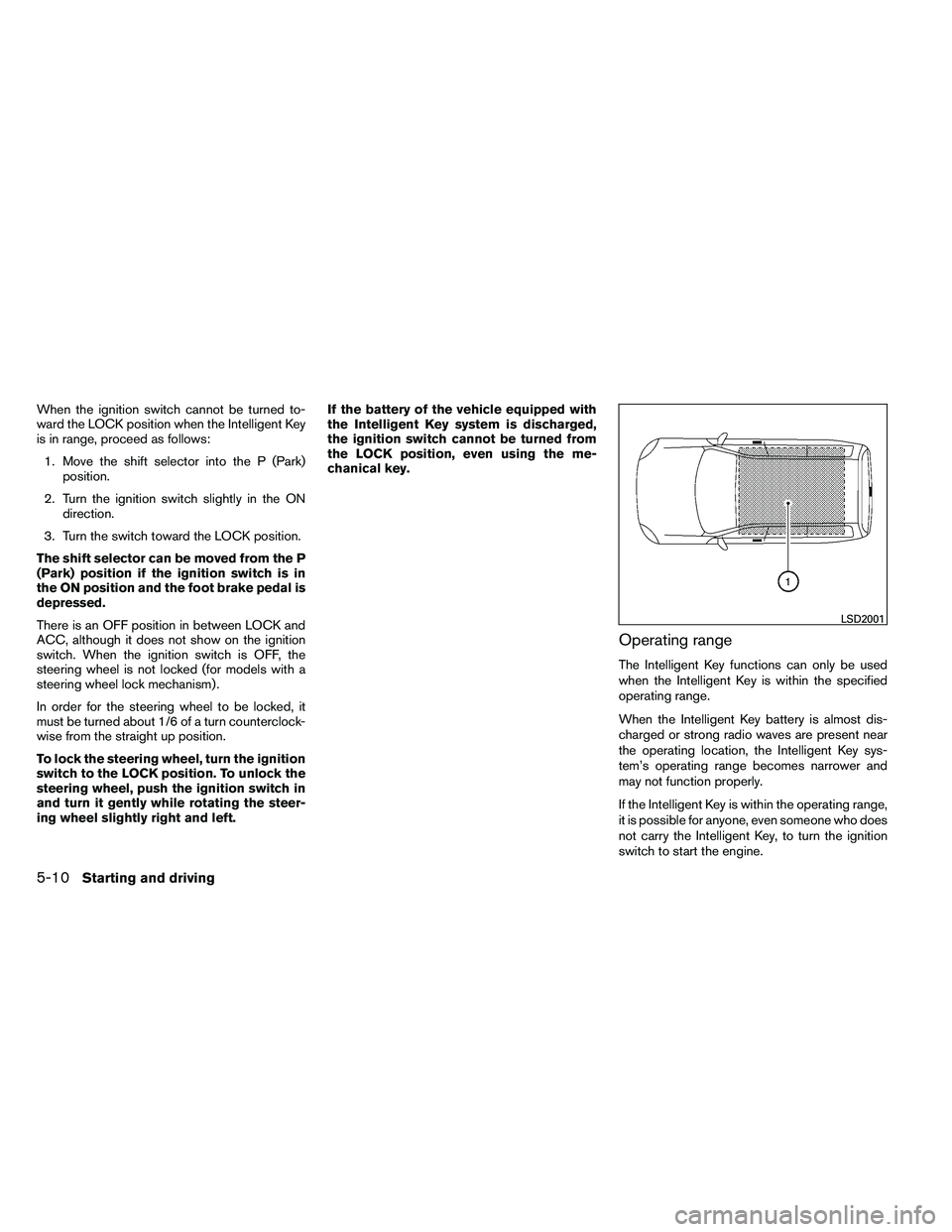
Operating range
The Intelligent Key functions can only be used
when the Intelligent Key is within the specified
operating range.
When the Intelligent Key battery is almost dis-
charged or strong radio waves are present near
the operating location, the Intelligent Key sys-
tem’s operating range becomes narrower and
may not function properly.
If the Intelligent Key is within the operating range,
it is possible for anyone, even someone who does
not carry the Intelligent Key, to turn the ignition
switch to start the engine.
Page 349 of 489
To remove the key from the ignition switch:1. Shift the shift selector to the P (Park) posi- tion with the ignition switch in the ON posi-
tion.
2. Place the ignition switch in the LOCK posi- tion.
3. Remove the key from the ignition switch.
If the shift selector is shifted to the P (Park)
position after the ignition switch is placed in the
OFF position or when the ignition switch cannot
be placed in the LOCK position, proceed as
follows to remove the key. 1. Move the shift selector into the P (Park) position.
2. Place the ignition switch slightly toward the ON position.
3. Place the ignition switch in the LOCK posi- tion.
4. Remove the key.
The shift selector is designed so it cannot move
out of P (Park) and into any of the other gear
positions if the ignition switch is placed in the
OFF position or if the key is removed from the
switch. The shift selector can be moved if the igni-
tion switch is in the ON position and the
foot brake pedal is depressed.
There is an OFF position between the
LOCK and ON positions. The OFF position
is indicated by a “1” on the ignition switch.
For models without NISSAN vehicle immo-
bilizer system: when the ignition switch is
in the OFF position, the steering wheel is
not locked.
In order for the steering wheel to be locked, it
must be turned about 1/8 of a turn clockwise
from the straight up position.
To lock the steering wheel, turn the ignition
to the LOCK position. Remove the key. To
unlock the steering wheel, insert the key
and turn it gently while rotating the steer-
ing wheel slightly right and left.
If the key will not turn from the LOCK posi-
tion, turn the steering wheel to the left or
right while turning the key to unlock the
key cylinder.KEY POSITIONS
LOCK: Normal parking position (0)
OFF: (Not used) (1)
ACC: (Accessories) (2)
This position activates electrical accessories
such as the radio when the engine is not running.
ON: Normal operating position (3)
This position turns on the ignition system and the
electrical accessories.
START: (4)
This position starts the engine. As soon as the
engine has started, release the key. It automati-
cally returns to the ON position.
5-12Starting and driving
Page 350 of 489
NISSAN VEHICLE IMMOBILIZER
SYSTEM
The NISSAN Vehicle Immobilizer system will not
allow the engine to start without the use of the
registered key.
If the engine fails to start using a registered key
(for example, when interference is caused by
another registered key, an automated toll road
device or automatic payment device on the key
ring) , restart the engine using the following pro-
cedure:1. Leave the ignition switch in the ON position for approximately 5 seconds.
2. Place the ignition switch in the OFF or LOCK position, and wait approximately 10
seconds.
3. Repeat steps 1 and 2.
4. Restart the engine while holding the device (which may have caused the interference)
separate from the registered key.
If the no start condition re-occurs, NISSAN rec-
ommends placing the registered key on a sepa-
rate key ring to avoid interference from other
devices. ●
Make sure the area around the vehicle is
clear.
● Check fluid levels such as engine oil, cool-
ant, brake fluid, and windshield-washer fluid
as frequently as possible, or at least when-
ever you refuel.
● Check that all windows and lights are clean.
● Visually inspect tires for their appearance
and condition. Also check tires for proper
inflation.
● Check that all doors are closed.
● Position seat and adjust head restraint and
headrests (if so equipped) .
● Adjust inside and outside mirrors.
● Fasten seat belts and ask all passengers to
do likewise.
● Check the operation of warning lights when
the ignition switch is placed in the ON posi-
tion. See “Warning/indicator lights and au-
dible reminders” in the “Instruments and
controls” section of this manual. 1. Apply the parking brake.
2. Move the shift selector to P (Park) or N
(Neutral) . P (Park) is recommended.
The shift selector cannot be moved out
of P (Park) and into any of the other
gear positions if the ignition switch is
turned to the OFF position or if the key
is removed from the ignition switch.
The starter is designed not to operate if
the shift selector is in any of the driving
positions.
3. Crank the engine with your foot off the
accelerator pedal by placing the ignition
switch in the START position. Release the
key when the engine starts. If the engine
starts, but fails to run, repeat the above
procedure.
● If the engine is very hard to start in ex-
tremely cold weather or when restarting,
depress the accelerator pedal a little (ap-
proximately 1/3 to the floor) and hold it
and then crank the engine. Release the
key and the accelerator pedal when the
engine starts.
BEFORE STARTING THE ENGINE STARTING THE ENGINE
Starting and driving5-13
Page 357 of 489
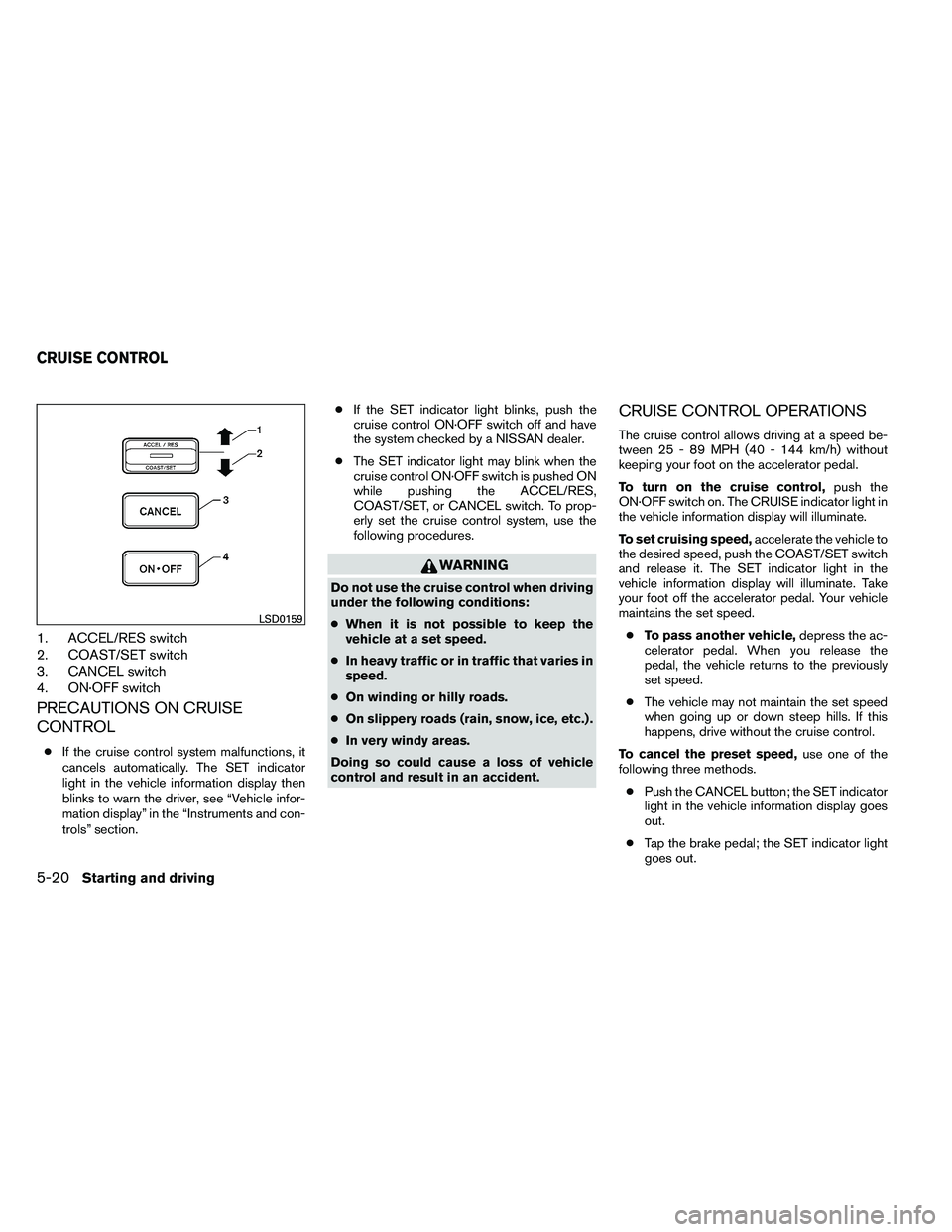
1. ACCEL/RES switch
2. COAST/SET switch
3. CANCEL switch
4. ON·OFF switch
PRECAUTIONS ON CRUISE
CONTROL
●If the cruise control system malfunctions, it
cancels automatically. The SET indicator
light in the vehicle information display then
blinks to warn the driver, see “Vehicle infor-
mation display” in the “Instruments and con-
trols” section. ●
If the SET indicator light blinks, push the
cruise control ON·OFF switch off and have
the system checked by a NISSAN dealer.
● The SET indicator light may blink when the
cruise control ON·OFF switch is pushed ON
while pushing the ACCEL/RES,
COAST/SET, or CANCEL switch. To prop-
erly set the cruise control system, use the
following procedures.
Page 358 of 489
●Push the ON·OFF switch off. Both the
CRUISE indicator light and SET indicator
light in the vehicle information display go out.
The cruise control is automatically canceled and
the SET light in the vehicle information display
goes out if: ● you depress the brake pedal while pushing
the ACCEL/RES or SET/COAST switch.
The preset speed is deleted from memory.
● the vehicle slows down more than 8 MPH
(13 km/h) below the set speed.
● you move the shift selector to N (Neutral) .
To reset at a faster cruising speed, use one
of the following three methods.
● Depress the accelerator pedal. When the
vehicle attains the desired speed, push and
release the COAST/SET switch.
● Push and hold the ACCEL/RES switch.
When the vehicle attains the speed you de-
sire, release the switch.
● Push and release the ACCEL/RES switch.
Each time you do this, the set speed in-
creases by about 1 MPH (1.6 km/h) . To reset at a slower cruising speed,
use one
of the following three methods.
● Lightly tap the brake pedal. When the ve-
hicle attains the desired speed, push the
COAST/SET switch and release it.
● Push and hold the COAST/SET switch. Re-
lease the switch when the vehicle slows to
the desired speed.
● Push and release the COAST/SET switch.
Each time you do this, the set speed de-
creases by about 1 MPH (1.6 km/h) .
To resume the preset speed, push and re-
lease the ACCEL/RES switch. The vehicle re-
turns to the last set cruising speed when the
vehicle speed is over 25 MPH (40 km/h) .
Page 360 of 489
CAUTION
●Do not drive the vehicle in the 4H or 4LO
position on dry hard surface roads. Driv-
ing on dry, hard surfaces in 4H or 4LO
may cause unnecessary noise, tire wear
and increased fuel consumption.
If the 4WD warning light turns on when
you are driving on dry hard surface
roads:
– in the 4H position, shift the 4WD shift switch to 2WD.
– in the 4LO position, stop the vehicle, move the shift selector to the N posi-
tion with the brake pedal depressed,
and shift the 4WD shift switch to
2WD.
● If the warning light is still on after the
above operation, have your vehicle
checked by a NISSAN dealer as soon as
possible.
● The transfer case may be damaged if
you continue driving with the warning
light blinking.
TRANSFER CASE SHIFTING
PROCEDURES
All mode 4WD system provides 4 positions
(AUTO, 2WD, 4H and 4LO) , so you can select
the desired drive mode according to the driving
conditions.
Starting and driving5-23
Page 362 of 489
*2: While changing in and out of 4LO, the ignition switch must be ON and the vehicle’s engine must be running for a shift to take place and for the indicatorlights (4WD shift and 4LO position indicator) to be operable. Otherwise, the shift will not take place and no indicator lights will be on or flashing.
*3: Make sure the transfer 4LO position indicator light turns on when you shift the 4WD shift switch to 4LO. The
Page 365 of 489
●Before placing the 4WD shift switch in
the 4H position from 2WD or AUTO,
ensure the vehicle speed is less than 62
MPH (100 km/h) . Failure to do so can
damage the 4WD system.
● Never shift the 4WD shift switch be-
tween 4LO and 4H while driving.
● Engine idling speed is high while warm-
ing up the engine. Be especially careful
when starting or driving on slippery sur-
faces with the 4WD shift switch set in
AUTO.
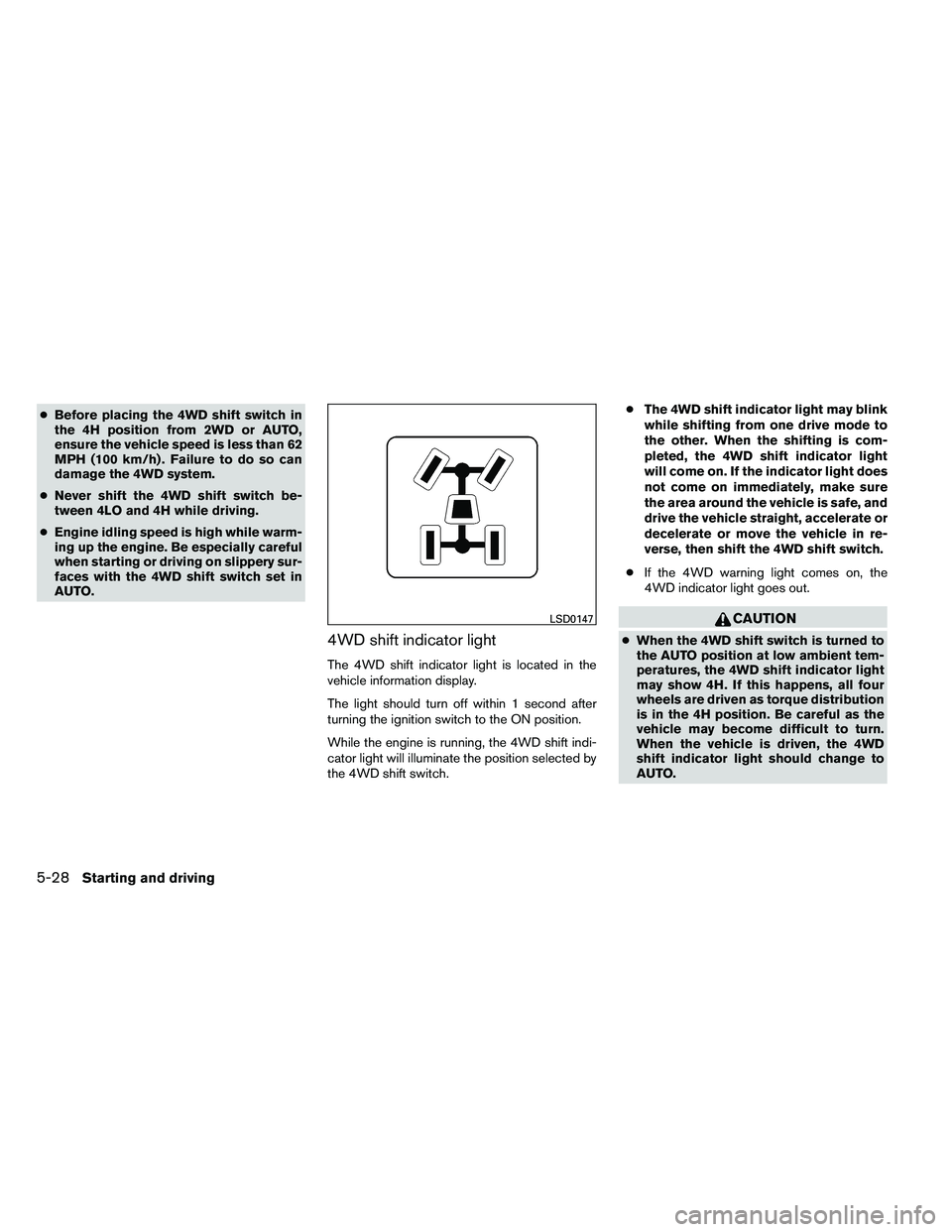
4WD shift indicator light
The 4WD shift indicator light is located in the
vehicle information display.
The light should turn off within 1 second after
turning the ignition switch to the ON position.
While the engine is running, the 4WD shift indi-
cator light will illuminate the position selected by
the 4WD shift switch. ●
The 4WD shift indicator light may blink
while shifting from one drive mode to
the other. When the shifting is com-
pleted, the 4WD shift indicator light
will come on. If the indicator light does
not come on immediately, make sure
the area around the vehicle is safe, and
drive the vehicle straight, accelerate or
decelerate or move the vehicle in re-
verse, then shift the 4WD shift switch.
● If the 4WD warning light comes on, the
4WD indicator light goes out.
Page 366 of 489
●If the 4WD shift indicator light indica-
tion changes to 2WD when the 4WD
shift switch is shifted to the AUTO or 4H
position at low ambient temperatures,
the 2WD mode may be being engaged
due to malfunctioning drive system. If
the indicator does not return to normal
and the 4WD warning light comes on,
have the system checked by the nearest
NISSAN dealer.
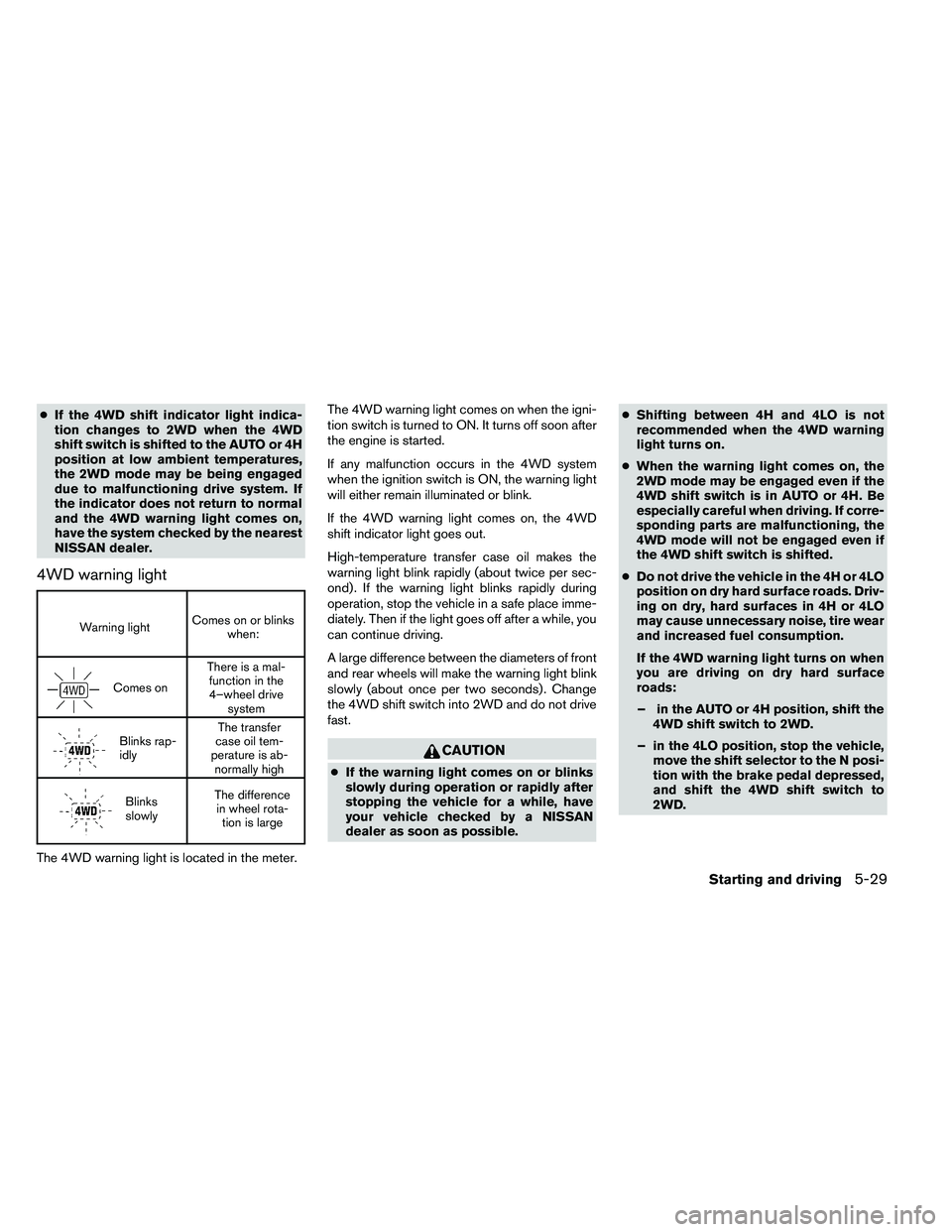
4WD warning light
Page 367 of 489
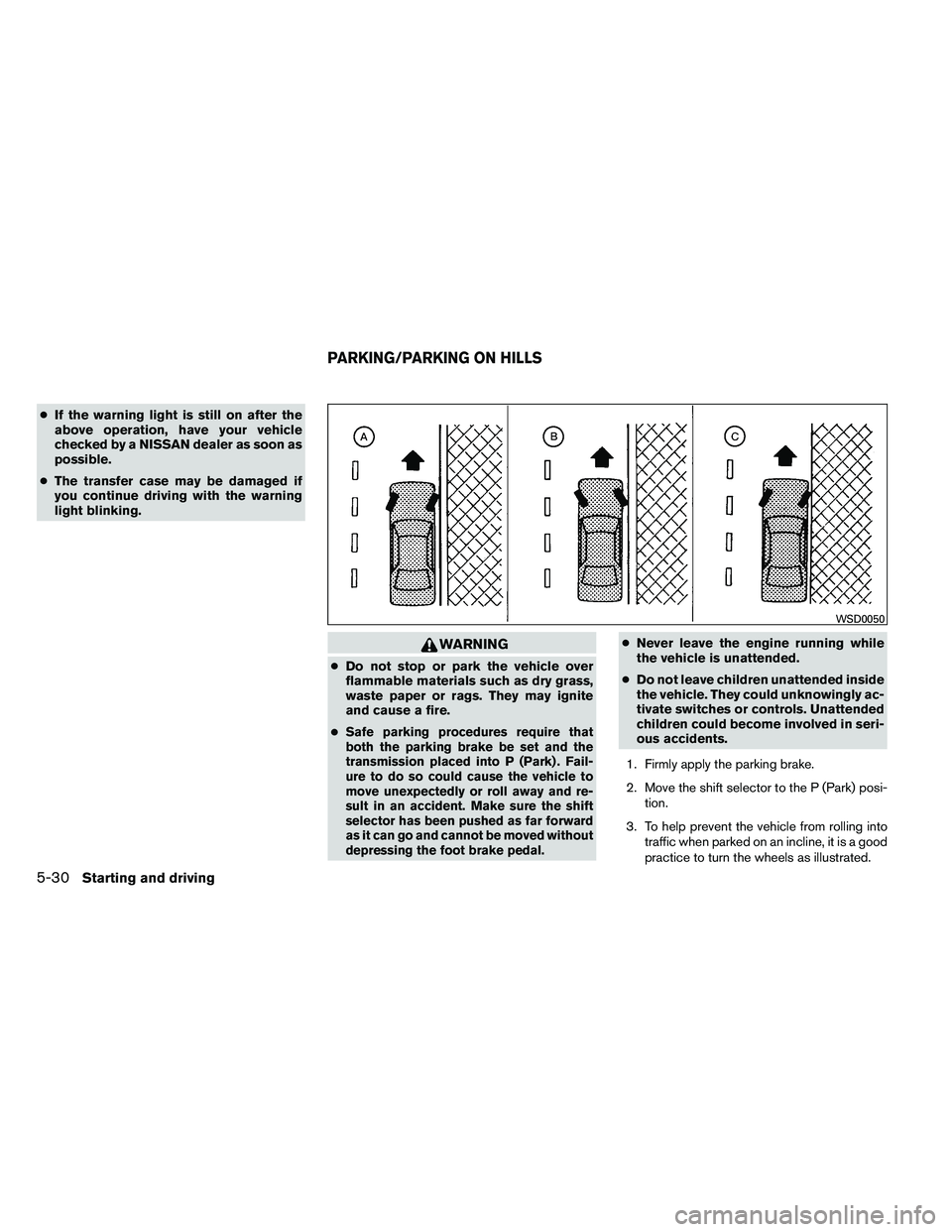
●If the warning light is still on after the
above operation, have your vehicle
checked by a NISSAN dealer as soon as
possible.
● The transfer case may be damaged if
you continue driving with the warning
light blinking.