4WD NISSAN ARMADA 2011 Owners Manual
[x] Cancel search | Manufacturer: NISSAN, Model Year: 2011, Model line: ARMADA, Model: NISSAN ARMADA 2011Pages: 489, PDF Size: 4.35 MB
Page 16 of 489
16. Climate controls (P. 4-36)
17. Power outlet (P. 2-39)
18. Heated seat switch (if so equipped)(P. 2-35)
19. Vehicle Dynamic Control (VDC) off
switch (P. 2-37)
20. Tow mode switch (P. 2-38)
21. Shift selector (P. 5-14)
22. Heated steering wheel (if so equipped)
(P. 2-36)
23. Center stack storage (P. 2-40)
24. Power outlet (P. 2-39)
25. Front passenger air bag status light
(P. 1-66)
26. Auxiliary jack (P. 4-54)
27. 4WD shift switch (if so equipped)
(P. 5-22)
28. Tilt steering wheel control (P. 3-30)
29. Rear or front and rear sonar system off
switch (if so equipped) (P. 2-38)
30. Pedal position adjustment switch
(P. 3-30)
31. Power vent window (if so equipped)
(P. 2-54)
32. Lift gate open/close switch
(if so equipped) (P. 3-23)*: Refer to the separate Navigation System Own-
er’s Manual (if so equipped) .
See the page number indicated in paren-
theses for operating details.
Illustrated table of contents0-7
Page 96 of 489
16. Climate controls (P. 4-36)
17. Power outlet (P. 2-39)
18. Heated seat switch (if so equipped)(P. 2-35)
19. Vehicle Dynamic Control (VDC) off
switch (P. 2-37)
20. Tow mode switch (P. 2-38)
21. Shift selector (P. 5-14)
22. Heated steering wheel (if so equipped)
(P. 2-36)
23. Center stack storage (P. 2-40)
24. Power outlet (P. 2-39)
25. Front passenger air bag status light
(P. 1-66)
26. Auxiliary jack (P. 4-54)
27. 4WD shift switch (if so equipped)
(P. 5-22)
28. Tilt steering wheel control (P. 3-30)
29. Rear or front and rear sonar system off
switch (if so equipped) (P. 2-38)
30. Pedal position adjustment switch
(P. 3-30)
31. Power vent window (if so equipped)
(P. 2-54)
32. Lift gate open/close switch
(if so equipped) (P. 3-23)*: Refer to the separate Navigation System Own-
er’s Manual (if so equipped) .
See the page number indicated in paren-
theses for operating details.
Instruments and controls2-3
Page 345 of 489
●Do not drive across steep slopes. In-
stead drive either straight up or straight
down the slopes. Off-road vehicles can
tip over sideways much more easily
than they can forward or backward.
● Many hills are too steep for any vehicle.
If you drive up them, you may stall. If
you drive down them, you may not be
able to control your speed. If you drive
across them, you may roll over.
● Do not shift gears while driving on
downhill grades as this could cause
loss of control of the vehicle.
● Stay alert when driving to the top of a
hill. At the top there could be a drop-off
or other hazard that could cause an
accident.
● If your engine stalls or you cannot make
it to the top of a steep hill, never at-
tempt to turn around. Your vehicle
could tip or roll over. Always back
straight down in R (Reverse) gear and
apply brakes to control your speed.
● Heavy braking going down a hill could
cause your brakes to overheat and fade,
resulting in loss of control and an acci-
dent. Apply brakes lightly and use a low
gear to control your speed. ●
Unsecured cargo can be thrown around
when driving over rough terrain. Prop-
erly secure all cargo so it will not be
thrown forward and cause injury to you
or your passengers.
● To avoid raising the center of gravity
excessively, do not exceed the rated
capacity of the roof rack and evenly
distribute the load. Secure heavy loads
in the cargo area as far forward and as
low as possible. Do not equip the ve-
hicle with tires larger than specified in
this manual. This could cause your ve-
hicle to roll over.
● Do not grip the inside or spokes of the
steering wheel when driving off-road.
The steering wheel could move sud-
denly and injure your hands. Instead
drive with your fingers and thumbs on
the outside of the rim.
● Before operating the vehicle, ensure
that the driver and all passengers have
their seat belts fastened.
● Lower your speed when encountering
strong crosswinds. With a higher center
of gravity, your NISSAN is more af-
fected by strong side winds. Slower
speeds ensure better vehicle control. ●
Do not drive beyond the performance
capability of the tires, even with 4WD
engaged.
● For 4WD equipped vehicles, do not at-
tempt to raise two wheels off the
ground and shift the transmission to
any drive or reverse position with the
engine running. Doing so may result in
drivetrain damage or unexpected ve-
hicle movement which could result in
serious vehicle damage or personal
injury.
● Do not attempt to test a 4WD equipped
vehicle on a 2-wheel dynamometer
(such as the dynamometers used by
some states for emissions testing) , or
similar equipment even if the other two
wheels are raised off the ground. Make
sure you inform test facility personnel
that your vehicle is equipped with 4WD
before it is placed on a dynamometer.
Using the wrong test equipment may
result in drivetrain damage or unex-
pected vehicle movement which could
result in serious vehicle damage or per-
sonal injury.
● Accelerating quickly, sharp steering
maneuvers or sudden braking may
cause loss of control.
5-8Starting and driving
Page 360 of 489
CAUTION
●Do not drive the vehicle in the 4H or 4LO
position on dry hard surface roads. Driv-
ing on dry, hard surfaces in 4H or 4LO
may cause unnecessary noise, tire wear
and increased fuel consumption.
If the 4WD warning light turns on when
you are driving on dry hard surface
roads:
– in the 4H position, shift the 4WD shift switch to 2WD.
– in the 4LO position, stop the vehicle, move the shift selector to the N posi-
tion with the brake pedal depressed,
and shift the 4WD shift switch to
2WD.
● If the warning light is still on after the
above operation, have your vehicle
checked by a NISSAN dealer as soon as
possible.
● The transfer case may be damaged if
you continue driving with the warning
light blinking.
TRANSFER CASE SHIFTING
PROCEDURES
All mode 4WD system provides 4 positions
(AUTO, 2WD, 4H and 4LO) , so you can select
the desired drive mode according to the driving
conditions.
Starting and driving5-23
Page 361 of 489
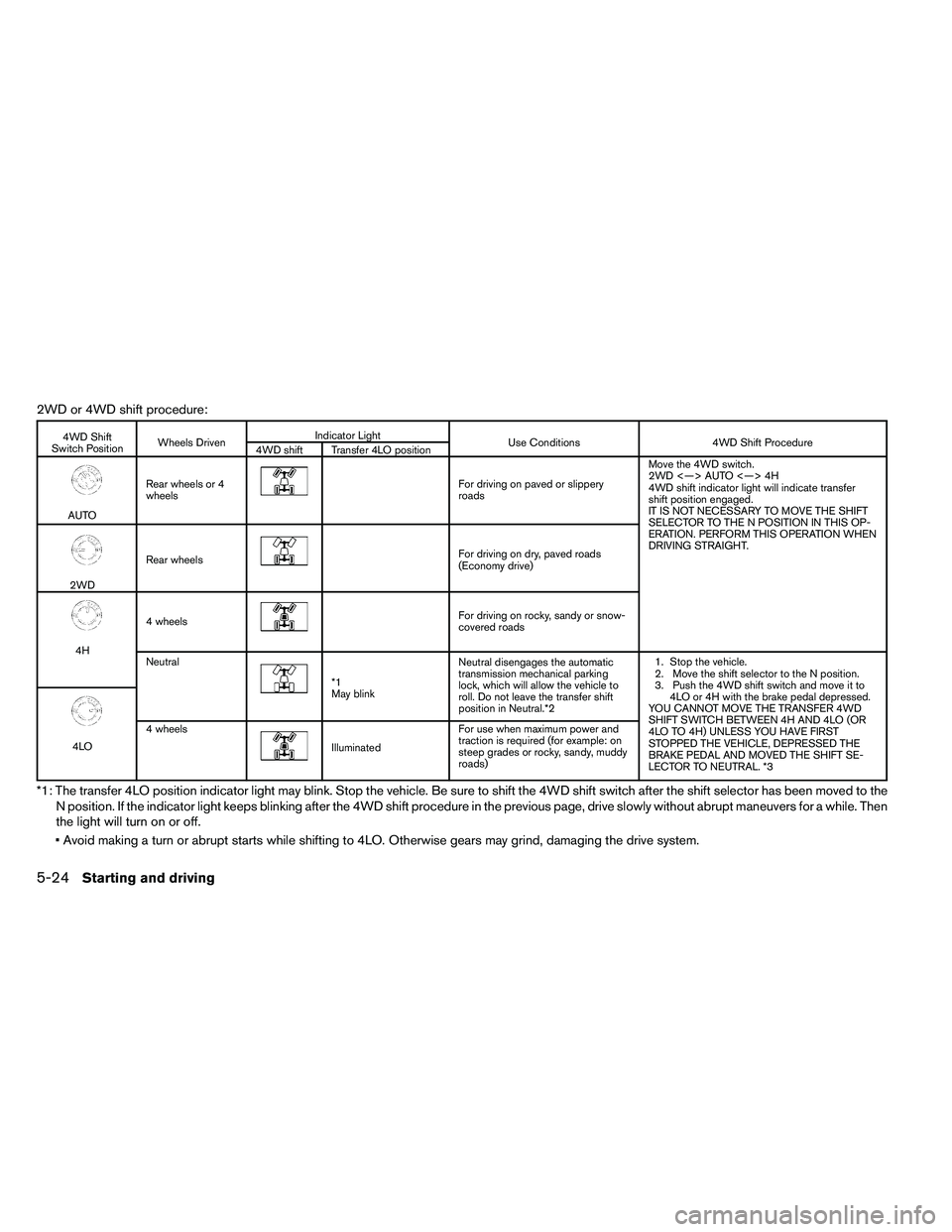
2WD or 4WD shift procedure:
Page 362 of 489
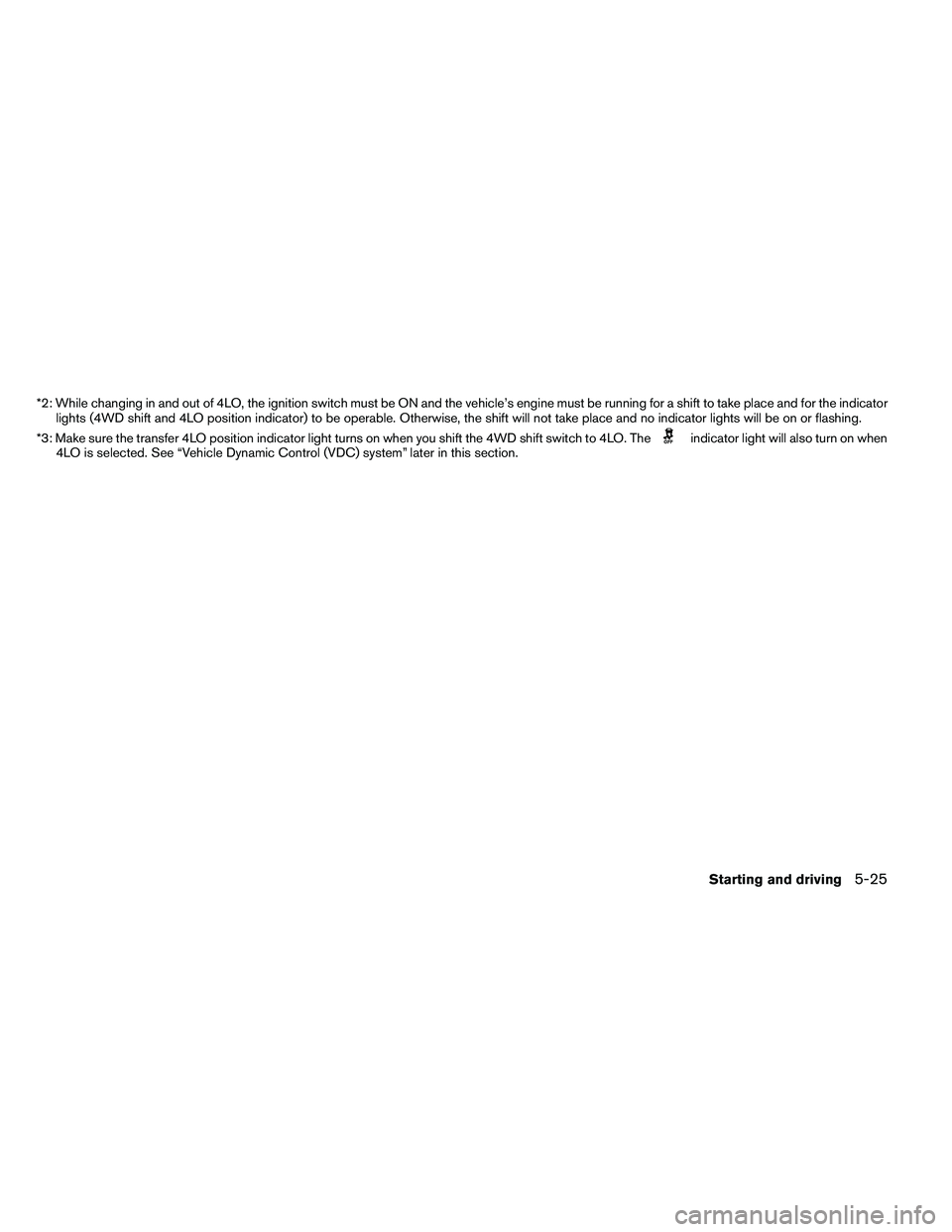
*2: While changing in and out of 4LO, the ignition switch must be ON and the vehicle’s engine must be running for a shift to take place and for the indicatorlights (4WD shift and 4LO position indicator) to be operable. Otherwise, the shift will not take place and no indicator lights will be on or flashing.
*3: Make sure the transfer 4LO position indicator light turns on when you shift the 4WD shift switch to 4LO. The
Page 363 of 489
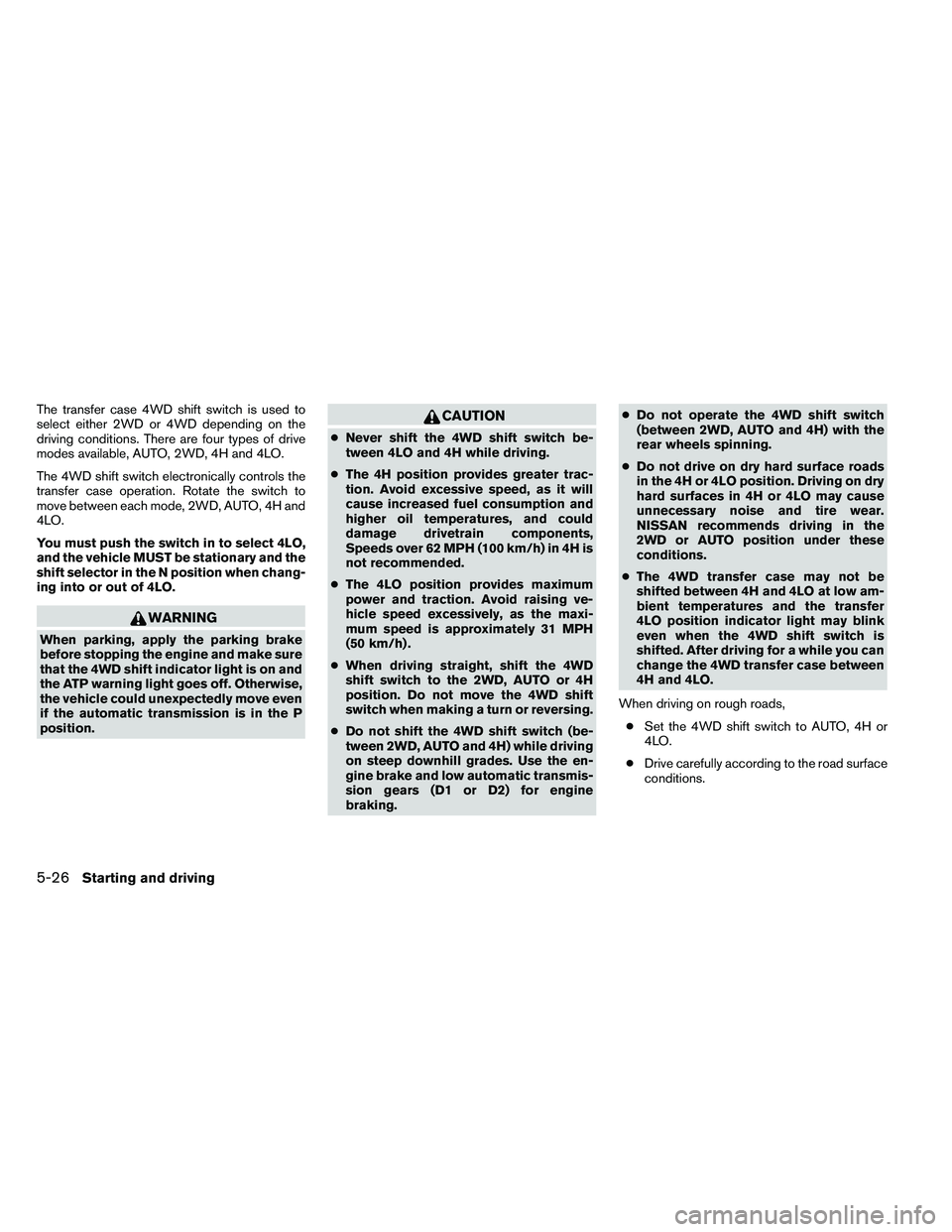
The transfer case 4WD shift switch is used to
select either 2WD or 4WD depending on the
driving conditions. There are four types of drive
modes available, AUTO, 2WD, 4H and 4LO.
The 4WD shift switch electronically controls the
transfer case operation. Rotate the switch to
move between each mode, 2WD, AUTO, 4H and
4LO.
You must push the switch in to select 4LO,
and the vehicle MUST be stationary and the
shift selector in the N position when chang-
ing into or out of 4LO.
Page 364 of 489
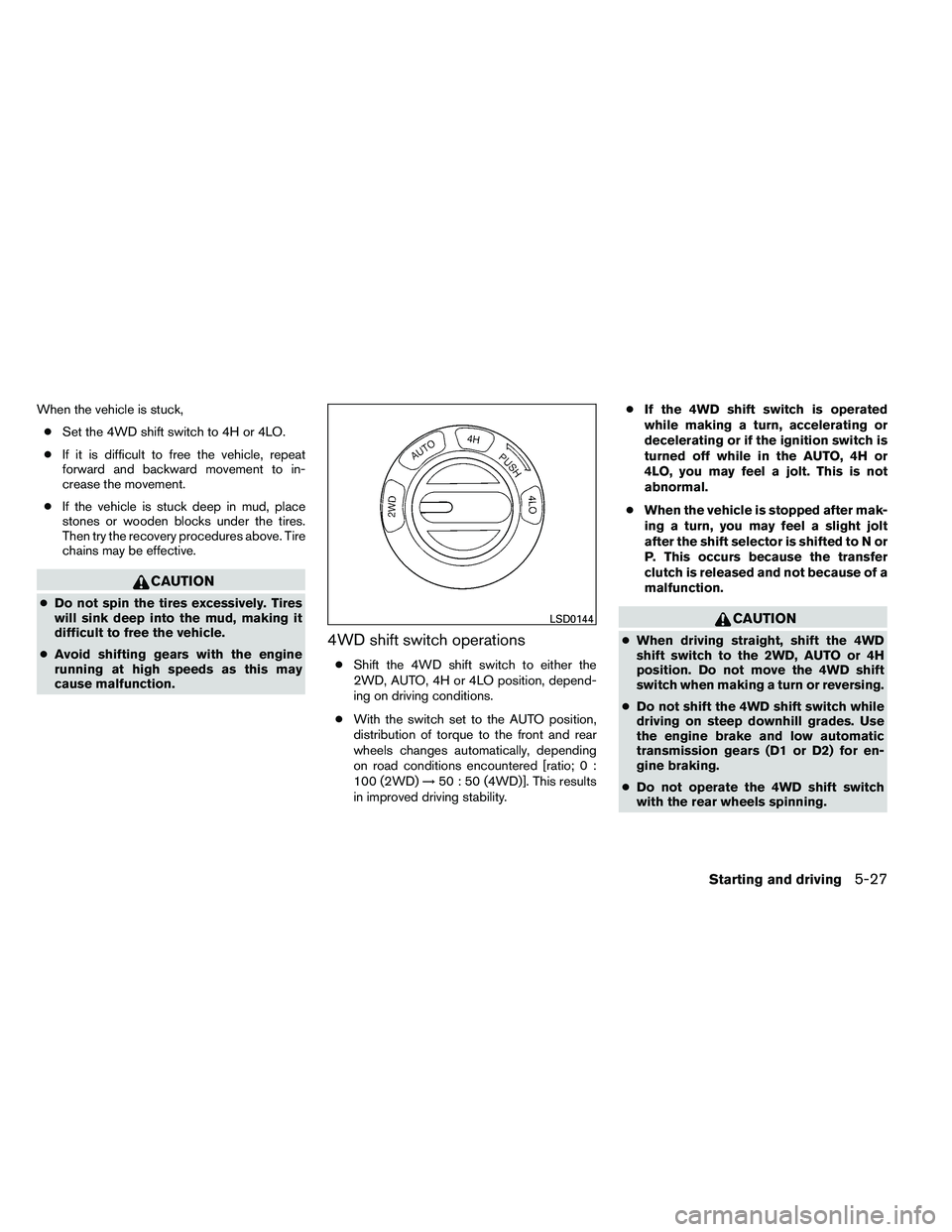
When the vehicle is stuck,● Set the 4WD shift switch to 4H or 4LO.
● If it is difficult to free the vehicle, repeat
forward and backward movement to in-
crease the movement.
● If the vehicle is stuck deep in mud, place
stones or wooden blocks under the tires.
Then try the recovery procedures above. Tire
chains may be effective.
Page 365 of 489
●Before placing the 4WD shift switch in
the 4H position from 2WD or AUTO,
ensure the vehicle speed is less than 62
MPH (100 km/h) . Failure to do so can
damage the 4WD system.
● Never shift the 4WD shift switch be-
tween 4LO and 4H while driving.
● Engine idling speed is high while warm-
ing up the engine. Be especially careful
when starting or driving on slippery sur-
faces with the 4WD shift switch set in
AUTO.
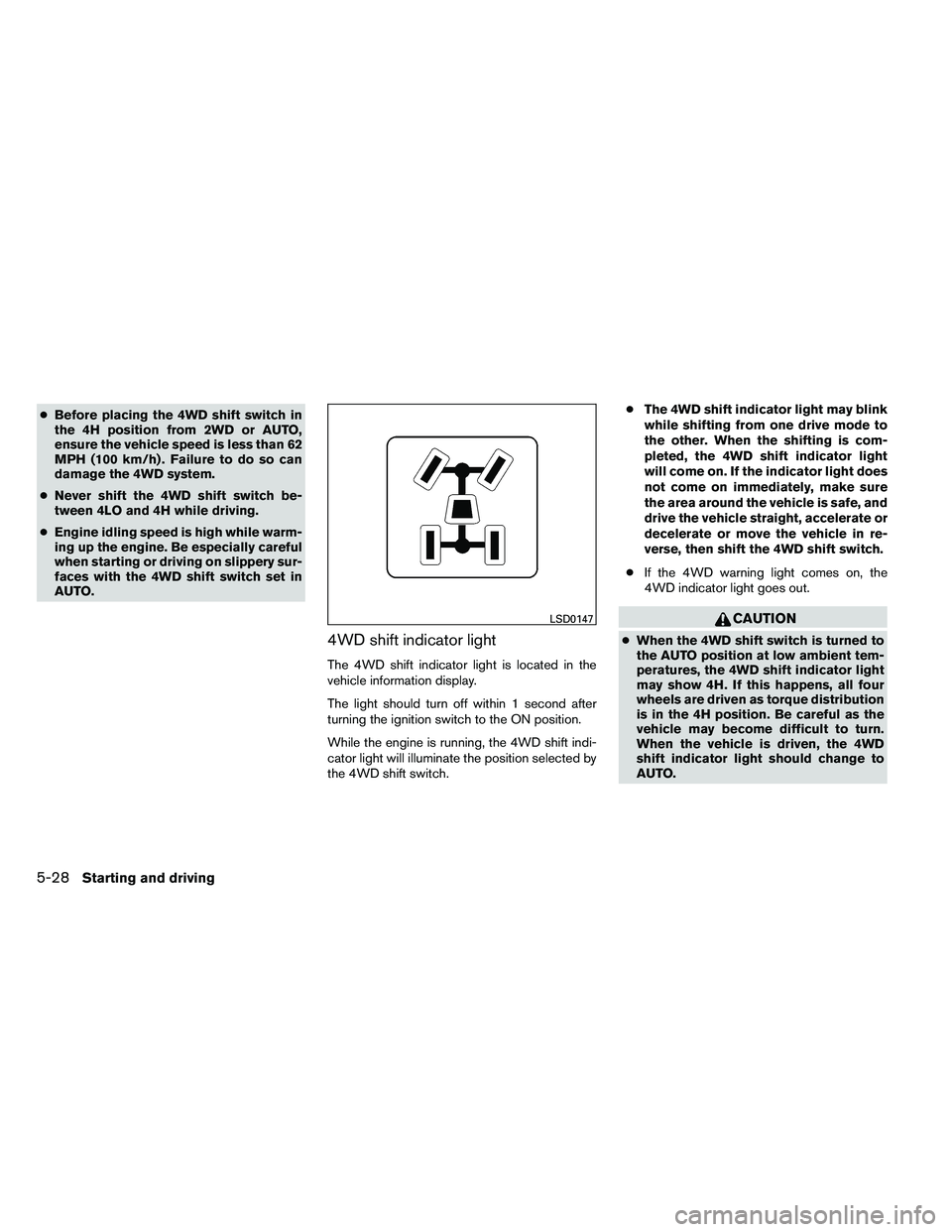
4WD shift indicator light
The 4WD shift indicator light is located in the
vehicle information display.
The light should turn off within 1 second after
turning the ignition switch to the ON position.
While the engine is running, the 4WD shift indi-
cator light will illuminate the position selected by
the 4WD shift switch. ●
The 4WD shift indicator light may blink
while shifting from one drive mode to
the other. When the shifting is com-
pleted, the 4WD shift indicator light
will come on. If the indicator light does
not come on immediately, make sure
the area around the vehicle is safe, and
drive the vehicle straight, accelerate or
decelerate or move the vehicle in re-
verse, then shift the 4WD shift switch.
● If the 4WD warning light comes on, the
4WD indicator light goes out.
Page 366 of 489
●If the 4WD shift indicator light indica-
tion changes to 2WD when the 4WD
shift switch is shifted to the AUTO or 4H
position at low ambient temperatures,
the 2WD mode may be being engaged
due to malfunctioning drive system. If
the indicator does not return to normal
and the 4WD warning light comes on,
have the system checked by the nearest
NISSAN dealer.
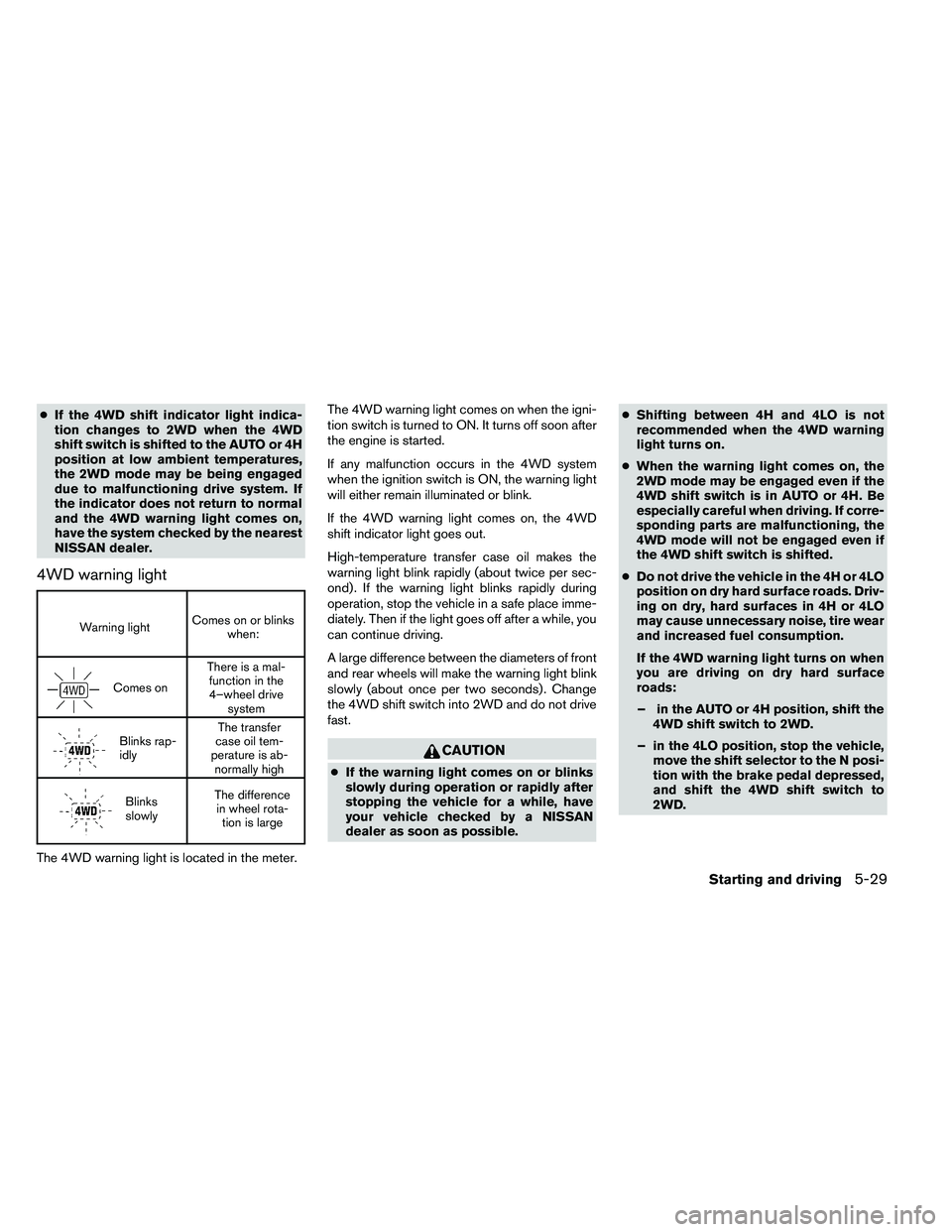
4WD warning light