climate settings NISSAN ARMADA 2015 1.G Owner's Guide
[x] Cancel search | Manufacturer: NISSAN, Model Year: 2015, Model line: ARMADA, Model: NISSAN ARMADA 2015 1.GPages: 510, PDF Size: 4.18 MB
Page 350 of 510
●To minimize the amount of prompts spoken
by the system in Alternate Command Mode,
use the Minimize Voice Feedback function.
To access the Minimize Voice Feedback
function press the SETTING button, then
select the “Others” key. Then select the
“Voice Recognition” key.
How to speak numbers
Voice Recognition requires a certain way to
speak numbers when giving voice commands.
Refer to the following examples.
General rule
● Only single digits 0 (zero) to 9 can be used.
● When saying the phone number 800-662-
6200, the system will accept “eight-
hundred” in addition to “eight zero zero” or
“eight oh oh”. 500, 700, and 900 are also
supported.
Examples ● 1-800-662-6200
– “One eight zero zero six six two six two zero zero”
– “One eight hundred six six two six two zero zero” Improving Recognition of Phone numbers
You can improve the recognition of phone num-
bers by saying the phone number in three groups
of numbers. For example, when you try to call
800-662-6200, say “eight zero zero” first, and
the system will then ask you for the next 3 digits.
Then, say “six six two”. After recognition, the
system will then ask for the last 4 digits. Say, “six
two zero zero”. Using this method of phone digit
entry can improve recognition performance.
NOTE:
When speaking a house number, speak the
number “0” as “zero” or “oh”. If the letter
“O” is included in the house number, it will
not be recognized as “0” even if you speak
“oh” instead of “zero”.
Settings menu
The content of the Settings Menu differs when
the system is in the Alternate Command Mode.
Command List
Displays the command list for Alternate Com-
mand Mode.
User Guide
The user guide provides basic instructions for
using Voice Recognition and accessing some
voice commands.
NOTE:
The user guide can also be accessed from
within the INFO menu after pressing the
INFO button.
Speaker Adaptation
Starts a system training procedure to learn the
specific sounds of your voice. For additional in-
formation, refer to “Speaker adaptation function”
in this section.
Alternate Command Mode
For advanced operation, an Alternate Command
Mode is provided. This setting enables control of
the audio system as well as additional commands
for the Phone and Navigation systems. With this
setting active, the system does not announce or
display the available commands at each step.
When this mode is activated, the Voice Recogni-
tion Settings will change to show more options.
Minimize Voice Feedback
Reduces the amount of the information spoken
for each voice instruction.
Monitor, climate, audio, phone and voice recognition systems4-149
Page 351 of 510
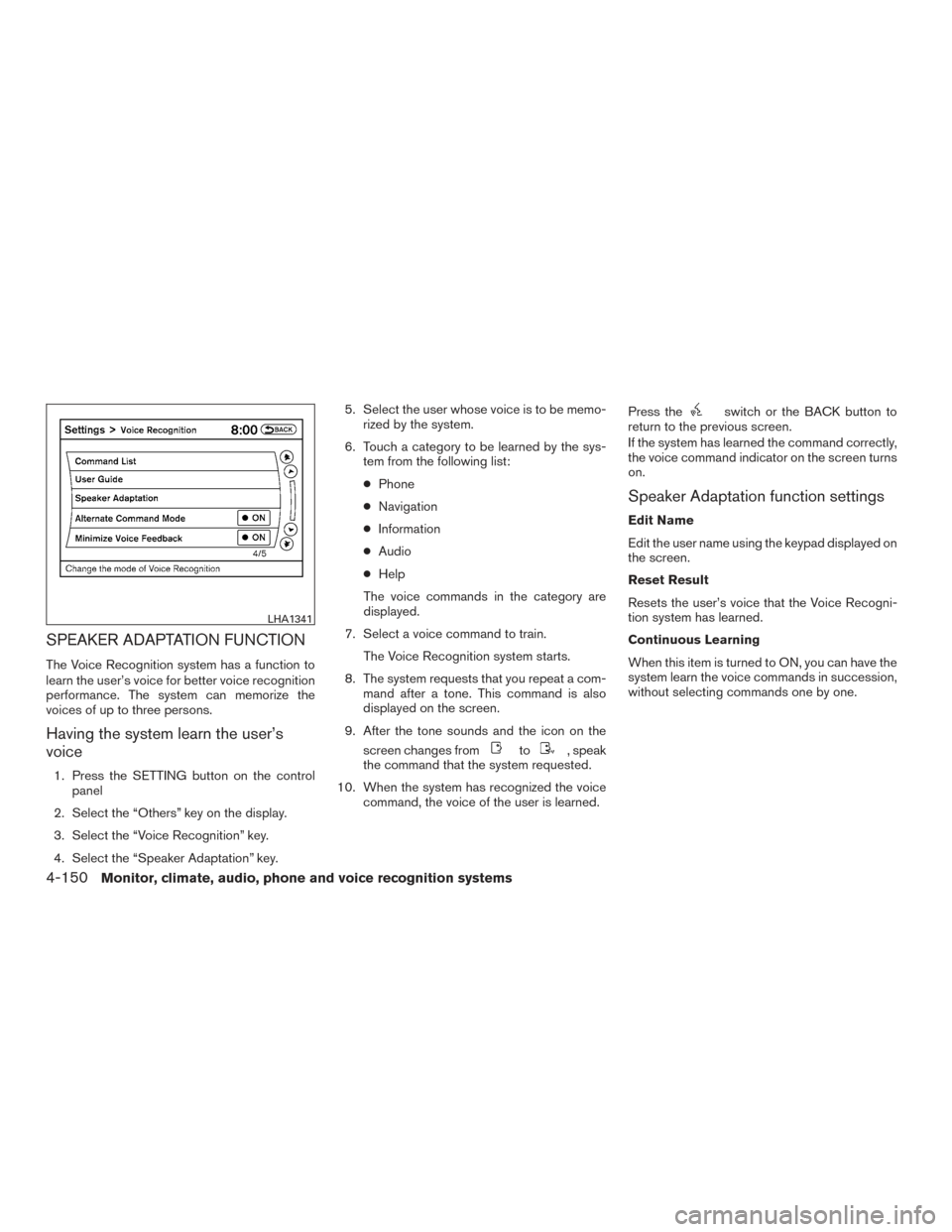
SPEAKER ADAPTATION FUNCTION
The Voice Recognition system has a function to
learn the user’s voice for better voice recognition
performance. The system can memorize the
voices of up to three persons.
Having the system learn the user’s
voice
1. Press the SETTING button on the controlpanel
2. Select the “Others” key on the display.
3. Select the “Voice Recognition” key.
4. Select the “Speaker Adaptation” key. 5. Select the user whose voice is to be memo-
rized by the system.
6. Touch a category to be learned by the sys- tem from the following list:
● Phone
● Navigation
● Information
● Audio
● Help
The voice commands in the category are
displayed.
7. Select a voice command to train. The Voice Recognition system starts.
8. The system requests that you repeat a com- mand after a tone. This command is also
displayed on the screen.
9. After the tone sounds and the icon on the screen changes from
to, speak
the command that the system requested.
10. When the system has recognized the voice command, the voice of the user is learned. Press the
switch or the BACK button to
return to the previous screen.
If the system has learned the command correctly,
the voice command indicator on the screen turns
on.
Speaker Adaptation function settings
Edit Name
Edit the user name using the keypad displayed on
the screen.
Reset Result
Resets the user’s voice that the Voice Recogni-
tion system has learned.
Continuous Learning
When this item is turned to ON, you can have the
system learn the voice commands in succession,
without selecting commands one by one.
LHA1341
4-150Monitor, climate, audio, phone and voice recognition systems