light NISSAN ARMADA 2015 2.G 08IT Navigation Manual
[x] Cancel search | Manufacturer: NISSAN, Model Year: 2015, Model line: ARMADA, Model: NISSAN ARMADA 2015 2.GPages: 241, PDF Size: 4.22 MB
Page 26 of 241
![NISSAN ARMADA 2015 2.G 08IT Navigation Manual 2-18Getting started
3. A confirmation message is displayed. Con-firm the contents of the message, highlight
[Yes] and push <ENTER>.
4. Highlight [Street Address] and push
<ENTER>. A character input sc](/img/5/407/w960_407-25.png "NISSAN ARMADA 2015 2.G 08IT Navigation Manual 2-18Getting started
3. A confirmation message is displayed. Con-firm the contents of the message, highlight
[Yes] and push <ENTER>.
4. Highlight [Street Address] and push
<ENTER>. A character input sc")
2-18Getting started
3. A confirmation message is displayed. Con-firm the contents of the message, highlight
[Yes] and push
4. Highlight [Street Address] and push
displayed.
5. Enter the address of the home location,highlight [OK] and push
“Finding address” (page 4-4)
The map screen is displayed.
6. Adjust the location of your home using the muti-function controller, if necessary.
7. After adjusting the location, push
8. A message is displayed and the homelocation is stored.
9. Highlight [OK] and push
10. Push
Page 27 of 241
![NISSAN ARMADA 2015 2.G 08IT Navigation Manual SEARCHING FOR DESTINATION
As an example, the method for setting a
restaurant as the destination using [Places] is
described here.
1. Push<DEST>.
2. Highlight [Places] and push <ENTER>.
3. Highlight [N](/img/5/407/w960_407-26.png "NISSAN ARMADA 2015 2.G 08IT Navigation Manual SEARCHING FOR DESTINATION
As an example, the method for setting a
restaurant as the destination using [Places] is
described here.
1. Push<DEST>.
2. Highlight [Places] and push <ENTER>.
3. Highlight [N")
SEARCHING FOR DESTINATION
As an example, the method for setting a
restaurant as the destination using [Places] is
described here.
1. Push
2. Highlight [Places] and push
3. Highlight [Nearby RESTAURANT] and push
INFO:
The search can also be narrowed down by
selecting [All Categories or Name] or
[ZAGAT] (if so equipped) on this screen.
By selecting [All Categories or Name], the
area, name of facility, etc. can be specified.
By selecting [ZAGAT] (if so equipped) ,
restaurants registered in the ZAGAT data-
base can be searched and sorted by its
rating regarding food, decor, cost, service,
etc. The Zagat Content displayed may not
reflect the most up-to-date Zagat Content
available to the public.
4. Highlight the preferred restaurant from the list and push
INFO:
.The position of the selected location is
displayed in the preview on the right side
of the screen.
.If there is a route already in progress, onlyplaces along the current route will be
listed. Turn off [Show Along Route] at the
top of list to display all nearby places.
5. The entire route is shown on the map. Highlight [Start] after confirming the location
of the displayed destination, and push
The system sets the destination to the
selected location and starts calculating a
route.
Getting started2-19
SETTING DESTINATION
Page 28 of 241
2-20Getting started
INFO:
Even after setting a destination, the location
of the destination can be adjusted, the route
can be stored, etc. if necessary.
“Procedures after setting destination”
(page 5-2)
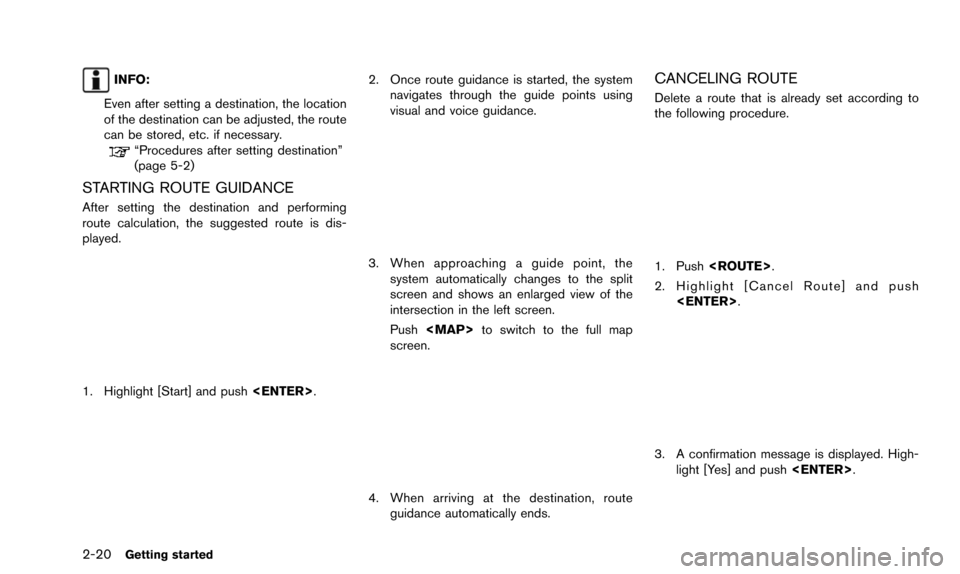
STARTING ROUTE GUIDANCE
After setting the destination and performing
route calculation, the suggested route is dis-
played.
1. Highlight [Start] and push
2. Once route guidance is started, the system
navigates through the guide points using
visual and voice guidance.
3. When approaching a guide point, thesystem automatically changes to the split
screen and shows an enlarged view of the
intersection in the left screen.
Push
Page 29 of 241
![NISSAN ARMADA 2015 2.G 08IT Navigation Manual INFO:
. If a route is canceled, [Cancel Route]
changes to [Resume Route].
Highlight [Resume Route] and push
<ENTER> to reactivate the canceled route.
This is available only until a new route is set
or](/img/5/407/w960_407-28.png "NISSAN ARMADA 2015 2.G 08IT Navigation Manual INFO:
. If a route is canceled, [Cancel Route]
changes to [Resume Route].
Highlight [Resume Route] and push
<ENTER> to reactivate the canceled route.
This is available only until a new route is set
or")
INFO:
. If a route is canceled, [Cancel Route]
changes to [Resume Route].
Highlight [Resume Route] and push
This is available only until a new route is set
or a currently set destination is deleted.
. The above step does not delete the
destination that has been set. To delete a
destination, push
[Delete Destination], then push
“Delete destination” (page 4-21)
HOW TO VIEW MAP SCREEN
The navigation system displays various informa-
tion on the map screen.
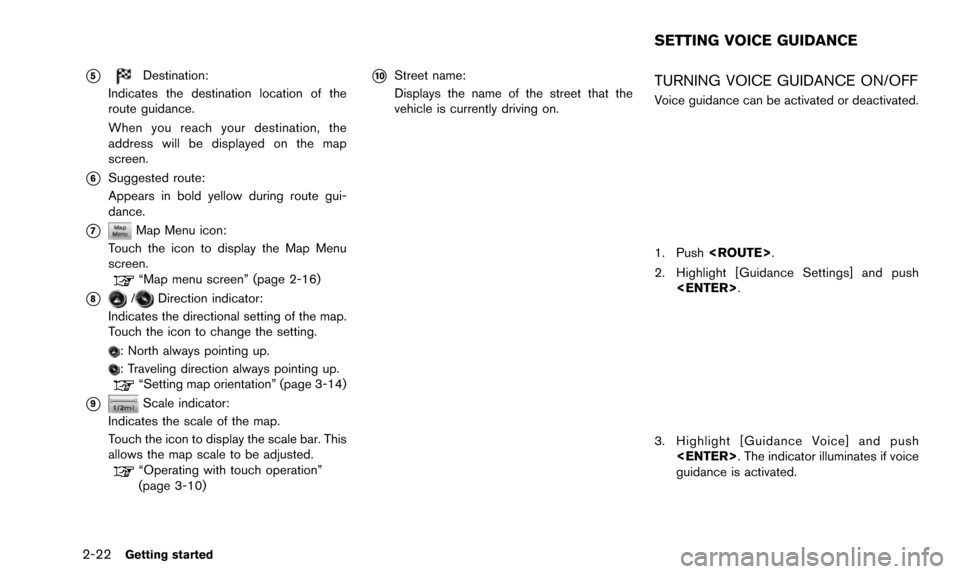
Screen information
*1Vehicle icon:
Indicates the current vehicle location and
the direction of travel.
*2Starting point:
Displays the vehicle location, with which the
route is set, as the starting point.
*3Guide point:
Indicates a guide point on the route.
*4Waypoint:
Displays locations between the starting
point and the destination. A maximum of 5
waypoints can be set.
Getting started2-21
OPERATING MAPS
Page 30 of 241
2-22Getting started
*5Destination:
Indicates the destination location of the
route guidance.
When you reach your destination, the
address will be displayed on the map
screen.
*6Suggested route:
Appears in bold yellow during route gui-
dance.
*7Map Menu icon:
Touch the icon to display the Map Menu
screen.
“Map menu screen” (page 2-16)
*8/Direction indicator:
Indicates the directional setting of the map.
Touch the icon to change the setting.
: North always pointing up.
: Traveling direction always pointing up.“Setting map orientation” (page 3-14)
*9Scale indicator:
Indicates the scale of the map.
Touch the icon to display the scale bar. This
allows the map scale to be adjusted.
“Operating with touch operation”
(page 3-10)
*10Street name:
Displays the name of the street that the
vehicle is currently driving on.TURNING VOICE GUIDANCE ON/OFF
Voice guidance can be activated or deactivated.
1. Push
2. Highlight [Guidance Settings] and push
3. Highlight [Guidance Voice] and push
guidance is activated.
SETTING VOICE GUIDANCE
Page 31 of 241
![NISSAN ARMADA 2015 2.G 08IT Navigation Manual Other settings
Voice guidance can also be activated or
deactivated using the following procedure.
1. Push<SETTING>.
2. Highlight [Volume & Beeps] and push <ENTER>.
3. Highlight [Guidance Voice] and pu](/img/5/407/w960_407-30.png "NISSAN ARMADA 2015 2.G 08IT Navigation Manual Other settings
Voice guidance can also be activated or
deactivated using the following procedure.
1. Push<SETTING>.
2. Highlight [Volume & Beeps] and push <ENTER>.
3. Highlight [Guidance Voice] and pu")
Other settings
Voice guidance can also be activated or
deactivated using the following procedure.
1. Push
2. Highlight [Volume & Beeps] and push
3. Highlight [Guidance Voice] and push
ADJUSTING VOICE GUIDANCE VO-
LUME
The voice guidance volume can be adjusted.
1. Push
2. Highlight [Guidance Settings] and push
3. Highlight [Guidance Volume] and push
4. Adjust the volume of voice guidance byusing the multi-function controller.
Other settings
Voice guidance volume can also be adjusted
using the following procedure.
1. Push
2. Highlight [Volume & Beeps] and push
3. Highlight [Guidance Volume] and push
4. Adjust the volume of voice guidance by using the multi-function controller.
Getting started2-23
Page 51 of 241
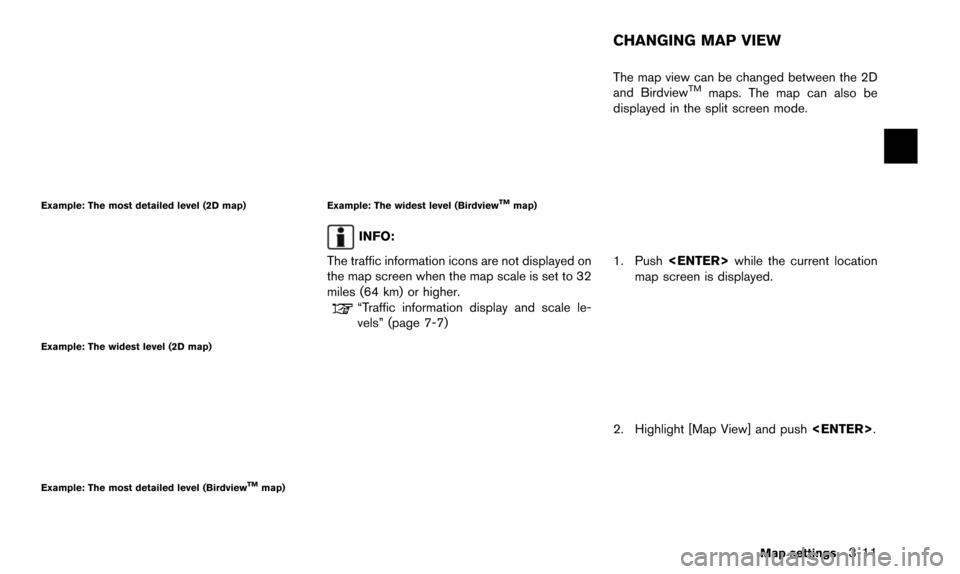
Example: The most detailed level (2D map)
Example: The widest level (2D map)
Example: The most detailed level (BirdviewTMmap)
Example: The widest level (BirdviewTMmap)
INFO:
The traffic information icons are not displayed on
the map screen when the map scale is set to 32
miles (64 km) or higher.
“Traffic information display and scale le-
vels” (page 7-7) The map view can be changed between the 2D
and Birdview
TMmaps. The map can also be
displayed in the split screen mode.
1. Push
map screen is displayed.
2. Highlight [Map View] and push
Map settings3-11
CHANGING MAP VIEW
Page 52 of 241
![NISSAN ARMADA 2015 2.G 08IT Navigation Manual 3-12Map settings
3. Highlight [Change View] and push the rightbutton of the directional buttons.
4. Highlight the preferred map view and push <ENTER>. The indicator of the selected
map view illuminate](/img/5/407/w960_407-51.png "NISSAN ARMADA 2015 2.G 08IT Navigation Manual 3-12Map settings
3. Highlight [Change View] and push the rightbutton of the directional buttons.
4. Highlight the preferred map view and push <ENTER>. The indicator of the selected
map view illuminate")
3-12Map settings
3. Highlight [Change View] and push the rightbutton of the directional buttons.
4. Highlight the preferred map view and push
map view illuminates.
5. The display automatically returns to the map screen.
AVAILABLE VIEWS
.[2D Map]:
Switches to the 2D map.
. [Birdview (3D)]:
Switches to the Birdview
TMmap.
. [Split: 2D Map]:
Changes to the split screen mode and both
halves display maps in 2D.
. [Split: Birdview Map]:
Changes to the split screen mode and the
left half displays the map in 2D and the right half displays the map in Birdview
TM.
INFO:
. When the split screen mode is selected, the
map settings for the left screen can be
changed independently.
“Setting left screen display”
(page 3-17)
. If the split screen mode is selected, the
normal map scrolling and scale adjustment
are set in the right screen. However, if an
icon is touched before adjusting the map
direction or scale, then each screen can be
adjusted independently.
Split: 2D Map
Split: BirdviewTMMap
OTHER SETTINGS
The map view can also be set using the
following procedure.
1. Push
2. Highlight [Navigation] and push
3. Highlight [Map View] and push
4. Highlight [Change View] and push
5. Highlight the preferred item and push
Page 53 of 241
Voice command
1. Push
wheel switch.
2. After the tone sounds, speak a command.
.To display the 2D map: “Plan View map” (Alternate command
mode)
.To display the BirdviewTMmap:
“Birdview map” (Alternate command
mode) Other settings are also available for the map
screen, such as changing the map direction,
map color, Birdview
TMangle, etc.
BASIC OPERATION
1. Push
map screen is displayed.
2. Highlight [Map View] and push
3. Highlight [Map Settings] and push
4. Highlight the preferred item and push
Available setting items
.[Map Orientation]:
Set the map direction to North up or
Heading Up.
“Setting map orientation” (page 3-14)
. [Long Range]:
Set the long range map view display ON/
Map settings3-13
SETTING THE MAP VIEW
Page 54 of 241
![NISSAN ARMADA 2015 2.G 08IT Navigation Manual 3-14Map settings
OFF.“Settings long range map view”
(page 3-15)
. [Map Color]:
Change the map color.
“Setting map color ” (page 3-15)
. [Birdview Angle]:
Change the Birdview
TMangle.“Changin](/img/5/407/w960_407-53.png "NISSAN ARMADA 2015 2.G 08IT Navigation Manual 3-14Map settings
OFF.“Settings long range map view”
(page 3-15)
. [Map Color]:
Change the map color.
“Setting map color ” (page 3-15)
. [Birdview Angle]:
Change the Birdview
TMangle.“Changin")
3-14Map settings
OFF.“Settings long range map view”
(page 3-15)
. [Map Color]:
Change the map color.
“Setting map color ” (page 3-15)
. [Birdview Angle]:
Change the Birdview
TMangle.“Changing BirdviewTMangle”
(page 3-16)
. [Left Split Map Settings]:
Set the map settings for the left screen of
the split map.
“Setting left screen display”
(page 3-17)
. [Show all Freeway Exits on Route]/[Auto.
Show Turn List on Freeway]:
Set the display of the freeway exit informa-
tion ON/OFF.
“Show exit information on freeways”
(page 5-10)
Other settings
The orientation of the map can also be set using
the following procedure.
1. Push
2. Highlight [Navigation] and push
3. Highlight [Map View] and push
SETTING MAP ORIENTATION
The map direction (orientation) can also be
changed in the 2D map. These settings are
available only in the 2D map or 2D/2D split map.
1. Highlight [Map Orientation] and push
2. Highlight the preferred map orientation and push
selected map orientation illuminates.
3. Push