warning light NISSAN ARMADA 2017 2.G Owners Manual
[x] Cancel search | Manufacturer: NISSAN, Model Year: 2017, Model line: ARMADA, Model: NISSAN ARMADA 2017 2.GPages: 614, PDF Size: 2.87 MB
Page 394 of 614
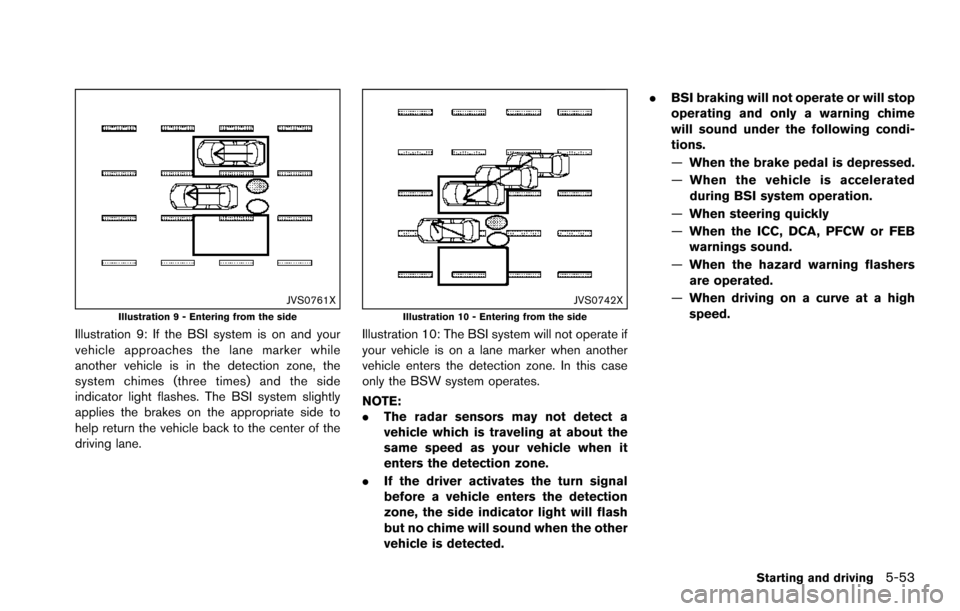
JVS0761XIllustration 9 - Entering from the side
Illustration 9: If the BSI system is on and your
vehicle approaches the lane marker while
another vehicle is in the detection zone, the
system chimes (three times) and the side
indicator light flashes. The BSI system slightly
applies the brakes on the appropriate side to
help return the vehicle back to the center of the
driving lane.
JVS0742XIllustration 10 - Entering from the side
Illustration 10: The BSI system will not operate if
your vehicle is on a lane marker when another
vehicle enters the detection zone. In this case
only the BSW system operates.
NOTE:
.The radar sensors may not detect a
vehicle which is traveling at about the
same speed as your vehicle when it
enters the detection zone.
. If the driver activates the turn signal
before a vehicle enters the detection
zone, the side indicator light will flash
but no chime will sound when the other
vehicle is detected. .
BSI braking will not operate or will stop
operating and only a warning chime
will sound under the following condi-
tions.
—When the brake pedal is depressed.
— When the vehicle is accelerated
during BSI system operation.
— When steering quickly
— When the ICC, DCA, PFCW or FEB
warnings sound.
— When the hazard warning flashers
are operated.
— When driving on a curve at a high
speed.
Starting and driving5-53
Page 395 of 614
5-54Starting and driving
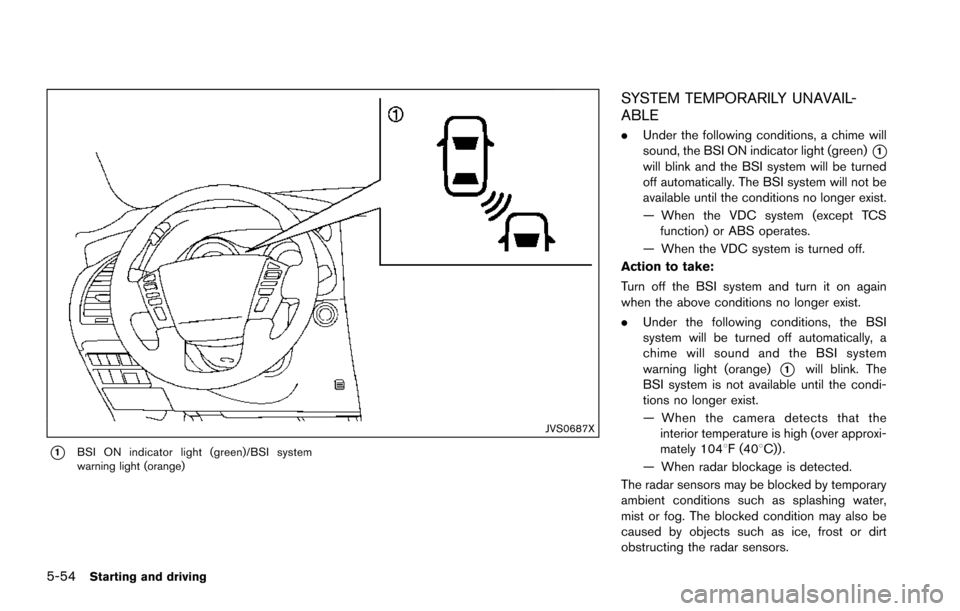
JVS0687X
*1BSI ON indicator light (green)/BSI system
warning light (orange)
SYSTEM TEMPORARILY UNAVAIL-
ABLE
.Under the following conditions, a chime will
sound, the BSI ON indicator light (green)
*1will blink and the BSI system will be turned
off automatically. The BSI system will not be
available until the conditions no longer exist.
— When the VDC system (except TCS
function) or ABS operates.
— When the VDC system is turned off.
Action to take:
Turn off the BSI system and turn it on again
when the above conditions no longer exist.
. Under the following conditions, the BSI
system will be turned off automatically, a
chime will sound and the BSI system
warning light (orange)
*1will blink. The
BSI system is not available until the condi-
tions no longer exist.
— When the camera detects that the
interior temperature is high (over approxi-
mately 1048F (408C)) .
— When radar blockage is detected.
The radar sensors may be blocked by temporary
ambient conditions such as splashing water,
mist or fog. The blocked condition may also be
caused by objects such as ice, frost or dirt
obstructing the radar sensors.
Page 396 of 614
Action to take:
When the above conditions no longer exist, turn
the BSI system off and turn it on again. If the BSI
system warning light (orange)
*1continues to
blink even after the BSI system is turned on
again, stop the vehicle in a safe location, place
the shift lever in the P (Park) position and turn
the engine off. Check for and remove objects
obscuring the radar sensors on the rear bumper,
and restart the engine.
If the BSI system warning light (orange)
*1continues to blink, have the BSI system
checked. It is recommended you visit a NISSAN
dealer for this service.
SYSTEM MALFUNCTION
When the BSI system malfunctions, it will be
turned off automatically, a chime will sound and
the BSI system warning light (orange) will
illuminate.
Action to take:
Stop the vehicle in a safe location, place the shift
lever in the P (Park) position, turn the engine off
and restart the engine.
If the warning light (orange) continues to
illuminate, have the BSI system checked. It is
recommended you visit a NISSAN dealer for this
service.
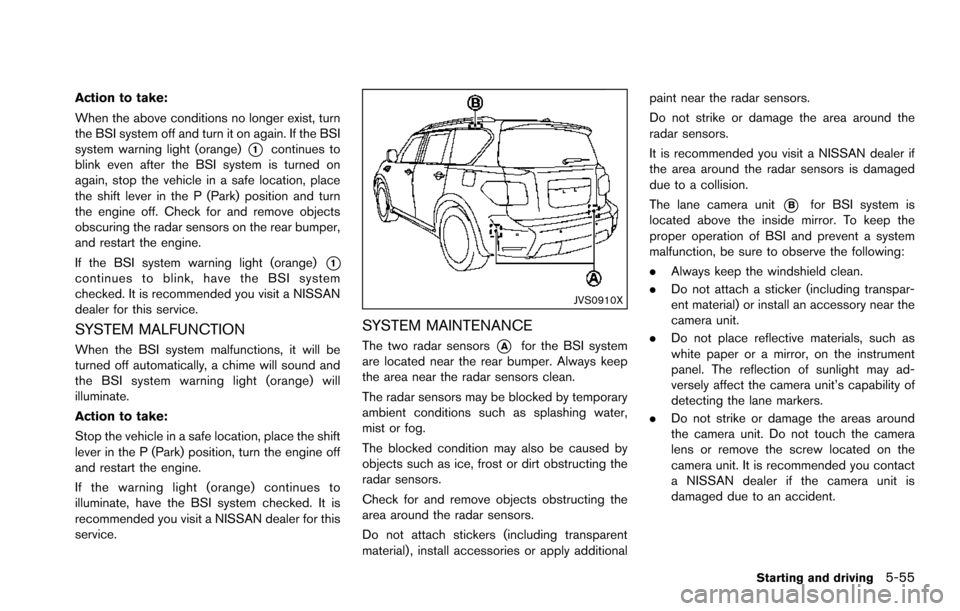
JVS0910X
SYSTEM MAINTENANCE
The two radar sensors*Afor the BSI system
are located near the rear bumper. Always keep
the area near the radar sensors clean.
The radar sensors may be blocked by temporary
ambient conditions such as splashing water,
mist or fog.
The blocked condition may also be caused by
objects such as ice, frost or dirt obstructing the
radar sensors.
Check for and remove objects obstructing the
area around the radar sensors.
Do not attach stickers (including transparent
material) , install accessories or apply additional paint near the radar sensors.
Do not strike or damage the area around the
radar sensors.
It is recommended you visit a NISSAN dealer if
the area around the radar sensors is damaged
due to a collision.
The lane camera unit
*Bfor BSI system is
located above the inside mirror. To keep the
proper operation of BSI and prevent a system
malfunction, be sure to observe the following:
. Always keep the windshield clean.
. Do not attach a sticker (including transpar-
ent material) or install an accessory near the
camera unit.
. Do not place reflective materials, such as
white paper or a mirror, on the instrument
panel. The reflection of sunlight may ad-
versely affect the camera unit’s capability of
detecting the lane markers.
. Do not strike or damage the areas around
the camera unit. Do not touch the camera
lens or remove the screw located on the
camera unit. It is recommended you contact
a NISSAN dealer if the camera unit is
damaged due to an accident.
Starting and driving5-55
Page 399 of 614
5-58Starting and driving
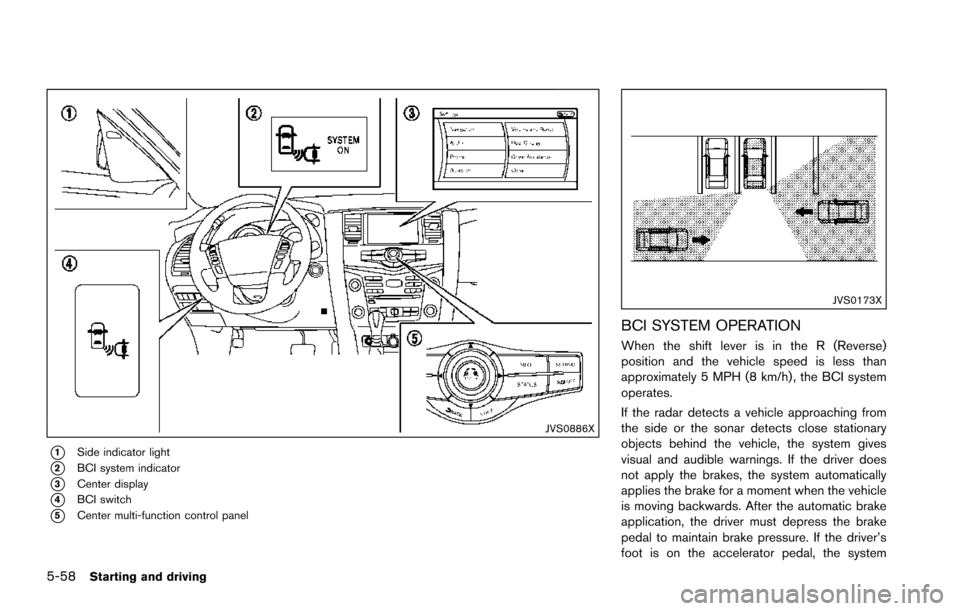
JVS0886X
*1Side indicator light
*2BCI system indicator
*3Center display
*4BCI switch
*5Center multi-function control panel
JVS0173X
BCI SYSTEM OPERATION
When the shift lever is in the R (Reverse)
position and the vehicle speed is less than
approximately 5 MPH (8 km/h) , the BCI system
operates.
If the radar detects a vehicle approaching from
the side or the sonar detects close stationary
objects behind the vehicle, the system gives
visual and audible warnings. If the driver does
not apply the brakes, the system automatically
applies the brake for a moment when the vehicle
is moving backwards. After the automatic brake
application, the driver must depress the brake
pedal to maintain brake pressure. If the driver’s
foot is on the accelerator pedal, the system
Page 406 of 614
.The following conditions may re-
duce the ability of the radar sensors
to detect other vehicles:
— Severe weather
— Road spray
— Ice/frost/dirt build up on the
vehicle
. Do not attach stickers (including
transparent material) , install acces-
sories or apply additional paint near
the radar sensors. These conditions
may reduce the ability of the radar
sensors to detect other vehicles.
. The sonar sensors detect stationary
objects behind the vehicle. The
sonar sensor may not detect:
— Small or moving objects
— Wedge-shaped objects
— Object close to the bumper (less
than approximately 1 ft (30 cm))
— Thin objects such as rope, wire and chain, etc.
. The brake engagement by the BCI
system is not as effective on a slope
as it is on flat ground. When on a
steep slope the system may not function properly.
. Do not use the BCI system under the
following conditions because the
system may not function properly.
— When driving with a tire that is
not within normal tire conditions
(for example, tire wear, low tire
pressure, installation of spare
tire, tire chains, non-standard
wheels) .
— When the vehicle is equipped with non-original brake parts or
suspension parts.
— When towing a trailer or other vehicle.
. Excessive noise (for example, audio
system volume, open vehicle win-
dow) will interfere with the chime
sound, and it may not be heard.
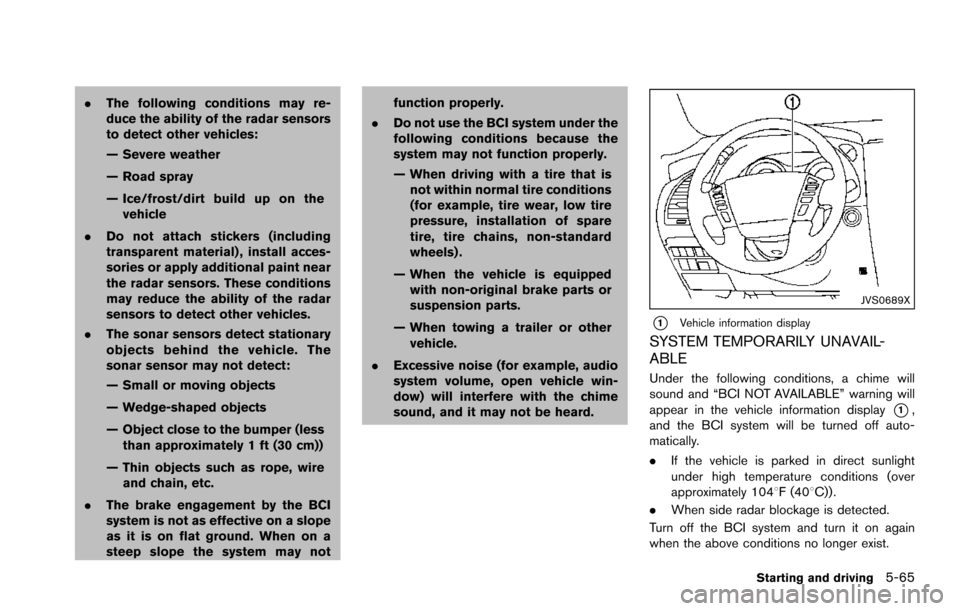
JVS0689X
*1Vehicle information display
SYSTEM TEMPORARILY UNAVAIL-
ABLE
Under the following conditions, a chime will
sound and “BCI NOT AVAILABLE” warning will
appear in the vehicle information display
*1,
and the BCI system will be turned off auto-
matically.
. If the vehicle is parked in direct sunlight
under high temperature conditions (over
approximately 1048F (408C)) .
. When side radar blockage is detected.
Turn off the BCI system and turn it on again
when the above conditions no longer exist.
Starting and driving5-65
Page 408 of 614
PRECAUTIONS ON CRUISE CON-
TROL
.If the cruise control system malfunctions, it
will cancel automatically. The CRUISE in-
dicator light on the meter panel will then
blink to warn the driver.
. If the engine coolant temperature becomes
excessively high, the cruise control system
will be canceled automatically.
. If the CRUISE indicator light blinks, turn the
cruise control main switch off and have the
system checked. It is recommended you visit
a NISSAN dealer for this service.
. The CRUISE indicator light may sometimes
blink when the cruise control main switch is
turned ON while pushing the ACCELER-
ATE/RESUME, COAST/SET or CANCEL
switch. To properly set the cruise control
system, perform the steps below in the order
indicated.
WARNING
Do not use the cruise control when
driving under the following conditions:
.when it is not possible to keep the
vehicle at a set speed .
in heavy traffic or in traffic that
varies in speed
. on winding or hilly roads
. on slippery roads (rain, snow, ice,
etc.)
. in very windy areas
Doing so could cause a loss of vehicle
control and result in an accident.
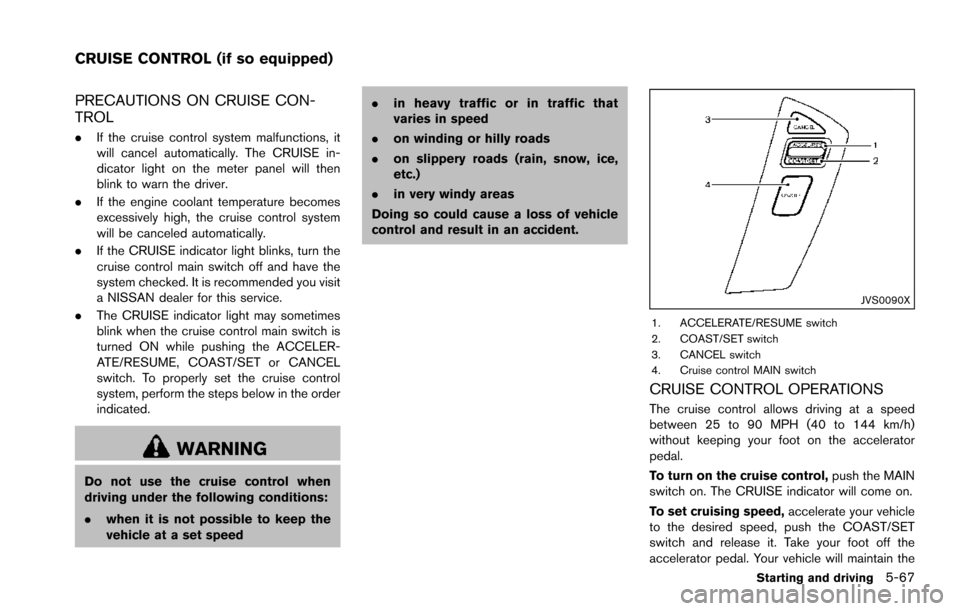
JVS0090X
1. ACCELERATE/RESUME switch
2. COAST/SET switch
3. CANCEL switch
4. Cruise control MAIN switch
CRUISE CONTROL OPERATIONS
The cruise control allows driving at a speed
between 25 to 90 MPH (40 to 144 km/h)
without keeping your foot on the accelerator
pedal.
To turn on the cruise control, push the MAIN
switch on. The CRUISE indicator will come on.
To set cruising speed, accelerate your vehicle
to the desired speed, push the COAST/SET
switch and release it. Take your foot off the
accelerator pedal. Your vehicle will maintain the
Starting and driving5-67
CRUISE CONTROL (if so equipped)
Page 415 of 614
5-74Starting and driving
set speed.
4. DISTANCE switch:
Changes the vehicle’s following distance:
.Long.Middle.Short
5. MAIN switch:
Master switch to activate the system
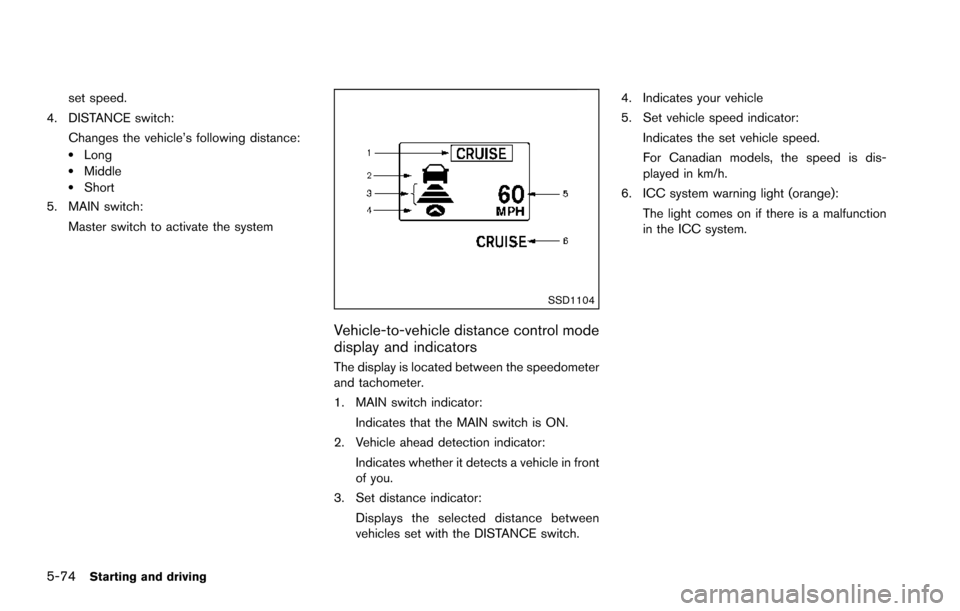
SSD1104
Vehicle-to-vehicle distance control mode
display and indicators
The display is located between the speedometer
and tachometer.
1. MAIN switch indicator:
Indicates that the MAIN switch is ON.
2. Vehicle ahead detection indicator: Indicates whether it detects a vehicle in front
of you.
3. Set distance indicator: Displays the selected distance between
vehicles set with the DISTANCE switch. 4. Indicates your vehicle
5. Set vehicle speed indicator:
Indicates the set vehicle speed.
For Canadian models, the speed is dis-
played in km/h.
6. ICC system warning light (orange):
The light comes on if there is a malfunction
in the ICC system.
Page 421 of 614
5-80Starting and driving
.The chime sounds.
. The vehicle ahead detection and set dis-
tance indicator blink.
The warning chime may not sound in some
cases when there is a short distance between
vehicles. Some examples are:
. When the vehicles are traveling at the same
speed and the distance between vehicles is
not changing
. When the vehicle ahead is traveling faster
and the distance between vehicles is
increasing
. When a vehicle cuts in near your vehicle
The warning chime will not sound when:
. Your vehicle approaches other vehicles that
are parked or moving slowly.
. The accelerator pedal is depressed, over-
riding the system.
NOTE:
The approach warning chime may sound
and the system display may blink when the
radar sensor detects objects on the side of
the vehicle or on the side of the road. This
may cause the ICC system to decelerate or
accelerate the vehicle. The radar sensor
may detect these objects when the vehicle
is driven on winding roads, narrow roads,
hilly roads or when entering or exiting a curve. In these cases you will have to
manually control the proper distance
ahead of your vehicle.
Also, the sensor sensitivity can be affected by
vehicle operation (steering maneuver or driving
position in the lane) or traffic or vehicle condition
(for example, if a vehicle is being driven with
some damage) .
Automatic cancellation
A chime sounds under the following conditions
and the control is automatically canceled.
.
When the vehicle ahead is not detected and
your vehicle is traveling below the speed of
15 MPH (24 km/h)
. When the system judges the vehicle is at
standstill
. When the shift lever is not in the D (Drive) or
manual shift mode
. When the parking brake is applied
. When the SNOW mode switch is pushed
on.
. When the 4WD shift switch is in the 4H or
4L position (for 4WD models)
. When the VDC system is turned off
. When ABS or VDC (including the traction
control system) operates .
When distance measurement becomes im-
paired due to adhesion of dirt or obstruction
to the sensor
. When a wheel slips
. When the radar signal is temporarily inter-
rupted
Vehicle-to-vehicle distance control mode
limitations
WARNING
Listed below are the system limitations
for the ICC system. Failure to operate
the vehicle in accordance with these
system limitations could result in ser-
ious injury or death.
.The system is primarily intended for
use on straight, dry, open roads with
light traffic. It is not advisable to use
the system in city traffic or con-
gested areas.
. This system will not adapt automa-
tically to road conditions. This sys-
tem should be used in evenly
flowing traffic. Do not use the
system on roads with sharp curves,
or on icy roads, in heavy rain or in
fog.
Page 425 of 614
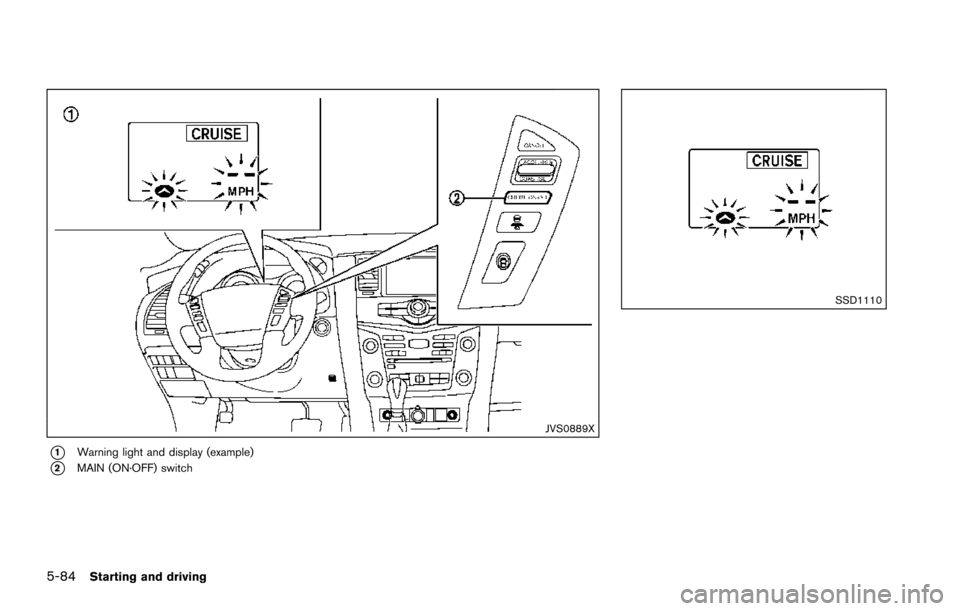
5-84Starting and driving
JVS0889X
*1Warning light and display (example)
*2MAIN (ON·OFF) switch
SSD1110
Page 426 of 614
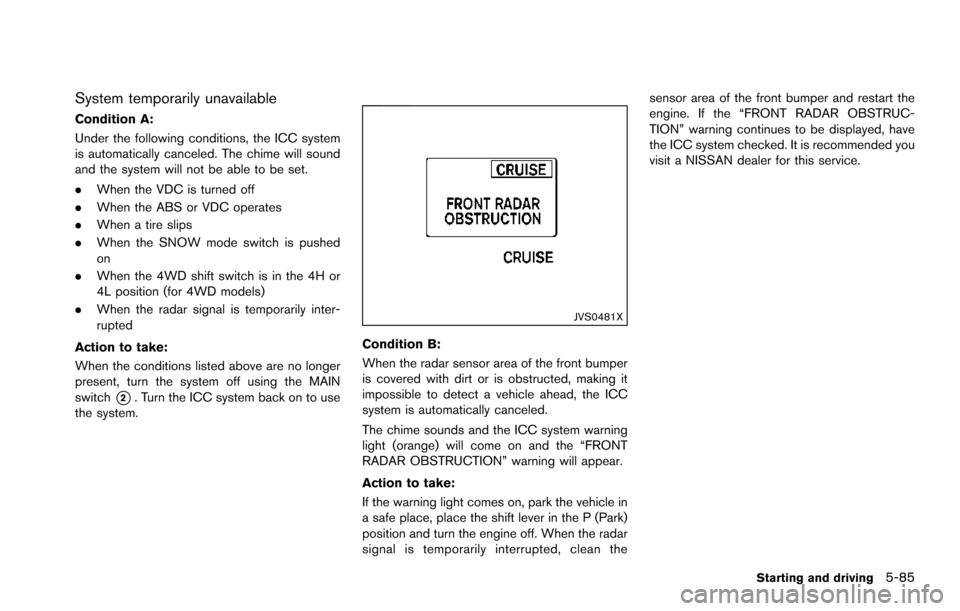
System temporarily unavailable
Condition A:
Under the following conditions, the ICC system
is automatically canceled. The chime will sound
and the system will not be able to be set.
.When the VDC is turned off
. When the ABS or VDC operates
. When a tire slips
. When the SNOW mode switch is pushed
on
. When the 4WD shift switch is in the 4H or
4L position (for 4WD models)
. When the radar signal is temporarily inter-
rupted
Action to take:
When the conditions listed above are no longer
present, turn the system off using the MAIN
switch
*2. Turn the ICC system back on to use
the system.
JVS0481X
Condition B:
When the radar sensor area of the front bumper
is covered with dirt or is obstructed, making it
impossible to detect a vehicle ahead, the ICC
system is automatically canceled.
The chime sounds and the ICC system warning
light (orange) will come on and the “FRONT
RADAR OBSTRUCTION” warning will appear.
Action to take:
If the warning light comes on, park the vehicle in
a safe place, place the shift lever in the P (Park)
position and turn the engine off. When the radar
signal is temporarily interrupted, clean the sensor area of the front bumper and restart the
engine. If the “FRONT RADAR OBSTRUC-
TION” warning continues to be displayed, have
the ICC system checked. It is recommended you
visit a NISSAN dealer for this service.
Starting and driving5-85