navigation NISSAN ARMADA 2017 2.G User Guide
[x] Cancel search | Manufacturer: NISSAN, Model Year: 2017, Model line: ARMADA, Model: NISSAN ARMADA 2017 2.GPages: 614, PDF Size: 2.87 MB
Page 210 of 614
GPS Position:
For the details of this item, see the separate
Navigation System Owner’s Manual.
Voice Recognition:
For the details of this item, see “NISSAN Voice
Recognition system” (P.4-117) .
SAA3159
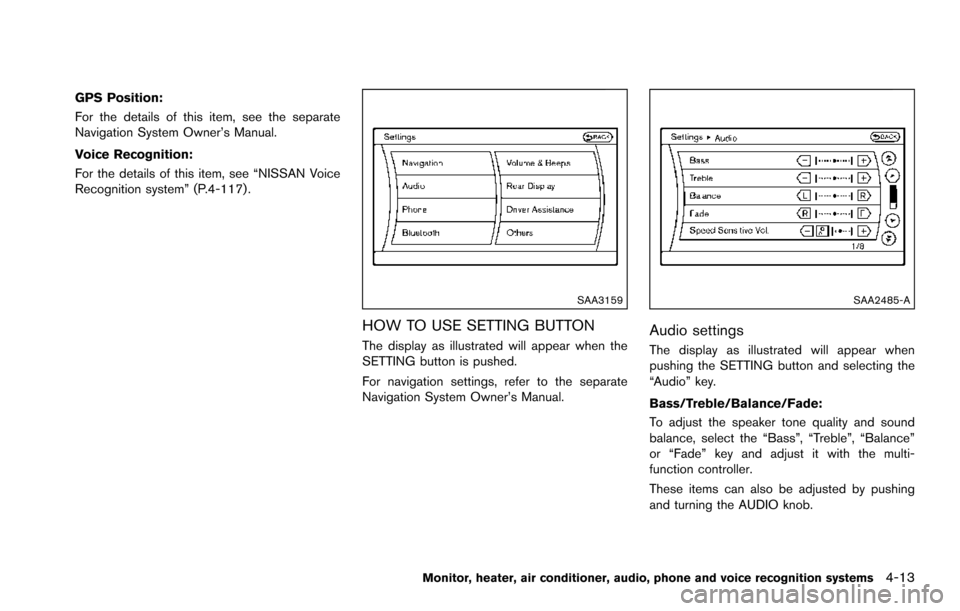
HOW TO USE SETTING BUTTON
The display as illustrated will appear when the
SETTING button is pushed.
For navigation settings, refer to the separate
Navigation System Owner’s Manual.
SAA2485-A
Audio settings
The display as illustrated will appear when
pushing the SETTING button and selecting the
“Audio” key.
Bass/Treble/Balance/Fade:
To adjust the speaker tone quality and sound
balance, select the “Bass”, “Treble”, “Balance”
or “Fade” key and adjust it with the multi-
function controller.
These items can also be adjusted by pushing
and turning the AUDIO knob.
Monitor, heater, air conditioner, audio, phone and voice recognition systems4-13
Page 212 of 614
Ringtone/Incoming Call/Outgoing Call:
For the details of these items, see “BluetoothŠ
Hands-Free Phone System” (P.4-106) .
Switch Beeps:
When this item is turned to ON, you will hear a
beep sound when you use a button.
Guidance Voice:
When this item is turned to ON, you will hear
voice guidance in the navigation operation or in
other operations.
JVH1487X
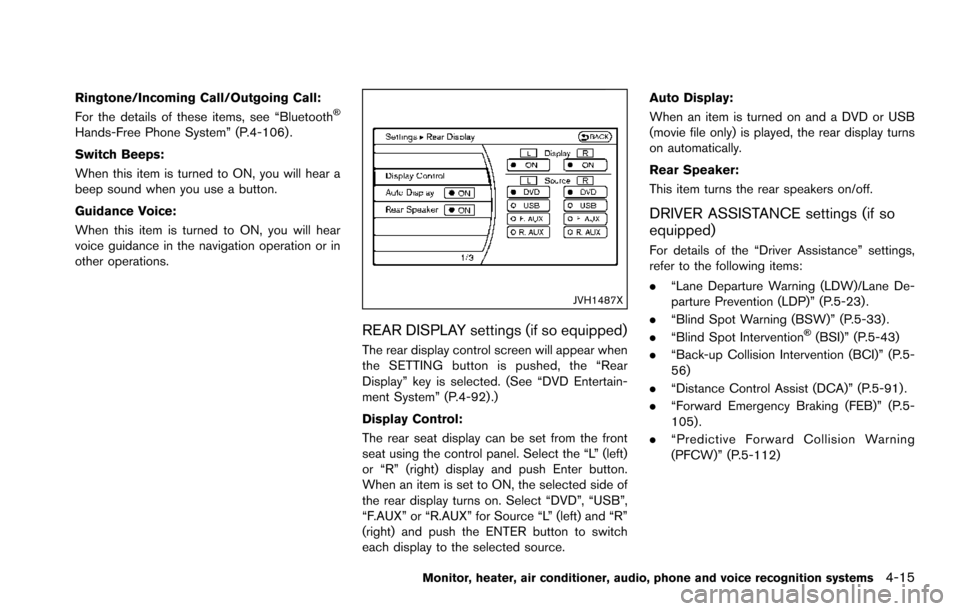
REAR DISPLAY settings (if so equipped)
The rear display control screen will appear when
the SETTING button is pushed, the “Rear
Display” key is selected. (See “DVD Entertain-
ment System” (P.4-92) .)
Display Control:
The rear seat display can be set from the front
seat using the control panel. Select the “L” (left)
or “R” (right) display and push Enter button.
When an item is set to ON, the selected side of
the rear display turns on. Select “DVD”, “USB”,
“F.AUX” or “R.AUX” for Source “L” (left) and “R”
(right) and push the ENTER button to switch
each display to the selected source.Auto Display:
When an item is turned on and a DVD or USB
(movie file only) is played, the rear display turns
on automatically.
Rear Speaker:
This item turns the rear speakers on/off.
DRIVER ASSISTANCE settings (if so
equipped)
For details of the “Driver Assistance” settings,
refer to the following items:
.
“Lane Departure Warning (LDW)/Lane De-
parture Prevention (LDP)” (P.5-23) .
. “Blind Spot Warning (BSW)” (P.5-33) .
. “Blind Spot Intervention
Š(BSI)” (P.5-43)
. “Back-up Collision Intervention (BCI)” (P.5-
56)
. “Distance Control Assist (DCA)” (P.5-91) .
. “Forward Emergency Braking (FEB)” (P.5-
105) .
. “Predictive Forward Collision Warning
(PFCW)” (P.5-112)
Monitor, heater, air conditioner, audio, phone and voice recognition systems4-15
Page 214 of 614
When any mode button is pushed with the
screen off, the screen turns on for further
operation. The screen will turn off automatically
5 seconds after the operation is finished.
To turn on the screen, set this item to the ON
position, or push the
OFF button.
. Brightness/Contrast/Background Color
To adjust the brightness and contrast of the
screen, select the “Brightness” or “Contrast”
key.
Then, you can adjust the brightness and the
contrast using the multi-function controller.
For information on the “Background Color” key,
refer to the separate Navigation System Own-
er’s Manual.
Color Theme:
Choose the theme color of the menu screen.
SAA3151
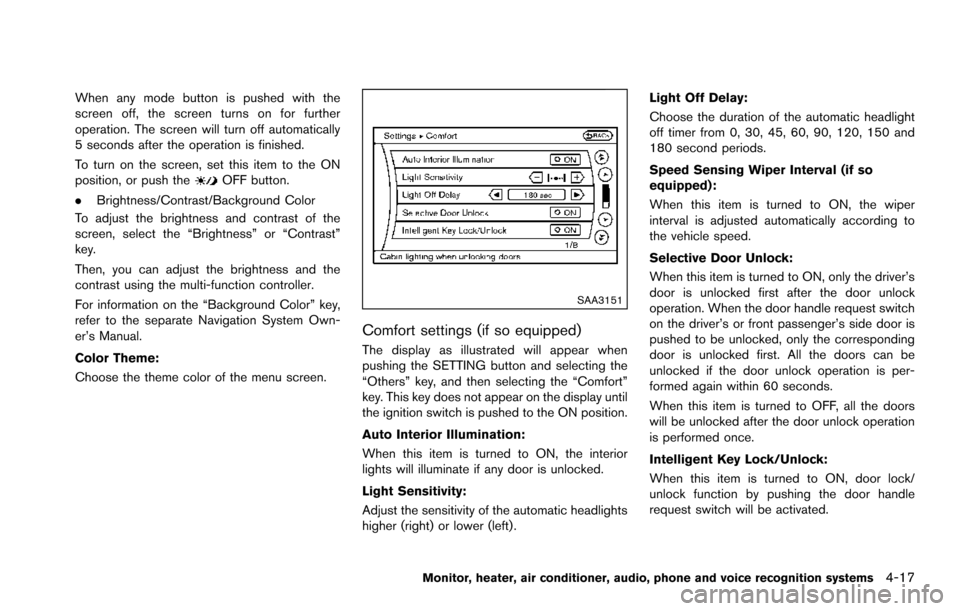
Comfort settings (if so equipped)
The display as illustrated will appear when
pushing the SETTING button and selecting the
“Others” key, and then selecting the “Comfort”
key. This key does not appear on the display until
the ignition switch is pushed to the ON position.
Auto Interior Illumination:
When this item is turned to ON, the interior
lights will illuminate if any door is unlocked.
Light Sensitivity:
Adjust the sensitivity of the automatic headlights
higher (right) or lower (left) . Light Off Delay:
Choose the duration of the automatic headlight
off timer from 0, 30, 45, 60, 90, 120, 150 and
180 second periods.
Speed Sensing Wiper Interval (if so
equipped):
When this item is turned to ON, the wiper
interval is adjusted automatically according to
the vehicle speed.
Selective Door Unlock:
When this item is turned to ON, only the driver’s
door is unlocked first after the door unlock
operation. When the door handle request switch
on the driver’s or front passenger’s side door is
pushed to be unlocked, only the corresponding
door is unlocked first. All the doors can be
unlocked if the door unlock operation is per-
formed again within 60 seconds.
When this item is turned to OFF, all the doors
will be unlocked after the door unlock operation
is performed once.
Intelligent Key Lock/Unlock:
When this item is turned to ON, door lock/
unlock function by pushing the door handle
request switch will be activated.
Monitor, heater, air conditioner, audio, phone and voice recognition systems4-17
Page 314 of 614
NISSAN Voice Recognition allows hands-free
operation of the Phone, Navigation, Information
and Audio systems in one of two modes,
Standard Mode or Alternate Command Mode.
In Standard Mode, commands that are available
are always shown on the display and announced
by the system. You can complete your desired
operation by simply following the prompts given
by the system. (See “NISSAN Voice Recogni-
tion Standard Mode” (P.4-117) for details.)
For advanced operation, you can use the
Alternate Command Mode. (See “NISSAN
Voice Recognition Alternate Command Mode”
(P.4-130) for details.) When this mode is active,
an expanded list of commands can be spoken
after pushing the TALK
switch, and the
voice command menu prompts are turned off.
Review the expanded command list, which is
available when this mode is active. Note that in
this mode the recognition success rate may be
affected as the number of available commands
and the ways of speaking each command are
increased.
To switch one mode to another, see each mode
description later in this section.
To improve the recognition success rate when
Alternate Command Mode is active, try using the
Speaker Adaptation Function available in that
mode. Otherwise, it is recommended that Alternate Command Mode be turned off and
Standard Mode be used for the best recognition
performance.
For the voice commands for the navigation
system, refer to the Navigation System Owner’s
Manual of your vehicle.
NISSAN VOICE RECOGNITION
STANDARD MODE
The following section is applicable when the
Standard Mode is activated.
The Standard Mode enables you to complete
the desired operation by simply following the
prompts that appear on the display and also are
announced by the system.
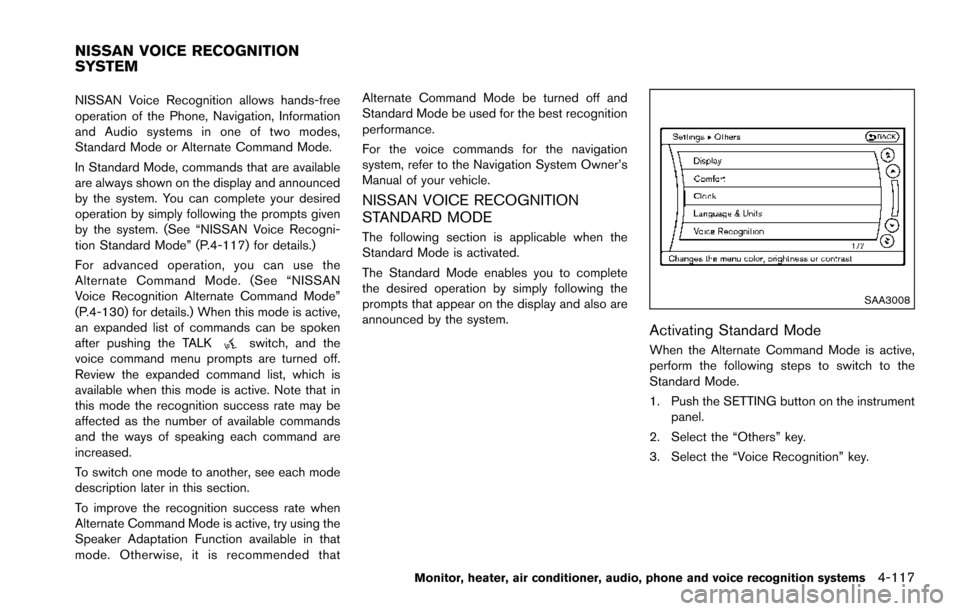
SAA3008
Activating Standard Mode
When the Alternate Command Mode is active,
perform the following steps to switch to the
Standard Mode.
1. Push the SETTING button on the instrument
panel.
2. Select the “Others” key.
3. Select the “Voice Recognition” key.
Monitor, heater, air conditioner, audio, phone and voice recognition systems4-117
NISSAN VOICE RECOGNITION
SYSTEM
Page 319 of 614
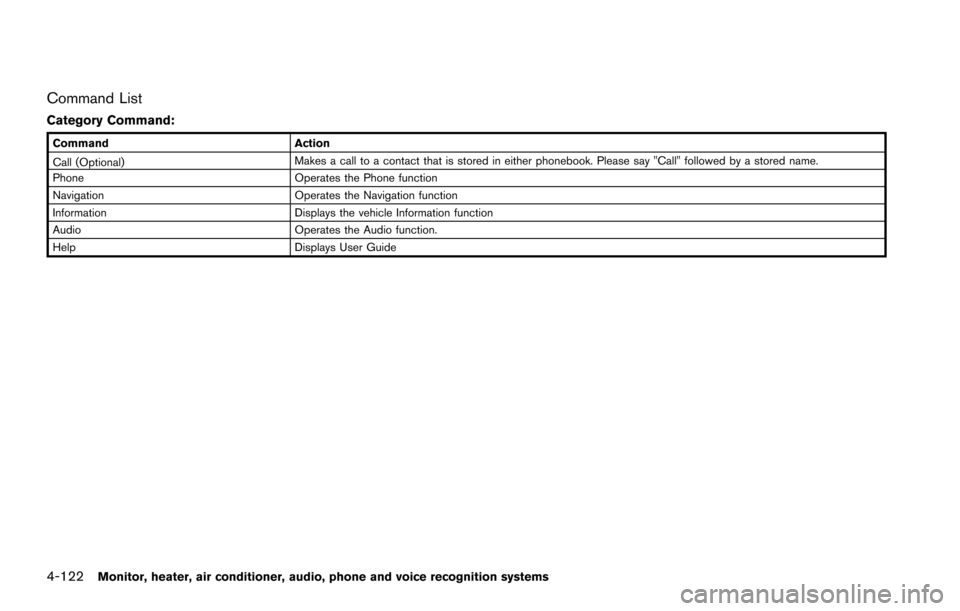
4-122Monitor, heater, air conditioner, audio, phone and voice recognition systems
Command List
Category Command:
CommandAction
Call (Optional) Makes a call to a contact that is stored in either phonebook. Please say "Call" followed by a stored name.
Phone Operates the Phone function
Navigation Operates the Navigation function
Information Displays the vehicle Information function
Audio Operates the Audio function.
Help Displays User Guide
Page 320 of 614
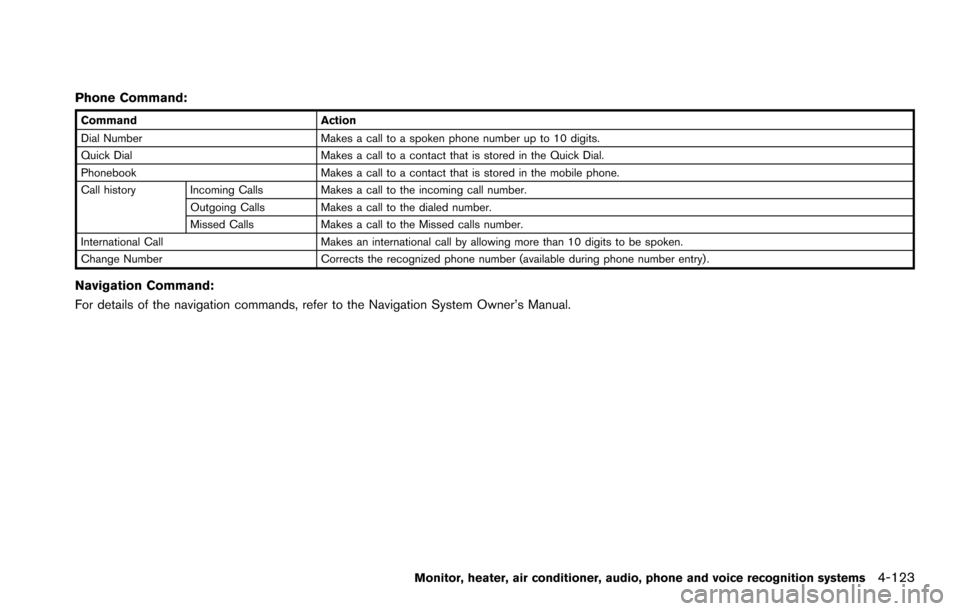
Phone Command:
CommandAction
Dial Number Makes a call to a spoken phone number up to 10 digits.
Quick Dial Makes a call to a contact that is stored in the Quick Dial.
Phonebook Makes a call to a contact that is stored in the mobile phone.
Call history Incoming Calls Makes a call to the incoming call number.
Outgoing Calls Makes a call to the dialed number.
Missed Calls Makes a call to the Missed calls number.
International Call Makes an international call by allowing more than 10 digits to be spoken.
Change Number Corrects the recognized phone number (available during phone number entry) .
Navigation Command:
For details of the navigation commands, refer to the Navigation System Owner’s Manual.
Monitor, heater, air conditioner, audio, phone and voice recognition systems4-123
Page 324 of 614
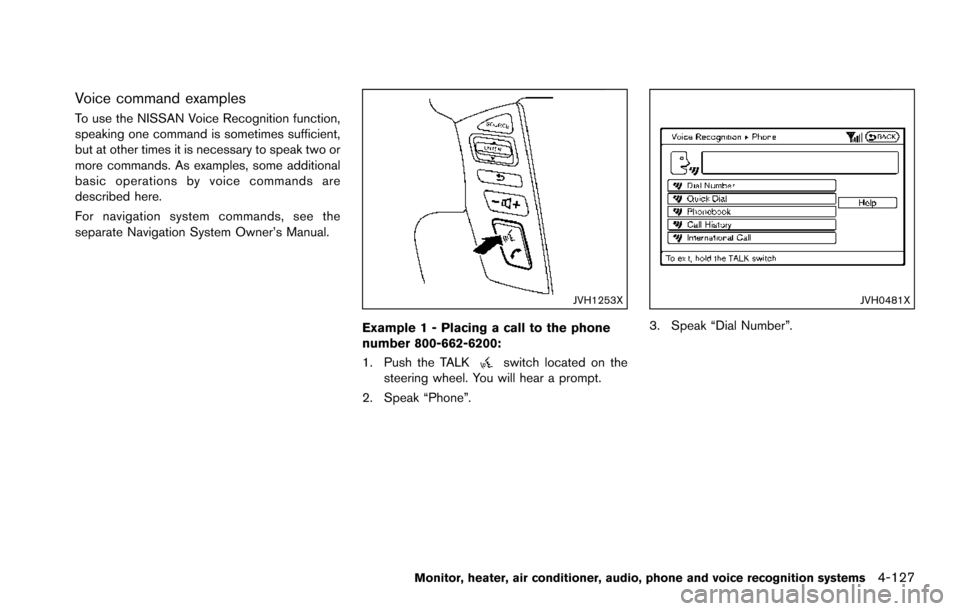
Voice command examples
To use the NISSAN Voice Recognition function,
speaking one command is sometimes sufficient,
but at other times it is necessary to speak two or
more commands. As examples, some additional
basic operations by voice commands are
described here.
For navigation system commands, see the
separate Navigation System Owner’s Manual.
JVH1253X
Example 1 - Placing a call to the phone
number 800-662-6200:
1. Push the TALK
switch located on the
steering wheel. You will hear a prompt.
2. Speak “Phone”.
JVH0481X
3. Speak “Dial Number”.
Monitor, heater, air conditioner, audio, phone and voice recognition systems4-127
Page 330 of 614
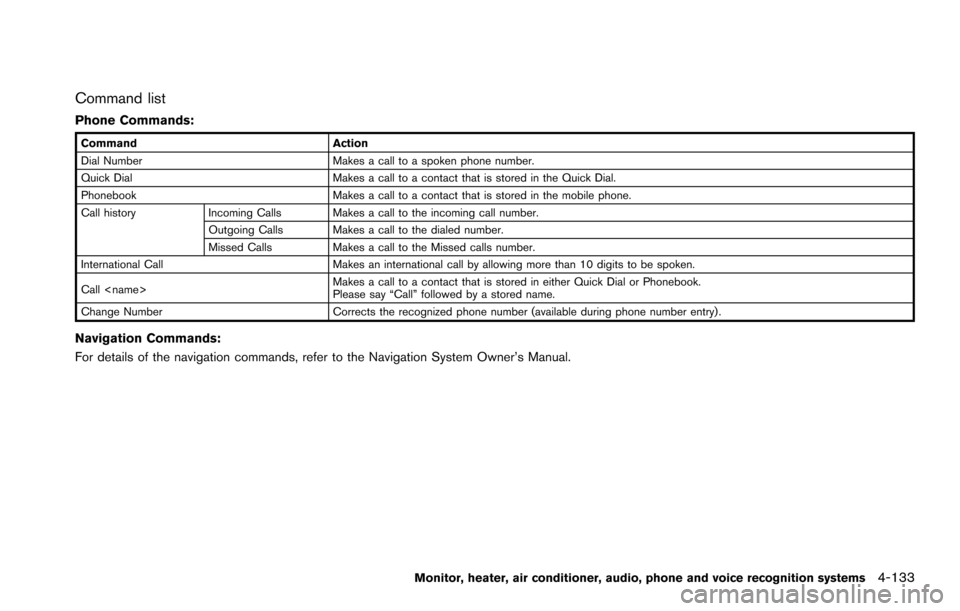
Command list
Phone Commands:
CommandAction
Dial Number Makes a call to a spoken phone number.
Quick Dial Makes a call to a contact that is stored in the Quick Dial.
Phonebook Makes a call to a contact that is stored in the mobile phone.
Call history Incoming Calls Makes a call to the incoming call number.
Outgoing Calls Makes a call to the dialed number.
Missed CallsMakes a call to the Missed calls number.
International Call Makes an international call by allowing more than 10 digits to be spoken.
Call
Please say “Call” followed by a stored name.
Change Number Corrects the recognized phone number (available during phone number entry) .
Navigation Commands:
For details of the navigation commands, refer to the Navigation System Owner’s Manual.
Monitor, heater, air conditioner, audio, phone and voice recognition systems4-133
Page 333 of 614
4-136Monitor, heater, air conditioner, audio, phone and voice recognition systems
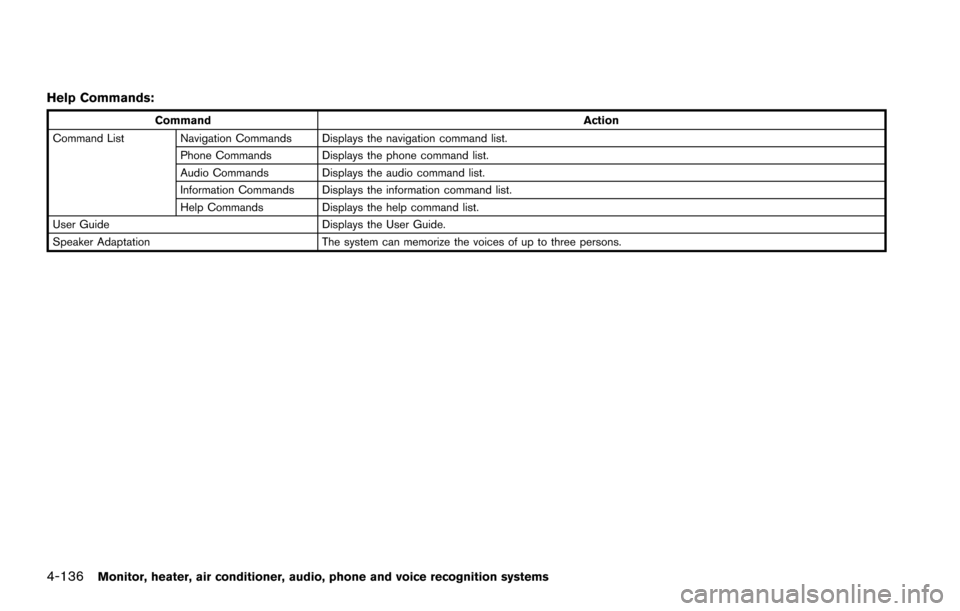
Help Commands:
CommandAction
Command List Navigation Commands Displays the navigation command list. Phone Commands Displays the phone command list.
Audio Commands Displays the audio command list.
Information Commands Displays the information command list.
Help Commands Displays the help command list.
User Guide Displays the User Guide.
Speaker Adaptation The system can memorize the voices of up to three persons.
Page 335 of 614
4-138Monitor, heater, air conditioner, audio, phone and voice recognition systems
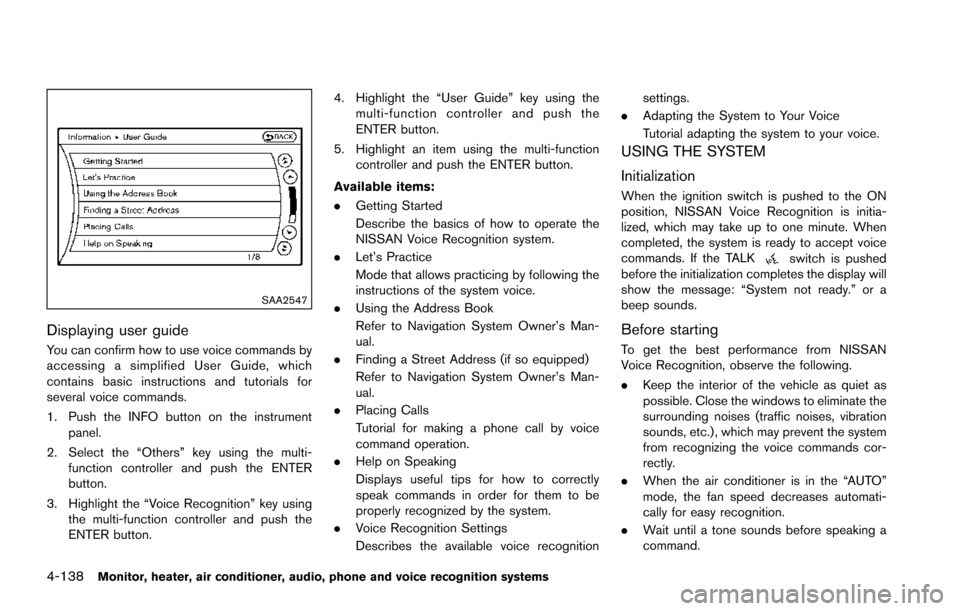
SAA2547
Displaying user guide
You can confirm how to use voice commands by
accessing a simplified User Guide, which
contains basic instructions and tutorials for
several voice commands.
1. Push the INFO button on the instrumentpanel.
2. Select the “Others” key using the multi- function controller and push the ENTER
button.
3. Highlight the “Voice Recognition” key using the multi-function controller and push the
ENTER button. 4. Highlight the “User Guide” key using the
multi-function controller and push the
ENTER button.
5. Highlight an item using the multi-function controller and push the ENTER button.
Available items:
. Getting Started
Describe the basics of how to operate the
NISSAN Voice Recognition system.
. Let’s Practice
Mode that allows practicing by following the
instructions of the system voice.
. Using the Address Book
Refer to Navigation System Owner’s Man-
ual.
. Finding a Street Address (if so equipped)
Refer to Navigation System Owner’s Man-
ual.
. Placing Calls
Tutorial for making a phone call by voice
command operation.
. Help on Speaking
Displays useful tips for how to correctly
speak commands in order for them to be
properly recognized by the system.
. Voice Recognition Settings
Describes the available voice recognition settings.
. Adapting the System to Your Voice
Tutorial adapting the system to your voice.
USING THE SYSTEM
Initialization
When the ignition switch is pushed to the ON
position, NISSAN Voice Recognition is initia-
lized, which may take up to one minute. When
completed, the system is ready to accept voice
commands. If the TALK
switch is pushed
before the initialization completes the display will
show the message: “System not ready.” or a
beep sounds.
Before starting
To get the best performance from NISSAN
Voice Recognition, observe the following.
. Keep the interior of the vehicle as quiet as
possible. Close the windows to eliminate the
surrounding noises (traffic noises, vibration
sounds, etc.) , which may prevent the system
from recognizing the voice commands cor-
rectly.
. When the air conditioner is in the “AUTO”
mode, the fan speed decreases automati-
cally for easy recognition.
. Wait until a tone sounds before speaking a
command.