wheel NISSAN ARMADA 2017 2.G Repair Manual
[x] Cancel search | Manufacturer: NISSAN, Model Year: 2017, Model line: ARMADA, Model: NISSAN ARMADA 2017 2.GPages: 614, PDF Size: 2.87 MB
Page 389 of 614
5-48Starting and driving
.The radar sensors may not be able
to detect and activate BSI when
certain objects are present such as:
— Pedestrians, bicycles, animals.
— Vehicles such as motorcycles,
low height vehicles, or high
ground clearance vehicles.
— Vehicles remaining in the detec- tion zone when you accelerate
from a stop.
— Oncoming vehicles.
— A vehicle merging into an adja- cent lane at a speed approxi-
mately the same as your vehicle.
— A vehicle approaching rapidly from behind.
— A vehicle which your vehicle overtakes rapidly.
— A vehicle that passes through the detection zone quickly.
. The radar sensor’s detection zone is
designed based on a standard lane
width. When driving in a wider lane,
the radar sensors may not detect
vehicles in an adjacent lane. When
driving in a narrow lane, the radar sensors may detect vehicles driving
two lanes away.
. The radar sensors are designed to
ignore most stationary objects,
however objects such as guardrails,
walls, foliage and parked vehicles
may occasionally be detected. This
is a normal operation condition.
. The camera may not detect lane
markers in the following situations
and the BSI system may not operate
properly.
— On roads where there are multi-
ple parallel lane markers; lane
markers that are faded or not
painted clearly; yellow painted
lane markers; non-standard lane
markers; lane markers covered
with water, dirt, snow, etc.
— On roads where discontinued lane markers are still detect-
able.
— On roads where there are sharp curves.
— On roads where there are shar- ply contrasting objects, such as
shadows, snow, water, wheel
ruts, seams or lines remaining after road repairs.
— On roads where the traveling lane merges or separates.
— When the vehicle’s traveling di- rection does not align with the
lane markers.
— When traveling close to the vehicle in front of you, which
obstructs the lane camera unit
detection range.
— When rain, snow or dirt adheres to the windshield in front of a
lane camera unit.
— When the headlights are not bright due to dirt on the lens or
if aiming is not adjusted prop-
erly.
— When strong light enters a lane camera unit. (For example: light
directly shines on the front of
the vehicle at sunrise or sunset.)
— When a sudden change in brightness occurs. (For example:
when the vehicle enters or exits
a tunnel or under a bridge.)
Page 390 of 614
.Do not use the BSI system under the
following conditions because the
system may not function properly.
— During bad weather. (For exam-
ple: rain, fog, snow, etc.)
— When driving on slippery roads, such as on ice or snow, etc.
— When driving on winding or uneven roads.
— When there is a lane closure due to road repairs.
— When driving in a makeshift or temporary lane.
— When driving on roads where the lane width is too narrow.
— When driving with a tire that is not within normal tire conditions
(for example, tire wear, low tire
pressure, installation of spare
tire, tire chains, non-standard
wheels) .
— When the vehicle is equipped with non-original brake parts or
suspension parts.
— When towing a trailer or other vehicle. .
Excessive noise (for example, audio
system volume, open vehicle win-
dow) will interfere with the chime
sound, and it may not be heard.
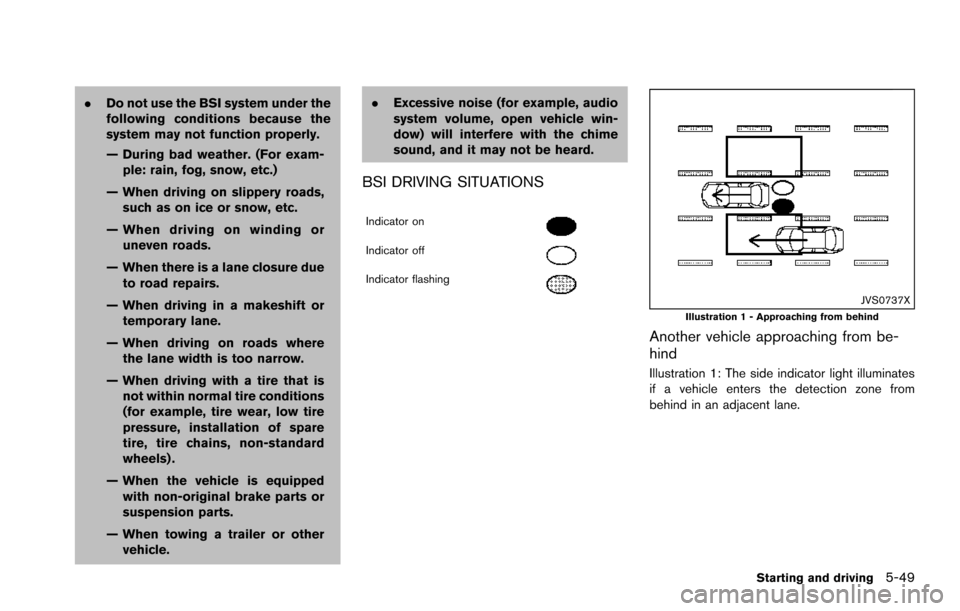
BSI DRIVING SITUATIONS
Indicator on
Indicator off
Indicator flashing
JVS0737XIllustration 1 - Approaching from behind
Another vehicle approaching from be-
hind
Illustration 1: The side indicator light illuminates
if a vehicle enters the detection zone from
behind in an adjacent lane.
Starting and driving5-49
Page 406 of 614
.The following conditions may re-
duce the ability of the radar sensors
to detect other vehicles:
— Severe weather
— Road spray
— Ice/frost/dirt build up on the
vehicle
. Do not attach stickers (including
transparent material) , install acces-
sories or apply additional paint near
the radar sensors. These conditions
may reduce the ability of the radar
sensors to detect other vehicles.
. The sonar sensors detect stationary
objects behind the vehicle. The
sonar sensor may not detect:
— Small or moving objects
— Wedge-shaped objects
— Object close to the bumper (less
than approximately 1 ft (30 cm))
— Thin objects such as rope, wire and chain, etc.
. The brake engagement by the BCI
system is not as effective on a slope
as it is on flat ground. When on a
steep slope the system may not function properly.
. Do not use the BCI system under the
following conditions because the
system may not function properly.
— When driving with a tire that is
not within normal tire conditions
(for example, tire wear, low tire
pressure, installation of spare
tire, tire chains, non-standard
wheels) .
— When the vehicle is equipped with non-original brake parts or
suspension parts.
— When towing a trailer or other vehicle.
. Excessive noise (for example, audio
system volume, open vehicle win-
dow) will interfere with the chime
sound, and it may not be heard.
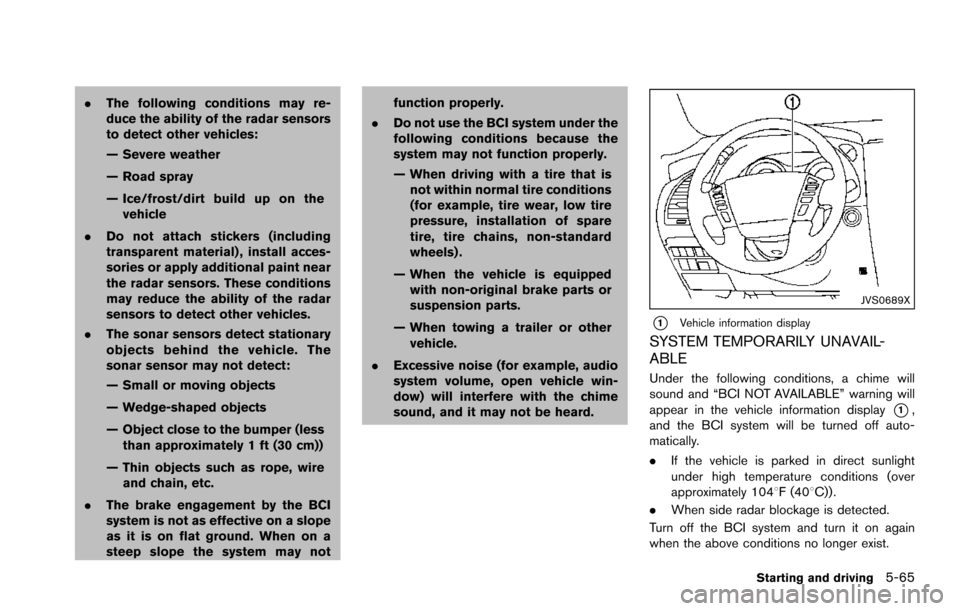
JVS0689X
*1Vehicle information display
SYSTEM TEMPORARILY UNAVAIL-
ABLE
Under the following conditions, a chime will
sound and “BCI NOT AVAILABLE” warning will
appear in the vehicle information display
*1,
and the BCI system will be turned off auto-
matically.
. If the vehicle is parked in direct sunlight
under high temperature conditions (over
approximately 1048F (408C)) .
. When side radar blockage is detected.
Turn off the BCI system and turn it on again
when the above conditions no longer exist.
Starting and driving5-65
Page 414 of 614
SSD0254
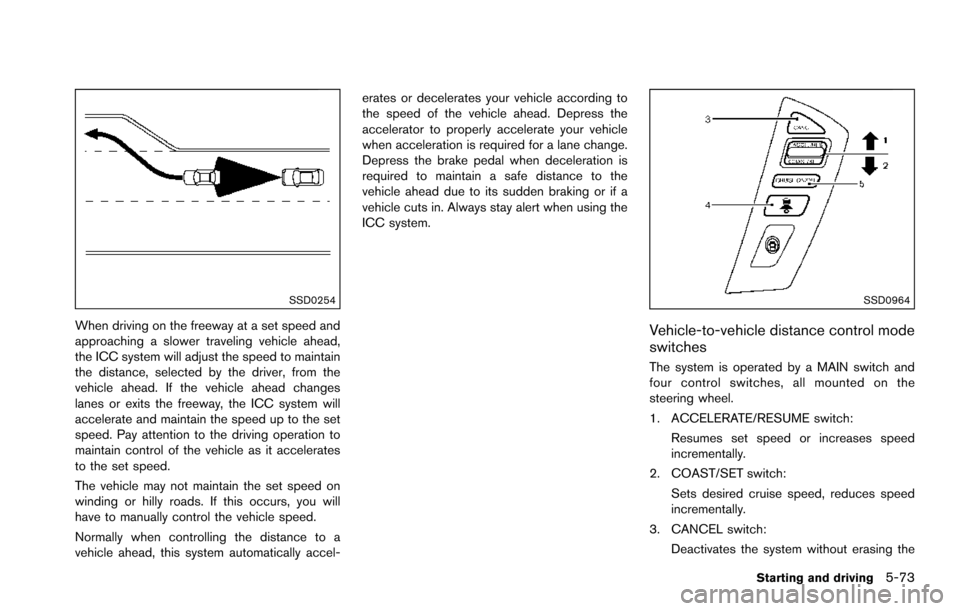
When driving on the freeway at a set speed and
approaching a slower traveling vehicle ahead,
the ICC system will adjust the speed to maintain
the distance, selected by the driver, from the
vehicle ahead. If the vehicle ahead changes
lanes or exits the freeway, the ICC system will
accelerate and maintain the speed up to the set
speed. Pay attention to the driving operation to
maintain control of the vehicle as it accelerates
to the set speed.
The vehicle may not maintain the set speed on
winding or hilly roads. If this occurs, you will
have to manually control the vehicle speed.
Normally when controlling the distance to a
vehicle ahead, this system automatically accel-erates or decelerates your vehicle according to
the speed of the vehicle ahead. Depress the
accelerator to properly accelerate your vehicle
when acceleration is required for a lane change.
Depress the brake pedal when deceleration is
required to maintain a safe distance to the
vehicle ahead due to its sudden braking or if a
vehicle cuts in. Always stay alert when using the
ICC system.
SSD0964
Vehicle-to-vehicle distance control mode
switches
The system is operated by a MAIN switch and
four control switches, all mounted on the
steering wheel.
1. ACCELERATE/RESUME switch:
Resumes set speed or increases speed
incrementally.
2. COAST/SET switch:
Sets desired cruise speed, reduces speed
incrementally.
3. CANCEL switch: Deactivates the system without erasing the
Starting and driving5-73
Page 417 of 614
5-76Starting and driving
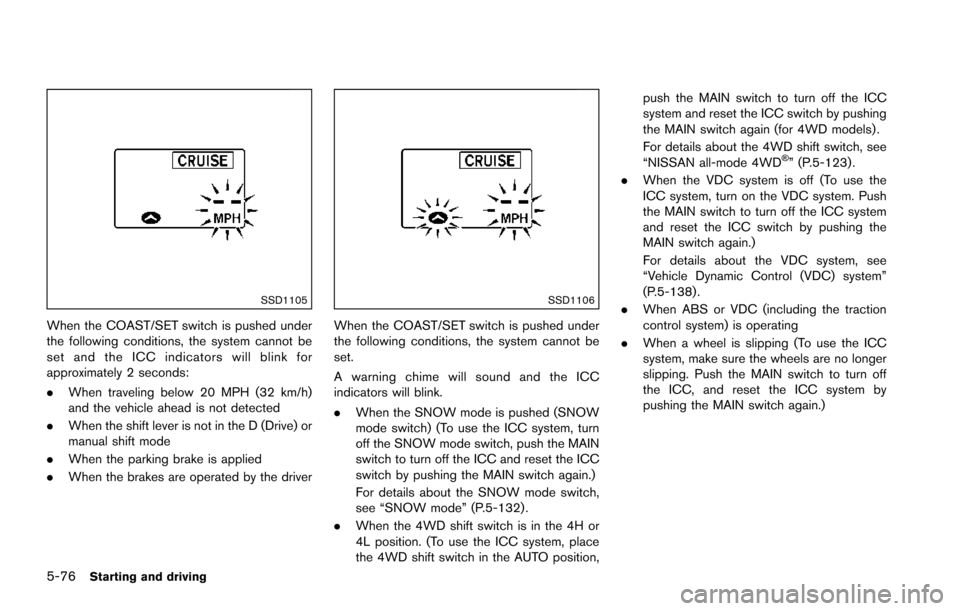
SSD1105
When the COAST/SET switch is pushed under
the following conditions, the system cannot be
set and the ICC indicators will blink for
approximately 2 seconds:
.When traveling below 20 MPH (32 km/h)
and the vehicle ahead is not detected
. When the shift lever is not in the D (Drive) or
manual shift mode
. When the parking brake is applied
. When the brakes are operated by the driver
SSD1106
When the COAST/SET switch is pushed under
the following conditions, the system cannot be
set.
A warning chime will sound and the ICC
indicators will blink.
.When the SNOW mode is pushed (SNOW
mode switch) (To use the ICC system, turn
off the SNOW mode switch, push the MAIN
switch to turn off the ICC and reset the ICC
switch by pushing the MAIN switch again.)
For details about the SNOW mode switch,
see “SNOW mode” (P.5-132) .
. When the 4WD shift switch is in the 4H or
4L position. (To use the ICC system, place
the 4WD shift switch in the AUTO position, push the MAIN switch to turn off the ICC
system and reset the ICC switch by pushing
the MAIN switch again (for 4WD models) .
For details about the 4WD shift switch, see
“NISSAN all-mode 4WD
Š” (P.5-123) .
. When the VDC system is off (To use the
ICC system, turn on the VDC system. Push
the MAIN switch to turn off the ICC system
and reset the ICC switch by pushing the
MAIN switch again.)
For details about the VDC system, see
“Vehicle Dynamic Control (VDC) system”
(P.5-138) .
. When ABS or VDC (including the traction
control system) is operating
. When a wheel is slipping (To use the ICC
system, make sure the wheels are no longer
slipping. Push the MAIN switch to turn off
the ICC, and reset the ICC system by
pushing the MAIN switch again.)
Page 421 of 614
5-80Starting and driving
.The chime sounds.
. The vehicle ahead detection and set dis-
tance indicator blink.
The warning chime may not sound in some
cases when there is a short distance between
vehicles. Some examples are:
. When the vehicles are traveling at the same
speed and the distance between vehicles is
not changing
. When the vehicle ahead is traveling faster
and the distance between vehicles is
increasing
. When a vehicle cuts in near your vehicle
The warning chime will not sound when:
. Your vehicle approaches other vehicles that
are parked or moving slowly.
. The accelerator pedal is depressed, over-
riding the system.
NOTE:
The approach warning chime may sound
and the system display may blink when the
radar sensor detects objects on the side of
the vehicle or on the side of the road. This
may cause the ICC system to decelerate or
accelerate the vehicle. The radar sensor
may detect these objects when the vehicle
is driven on winding roads, narrow roads,
hilly roads or when entering or exiting a curve. In these cases you will have to
manually control the proper distance
ahead of your vehicle.
Also, the sensor sensitivity can be affected by
vehicle operation (steering maneuver or driving
position in the lane) or traffic or vehicle condition
(for example, if a vehicle is being driven with
some damage) .
Automatic cancellation
A chime sounds under the following conditions
and the control is automatically canceled.
.
When the vehicle ahead is not detected and
your vehicle is traveling below the speed of
15 MPH (24 km/h)
. When the system judges the vehicle is at
standstill
. When the shift lever is not in the D (Drive) or
manual shift mode
. When the parking brake is applied
. When the SNOW mode switch is pushed
on.
. When the 4WD shift switch is in the 4H or
4L position (for 4WD models)
. When the VDC system is turned off
. When ABS or VDC (including the traction
control system) operates .
When distance measurement becomes im-
paired due to adhesion of dirt or obstruction
to the sensor
. When a wheel slips
. When the radar signal is temporarily inter-
rupted
Vehicle-to-vehicle distance control mode
limitations
WARNING
Listed below are the system limitations
for the ICC system. Failure to operate
the vehicle in accordance with these
system limitations could result in ser-
ious injury or death.
.The system is primarily intended for
use on straight, dry, open roads with
light traffic. It is not advisable to use
the system in city traffic or con-
gested areas.
. This system will not adapt automa-
tically to road conditions. This sys-
tem should be used in evenly
flowing traffic. Do not use the
system on roads with sharp curves,
or on icy roads, in heavy rain or in
fog.
Page 431 of 614
5-90Starting and driving
To cancel the preset speed,use any of the
following methods:
1. Push the CANCEL switch. The SET indica- tor will turn off.
2. Tap the brake pedal. The SET indicator will turn off.
3. Turn the MAIN switch off. Both the MAIN switch indicator and SET indicator will turn
off.
To reset at a faster cruising speed, use one
of the following three methods:
1. Depress the accelerator pedal. When the vehicle attains the desired speed, push and
release the COAST/SET switch.
2. Push and hold the ACCELERATE/RESUME set switch. When the vehicle attains the
speed you desire, release the switch.
3. Push, then quickly release the ACCELER- ATE/RESUME switch. Each time you do
this, the set speed will increase by about 1
MPH (1.6 km/h) .
To reset at a slower cruising speed, use one
of the following three methods:
1. Lightly tap the brake pedal. When the vehicle attains the desired speed, push the
COAST/SET switch and release it. 2. Push and hold the COAST/SET switch.
Release the switch when the vehicle slows
down to the desired speed.
3. Push, then quickly release the COAST/SET switch. Each time you do this, the set speed
will decrease by about 1 MPH (1.6 km/h) .
To resume the preset speed, push and
release the ACCELERATE/RESUME switch.
The vehicle will resume the last set cruising
speed when the vehicle speed is over 25 MPH
(40 km/h) .
System temporarily unavailable
Under the following condition, a chime will
sound and the system control is automatically
canceled.
. When the vehicle slows down more than 8
MPH (13 km/h) below the set speed
. When the shift lever is shifted to the N
(Neutral) position
. When the parking brake is applied
. When the VDC (including the traction
control system) operates.
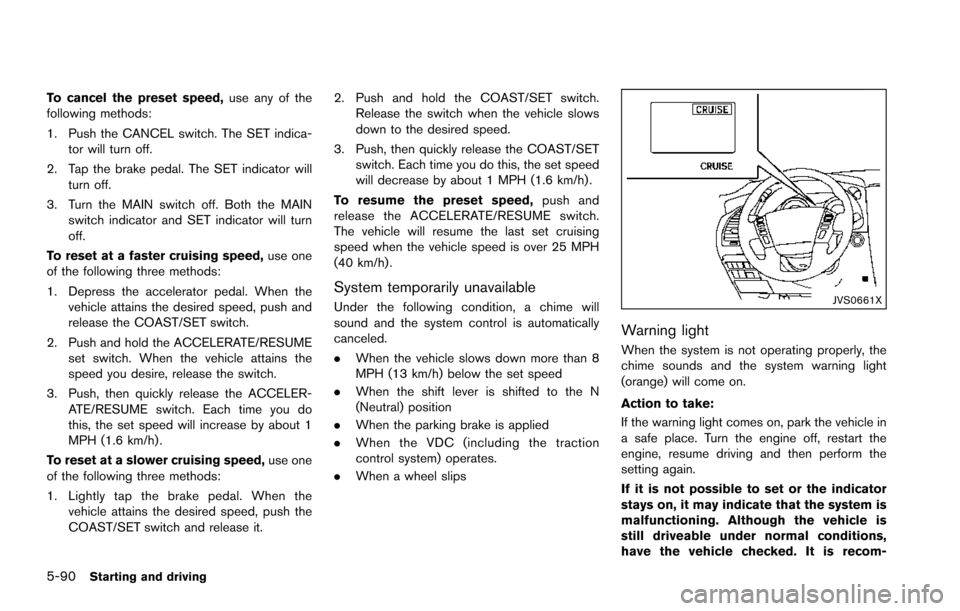
. When a wheel slipsJVS0661X
Warning light
When the system is not operating properly, the
chime sounds and the system warning light
(orange) will come on.
Action to take:
If the warning light comes on, park the vehicle in
a safe place. Turn the engine off, restart the
engine, resume driving and then perform the
setting again.
If it is not possible to set or the indicator
stays on, it may indicate that the system is
malfunctioning. Although the vehicle is
still driveable under normal conditions,
have the vehicle checked. It is recom-
Page 437 of 614
5-96Starting and driving
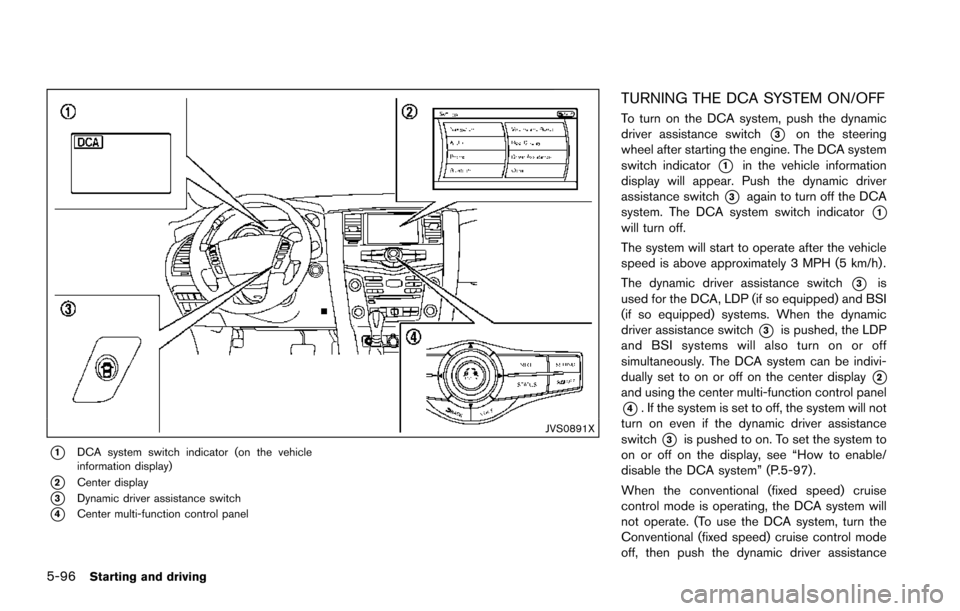
JVS0891X
*1DCA system switch indicator (on the vehicle
information display)
*2Center display
*3Dynamic driver assistance switch
*4Center multi-function control panel
TURNING THE DCA SYSTEM ON/OFF
To turn on the DCA system, push the dynamic
driver assistance switch
*3on the steering
wheel after starting the engine. The DCA system
switch indicator
*1in the vehicle information
display will appear. Push the dynamic driver
assistance switch
*3again to turn off the DCA
system. The DCA system switch indicator
*1will turn off.
The system will start to operate after the vehicle
speed is above approximately 3 MPH (5 km/h) .
The dynamic driver assistance switch
*3is
used for the DCA, LDP (if so equipped) and BSI
(if so equipped) systems. When the dynamic
driver assistance switch
*3is pushed, the LDP
and BSI systems will also turn on or off
simultaneously. The DCA system can be indivi-
dually set to on or off on the center display
*2and using the center multi-function control panel
*4. If the system is set to off, the system will not
turn on even if the dynamic driver assistance
switch
*3is pushed to on. To set the system to
on or off on the display, see “How to enable/
disable the DCA system” (P.5-97) .
When the conventional (fixed speed) cruise
control mode is operating, the DCA system will
not operate. (To use the DCA system, turn the
Conventional (fixed speed) cruise control mode
off, then push the dynamic driver assistance
Page 448 of 614
FEB SYSTEM OPERATION
The FEB system operates at speeds above
approximately 3 MPH (5 km/h) .
If a risk of a forward collision is detected, the
FEB system will provide the first warning to the
driver by illuminating the warning in the vehicle
information display and providing an audible
warning. In addition, the FEB system pushes the
accelerator pedal up. If the driver releases the
accelerator pedal, then the system applies
partial braking.
If the driver applies the brakes quickly and
forcefully after the warning, and the FEB system
detects that there is still the possibility of a
forward collision, the system will automatically
increase the braking force.
If a forward collision is imminent and the driver
does not take action, the FEB system issues the
second visual (flashing) and audible warning and
automatically applies harder braking.
NOTE:
The vehicle’s stop lights come on when
braking is performed by the FEB system.
Depending on vehicle speed and distance to the
vehicle ahead, as well as driving and roadway
conditions, the system may help the driver avoid
a forward collision or may help mitigate the
consequences of a collision should one beunavoidable.
If the driver is handling the steering wheel,
accelerating or braking, the FEB system will
function later or will not function.
The automatic braking will cease under the
following conditions:
.
When the steering wheel is turned as far as
necessary to avoid a collision.
. When the accelerator pedal is depressed.
. When there is no longer a vehicle detected
ahead.
If the FEB system has stopped the vehicle, the
vehicle will remain at a standstill for approxi-
mately 2 seconds before the brakes are
released.
Starting and driving5-107
Page 463 of 614
5-122Starting and driving
.Recirculating the cool air in the cabinwhen the A/C is on reduces cooling load.
4. Drive at economical speeds and distances.
.Observing the speed limit and not ex- ceeding 60 MPH (97 km/h) (where
legally allowed) can improve fuel effi-
ciency due to reduced aerodynamic
drag.
.Maintaining a safe following distancebehind other vehicles reduces unneces-
sary braking.
.Safely monitoring traffic to anticipatechanges in speed permits reduced brak-
ing and smooth acceleration changes.
.Select a gear range suitable to road conditions.
5. Use cruise control.
.Using cruise control during highway driving helps maintain a steady speed.
.Cruise control is particularly effective in providing fuel savings when driving on
flat terrains.
6. Plan for the shortest route.
.Utilize a map or navigation system to determine the best route to save time.
7. Avoid idling.
.Shutting off your engine when safe for stops exceeding 30-60 seconds saves fuel and reduces emissions.
8. Buy an automated pass for toll roads.
.Automated passes permit drivers to use special lanes to maintain cruising speed
through the toll and avoid stopping and
starting.
9. Winter warm up.
.Limit idling time to minimize impact to fuel economy.
.Vehicles typically need no more than 30seconds of idling at start-up to effectively
circulate the engine oil before driving.
.Your vehicle will reach its ideal operatingtemperature more quickly while driving
versus idling.
10. Keeping your vehicle cool.
.Park your vehicle in a covered parking area or in the shade whenever possible.
.When entering a hot vehicle, opening thewindows will help to reduce the inside
temperature faster, resulting in reduced
demand on your A/C system. .
Keep your engine tuned up.
. Follow the recommended scheduled main-
tenance.
. Keep the tires inflated to the correct
pressure. Low tire pressure increases tire
wear and lowers fuel economy.
. Keep the wheels in correct alignment.
Improper alignment increases tire wear and
lowers fuel economy.
. Use the recommended viscosity engine oil.
(See “Engine oil and oil filter recommenda-
tion” (P.10-6) .)
INCREASING FUEL ECONOMY