battery NISSAN ARMADA 2018 Owner´s Manual
[x] Cancel search | Manufacturer: NISSAN, Model Year: 2018, Model line: ARMADA, Model: NISSAN ARMADA 2018Pages: 532, PDF Size: 2.3 MB
Page 19 of 532
0-10Illustrated table of contents
JVC0965X
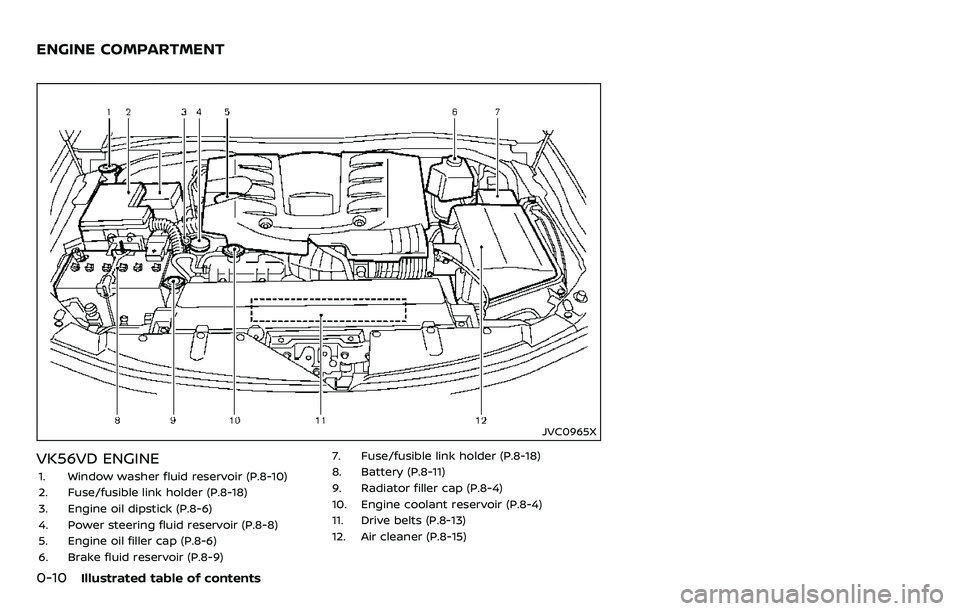
VK56VD ENGINE
1. Window washer fluid reservoir (P.8-10)
2. Fuse/fusible link holder (P.8-18)
3. Engine oil dipstick (P.8-6)
4. Power steering fluid reservoir (P.8-8)
5. Engine oil filler cap (P.8-6)
6. Brake fluid reservoir (P.8-9)7. Fuse/fusible link holder (P.8-18)
8. Battery (P.8-11)
9. Radiator filler cap (P.8-4)
10. Engine coolant reservoir (P.8-4)
11. Drive belts (P.8-13)
12. Air cleaner (P.8-15)
ENGINE COMPARTMENT
Page 25 of 532
1-4Safety — seats, seat belts and supplemental restraint system
FRONT SEATS
Front power seat adjustment
Operating tips:
.The power seat motor has an auto-
reset overload protection circuit. If the
motor stops during operation, wait 30
seconds, then reactivate the switch.
. Do not operate the power seat switch
for a long period of time when the
engine is off. This will discharge the
battery.
See “Automatic drive positioner” (P.3-40)
for the seat position memory function.
CAUTION
When adjusting the seat positions,
be sure not to contact any moving
parts to avoid possible injuries and/
or damages.
SSS1051
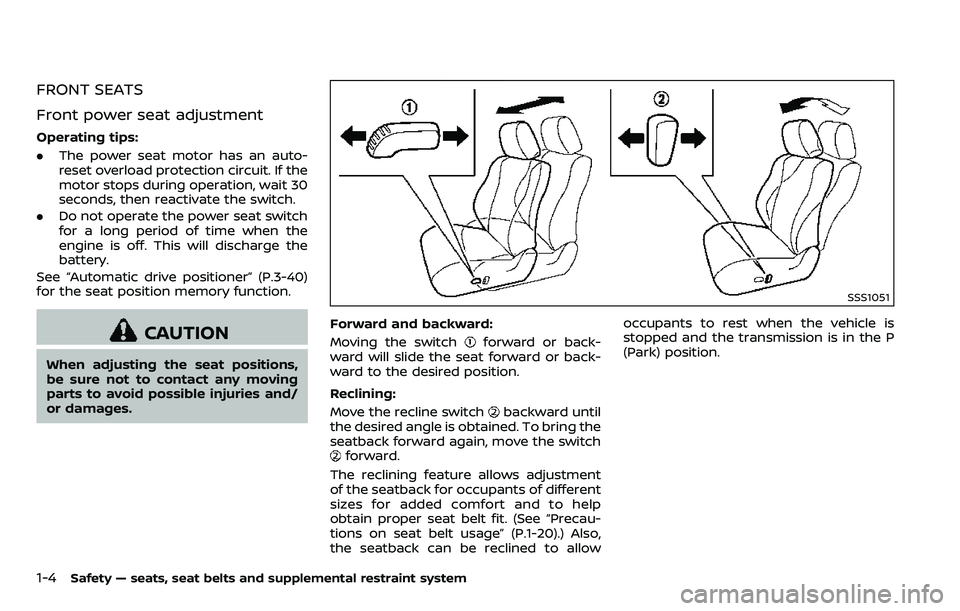
Forward and backward:
Moving the switch
forward or back-
ward will slide the seat forward or back-
ward to the desired position.
Reclining:
Move the recline switch
backward until
the desired angle is obtained. To bring the
seatback forward again, move the switch
forward.
The reclining feature allows adjustment
of the seatback for occupants of different
sizes for added comfort and to help
obtain proper seat belt fit. (See “Precau-
tions on seat belt usage” (P.1-20).) Also,
the seatback can be reclined to allow occupants to rest when the vehicle is
stopped and the transmission is in the P
(Park) position.
Page 31 of 532
1-10Safety — seats, seat belts and supplemental restraint system
This can be dangerous. The
shoulder belt will not be against
your body. In an accident, you
could be thrown into it and re-
ceive neck or other serious inju-
ries. You could also slide under
the lap belt and receive serious
internal injuries.
. For the most effective protection
when the vehicle is in motion, the
seat should be upright. Always sit
well back and upright in the seat
with both feet on the floor and
adjust the seat belt properly. See
“Precautions on seat belt usage”
(P.1-20).
SSS1118
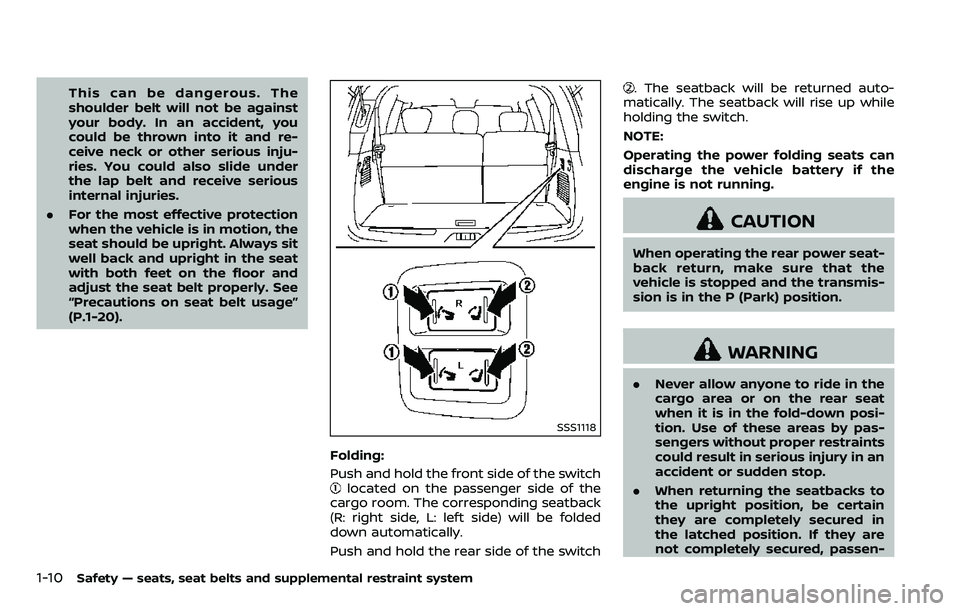
Folding:
Push and hold the front side of the switch
located on the passenger side of the
cargo room. The corresponding seatback
(R: right side, L: left side) will be folded
down automatically.
Push and hold the rear side of the switch
. The seatback will be returned auto-
matically. The seatback will rise up while
holding the switch.
NOTE:
Operating the power folding seats can
discharge the vehicle battery if the
engine is not running.
CAUTION
When operating the rear power seat-
back return, make sure that the
vehicle is stopped and the transmis-
sion is in the P (Park) position.
WARNING
. Never allow anyone to ride in the
cargo area or on the rear seat
when it is in the fold-down posi-
tion. Use of these areas by pas-
sengers without proper restraints
could result in serious injury in an
accident or sudden stop.
. When returning the seatbacks to
the upright position, be certain
they are completely secured in
the latched position. If they are
not completely secured, passen-
Page 95 of 532

charging connector ....................................................")
Power outlet ........................................................................\
.......... 2-48USB (Universal Serial Bus)
charging connector .......................................................... 2-50
Storage ........................................................................\
...................... 2-51
Cup holders ........................................................................\
..... 2-51
Sunglasses holder .............................................................. 2-53
Glove box ........................................................................\
........... 2-53
Console box ........................................................................\
..... 2-54
Tray ........................................................................\
........................ 2-55
Coat hooks ........................................................................\
....... 2-56
Luggage hooks ..................................................................... 2-56
Cargo floor box .................................................................... 2-57
Roof rack ........................................................................\
........... 2-57
Rear bumper cover ........................................................... 2-58
Windows ........................................................................\
.................... 2-60 Power windows .................................................................... 2-60
Moonroof (if so equipped) .................................................. 2-63 Power moonroof ................................................................. 2-63
Welcome light (if so equipped) ....................................... 2-65 Battery saver system ..................................................... 2-65
Interior lights ........................................................................\
......... 2-65
Map lights ........................................................................\
......... 2-65
Rear personal lights .......................................................... 2-66
Interior light control switch ........................................ 2-66
Vanity mirror lights .................................................................. 2-67
Cargo light ........................................................................\
.............. 2-67 HomeLink® Universal Transceiver (Type A) (if
so equipped) ........................................................................\
......... 2-68
Programming HomeLink® ......................................... 2-68
Programming HomeLink® for Canadian
customers and gate openers ................................. 2-70
Operating the HomeLink®
Universal Transceiver .................................................... 2-70
Programming troubleshooting ............................. 2-70
Clearing the programmed information .......... 2-71
Reprogramming a single
HomeLink® button ........................................................... 2-71
If your vehicle is stolen ................................................ 2-71
HomeLink® Universal Transceiver (Type B) (if
so equipped) ........................................................................\
......... 2-72
Programming HomeLink® ......................................... 2-72
Programming HomeLink® for Canadian
customers and gate openers ................................. 2-74
Operating the HomeLink®
Universal Transceiver .................................................... 2-74
Programming troubleshooting ............................. 2-74
Clearing the programmed information .......... 2-75
Reprogramming a single
HomeLink® button ........................................................... 2-75
Using the garage door
two-way communication ........................................... 2-75
If your vehicle is stolen ................................................ 2-76
Page 102 of 532
the dipstick to check the oil level.
(See “Engine oil” (P.8-6).)
. If the gauge needle does not
move with the proper amount of
engine oil, have the vehicle
checked. It is recommended you
visit a NISSAN dealer for this
service. Continued vehicle opera-
tion in such a condition could
cause serious damage to the en-
gine.
SIC4376
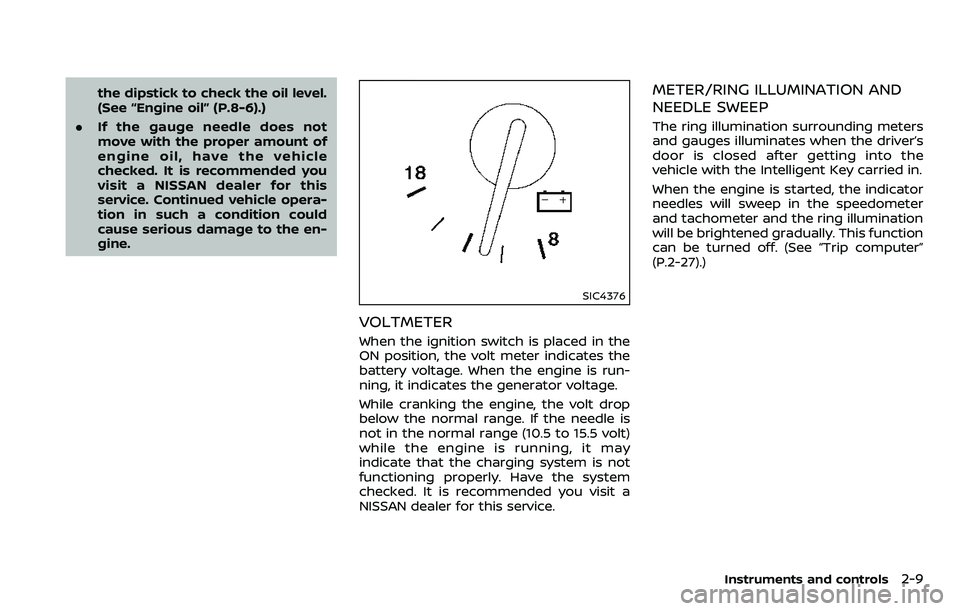
VOLTMETER
When the ignition switch is placed in the
ON position, the volt meter indicates the
battery voltage. When the engine is run-
ning, it indicates the generator voltage.
While cranking the engine, the volt drop
below the normal range. If the needle is
not in the normal range (10.5 to 15.5 volt)
while the engine is running, it may
indicate that the charging system is not
functioning properly. Have the system
checked. It is recommended you visit a
NISSAN dealer for this service.
METER/RING ILLUMINATION AND
NEEDLE SWEEP
The ring illumination surrounding meters
and gauges illuminates when the driver’s
door is closed after getting into the
vehicle with the Intelligent Key carried in.
When the engine is started, the indicator
needles will sweep in the speedometer
and tachometer and the ring illumination
will be brightened gradually. This function
can be turned off. (See “Trip computer”
(P.2-27).)
Instruments and controls2-9
Page 116 of 532
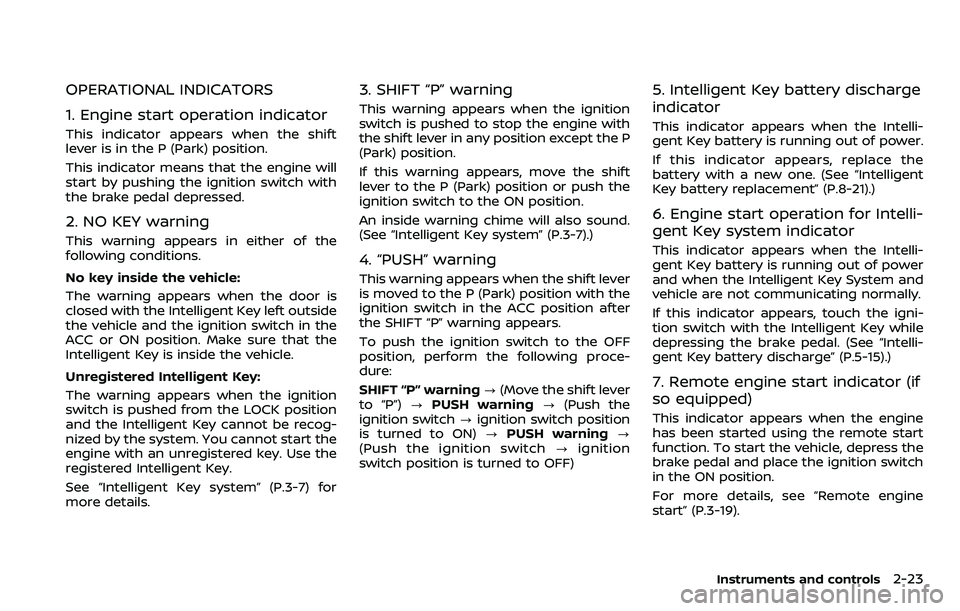
OPERATIONAL INDICATORS
1. Engine start operation indicator
This indicator appears when the shift
lever is in the P (Park) position.
This indicator means that the engine will
start by pushing the ignition switch with
the brake pedal depressed.
2. NO KEY warning
This warning appears in either of the
following conditions.
No key inside the vehicle:
The warning appears when the door is
closed with the Intelligent Key left outside
the vehicle and the ignition switch in the
ACC or ON position. Make sure that the
Intelligent Key is inside the vehicle.
Unregistered Intelligent Key:
The warning appears when the ignition
switch is pushed from the LOCK position
and the Intelligent Key cannot be recog-
nized by the system. You cannot start the
engine with an unregistered key. Use the
registered Intelligent Key.
See “Intelligent Key system” (P.3-7) for
more details.
3. SHIFT “P” warning
This warning appears when the ignition
switch is pushed to stop the engine with
the shift lever in any position except the P
(Park) position.
If this warning appears, move the shift
lever to the P (Park) position or push the
ignition switch to the ON position.
An inside warning chime will also sound.
(See “Intelligent Key system” (P.3-7).)
4. “PUSH” warning
This warning appears when the shift lever
is moved to the P (Park) position with the
ignition switch in the ACC position after
the SHIFT “P” warning appears.
To push the ignition switch to the OFF
position, perform the following proce-
dure:
SHIFT “P” warning?(Move the shift lever
to “P”) ?PUSH warning ?(Push the
ignition switch ?ignition switch position
is turned to ON) ?PUSH warning ?
(Push the ignition switch ?ignition
switch position is turned to OFF)
5. Intelligent Key battery discharge
indicator
This indicator appears when the Intelli-
gent Key battery is running out of power.
If this indicator appears, replace the
battery with a new one. (See “Intelligent
Key battery replacement” (P.8-21).)
6. Engine start operation for Intelli-
gent Key system indicator
This indicator appears when the Intelli-
gent Key battery is running out of power
and when the Intelligent Key System and
vehicle are not communicating normally.
If this indicator appears, touch the igni-
tion switch with the Intelligent Key while
depressing the brake pedal. (See “Intelli-
gent Key battery discharge” (P.5-15).)
7. Remote engine start indicator (if
so equipped)
This indicator appears when the engine
has been started using the remote start
function. To start the vehicle, depress the
brake pedal and place the ignition switch
in the ON position.
For more details, see “Remote engine
start” (P.3-19).
Instruments and controls2-23
Page 129 of 532
2-36Instruments and controls
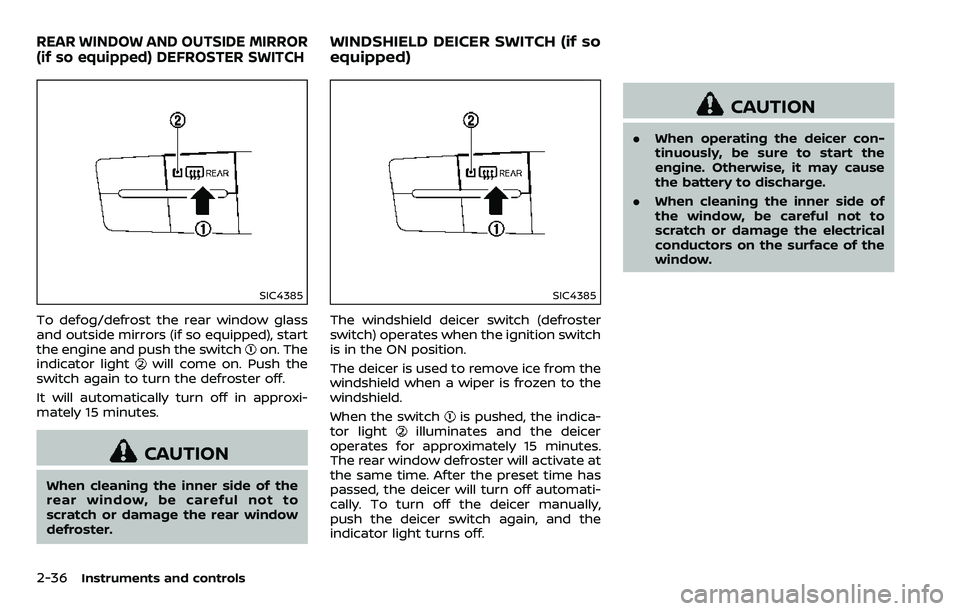
SIC4385
To defog/defrost the rear window glass
and outside mirrors (if so equipped), start
the engine and push the switch
on. The
indicator lightwill come on. Push the
switch again to turn the defroster off.
It will automatically turn off in approxi-
mately 15 minutes.
CAUTION
When cleaning the inner side of the
rear window, be careful not to
scratch or damage the rear window
defroster.
SIC4385
The windshield deicer switch (defroster
switch) operates when the ignition switch
is in the ON position.
The deicer is used to remove ice from the
windshield when a wiper is frozen to the
windshield.
When the switch
is pushed, the indica-
tor lightilluminates and the deicer
operates for approximately 15 minutes.
The rear window defroster will activate at
the same time. After the preset time has
passed, the deicer will turn off automati-
cally. To turn off the deicer manually,
push the deicer switch again, and the
indicator light turns off.
CAUTION
. When operating the deicer con-
tinuously, be sure to start the
engine. Otherwise, it may cause
the battery to discharge.
. When cleaning the inner side of
the window, be careful not to
scratch or damage the electrical
conductors on the surface of the
window.
REAR WINDOW AND OUTSIDE MIRROR
(if so equipped) DEFROSTER SWITCHWINDSHIELD DEICER SWITCH (if so
equipped)
Page 132 of 532
Battery saver system
A chime will sound when the driver side
door is opened with the light switch in the
orposition and the ignition
switch in the OFF or LOCK position.
When the headlight switch is in the
orposition while the ignition switch is in
the ON position, the lights will automati-
cally turn off after a period of time when
the ignition switch has been pushed to
the OFF position.
When the headlight switch remains in the
orposition after the lights auto-
matically turn off, the lights will turn on
when the ignition switch is pushed to the
ON position.
CAUTION
. When you turn on the headlight
switch again after the lights auto-
matically turn off, the lights will
not turn off automatically. Be
sure to turn the light switch to
the OFF position when you leave
the vehicle for extended periods
of time, otherwise the battery will
be discharged.
. Never leave the light switch on
when the engine is not running
for extended periods of time even if the headlights turn off auto-
matically.
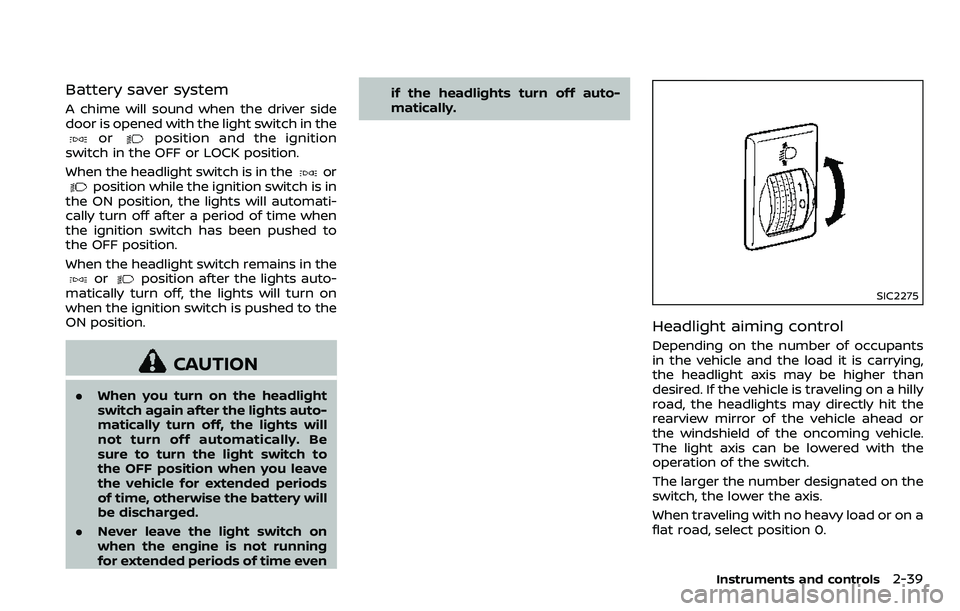
SIC2275
Headlight aiming control
Depending on the number of occupants
in the vehicle and the load it is carrying,
the headlight axis may be higher than
desired. If the vehicle is traveling on a hilly
road, the headlights may directly hit the
rearview mirror of the vehicle ahead or
the windshield of the oncoming vehicle.
The light axis can be lowered with the
operation of the switch.
The larger the number designated on the
switch, the lower the axis.
When traveling with no heavy load or on a
flat road, select position 0.
Instruments and controls2-39
Page 136 of 532
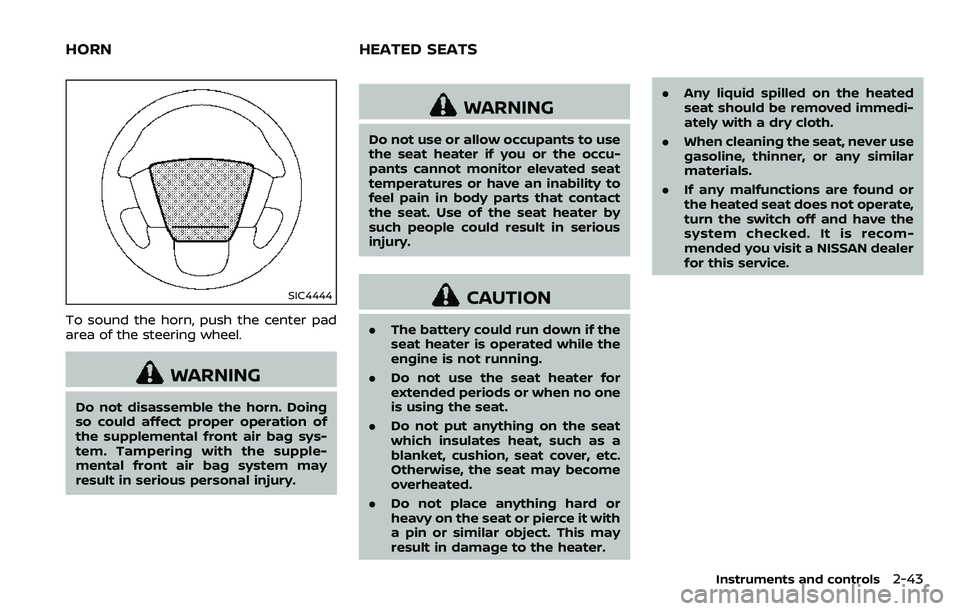
SIC4444
To sound the horn, push the center pad
area of the steering wheel.
WARNING
Do not disassemble the horn. Doing
so could affect proper operation of
the supplemental front air bag sys-
tem. Tampering with the supple-
mental front air bag system may
result in serious personal injury.
WARNING
Do not use or allow occupants to use
the seat heater if you or the occu-
pants cannot monitor elevated seat
temperatures or have an inability to
feel pain in body parts that contact
the seat. Use of the seat heater by
such people could result in serious
injury.
CAUTION
.The battery could run down if the
seat heater is operated while the
engine is not running.
. Do not use the seat heater for
extended periods or when no one
is using the seat.
. Do not put anything on the seat
which insulates heat, such as a
blanket, cushion, seat cover, etc.
Otherwise, the seat may become
overheated.
. Do not place anything hard or
heavy on the seat or pierce it with
a pin or similar object. This may
result in damage to the heater. .
Any liquid spilled on the heated
seat should be removed immedi-
ately with a dry cloth.
. When cleaning the seat, never use
gasoline, thinner, or any similar
materials.
. If any malfunctions are found or
the heated seat does not operate,
turn the switch off and have the
system checked. It is recom-
mended you visit a NISSAN dealer
for this service.
Instruments and controls2-43
HORN HEATED SEATS
Page 138 of 532
3. To turn off the heater, return theswitch to the level position. Make sure
the indicator light turns off.
The heater is controlled by a thermo-
stat, automatically turning the heater
on and off. The indicator light will
remain on as long as the switch is on.
When the vehicle’s interior is warmed,
or before you leave the vehicle, be
sure to turn off the switch.
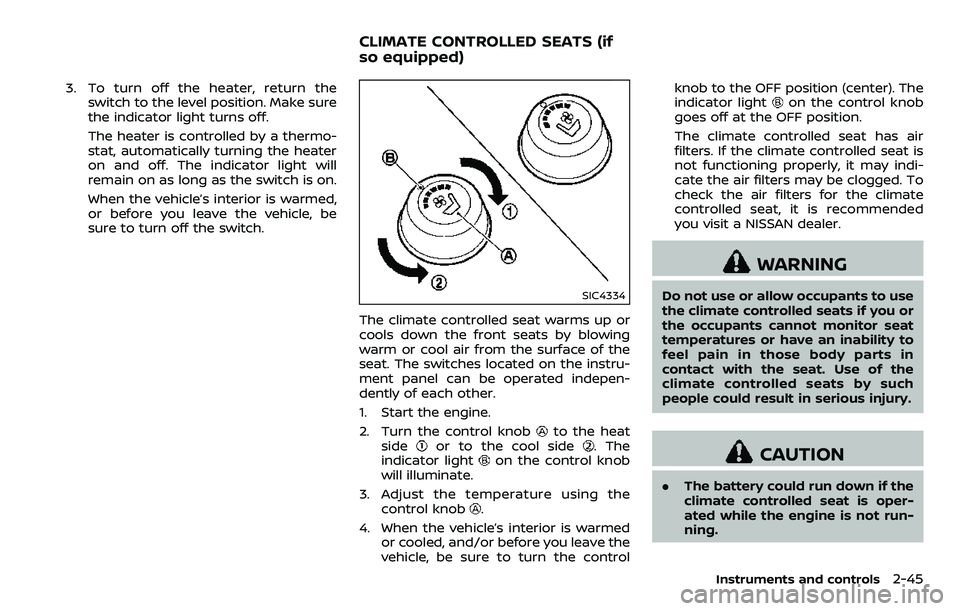
SIC4334
The climate controlled seat warms up or
cools down the front seats by blowing
warm or cool air from the surface of the
seat. The switches located on the instru-
ment panel can be operated indepen-
dently of each other.
1. Start the engine.
2. Turn the control knob
to the heat
sideor to the cool side. The
indicator lighton the control knob
will illuminate.
3. Adjust the temperature using the control knob
.
4. When the vehicle’s interior is warmed or cooled, and/or before you leave the
vehicle, be sure to turn the control knob to the OFF position (center). The
indicator light
on the control knob
goes off at the OFF position.
The climate controlled seat has air
filters. If the climate controlled seat is
not functioning properly, it may indi-
cate the air filters may be clogged. To
check the air filters for the climate
controlled seat, it is recommended
you visit a NISSAN dealer.
WARNING
Do not use or allow occupants to use
the climate controlled seats if you or
the occupants cannot monitor seat
temperatures or have an inability to
feel pain in those body parts in
contact with the seat. Use of the
climate controlled seats by such
people could result in serious injury.
CAUTION
. The battery could run down if the
climate controlled seat is oper-
ated while the engine is not run-
ning.
Instruments and controls2-45
CLIMATE CONTROLLED SEATS (if
so equipped)