ECO mode NISSAN ARMADA 2021 Owner´s Manual
[x] Cancel search | Manufacturer: NISSAN, Model Year: 2021, Model line: ARMADA, Model: NISSAN ARMADA 2021Pages: 603, PDF Size: 3.16 MB
Page 556 of 603
11-6
Push starting............................................................ 6-14
Starting the engine............................................. 5-16
Status light, Front passenger air bag ......... 1-62
Steering Heated steering wheel ..................................... 2-52
Power steering ................................................... 5-141
Power steering fluid .............................................. 8-8
Tilt/telescopic steering .................................... 3-29
Storage ........................................................................\
........ 2-66
Sun visors ........................................................................\
.. 3-29
Sunglasses holder....................................................... 2-68
Supplemental air bag warning labels ......... 1-72
Supplemental air bag
warning light .................................................... 1-73, 2-13
Supplemental restraint system........................ 1-54 Precautions on supplemental
restraint system .................................................... 1-54
Switch Emergency Call (SOS) button ..................... 2-64
Fog light switch ..................................................... 2-52
Hazard warning flasher switch .................... 6-2
Headlight switch ................................................... 2-46
Ignition switch ........................................................ 5-18
Intelligent Auto Headlight switch ............ 2-46
Power door lock switch ..................................... 3-5
SNOW mode switch ............................................ 2-57
Turn signal switch ............................................... 2-51
Vehicle Dynamic Control (VDC)
OFF switch ................................................................. 2-57
T
Tachometer........................................................................\
.. 2-7
Temperature gauge, Engine coolant
temperature gauge ....................................................... 2-7
Theft (NISSAN Vehicle Immobilizer System),
Engine start...................................................................\
... 2-40 Three-way catalyst......................................................... 5-4
Tilt/telescopic steering ........................................... 3-29
Tire
Pressure, Low tire pressure
warning light ............................................................ 2-15
Tires Flat tire........................................................................\
..... 6-3
Tire and Loading
information label................................ 8-30, 10-13
Tire chains.................................................................. 8-35
Tire dressing................................................................ 7-4
Tire pressure ............................................................ 8-28
Tire Pressure Monitoring
System (TPMS) ................................................ 5-5, 6-3
Tire rotation.............................................................. 8-36
Types of tires ........................................................... 8-34
Uniform tire quality grading .................... 10-36
Wheel/tire size ........................................................ 10-9
Wheels and tires .................................................... 8-28
Top Tether strap child restraints........................ 1-37
TOW mode ..................................................................... 5-134
TOW mode switch....................................................... 2-57
Towing Flat towing............................................................. 10-35
Tow truck towing................................................. 6-16
Towing a trailer.................................................. 10-19
Towing safety...................................................... 10-24
TPMS, Tire Pressure
Monitoring System ............................................. 5-5, 6-3 TPMS with Easy Fill Tire Alert......................... 5-8
Traffic Sign Recognition (TSR)........................... 5-23
Trailer Brake Controller Unit (TBCU) ............ 2-58
Trailer towing .............................................................. 10-19
Transceiver HomeLink®
Universal Transceiver ......................... 2-81, 2-85 Transmission
Automatic Transmission Fluid (ATF) ........ 8-8
Driving with
automatic transmission .................................. 5-18
Transmission shift lever lock release ..... 5-22
Transmitter (See remote keyless
entry system) .................................................................. 3-15
Traveling or registering your vehicle in
another country ........................................................ 10-11
Trip computer ................................................................ 2-36
Trip odometer ................................................................ 2-36
Turn signal switch ...................................................... 2-51
U
Underbody cleaning ...................................................... 7-3
Uniform tire quality grading ............................ 10-36
USB (Universal Serial Bus)
charging connector................................................... 2-61
V
Vanity mirror ................................................................... 3-40
Vanity mirror lights .................................................... 2-80
Variable voltage control system ..................... 8-13
Vehicle Dimensions ............................................................ 10-10
Identification number (VIN)....................... 10-11
Loading information ...................................... 10-15
Recovery (freeing a stuck vehicle) .......... 6-19
Security system...................................................... 2-38
Vehicle Dynamic Control (VDC)
OFF switch ................................................................. 2-57
Vehicle Dynamic Control
(VDC) system ........................................................ 5-144
Vehicle Dynamic Control (VDC)
warning light ............................................................ 2-18
Page 583 of 603
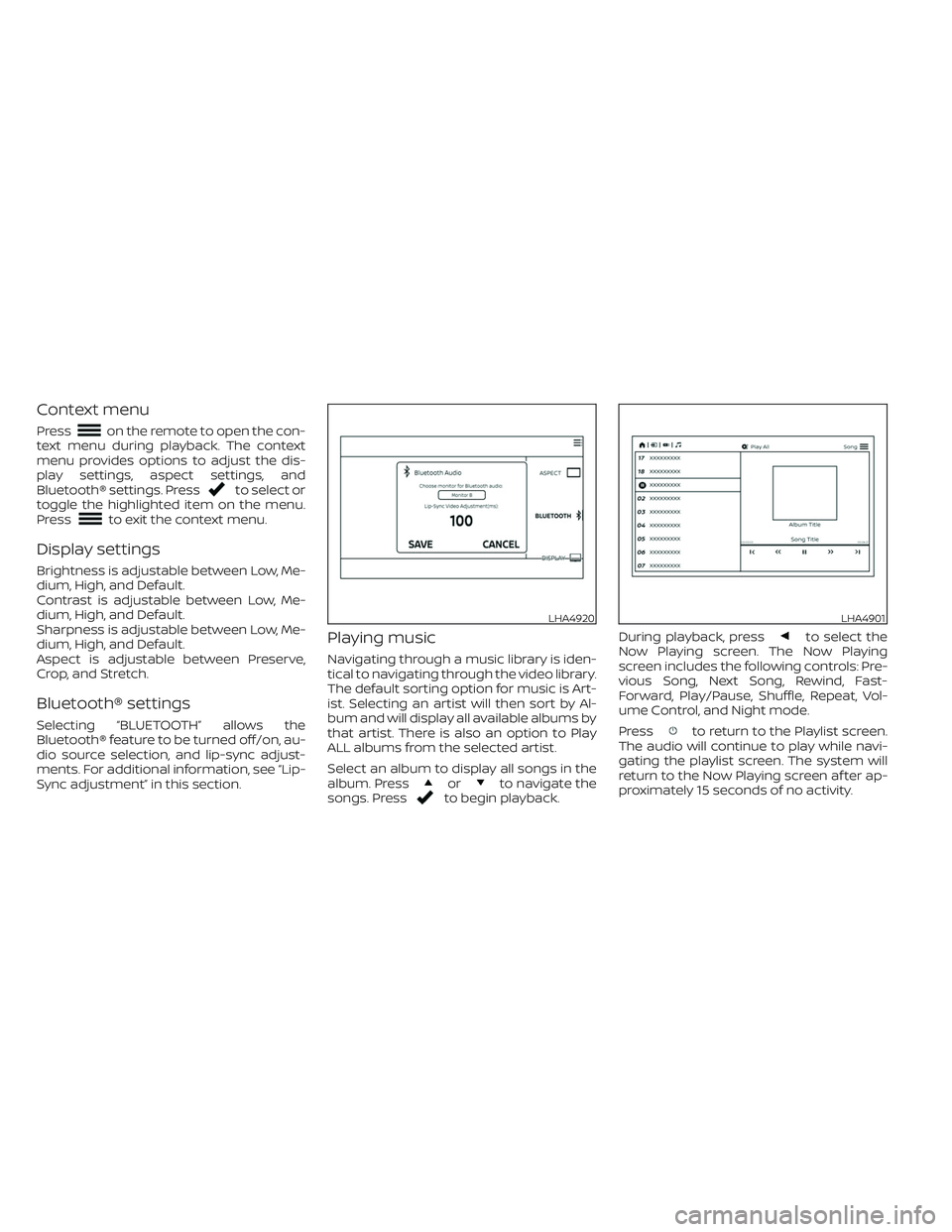
Context menu
Presson the remote to open the con-
text menu during playback. The context
menu provides options to adjust the dis-
play settings, aspect settings, and
Bluetooth® settings. Press
to select or
toggle the highlighted item on the menu.
Press
to exit the context menu.
Display settings
Brightness is adjustable between Low, Me-
dium, High, and Default.
Contrast is adjustable between Low, Me-
dium, High, and Default.
Sharpness is adjustable between Low, Me-
dium, High, and Default.
Aspect is adjustable between Preserve,
Crop, and Stretch.
Bluetooth® settings
Selecting “BLUETOOTH” allows the
Bluetooth® feature to be turned off/on, au-
dio source selection, and lip-sync adjust-
ments. For additional information, see “Lip-
Sync adjustment” in this section.
Playing music
Navigating through a music library is iden-
tical to navigating through the video library.
The default sorting option for music is Art-
ist. Selecting an artist will then sort by Al-
bum and will display all available albums by
that artist. There is also an option to Play
ALL albums from the selected artist.
Select an album to display all songs in the
album. Press
orto navigate the
songs. Pressto begin playback.During playback, press
to select the
Now Playing screen. The Now Playing
screen includes the following controls: Pre-
vious Song, Next Song, Rewind, Fast-
Forward, Play/Pause, Shuffle, Repeat, Vol-
ume Control, and Night mode.
Press
to return to the Playlist screen.
The audio will continue to play while navi-
gating the playlist screen. The system will
return to the Now Playing screen af ter ap-
proximately 15 seconds of no activity.
LHA4920LHA4901
Page 597 of 603
For example, to set the ratings limit for PG
and below, select “RATINGS” then “3” using
the directional pad and press
, based
on the rating levels. For additional informa-
tion, see “About parental lock” in this sec-
tion.To change password, select “SETTINGS”
then “PARENTAL” from the home screen.
Enter the current password, select “PASS-
WORD” then “MODIFY” to set new password,
press
once to enter, and select again
to confirm. To exit “PARENTAL” menu press
.To remove the parental lock password, se-
lect “SETTINGS” then “PARENTAL” from the
home screen. Enter the current password.
Select “PASSWORD” then “REMOVE”, press
to enter, and select again to confirm.
To exit Parental menu press.
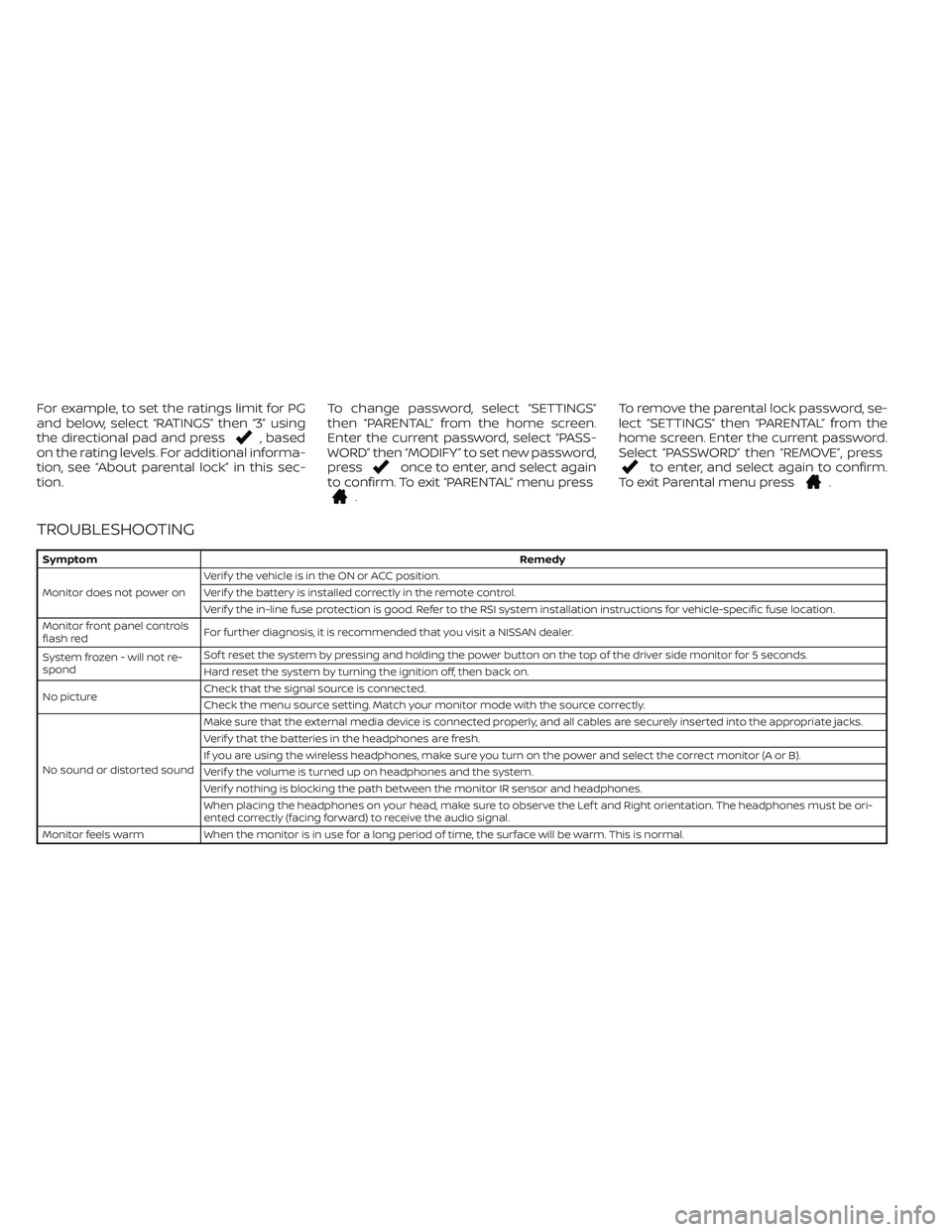
TROUBLESHOOTING
SymptomRemedy
Monitor does not power onVerif y the vehicle is in the ON or ACC position.
Verif y the battery is installed correctly in the remote control.
Verif y the in-line fuse protection is good. Refer to the RSI system installation instructions for vehicle-specific fuse location.
Monitor front panel controls
flash redFor further diagnosis, it is recommended that you visit a NISSAN dealer.
System frozen - will not re-
spondSof t reset the system by pressing and holding the power button on the top of the driver side monitor for 5 seconds.
Hard reset the system by turning the ignition off, then back on.
No pictureCheck that the signal source is connected.
Check the menu source setting. Match your monitor mode with the source correctly.
No sound or distorted soundMake sure that the external media device is connected properly, and all cables are securely inserted into the appropriate jacks.
Verif y that the batteries in the headphones are fresh.
If you are using the wireless headphones, make sure you turn on the power and select the correct monitor (A or B).
Verif y the volume is turned up on headphones and the system.
Verif y nothing is blocking the path between the monitor IR sensor and headphones.
When placing the headphones on your head, make sure to observe the Lef t and Right orientation. The headphones must be ori-
ented correctly (facing forward) to receive the audio signal.
Monitor feels warm When the monitor is in use for a long period of time, the surface will be warm. This is normal.