steering NISSAN ARMADA 2021 Owner´s Manual
[x] Cancel search | Manufacturer: NISSAN, Model Year: 2021, Model line: ARMADA, Model: NISSAN ARMADA 2021Pages: 603, PDF Size: 3.16 MB
Page 314 of 603
5-48Starting and driving
system chimes (twice) and the side in-
dicator light flashes. The side indicator
light continues to flash until the detected
vehicle leaves the detection zone.
If the I-BSI system is ON and your vehicle
approaches a lane marker while another
vehicle is in the detection zone, the
system chimes (three times) and the side
indicator light flashes. Then the I-BSI
system slightly applies the brakes to help
return the vehicle back to the center of
the driving lane. The I-BSI system oper-
ates regardless of turn signal usage.
NOTE:
.I-BSI warning and system applica-
tion will only be activated if the side
indicator light is already illuminated
when your vehicle approaches a
lane marker. If another vehicle
comes into the detection zone after
your vehicle has crossed a lane
marker, no I-BSI warning or system
application will be activated. (See “I-
BSI driving situations” (P.5-51).)
. The I-BSI system is typically acti-
vated earlier than the Intelligent
Lane Intervention (I-LI) system when
your vehicle is approaching a lane
marker.
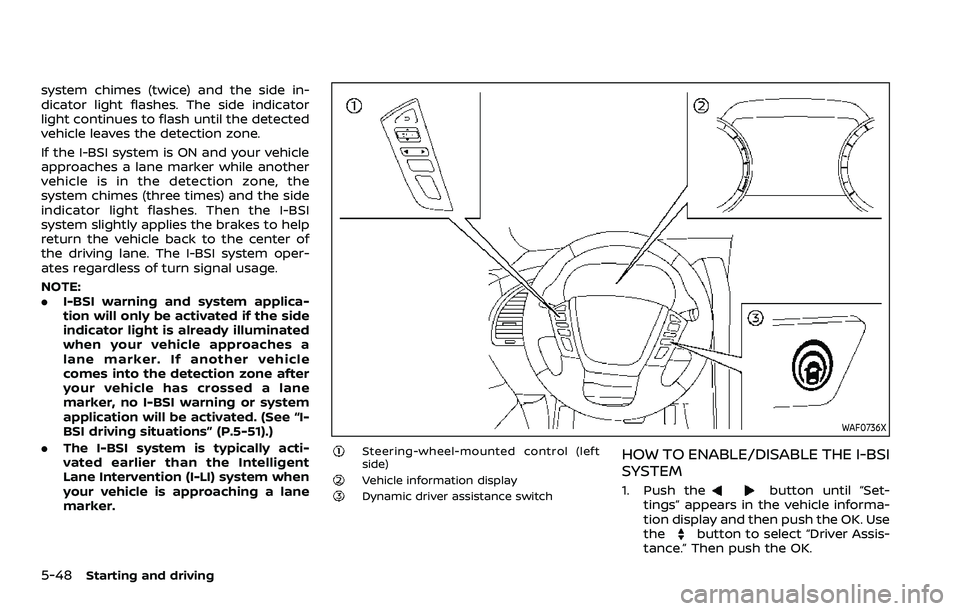
WAF0736X
Steering-wheel-mounted control (left
side)
Vehicle information displayDynamic driver assistance switch
HOW TO ENABLE/DISABLE THE I-BSI
SYSTEM
1. Push thebutton until “Set-
tings” appears in the vehicle informa-
tion display and then push the OK. Use
the
button to select “Driver Assis-
tance.” Then push the OK.
Page 316 of 603
5-50Starting and driving
standard lane markers; lane
markers covered with water,
dirt, snow, etc.
— On roads where discontinued lane markers are still detect-
able.
— On roads where there are sharp curves.
— On roads where there are sharply contrasting objects,
such as shadows, snow,
water, wheel ruts, seams or
lines remaining after road re-
pairs.
— On roads where the traveling lane merges or separates.
— When the vehicle’s traveling direction does not align with
the lane markers.
— When traveling close to the vehicle in front of you, which
obstructs the lane camera
unit detection range.
— When rain, snow or dirt ad- heres to the windshield in
front of a lane camera unit.
— When the headlights are not bright due to dirt on the lens
or if aiming is not adjusted properly.
— When strong light enters a lane camera unit. (For exam-
ple: light directly shines on the
front of the vehicle at sunrise
or sunset.)
— When a sudden change in brightness occurs. (For exam-
ple: when the vehicle enters or
exits a tunnel or under a
bridge.)
. Do not use the I-BSI system under
the following conditions because
the system may not function
properly.
— During bad weather. (For ex-
ample: rain, fog, snow, etc.)
— When driving on slippery roads, such as on ice or snow,
etc.
— When driving on winding or uneven roads.
— When there is a lane closure due to road repairs.
— When driving in a makeshift or temporary lane.
— When driving on roads where the lane width is too narrow. — When driving with a tire that is
not within normal tire condi-
tions (for example, tire wear,
low tire pressure, installation
of spare tire, tire chains, non-
standard wheels).
— When the vehicle is equipped with non-original steering
parts or suspension parts.
— When towing a trailer or other vehicle.
. Excessive noise (for example,
audio system volume, open vehi-
cle window) will interfere with the
chime sound, and it may not be
heard.
Page 320 of 603
5-54Starting and driving
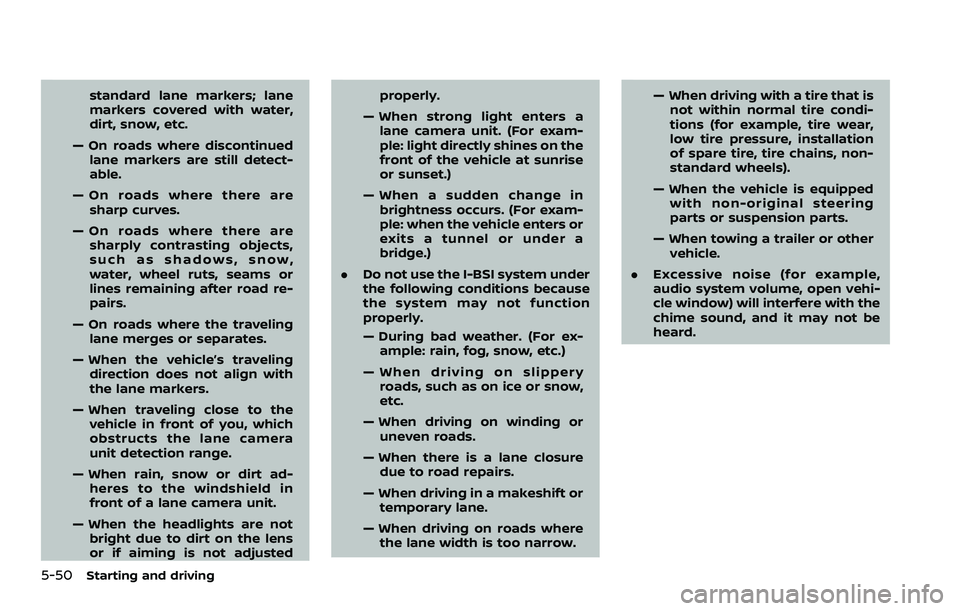
JVS0761X
Illustration 9 - Entering from the side
Illustration 9: If the I-BSI system is on and
your vehicle approaches the lane marker
while another vehicle is in the detection
zone, the system chimes (three times)
and the side indicator light flashes. The I-
BSI system activates to help return the
vehicle back to the center of the driving
lane.
JVS0742X
Illustration 10 - Entering from the side
Illustration 10: The I-BSI system will not
operate if your vehicle is on a lane marker
when another vehicle enters the detec-
tion zone. In this case only the BSW
system operates.
NOTE:
.The radar sensors may not detect a
vehicle which is traveling at about
the same speed as your vehicle
when it enters the detection zone.
. I-BSI will not operate or will stop
operating and only a warning chime
will sound under the following con-
ditions. —
When the brake pedal is de-
pressed.
— When the vehicle is accelerated
during I-BSI system operation
— When steering quickly
— When the ICC, I-FCW or AEB warn-
ings sound.
— When the hazard warning flashers
are operated.
— When driving on a curve at a high
speed.
— When the BSW system is turned
off.
SYSTEM TEMPORARILY UNAVAIL-
ABLE
When any of the following messages
appear on the vehicle information display,
a chime will sound and the I-BSI system
will be turned off automatically.
. “Not Available: Poor Road Conditions”:
When the VDC system (except traction
control system function) or ABS oper-
ates.
. “Currently unavailable/Currently not
available”:
— When the VDC system is turned off.
— When the SNOW mode is selected.
— When the 4WD shift switch is in the
4H or 4L position. (4WD models)
Page 323 of 603
WARNING
Failure to follow the warnings and
instructions for proper use of the
RCTA system could result in serious
injury or death.
.The RCTA system is not a replace-
ment for proper driving proce-
dures and is not designed to
prevent contact with vehicles or
objects. When backing out of a
parking space, always use the
side and rear mirrors and turn
and look in the direction your
vehicle will move. Never rely so-
lely on the RCTA system.
The RCTA system will assist you when
backing out from a parking space. When
the vehicle is in reverse, the system is
designed to detect other vehicles ap-
proaching from the right or left of the
vehicle. If the system detects cross traffic,
it will alert you.
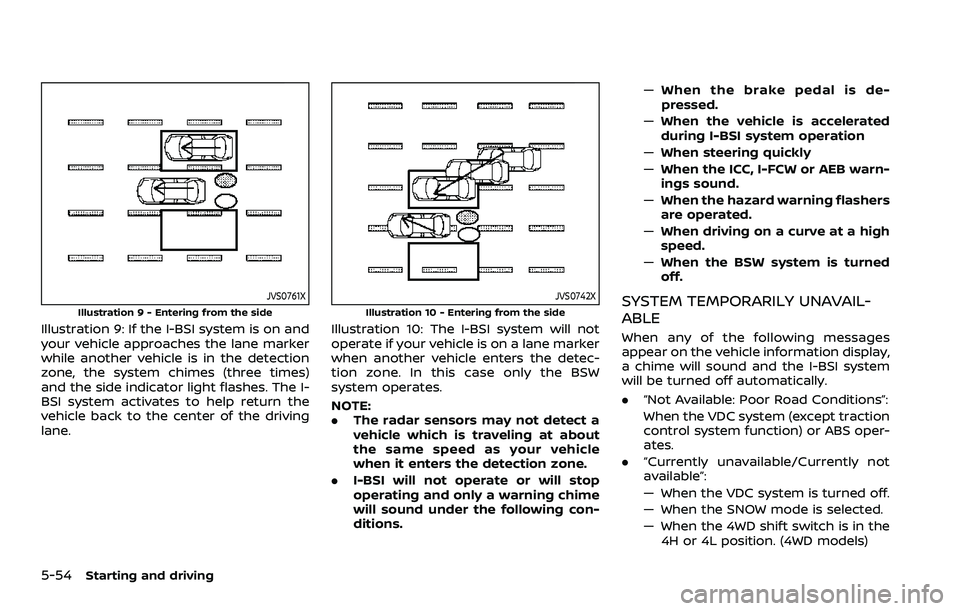
WAF0742X
Side indicator lightVehicle information displaySteering-wheel-mounted controls (left
side)
RCTA SYSTEM OPERATION
The RCTA system can help alert the driver
of an approaching vehicle when the
driver is backing out of a parking space.
When the shift position is in R (Reverse)
and the vehicle speed is less than ap-
proximately 5 MPH (8 km/h), the RCTA
Starting and driving5-57
REAR CROSS TRAFFIC ALERT
(RCTA) (if so equipped)
Page 325 of 603
WAF0718X
Steering-wheel-mounted controls (left
side)
Vehicle information display
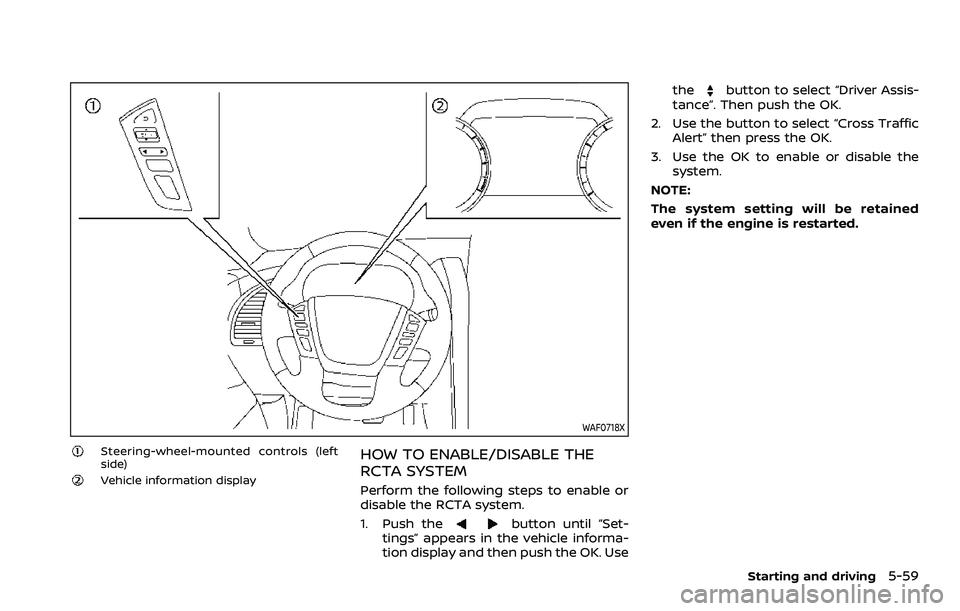
HOW TO ENABLE/DISABLE THE
RCTA SYSTEM
Perform the following steps to enable or
disable the RCTA system.
1. Push the
button until “Set-
tings” appears in the vehicle informa-
tion display and then push the OK. Use the
button to select “Driver Assis-
tance”. Then push the OK.
2. Use the button to select “Cross Traffic Alert” then press the OK.
3. Use the OK to enable or disable the system.
NOTE:
The system setting will be retained
even if the engine is restarted.
Starting and driving5-59
Page 331 of 603
WAF0738X
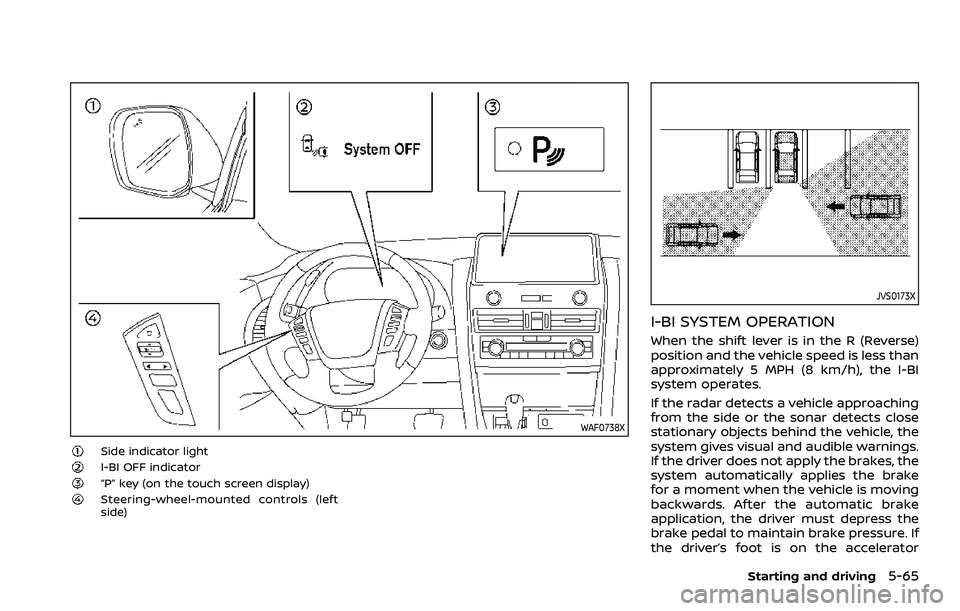
Side indicator lightI-BI OFF indicator“P” key (on the touch screen display)Steering-wheel-mounted controls (left
side)
JVS0173X
I-BI SYSTEM OPERATION
When the shift lever is in the R (Reverse)
position and the vehicle speed is less than
approximately 5 MPH (8 km/h), the I-BI
system operates.
If the radar detects a vehicle approaching
from the side or the sonar detects close
stationary objects behind the vehicle, the
system gives visual and audible warnings.
If the driver does not apply the brakes, the
system automatically applies the brake
for a moment when the vehicle is moving
backwards. After the automatic brake
application, the driver must depress the
brake pedal to maintain brake pressure. If
the driver’s foot is on the accelerator
Starting and driving5-65
Page 335 of 603
The I-BI system can be turned off tem-
porarily by touching the “P” keyon the
touch screen display. The indicator on the
“P” key turns off and the I-BI OFF indicator
appears on the vehicle information dis-
play.
When the shift lever is placed in the R
(Reverse) position again, the I-BI system is
turned on.
NOTE:
. When the “P” key is touched, the
indicator light on the key will turn off
and the I-BI system will turn off
temporarily. The Moving Object De-
tection (MOD), the Rear Automatic
Braking (RAB) and the sonar sys-
tems will also be turned off at the
same time.
. When the sonar and MOD systems
are turned off on the settings menu
in the touch screen display, the “P”
key will disappear.
To enable or disable the I-BI system, use
the vehicle information display. See
“How to enable/disable the I-BI system”
(P.5-69).
WAF0718X
Steering-wheel-mounted control (left
side)
Vehicle information display
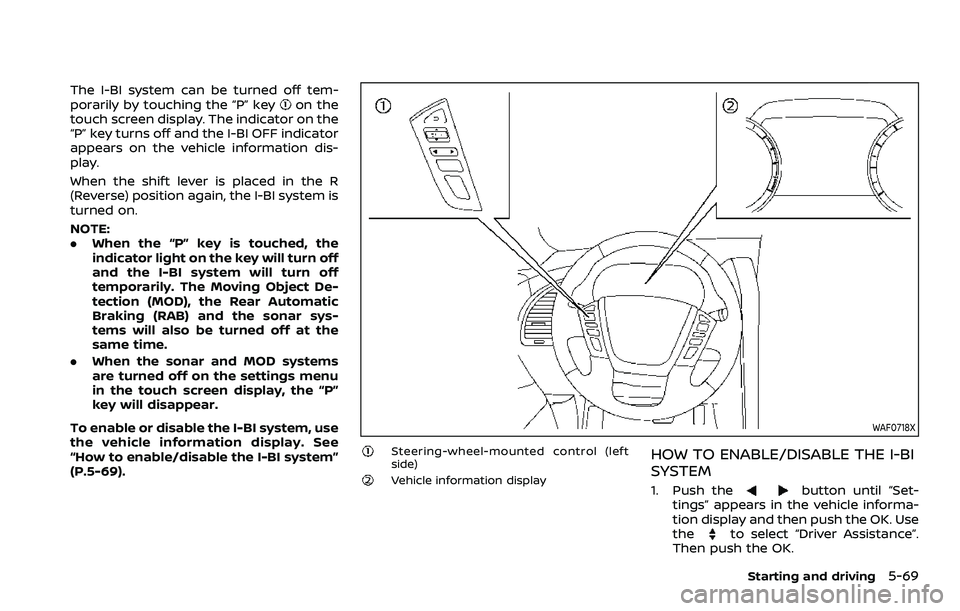
HOW TO ENABLE/DISABLE THE I-BI
SYSTEM
1. Push thebutton until “Set-
tings” appears in the vehicle informa-
tion display and then push the OK. Use
the
to select “Driver Assistance”.
Then push the OK.
Starting and driving5-69
Page 344 of 603
5-78Starting and driving
a vehicle ahead, this system automati-
cally accelerates or decelerates your ve-
hicle according to the speed of the
vehicle ahead. Depress the accelerator
to properly accelerate your vehicle when
acceleration is required for a lane change.
Depress the brake pedal when decelera-
tion is required to maintain a safe dis-
tance to the vehicle ahead due to its
sudden braking or if a vehicle cuts in.
Always stay alert when using the ICC
system.
WAF0747X
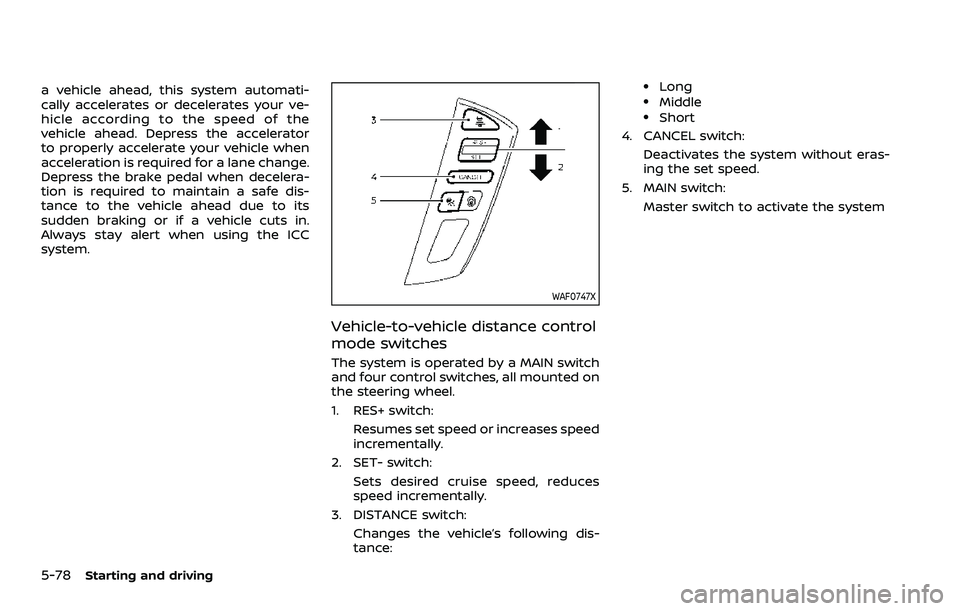
Vehicle-to-vehicle distance control
mode switches
The system is operated by a MAIN switch
and four control switches, all mounted on
the steering wheel.
1. RES+ switch:Resumes set speed or increases speed
incrementally.
2. SET- switch: Sets desired cruise speed, reduces
speed incrementally.
3. DISTANCE switch: Changes the vehicle’s following dis-
tance:
.Long.Middle.Short
4. CANCEL switch:
Deactivates the system without eras-
ing the set speed.
5. MAIN switch:
Master switch to activate the system
Page 351 of 603
hilly roads or when entering or exiting a
curve. In these cases you will have to
manually control the proper distance
ahead of your vehicle.
Also, the sensor sensitivity can be af-
fected by vehicle operation (steering
maneuver or driving position in the lane)
or traffic or vehicle condition (for example,
if a vehicle is being driven with some
damage).
Acceleration when passing
When the ICC system is engaged above
44 MPH (70 km/h) and following a slower
vehicle (below the vehicle set speed), and
the turn signal is activated to the left, the
ICC system will automatically start to
accelerate the vehicle to help initiate
passing on the left and will begin to
reduce the distance to vehicle directly
ahead. Only the left side turn signal
operates this feature. As the driver steers
the vehicle and moves into the passing
lane, if no vehicle is detected ahead the
ICC system will continue to accelerate to
the vehicle set speed. If another vehicle is
detected ahead, then the vehicle will
accelerate up to the following speed of
that vehicle. If the vehicle is not steered
into the left lane to pass, the acceleration
will stop after a short time and regain the
set following distance. Acceleration can
be stopped at any point by depressingthe brake pedal or the CANCEL switch on
the steering wheel.
WARNING
In order to reduce the risk of a
collision that may result in serious
injury or death, please be aware of
the following:
.
This function is only activated
with the left turn signal and will
briefly accelerate the vehicle even
if a lane change is not initiated.
This can include non-passing si-
tuations such as left side exits.
. Ensure that when passing an-
other vehicle, the adjacent lane
is clear before initiating the pass.
Sudden changes in traffic may
occur while passing. Always
manually steer or brake as
needed. Never solely rely on the
system.
Automatic cancellation
A chime sounds under the following
conditions and the control is automati-
cally canceled.
.When the vehicle ahead is not de-
tected and your vehicle is traveling
below the speed of 15 MPH (25 km/h)
. When the system judges the vehicle is
at standstill
. When the shift lever is not in the D
(Drive) or manual shift mode
. When the parking brake is applied
. When the SNOW mode switch is
pushed on.
. When the 4WD shift switch is in the 4H
or 4L position (for 4WD models)
. When the VDC system is turned off
. When the VDC (including the traction
control system) operates
. When distance measurement be-
comes impaired due to adhesion of
dirt or obstruction to the sensor
. When a wheel slips
. When the radar signal is temporarily
interrupted
Starting and driving5-85
Page 355 of 603
SSD0253
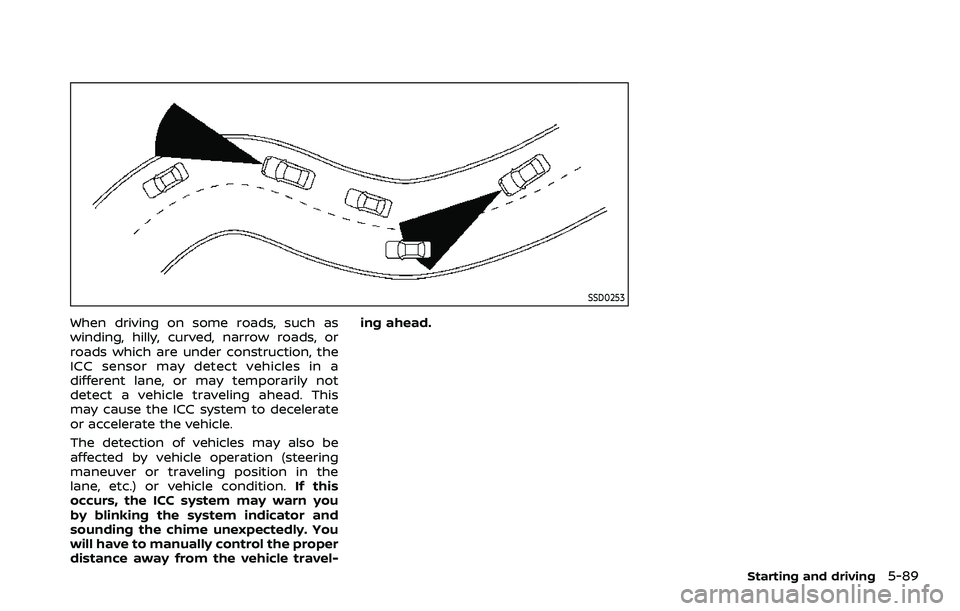
When driving on some roads, such as
winding, hilly, curved, narrow roads, or
roads which are under construction, the
ICC sensor may detect vehicles in a
different lane, or may temporarily not
detect a vehicle traveling ahead. This
may cause the ICC system to decelerate
or accelerate the vehicle.
The detection of vehicles may also be
affected by vehicle operation (steering
maneuver or traveling position in the
lane, etc.) or vehicle condition.If this
occurs, the ICC system may warn you
by blinking the system indicator and
sounding the chime unexpectedly. You
will have to manually control the proper
distance away from the vehicle travel- ing ahead.
Starting and driving5-89