warning lights NISSAN ARMADA 2021 Owner´s Manual
[x] Cancel search | Manufacturer: NISSAN, Model Year: 2021, Model line: ARMADA, Model: NISSAN ARMADA 2021Pages: 603, PDF Size: 3.16 MB
Page 9 of 603
 ........................................................................\
............. 0-2
Exterior front ...")
0 Illustrated table of contents
Seats, seat belts and Supplemental Restraint
System (SRS) ........................................................................\
............. 0-2
Exterior front ........................................................................\
............ 0-3
Exterior rear ........................................................................\
.............. 0-4
Passenger compartment ....................................................... 0-5
Cockpit ........................................................................\
.......................... 0-6Instrument panel ........................................................................\
. 0-7
Meters and gauges .................................................................... 0-8
Engine compartment ............................................................... 0-9
VK56VD engine ..................................................................... 0-9
Warning and indicator lights ........................................... 0-10
Page 16 of 603
0-8Illustrated table of contents
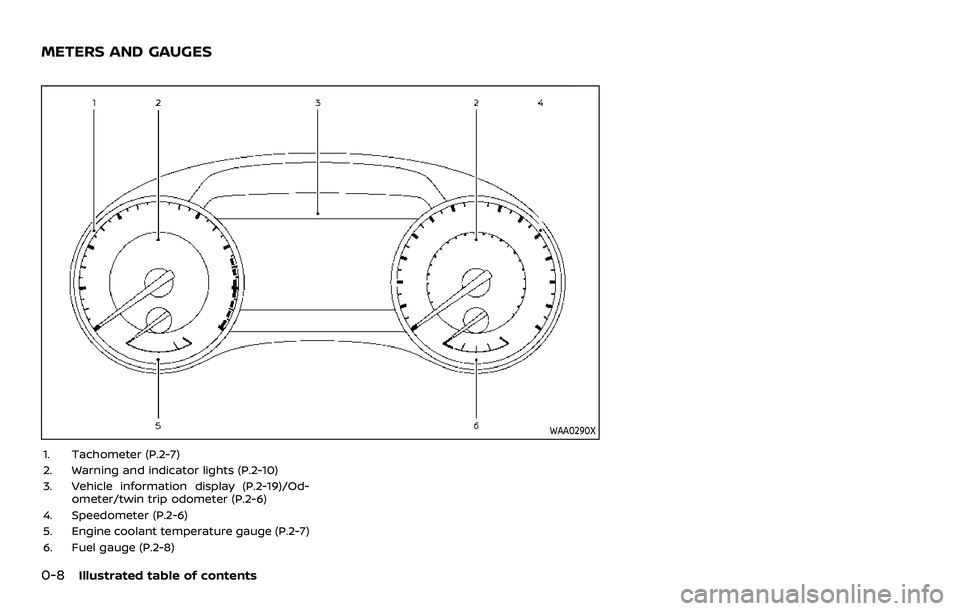
WAA0290X
1. Tachometer (P.2-7)
2. Warning and indicator lights (P.2-10)
3. Vehicle information display (P.2-19)/Od-ometer/twin trip odometer (P.2-6)
4. Speedometer (P.2-6)
5. Engine coolant temperature gauge (P.2-7)
6. Fuel gauge (P.2-8)
METERS AND GAUGES
Page 18 of 603
0-10Illustrated table of contents
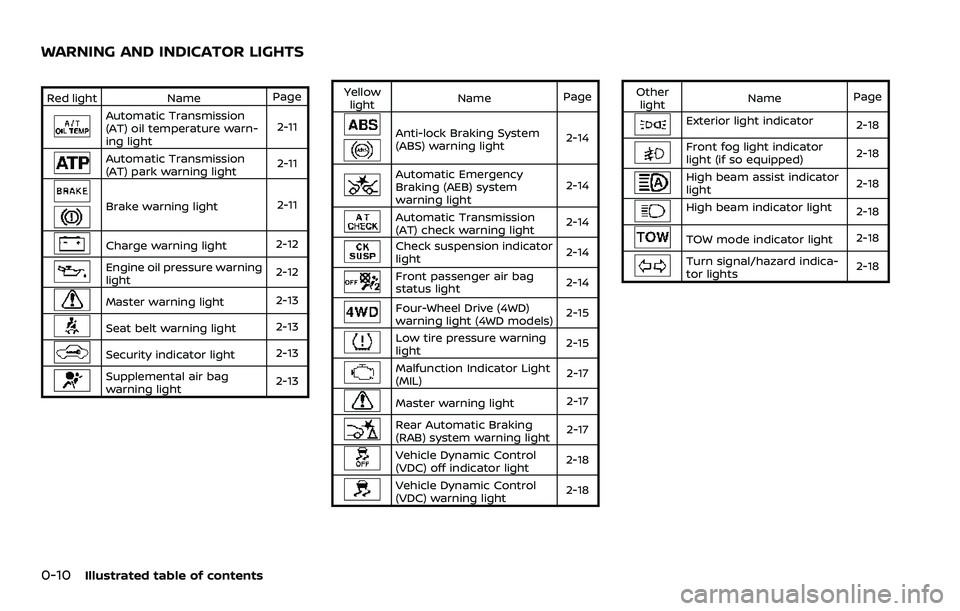
Red lightNamePage
Automatic Transmission
(AT) oil temperature warn-
ing light 2-11
Automatic Transmission
(AT) park warning light
2-11
Brake warning light
2-11
Charge warning light2-12
Engine oil pressure warning
light2-12
Master warning light
2-13
Seat belt warning light
2-13
Security indicator light2-13
Supplemental air bag
warning light2-13Yellow
light Name
Page
Anti-lock Braking System
(ABS) warning light 2-14
Automatic Emergency
Braking (AEB) system
warning light2-14
Automatic Transmission
(AT) check warning light
2-14
Check suspension indicator
light
2-14
Front passenger air bag
status light
2-14
Four-Wheel Drive (4WD)
warning light (4WD models) 2-15
Low tire pressure warning
light
2-15
Malfunction Indicator Light
(MIL) 2-17
Master warning light
2-17
Rear Automatic Braking
(RAB) system warning light2-17
Vehicle Dynamic Control
(VDC) off indicator light
2-18
Vehicle Dynamic Control
(VDC) warning light2-18Other
light Name
Page
Exterior light indicator
2-18
Front fog light indicator
light (if so equipped)2-18
High beam assist indicator
light2-18
High beam indicator light
2-18
TOW mode indicator light2-18
Turn signal/hazard indica-
tor lights2-18
WARNING AND INDICATOR LIGHTS
Page 93 of 603

2 Instruments and controls
Cockpit ........................................................................\
.......................... 2-3
Instrument panel ........................................................................\
.. 2-4
Meters and gauges ..................................................................... 2-5Speedometer and odometer ........................................ 2-6
Tachometer ........................................................................\
........ 2-7
Engine coolant temperature gauge ....................... 2-7
Fuel gauge ........................................................................\
........... 2-8
Engine oil pressure gauge .............................................. 2-8
Voltmeter ........................................................................\
.............. 2-9
Meter illumination and needle sweep ................... 2-9
Warning lights, indicator lights and
audible reminders ..................................................................... 2-10 Checking lights ..................................................................... 2-11
Warning/indicator lights (red) ................................... 2-11
Warning/indicator lights (yellow) ........................... 2-14
Warning/indicator lights (other) ............................. 2-18
Audible reminders .............................................................. 2-19
Vehicle information display ............................................... 2-19 How to use the vehicle
information display ........................................................... 2-20
Startup display ...................................................................... 2-21
Settings ........................................................................\
............... 2-21
Operational indicators .................................................... 2-29
Trip computer ........................................................................\
2-36
Clock and outside air temperature ...................... 2-38 Security systems ....................................................................... 2-38
Vehicle Security System .............................................. 2-38
NISSAN Vehicle Immobilizer System ................. 2-40
Wiper and washer switch ................................................... 2-41 Windshield wiper and washer operation ...... 2-42
Rain-sensing auto wiper system (if
so equipped) ........................................................................\
. 2-43
Rear window wiper and
washer operation ............................................................. 2-44
Rear window and outside mirror
defroster switch ........................................................................\
. 2-44
Windshield deicer switch (if so equipped) ............. 2-45
Headlight and turn signal switch ................................ 2-45
Headlight switch ............................................................... 2-46
Instrument brightness control .............................. 2-50
Turn signal switch ........................................................... 2-51
Fog light switch (if so equipped) ......................... 2-52
Heated steering wheel (if so equipped) .................. 2-52
Horn ........................................................................\
............................. 2-53
Heated seats ........................................................................\
......... 2-53
Front (if so equipped) .................................................... 2-54
Rear (if so equipped) ...................................................... 2-54
Climate controlled seats (if so equipped) ............. 2-55
Warning systems switch (if so equipped) ............. 2-56
SNOW mode switch ................................................................ 2-57
Page 97 of 603
WAA0290X
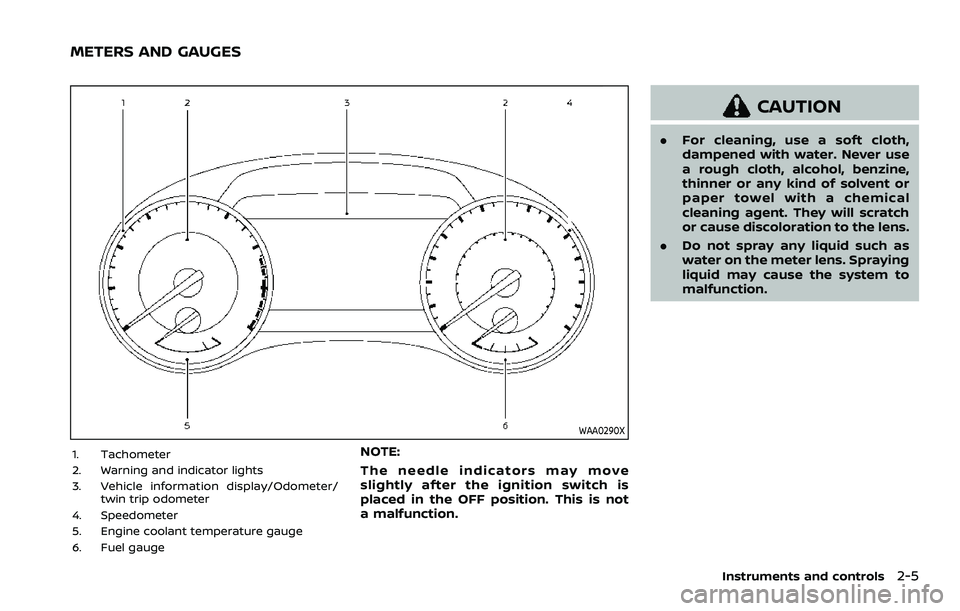
1. Tachometer
2. Warning and indicator lights
3. Vehicle information display/Odometer/twin trip odometer
4. Speedometer
5. Engine coolant temperature gauge
6. Fuel gaugeNOTE:
The needle indicators may move
slightly after the ignition switch is
placed in the OFF position. This is not
a malfunction.
CAUTION
. For cleaning, use a soft cloth,
dampened with water. Never use
a rough cloth, alcohol, benzine,
thinner or any kind of solvent or
paper towel with a chemical
cleaning agent. They will scratch
or cause discoloration to the lens.
. Do not spray any liquid such as
water on the meter lens. Spraying
liquid may cause the system to
malfunction.
Instruments and controls2-5
METERS AND GAUGES
Page 102 of 603
2-10Instruments and controls
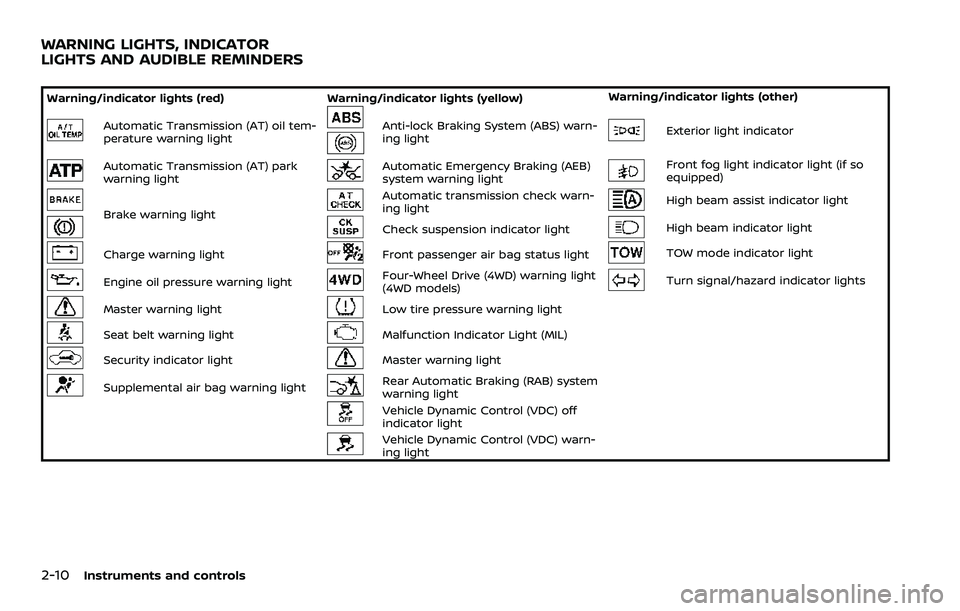
Warning/indicator lights (red)Warning/indicator lights (yellow) Warning/indicator lights (other)
Automatic Transmission (AT) oil tem-
perature warning lightAnti-lock Braking System (ABS) warn-
ing lightExterior light indicator
Automatic Transmission (AT) park
warning lightAutomatic Emergency Braking (AEB)
system warning lightFront fog light indicator light (if so
equipped)
Brake warning light
Automatic transmission check warn-
ing lightHigh beam assist indicator light
Check suspension indicator lightHigh beam indicator light
Charge warning lightFront passenger air bag status lightTOW mode indicator light
Engine oil pressure warning lightFour-Wheel Drive (4WD) warning light
(4WD models)Turn signal/hazard indicator lights
Master warning lightLow tire pressure warning light
Seat belt warning lightMalfunction Indicator Light (MIL)
Security indicator lightMaster warning light
Supplemental air bag warning lightRear Automatic Braking (RAB) system
warning light
Vehicle Dynamic Control (VDC) off
indicator light
Vehicle Dynamic Control (VDC) warn-
ing light
WARNING LIGHTS, INDICATOR
LIGHTS AND AUDIBLE REMINDERS
Page 103 of 603
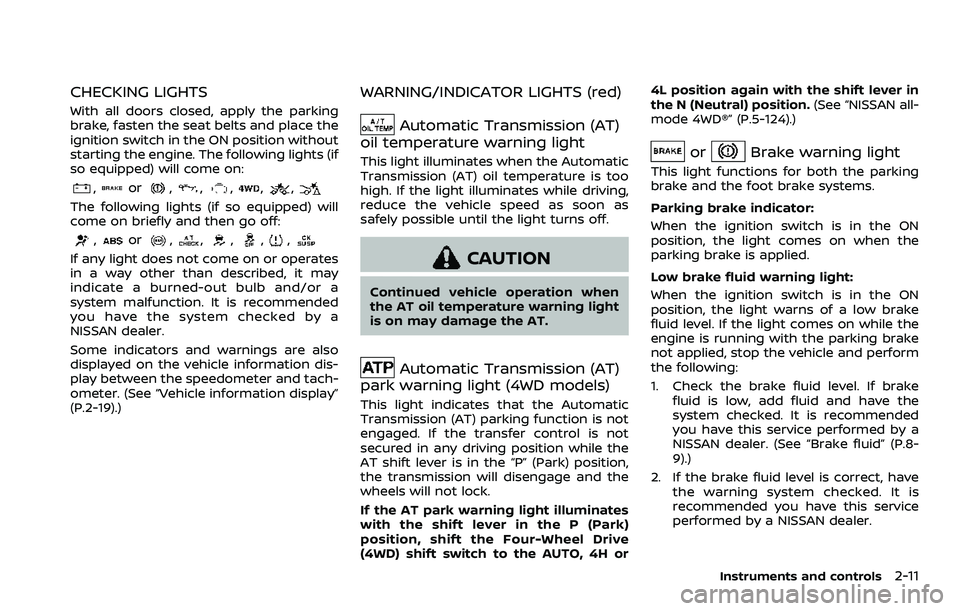
CHECKING LIGHTS
With all doors closed, apply the parking
brake, fasten the seat belts and place the
ignition switch in the ON position without
starting the engine. The following lights (if
so equipped) will come on:
,or,,,,,
The following lights (if so equipped) will
come on briefly and then go off:
,or,,,,,
If any light does not come on or operates
in a way other than described, it may
indicate a burned-out bulb and/or a
system malfunction. It is recommended
you have the system checked by a
NISSAN dealer.
Some indicators and warnings are also
displayed on the vehicle information dis-
play between the speedometer and tach-
ometer. (See “Vehicle information display”
(P.2-19).)
WARNING/INDICATOR LIGHTS (red)
Automatic Transmission (AT)
oil temperature warning light
This light illuminates when the Automatic
Transmission (AT) oil temperature is too
high. If the light illuminates while driving,
reduce the vehicle speed as soon as
safely possible until the light turns off.
CAUTION
Continued vehicle operation when
the AT oil temperature warning light
is on may damage the AT.
Automatic Transmission (AT)
park warning light (4WD models)
This light indicates that the Automatic
Transmission (AT) parking function is not
engaged. If the transfer control is not
secured in any driving position while the
AT shift lever is in the “P” (Park) position,
the transmission will disengage and the
wheels will not lock.
If the AT park warning light illuminates
with the shift lever in the P (Park)
position, shift the Four-Wheel Drive
(4WD) shift switch to the AUTO, 4H or 4L position again with the shift lever in
the N (Neutral) position.
(See “NISSAN all-
mode 4WD®” (P.5-124).)
orBrake warning light
This light functions for both the parking
brake and the foot brake systems.
Parking brake indicator:
When the ignition switch is in the ON
position, the light comes on when the
parking brake is applied.
Low brake fluid warning light:
When the ignition switch is in the ON
position, the light warns of a low brake
fluid level. If the light comes on while the
engine is running with the parking brake
not applied, stop the vehicle and perform
the following:
1. Check the brake fluid level. If brake fluid is low, add fluid and have the
system checked. It is recommended
you have this service performed by a
NISSAN dealer. (See “Brake fluid” (P.8-
9).)
2. If the brake fluid level is correct, have the warning system checked. It is
recommended you have this service
performed by a NISSAN dealer.
Instruments and controls2-11
Page 106 of 603
2-14Instruments and controls
dealer for these services.
Unless checked and repaired, the supple-
mental restraint system (air bag system)
and/or the pretensioners may not func-
tion properly.
For additional information, see “Supple-
mental restraint system” (P.1-54).
WARNING
If the supplemental air bag warning
light is on, it could mean that the
front air bag, side air bag, curtain air
bag systems and/or pretensioner
systems will not operate in an acci-
dent. To help avoid injury to yourself
or others, have your vehicle checked.
It is recommended you visit a NISSAN
dealer for this service.
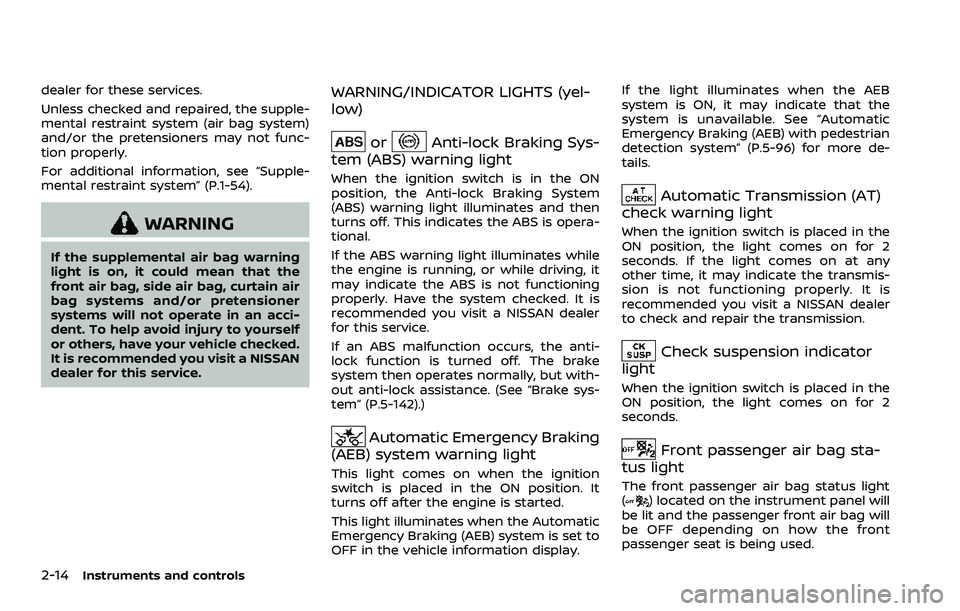
WARNING/INDICATOR LIGHTS (yel-
low)
orAnti-lock Braking Sys-
tem (ABS) warning light
When the ignition switch is in the ON
position, the Anti-lock Braking System
(ABS) warning light illuminates and then
turns off. This indicates the ABS is opera-
tional.
If the ABS warning light illuminates while
the engine is running, or while driving, it
may indicate the ABS is not functioning
properly. Have the system checked. It is
recommended you visit a NISSAN dealer
for this service.
If an ABS malfunction occurs, the anti-
lock function is turned off. The brake
system then operates normally, but with-
out anti-lock assistance. (See “Brake sys-
tem” (P.5-142).)
Automatic Emergency Braking
(AEB) system warning light
This light comes on when the ignition
switch is placed in the ON position. It
turns off after the engine is started.
This light illuminates when the Automatic
Emergency Braking (AEB) system is set to
OFF in the vehicle information display. If the light illuminates when the AEB
system is ON, it may indicate that the
system is unavailable. See “Automatic
Emergency Braking (AEB) with pedestrian
detection system” (P.5-96) for more de-
tails.
Automatic Transmission (AT)
check warning light
When the ignition switch is placed in the
ON position, the light comes on for 2
seconds. If the light comes on at any
other time, it may indicate the transmis-
sion is not functioning properly. It is
recommended you visit a NISSAN dealer
to check and repair the transmission.
Check suspension indicator
light
When the ignition switch is placed in the
ON position, the light comes on for 2
seconds.
Front passenger air bag sta-
tus light
The front passenger air bag status light
() located on the instrument panel will
be lit and the passenger front air bag will
be OFF depending on how the front
passenger seat is being used.
Page 110 of 603
2-18Instruments and controls
If the light illuminates when the RAB
system is on, it may indicate that the
system is unavailable. (See “Rear Auto-
matic Braking (RAB)” (P.5-116).)
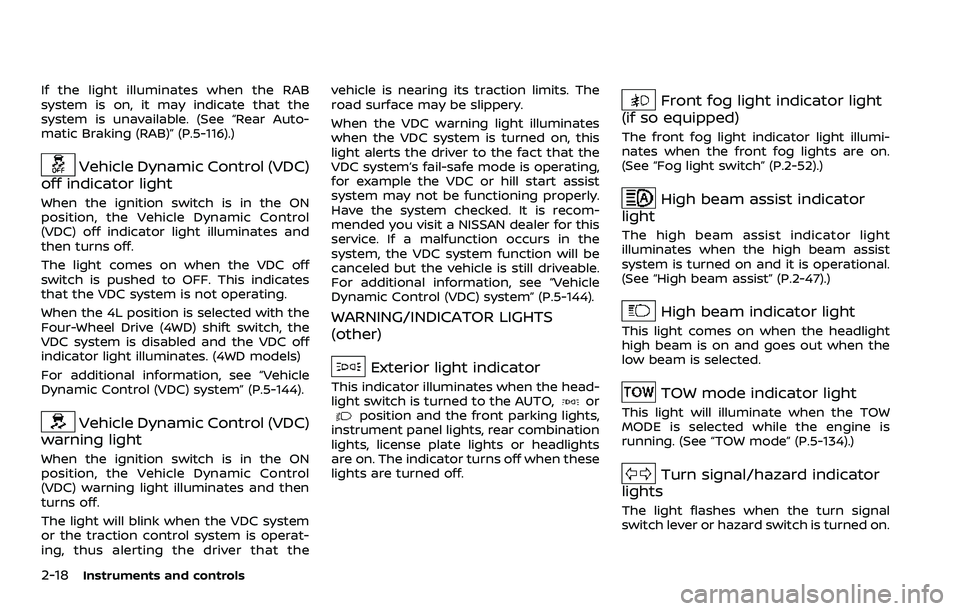
Vehicle Dynamic Control (VDC)
off indicator light
When the ignition switch is in the ON
position, the Vehicle Dynamic Control
(VDC) off indicator light illuminates and
then turns off.
The light comes on when the VDC off
switch is pushed to OFF. This indicates
that the VDC system is not operating.
When the 4L position is selected with the
Four-Wheel Drive (4WD) shift switch, the
VDC system is disabled and the VDC off
indicator light illuminates. (4WD models)
For additional information, see “Vehicle
Dynamic Control (VDC) system” (P.5-144).
Vehicle Dynamic Control (VDC)
warning light
When the ignition switch is in the ON
position, the Vehicle Dynamic Control
(VDC) warning light illuminates and then
turns off.
The light will blink when the VDC system
or the traction control system is operat-
ing, thus alerting the driver that the vehicle is nearing its traction limits. The
road surface may be slippery.
When the VDC warning light illuminates
when the VDC system is turned on, this
light alerts the driver to the fact that the
VDC system’s fail-safe mode is operating,
for example the VDC or hill start assist
system may not be functioning properly.
Have the system checked. It is recom-
mended you visit a NISSAN dealer for this
service. If a malfunction occurs in the
system, the VDC system function will be
canceled but the vehicle is still driveable.
For additional information, see “Vehicle
Dynamic Control (VDC) system” (P.5-144).
WARNING/INDICATOR LIGHTS
(other)
Exterior light indicator
This indicator illuminates when the head-
light switch is turned to the AUTO,orposition and the front parking lights,
instrument panel lights, rear combination
lights, license plate lights or headlights
are on. The indicator turns off when these
lights are turned off.
Front fog light indicator light
(if so equipped)
The front fog light indicator light illumi-
nates when the front fog lights are on.
(See “Fog light switch” (P.2-52).)
High beam assist indicator
light
The high beam assist indicator light
illuminates when the high beam assist
system is turned on and it is operational.
(See “High beam assist” (P.2-47).)
High beam indicator light
This light comes on when the headlight
high beam is on and goes out when the
low beam is selected.
TOW mode indicator light
This light will illuminate when the TOW
MODE is selected while the engine is
running. (See “TOW mode” (P.5-134).)
Turn signal/hazard indicator
lights
The light flashes when the turn signal
switch lever or hazard switch is turned on.
Page 111 of 603
AUDIBLE REMINDERS
Door lock warning chime
When the chime sounds, be sure to check
both the vehicle and the Intelligent Key.
(See “Troubleshooting guide” (P.3-13).)
Light reminder chime
A chime will sound when the driver side
door is opened with the light switch in the
orposition and the ignition
switch in the ACC, OFF or LOCK position.
Turn the light switch off when you leave
the vehicle.
Parking brake reminder chime
The chime will sound if the vehicle is
driven at more than 4 MPH (7 km/h) with
the parking brake applied. Stop the vehi-
cle and release the parking brake.
Brake pad wear warning
The disc brake pads have audible wear
warnings. When a brake pad requires
replacement, it will make a high pitched
scraping sound when the vehicle is in
motion. This scraping sound will first
occur only when the brake pedal is
depressed. After more wear of the brake
pad, the sound will always be heard even
if the brake pedal is not depressed. Have
the brakes checked as soon as possible if the warning sound is heard.
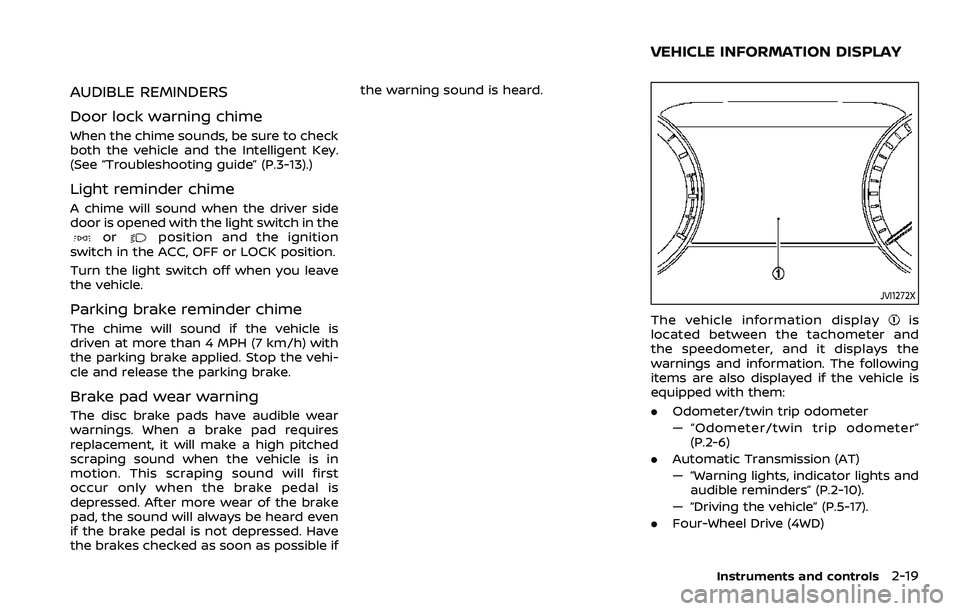
JVI1272X
The vehicle information displayis
located between the tachometer and
the speedometer, and it displays the
warnings and information. The following
items are also displayed if the vehicle is
equipped with them:
. Odometer/twin trip odometer
— “Odometer/twin trip odometer”
(P.2-6)
. Automatic Transmission (AT)
— “Warning lights, indicator lights and
audible reminders” (P.2-10).
— “Driving the vehicle” (P.5-17).
. Four-Wheel Drive (4WD)
Instruments and controls2-19
VEHICLE INFORMATION DISPLAY