fog lights NISSAN ARMADA 2022 Owner´s Manual
[x] Cancel search | Manufacturer: NISSAN, Model Year: 2022, Model line: ARMADA, Model: NISSAN ARMADA 2022Pages: 604, PDF Size: 2.97 MB
Page 11 of 604
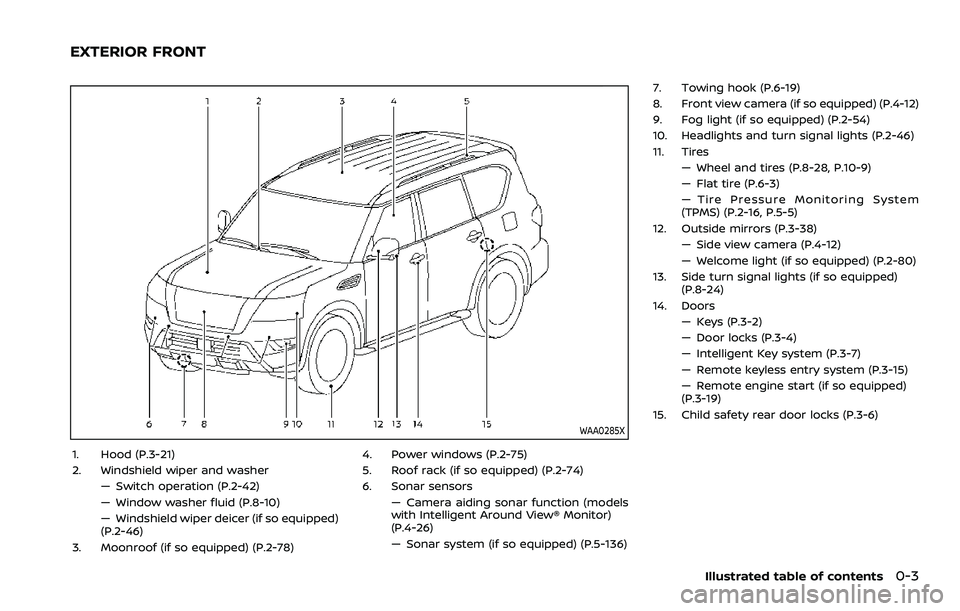
WAA0285X
1. Hood (P.3-21)
2. Windshield wiper and washer— Switch operation (P.2-42)
— Window washer fluid (P.8-10)
— Windshield wiper deicer (if so equipped)
(P.2-46)
3. Moonroof (if so equipped) (P.2-78) 4. Power windows (P.2-75)
5. Roof rack (if so equipped) (P.2-74)
6. Sonar sensors
— Camera aiding sonar function (models
with Intelligent Around View® Monitor)
(P.4-26)
— Sonar system (if so equipped) (P.5-136) 7. Towing hook (P.6-19)
8. Front view camera (if so equipped) (P.4-12)
9. Fog light (if so equipped) (P.2-54)
10. Headlights and turn signal lights (P.2-46)
11. Tires
— Wheel and tires (P.8-28, P.10-9)
— Flat tire (P.6-3)
— Tire Pressure Monitoring System
(TPMS) (P.2-16, P.5-5)
12. Outside mirrors (P.3-38) — Side view camera (P.4-12)
— Welcome light (if so equipped) (P.2-80)
13. Side turn signal lights (if so equipped) (P.8-24)
14. Doors — Keys (P.3-2)
— Door locks (P.3-4)
— Intelligent Key system (P.3-7)
— Remote keyless entry system (P.3-15)
— Remote engine start (if so equipped)
(P.3-19)
15. Child safety rear door locks (P.3-6)
Illustrated table of contents0-3
EXTERIOR FRONT
Page 18 of 604
0-10Illustrated table of contents
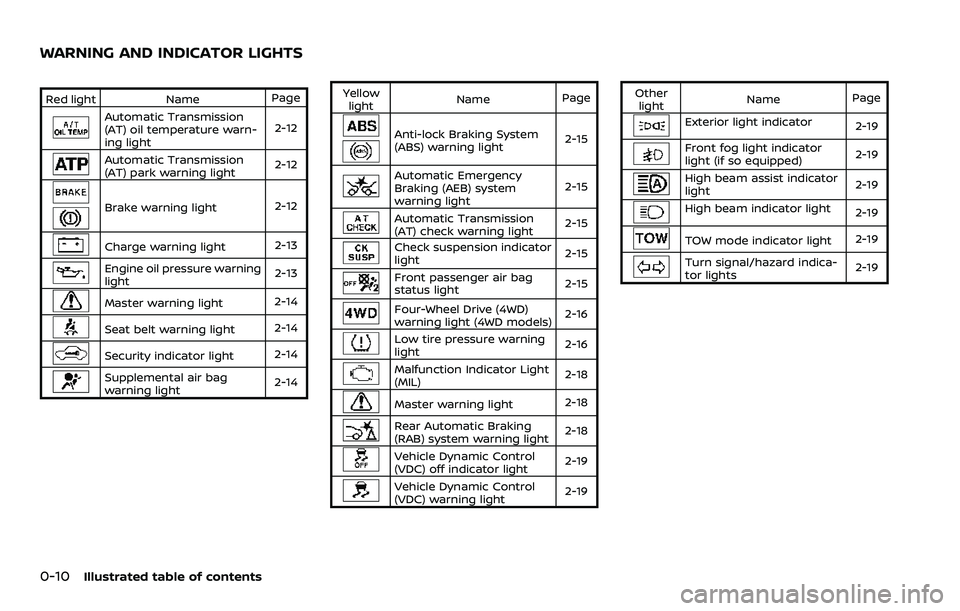
Red lightNamePage
Automatic Transmission
(AT) oil temperature warn-
ing light 2-12
Automatic Transmission
(AT) park warning light
2-12
Brake warning light
2-12
Charge warning light2-13
Engine oil pressure warning
light2-13
Master warning light
2-14
Seat belt warning light
2-14
Security indicator light2-14
Supplemental air bag
warning light2-14Yellow
light Name
Page
Anti-lock Braking System
(ABS) warning light 2-15
Automatic Emergency
Braking (AEB) system
warning light2-15
Automatic Transmission
(AT) check warning light
2-15
Check suspension indicator
light
2-15
Front passenger air bag
status light
2-15
Four-Wheel Drive (4WD)
warning light (4WD models)2-16
Low tire pressure warning
light
2-16
Malfunction Indicator Light
(MIL)2-18
Master warning light
2-18
Rear Automatic Braking
(RAB) system warning light2-18
Vehicle Dynamic Control
(VDC) off indicator light
2-19
Vehicle Dynamic Control
(VDC) warning light2-19Other
light Name
Page
Exterior light indicator
2-19
Front fog light indicator
light (if so equipped)2-19
High beam assist indicator
light2-19
High beam indicator light
2-19
TOW mode indicator light2-19
Turn signal/hazard indica-
tor lights2-19
WARNING AND INDICATOR LIGHTS
Page 95 of 604

2 Instruments and controls
Cockpit ........................................................................\
.......................... 2-4
Instrument panel ........................................................................\
.. 2-5
Meters and gauges ..................................................................... 2-6Speedometer and odometer ........................................ 2-7
Tachometer ........................................................................\
........ 2-8
Engine coolant temperature gauge ....................... 2-8
Fuel gauge ........................................................................\
........... 2-9
Engine oil pressure gauge .............................................. 2-9
Voltmeter ........................................................................\
........... 2-10
Meter illumination and needle sweep ................ 2-10
Warning lights, indicator lights and
audible reminders ..................................................................... 2-11 Checking lights ..................................................................... 2-12
Warning/indicator lights (red) ................................... 2-12
Warning/indicator lights (yellow) ........................... 2-15
Warning/indicator lights (other) ............................. 2-19
Audible reminders .............................................................. 2-20
Vehicle information display ............................................... 2-20 How to use the vehicle
information display ........................................................... 2-21
Startup display ...................................................................... 2-22
Settings ........................................................................\
............... 2-22
Operational indicators .................................................... 2-30
Trip computer ........................................................................\
2-37
Clock and outside air temperature ...................... 2-39 Security systems ....................................................................... 2-39
Vehicle Security System .............................................. 2-39
NISSAN Vehicle Immobilizer System ................. 2-41
Wiper and washer switch ................................................... 2-42 Windshield wiper and washer operation ...... 2-43
Rain-sensing auto wiper system (if
so equipped) ........................................................................\
. 2-44
Rear window wiper and
washer operation ............................................................. 2-45
Rear window and outside mirror
defroster switch ........................................................................\
. 2-45
Windshield deicer switch (if so equipped) ............. 2-46
Headlight and turn signal switch ................................ 2-46
Headlight switch ............................................................... 2-47
Instrument brightness control .............................. 2-53
Turn signal switch ........................................................... 2-53
Fog light switch (if so equipped) ......................... 2-54
Heated steering wheel (if so equipped) .................. 2-54
Horn ........................................................................\
............................. 2-55
Heated seats (if so equipped) ......................................... 2-55
Front (if so equipped) .................................................... 2-56
Rear (if so equipped) ...................................................... 2-57
Climate controlled seats (if so equipped) ............. 2-57
Warning systems switch (if so equipped) ............. 2-58
SNOW mode switch ................................................................ 2-59
Page 105 of 604
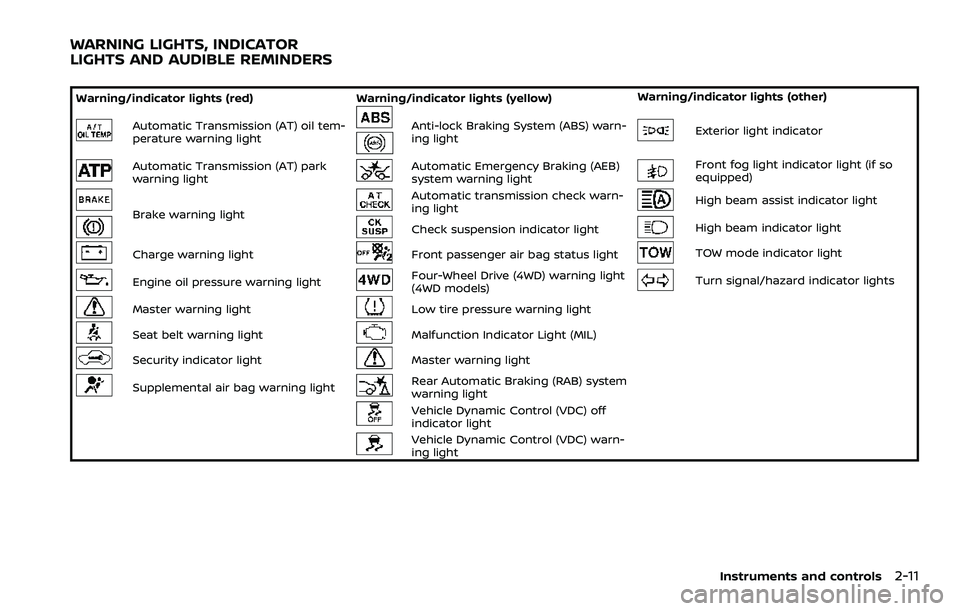
Warning/indicator lights (red)Warning/indicator lights (yellow) Warning/indicator lights (other)
Automatic Transmission (AT) oil tem-
perature warning lightAnti-lock Braking System (ABS) warn-
ing lightExterior light indicator
Automatic Transmission (AT) park
warning lightAutomatic Emergency Braking (AEB)
system warning lightFront fog light indicator light (if so
equipped)
Brake warning light
Automatic transmission check warn-
ing lightHigh beam assist indicator light
Check suspension indicator lightHigh beam indicator light
Charge warning lightFront passenger air bag status lightTOW mode indicator light
Engine oil pressure warning lightFour-Wheel Drive (4WD) warning light
(4WD models)Turn signal/hazard indicator lights
Master warning lightLow tire pressure warning light
Seat belt warning lightMalfunction Indicator Light (MIL)
Security indicator lightMaster warning light
Supplemental air bag warning lightRear Automatic Braking (RAB) system
warning light
Vehicle Dynamic Control (VDC) off
indicator light
Vehicle Dynamic Control (VDC) warn-
ing light
Instruments and controls2-11
WARNING LIGHTS, INDICATOR
LIGHTS AND AUDIBLE REMINDERS
Page 113 of 604
If the light illuminates when the RAB
system is on, it may indicate that the
system is unavailable. (See “Rear Auto-
matic Braking (RAB)” (P.5-116).)
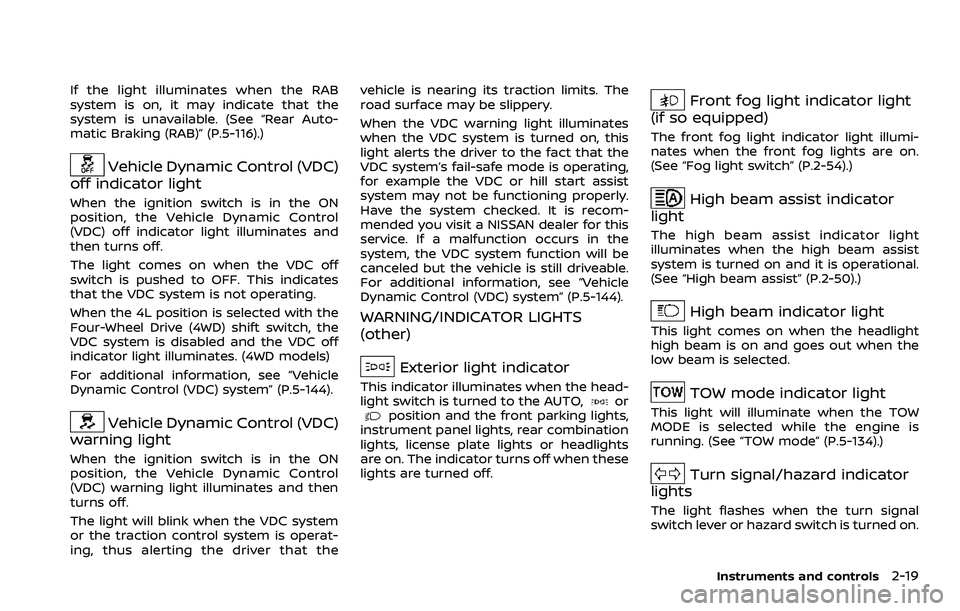
Vehicle Dynamic Control (VDC)
off indicator light
When the ignition switch is in the ON
position, the Vehicle Dynamic Control
(VDC) off indicator light illuminates and
then turns off.
The light comes on when the VDC off
switch is pushed to OFF. This indicates
that the VDC system is not operating.
When the 4L position is selected with the
Four-Wheel Drive (4WD) shift switch, the
VDC system is disabled and the VDC off
indicator light illuminates. (4WD models)
For additional information, see “Vehicle
Dynamic Control (VDC) system” (P.5-144).
Vehicle Dynamic Control (VDC)
warning light
When the ignition switch is in the ON
position, the Vehicle Dynamic Control
(VDC) warning light illuminates and then
turns off.
The light will blink when the VDC system
or the traction control system is operat-
ing, thus alerting the driver that the vehicle is nearing its traction limits. The
road surface may be slippery.
When the VDC warning light illuminates
when the VDC system is turned on, this
light alerts the driver to the fact that the
VDC system’s fail-safe mode is operating,
for example the VDC or hill start assist
system may not be functioning properly.
Have the system checked. It is recom-
mended you visit a NISSAN dealer for this
service. If a malfunction occurs in the
system, the VDC system function will be
canceled but the vehicle is still driveable.
For additional information, see “Vehicle
Dynamic Control (VDC) system” (P.5-144).
WARNING/INDICATOR LIGHTS
(other)
Exterior light indicator
This indicator illuminates when the head-
light switch is turned to the AUTO,orposition and the front parking lights,
instrument panel lights, rear combination
lights, license plate lights or headlights
are on. The indicator turns off when these
lights are turned off.
Front fog light indicator light
(if so equipped)
The front fog light indicator light illumi-
nates when the front fog lights are on.
(See “Fog light switch” (P.2-54).)
High beam assist indicator
light
The high beam assist indicator light
illuminates when the high beam assist
system is turned on and it is operational.
(See “High beam assist” (P.2-50).)
High beam indicator light
This light comes on when the headlight
high beam is on and goes out when the
low beam is selected.
TOW mode indicator light
This light will illuminate when the TOW
MODE is selected while the engine is
running. (See “TOW mode” (P.5-134).)
Turn signal/hazard indicator
lights
The light flashes when the turn signal
switch lever or hazard switch is turned on.
Instruments and controls2-19
Page 144 of 604
2-50Instruments and controls
High beam assist
The high beam assist system will operate
when the vehicle is driven at approxi-
mately 25 MPH (40 km/h) and above.
If an oncoming vehicle or leading vehicle
appears in front of your vehicle when the
headlight high beam is on, the headlight
will be switched to the low beam auto-
matically.
Precautions on high beam assist:
WARNING
.The high beam assist system is a
convenience but it is not a sub-
stitute for safe driving operation.
The driver should remain alert at
all times, ensure safe driving
practices and switch the high
beam and low beam manually
when necessary.
. The high beam or low beam may
not switch automatically under
the following conditions. Switch
the high beam and low beam
manually.
— During bad weather (rain, fog,
snow, wind, etc.). — When a light source similar to
a headlight or tail light is in
the vicinity of the vehicle.
— When the headlights of the oncoming vehicle or the lead-
ing vehicle are turned off,
when the color of the light is
affected due to foreign mate-
rials on the lights, or when the
light beam is out of position.
— When there is a sudden, con- tinuous change in brightness.
— When driving on a road that passes over rolling hills, or a
road that has level differ-
ences.
— When driving on a road with many curves.
— When a sign or mirror-like surface is reflecting intense
light towards the front of the
vehicle.
— When the container, etc. being towed by a leading vehicle is
reflecting intense light.
— When a headlight on your vehicle is damaged or dirty.
— When the vehicle is leaning at an angle due to a punctured tire, being towed, etc.
. The timing of switching the low
beam and high beam may
change under the following situa-
tions.
— The brightness of the head-
lights of the oncoming vehicle
or leading vehicle.
— The movement and direction of the oncoming vehicle and
the leading vehicle.
— When only one light on the oncoming vehicle or the lead-
ing vehicle is illuminated.
— When the oncoming vehicle or the leading vehicle is a two-
wheeled vehicle.
— Road conditions (incline, curve, the road surface, etc.).
— The number of passengers and the amount of luggage.
Page 148 of 604
2-54Instruments and controls
lever does not latch, and release the
lever. The turn signal will automati-
cally flash three times.
Choose the appropriate method to signal
a lane change based on road and traffic
conditions.
SIC3672
Example
FOG LIGHT SWITCH (if so equipped)
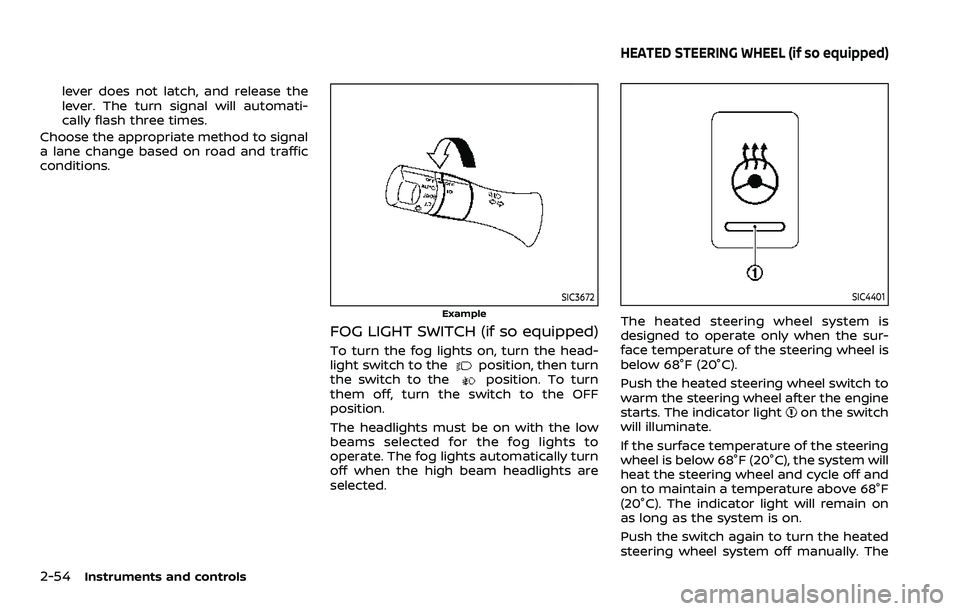
To turn the fog lights on, turn the head-
light switch to theposition, then turn
the switch to theposition. To turn
them off, turn the switch to the OFF
position.
The headlights must be on with the low
beams selected for the fog lights to
operate. The fog lights automatically turn
off when the high beam headlights are
selected.
SIC4401
The heated steering wheel system is
designed to operate only when the sur-
face temperature of the steering wheel is
below 68°F (20°C).
Push the heated steering wheel switch to
warm the steering wheel after the engine
starts. The indicator light
on the switch
will illuminate.
If the surface temperature of the steering
wheel is below 68°F (20°C), the system will
heat the steering wheel and cycle off and
on to maintain a temperature above 68°F
(20°C). The indicator light will remain on
as long as the system is on.
Push the switch again to turn the heated
steering wheel system off manually. The
HEATED STEERING WHEEL (if so equipped)
Page 225 of 604
JVP0559X
Flicker image (example)
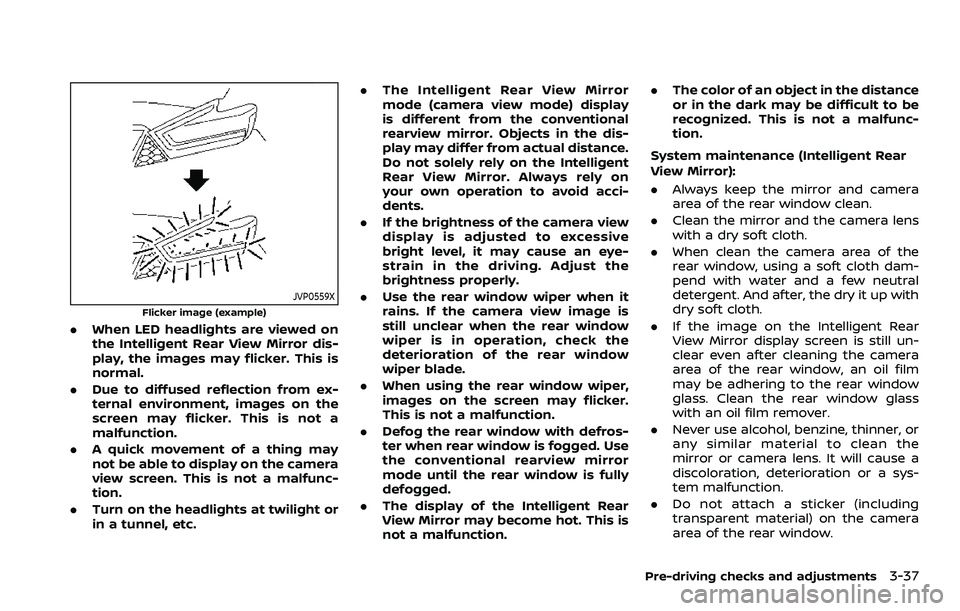
.When LED headlights are viewed on
the Intelligent Rear View Mirror dis-
play, the images may flicker. This is
normal.
. Due to diffused reflection from ex-
ternal environment, images on the
screen may flicker. This is not a
malfunction.
. A quick movement of a thing may
not be able to display on the camera
view screen. This is not a malfunc-
tion.
. Turn on the headlights at twilight or
in a tunnel, etc. .
The Intelligent Rear View Mirror
mode (camera view mode) display
is different from the conventional
rearview mirror. Objects in the dis-
play may differ from actual distance.
Do not solely rely on the Intelligent
Rear View Mirror. Always rely on
your own operation to avoid acci-
dents.
. If the brightness of the camera view
display is adjusted to excessive
bright level, it may cause an eye-
strain in the driving. Adjust the
brightness properly.
. Use the rear window wiper when it
rains. If the camera view image is
still unclear when the rear window
wiper is in operation, check the
deterioration of the rear window
wiper blade.
. When using the rear window wiper,
images on the screen may flicker.
This is not a malfunction.
. Defog the rear window with defros-
ter when rear window is fogged. Use
the conventional rearview mirror
mode until the rear window is fully
defogged.
. The display of the Intelligent Rear
View Mirror may become hot. This is
not a malfunction. .
The color of an object in the distance
or in the dark may be difficult to be
recognized. This is not a malfunc-
tion.
System maintenance (Intelligent Rear
View Mirror):
. Always keep the mirror and camera
area of the rear window clean.
. Clean the mirror and the camera lens
with a dry soft cloth.
. When clean the camera area of the
rear window, using a soft cloth dam-
pend with water and a few neutral
detergent. And after, the dry it up with
dry soft cloth.
. If the image on the Intelligent Rear
View Mirror display screen is still un-
clear even after cleaning the camera
area of the rear window, an oil film
may be adhering to the rear window
glass. Clean the rear window glass
with an oil film remover.
. Never use alcohol, benzine, thinner, or
any similar material to clean the
mirror or camera lens. It will cause a
discoloration, deterioration or a sys-
tem malfunction.
. Do not attach a sticker (including
transparent material) on the camera
area of the rear window.
Pre-driving checks and adjustments3-37
Page 347 of 604
activating your turn signal or, for
example, if a construction zone
directs traffic to cross an existing
lane marker. If this occurs you
may need to apply corrective
steering to complete your lane
change.
. Because the I-LI may not activate
under the road, weather, and lane
marker conditions described in
this section, it may not activate
every time your vehicle begins to
leave its lane and you will need to
apply corrective steering.
. The I-LI system will not operate at
speeds below approximately 37
MPH (60 km/h) or if it cannot
detect lane markers.
. When the I-LI system is operating,
avoid excessive or sudden steer-
ing maneuvers. Otherwise, you
could lose control of the vehicle.
. Do not use the I-LI system under
the following conditions as it may
not function properly:
— During bad weather (rain, fog,
snow, etc.).
— When driving on slippery roads, such as on ice or snow. — When driving on winding or
uneven roads.
— When there is a lane closure due to road repairs.
— When driving in a makeshift or temporary lane.
— When driving on roads where the lane width is too narrow.
— When driving without normal tire conditions (for example,
tire wear, low tire pressure,
installation of spare tire, tire
chains, non-standard wheels).
— When the vehicle is equipped with non-original brake parts
or suspension parts.
— When towing a trailer or other vehicle.
— On roads where there are multiple parallel lane markers;
lane markers that are faded or
not painted clearly; yellow
painted lane markers; non-
standard lane markers; or
lane markers covered with
water, dirt, snow, etc.
— On roads where discontinued lane markers are still detect-
able. — On roads where there are
sharp curves.
— On roads where there are sharply contrasting objects,
such as shadows, snow,
water, wheel ruts, seams or
lines remaining after road re-
pairs. (The I-LI system could
detect these items as lane
markers.)
— On roads where the traveling lane merges or separates.
— When the vehicle’s traveling direction does not align with
the lane marker.
— When traveling close to the vehicle in front of you, which
obstructs the lane camera
unit detection range.
— When rain, snow or dirt ad- heres to the windshield in
front of the lane camera unit.
— When the headlights are not bright due to dirt on the lens
or if the aiming is not adjusted
properly.
— When strong light enters the lane camera unit. (For exam-
ple, the light directly shines on
Starting and driving5-35
Page 362 of 604
5-50Starting and driving
standard lane markers; lane
markers covered with water,
dirt, snow, etc.
— On roads where discontinued lane markers are still detect-
able.
— On roads where there are sharp curves.
— On roads where there are sharply contrasting objects,
such as shadows, snow,
water, wheel ruts, seams or
lines remaining after road re-
pairs.
— On roads where the traveling lane merges or separates.
— When the vehicle’s traveling direction does not align with
the lane markers.
— When traveling close to the vehicle in front of you, which
obstructs the lane camera
unit detection range.
— When rain, snow or dirt ad- heres to the windshield in
front of a lane camera unit.
— When the headlights are not bright due to dirt on the lens
or if aiming is not adjusted properly.
— When strong light enters a lane camera unit. (For exam-
ple: light directly shines on the
front of the vehicle at sunrise
or sunset.)
— When a sudden change in brightness occurs. (For exam-
ple: when the vehicle enters or
exits a tunnel or under a
bridge.)
. Do not use the I-BSI system under
the following conditions because
the system may not function
properly.
— During bad weather. (For ex-
ample: rain, fog, snow, etc.)
— When driving on slippery roads, such as on ice or snow,
etc.
— When driving on winding or uneven roads.
— When there is a lane closure due to road repairs.
— When driving in a makeshift or temporary lane.
— When driving on roads where the lane width is too narrow. — When driving with a tire that is
not within normal tire condi-
tions (for example, tire wear,
low tire pressure, installation
of spare tire, tire chains, non-
standard wheels).
— When the vehicle is equipped with non-original steering
parts or suspension parts.
— When towing a trailer or other vehicle.
. Excessive noise (for example,
audio system volume, open vehi-
cle window) will interfere with the
chime sound, and it may not be
heard.