display NISSAN ARMADA PLATINUM 2015 User Guide
[x] Cancel search | Manufacturer: NISSAN, Model Year: 2015, Model line: ARMADA PLATINUM, Model: NISSAN ARMADA PLATINUM 2015Pages: 510, PDF Size: 4.14 MB
Page 264 of 510
Additional features
For additional information, refer to “iPod® player
operation with Navigation System” regarding the
iPod® player available with this system in this
section.
For additional information, refer to “USB (Univer-
sal Serial Bus) Connection Port (models with
Navigation System)” regarding the USB interface
available with this system “ in this section.
For additional information, refer to “Bluetooth®
streaming audio” in this section regarding the
Bluetooth® streaming audio feature available
with this system, .
DIGITAL VERSATILE DISC (DVD)
PLAYER OPERATION (models with
Navigation System)
Precautions
Start the engine when using the DVD entertain-
ment system.
Movies will not be shown on the front display
while the vehicle is in any drive position to reduce
driver distraction. Audio is available when a movie
is played. To view movies on the front display,
stop the vehicle in a safe location, move the shift
lever to the P (Park) position and apply the park-
ing brake.
Page 269 of 510
CAUTION
●To avoid damage and loss of function
when using a USB device, note the fol-
lowing precautions.
● Do not force the USB device into the
USB port. Inserting the USB device
tilted or up-side-down into the port may
damage the port. Make sure that the
USB device is connected correctly into
the USB port.
● Do not grab the USB port cover (if so
equipped) when pulling the USB device
out of the port. This could damage the
port and the cover.
● Do not leave the USB cable in a place
where it can be pulled unintentionally.
Pulling the cable may damage the port.
Refer to your device manufacturer’s owner infor-
mation regarding the proper use and care of the
device.
The USB port is located in the center console.
Insert the USB device into the connection port.
When a compatible storage device is plugged
into the connection port, compatible audio files
on the storage device can be played through the
vehicle’s audio system.
Audio file operation
DISC/AUX button:
Place the ignition switch in the ON or ACC
position and press the DISC/AUX button to
switch to the USB input mode. If another audio
source is playing and a USB connection port is
inserted, press the DISC/AUX button repeatedly
until the center display changes to the USB
memory mode.
If the system has been turned off while the USB
memory was playing, push the ON-OFF button to
restart the USB memory.
Page 272 of 510
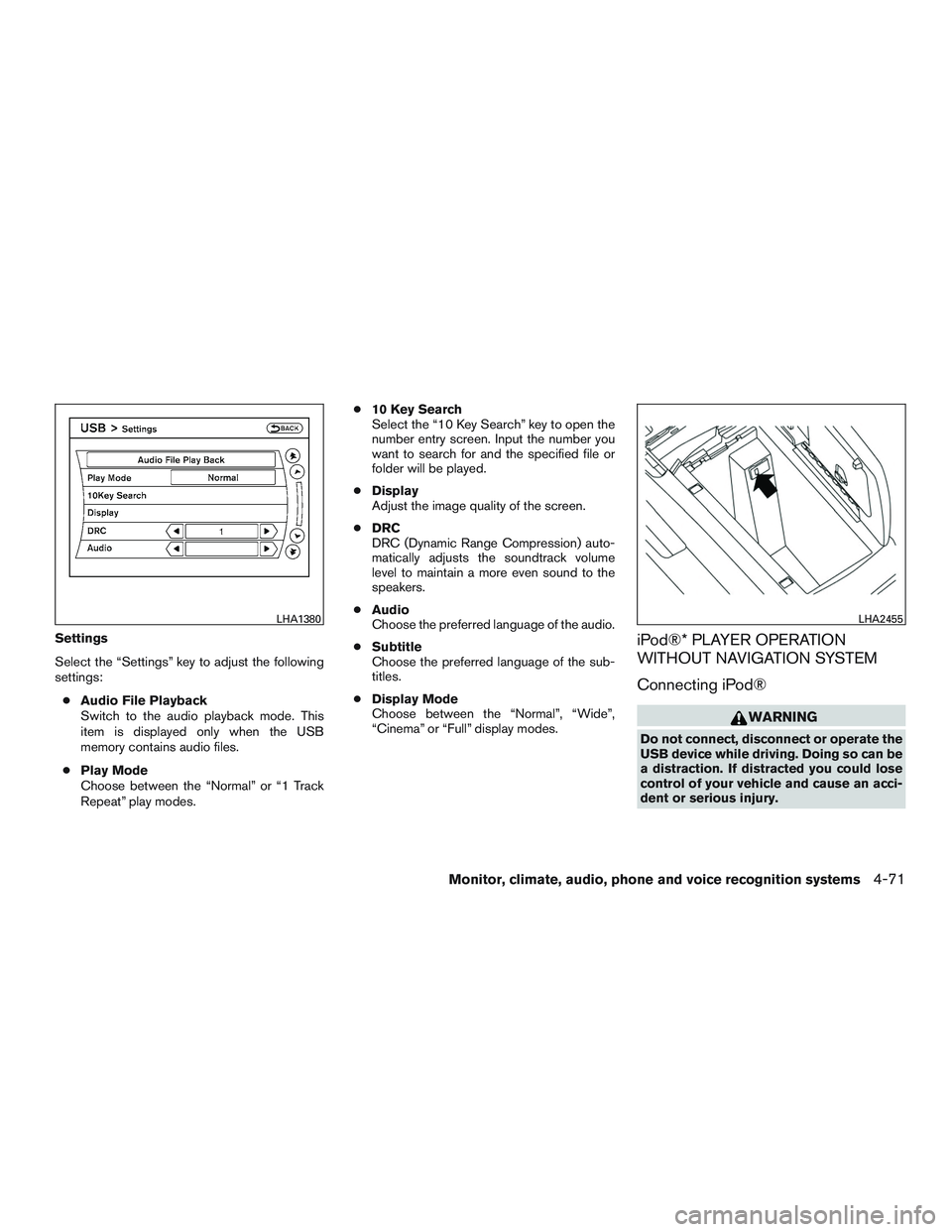
Settings
Select the “Settings” key to adjust the following
settings:● Audio File Playback
Switch to the audio playback mode. This
item is displayed only when the USB
memory contains audio files.
● Play Mode
Choose between the “Normal” or “1 Track
Repeat” play modes. ●
10 Key Search
Select the “10 Key Search” key to open the
number entry screen. Input the number you
want to search for and the specified file or
folder will be played.
● Display
Adjust the image quality of the screen.
● DRC
DRC (Dynamic Range Compression) auto-
matically adjusts the soundtrack volume
level to maintain a more even sound to the
speakers.
● Audio
Choose the preferred language of the audio.
● Subtitle
Choose the preferred language of the sub-
titles.
● Display Mode
Choose between the “Normal”, “Wide”,
“Cinema” or “Full” display modes.iPod®* PLAYER OPERATION
WITHOUT NAVIGATION SYSTEM
Connecting iPod®
Page 273 of 510
CAUTION
●Do not force the USB device into the
USB port. Inserting the USB device
tilted or up-side-down into the port may
damage the port. Make sure that the
USB device is connected correctly into
the USB port.
● Do not grab the USB port cover (if so
equipped) when pulling the USB device
out of the port. This could damage the
port and the cover.
● Do not leave the USB cable in a place
where it can be pulled unintentionally.
Pulling the cable may damage the port.
For additional information, refer to your device
manufacturer’s owner information regarding the
proper use and care of the device.
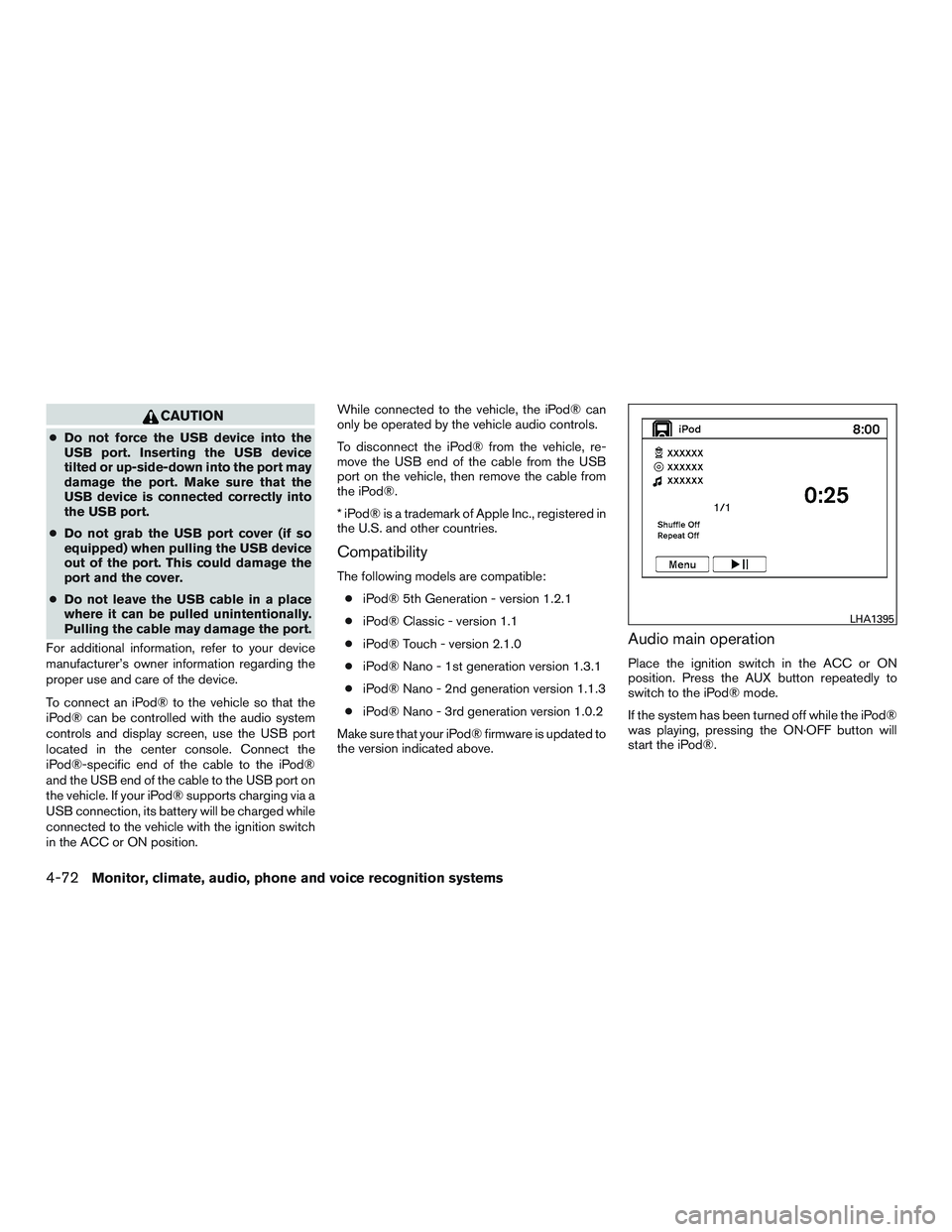
To connect an iPod® to the vehicle so that the
iPod® can be controlled with the audio system
controls and display screen, use the USB port
located in the center console. Connect the
iPod®-specific end of the cable to the iPod®
and the USB end of the cable to the USB port on
the vehicle. If your iPod® supports charging via a
USB connection, its battery will be charged while
connected to the vehicle with the ignition switch
in the ACC or ON position. While connected to the vehicle, the iPod® can
only be operated by the vehicle audio controls.
To disconnect the iPod® from the vehicle, re-
move the USB end of the cable from the USB
port on the vehicle, then remove the cable from
the iPod®.
* iPod® is a trademark of Apple Inc., registered in
the U.S. and other countries.
Compatibility
The following models are compatible:
● iPod® 5th Generation - version 1.2.1
● iPod® Classic - version 1.1
● iPod® Touch - version 2.1.0
● iPod® Nano - 1st generation version 1.3.1
● iPod® Nano - 2nd generation version 1.1.3
● iPod® Nano - 3rd generation version 1.0.2
Make sure that your iPod® firmware is updated to
the version indicated above.
Audio main operation
Place the ignition switch in the ACC or ON
position. Press the AUX button repeatedly to
switch to the iPod® mode.
If the system has been turned off while the iPod®
was playing, pressing the ON·OFF button will
start the iPod®.
Page 283 of 510
AM and FM● Tilt up/down for less than 1.5 seconds to
increase or decrease the preset station.
● Tilt up/down for more than 1.5 seconds to
seek up or down to the next station.
● Press the ENTER button to show the list of
preset stations.
XM ● Tilt up/down for less than 1.5 seconds to
increase or decrease the preset station.
● Tilt up/down for more than 1.5 seconds to
go to the next or previous category.
● Press the ENTER button to show the XM
Menu.
iPod® ● Tilt up/down for less than 1.5 seconds to
increase or decrease the track number.
● Press the ENTER button to show the iPod
Menu. CD
● Tilt up/down for less than 1.5 seconds to
increase or decrease the track number.
● Tilt up/down for more than 1.5 seconds to
increase or decrease the folder number (if
playing compressed audio files) .
● Press the ENTER button to show the CD
Menu.
DVD (if so equipped) ● Tilt up/down for less than 1.5 seconds to
increase or decrease the track number.
● Tilt up/down for more than 1.5 seconds to
increase or decrease the title number.
● Press the ENTER button to select an item
from the DVD display.
● When the transparent operation menu ap-
pears, the switch will control the menu.
USB ● Tilt up/down for less than 1.5 seconds to
increase or decrease the track number.
● Tilt up/down for more than 1.5 seconds to
increase or decrease the folder number.
● Press the ENTER button to show the USB
Menu. Bluetooth® Audio (if so equipped)
● Tilt up/down for less than 1.5 seconds to
increase or decrease the track number.
AUX ● Press the ENTER button to show the AUX
Menu.
ANTENNA
Window antenna
The antenna pattern is printed inside the rear
passenger and driver side windows.
Page 290 of 510
●Keep the batteries out of the reach of
children. Should the batteries be swal-
lowed, immediately consult a doctor.
Also, when disposing of used batteries,
please comply with governmental regu-
lations or environmental public institu-
tion rules that apply in your
country/area.
● Remove the batteries if the remote con-
trol is not used for a month or longer.
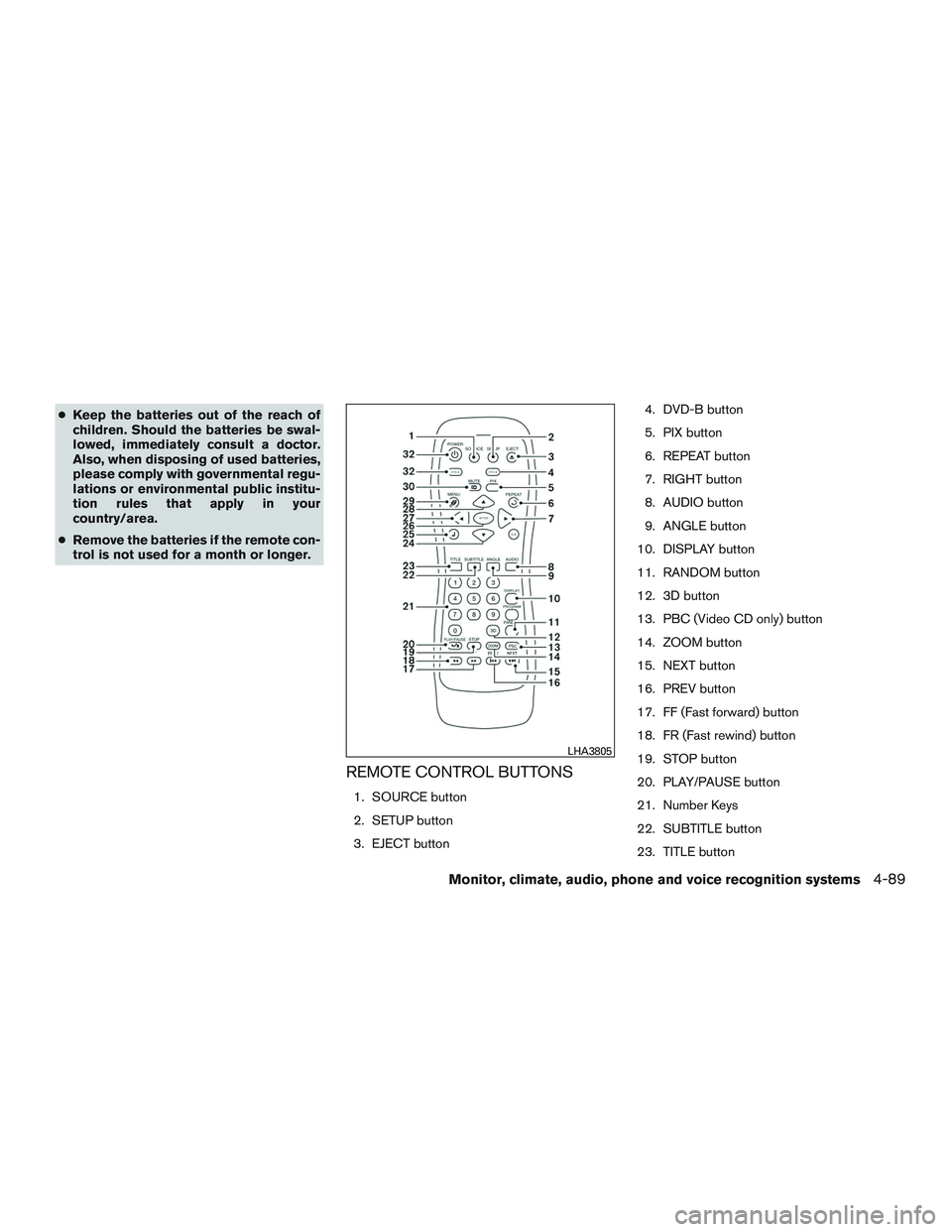
REMOTE CONTROL BUTTONS
1. SOURCE button
2. SETUP button
3. EJECT button 4. DVD-B button
5. PIX button
6. REPEAT button
7. RIGHT button
8. AUDIO button
9. ANGLE button
10. DISPLAY button
11. RANDOM button
12. 3D button
13. PBC (Video CD only) button
14. ZOOM button
15. NEXT button
16. PREV button
17. FF (Fast forward) button
18. FR (Fast rewind) button
19. STOP button
20. PLAY/PAUSE button
21. Number Keys
22. SUBTITLE button
23. TITLE button
Page 373 of 510
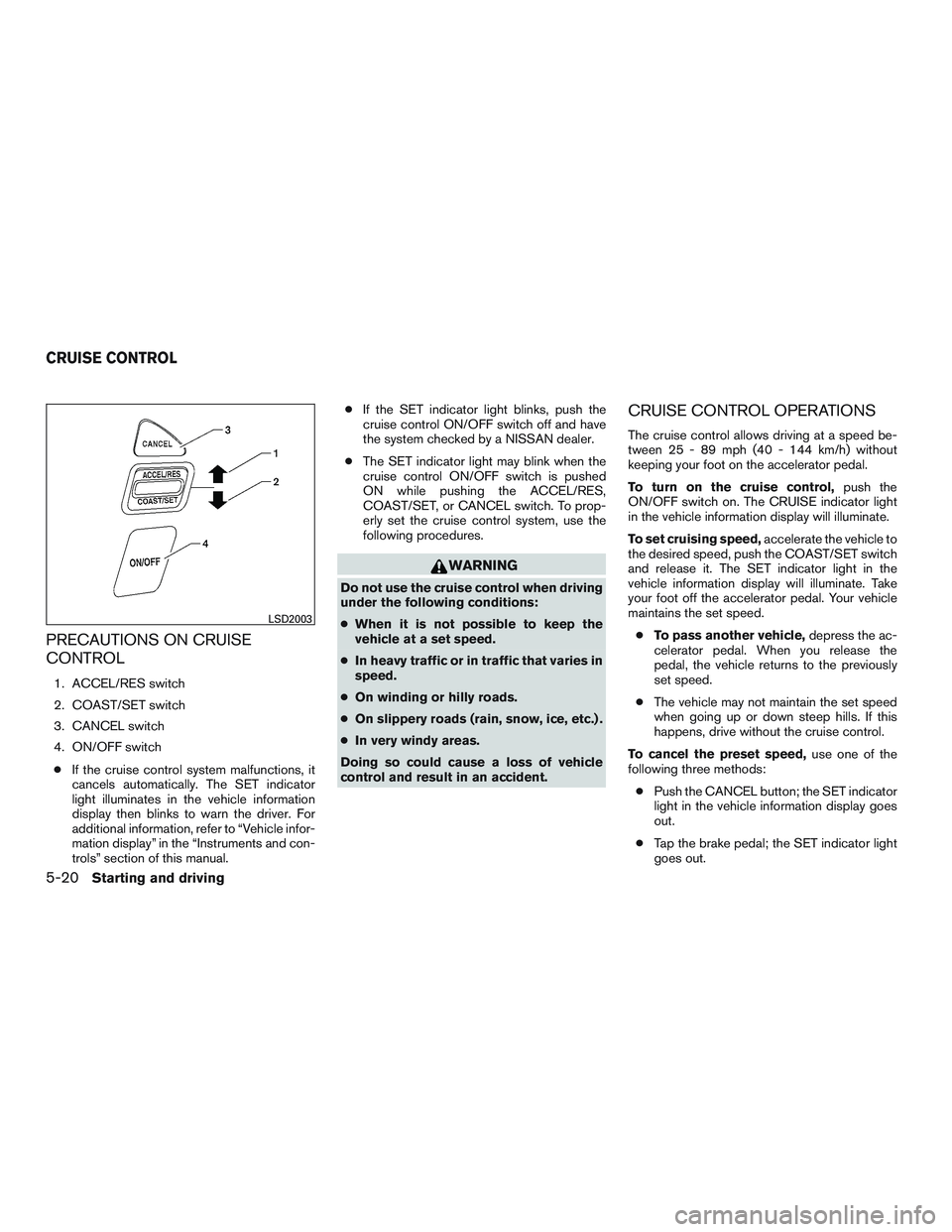
PRECAUTIONS ON CRUISE
CONTROL
1. ACCEL/RES switch
2. COAST/SET switch
3. CANCEL switch
4. ON/OFF switch● If the cruise control system malfunctions, it
cancels automatically. The SET indicator
light illuminates in the vehicle information
display then blinks to warn the driver. For
additional information, refer to “Vehicle infor-
mation display” in the “Instruments and con-
trols” section of this manual. ●
If the SET indicator light blinks, push the
cruise control ON/OFF switch off and have
the system checked by a NISSAN dealer.
● The SET indicator light may blink when the
cruise control ON/OFF switch is pushed
ON while pushing the ACCEL/RES,
COAST/SET, or CANCEL switch. To prop-
erly set the cruise control system, use the
following procedures.
Page 374 of 510
●Push the ON/OFF switch off. Both the
CRUISE indicator light and SET indicator
light in the vehicle information display go out.
The cruise control is automatically canceled and
the SET light in the vehicle information display
goes out if: ● You depress the brake pedal while pushing
the ACCEL/RES or SET/COAST switch.
The preset speed is deleted from memory.
● The vehicle slows down more than 8 mph
(13 km/h) below the set speed.
● You move the shift lever to N (Neutral) .
To reset at a faster cruising speed, use one of
the following three methods:
● Depress the accelerator pedal. When the
vehicle attains the desired speed, push and
release the COAST/SET switch.
● Push and hold the ACCEL/RES switch.
When the vehicle attains the speed you de-
sire, release the switch.
● Push and release the ACCEL/RES switch.
Each time you do this, the set speed in-
creases by about 1 mph (1.6 km/h). To reset at a slower cruising speed,
use one
of the following three methods:
● Lightly tap the brake pedal. When the ve-
hicle attains the desired speed, push the
COAST/SET switch and release it.
● Push and hold the COAST/SET switch. Re-
lease the switch when the vehicle slows to
the desired speed.
● Push and release the COAST/SET switch.
Each time you do this, the set speed de-
creases by about 1 mph (1.6 km/h).
To resume the preset speed, push and re-
lease the ACCEL/RES switch. The vehicle re-
turns to the last set cruising speed when the
vehicle speed is over 25 mph (40 km/h).
Page 381 of 510
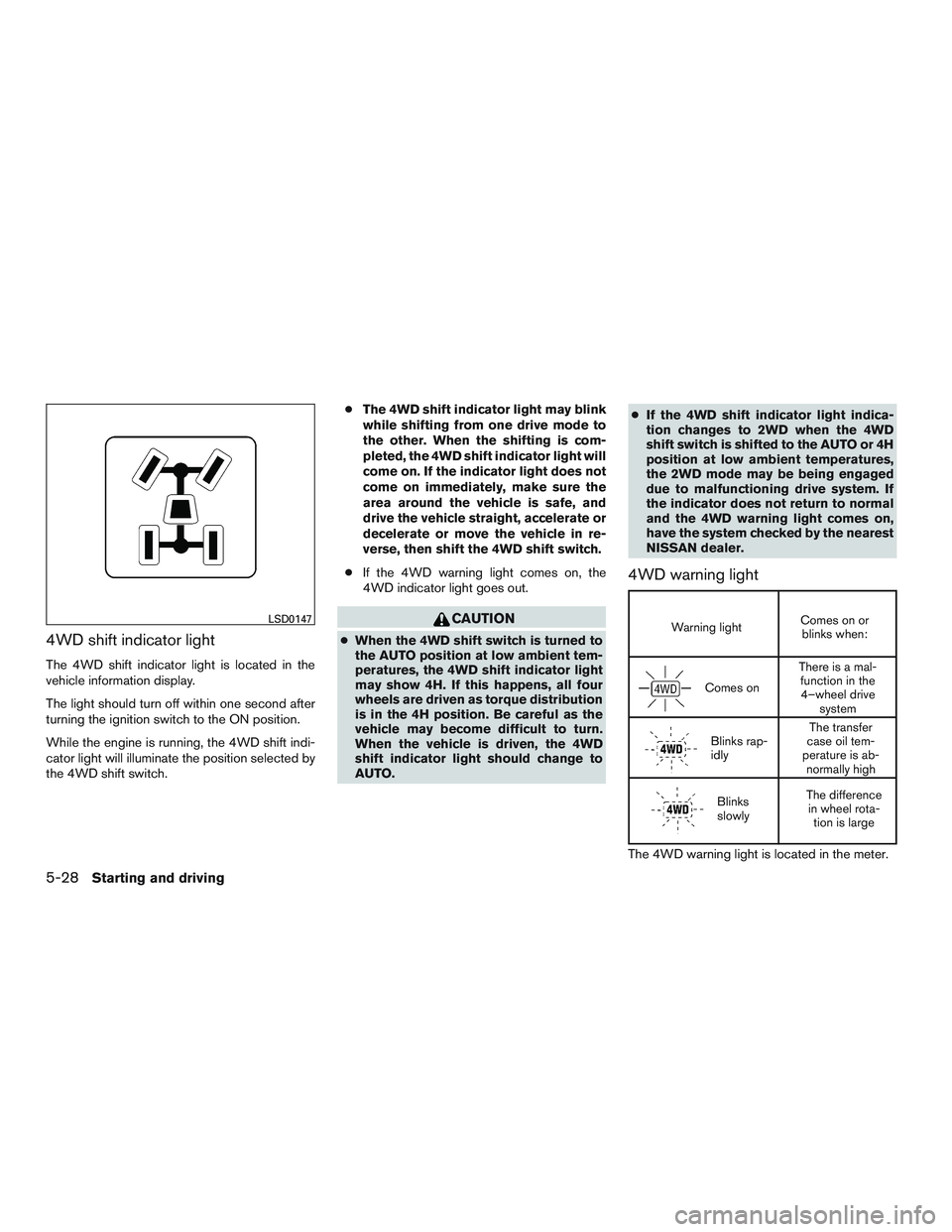
4WD shift indicator light
The 4WD shift indicator light is located in the
vehicle information display.
The light should turn off within one second after
turning the ignition switch to the ON position.
While the engine is running, the 4WD shift indi-
cator light will illuminate the position selected by
the 4WD shift switch.●
The 4WD shift indicator light may blink
while shifting from one drive mode to
the other. When the shifting is com-
pleted, the 4WD shift indicator light will
come on. If the indicator light does not
come on immediately, make sure the
area around the vehicle is safe, and
drive the vehicle straight, accelerate or
decelerate or move the vehicle in re-
verse, then shift the 4WD shift switch.
● If the 4WD warning light comes on, the
4WD indicator light goes out.
Page 501 of 510
Bulb replacement................8-33
C
Capacities and recommended fuel/lubricants . .9-2
Captain’s chair adjustment (2nd row) . . .1-6, 1-7
Cargolight....................2-64
Cargo(Seevehicleloadinginformation)....9-14
Car phone or CB radio .............4-108
CD care and cleaning ..............4-80
CD player (See audio system) ......4-53,4-59
Check tire pressure ...............2-28
Child restraints .......1-30,1-31,1-32,1-34
LATCH (Lower Anchors and Tethers for
CHildren) System ..............1-34
Precautions on child
restraints.........1-32,1-40,1-46,1-52
Top tether strap anchor point locations . .1-38
Child restraint with top tether strap .......1-37
Child safety rear door lock ............3-7
Chimes, audible reminders ...........2-20
Cleaningexteriorandinterior........7-2,7-4
Clock.......................4-50
Clock setting
(models with Navigation System) ........4-16
Clock setting
(models without Navigation System) .......4-8
C.M.V.S.S. certification label ..........9-12
Cold weather driving ...............5-37
Compact disc (CD) player ........4-53,4-59
Consolebox................2-46,2-51
Control panel buttons ..............4-10
Brightness/contrast button ......4-10,4-19
Enterbutton...............4-4,4-10
Without navigation system ..........4-4Controls
Audio controls (steering wheel) .......4-81
Heater and air conditioner controls .....4-29
Rear seat air conditioner ..........4-31
Coolant Capacities and recommended
fuel/lubricants .................9-2
Changingenginecoolant...........8-8
Checking engine coolant level ........8-8
Engine coolant temperature gauge .....2-5
Corrosion protection ...............7-5
Cruisecontrol ...........5-20,5-20,5-20
Cupholders...................2-49
Curtainside-impactandrolloverairbag....1-69
D
Daytime running light system (Canada only) . .2-36
Defroster switch Rear window and outside mirror defroster
switch.....................2-34
Digital Versatile Disc (DVD) player .......4-63
Digital video disc DVD ..............4-83
Dimensionsandweights ............9-10
Dimmer switch for instrument panel ......2-37
Display......................2-21
Display controls
(seecontrolpanelbuttons) ........4-4,4-10
Door locks .....................3-5
Drive belt .....................8-17
Drive positioner, Automatic ........3-36,3-36
Driving Cold weather driving .............5-37
Driving with automatic transmission ....5-15
Precautions when starting and driving ....5-2Driving the vehicle
................5-14
E
Economy-fuel..................5-23
Emission control information label .......9-12
Emission control system warranty .......9-32
Engine Before starting the engine ..........5-13
Blockheater.................5-39
Capacities and recommended
fuel/lubricants.................9-2
Changing engine coolant ...........8-8
Changingengineoil.............8-10
Changing engine oil filter ..........8-11
Checking engine coolant level ........8-8
Checking engine oil level ...........8-9
Engine compartment check locations ....
8-6
Engine coolant temperature gauge .....2-5
Engine cooling system ............8-7
Engineoil ...................8-9
Engine oil and oil filter recommendation . . .9-7
Engineoilpressuregauge..........2-7
Engine oil viscosity ..............9-8
Engine serial number ............9-12
Engine specifications .............9-9
Starting the engine .............5-13
Engine coolant temperature gauge .......2-5
Engine oil pressure gauge ............2-7
Engine oil pressure low/engine coolant
temperature high warning light .........2-15
Enter button .................4-4,4-10
Event Data recorders ..............9-34
Exhaust gas (Carbon monoxide) .........5-2
Explanation of maintenance items ........8-2
10-2