instrument panel NISSAN CUBE 2011 3.G User Guide
[x] Cancel search | Manufacturer: NISSAN, Model Year: 2011, Model line: CUBE, Model: NISSAN CUBE 2011 3.GPages: 345, PDF Size: 2.97 MB
Page 75 of 345
Black plate (7,1)
2 Instruments and controls
Model "Z12-D" EDITED: 2010/ 9/ 27
Cockpit............................................................ 2-2
Instrument panel ................................................ 2-3
Meters and gauges ............................................. 2-4
Speedometer and odometer ............................. 2-5
Tachometer ................................................... 2-6
Engine coolant temperature gauge ..................... 2-6
Fuel gauge ................................................... 2-7
Vehicle information display ................................ 2-8
Outside air temperature (if so equipped) .............. 2-8
Continuously Variable Transmission (CVT)
position indicator (if so equipped) ...................... 2-8
Trip computer ................................................ 2-8
Warning/indicator lights and audible reminders ....... 2-11
Checking bulbs ........................................... 2-11
Warning lights ............................................. 2-11
Indicator lights ............................................. 2-16
Audible reminders ........................................ 2-18
Security systems .............................................. 2-18
Vehicle Security System. ................................ 2-18
NISSAN Vehicle Immobilizer System ................. 2-20
Windshield wiper and washer switch .................... 2-21
Rear window wiper and washer switch .................. 2-23
Rear window and outside mirror defroster switch ..... 2-24
Headlight and turn signal switch .......................... 2-24
Headlight switch .......................................... 2-24 Turn signal switch
........................................ 2-27
Fog light switch (if so equipped) ...................... 2-28
Hazard warning flasher switch ............................. 2-28
Horn ............................................................. 2-29
Vehicle Dynamic Control (VDC) OFF switch ........... 2-29
Heated seats (if so equipped) ............................. 2-29
Clock (if so equipped) ....................................... 2-31
Adjusting the time ........................................ 2-31
Resetting the time (Type B) ............................ 2-33
Power outlet ................................................... 2-33
Storage ......................................................... 2-34
Cup holders ................................................ 2-34
Glove box .................................................. 2-36
Rear pillar pocket ......................................... 2-36
Luggage hooks ............................................ 2-37
Utility hooks (if so equipped) ........................... 2-37
Windows ....................................................... 2-38
Power windows ........................................... 2-38
Interior lights ................................................... 2-40
Map lights (if so equipped) ............................. 2-41
Map light control switch (if so equipped) ........... 2-41
Ceiling light ................................................ 2-42
Cargo light (if so equipped) ................................ 2-42
Page 77 of 345
Black plate (75,1)
Model "Z12-D" EDITED: 2010/ 9/ 27
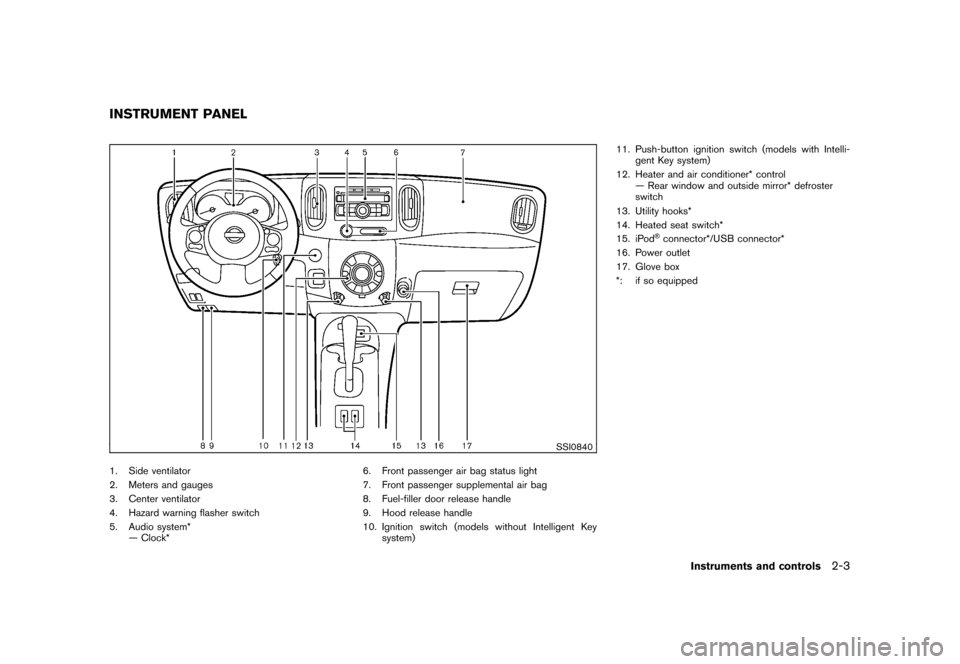
SSI0840
1. Side ventilator
2. Meters and gauges
3. Center ventilator
4. Hazard warning flasher switch
5. Audio system*— Clock* 6. Front passenger air bag status light
7. Front passenger supplemental air bag
8. Fuel-filler door release handle
9. Hood release handle
10. Ignition switch (models without Intelligent Key
system) 11. Push-button ignition switch (models with Intelli-
gent Key system)
12. Heater and air conditioner* control — Rear window and outside mirror* defroster
switch
13. Utility hooks*
14. Heated seat switch*
15. iPod
®connector*/USB connector*
16. Power outlet
17. Glove box
*: if so equipped
INSTRUMENT PANEL
Instruments and controls
2-3
Page 79 of 345
Black plate (77,1)
Model "Z12-D" EDITED: 2010/ 9/ 27
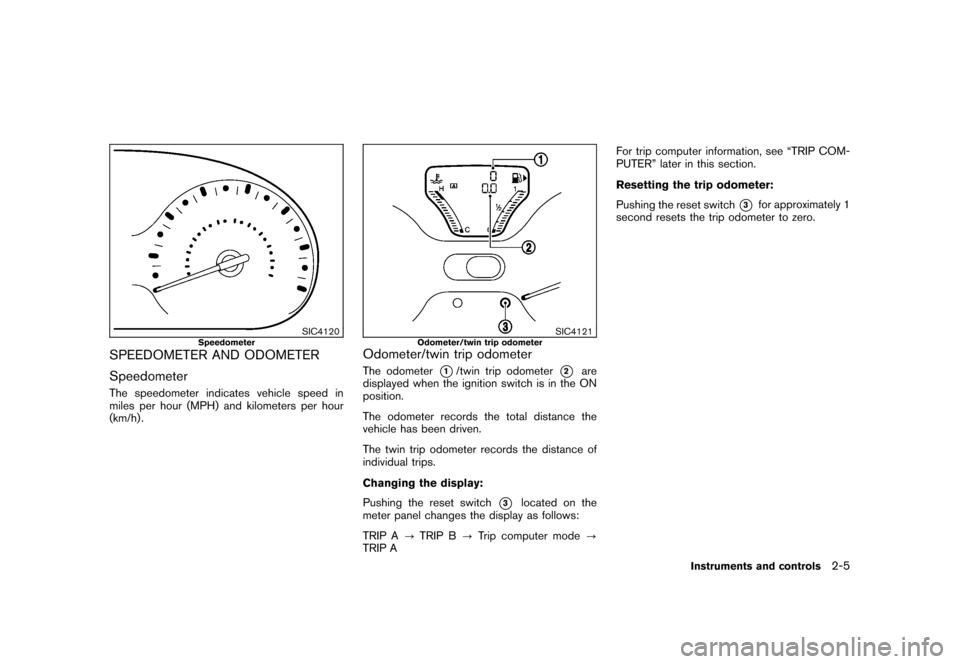
SIC4120
Speedometer
SPEEDOMETER AND ODOMETER
SpeedometerThe speedometer indicates vehicle speed in
miles per hour (MPH) and kilometers per hour
(km/h) .
SIC4121
Odometer/twin trip odometer
Odometer/twin trip odometerThe odometer
*1/twin trip odometer
*2
are
displayed when the ignition switch is in the ON
position.
The odometer records the total distance the
vehicle has been driven.
The twin trip odometer records the distance of
individual trips.
Changing the display:
Pushing the reset switch
*3
located on the
meter panel changes the display as follows:
TRIP A ?TRIP B ?Trip computer mode ?
TRIP A For trip computer information, see “TRIP COM-
PUTER” later in this section.
Resetting the trip odometer:
Pushing the reset switch
*3
for approximately 1
second resets the trip odometer to zero.
Instruments and controls
2-5
Page 82 of 345
Black plate (80,1)
Model "Z12-D" EDITED: 2010/ 9/ 27
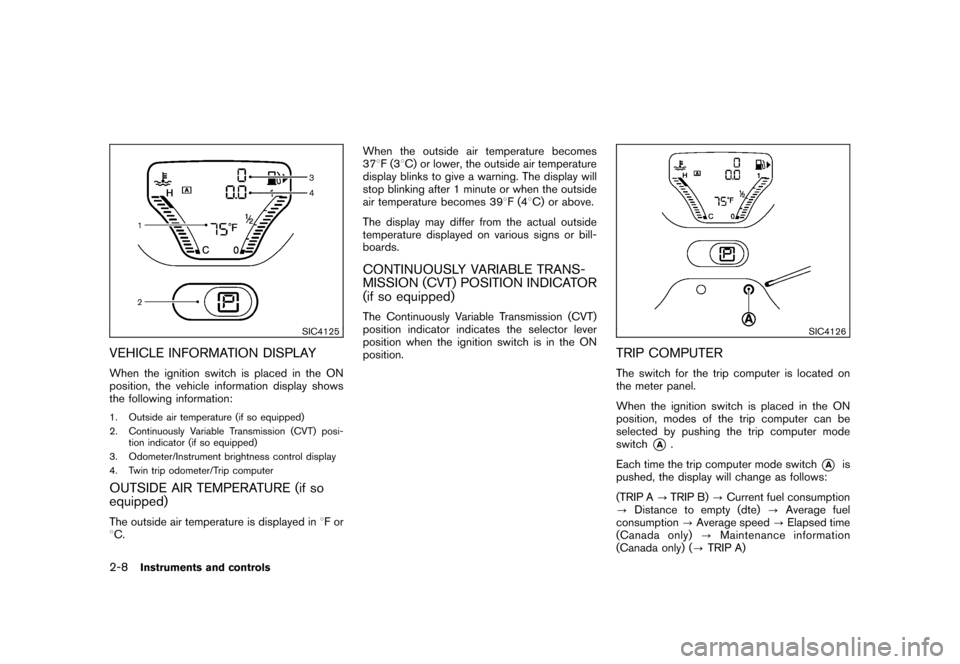
SIC4125
VEHICLE INFORMATION DISPLAYWhen the ignition switch is placed in the ON
position, the vehicle information display shows
the following information:1. Outside air temperature (if so equipped)
2. Continuously Variable Transmission (CVT) posi-tion indicator (if so equipped)
3. Odometer/Instrument brightness control display
4. Twin trip odometer/Trip computerOUTSIDE AIR TEMPERATURE (if so
equipped)The outside air temperature is displayed in 8For
8 C. When the outside air temperature becomes
37
8F(3 8C) or lower, the outside air temperature
display blinks to give a warning. The display will
stop blinking after 1 minute or when the outside
air temperature becomes 39 8F(4 8C) or above.
The display may differ from the actual outside
temperature displayed on various signs or bill-
boards.
CONTINUOUSLY VARIABLE TRANS-
MISSION (CVT) POSITION INDICATOR
(if so equipped)The Continuously Variable Transmission (CVT)
position indicator indicates the selector lever
position when the ignition switch is in the ON
position.
SIC4126
TRIP COMPUTERThe switch for the trip computer is located on
the meter panel.
When the ignition switch is placed in the ON
position, modes of the trip computer can be
selected by pushing the trip computer mode
switch
*A
.
Each time the trip computer mode switch
*A
is
pushed, the display will change as follows:
(TRIP A ?TRIP B) ?Current fuel consumption
? Distance to empty (dte) ?Average fuel
consumption ?Average speed ?Elapsed time
(Canada only) ?Maintenance information
(Canada only) ( ?TRIP A)
2-8
Instruments and controls
Page 90 of 345
Black plate (88,1)
Model "Z12-D" EDITED: 2010/ 9/ 27
WARNING
If the supplemental air bag warning
light is on, it could mean that the front
air bag, side air bag, curtain air bag
and/or pretensioner systems will not
operate in an accident. To help avoid
injury to yourself or others, have your
vehicle checked by a NISSAN dealer as
soon as possible.INDICATOR LIGHTS
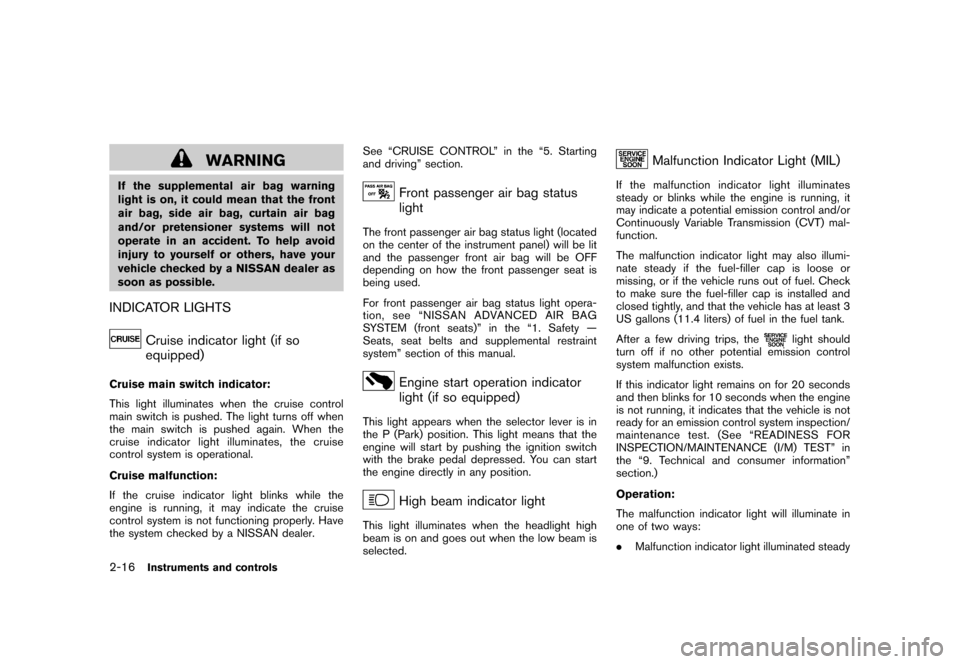
Cruise indicator light (if so
equipped)
Cruise main switch indicator:
This light illuminates when the cruise control
main switch is pushed. The light turns off when
the main switch is pushed again. When the
cruise indicator light illuminates, the cruise
control system is operational.
Cruise malfunction:
If the cruise indicator light blinks while the
engine is running, it may indicate the cruise
control system is not functioning properly. Have
the system checked by a NISSAN dealer.See “CRUISE CONTROL” in the “5. Starting
and driving” section.
Front passenger air bag status
light
The front passenger air bag status light (located
on the center of the instrument panel) will be lit
and the passenger front air bag will be OFF
depending on how the front passenger seat is
being used.
For front passenger air bag status light opera-
tion,see“NISSANADVANCEDAIRBAG
SYSTEM (front seats)” in the “1. Safety —
Seats, seat belts and supplemental restraint
system” section of this manual.
Engine start operation indicator
light (if so equipped)
This light appears when the selector lever is in
the P (Park) position. This light means that the
engine will start by pushing the ignition switch
with the brake pedal depressed. You can start
the engine directly in any position.
High beam indicator light
This light illuminates when the headlight high
beam is on and goes out when the low beam is
selected.
Malfunction Indicator Light (MIL)
If the malfunction indicator light illuminates
steady or blinks while the engine is running, it
may indicate a potential emission control and/or
Continuously Variable Transmission (CVT) mal-
function.
The malfunction indicator light may also illumi-
nate steady if the fuel-filler cap is loose or
missing, or if the vehicle runs out of fuel. Check
to make sure the fuel-filler cap is installed and
closed tightly, and that the vehicle has at least 3
US gallons (11.4 liters) of fuel in the fuel tank.
After a few driving trips, the
light should
turn off if no other potential emission control
system malfunction exists.
If this indicator light remains on for 20 seconds
and then blinks for 10 seconds when the engine
is not running, it indicates that the vehicle is not
ready for an emission control system inspection/
maintenance test. (See “READINESS FOR
INSPECTION/MAINTENANCE (I/M) TEST” in
the “9. Technical and consumer information”
section.)
Operation:
The malfunction indicator light will illuminate in
one of two ways:
. Malfunction indicator light illuminated steady
2-16
Instruments and controls
Page 95 of 345
Black plate (93,1)
Model "Z12-D" EDITED: 2010/ 9/ 27
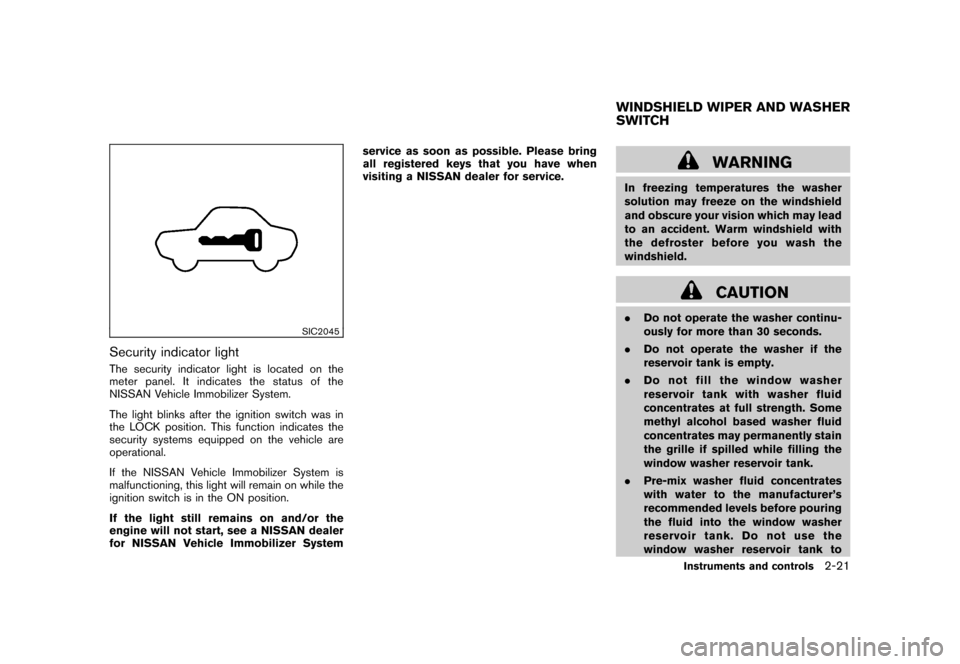
SIC2045
Security indicator lightThe security indicator light is located on the
meter panel. It indicates the status of the
NISSAN Vehicle Immobilizer System.
The light blinks after the ignition switch was in
the LOCK position. This function indicates the
security systems equipped on the vehicle are
operational.
If the NISSAN Vehicle Immobilizer System is
malfunctioning, this light will remain on while the
ignition switch is in the ON position.
If the light still remains on and/or the
engine will not start, see a NISSAN dealer
for NISSAN Vehicle Immobilizer Systemservice as soon as possible. Please bring
all registered keys that you have when
visiting a NISSAN dealer for service.
WARNING
In freezing temperatures the washer
solution may freeze on the windshield
and obscure your vision which may lead
to an accident. Warm windshield with
the defroster before you wash the
windshield.
CAUTION
.
Do not operate the washer continu-
ously for more than 30 seconds.
. Do not operate the washer if the
reservoir tank is empty.
. Do not fill the window washer
reservoir tank with washer fluid
concentrates at full strength. Some
methyl alcohol based washer fluid
concentrates may permanently stain
the grille if spilled while filling the
window washer reservoir tank.
. Pre-mix washer fluid concentrates
with water to the manufacturer’s
recommended levels before pouring
the fluid into the window washer
reservoir tank. Do not use the
window washer reservoir tank toWINDSHIELD WIPER AND WASHER
SWITCH
Instruments and controls
2-21
Page 99 of 345
Black plate (97,1)
Model "Z12-D" EDITED: 2010/ 9/ 27
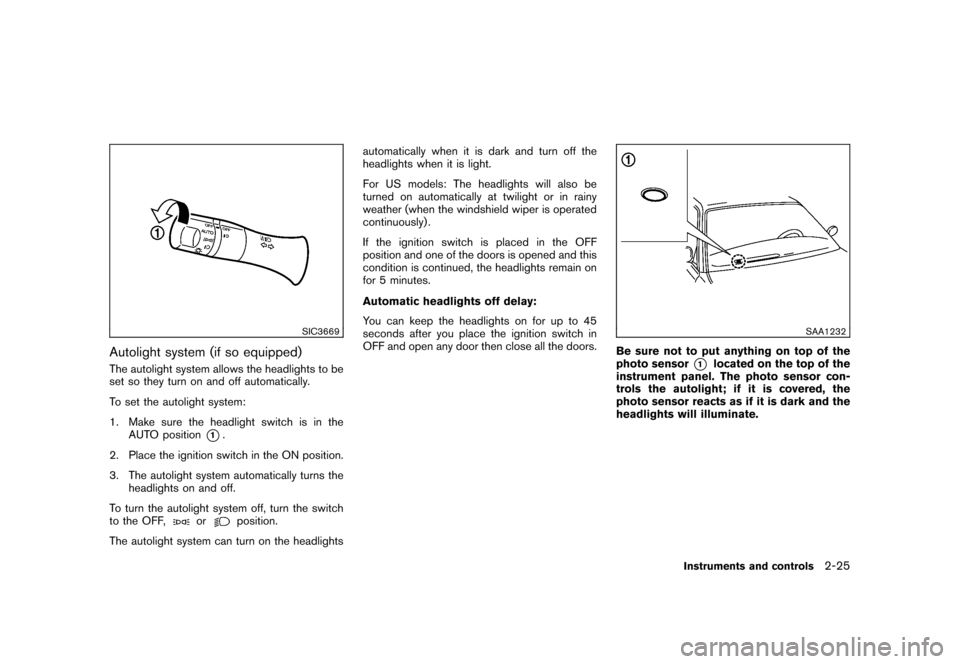
SIC3669
Autolight system (if so equipped)The autolight system allows the headlights to be
set so they turn on and off automatically.
To set the autolight system:
1. Make sure the headlight switch is in theAUTO position
*1.
2. Place the ignition switch in the ON position.
3. The autolight system automatically turns the headlights on and off.
To turn the autolight system off, turn the switch
to the OFF,
or
position.
The autolight system can turn on the headlights automatically when it is dark and turn off the
headlights when it is light.
For US models: The headlights will also be
turned on automatically at twilight or in rainy
weather (when the windshield wiper is operated
continuously) .
If the ignition switch is placed in the OFF
position and one of the doors is opened and this
condition is continued, the headlights remain on
for 5 minutes.
Automatic headlights off delay:
You can keep the headlights on for up to 45
seconds after you place the ignition switch in
OFF and open any door then close all the doors.
SAA1232
Be sure not to put anything on top of the
photo sensor
*1
located on the top of the
instrument panel. The photo sensor con-
trols the autolight; if it is covered, the
photo sensor reacts as if it is dark and the
headlights will illuminate.
Instruments and controls
2-25
Page 101 of 345
Black plate (99,1)
Model "Z12-D" EDITED: 2010/ 9/ 27
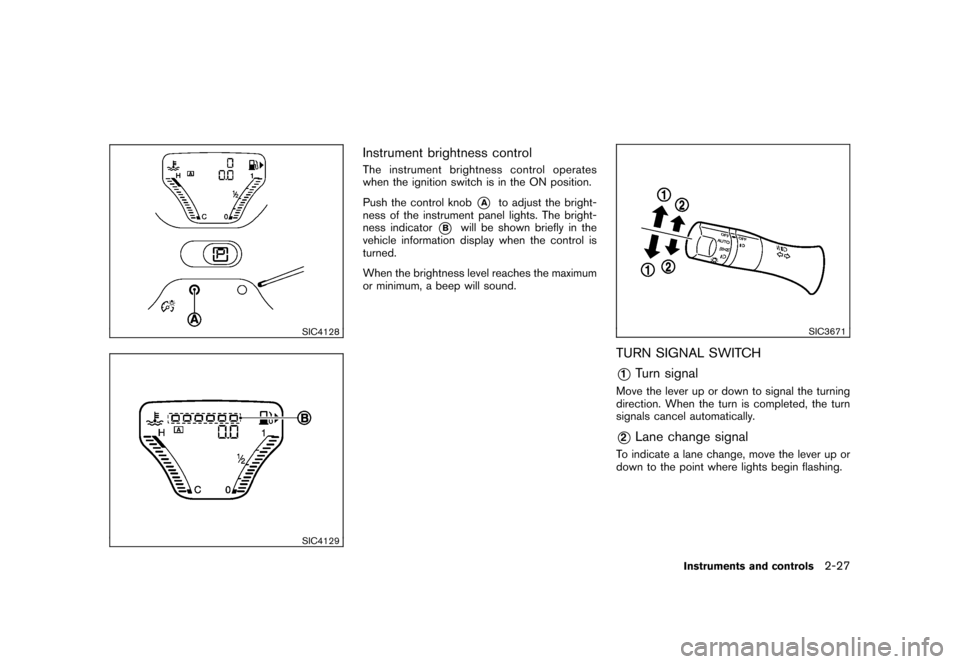
SIC4128SIC4129
Instrument brightness controlThe instrument brightness control operates
when the ignition switch is in the ON position.
Push the control knob
*A
to adjust the bright-
ness of the instrument panel lights. The bright-
ness indicator
*B
will be shown briefly in the
vehicle information display when the control is
turned.
When the brightness level reaches the maximum
or minimum, a beep will sound.
SIC3671
TURN SIGNAL SWITCH*1
Turn signal
Move the lever up or down to signal the turning
direction. When the turn is completed, the turn
signals cancel automatically.*2
Lane change signal
To indicate a lane change, move the lever up or
down to the point where lights begin flashing.
Instruments and controls
2-27
Page 107 of 345
Black plate (105,1)
Model "Z12-D" EDITED: 2010/ 9/ 27
5. Push the ENTER SETTING button
*1.
The display will return to the regular clock
display after 5 seconds.
RESETTING THE TIME (Type B)By holding down the MENU button and then
pushing the TUNE or SEEK button, the time will
be reset as follows.
. In case the displayed minute is in the range
of 00 - 29, the hour will stay the same and
the minute will be reset to 00.
. In case the displayed minute is in the range
of 30 - 59, the hour will be advanced by one
hour and the minute will be reset to 00.
For example, if the MENU and TUNE buttons are
pushed while the time is between “8:00” and
“8:29”, the display will be reset to “8:00”. If
pushed while the time is between “8:30” and
“8:59”, the display will be reset to “9:00”. At the
same time the display will return to the previous
audio mode.
SIC4132
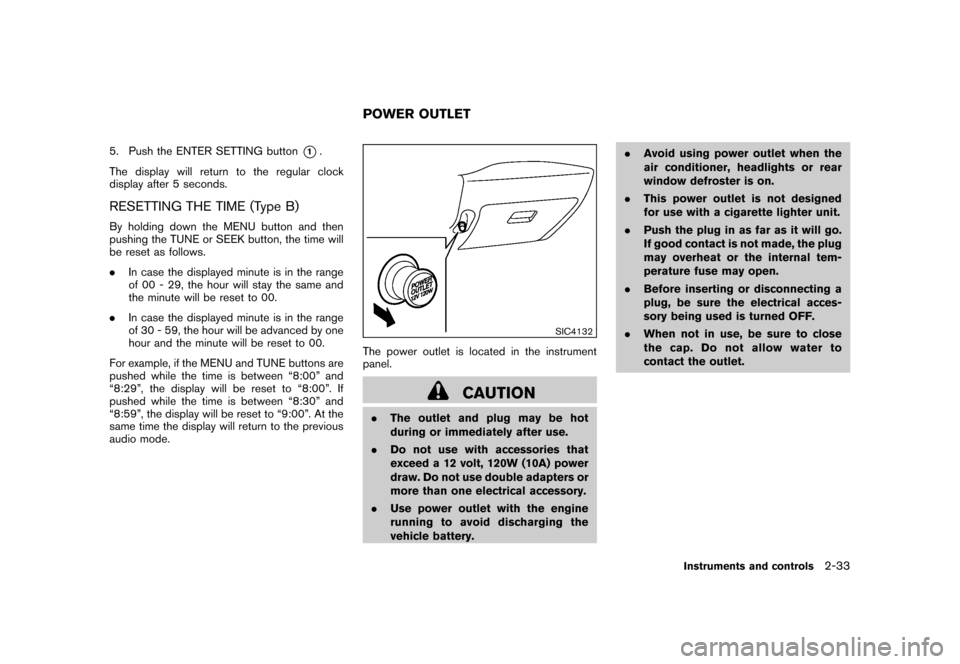
The power outlet is located in the instrument
panel.
CAUTION
. The outlet and plug may be hot
during or immediately after use.
. Do not use with accessories that
exceed a 12 volt, 120W (10A) power
draw. Do not use double adapters or
more than one electrical accessory.
. Use power outlet with the engine
running to avoid discharging the
vehicle battery. .
Avoid using power outlet when the
air conditioner, headlights or rear
window defroster is on.
. This power outlet is not designed
for use with a cigarette lighter unit.
. Push the plug in as far as it will go.
If good contact is not made, the plug
may overheat or the internal tem-
perature fuse may open.
. Before inserting or disconnecting a
plug, be sure the electrical acces-
sory being used is turned OFF.
. When not in use, be sure to close
the cap. Do not allow water to
contact the outlet.POWER OUTLET
Instruments and controls
2-33
Page 108 of 345
Black plate (106,1)
Model "Z12-D" EDITED: 2010/ 9/ 27
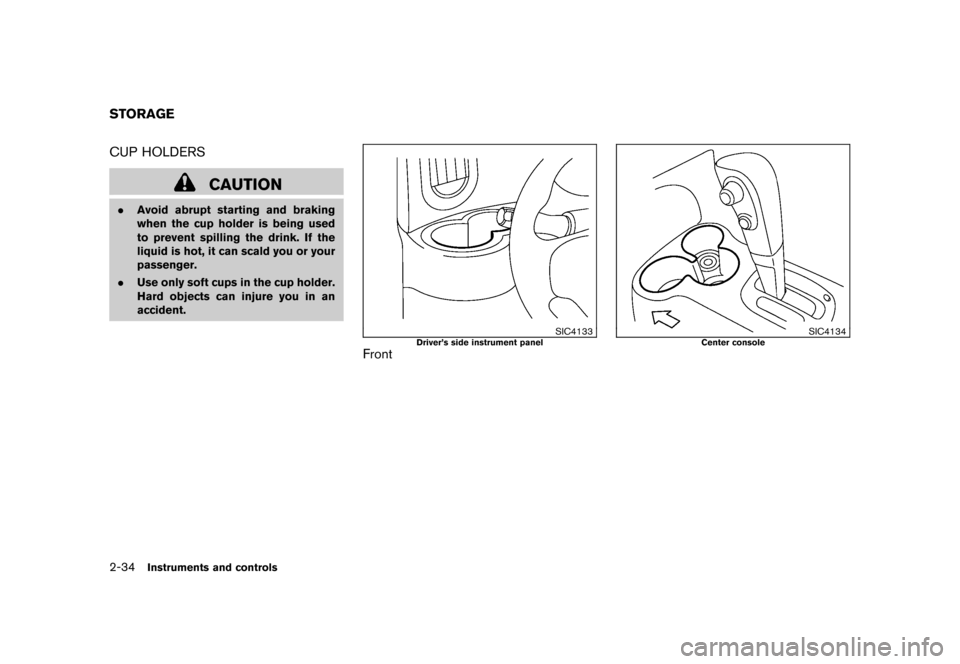
CUP HOLDERS
CAUTION
.Avoid abrupt starting and braking
when the cup holder is being used
to prevent spilling the drink. If the
liquid is hot, it can scald you or your
passenger.
. Use only soft cups in the cup holder.
Hard objects can injure you in an
accident.
SIC4133
Driver’s side instrument panel
Front
SIC4134
Center console
STORAGE2-34
Instruments and controls